Zendesk first-response best practices: 9 proven ways to speed up replies

Stevia Putri
Last edited March 3, 2026
First reply time is the moment of truth in customer support. It's the gap between when a customer reaches out and when they hear back from a human. Get it right, and you build trust. Get it wrong, and you start the relationship with frustration.
The data is clear: faster first replies correlate directly with higher customer satisfaction. But speed alone isn't the answer. You need systems that help your team respond quickly without sacrificing quality. That's where the right mix of Zendesk configuration, workflow optimization, and AI automation comes in.
In this guide, we'll walk through proven Zendesk first-response best practices that actually work. From setting up SLA policies that motivate your team to implementing AI that drafts replies in seconds, these are the tactics support leaders use to keep response times low and satisfaction high.

What is first reply time and why it matters
First reply time (FRT) measures the time between when a customer submits a ticket and when an agent sends their first substantive response. Automated acknowledgments don't count. Neither do out-of-office replies. We're talking about a real human response that moves the conversation forward.
Customer expectations vary by channel. For email, under 4 hours is considered good, under 1 hour is excellent. For chat, customers expect a response in under 40 seconds. Social media falls somewhere in between, with users expecting replies within an hour during business hours.
It's important not to confuse first reply time with first contact resolution (FCR). FRT measures speed of response. FCR measures whether the issue gets solved in that first interaction. Both matter, but they're independent metrics. A fast reply that doesn't solve anything still leaves the customer waiting for a resolution.
Zendesk research shows a clear pattern: as first reply time decreases, customer satisfaction increases. This isn't surprising. When customers feel heard quickly, they're more patient with the resolution process. The psychological effect of acknowledgment is powerful. A customer who waits 6 hours for any response is already frustrated before the agent even starts troubleshooting.
Setting up SLA policies for first reply time
Service Level Agreements (SLAs) are the foundation of response time management in Zendesk. They create accountability by setting clear targets for how quickly your team should respond based on ticket priority.
To configure your SLA policies, navigate to Admin Center > Objects and rules > Business rules > Service level agreements. Create a new policy with a descriptive name like "Standard Support SLA" so your team understands what it applies to.
For first reply time targets, consider this baseline structure:
| Priority | Target | Use Case |
|---|---|---|
| Urgent | 1 hour | System outages, security issues, major bugs affecting many users |
| High | 4 hours | Feature problems impacting work, billing issues, escalations |
| Normal | 8 hours | General questions, feature requests, minor bugs |
| Low | 24 hours | Feedback, non-urgent inquiries, internal requests |
The key decision is whether to measure against business hours or calendar hours. Business hours are almost always the right choice for fair metrics. If your team works 9-5 and a ticket comes in at 6 PM, counting those overnight hours against your SLA creates impossible expectations. Set up your schedules in Zendesk to reflect actual working hours, including holiday calendars.
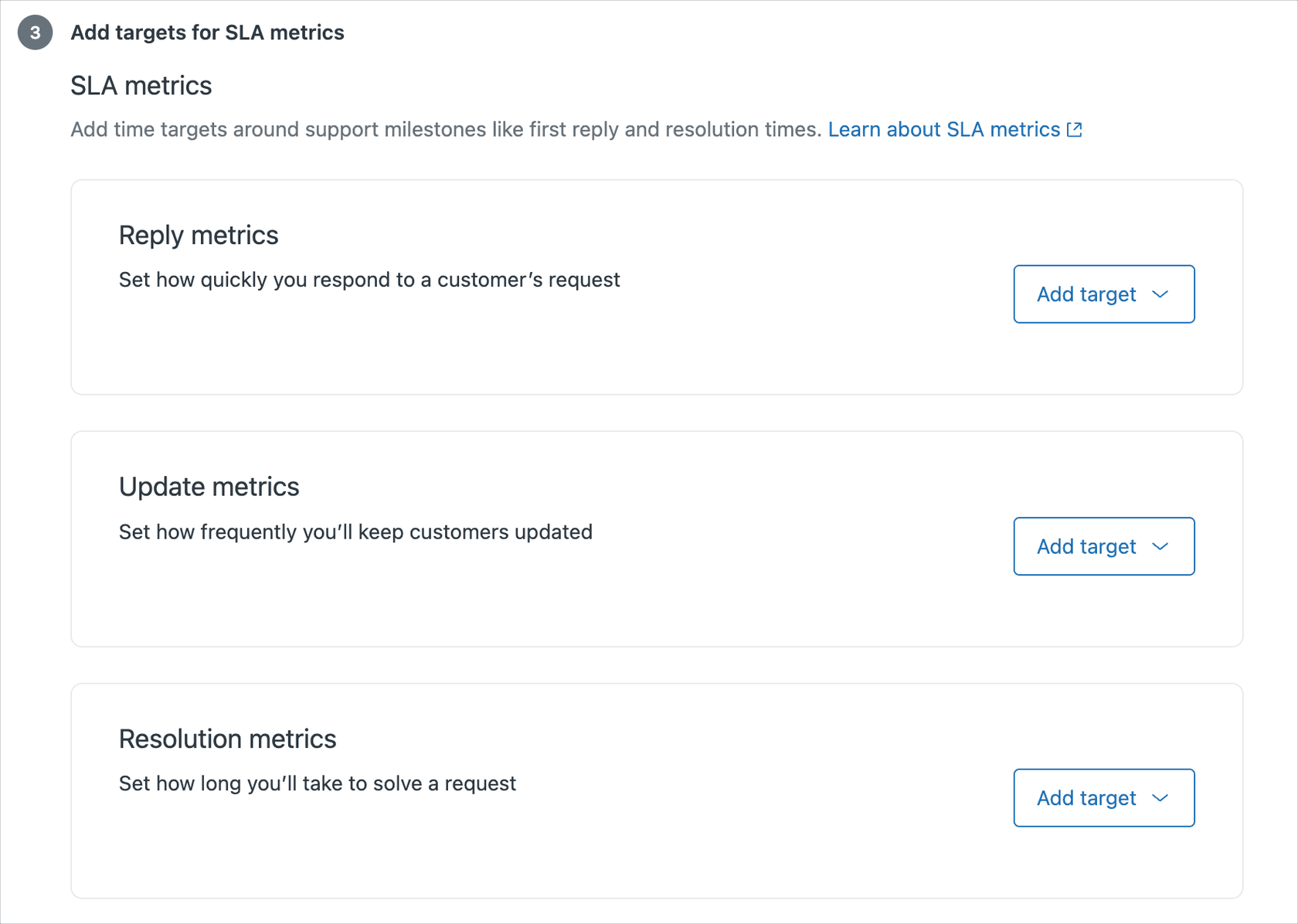
Remember that SLAs work best when they're visible. Agents should see the countdown timer on every ticket. Managers should review SLA performance weekly. Targets that exist but aren't tracked quickly become meaningless.
Zendesk workflow optimizations
Beyond SLAs, several built-in Zendesk features can dramatically reduce first reply times when configured properly.
Macros for faster replies. Create pre-written responses for your most common issues. A well-crafted macro isn't just a template, it's a starting point that includes troubleshooting steps, relevant documentation links, and a professional sign-off. Train agents to personalize macros rather than sending them verbatim. The time saved on typing is significant, but the quality stays consistent.
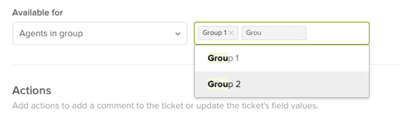
Trigger automation. Set up triggers to auto-assign tickets based on keywords, requester domain, or channel. A ticket containing "refund" can go straight to your billing team. A ticket from a VIP customer domain can get flagged for priority handling. The goal is to eliminate the manual triage delay.
Views optimization. Simplify your agents' default views. Sort by oldest first (FIFO) so nothing sits unanswered. Enable the Play button for guided mode, which automatically presents the next ticket to work. Remove clutter from views so agents can focus on what matters.
Self-service deflection. Build knowledge base articles for your top 10 ticket drivers. Link to these articles in your help center, in your email signatures, and through AI chatbots that can suggest relevant content before a ticket is even created. Every ticket prevented is a first reply time that doesn't need to happen.
Omnichannel routing. Route messaging and chat tickets differently than email. Chat customers expect immediate responses, so these should go to agents who are actively online and available. Email can be batched. Understanding these channel differences prevents mismatched expectations.
How eesel AI improves first reply time automatically
Even with perfect Zendesk configuration, there's a limit to how fast humans can respond. That's where AI comes in. At eesel AI, we've built an AI teammate that works directly inside Zendesk to handle the response bottleneck.

Here's how it works. You connect eesel AI to your Zendesk account. It reads your past tickets, help center articles, macros, and any connected documentation. Within minutes, it understands your business, your tone, and your common issues. No manual training, no complex configuration. Just connect and go.
From there, you have three ways to improve first reply times:
AI Agent for instant resolution. Our AI Agent handles common tickets autonomously. It reads the ticket, drafts a response based on your knowledge, and sends it. No agent involvement required. For mature deployments, this achieves up to 81% autonomous resolution (source). The first reply time becomes effectively zero for these tickets.
AI Copilot for faster human responses. For tickets that need a human touch, our AI Copilot drafts replies instantly. Agents see a suggested response when they open a ticket. They can approve, edit, or regenerate. The draft learns your team's voice from past conversations, so it sounds like you, not generic AI. Agents save minutes per ticket on typing and research.
AI Triage for intelligent routing. Tickets get to the right team immediately. No more bouncing between departments while the customer waits. Our AI Triage product reads ticket content and routes based on topic, sentiment, and urgency.

The setup process is straightforward. Connect to Zendesk, let eesel learn from your data, then run simulations on past tickets to verify quality before going live. Start with AI Copilot drafting for review, then level up to full AI Agent autonomy as you gain confidence. Most teams see a payback period of under two months (source).
Reporting and measuring first reply time
You can't improve what you don't measure. Zendesk Explore provides the reporting tools you need to track first reply time accurately.
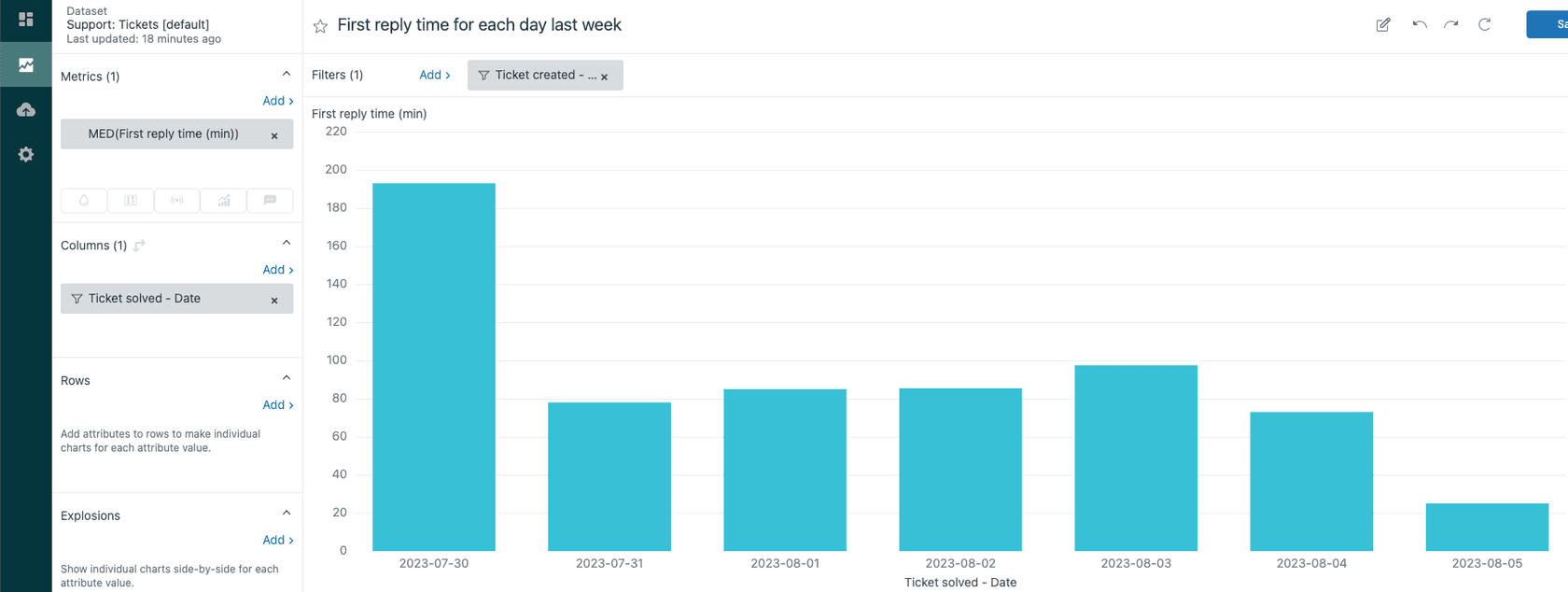
Start with the basics. Build a report showing median first reply time by week. Median is preferred over average because it isn't skewed by outliers. One ticket that sat for a week shouldn't distort your view of typical performance.
Add dimensions to understand the full picture:
- FRT by channel Email, chat, social, and messaging will have different baselines
- FRT by agent group Identify which teams need support or process improvements
- FRT by priority Ensure your urgent tickets are actually being treated urgently
- FRT by time of day Spot coverage gaps during certain hours
Set up business hours reporting for accurate metrics. If you don't, your numbers will look worse than reality because off-hours are being counted against you. Create dashboards for real-time monitoring so managers can spot problems as they happen, not at the end of the month.
Look for trends and outliers. Is FRT creeping up over time? That suggests you need more staff or better processes. Are certain agents consistently faster? Study their approach and share it. Are specific ticket types taking longer? Consider macros, better documentation, or AI assistance for those categories.
Common mistakes to avoid
Even well-intentioned teams make these first reply time errors:
Sacrificing quality for speed. Templates that feel robotic damage relationships. Macros should be starting points, not final responses. Personalization matters.
Misconfigured business hours. Including weekends in your SLA schedule when your team is off creates impossible targets. Set schedules that reflect reality.
Using average instead of median. One outlier can distort your entire metric. Always report median FRT for accurate performance tracking.
Ignoring volume spikes. Product launches, outages, and seasonal rushes will spike ticket volume. Plan staffing accordingly or expect SLA breaches.
Not training agents on knowledge base resources. Agents who don't know where to find answers take longer to respond. Regular training on your help center content pays off.
Cherry-picking tickets instead of FIFO. Letting agents skip hard tickets creates a backlog of difficult issues that become harder to resolve the longer they wait. Enforce first-in-first-out workflows.
Advanced strategies for complex teams
For larger or more complex support operations, consider these advanced approaches:
Group SLAs for internal handoffs. When tickets move between departments, set internal SLAs for those transitions. A ticket that sits in engineering queue for three days before coming back to support destroys your overall response time.
Follow-the-sun support models. Global teams can provide 24/7 coverage by routing tickets to agents in active time zones. This keeps first reply times low without requiring night shifts.
Handling proactive tickets and side conversations. Not all customer communication fits the standard ticket flow. Have processes for handling proactive outreach and side conversations that don't trigger your normal SLA timers.
Balancing FRT with other metrics. First reply time shouldn't exist in a vacuum. Track it alongside CSAT, resolution time, and one-touch resolution rate. A team that responds in 10 minutes but never solves anything isn't succeeding.
Getting started with faster Zendesk responses
Improving first reply time doesn't require a massive overhaul. Start with quick wins, then build toward more substantial changes.
This week: Review your macros. Are they current? Do they cover your top ticket types? Check your SLA targets. Are they realistic? Simplify your agent views to reduce cognitive load.
This month: Implement AI assistance with eesel AI. Start with AI Copilot drafting for review. Run simulations on past tickets to measure potential impact. Train your team on knowledge base resources.
This quarter: Build out your knowledge base for self-service deflection. Refine your routing rules based on data. Consider leveling up to full AI Agent autonomy for common ticket types.
The goal isn't instant transformation. It's steady improvement that compounds over time. Every minute you shave off first reply time is a minute your customers aren't waiting and wondering.
Ready to see how AI can transform your first reply times? Try eesel AI free or book a demo to see AI-powered first responses in action.


Frequently Asked Questions
Share this article

Article by
Stevia Putri
Stevia Putri is a marketing generalist at eesel AI, where she helps turn powerful AI tools into stories that resonate. She’s driven by curiosity, clarity, and the human side of technology.



