

Your hero banner is basically your store’s digital welcome mat. It's the first thing people see, and a good one convinces them to step inside and look around. For a long time, getting a professional-looking banner meant hiring photographers and designers, which was often a slow and expensive process.
Now, that's not always the case. Shopify has built-in AI tools that work together as a Shopify Magic Hero Banner Generator, letting you create some really nice visuals just by typing out what you want.
In this guide, we'll walk through how to use this feature to make great-looking banners. We'll also talk about what it's good at, where it falls short, and why a solid AI strategy for your store needs to do more than just generate pretty pictures.
What is the Shopify Magic Hero Banner Generator?
You won't find a single tool called the Shopify Magic Hero Banner Generator in the app store. It's actually a nickname for a couple of clever AI features inside Shopify Magic that team up to build custom hero banners for you.
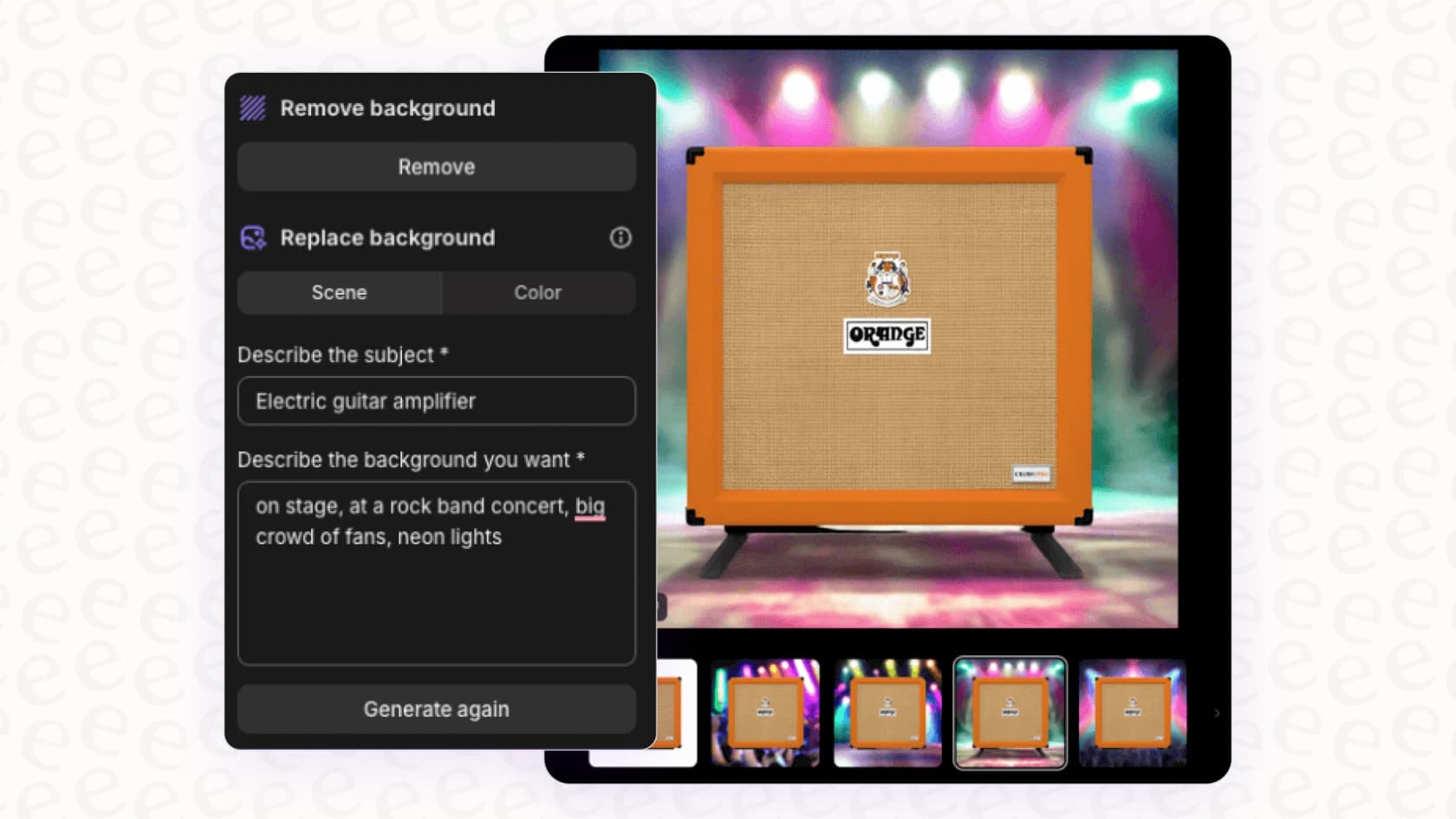
When you give it a prompt, two things happen at once. First, an AI image generator creates the background visual for your banner, you just describe the scene and vibe you’re going for. At the same time, another AI feature writes the code to build the banner's structure, adding spots for your headline, text, and buttons.
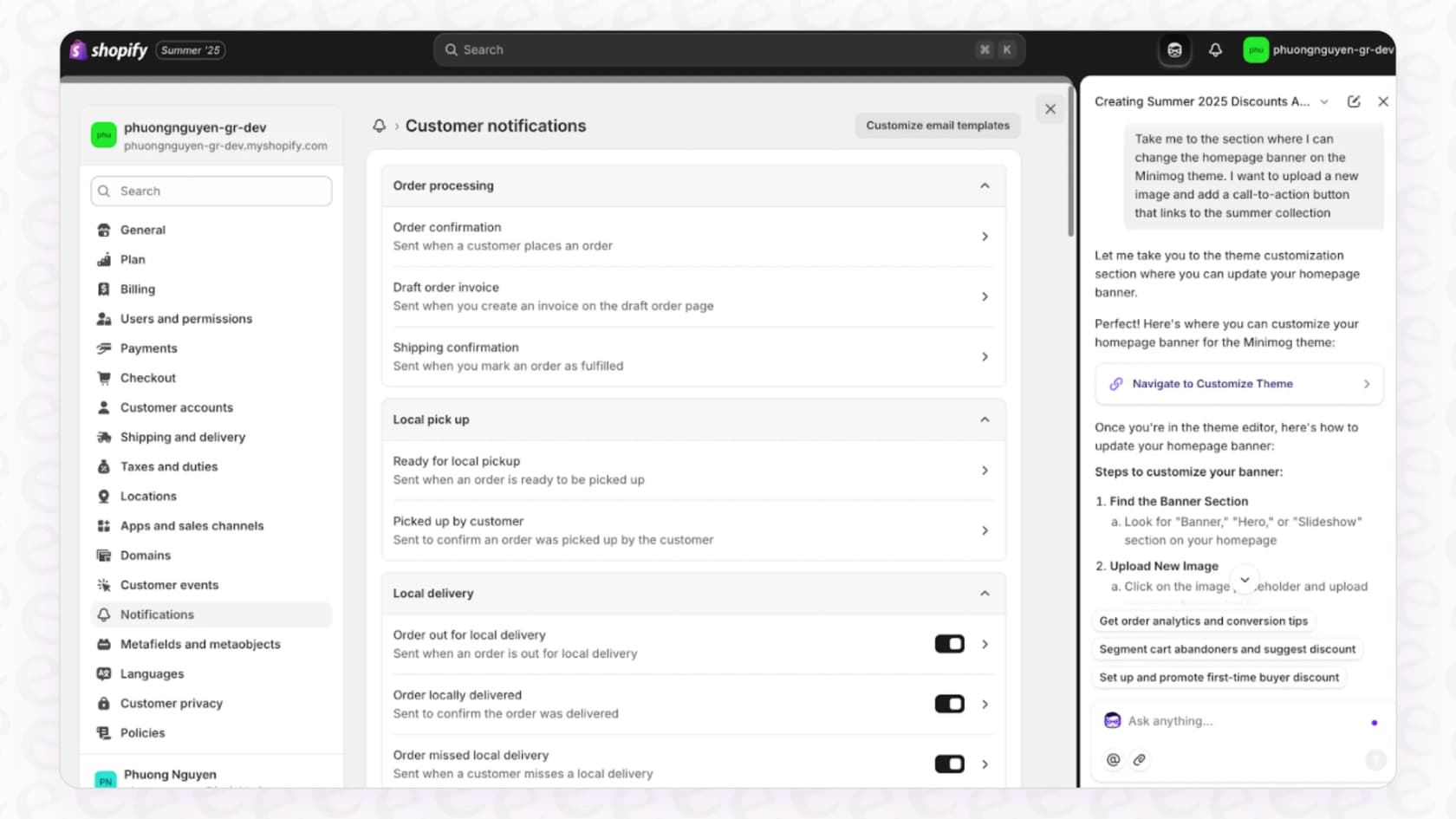
It all happens right in the Shopify theme editor or through the Sidekick AI assistant. You just describe the banner you have in mind, and Shopify Magic builds it. It's like having a designer and a developer on call, making custom design feel a lot less intimidating.
How to create custom banners with the Shopify Magic Hero Banner Generator
The cool thing about Shopify Magic is how it turns a simple idea into a working part of your store. The whole thing is powered by a text prompt, which is basically your creative brief for the AI.
You start by telling Shopify Magic what you want. The more detailed your prompt, the better your result will be. So, instead of a vague "make a sale banner," try to spell out the content, layout, and style.
For instance, a good prompt might be:
"Create a full-width hero banner with a large, moody background image of skincare products on a marble surface. Add a headline 'Unlock Your Natural Glow,' a subheadline '20% Off Our New Vitamin C Serum,' and a 'Shop Now' button that links to the skincare collection. On mobile, the text should be below the image."
Once you hit enter, Shopify Magic gets to it. It figures out what you’re asking for and does two things at once: it generates the banner image and writes the Liquid code for the theme block. In a few moments, a complete hero banner pops up in your theme editor, ready to go.
And you’re not stuck with that first version. You can click into the block’s settings to adjust the headline, change the button link, or even replace the AI-generated image with one of your own. When you're happy with it, just hit save and publish.
Key features and use cases for ecommerce
So, what does this actually mean for a busy store owner? The Shopify Magic Hero Banner Generator isn't just a fun toy; it can genuinely help with growing your business.
Here are a few ways you can use it:
-
Launch campaigns quickly. Need a banner for a flash sale that starts in an hour? No problem. You can spin up visuals for seasonal promos, new product drops, or holiday sales without waiting on a design team. This lets you jump on marketing opportunities much faster.
-
Test ideas without breaking the bank. Ever wonder if a lifestyle photo works better than a close-up of the product? Or if "Shop Now" gets more clicks than "Learn More"? With Shopify Magic, you can create a few different banners in minutes to test images, headlines, and calls-to-action without paying for multiple photoshoots.
-
Tell your brand's story visually. Your hero banner is the perfect spot to set the mood for your brand. You can generate abstract textures, lifestyle scenes, or unique backgrounds that match your store's vibe. It helps create a storefront that feels cohesive and memorable.
-
Tailor content for different audiences. If you sell in different countries, you can quickly create banners with culturally relevant images. A winter-themed banner for customers in Canada can be swapped for a summer-themed one for those in Australia with just a few prompts.
Here's a quick look at how this AI-driven method compares to the traditional way of doing things:
| Feature | Traditional Method | Shopify Magic Method |
|---|---|---|
| Cost | High (photographers, designers, stock photos) | Free (included with Shopify plan) |
| Time | Days or weeks | Minutes |
| Flexibility | Low (reshoots are expensive) | High (regenerate with new prompts instantly) |
| Skill Level | High (requires design/coding knowledge) | Low (anyone can write a text prompt) |
Limitations: When you need more than just images
While the Shopify Magic Hero Banner Generator is great for creating visuals, it only handles one side of the equation. A beautiful banner grabs attention, but what happens after that?
Think about it: a really effective banner will get people interested. And when people are interested, they have questions. That's a good thing! But unfortunately, the same AI that made the pretty picture can't answer a customer's question about the "20% Off Sale" it just advertised.
This creates a few gaps:
-
The conversation is one-sided. The banner broadcasts a message, but it can't respond when a customer wants to know more about the product shown or the terms of the promo.
-
It can actually create more work for your support team. A successful campaign means more traffic, which usually means more questions about products, shipping, and store policies. Your team has to handle that surge.
-
The AI's knowledge is skin-deep. It might know about your product descriptions, but it can't pull information from your internal Google Docs, detailed FAQs, or past support conversations to give customers the complete answers they're looking for.
This is the point where you need an AI that can handle conversations, not just create images. A tool like eesel AI is built for exactly that. While Shopify Magic is designing your storefront, eesel handles the customer chats that happen on it.
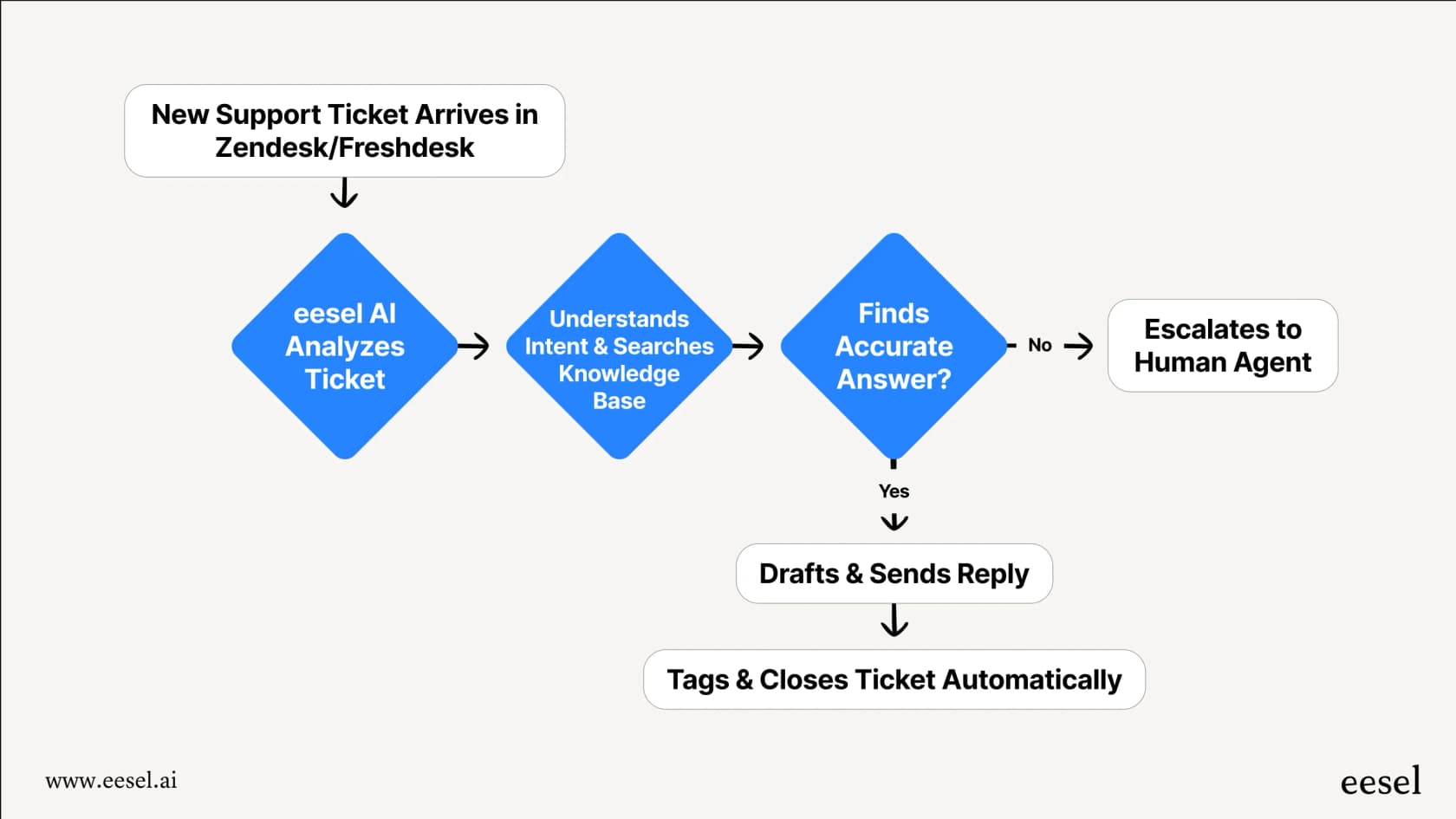
It connects to your Shopify store, help center, and other documents to give its AI chat bubble a full picture of your business. That way, it can give instant, accurate answers to all the new questions your awesome banner is bringing in. The best part is you can set it up yourself in a few minutes without needing to chat with a sales team. You decide what the AI answers and when a question should go to a human, making sure the experience is smooth for everyone.
Shopify Magic Hero Banner Generator pricing
One of the nicest things about Shopify Magic is that its features, including the image and theme generators, are free. Shopify says Shopify Magic is available for free, regardless of your subscription plan, so you don’t have to worry about extra fees for creating banners.
Your access is just part of what you pay for your Shopify plan. Here are the main tiers:
| Plan | Price (Monthly) | Key Features |
|---|---|---|
| Basic | $39/month ($29 billed yearly) | For solo entrepreneurs |
| Grow | $105/month ($79 billed yearly) | For small teams |
| Advanced | $399/month ($299 billed yearly) | For global reach |
For the latest details, it's always a good idea to check the official Shopify pricing page.
From static images to dynamic conversations
The Shopify Magic Hero Banner Generator is a genuinely useful tool. It gives merchants the ability to create professional-looking visuals quickly and without a huge budget, removing some big hurdles that used to get in the way.
But a great banner is just the starting line. The real goal is to turn that initial curiosity into a sale, and that usually involves a conversation. A truly "smart" store uses AI for both its look and its ability to interact, making sure every person intrigued by a banner can get their questions answered right away.
Beyond the Shopify Magic Hero Banner Generator: Scale your support, not just your storefront
So your new AI-generated banners are bringing in more people, great! But what now? Don't let your support team get buried by the success of your marketing.
eesel AI can immediately answer the customer questions your promotions stir up. Our AI learns from your Shopify store, help center, and even past support tickets to provide accurate, 24/7 support that actually feels helpful.
Start free and see how you can automate a big chunk of your customer support in just a few minutes.