Re:amaze Shopify integration: A complete guide for store owners

Stevia Putri
Last edited March 12, 2026
Managing customer support for a Shopify store can quickly become overwhelming. Between order inquiries, refund requests, and general questions, support teams often find themselves switching between multiple tools just to help a single customer. A dedicated helpdesk integration brings everything together in one place.
Re:amaze is an AI-powered customer service platform built specifically for e-commerce businesses. It connects directly to your Shopify store, bringing order data, customer history, and support channels into one unified inbox. But is it the right choice for your store? Let us break it down.
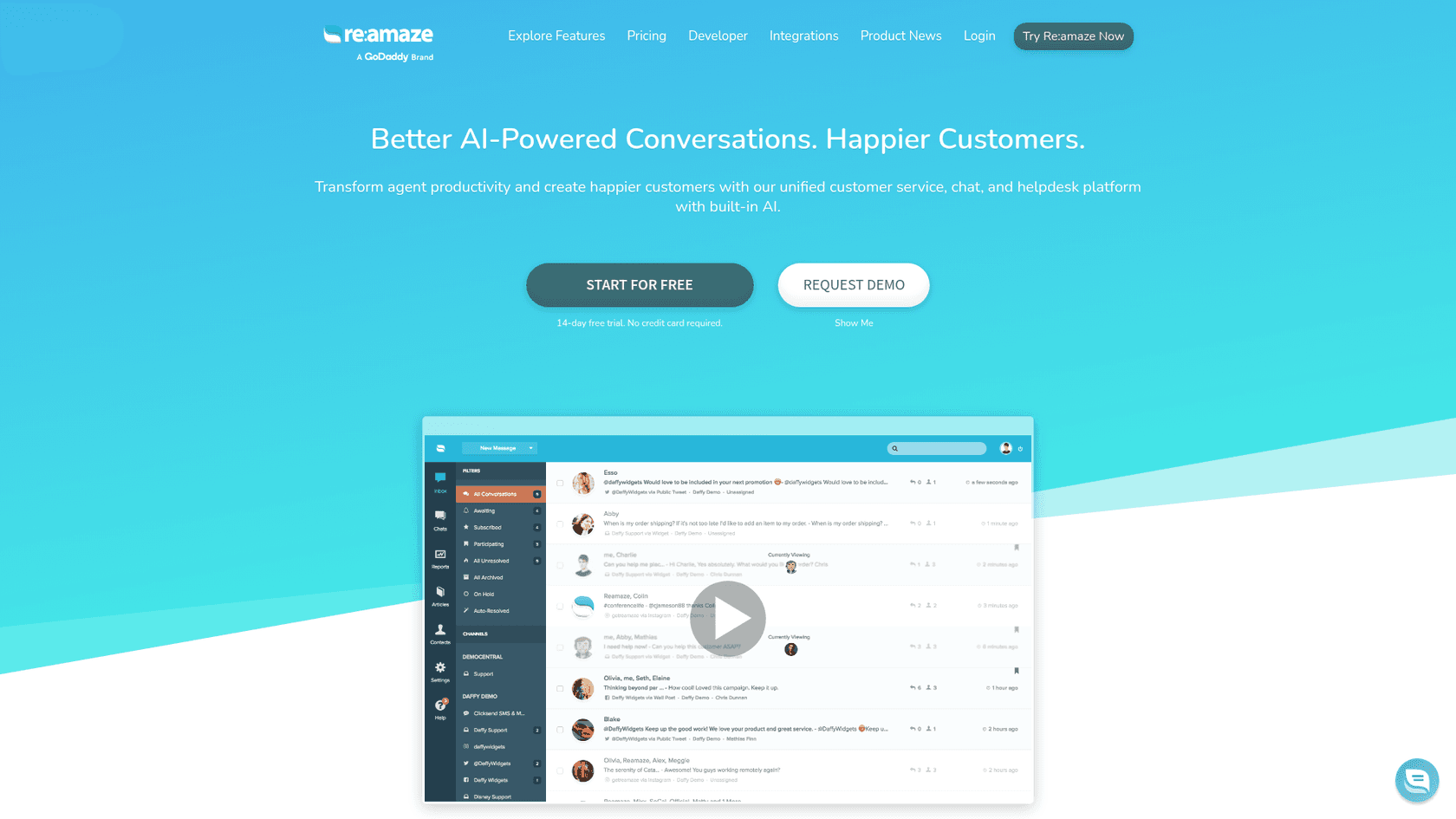
What is Re:amaze?
Re:amaze is a customer support helpdesk that combines email, live chat, social media, SMS, and voice channels into a single platform. Founded in 2012 and available on the Shopify App Store since 2014, it has evolved into a mature solution with a 4.4/5 rating from 173 merchant reviews.
The platform positions itself as more than just a ticketing system. It includes AI-powered features like automated responses, chatbots, and an AI Agent that can handle routine inquiries autonomously. For Shopify merchants, the appeal lies in how deeply it integrates with store data, letting support agents see orders, process refunds, and manage customer relationships without leaving the helpdesk.
Re:amaze targets small to mid-size e-commerce businesses that need multi-channel support but do not want the complexity (or price tag) of enterprise solutions like Zendesk. It is particularly popular among merchants selling across multiple platforms (Amazon, eBay, Etsy) who need to centralize their support operations.
How Re:amaze integrates with Shopify
The Re:amaze Shopify integration uses Shopify's API to create a seamless connection between your store and helpdesk. Once connected, Re:amaze can access order information, customer data, and even publish widgets directly to your storefront without requiring any code changes.
Here is what the integration enables:
Order management from within conversations
Support agents can view complete order histories, process refunds, cancel orders, and create draft orders without switching tabs. When a customer asks about their recent purchase, the agent sees the order details right next to the conversation.
Dynamic variables for automation
Re:amaze can pull Shopify data into automated responses. This means workflows can include order numbers, tracking links, or product details without manual copying and pasting.
Customer segmentation
Using Shopify rules, you can create automated segments based on purchase history, order value, or customer tags. This lets you prioritize VIP customers or route specific types of inquiries to specialized agents.
Multi-store support
For merchants running multiple Shopify stores, Re:amaze Pro and Plus plans allow you to manage all brands from a single account. Each store maintains its own branding and workflows while sharing the same support team and knowledge base.
The integration also extends to customer-facing features. You can embed live chat, contact forms, and FAQ centers directly on your Shopify store, all styled to match your brand.
Setting up the Re:amaze Shopify integration
Getting started with Re:amaze on Shopify is straightforward. The entire process takes under 10 minutes and requires no technical knowledge.
Step 1: Install from the Shopify App Store
Search for "Re:amaze" in the Shopify App Store and click Install. You will need to grant permissions for Re:amaze to access your store data. This includes read access to orders, products, and customers, plus the ability to modify orders for processing refunds and cancellations.
Step 2: Connect your store to a Re:amaze brand
After installation, you will be prompted to either create a new Re:amaze account or connect to an existing one. Choose the brand (support site) you want to link your Shopify store to. If you are just starting out, you will create your first brand during this step.
Step 3: Configure your widgets
Once connected, you can add live chat, contact forms, and FAQ centers to your Shopify store. Re:amaze provides a visual editor to customize colors, positioning, and behavior. The widgets publish automatically to your storefront using Shopify's API with no theme editing required.
After setup, your Shopify order data will start appearing in Re:amaze immediately. When customers reach out through any channel, agents will see their order history, lifetime value, and other key metrics alongside the conversation.
Re:amaze pricing for Shopify merchants
Re:amaze uses a per-user pricing model, which means costs scale with your team size rather than your ticket volume. This can be advantageous for stores with high support volumes but small teams.
| Plan | Monthly Price | Annual Price | Key Features | AI Resolutions |
|---|---|---|---|---|
| Basic | $29/user | $26.10/user | Unlimited inboxes, live chat, social, FAQ, workflows, 20 AI resolutions/user | 20/month |
| Pro | $49/user | $44.10/user | Multi-brand, SMS/voice, advanced reporting, status page, 50 AI resolutions | 50/month |
| Plus | $69/user | $62.10/user | Peek screenshare, departments, satisfaction surveys, video calls, 100 AI resolutions | 100/month |
| Starter | $59 flat | $53.10 flat | Basic features, unlimited users, 500 conversations/month | - |
| Enterprise | Custom | Custom | White-glove service, dedicated support | Custom |
Source: Re:amaze Pricing
Here is what to know about the pricing:
- Annual discount: You save 10% by paying annually
- Free trial: 14 days with no credit card required
- Starter plan: The $59 flat-rate option is designed for very small teams just getting started, but the 500 conversation limit can be restrictive
- AI resolution limits: Each plan includes a capped number of AI Agent resolutions per user per month. Overage pricing isn't publicly listed, so high-volume AI usage may require negotiating a custom plan
For a typical Shopify store with 3 support agents, you are looking at $87-$207 per month depending on the plan tier. This puts Re:amaze in the mid-range compared to competitors.
AI features in Re:amaze for Shopify
Re:amaze has been investing heavily in AI capabilities, with several features currently in beta. Here is what is available:
AI Agent (Beta)
This is Re:amaze's autonomous support feature. You train the AI on your business details, FAQ articles, and common responses. Once configured, it handles routine inquiries 24/7 without human intervention. The AI Agent is limited to 20-100 resolutions per user per month depending on your plan.
AI Copilot
For conversations that still need a human touch, AI Copilot pre-drafts replies based on your knowledge base and past responses. Agents can review, edit, and send, cutting response time significantly.
AI Article Writer
Re:amaze can generate FAQ articles and help center content. This is particularly useful for Shopify merchants building out their self-service resources.
Sentiment Analysis
The platform automatically scans conversations for sentiment, flagging frustrated customers or urgent issues for priority handling.
While these features show promise, it is worth noting that Re:amaze's AI capabilities are still evolving. The resolution limits on lower-tier plans mean you will need to carefully manage which tickets go to the AI versus human agents.
Alternatives to consider
Re:amaze is not the only option for Shopify customer support. Depending on your needs, these alternatives might be a better fit.
eesel AI for Shopify
If you are looking for an AI-first approach rather than a traditional helpdesk with AI add-ons, eesel AI takes a different approach. Instead of configuring a helpdesk tool, you hire eesel as an AI teammate.
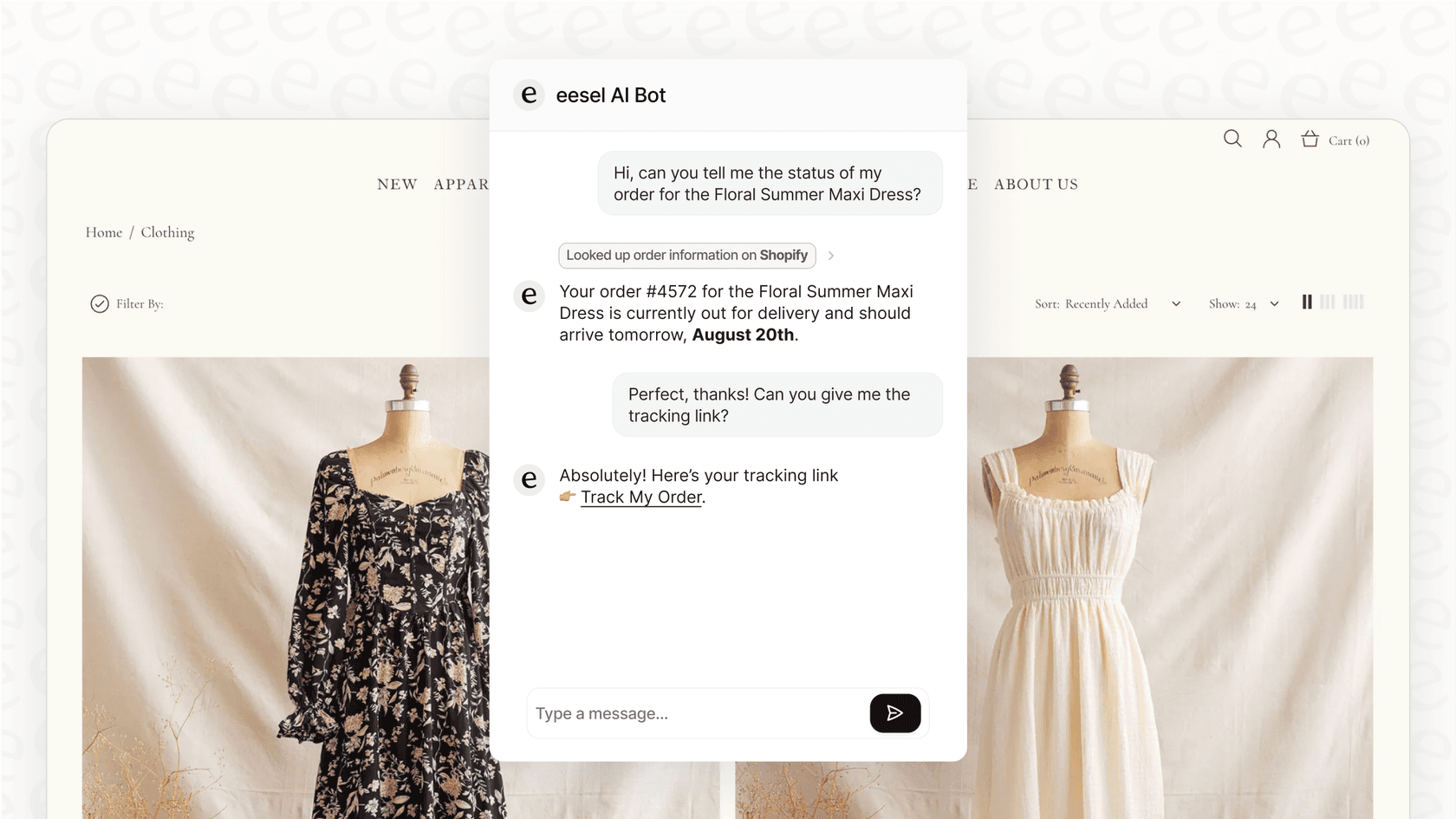
Here is how it differs from Re:amaze:
- No per-seat pricing: eesel charges per interaction ($299-$799/month for 1,000-3,000 interactions) regardless of team size
- Progressive autonomy: Start with AI drafting replies for review, then expand to full autonomous resolution as the AI proves itself
- Easier setup: Connects to your helpdesk and learns from past tickets without complex configuration
- Sandbox testing: Run simulations on historical tickets before going live to measure quality
For Shopify specifically, eesel integrates with your product catalog, can process refunds and look up orders, and handles both support and sales scenarios. The AI Sales Rep feature can even recommend products and add items to cart during chat conversations.
Mature deployments achieve up to 81% autonomous resolution with a typical payback period under 2 months. If your goal is to reduce headcount rather than make existing agents more efficient, the eesel approach may be worth exploring.
Zendesk for Shopify
On the other end of the spectrum, Zendesk offers a more enterprise-focused solution. It has deeper analytics, more robust automation, and a larger ecosystem of integrations. However, it comes with a steeper learning curve and higher starting price (plans begin at $55/agent/month). Zendesk makes sense for larger operations that need advanced reporting and have dedicated administrators to manage the platform.
Is Re:amaze the right choice for your Shopify store?
Re:amaze occupies a solid middle ground in the Shopify helpdesk market. It's more feature-rich than basic chat apps but less complex (and expensive) than enterprise solutions.
Consider Re:amaze if:
- You run a small to mid-size Shopify store (under $5M annual revenue)
- You sell across multiple channels (Amazon, eBay, Etsy) and need unified support
- You want built-in chat, FAQ, and email without cobbling together multiple tools
- Your team is comfortable with a per-seat pricing model
Look elsewhere if:
- You want AI to handle most tickets autonomously (resolution limits may frustrate you)
- You need advanced enterprise features like custom objects or complex SLA management
- You prefer an AI-first approach over a traditional helpdesk workflow
The 14-day free trial gives you enough time to test the Shopify integration and see if the workflow fits your team. Just be mindful of the AI resolution limits if you plan to rely heavily on automation.


Frequently Asked Questions
Share this article

Article by
Stevia Putri
Stevia Putri is a marketing generalist at eesel AI, where she helps turn powerful AI tools into stories that resonate. She’s driven by curiosity, clarity, and the human side of technology.