
Juggling high-quality writing with all the technical demands of SEO can feel like a full-time job, especially when you're trying to do it all from inside WordPress. You want your content to be brilliant, but you also need it to rank.
That's where Rank Math, one of the popular WordPress SEO plugins, comes in. Tucked inside this powerful tool is its Content AI feature, a built-in assistant designed to help you nail your on-page SEO without ever leaving your editor. This post is a complete guide to Rank Math Content AI. We’ll cover what it is, its best features, how much it costs, and how to get it running.
While integrated assistants are great for fine-tuning, there's another way to tackle content creation. Standalone platforms like the eesel AI blog writer can generate a complete, publish-ready post from just a keyword, offering a different path for teams looking to scale their content efforts.
What is Rank Math AI?
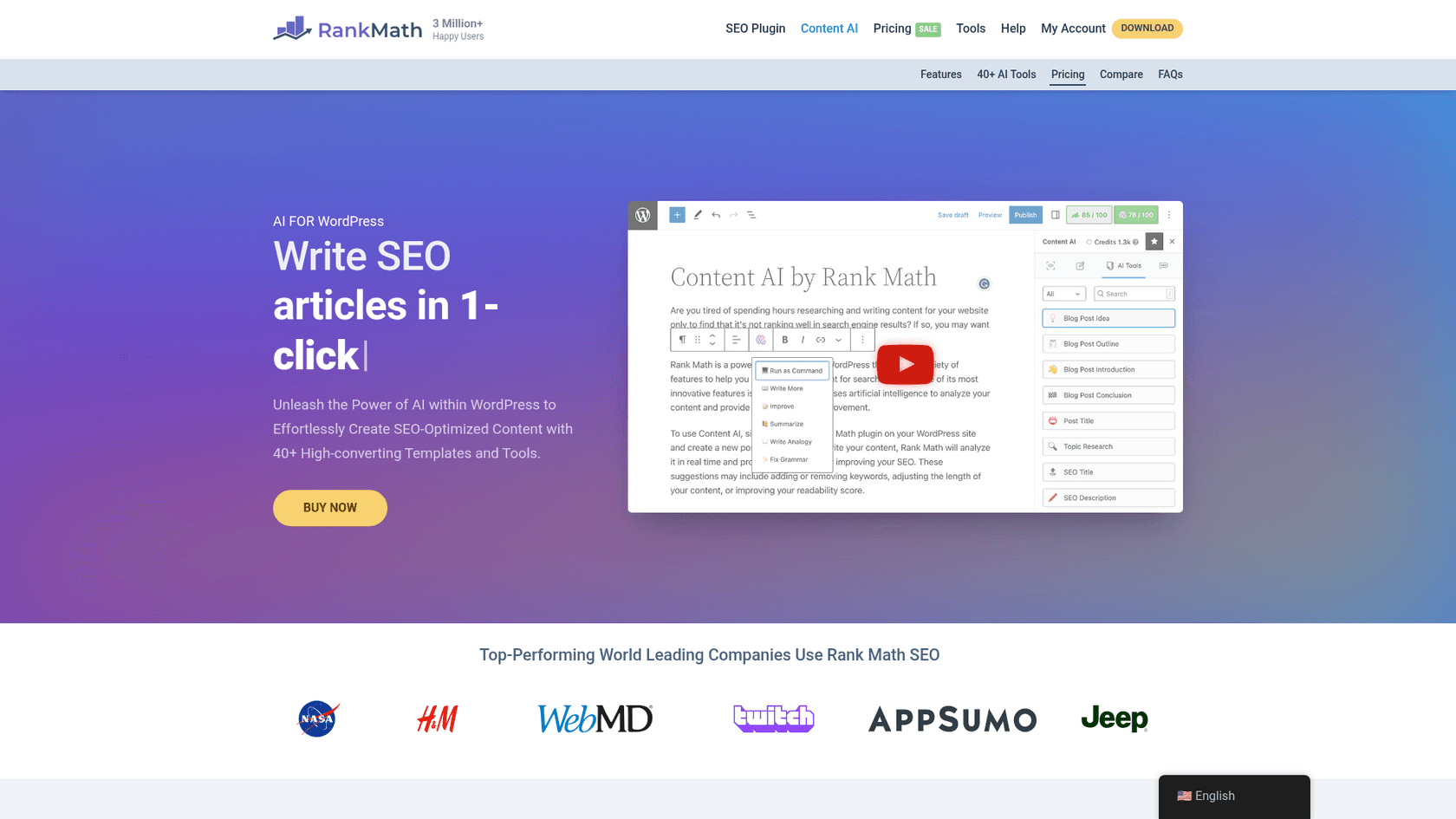
The core value here is efficiency. The tool analyzes the top-ranking articles for your target keyword and gives you real-time advice on everything from word count and keywords to the number of links and headings you should include. It streamlines the whole process of aligning your content with what search engines (and readers) are looking for.
Key features of Rank Math AI
Over 40 versatile AI writing tools
Content AI comes packed with over 40 specialized AI tools that can handle all sorts of writing tasks. It’s like having a Swiss Army knife for content creation right in your WordPress dashboard.
Here are a few things it can do:
- Generate blog post ideas and create outlines
- Write intros, conclusions, and even full paragraphs
- Craft compelling product descriptions
- Write social media posts to promote your article
- Automatically generate SEO-optimized meta titles and descriptions
These tools are designed to speed up the tedious parts of writing, so you can focus more on the creative side of things.
Research and keyword suggestions
This is where the "SEO" part really shines. The "Content AI Research" function is your shortcut to understanding search intent. You pop in your focus keyword, and it analyzes the top-ranking content to give you a clear set of targets to aim for.
It gives you recommendations for:
- Word count: How long your article should be.
- Heading count: The ideal number of H2s and H3s.
- Links: How many internal and external links to include.
- Media: Suggestions for images and videos.
Just keep in mind that each keyword research request costs 500 Content AI credits. The tool also suggests related keywords you should sprinkle into your content, headings, and meta tags to help you cover the topic more comprehensively.
I was billed for $47.88 this morning after apparently signing up for their Content AI Starter Plan. I asked them to cancel the plan and I am waiting to hear back, but the credit usage is ridiculous and no better than GPT 3.5, I only used a few times out of convenience because it was just 'there.' If I recall correctly I had 5,000 credits to play with and doing those headlines and meta dropped me like 500 credits so I decided to stay the hell away from it.

RankBot: The integrated AI chat assistant
RankBot is an integrated chat assistant, kind of like having ChatGPT directly in your WordPress editor. You can ask it SEO questions, have it generate content, or get help with research without ever leaving your post.
It even comes with a library of over 125 pre-built prompts for marketing, sales, and SEO tasks to help you get started. Free users get a single chat session to try it out, while paid subscribers can have multiple chats going at once.
Pricing and plans
Pro tip
One important thing to note is that unused credits do not roll over, so it’s a 'use them or lose them' situation.
- 1 credit per word generated.
- 500 credits per keyword research request.
- 50 credits per image ALT text generation.
If you’re a free Rank Math user, you get 750 credits per month to play with. If you need more, you can upgrade to a paid plan.
| Feature | Starter Plan | Creator Plan | Expert Plan |
|---|---|---|---|
| Monthly Credits | 5,000 | 12,000 | 30,000 |
| Annual Price | $5.99/month (billed annually) | $10.99/month (billed annually) | $16.99/month (billed annually) |
| Best For | Beginners | Mid-size Content Creators | High-volume Content Creators |
| PRO Trial | Includes a 15-day free trial of Rank Math PRO | Includes a 15-day free trial of Rank Math PRO | Includes a 15-day free trial of Rank Math PRO |
How to use Rank Math AI
Installation and setup
- Install the plugin: First, install the free Rank Math SEO plugin from the official WordPress directory.
- Connect your account: You'll need to connect your website to a free Rank Math account to activate the plugin. This is what gives you access to your credits.
- Enable the module: Head over to Rank Math SEO → Dashboard → Modules in your WordPress admin area and toggle the switch to enable the Content AI module.
And that's it—you're ready to go.
Using the tool in the WordPress editor
Once enabled, you’ll find the Content AI features in the post editor. Just click the Rank Math icon, and a meta box will pop up with a few tabs:
- Write: This is where you can generate content with the AI tools.
- AI Tools: A shortcut to the full list of 40+ specialized tools.
- RankBot: Your chat assistant for questions and brainstorming.
- Research: Where you can analyze your target keyword.
You can also highlight text directly in the editor to use the "AI Assistant" or "Command Center," which lets you improve existing paragraphs or generate new content on the fly.
Integration with WordPress and page builders
One of the biggest selling points of this tool is its deep integration with the WordPress ecosystem. It's not a third-party tool you have to awkwardly paste content from; it's designed to work natively inside WordPress.
It integrates seamlessly with:
This tight integration is a huge plus for anyone who builds and manages their site entirely within WordPress. It keeps your entire content and SEO workflow under one roof, which is incredibly convenient. The flip side, of course, is that its functionality is tied exclusively to the WordPress dashboard. This makes it less flexible for teams who might use Google Docs, Notion, or other platforms for their content creation process.
For a hands-on look at how Rank Math Content AI performs, check out this review that tests its capabilities as an SEO writing assistant.

This approach differs in a few key ways:
- Complete content generation: Instead of generating bits and pieces, eesel AI produces a full blog post—intro, headings, body paragraphs, FAQs, and a conclusion—all in one go.
- Automatic asset creation: It goes beyond just text. The tool automatically includes AI-generated images and data tables, saving you the hassle of creating or sourcing visuals yourself.
- Built-in social proof: To make content feel more human and credible, it automatically finds and embeds relevant YouTube videos and real quotes from Reddit discussions on your topic.
- Proven SEO results: We used the eesel AI blog writer to grow our own blog from 700 to 750,000 daily impressions in just three months by publishing over 1,000 optimized articles.
For teams that need to produce high-quality content consistently, a generator like eesel AI can be a useful tool.
Should you use Rank Math AI?
Rank Math AI is a convenient tool for WordPress users. If you're a blogger, small business owner, or marketer who works primarily inside the WordPress dashboard, it’s a suitable choice for improving your on-page SEO in real time. It acts as a guide, ensuring you don't miss any critical optimization steps as you write.
However, if your main goal is producing high-quality, long-form content at scale, your workflow may benefit from a different tool. The eesel AI blog writer is built for teams that need complete, asset-rich articles ready to publish on any platform, not just WordPress. It’s less about assisting and more about generating, freeing up your time to focus on strategy and promotion.RankMath has become overly large and unnecessarily complex. This often happens when plugin developers start monetizing and they add features to create a sense of added value. As paying users request more functionality, developers continue integrating those requests, eventually turning the plugin into bloated software.
Why not see for yourself? Try it free and generate your first blog post.