Let’s be honest, our work information is all over the place. Your grand project plans might be neatly organized in Notion, but the daily chatter, quick decisions, and crucial files are probably buried in a Microsoft Teams channel somewhere. This digital split means you're constantly jumping between apps, which is a real drag on productivity.
Notion’s answer to this is the Notion AI Microsoft Teams Connector. It’s built to connect these two worlds, letting you search your Teams conversations without ever leaving your Notion workspace.
This guide will walk you through exactly what the Notion AI Microsoft Teams Connector does, how to get it running, what it costs, and some of its bigger limitations. We’ll also look at how it stacks up against other AI tools that are built to do more than just search.
What is the Notion AI Microsoft Teams Connector?
The Notion AI Microsoft Teams Connector is an official integration that links your Notion workspace to your Microsoft Teams account. Its main job is to let Notion AI read and understand the information inside your Teams channels, including all the messages and files.
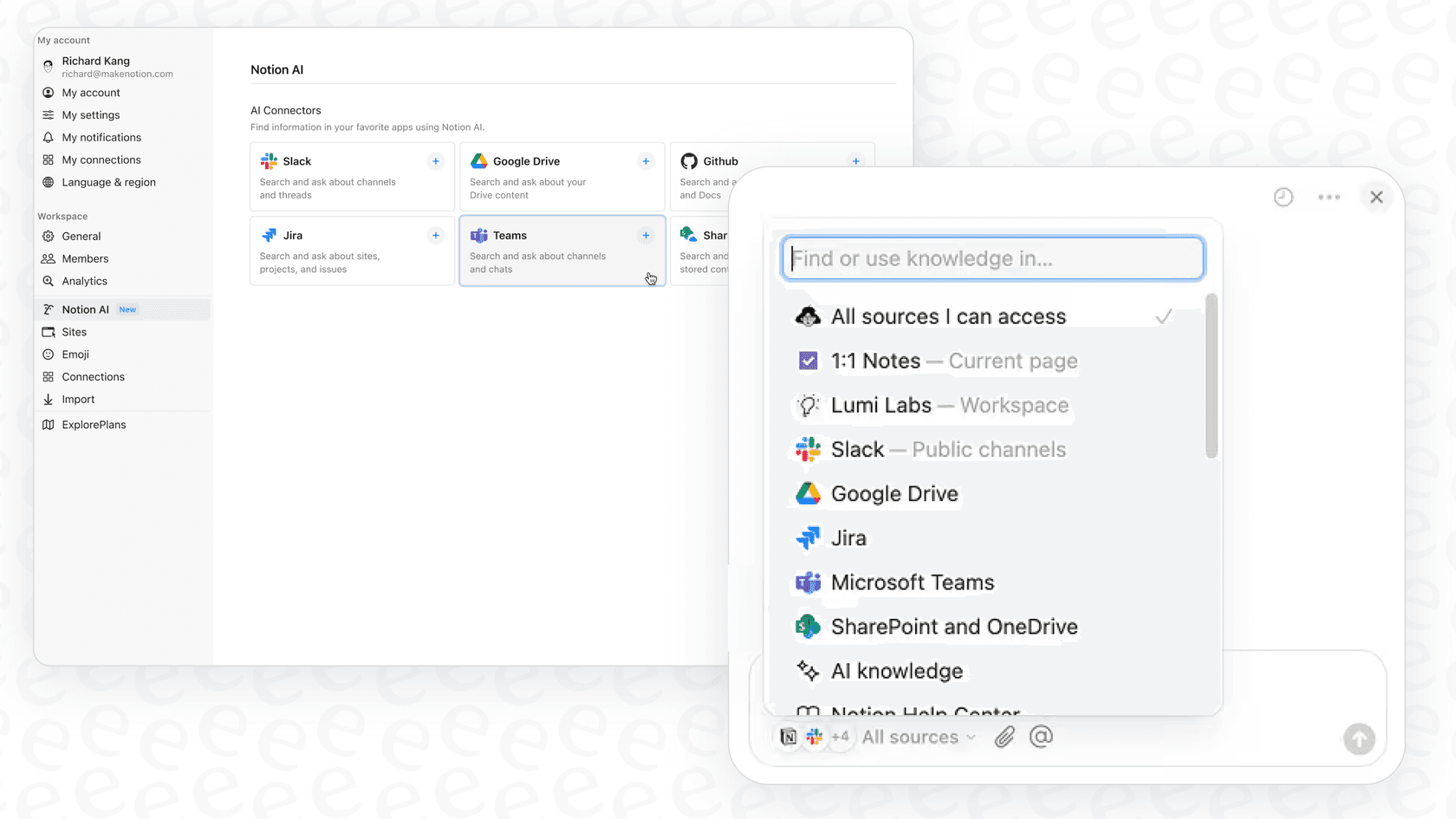
So, when you ask Notion AI a question, it doesn't just look at your Notion pages. It can now pull context from your Teams chats, too. The idea is to give you one central place to find answers without having to manually dig through endless conversation threads. For instance, you could ask, "What was the final decision from yesterday's product strategy meeting?" and Notion AI could piece together an answer from the meeting chat in a Teams channel.
This is one of several AI connectors Notion has rolled out, with others for Slack, Google Drive, and Jira. They're all part of a push to make Notion the central hub for your company's knowledge.
Key features and common use cases
The connector is really all about making information easier to find. By giving Notion AI a key to your Teams data, it opens up a few handy ways to keep your knowledge in one spot.
Search across all your conversations and files
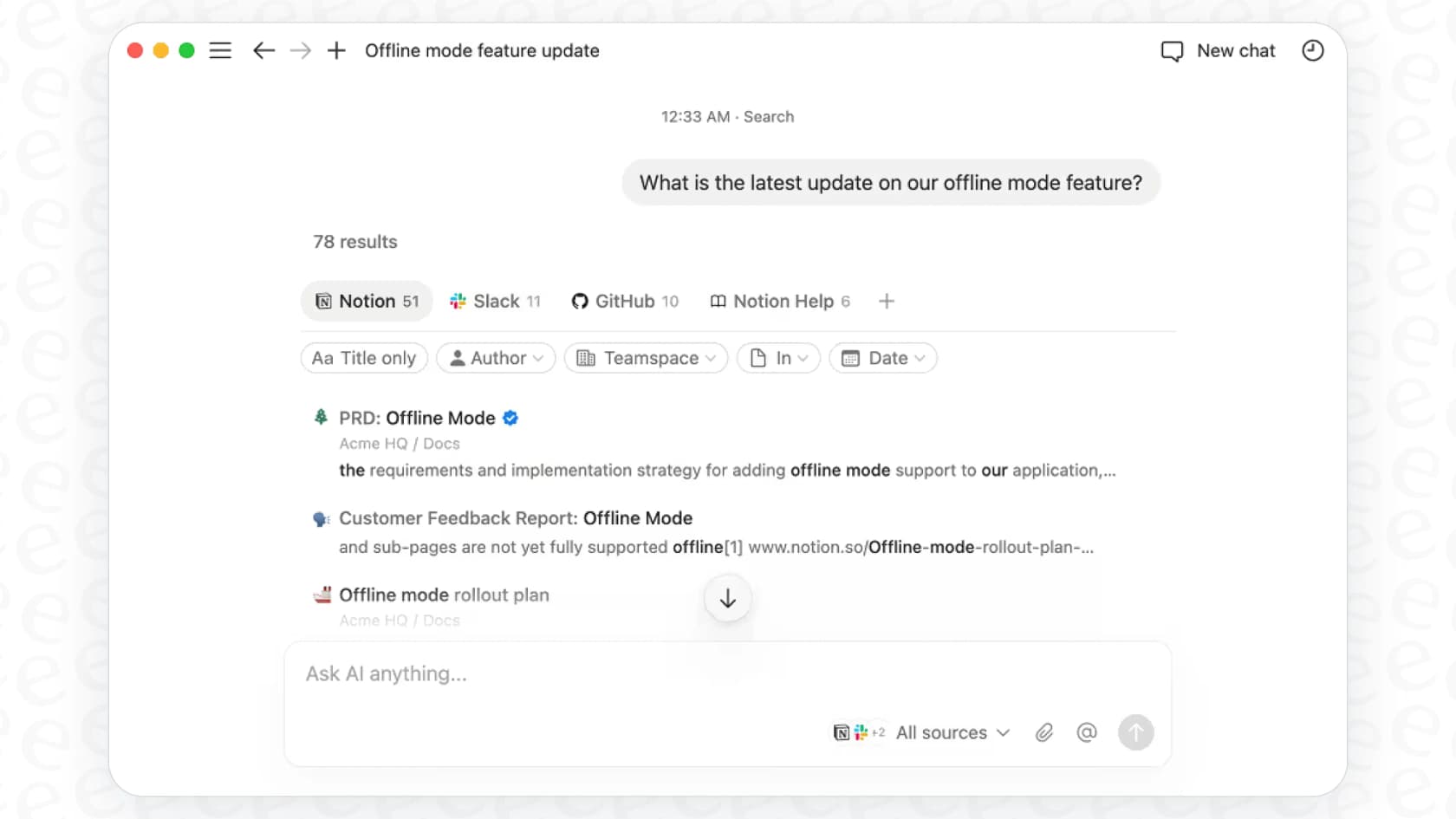
The main benefit here is unified search. Instead of flipping over to Teams and wrestling with its search bar, you can just ask your question right inside Notion. This is useful for a few things:
-
Finding key decisions: You can quickly ask Notion AI to recap important conversations, like, "Summarize the blockers mentioned in the #dev-updates channel this week."
-
Locating files: It can help you find files shared in Teams even if you can't remember who shared them or in which channel. A simple "Find the Q4 marketing budget spreadsheet" should do the trick.
-
It respects permissions: The good news is the connector honors your existing Microsoft Teams permissions. People will only be able to see information from channels and chats they already have access to, so there are no privacy surprises.
Smarter meeting prep and follow-ups
If your team practically lives in Teams meetings, the connector can help with the before and after. Since it can read meeting chats and discussions, Notion AI can help you:
-
Get up to speed quickly: Before jumping into a status meeting, you could ask, "What are the latest updates on Project Apollo?" to get a summary of recent chats.
-
Pull out action items: After a call, you can ask Notion AI to "List the action items from the project sync call" and then easily copy them into your project plan in Notion.
Easier onboarding and knowledge discovery
New hires often feel like they're drinking from a firehose. The connector can help them find answers on their own by drawing from a bigger pool of information. They can ask about company policies, project history, or team rituals and get answers that combine official docs in Notion with the casual conversations in Teams.
There's a catch, though. The user has to be inside Notion to ask the question. If your team spends most of its day in Microsoft Teams, this still forces them to switch apps to find what they need. A better workflow would be getting those answers directly inside Teams, right where the questions pop up.
Setup, pricing, and requirements
Getting the Notion AI Microsoft Teams Connector up and running isn't quite a one-click affair. There are some specific admin and pricing hurdles you need to know about before you decide to go for it.
The setup process and what you'll need
Connecting the two platforms requires some serious permissions and a bit of patience.
-
You need to be an admin (twice): To install the connector, you have to be a Notion Workspace Owner and a Microsoft Teams Admin with either "Privileged Role Administrator" or "Global Administrator" rights. On top of that, your email address has to be the same for both accounts.
-
The initial sync takes time: Once you connect everything, the first data sync from Teams can take up to 72 hours. It all depends on how many messages and files you have. After that, new messages are indexed every 30 to 60 minutes.
This setup process makes it pretty clear that this is an IT-led project, not something a team member can just turn on themselves. It's a bit different from more modern tools that are designed for a much quicker, self-serve setup.
Pricing and plan requirements
The AI connectors are a premium feature, so you won't find them on Notion's free or standard plans.
To use the Notion AI Microsoft Teams Connector, your organization needs to be on a Notion Business or Enterprise Plan.
Here's a quick look at what those plans cost:
| Plan | Price (Billed Monthly) | Price (Billed Annually) | Key Features for AI |
|---|---|---|---|
| Business | $22/user/month | $18/user/month | Includes Notion AI, AI Connectors, advanced security. |
| Enterprise | Custom Pricing | Custom Pricing | Everything in Business, plus advanced controls, dedicated manager. |
Key limitations and a more powerful alternative
While the connector is a nice step toward bringing your knowledge together, it has some core limitations that keep it from being more than a passive search tool. For teams that need real automation to get work done, it might not be enough.
The connector is a one-way street for information
The connector is designed to pull information from Teams into Notion. That's it. It’s a read-only tool. You can't do anything back in Teams from Notion, like reply to a message or update a task. This means you're still forced to switch apps, one to ask the question, and another to act on the answer.
The connector doesn't automate your work
The Notion AI connector is built for questions and answers, not for taking action. It can find and summarize things for you, but it can't:
-
Triage requests that pop up in a channel.
-
Automatically tag or route conversations.
-
Look up real-time info from other systems (like an order status from Shopify).
It’s a passive assistant, not an active helper that can take repetitive tasks off your team's plate.
The alternative: AI agents that work where you do
For teams that need more than just search, a dedicated AI agent platform is a much more powerful way to go. eesel AI isn't just about finding knowledge; it’s about automating actions right inside the tools your team already uses, including Microsoft Teams.
Here’s a quick comparison of the two approaches:
| Feature | Notion AI Microsoft Teams Connector | eesel AI |
|---|---|---|
| Primary Location | Inside Notion (forces you to switch apps) | Inside Microsoft Teams, Slack, Zendesk, etc. |
| Core Function | Passive Search & Q&A | Q&A + Automated Actions (triage, API calls) |
| Knowledge Sources | Notion, Teams, Google Drive, Slack, etc. | 100+ sources including helpdesks, past tickets, Confluence, and Notion. |
| Setup Time | Up to 72 hours for the first sync | Live in minutes |
| Customization | Limited to Notion's AI capabilities | Fully customizable prompts, personas, and actions. |
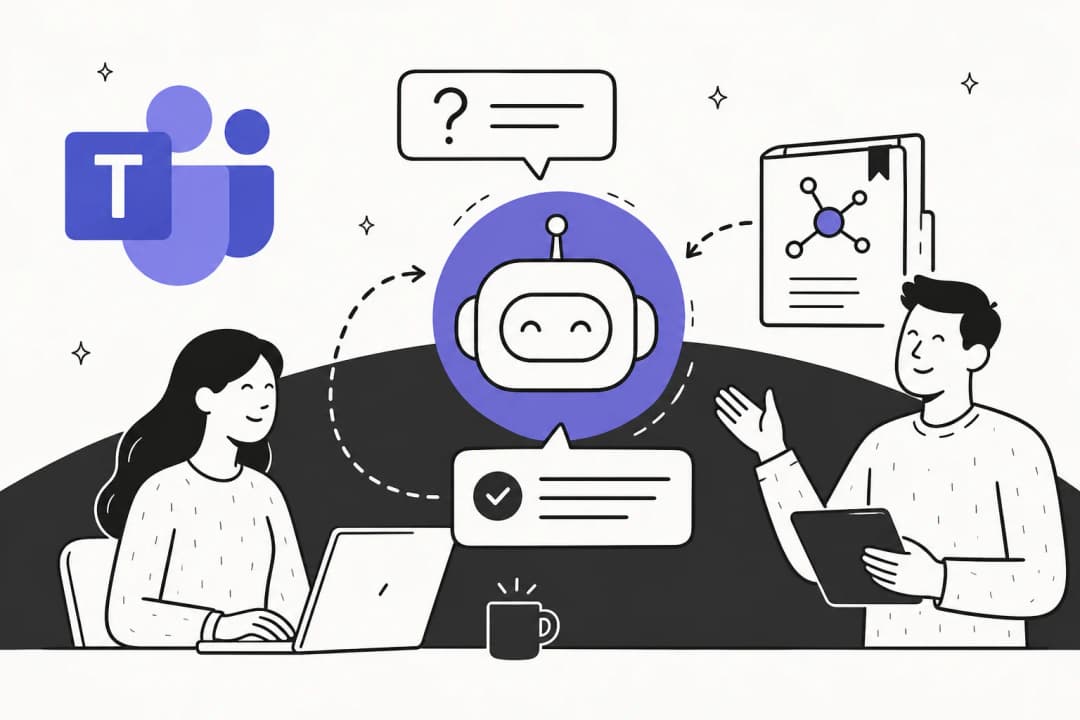
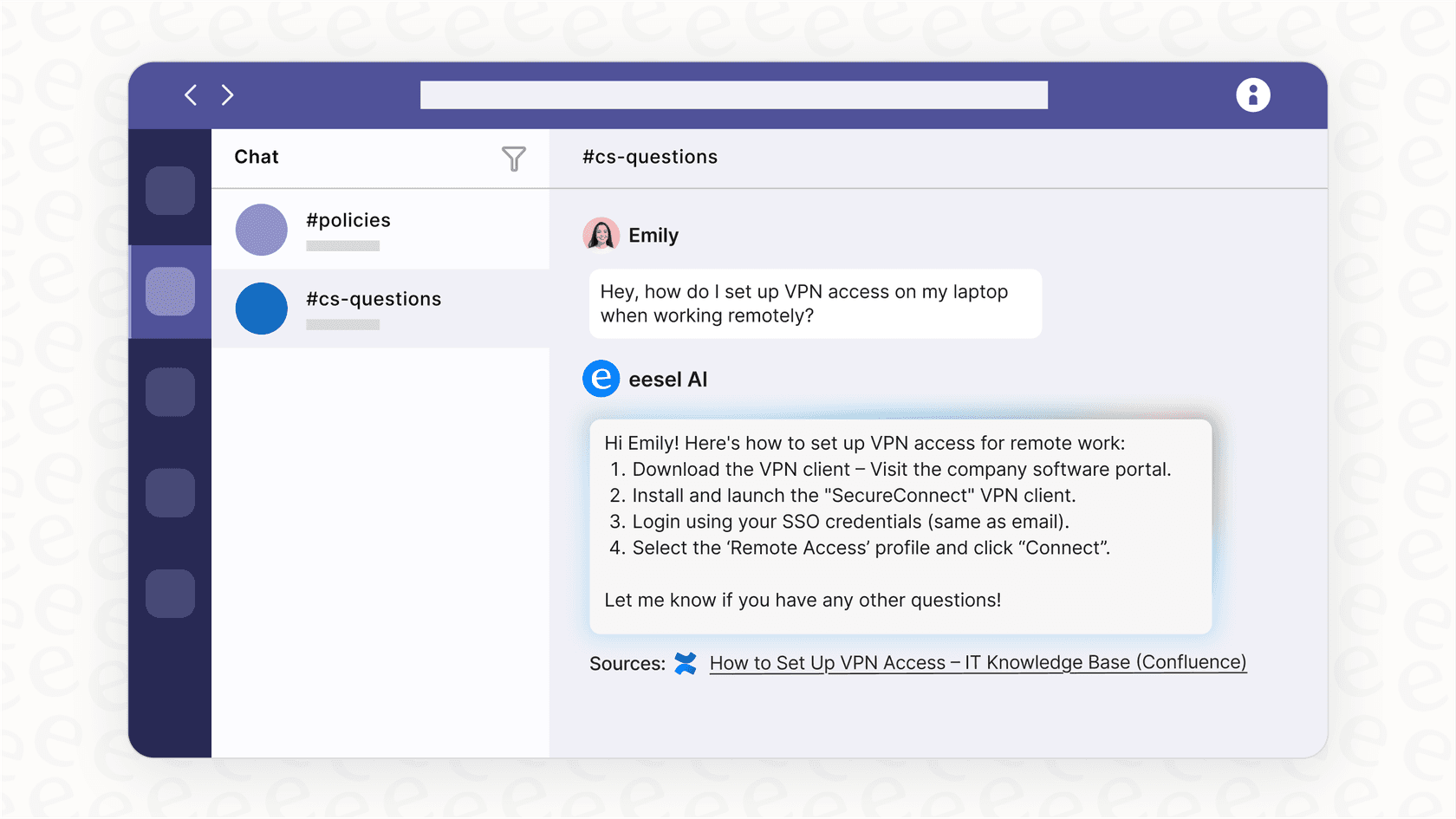
With eesel AI, you can set up an AI Internal Chat bot right in a Teams channel. Employees can ask questions and get instant, accurate answers from all your company knowledge without ever leaving Teams. Better yet, the AI agent can be set up to take actions, like creating an IT ticket in Jira or flagging a complex question for the right expert. It turns your internal support from a scavenger hunt into a smooth, automated workflow.
Is the Notion AI Microsoft Teams Connector right for you?
The Notion AI Microsoft Teams Connector is a decent tool for companies that are all-in on Notion and just want a way to centralize their search. It does a good job of breaking down the wall between Notion and Teams, making it easier to find information, as long as you’re already working in Notion.
But its downsides are pretty big. It’s a passive, read-only tool that’s locked behind an expensive plan and requires a complicated, IT-led setup. It keeps all the intelligence inside Notion, instead of bringing it to where your team is actually collaborating.
For teams looking to go beyond simple search and start automating their workflows, a more flexible and powerful solution is probably a better fit. Platforms that put AI agents directly into your existing tools don't just answer questions; they take action, solve problems, and give your team more time to focus on what matters.
Ready to bring intelligent automation into Microsoft Teams?
Don't just search your knowledge, put it to work. eesel AI deploys powerful AI agents directly into Microsoft Teams and your other tools to provide instant answers and automate frontline support.
Start your free trial or book a demo to see how it works.
Frequently asked questions
What exactly is the Notion AI Microsoft Teams Connector designed to do?
The connector links your Notion workspace to Microsoft Teams, allowing Notion AI to read and understand information from your Teams channels, messages, and files. Its primary purpose is to provide unified search capabilities within Notion.
What administrative roles are necessary to set up the Notion AI Microsoft Teams Connector?
To install it, you must be both a Notion Workspace Owner and a Microsoft Teams Admin with either Privileged Role Administrator or Global Administrator rights. Your email address also needs to be consistent across both platforms.
How does the Notion AI Microsoft Teams Connector enhance information retrieval within Notion?
It enables Notion AI to search across your Teams conversations and shared files, helping you find key decisions, locate specific documents, and summarize discussions directly from your Notion workspace, respecting existing Teams permissions.
What are the pricing and plan requirements for using the Notion AI Microsoft Teams Connector?
The connector is a premium feature, requiring your organization to be on a Notion Business ($18/user/month billed annually) or Enterprise Plan. It's not available on free or standard Notion plans.
What are some significant limitations of the Notion AI Microsoft Teams Connector regarding automation and two-way interaction?
It's a read-only tool, pulling information from Teams into Notion without enabling actions like replying to messages or creating tickets in Teams from Notion. It does not automate workflows or integrate with external systems for real-time data lookup.