

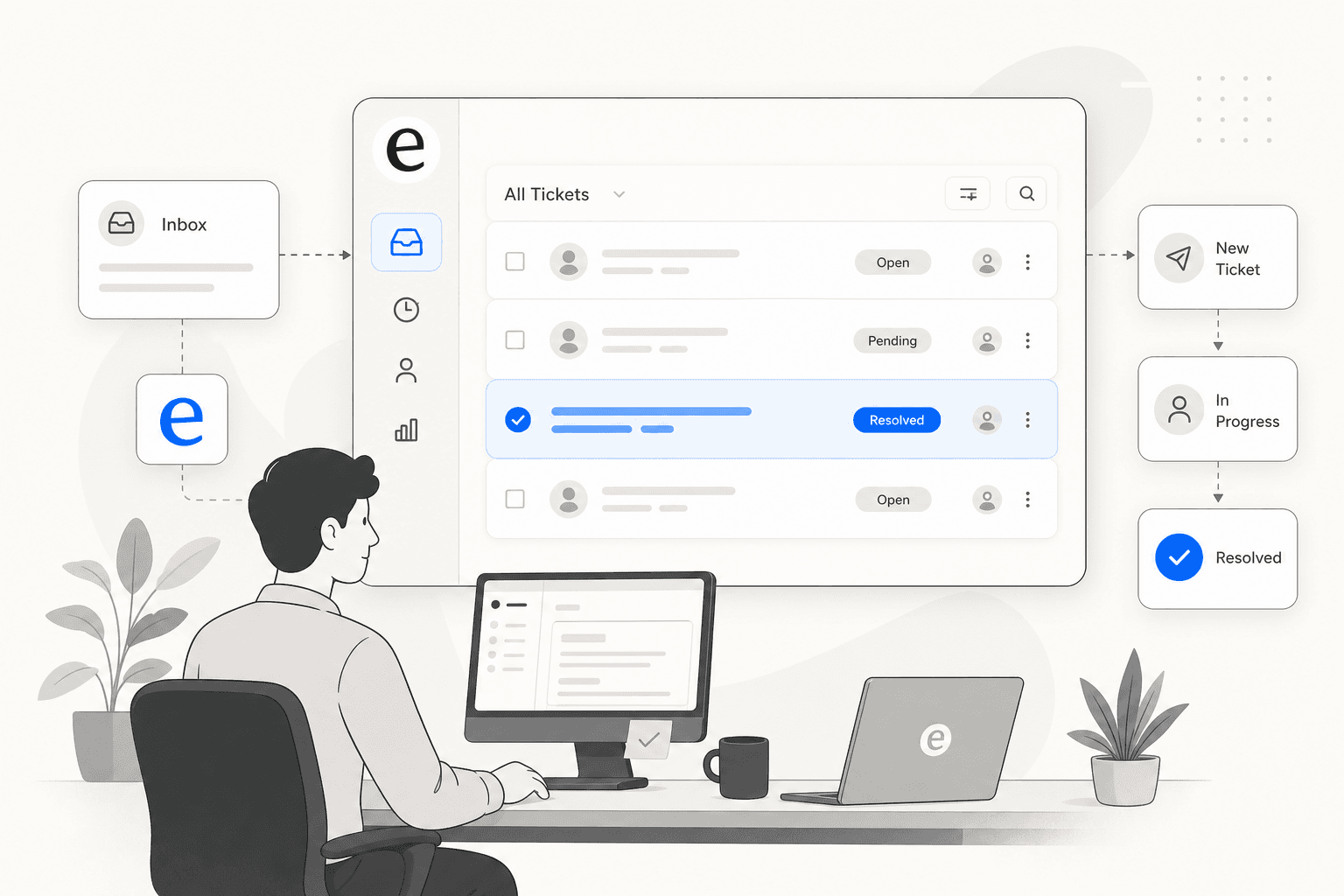
If your IT team is still managing requests through a shared inbox or Slack messages, you already know the failure modes: duplicate work, missed requests, no way to tell who owns what, and a manager who can't get a straight answer about the backlog without asking everyone individually.
An internal ticketing system fixes this by giving every request a number, an owner, a status, and a history - automatically, without someone reading each message and deciding what to do with it. Travelist eliminated 160+ hours per month of manual coordination after adopting one, introduced 4-hour SLAs on time-sensitive requests, and automated routing across Finance, HR, Connectivity, and Content teams simultaneously.
Getting to that result takes more than picking a tool. The system only works if it's configured to match how your organization actually operates - the right categories, the right SLAs, the right intake channels, and training that gets employees to actually use it. This guide walks through the full setup, from planning through rollout, including how to add AI automation with eesel AI so common tickets get resolved before they reach a human queue.
What is an internal ticketing system?
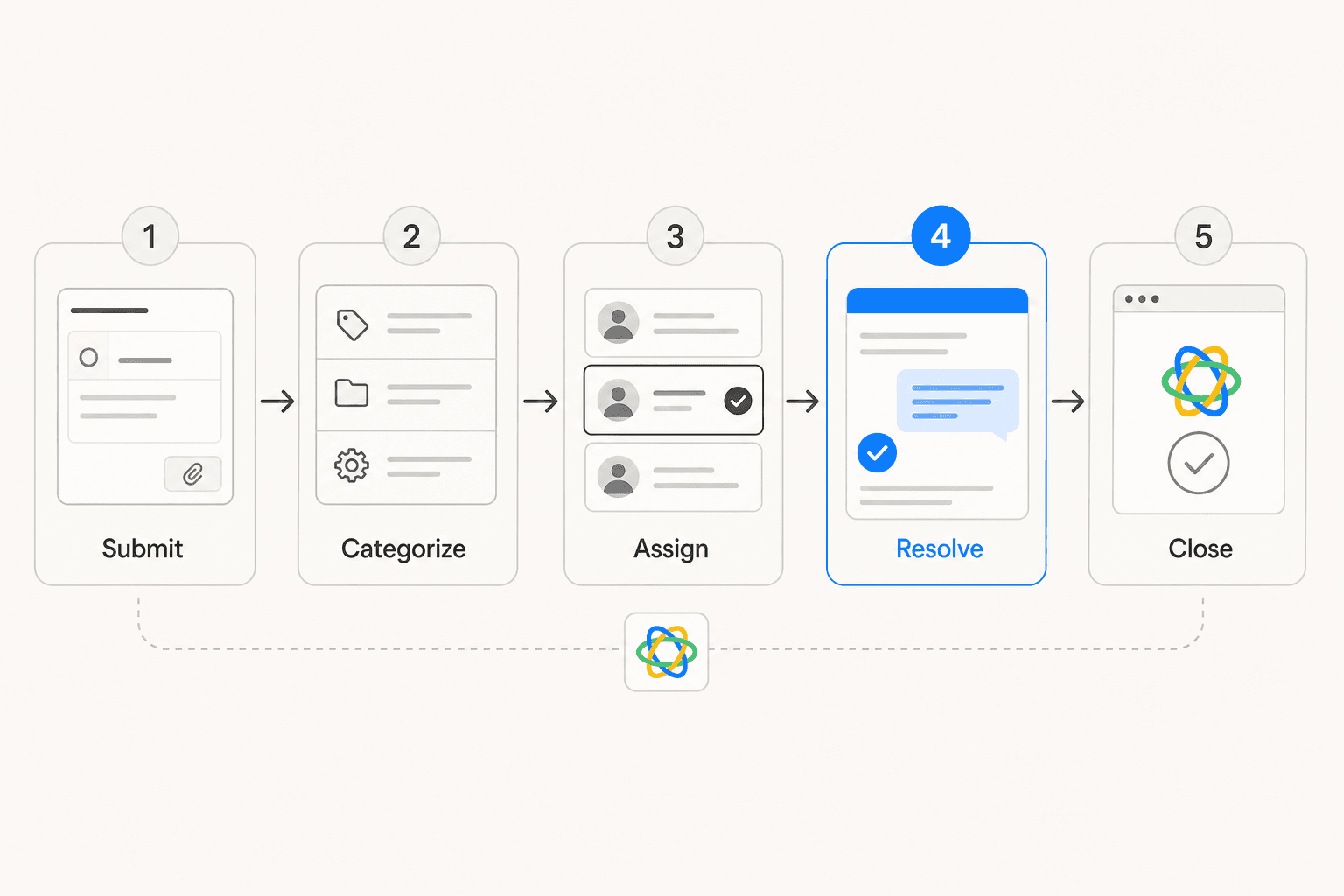
An internal ticketing system is software that manages requests submitted by employees. When someone needs help - a broken laptop, a reimbursement, an HR policy question, a room booking - they submit a request through the system. That request becomes a tracked ticket with a category, a priority, an assigned owner, and a resolution timeline.
ServiceNow defines it as "a tool used to track IT service requests, events, incidents, and alerts that might require additional action from IT." The same structure applies well outside IT: HR teams track onboarding cases and benefits questions, Finance tracks reimbursements and invoice approvals, Facilities tracks building issues and supply requests.
The core distinction from customer-facing ticketing is the audience: your own employees, not the public.
| Dimension | Internal | External |
|---|---|---|
| Audience | Employees | Customers |
| Primary purpose | Internal request management | Customer support |
| Query types | IT, HR, Finance, Facilities | Product support, billing |
| Knowledge base | Internal SOPs and policies | Product documentation |
(Hiver)
When do you actually need one?
If requests arrive through email, Slack, or informal asks with no structured tracking, you're already past the threshold. Specific signals:
- Requests get lost between inboxes with no clear owner
- Urgent and non-urgent issues sit in the same queue with no prioritization
- You can't see your backlog without asking everyone manually
- The same question gets asked repeatedly with no knowledge base to handle it
- Performance tracking requires someone to update a spreadsheet by hand
Atlassian learned this while scaling: IT teams become "catch-alls" fielding every kind of request without a system to route specialist work to specialist people. The ticketing system is what lets you split work into manageable, appropriately skilled queues.
For most IT teams handling 50+ requests per week, the overhead of running without structured ticketing outweighs the setup cost. Even a free tool like Spiceworks is a significant upgrade over email.
Key features to look for
Not every team needs the same feature set, but these capabilities make a meaningful difference at most scales:
| Feature | Why it matters |
|---|---|
| Ticket routing and auto-assignment | Eliminates manual sorting; gets requests to the right person without human triage |
| SLA management | Makes service commitments visible and enforced, not aspirational |
| Multi-channel intake | Email, Slack, Teams, web form - meets employees where they already work |
| Knowledge base integration | Deflects common requests before they become tickets |
| Self-service portal | Single destination for submission and status checking |
| Automation rules | Handles routing, escalation, and follow-up without manual intervention |
| Reporting and analytics | Turns ticket data into capacity and performance insight |
| Role-based access control | Keeps sensitive HR and security tickets visible only to authorized staff |
| Collaboration tools | Internal notes and side conversations stay inside the ticket, not in separate threads |
Giva puts routing automation at the top: "automated routing makes the whole system run so much smoother than having someone manually assign tickets." AI-based systems can assign based on historical patterns and availability, not just static rules.
Freshservice flags SLA management as particularly important: the system should automatically escalate when deadlines approach, so breaches are caught before they happen rather than discovered after.
For teams that want AI built into the ticketing layer itself, eesel AI's automated ticketing guide covers what AI-native approaches add compared to traditional rule-based automation.
How to set up an internal ticketing system
Setup splits into three phases. The tool is the easy part - the planning work before configuration determines whether the system actually works.
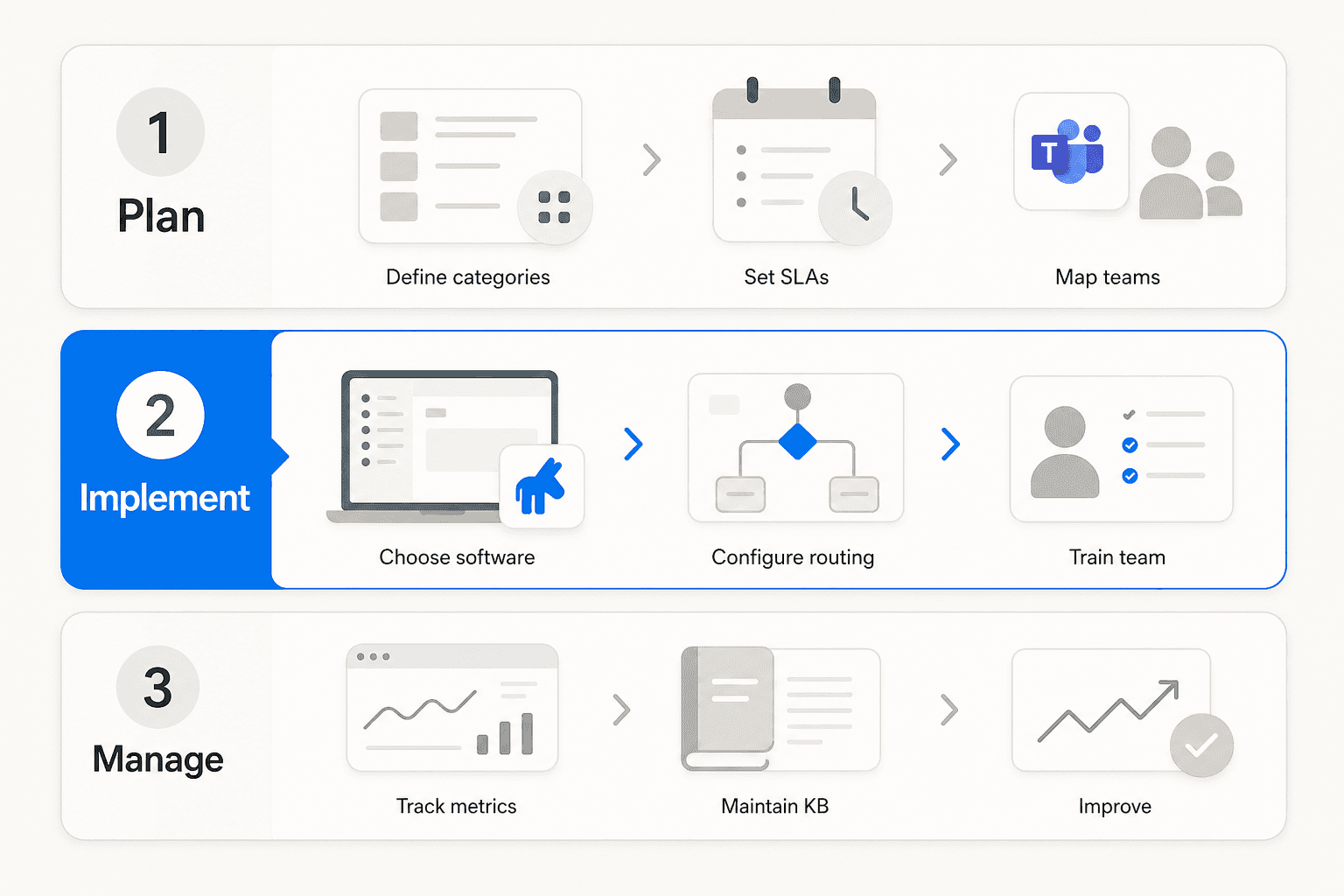
Phase 1: Planning
Define your request categories. Before touching software, audit your existing request channels - shared inboxes, Slack channels, email threads, verbal asks. Group requests into categories. Common starting points:
- IT: hardware issues, software access, password resets, network problems, change requests
- HR: onboarding, payroll questions, benefits changes, offboarding
- Finance: reimbursements, invoice approvals, expense questions, vendor payments
- Facilities: building issues, maintenance, supply requests, room bookings
Keep the initial list short. You can add subcategories once you see the real distribution of incoming requests. Atlassian learned the value of specialization while scaling from 230 to thousands of employees: separating into IT infrastructure, workplace tools, and a global service desk let each team handle targeted, manageable work rather than everything at once.
Set SLA targets. Assign response and resolution time targets to each category, based on real business impact rather than arbitrary standards.
| Priority | Example | Response SLA | Resolution SLA |
|---|---|---|---|
| Critical | System outage, security incident | 15 minutes | 4 hours |
| High | Employee can't access a key system | 1 hour | 8 hours |
| Medium | Software request, hardware issue | 4 hours | 2 business days |
| Low | General question, non-urgent request | 1 business day | 5 business days |
Hiver's Travelist case study shows SLAs working in practice: time-sensitive content updates follow a 4-hour SLA, with automatic alerts triggered before the deadline is missed. That precision only works if the SLA was defined intentionally and matched to real business need.
Map teams and owners. Assign which team handles each category, and designate a lead who owns SLA compliance for their area. Without named owners, tickets still pile up even with a structured system.
Plan for self-service from day one. Identify the top 10-15 recurring request types that a knowledge base could answer without creating a ticket. These become seed articles at launch. Atlassian treats knowledge-centered support as a core strategy, noting that 72% of employees prefer self-service when it's easy to find.
Phase 2: Implementation
Choose and configure your software. With categories, SLAs, and team structure defined, you can evaluate tools against real requirements rather than generic feature lists. Giva recommends evaluating on ease of setup, scalability, integration capabilities with existing tools, and vendor support quality.
Once you've chosen a platform, configuration checklist:
- Create ticket categories and queues matching the planning output
- Set up SLA policies per category and priority level
- Build routing rules for automatic assignment
- Configure escalation triggers for approaching SLA deadlines
- Set up role-based access for agents and managers
- Integrate with Slack, Teams, and other intake channels
Set up intake channels. Friction at the intake step causes employees to revert to email or Slack, bypassing the system entirely. Zendesk describes the goal: "employees submit requests through email, phone, chat, self-service portals, or collaboration tools like Slack and Microsoft Teams - without leaving their workflow." Minimum intake at launch: email-to-ticket for shared inboxes, a web portal with category-specific forms, and an auto-acknowledgment that gives requesters a ticket number immediately.
Build the knowledge base before launch. Minimum articles to write: how to reset a password, how to request software access, how to submit a reimbursement, and answers to your most frequently asked HR questions. Freshservice recommends that if a ticket type has a documented solution, it shouldn't become a ticket at all - the KB handles it.
Train both groups. Agents need to understand routing, SLAs, and escalation. Employees need to know where the portal is, what information to include when submitting, and how to check ticket status without sending follow-ups. Giva recommends phased rollout: pilot with one team for 2-4 weeks, gather feedback, fix what's broken, then expand one department at a time.
Phase 3: Ongoing management
Track these metrics weekly and monthly: ticket volume by category, SLA compliance rate, first-contact resolution rate, backlog size, and re-open rate. Atlassian cautions against obsessing over arbitrary KPIs - focus on understanding why peaks and valleys happen, not just measuring activity levels.
Knowledge base maintenance needs explicit ownership. An outdated KB erodes trust and increases ticket volume as employees learn not to bother checking it. Infraon recommends tracking which articles reduce ticket volume and prioritizing updates for high-traffic articles generating frustrated follow-up requests.
Tools for internal ticketing
There's a wide range of options from free to enterprise-scale. Here's what matters for each team size.
eesel AI
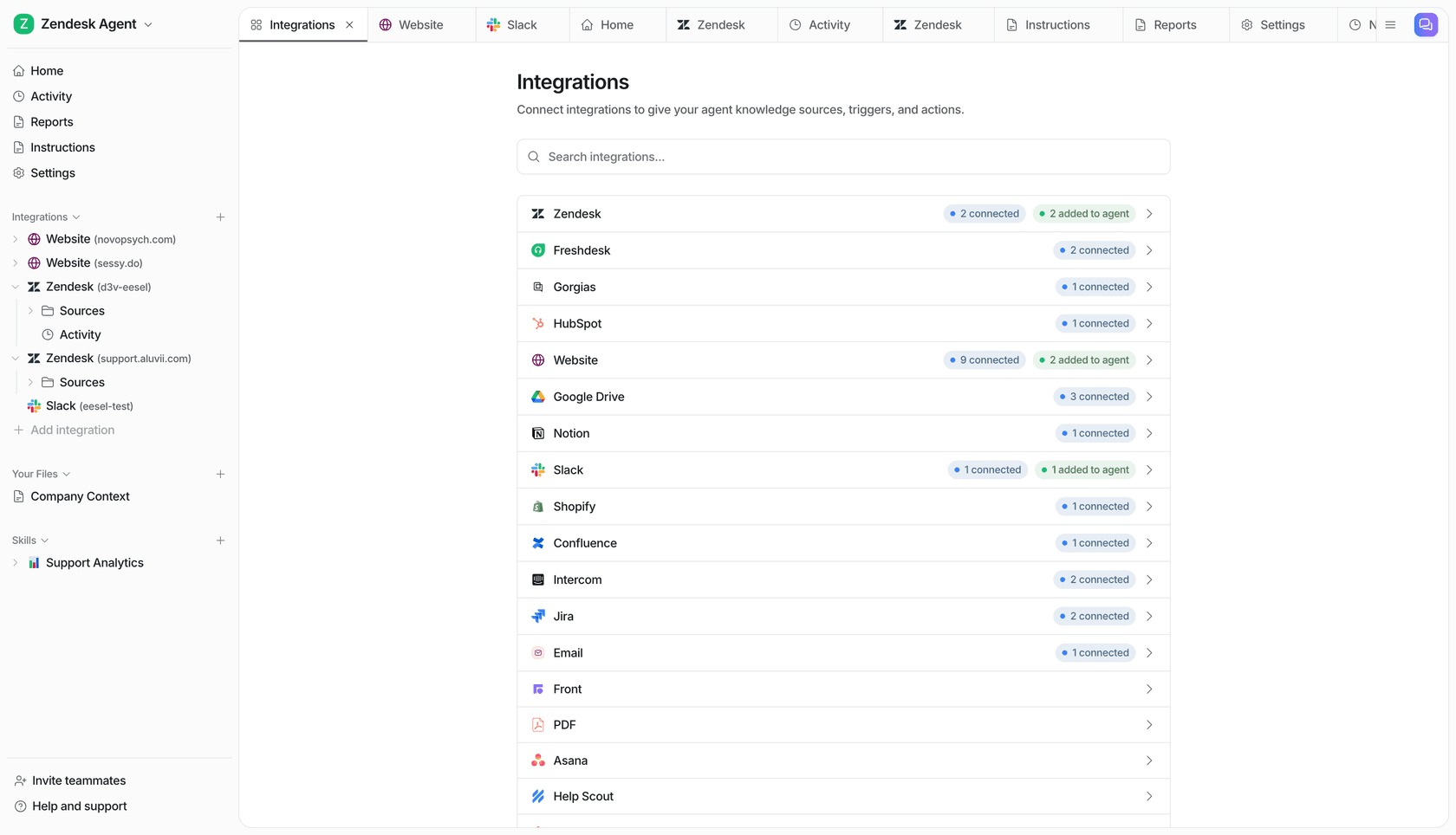
eesel AI sits on top of your existing ticketing platform - Zendesk, Freshdesk, Jira Service Management, or whichever tool you're running - and handles tickets autonomously. Rather than replacing your ticketing tool, eesel learns from your past tickets, help center, and connected docs to resolve requests before they reach a human queue.
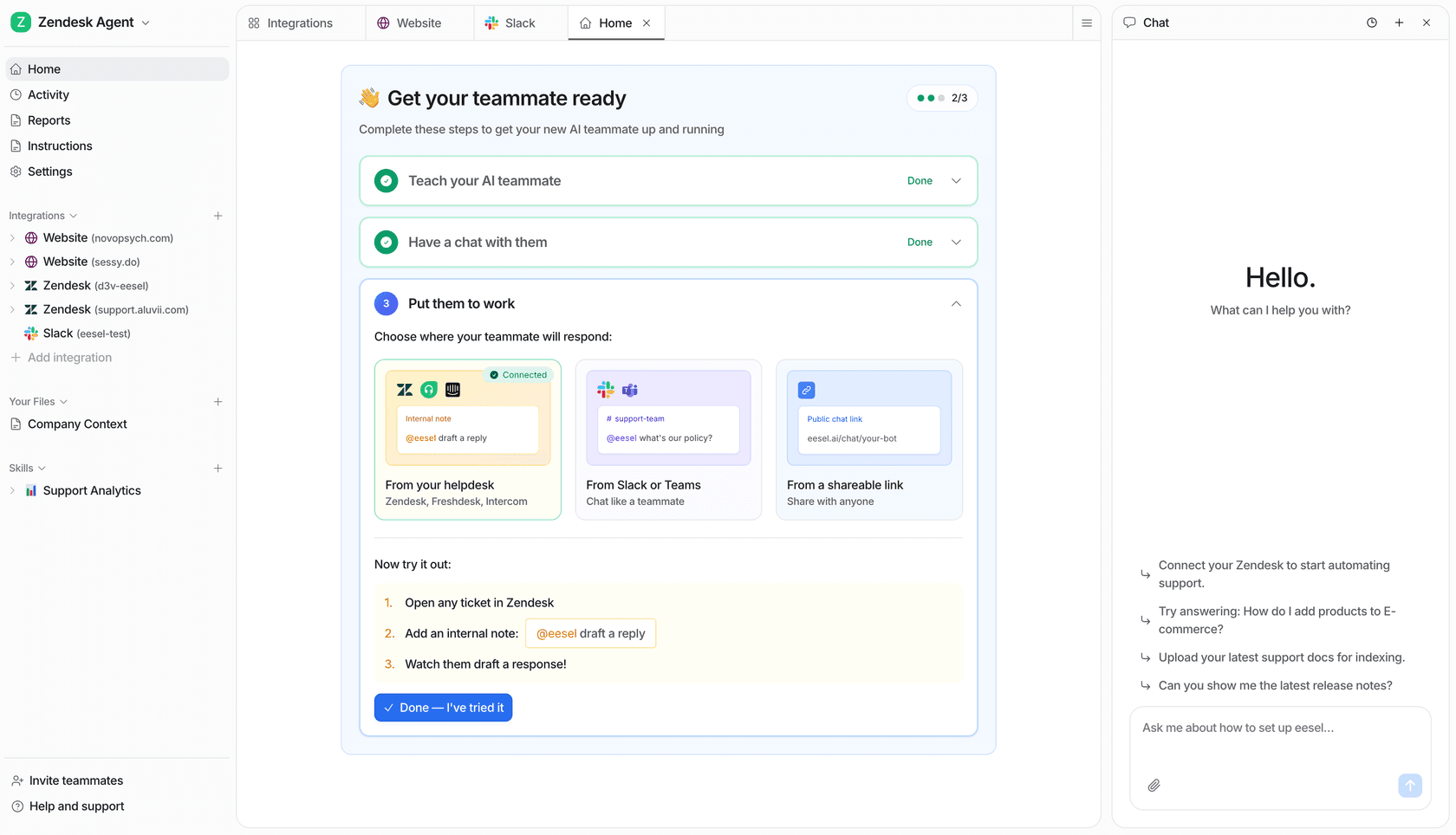
Jason Loyola, Head of IT at InDebted, puts it directly: "We use it to be the first responder to our Helpdesk tickets in Jira. It acts just like an agent." In mature deployments, eesel achieves up to 81% autonomous resolution - password resets, access requests, policy questions, and other high-volume low-complexity tickets handled before a human sees them.
The setup: connect eesel to your helpdesk, let it absorb your documentation and past tickets, run simulations on historical requests to verify quality, then go live. You control which ticket types eesel handles autonomously and which it drafts for human review. Pricing is task-based at $0.40 per ticket, with no per-seat fees and a $50 free trial.
Jira Service Management
Jira Service Management (JSM) is Atlassian's full-stack ITSM platform. It covers incident, problem, change, and asset management, and integrates natively with Jira Software and Confluence.
| Plan | Price | Notes |
|---|---|---|
| Free | $0 | Up to 3 agents |
| Standard | $20/agent/month | 250 GB storage, 9/5 support |
| Premium | $51.42/agent/month | AI Virtual Service Agent, AIOps, change management |
| Enterprise | Contact sales | Multi-site, advanced analytics |
Best for engineering-heavy teams already on Atlassian. The setup complexity is real - G2 reviewers consistently flag the steep learning curve, and Capterra notes the interface "feels cluttered at times." Once configured, the feature depth is hard to match.
"Jira Service Management can be a bit overwhelming at first, with a steep learning curve for new users." - Capterra
Freshservice
Freshservice is Freshworks' ITSM platform with a reputation for the cleanest UI in the category. It covers incident, problem, change, and release management, IT asset management, and ESM templates for HR and Facilities.
| Plan | Annual price | Notes |
|---|---|---|
| Starter | $19/agent/month | Incident management, SLA, knowledge base |
| Growth | $49/agent/month | Problem and change management, automation |
| Pro | $99/agent/month | Workload management, sandbox environment |
| Enterprise | Custom | Freddy AI Agent included (1,200 sessions/year) |
Freshservice's "ease of use" is cited as the top pro in G2 reviews with 158 mentions. The tradeoff: feature limits hit on lower tiers, and Growth/Pro users often need to jump to Enterprise for advanced capabilities.
"We use Freshservice for ticketing and it's pretty good. Also great for change control and knowledge base articles." - r/sysadmin
Zendesk
Zendesk's employee service offering applies the same omnichannel ticketing platform behind customer support to internal IT and HR helpdesks. Feature-rich and mature, with 1,800+ marketplace integrations - but costs escalate quickly and setup complexity is consistently flagged for smaller teams.
| Plan | Annual price |
|---|---|
| Support Team | $19/agent/month |
| Suite Team | $55/agent/month |
| Suite Professional | $115/agent/month |
| Suite Enterprise | $169/agent/month |
Best for organizations already on Zendesk for customer support who want to run internal and external service on one platform. AI agent resolutions are priced separately: $1.50 per committed resolution, $2 pay-as-you-go.
"The options for smaller teams are not great in terms of features/pricing." - Capterra reviewer
HappyFox
HappyFox covers internal IT/HR support with a clean interface and fast onboarding. Known for solid SLA management and automation without enterprise configuration overhead. A Forrester study found 401% ROI.
| Plan | Annual price | Notes |
|---|---|---|
| Basic | $21/agent/month | Up to 5 agents |
| Team | $39/agent/month | No agent cap, multi-brand |
| Pro | $89/agent/month | Asset management, load-balanced routing |
| Enterprise PRO | Contact sales | Advanced audit logs, 24/7 phone support |
The CX Lead called it "one of the more user-friendly help desk platforms" with "logical navigation that makes onboarding fast." The gap: no ITIL-compliant change or problem management on base plans. Reporting history is capped at 1 year on Basic, 3 years on Team.
Spiceworks
Spiceworks Cloud Help Desk is the go-to free option for small IT teams. The Core plan is free with unlimited tickets and end users, capped at 5 admin seats.
| Plan | Price |
|---|---|
| Core | Free (up to 5 admin seats) |
| Premium | $5/seat/month |
Reddit consensus is consistent: "Use the free Spiceworks helpdesk. It's basic, but free, and will be a million times better than what you are currently using." (r/sysadmin) Tradeoffs: ads on the free tier, limited automation, low feature ceiling once the team grows past 5 staff.
Which tool fits your team size?
| Team size | Recommended starting point |
|---|---|
| 1–5 IT staff | Spiceworks (free) |
| 5–50 IT staff | Freshservice Starter/Growth or HappyFox Team |
| 50–500 IT staff | Freshservice Pro or Jira Service Management Standard/Premium |
| 500+ / Enterprise | ServiceNow or Jira Service Management Enterprise |
For AI automation on top of any of these platforms, eesel AI connects to Zendesk, Freshdesk, and Jira Service Management and handles first-response resolution at the ticket layer. For teams comparing ITSM platforms head-to-head, that guide covers the differences in more depth.
Mistakes teams make
The patterns that cause implementations to fail show up consistently across practitioner research from WEBiT Services, EasyDesk, and Quick2Chat:
Choosing based on features, not fit. Teams over-buy (ServiceNow for a 10-person IT team) or under-buy (Spiceworks for a 200-person org that needs SLA enforcement). Match tool complexity to actual team size and workflow requirements.
Skipping end-user training. IT teams configure the system well but fail to show employees how and why to use the portal instead of emailing directly. This is the most common adoption failure.
"How do you deal with people circumventing your ticketing system by either emailing IT directly, walking into your office, or just sending you a Teams/Slack message?" - r/sysadmin
Launching without a categorization scheme. Going live with a single queue and no categories makes SLA management impossible and analytics useless. Define categories before configuration, not as an afterthought.
Skipping the no-ticket, no-support policy. Without a firm policy backed by manager support, employees continue routing around the system. Adoption stays low, and the ticketing system becomes a parallel channel rather than the primary one.
"No ticket no support or at best maybe when I have no more tickets open." - r/ShittySysadmin
Ignoring automation at launch. Many teams use ticketing systems as glorified inboxes without routing rules, auto-responses, or escalation triggers. HappyFox's implementation guide identifies this as one of the top reasons teams fail to realize ROI.
Adding AI to your internal ticketing system with eesel AI
Once your ticketing system is handling structure - categories, routing, SLAs - you can add an AI layer to automate the resolution side. Most internal tickets are repetitive: password resets, access requests, policy questions, onboarding tasks. These don't need a human agent; they need a fast, accurate answer grounded in your actual documentation.
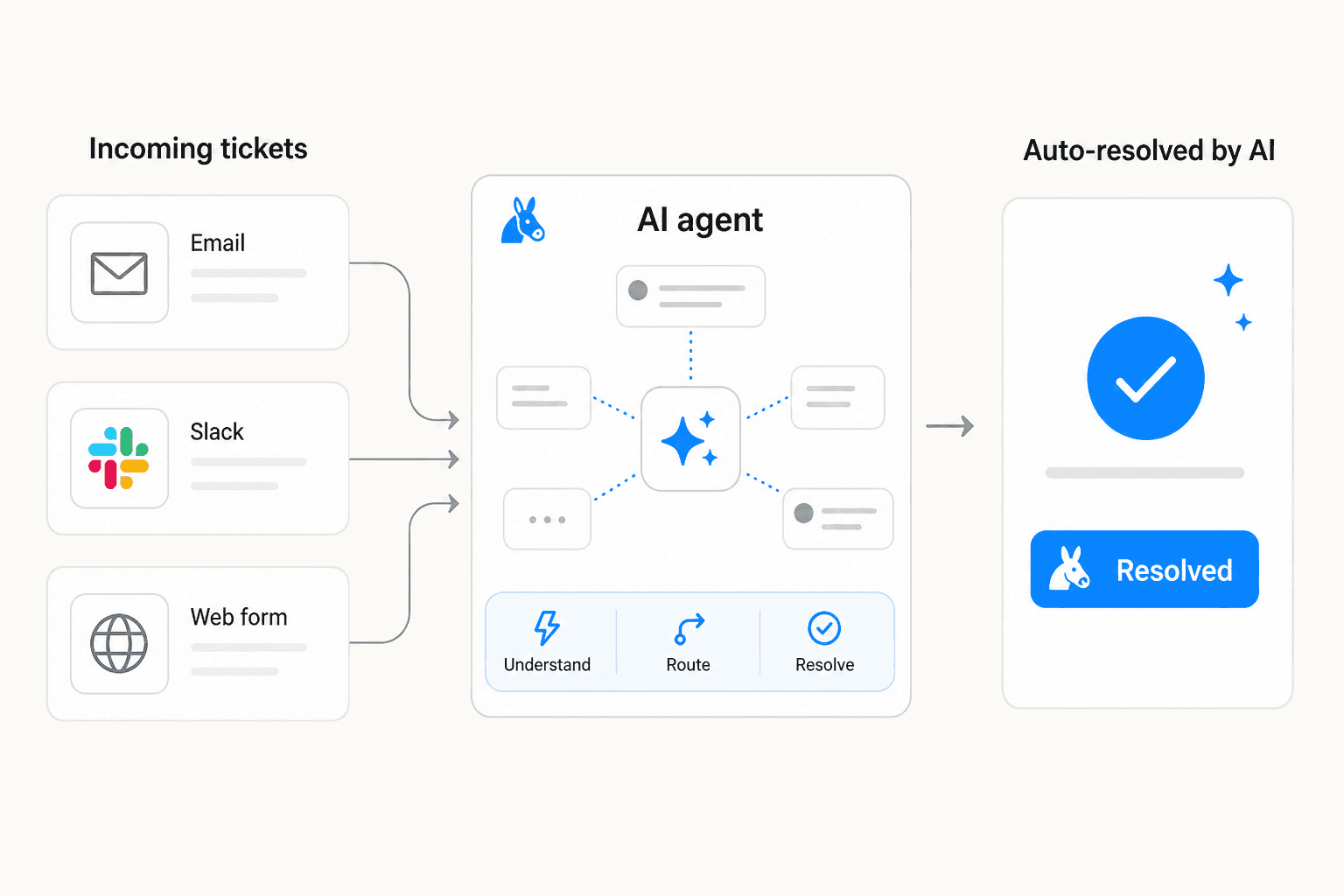
eesel AI's Helpdesk Agent connects to your existing help desk and learns from your knowledge base, past tickets, macros, and policy documents. It reads incoming tickets, drafts responses grounded in your actual documentation, and sends them - without waiting for a human to approve each one.
You stay in control at every stage. You define which ticket types eesel handles autonomously and which ones it drafts for review. Start with eesel acting as a copilot - generating drafts that agents review before sending - then expand scope as it proves itself. Global Payments achieved up to 80% time savings when finding answers across internal documentation. Gridwise saw 73% of tier-1 requests resolved in the first month.
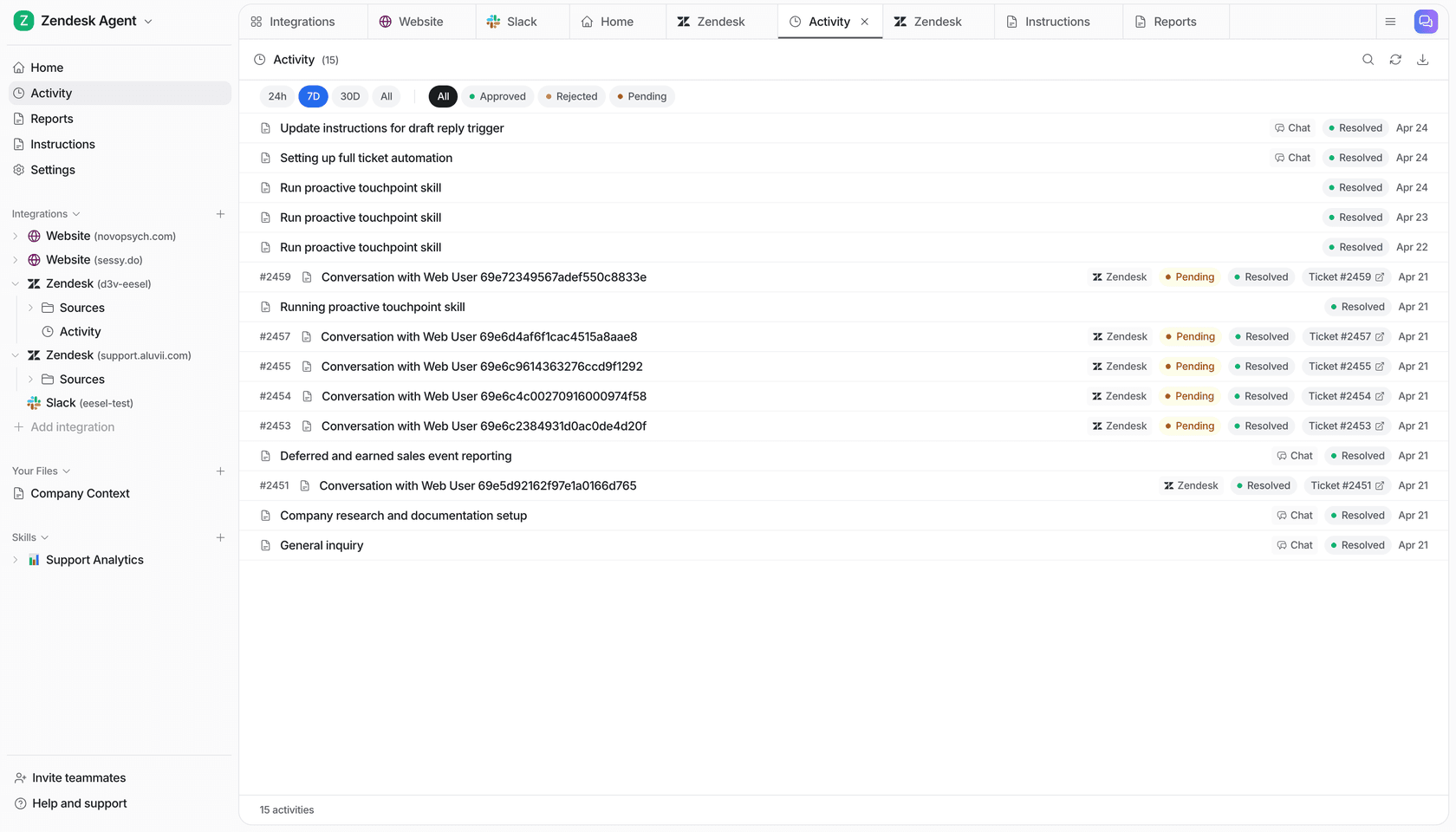
eesel integrates directly with Zendesk, Freshdesk, Jira Service Management, and Slack. For teams running internal IT support in Slack, it acts as an @mention bot that answers questions from channel history and connected docs - no separate portal required. For Zendesk and Freshdesk users, it sits inside the existing helpdesk and handles tickets at the agent layer.
Before going live, you can run simulations on past tickets to see exactly how eesel would respond to historical requests. This surfaces gaps in your knowledge base and lets you tune behavior before any real employee interaction.
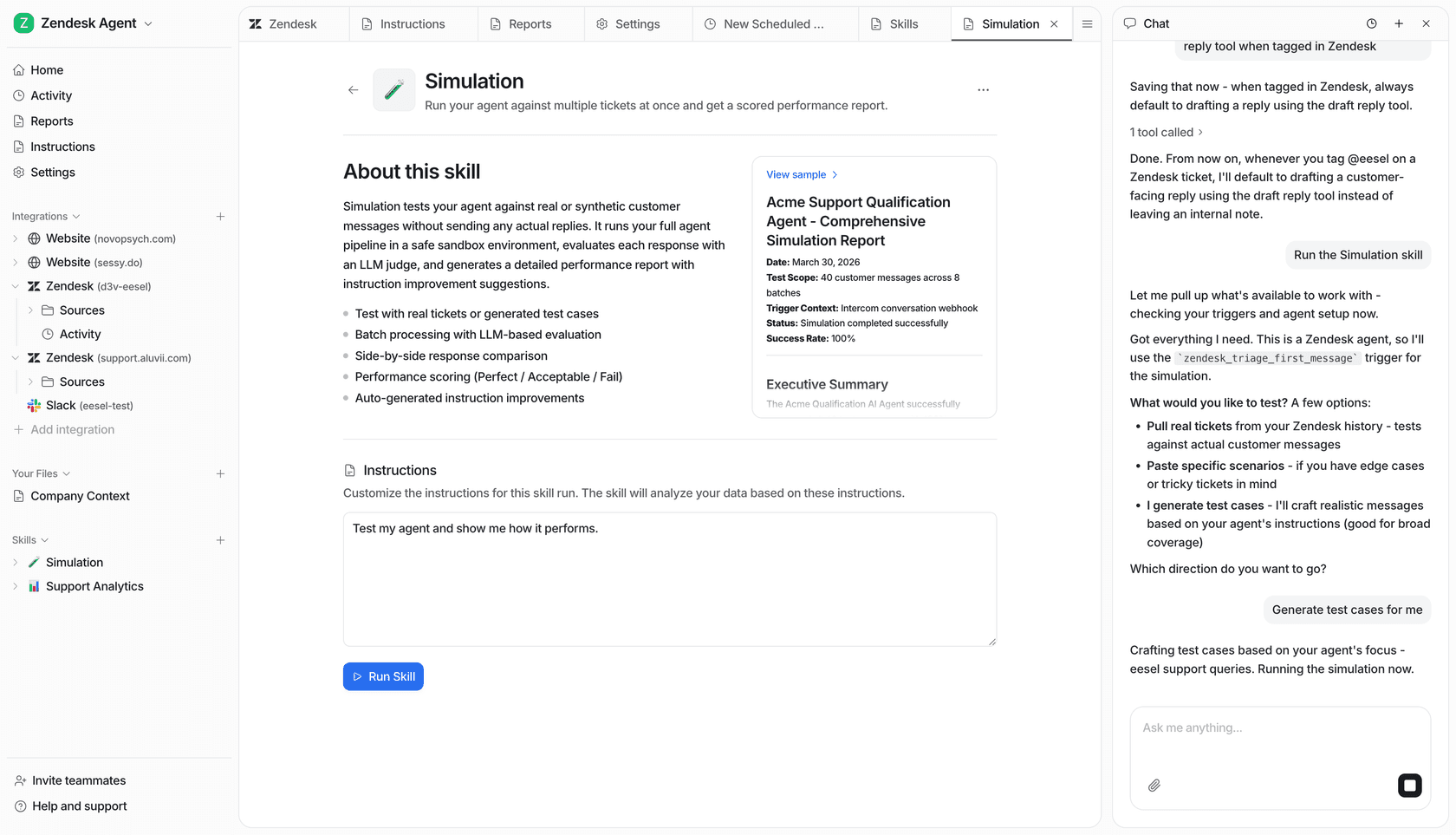
For more on pairing AI with internal ticketing, eesel's ITSM integration with Slack guide covers the Slack-specific setup patterns. The AI-powered ITSM overview covers the broader vendor landscape and what AI automation actually changes in an IT service desk.
Try eesel AI
eesel AI connects to your existing helpdesk in minutes, learns from your documentation and past tickets, and handles first-response resolution autonomously. No per-seat fees, no configuration screens, no upfront commitment - connect, simulate on past tickets, and go live when you're ready.
Try eesel AI free with $50 in usage credits. No credit card required.

Frequently Asked Questions
Share this article

Article by
Stevia Putri
Stevia Putri is a marketing generalist at eesel AI, where she helps turn powerful AI tools into stories that resonate. She’s driven by curiosity, clarity, and the human side of technology.