
If you hang out on developer forums or tech Twitter, you've almost certainly seen Clawd Bot pop up. It's now officially called Moltbot, and it's the open-source project that blew up, grabbing over 60,000 GitHub stars almost overnight. It even kicked off a "Mac mini craze," with developers snapping up spare machines to run their own personal AI agent.
The hype is definitely real, but so are the potential risks. This guide will walk you through the whole story: what Moltbot is, what it can do, and the security problems and hidden costs you need to be aware of before considering it for business.
What exactly is Clawd Bot (now Moltbot)?
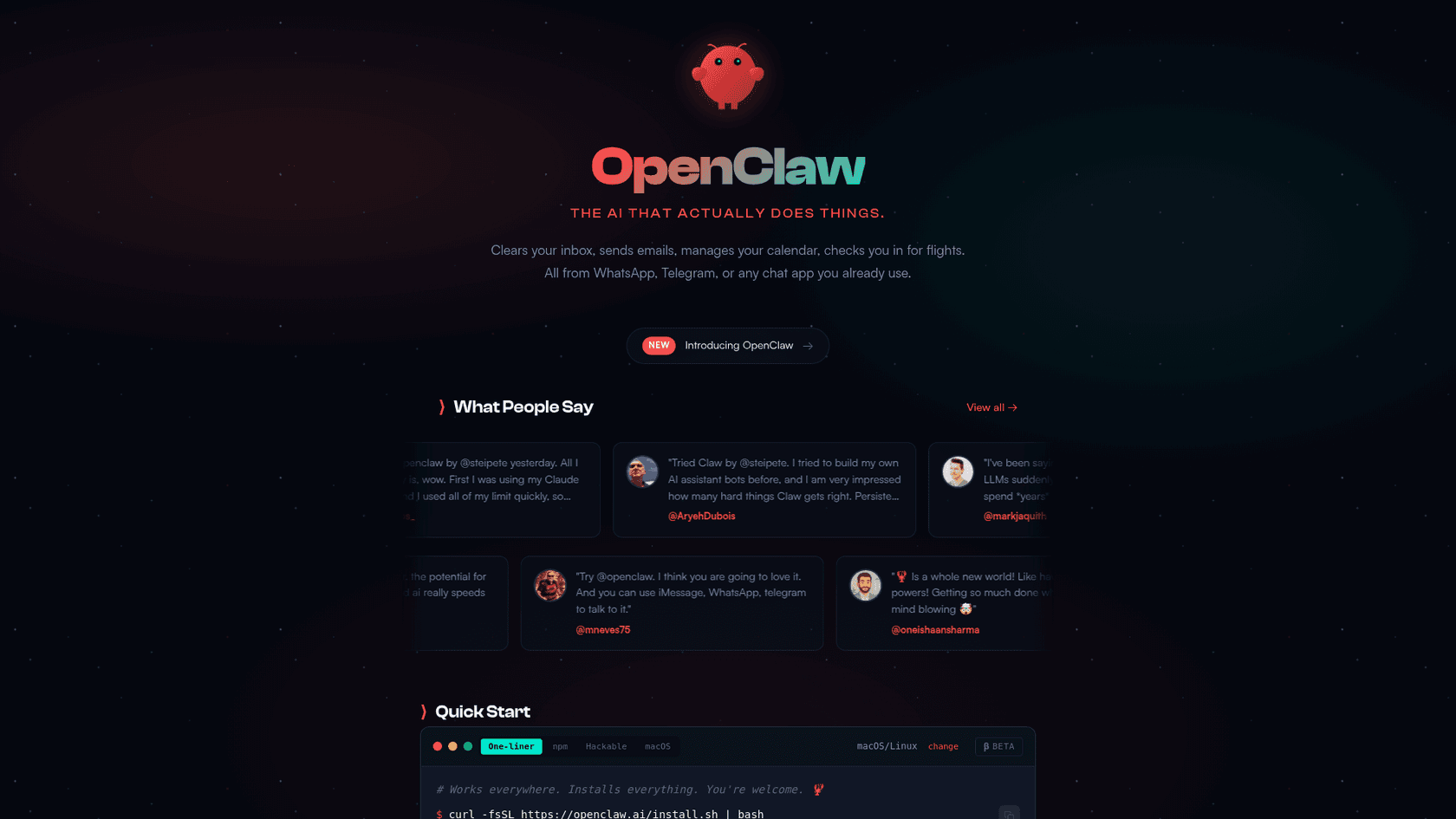
You can think of Moltbot as a free, open-source framework for building and running your own personal AI assistant. You host it yourself on a spare computer, such as an old laptop, a dedicated Mac mini, or a cloud server.
This isn't just another ChatGPT-style chatbot. Moltbot is a proactive AI agent. It's built to take real action on your computer, with full access to your system. This means it can read your files, open apps, and run commands, all based on instructions you send it from a chat app.
You'll probably still see it called Clawd Bot around the web, but the project was officially renamed to Moltbot in January 2026 because of a trademark request from Anthropic (the folks behind the Claude AI model).
The whole thing works with a simple, three-part setup, which can be visualized in the diagram below:
- The Gateway: This is the entry point. It hooks into your favorite chat apps (like WhatsApp or Slack) and handles the tasks you send to the agent.
- The Brain: This is the large language model (LLM) that does the actual thinking. You can swap in different models, like Anthropic's Claude or OpenAI's GPT.
- The Skills: These are plugins that give your agent specific powers, like controlling Spotify, searching the web, or interacting with your code on GitHub.
Core features and use cases
Moltbot gets its power from a mix of proactive memory, the freedom to chat from anywhere, and direct control over your computer. It's a recipe for some pretty interesting possibilities.
Proactive agency and persistent memory
Unlike a regular chatbot that waits for a question, Moltbot can be set up to work on its own. You can schedule it to do things automatically using "heartbeats" (like sending you a daily news summary each morning) or "cron jobs" for specific reminders.
It also has a persistent memory, so it learns about you and your preferences over time. It saves this info locally in simple text files, like a SOUL.md file to shape its personality and a USER.md file to remember key facts about you. This means you don't have to keep repeating yourself, and the agent gets more helpful the more you use it.
Multi-channel communication and the Clawd Bot Twitter integration
One of the main features is controlling your home or work computer from your phone, wherever you happen to be. Moltbot connects directly with a bunch of popular chat apps:
- Telegram
- Discord
- Slack
- Signal
- iMessage
Since the project is open-source, the community is constantly creating new integrations and "skills." For instance, a developer could build a Clawd Bot Twitter integration as a custom skill to watch their feed, auto-post updates, or manage DMs, as noted on its official integrations page. This flexibility is a big reason why it's so popular with developers and tinkerers.
What people are actually doing with it
The things people are using Moltbot for go way beyond asking it to tell a joke. They're automating some impressive tasks.
I was using it quickly prepare ahead of meetings eg key questions, talking points - and then banging questions in as I was doing the meeting all in a single slack thread. Then at the end of the day, I asked it to review all of my slack conversations and give a progress update. Then if I had a random idea or remembered new work stream, I'd bang it in - and it would either give me next action or simply do the work without being asked.

- Business Automation: One user said they saved $4,200 on a car purchase. They got Moltbot to research pricing data online and then take over the email negotiations with car dealers.
- Developer Workflow: A developer shared a story about how their Moltbot found a production bug in their code, wrote a fix for it, and opened a pull request on GitHub before the human team had their morning coffee.
- Content Creation: People are building entire websites from their phones. They just fire off instructions to Moltbot through Telegram, and the agent writes the code, creates the files, and deploys the whole site.
- Personal Productivity: Think about making a weekly meal plan and then having your AI use browser automation to log into your grocery delivery service and place the order for you. People are doing that.
It's a powerful tool that offers a peek into a future where AI assistants take care of complicated, multi-step jobs for us.
For a firsthand look at how developers are using and experimenting with Moltbot, this video provides an honest review of its capabilities and limitations.
The technical reality: Setup, costs, and maintenance
While having a personal AI agent sounds appealing, getting Moltbot up and running isn't a simple one-click process. It's a project for people who are comfortable with tinkering and managing their own tech.
How to set up Moltbot
Right off the bat, setting up Moltbot means you'll need to get comfortable with the command line. The process kicks off with running a curl script in your terminal, which indicates this isn't for an average non-technical user.
You've got a few choices for where to run it:
- On your main computer: This is generally not recommended because of the security risks.
- On a dedicated spare computer: This is the popular "Mac mini" strategy. You use a separate, isolated machine just for the AI agent.
- On a cloud server: You can set it up on a virtual private server (VPS) from a provider like Hetzner.
The true cost of running a DIY AI agent
The Moltbot software itself is free under an MIT license, but running it is another story. The costs can be unpredictable and accumulate quickly if you're not paying attention.
If you use Moltbot the way it's marketed — as a proactive personal assistant managing email, calendar, messages, running tasks autonomously — you're realistically looking at $10-25/day, or $300-750/month on API costs alone. This is why the project strongly encourages using a Claude Pro/Max subscription ($20-200/month) via setup-token rather than direct API — but as you noted, that likely violates Anthropic's TOS for bot-like usage.
The biggest cost is the LLM API usage. Your agent is always "thinking" to handle your requests, read files, and determine next steps. All that processing uses up tokens, and tokens cost money. One user reported they used 180 million tokens in just a few months. Another said they used 8 million tokens just getting it set up. That can lead to surprise bills.
Here’s a rough breakdown of what you might spend:
| Cost Category | Price Range | Notes |
|---|---|---|
| Software | $0 | The Moltbot framework is free and open-source. |
| Hardware/Hosting | $0 – $599+ (one-time) or ~$5-20/mo | Free if you use an old laptop. A new Mac mini costs about $599. A basic cloud VPS is around $5 a month. |
| LLM API Usage | $10 – $300+/month (variable) | This is the main variable. Your cost depends entirely on how much your agent "thinks." It can potentially climb into the hundreds of dollars each month. |
The maintenance burden
When you run a self-hosted tool like Moltbot, you are responsible for IT functions. There's no support team to call if something goes wrong. You're responsible for installing security updates, fixing bugs, keeping your API keys safe, and ensuring the system is stable. It's an ongoing commitment, not something you can just set up and forget about.
Security considerations for businesses
This is an important section for anyone considering Moltbot for work. While it's a project for hobbyists, its basic design introduces some security considerations that are important in a business setting.
Prompt injection vulnerabilities
The biggest risk to consider is prompt injection. Since the AI has full ("sudo") access to your computer, an attacker could potentially manipulate it into performing unauthorized actions. This can happen when an attacker sneaks malicious instructions into normal-looking data that the agent is processing, like an email or a website. This is called indirect prompt injection.
yep... not in theory. The vulnerabilities are VERY practical. 2026 will be 'The year of the prompt injection email phishing'.
Security researchers at Snyk showed off a simple attack. They demonstrated how a carefully crafted email could instruct the agent to read its own config file and then email the attacker its secret API keys. If an attacker gets those keys, it could lead to unauthorized access to connected services.
Supply chain attacks and untrusted 'skills'
Moltbot's strength is its library of community-built "skills," but that's also a potential security vector. These skills aren't always checked or reviewed for security problems. Installing a malicious skill from a public hub could be a way to inadvertently install malware on your computer, giving an attacker a backdoor to access your data or run commands.
Business considerations for a DIY agent
For a solo tinkerer playing around in a safe, isolated environment, managing these risks might be a manageable challenge. For a business, they present significant considerations.
You can't build dependable, secure, or scalable business processes on a tool without accounting for security, unpredictable costs, and maintenance. The risk of a data breach or an operational disruption is a factor. This is where the DIY path of Moltbot and the professional path of a tool like eesel AI differ. Businesses may require an AI teammate that's built from the start with security and reliability in mind.
Who is Moltbot for?
The suitability of Moltbot depends on the user's goals and technical expertise.
For Hobbyists: Moltbot is an interesting open-source project. It's a great way to learn about AI agents and automate personal tasks. As long as you understand the security risks and take precautions (like running it on a separate machine with no access to sensitive data), it can be a useful tool.
For Businesses: The DIY nature of Moltbot presents several considerations. The security model, variable costs, and self-managed upkeep require dedicated technical resources to mitigate potential risks. For teams without this expertise, or those requiring enterprise-grade security and support, a self-hosted solution may not be the most suitable option.
The business-ready alternative: eesel AI

- Enterprise-Grade Security: eesel provides a secure, GDPR-compliant platform. Your data is encrypted, isolated, and we contractually guarantee it's never used to train other models.
- Streamlined Onboarding: Getting started does not require command-line knowledge. You can invite eesel to your team by securely connecting it to the tools you already use, like Zendesk, Intercom, and Confluence. It learns from your past support tickets and help center articles and is ready to go quickly.
- Predictable Costs: eesel's pricing is based on a set number of monthly interactions, so you always know what you're paying without the risk of unexpected API usage fees.
- A Managed Service: eesel is a fully managed service designed to handle real business work, like resolving up to 81% of your support conversations on its own, which lets your team focus on more complex issues.
If your business requires a capable AI agent with an emphasis on security and manageability, explore how eesel AI can serve as a secure and autonomous teammate for your team.

Frequently Asked Questions
Share this article

Article by
Amogh Sarda
CEO of eesel AI. Amogh Sarda is obsessed with making the ultimate AI for customer service teams. He lives in Sydney, Australia and has previously worked at Atlassian and Intercom. Outside of work he’s usually surfing or on stage doing improv.