Canva AI Writer vs Writesonic: Which is better for content?

Amogh Sarda

Katelin Teen
Last edited January 26, 2026
AI writing assistants are popping up everywhere, and it's easy to see why. They can help you bust through writer's block, speed up your content process, and generally make life a little easier. Two big names you'll hear a lot are Canva, the design tool we all know, and Writesonic, a platform built specifically for SEO content.
This brings up a good question: is it better to have an AI writer baked into your design software, or should you use a specialized tool that's all about ranking on Google? Honestly, they both have their uses, but they solve different problems.
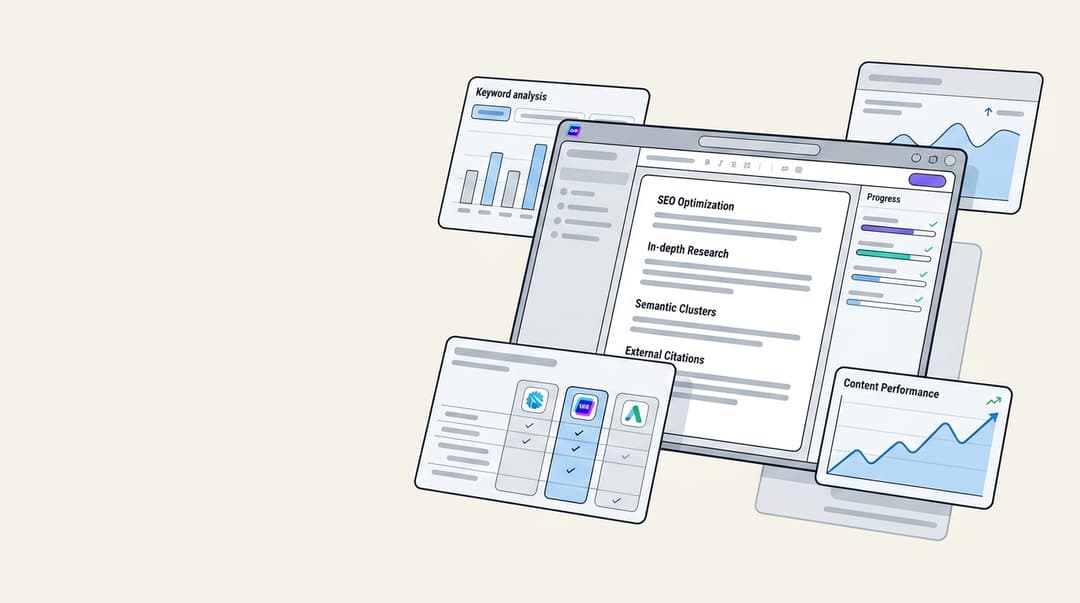
While both tools are handy for drafting text, the end goal for most of us is a complete, engaging article that actually gets traffic. That final step, turning a draft into a polished, media-rich blog post, is often where the real work piles up. It’s a gap that platforms like the eesel AI blog writer aim to fill by generating entire posts, not just bits of text.
What is Canva AI writer?
First things first, Canva's AI writer isn't a separate product. It’s a feature called Magic Write, and it's part of the Canva Visual Suite. It runs on OpenAI technology and its main purpose is to help you create text directly inside your designs, whether that's for social media, presentations, or flyers.
Its biggest advantage is how well it fits into a visual workflow. You can be designing an Instagram post, click a button, and get a caption without ever leaving the Canva editor. It’s super convenient for anyone who works with visual content all day.
But there is a small catch. Magic Write’s training data only goes up to mid-2021, so it might not be up-to-date on the latest trends or news. It’s fine for evergreen copy, but you’ll want to fact-check anything that needs to be current.
What is Writesonic?
Writesonic is a different beast altogether. It's a dedicated AI search visibility platform. It’s not trying to be a design tool; it's laser-focused on one thing: helping you create content that does well in search engines.
Its main strength is generating marketing copy, especially long-form, SEO-friendly articles. Unlike some AI writers that can produce generic text, Writesonic uses real-time Google data to create fact-checked articles. It's built for more serious content work.
I've been using Writesonic for a few months now, and here's my take: Pros: Definitely helps with writer's block... Fast content generation... Free plan is useful... Cons: Output needs editing... Limited control over style... May not replace human creativity... Overall, Writesonic is a handy tool for content creation, but it's important to use it strategically and not rely solely on its output.

It also has some advanced features, like its AI Article Writer 6.0 and in-depth competitor analysis. They've also been focusing heavily on Generative Engine Optimization (GEO), which is their term for helping your content get cited by AI answer engines like ChatGPT and Perplexity. If your job is all about content marketing or SEO, this tool was made for you.
Canva AI Writer vs. Writesonic: Feature comparison
Content generation and quality
Canva is your best bet for short-form copy that complements a visual. Think snappy headlines, social media captions, or presentation bullet points. It can also generate images (Magic Media) and short video clips, which makes it a useful creative sidekick. The main drawbacks are its older data and a word limit of around 2000 words, so it's not really built for your next big blog post.
Writesonic is designed for exactly that: high-quality, long-form content. Its AI Article Writer can produce factually accurate articles up to 5,000 words by doing its own research on the web. It even provides citations so you can check its sources. The final text is meant to sound human and is structured to rank well on Google right from the start.
SEO and optimization tools
This is where you can really see the difference between the two platforms.
Canva doesn't have any real SEO features to speak of. That's just not its focus. The platform is all about helping you create beautiful visuals. Getting that content to rank is on you.
Writesonic is the polar opposite. SEO is its whole world. The platform is built around Generative Engine Optimization (GEO) to help your content appear in AI-powered search results. It includes tools for keyword research, competitor analysis, and can even suggest fixes for technical SEO issues on your site.
Brand consistency
Both tools get that sounding like your brand is important.
Canva lets you define your brand's specific tone of voice in your Brand Kit. Once you set it, whether it's playful, professional, or witty, any copy generated by Magic Write will follow that style. It’s a nice touch for keeping your messaging consistent.
Writesonic also has strong brand voice and style options. You can train the AI on your existing content to ensure it nails your tone. This helps make sure every article or ad it produces sounds like it came from your own team.
Ease of use and workflow
The best tool is the one you don't have to fight with, and that usually depends on how it fits into your daily work. Canva and Writesonic are made for two completely different routines.
Canva's workflow
Writesonic's workflow
Pricing comparison
Both platforms offer free plans, but their pricing structures are built for different users.
Canva pricing
Canva’s free plan includes a lifetime total of 25 queries for Magic Write. It's enough to get a feel for it, but not for ongoing use.
To get more, you'll need a paid plan like Canva Pro, which is about $120/year for one person. This gives you 250 Magic Write queries per month. The main thing to remember is that you're not just buying an AI writer; you're buying the whole Canva Visual Suite, which has everything from video editing to background removal. Magic Write is just one tool in a very large box.
Writesonic pricing
Writesonic also has a free plan that gives you a one-time batch of 25 credits to try things out.
The paid plans are where the real features are, starting at $16/month (billed annually) for the basics. However, the advanced GEO features are only on the higher-tier plans. The Professional plan, which has these tools, starts at $199/month (billed annually). So, while you can start for a low price, getting its biggest SEO benefits costs quite a bit more.
Comparison table
| Feature | Canva AI Writer (Magic Write) | Writesonic |
|---|---|---|
| Core Focus | Visual design & communication | SEO & AI search visibility (GEO) |
| Best For | Social media managers, designers | SEO specialists, content marketers |
| Free Plan | 25 total lifetime queries | 25 one-time credits |
| Starting Price | ~$10/month (for the entire Canva Pro suite) | ~$16/month (for basic writing features) |
| Advanced SEO/GEO | No | Yes, but on plans starting at $199/month |
| Workflow | Integrated within a visual design editor | Standalone, text-first content process |
eesel AI blog writer: An alternative for publish-ready content
Canva is useful for copy that accompanies designs and Writesonic is built for drafting SEO text. For teams who need to move from a keyword to a finished article, there is often still work to do, such as research, sourcing images, and formatting.

Here’s how it’s different:
- It’s a generator, not just a writer: Instead of just giving you a wall of text, it creates a fully structured article with a human-like tone, proper headings, images, and tables.
- Automatic Assets & Media: This is a massive time-saver. It automatically creates and embeds visuals, finds relevant YouTube videos, and even pulls real quotes from Reddit to add some authenticity and social proof to your content.
- Optimized for Modern Search: Every article is optimized for both traditional SEO (getting you on Google's first page) and AEO (AI Engine Optimization), which helps you get featured in AI-powered search overviews.
We're not just talking theory here; we used this exact tool to grow our own blog from 700 to 750,000 daily impressions in just three months.
It's completely free to try, so you can generate your first post and see the quality for yourself.
To see how these AI writers stack up against other popular options in the market, check out this video review. It provides a broader look at the AI copywriting landscape and can help you understand where tools like Canva and Writesonic fit in.
Final verdict on Canva AI Writer vs Writesonic: Which tool should you choose?
So, after all that, which one should you pick?
- Choose Canva AI Writer if: Your main job is creating visual content like social media posts or presentations. You just need a fast, easy way to generate text without breaking your design flow.
- Choose Writesonic if: You're a serious content marketer or SEO pro. Your goal is to produce a lot of articles optimized to rank in both traditional and AI search, and you need specialized tools to do it.
- Choose eesel AI blog writer if: You want to seriously scale your content production. Your goal is to go from an idea to a complete, media-rich, and SEO-optimized blog post that’s ready to publish in minutes, saving you hours of manual work.
At the end of the day, the "best" tool depends entirely on your main workflow. Canva is a design suite with a writing feature, while Writesonic is an SEO platform that writes text. They’re both effective at what they do, but they do very different things.
For those looking to streamline their workflow from keyword to a complete blog post, you can try the eesel AI blog writer for free.

Frequently Asked Questions
Share this article

Article by
Amogh Sarda
CEO of eesel AI. Amogh Sarda is obsessed with making the ultimate AI for customer service teams. He lives in Sydney, Australia and has previously worked at Atlassian and Intercom. Outside of work he’s usually surfing or on stage doing improv.