Best AI for GrooveHQ in 2026: Top tools to enhance your support workflow

Katelin Teen
Last edited April 2, 2026
Managing growing support volume without adding headcount is a challenge every team faces. GrooveHQ is a popular help desk for small to mid-sized teams, but as your ticket queue grows, you need AI tools that can help you scale without losing the personal touch your customers expect.
This guide covers the best AI tools that work with GrooveHQ, from native features built into the platform to third-party integrations like eesel AI that can transform how your team handles support. Whether you want basic assistance or full automation, there's an option that fits your needs and budget.
What to look for in a GrooveHQ AI integration
Before diving into specific tools, here's what matters when evaluating AI for your help desk. First, look for ticket summarization capabilities that distill long conversation threads into quick insights so agents can jump in fast. Sentiment analysis is also valuable, as it automatically detects customer emotions to prioritize urgent or frustrated customers. You'll want automated drafting features that provide AI-generated response suggestions matching your brand voice. Smart tagging and routing saves time by handling automatic categorization and assignment of tickets. Finally, knowledge base integration ensures the AI learns from your existing help docs and past tickets rather than working in isolation.
The integration should also be straightforward to set up. You don't want to spend weeks configuring workflows when you could be helping customers instead. For more guidance on selecting help desk AI tools, see our guide to the best AI helpdesk tools.
Top AI tools for GrooveHQ compared
Here's a quick comparison of the tools we'll cover:
| Tool | Best For | Pricing Model | Key Strength |
|---|---|---|---|
| eesel AI | Full AI teammate functionality | Per interaction ($239-639/mo) | Progressive autonomy, no per-seat fees |
| GrooveHQ Native AI | Basic AI within existing workflow | Included in Plus plan | No additional setup required |
| Zapier | Custom workflow automation | Per task ($19.99+/mo) | Highly customizable, 8,000+ app connections |
| Forethought | Enterprise AI platform | Custom pricing | Up to 98% resolution rate, multi-agent system |
| My AskAI | Affordable ticket deflection | Per ticket ($199-499/mo) | $0.10 per ticket, 75%+ deflection |
| Lindy | Individual productivity | Per user ($49.99-199.99/mo) | iMessage-based AI assistant |
The best AI tools for GrooveHQ
1. eesel AI

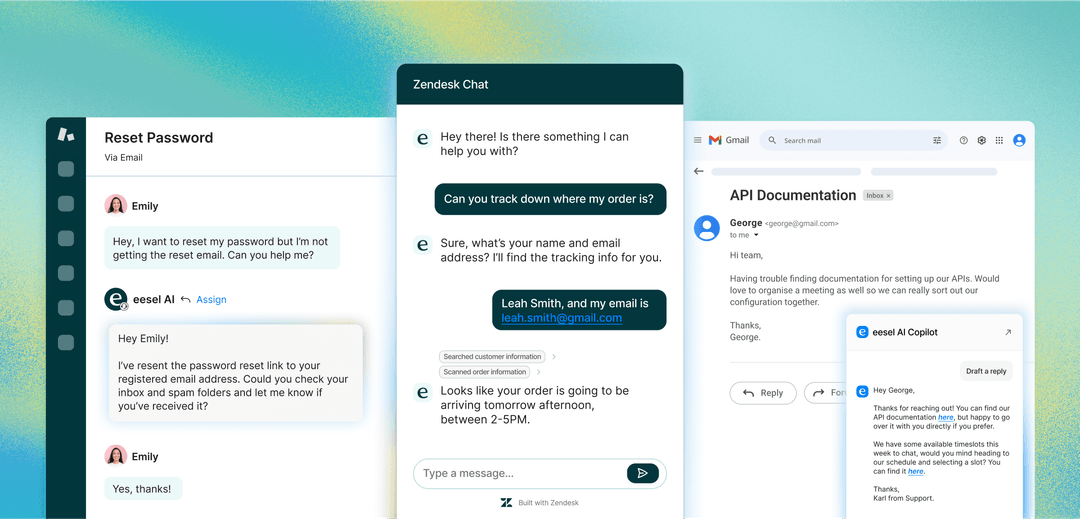
If you're looking for an AI teammate that can handle support end-to-end, eesel AI is worth considering. Unlike basic chatbots that just deflect tickets, eesel functions as an autonomous support agent that drafts replies, routes tickets, and can even resolve common issues without human intervention.
Key features:
- Drafts replies based on your knowledge base and past tickets
- Learns your brand voice from existing content
- Progressive autonomy: start with suggestions, level up to full automation as the AI proves itself
- Handles ticket routing, tagging, and prioritization automatically
- Simulation mode to test on past tickets before going live
- Works across email, chat, Slack, and Microsoft Teams
Pros:
- No manual training required
- Works alongside human agents
- Pay-per-interaction pricing with no per-seat fees
- Up to 81% autonomous resolution for mature deployments
Cons:
- Requires integration setup
- Best for teams with an existing knowledge base
Pricing:
| Plan | Annual Price | Bots | Tickets/Month |
|---|---|---|---|
| Team | $239/mo | Up to 3 | 1,000 |
| Business | $639/mo | Unlimited | 3,000 |
| Custom | Contact | Unlimited | Unlimited |
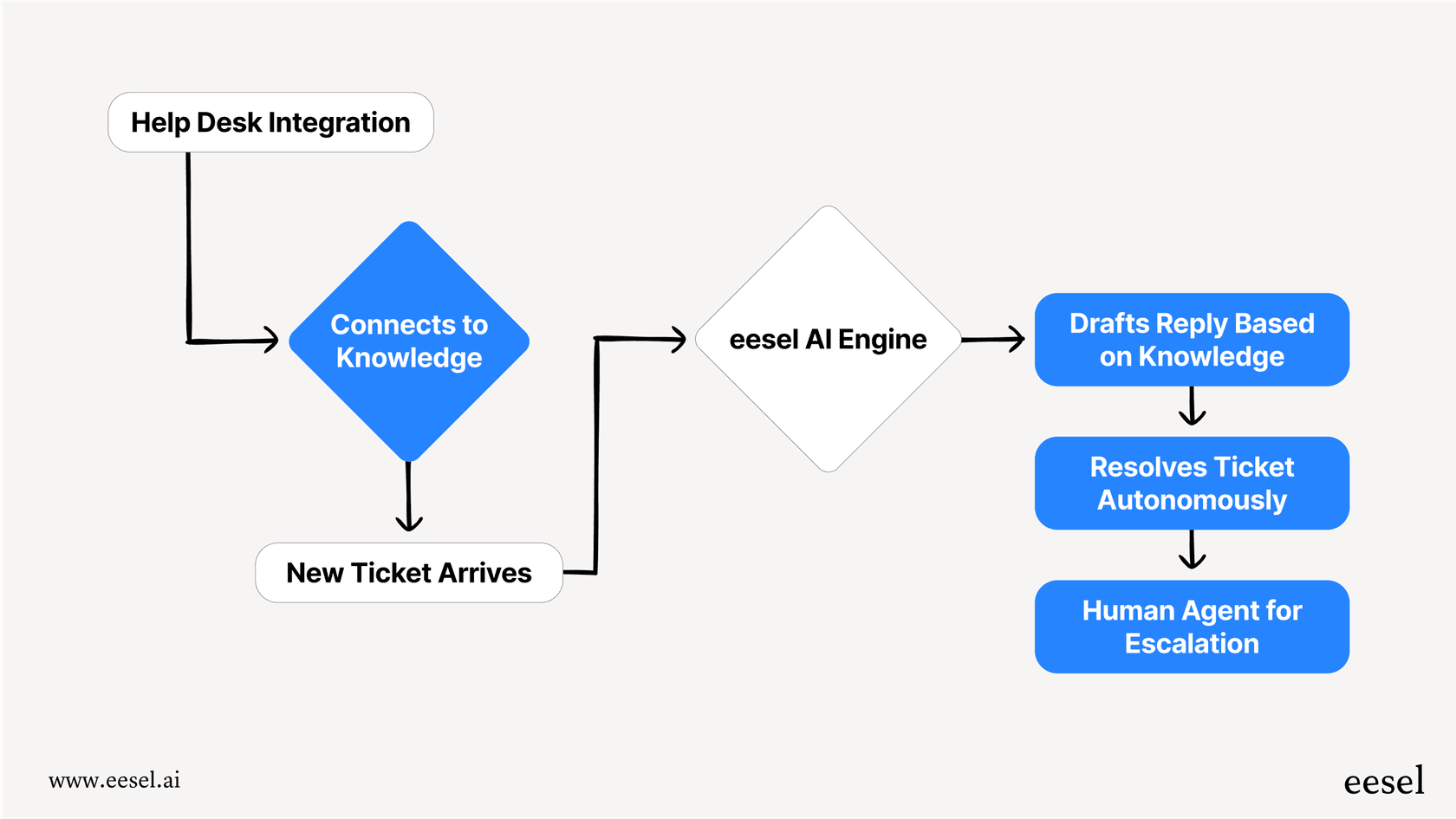
eesel AI integrates with Zendesk, Freshdesk, Intercom, Gorgias, and other major help desks. For teams serious about AI-powered support, the Business plan includes AI actions like triage tickets and bulk simulation over past tickets. Learn more about eesel AI or view pricing details.
2. GrooveHQ native AI
Sometimes the best solution is the one already built into your tool. GrooveHQ's native AI features, available on the Plus plan and above, cover the essential automation needs without requiring any additional integrations.
Key features:
- AI Summarize: Distills lengthy support threads into short, actionable summaries
- AI Sentiment Analysis: Detects customer tone and suggests tags based on urgency
- AI Writing Assistant: Real-time suggestions to speed up replies and maintain brand voice
- Auto Tagging: AI-driven tag suggestions and automatic draft replies (coming soon)
- Multilingual support for global teams
Pros:
- No additional integration needed
- Simple setup (few clicks in settings)
- Included with your GrooveHQ subscription
Cons:
- Limited to GrooveHQ's roadmap and feature releases
- Less customizable than third-party options
- No autonomous resolution capabilities
Pricing: Included with GrooveHQ Plus plan and above. GrooveHQ doesn't publish specific pricing publicly, so you'll need to contact them for a quote based on your team size.
For teams just getting started with AI, the native features are a good way to understand what's possible before investing in more advanced tools. Check out our detailed Groove pricing guide for more context on plans and features.
3. Zapier
For technical teams that want complete control over their AI workflows, Zapier offers unmatched flexibility. With connections to over 8,000 apps, you can build custom automations that connect GrooveHQ to AI models and other tools in your stack.
Key features:
- Automated ticket classification using AI models
- AI-generated draft responses via GPT integration
- Custom workflows based on ticket content
- Integration with 8,000+ apps beyond just your help desk
- AI Agents that can take actions across multiple systems
Pros:
- Highly customizable for specific workflows
- Works with multiple AI providers
- Flexible automation options beyond just support
Cons:
- Requires technical setup and configuration
- Can get expensive at scale
- Not purpose-built for customer support
Pricing:
| Plan | Annual Price | Key Features |
|---|---|---|
| Free | $0 | 100 tasks/month, 2-step Zaps |
| Professional | ~$13.33/mo | Multi-step Zaps, unlimited premium apps, webhooks |
| Team | ~$46/mo | 25 users, shared Zaps, SAML SSO |
| Enterprise | Contact | Unlimited users, advanced admin |
Zapier also offers separate AI Agents pricing starting at $33.33/month for 1,500 activities. If you have developers or operations staff who can build custom workflows, this route gives you maximum flexibility.
4. Forethought
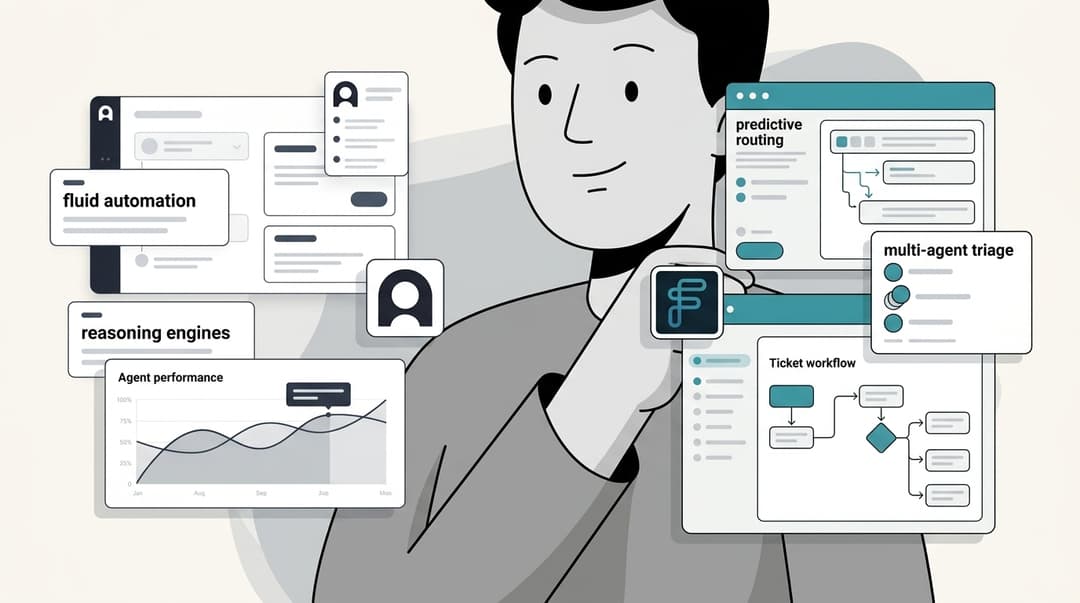
Forethought is an enterprise-focused AI platform designed specifically for customer support teams. If you're a larger organization needing sophisticated AI capabilities, their multi-agent system can handle complex support operations at scale.
Key features:
- Solve: Omnichannel AI agent that resolves issues across chat, email, and voice
- Triage: Intelligent ticket classification and routing
- Assist: AI copilot that gives agents real-time insights and suggested responses
- Discover: AI-surfaced insights that detect knowledge gaps in your help center
- Agent QA: Automated quality assurance for reviewing agent performance
Pros:
- Built specifically for enterprise support
- Up to 98% resolution rate reported
- Multi-agent system for complex operations
- 15x average ROI according to their benchmarks
Cons:
- Custom pricing (no public rates)
- Enterprise focus may be overkill for small teams
- Requires significant implementation effort
Pricing: All plans require contacting sales for a quote. They offer Basic, Professional, and Enterprise tiers with add-ons for Assist Agent, Agent QA, and Slack integration.
Forethought's customers include Grammarly, Upwork, WordPress.com, and other large-scale operations. If you're managing hundreds of thousands of tickets monthly, this platform is designed for your volume. Read our detailed Forethought pricing and features overview to learn more.
5. My AskAI
For teams focused primarily on ticket deflection at an affordable price point, My AskAI offers one of the most cost-effective solutions on the market. At $0.10 per ticket, it's significantly cheaper than native help desk AI solutions.
Key features:
- Works within your existing help desk (Zendesk, Intercom, Freshdesk, HubSpot, Gorgias)
- Trains on your help center articles, documents, and past tickets
- Intelligent escalation to human agents when the AI can't resolve
- Self-learning from human agent responses to improve over time
- User data connection for personalized responses about orders and accounts
- 95+ languages supported
Pros:
- Quick setup with no developers required
- 75%+ ticket deflection rates reported
- 30-day free trial with no credit card
- Significantly cheaper than native help desk AI
Cons:
- Limited to chatbot/deflection functionality
- Less comprehensive than full AI teammate solutions
Pricing:
| Plan | Annual Price | Tickets/Month | Team Seats |
|---|---|---|---|
| Pro | ~$133/mo | 1,000 | 5 |
| Scale | ~$333/mo | 2,000 | Unlimited |
| Enterprise | From $999/mo | Custom | Unlimited |
My AskAI reports a 72% AI resolution rate across their customer base. For teams that want to reduce ticket volume without a major platform change, it's a pragmatic choice.
6. Lindy
Lindy takes a different approach as a personal AI assistant rather than a dedicated support platform. If you're a support manager or team lead looking to improve your own productivity, Lindy can help manage your inbox, schedule, and follow-ups.
Key features:
- Inbox management and email drafting in your voice
- Meeting recording and note-taking
- Calendar scheduling and meeting prep
- iMessage/SMS interface for quick interactions
- Hundreds of integrations with business apps
Pros:
- Simple iMessage-based interface
- Learns your style over time
- 7-day free trial to test
Cons:
- Not purpose-built for team support workflows
- No native help desk integration
- Individual-focused rather than team-wide
Pricing:
| Plan | Monthly Price | Usage Level |
|---|---|---|
| Plus | $49.99 | Standard |
| Pro | $99.99 | 3x more than Plus |
| Max | $199.99 | 7x more than Pro |
| Enterprise | Contact | SSO, SCIM, audit logs |
Lindy is best suited for individual productivity rather than transforming your entire support operation. If you want an AI assistant for your own workflow as a manager, it's worth exploring. See our Lindy AI overview for more details.
How to choose the right AI tool for your GrooveHQ setup
With six solid options, how do you decide? Here's a simple framework:
Consider your team size and ticket volume:
- Small teams (1-5 agents) with under 500 tickets/month: Start with GrooveHQ native AI or My AskAI
- Growing teams (5-20 agents) with 1,000-3,000 tickets/month: eesel AI or My AskAI offer the best value
- Enterprise teams (20+ agents) with 10,000+ tickets/month: Forethought or eesel AI Custom plan
Think about your technical resources:
- No developers: eesel AI, My AskAI, or GrooveHQ native AI
- Some technical staff: Zapier for custom workflows
- Full development team: Any option, including custom builds
Evaluate your budget model preference:
- Predictable monthly fee: eesel AI, My AskAI
- Per-seat pricing: Most traditional options
- Usage-based: Zapier (can vary month to month)
Questions to ask any vendor before committing:
- How does the integration specifically work with GrooveHQ?
- What's the realistic setup time?
- How is pricing calculated if we exceed our plan limits?
- What support is provided during onboarding?
For more on AI-powered ticket management, read our guide on how to use AI to classify or tag support tickets.
Getting started with AI in GrooveHQ
Here's a practical roadmap for implementation:
-
Audit your current pain points: Where are agents spending the most time? What tickets could be automated?
-
Start with native AI features: Enable GrooveHQ's built-in AI to understand baseline capabilities before adding third-party tools.
-
Evaluate third-party options based on gaps: If native AI doesn't cover your needs, match your requirements to the tools above.
-
Run a pilot: Test your selected tool with a subset of tickets or specific ticket types before full rollout.
-
Measure results: Track resolution rates, response times, and agent satisfaction before expanding.
Tips for success:
- Train the AI on your best responses, not just any response
- Start with draft mode before enabling full automation
- Monitor quality metrics closely in the first weeks
For a comprehensive implementation guide, see our practical guide to mastering AI and automation in customer support.
Enhance your GrooveHQ workflow with eesel AI
While each tool in this list has its strengths, eesel AI stands out for GrooveHQ teams that want a true AI teammate rather than just automation. Our approach treats AI as a team member that learns your business, starts with guidance, and levels up to autonomy based on actual performance.
The key differentiators:
- Teammate model: We don't just draft replies. We handle routing, tagging, and can resolve tickets end-to-end.
- Progressive autonomy: You control when the AI moves from suggestions to full automation.
- No per-seat pricing: Pay for interactions, not headcount, so your costs scale with usage, not team size.
- Simulation before go-live: Test on your past tickets to verify quality before customers see a single AI response.
If you're ready to see how an AI teammate can transform your GrooveHQ support operation, you can try eesel AI free or book a demo to discuss your specific needs.

Frequently Asked Questions
Share this article

Article by
Katelin Teen
Katelin is an operations specialist at eesel where she uses her psychology training and education experience to optimize B2B SaaS processes. Outside of work, she unwinds with story-driven games, writing, and keeping up with latest tech innovations.