Zendesk SaaS tiers explained: pricing plans and support levels in 2026

Stevia Putri
Last edited March 3, 2026
When people search for "Zendesk SaaS tiers," they're usually looking for one of two things. Either they want to understand Zendesk's pricing plans (Team, Professional, Enterprise), or they're trying to figure out how to structure support tiers (Tier 0 through Tier 4) using Zendesk. This guide covers both. We'll break down Zendesk's pricing structure and explain how each tier maps to different support team structures, so you can choose the right plan for your needs.

What are Zendesk SaaS tiers?
The term "tiers" gets used two ways in the Zendesk world. Let's clarify both before we dive deeper.
Zendesk pricing tiers are the subscription plans you buy. They range from $19 to $169 per agent per month and determine what features you can access. Think of these as the "software package" tiers.
Support tiers (also called support levels) are the hierarchical structure of your customer service team. Tier 0 is self-service, Tier 1 handles basic questions, Tier 2 tackles technical issues, and so on. These are the "organizational" tiers.
The two are connected. Your Zendesk pricing tier determines what support tier structure you can effectively implement. A small team on the entry-level plan won't have the tools to run a full Tier 0-4 operation. But a growing company on the right plan can build a sophisticated support hierarchy that scales.
Zendesk pricing tiers in 2026
Zendesk offers two main product lines: Support plans (ticketing only) and Suite plans (omnichannel with AI). Most teams today opt for Suite plans because they include messaging, voice, and AI capabilities that customers now expect.
Here's the complete breakdown:
| Plan | Annual Price | Monthly Price | Best For |
|---|---|---|---|
| Support Team | $19/agent/mo | $25/agent/mo | Small teams focused on email support only |
| Suite Team | $55/agent/mo | $69/agent/mo | Growing teams needing omnichannel + basic AI |
| Suite Professional | $115/agent/mo | $149/agent/mo | Most popular; full Tier 0-3 support structure |
| Suite Enterprise | $169/agent/mo | $219/agent/mo | Large orgs with governance and multi-brand needs |
Annual vs. monthly billing: Annual billing saves about 20%. Monthly billing makes sense if you're testing Zendesk for fewer than 9 months. After that, the annual discount pays for itself.
Support Team ($19/agent/month)
This is Zendesk's entry point. You get email and ticketing support, Facebook and X (Twitter) integration, basic automations, and prebuilt analytics dashboards. It also includes 1,000+ integrations through the Zendesk Marketplace.
What's missing? No AI agents, no messaging, no voice, no help center. This plan works if your customers only contact you via email and social media, and you're not ready for automation.
Suite Team ($55/agent/month)
This is where AI enters the picture. Suite Team includes everything in Support Team plus:
- AI agents (Essential plan)
- Messaging with live chat
- Social messaging (Instagram, WhatsApp, Slack, and more)
- Voice support with call routing
- 1 help center
- Generative replies and knowledge builder
The "Essential" AI agents can handle basic automated responses. If you're building a Tier 0 self-service layer, this plan gets you started.
Suite Professional ($115/agent/month)
Zendesk labels this their "most popular" plan, and for good reason. It hits the sweet spot for most growing businesses. You get everything in Suite Team plus:
- Copilot writing tools (5 uses per agent per month)
- Up to 5 help centers
- CSAT surveys and skills-based routing
- IVR phone trees and customizable ticket forms
- Service level agreements (SLAs)
- HIPAA compliance
- Data location options
This is the plan that enables a full Tier 0-3 support structure. You can run self-service, general support, and technical support teams with the tools they need.
Suite Enterprise ($169/agent/month)
For large organizations with complex needs, Suite Enterprise adds:
- Up to 300 help centers (vs. 5 on Professional)
- Sandbox environment for testing
- Approval workflows and custom agent roles
- Audit logs and business rules analysis
- Dynamic, contextual workspaces
- Up to 1,000 light agents (vs. 100 on Professional)
If you're managing multiple brands, need strict governance, or want to test changes before pushing them live, this tier is worth the investment.
Understanding support tiers (Tier 0-4)
Now let's look at the other side of "tiers" the support hierarchy you can build with Zendesk. Zendesk's support tier model is widely adopted across the industry.
Tier 0: Self-service
This tier has no human agents. Customers solve their own problems using:
- Help centers and knowledge bases
- AI chatbots
- FAQ pages and community forums
The goal is deflection. A well-built Tier 0 can handle 30-50% of inquiries without ever reaching a human. Zendesk's AI agents and generative search make this tier possible on Suite plans.
Tier 1: General support
Tier 1 agents are your front line. They handle:
- Account setup questions
- Basic product inquiries
- Password resets and billing issues
- Routing complex issues to higher tiers
These agents need ticketing tools, macros for common responses, and customer context. All Zendesk plans support Tier 1, though higher tiers give agents better productivity tools.
Tier 2: Technical support
When Tier 1 can't solve an issue, it escalates to Tier 2. These agents have:
- Deeper product knowledge
- Access to admin consoles and configuration tools
- Ability to troubleshoot bugs and glitches
- Understanding of add-ons and integrations
Tier 2 requires skills-based routing (to get the right ticket to the right agent) and custom fields (to track technical details). You'll need Suite Professional or higher for these features.
Tier 3: Expert support
Tier 3 agents are specialists and engineers. They handle:
- Novel issues that haven't been seen before
- Bugs requiring code changes
- Feature requests and product feedback
- Collaboration with development teams
This tier needs sandbox environments for testing, advanced reporting to identify patterns, and custom roles to manage permissions. Suite Enterprise is built for this level of operation.
Tier 4: Third-party support
Not every organization needs Tier 4. This involves outsourcing to third-party vendors or partners. For example, a hardware issue might require contacting the device manufacturer. Tier 4 requires strong integration capabilities and multi-brand support, which is where Suite Enterprise shines.
Matching Zendesk plans to support tiers
Here's how to think about which Zendesk plan you need based on your support structure:
| Support Structure | Recommended Plan | Why |
|---|---|---|
| Tier 0-1 only | Support Team or Suite Team | Basic ticketing and self-service |
| Tier 0-2 | Suite Team | Adds skills-based routing and technical tools |
| Tier 0-3 | Suite Professional | Full CSAT, SLAs, and reporting for technical teams |
| Tier 0-4 | Suite Enterprise | Multi-brand, sandbox, and governance for complex setups |
Bottom line? Most growing businesses land on Suite Professional. It gives you the tools to run a complete support operation without the enterprise price tag.
Hidden costs to factor in
The base pricing is just the starting point. Here are the add-ons that can significantly impact your total cost:
| Add-on | Price | What It Does |
|---|---|---|
| Advanced AI Agents | Contact Sales | 80%+ automation with autonomous AI |
| Copilot | $50/agent/mo | AI writing assistance and task automation |
| Quality Assurance | $35/agent/mo | Automatic evaluation of 100% of conversations |
| Workforce Management | $25/agent/mo | Forecasting, scheduling, and real-time monitoring |
| Advanced Data Privacy | $50/agent/mo | Enhanced security and compliance controls |
| Contact Center | $50/agent/mo | Complex contact center capabilities |
Implementation costs also add up. Zendesk offers digital onboarding resources for free, but hands-on help through Zendesk Assist and professional services are add-ons. If you need custom training or 24/7 proactive support, that's another upgrade.
Enhancing Zendesk with eesel AI
Here's something worth considering: Zendesk is excellent at what it does, but its AI primarily works with data inside Zendesk. That means your help center articles, past tickets, and macros. What about the rest of your company's knowledge?
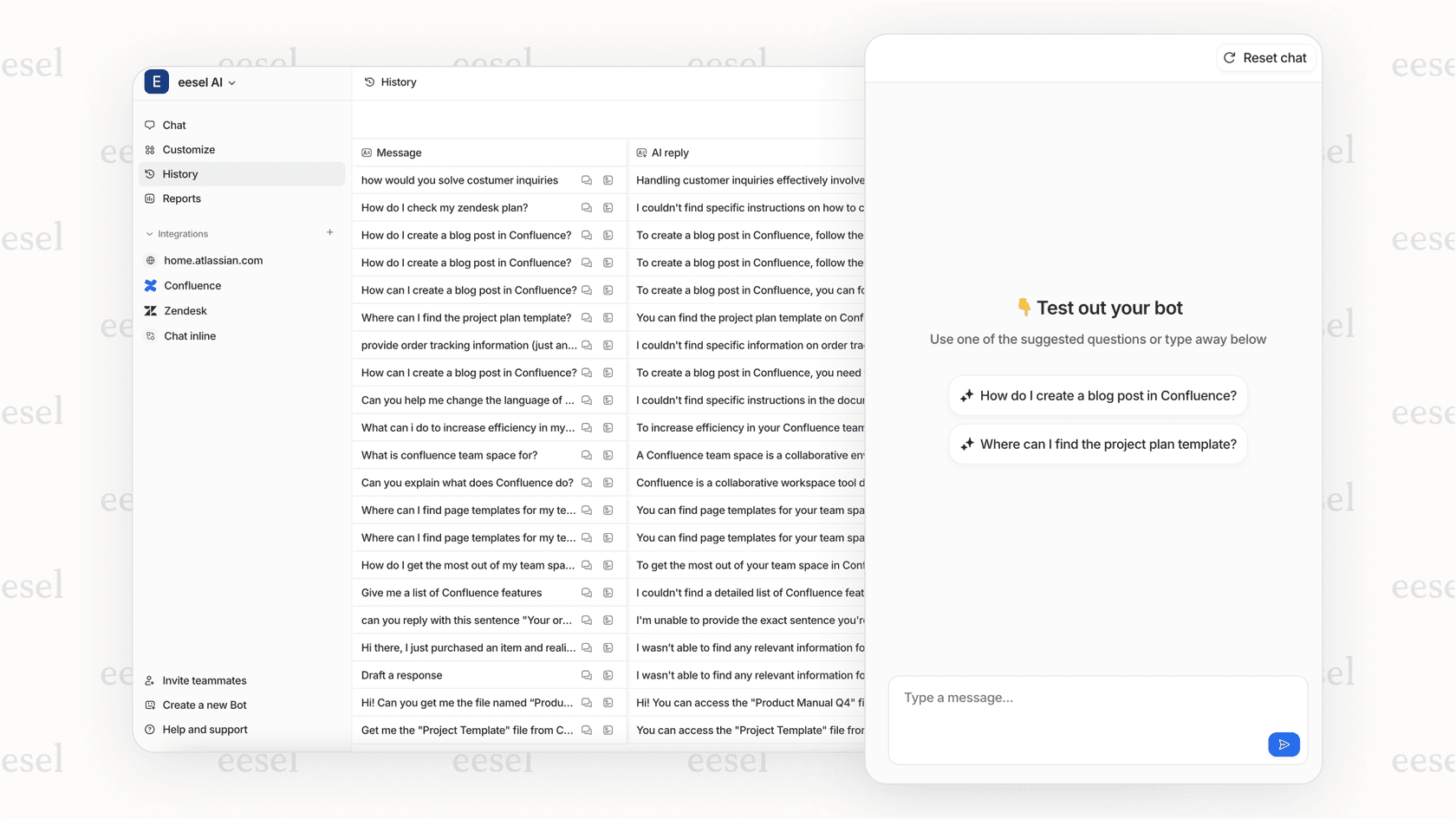
We built eesel AI to complement Zendesk by connecting to your entire knowledge ecosystem. Through our Zendesk integration, we can pull answers from Confluence, Google Docs, Notion, PDFs, and other sources not just what's in Zendesk.
Our approach differs in a few key ways:
- Simulation mode: Test AI responses on thousands of past tickets before going live
- Progressive rollout: Start with AI-drafted replies for review, then level up to autonomous responses as confidence grows
- Unified knowledge: Access information across all your company's tools, not just Zendesk
- Usage-based pricing: Pay per AI interaction, not per agent seat
If you're already invested in Zendesk but want to add more intelligent automation without replacing your entire setup, our AI Agent and AI Copilot products are designed to plug right in.

Choosing the right Zendesk SaaS tier for your business
Let's make this practical. Which plan should you actually choose?
Startups and small teams (1-10 agents): Suite Team at $55/agent/month gives you omnichannel support and essential AI without breaking the budget. You can always upgrade as you grow.
Growing businesses (10-50 agents): Suite Professional at $115/agent/month is the sweet spot. You get CSAT surveys, skills-based routing, and the reporting you need to manage a maturing support operation.
Mid-market and enterprise (50+ agents): Suite Enterprise at $169/agent/month makes sense when you need sandbox testing, custom roles, and governance controls. The cost difference becomes negligible at scale.
Migration tip: Start with a Professional trial to see the full feature set. Zendesk trials default to Professional, so you can test advanced features before committing. If you don't need them, downgrade to Suite Team after your trial.


Frequently Asked Questions
Share this article

Article by
Stevia Putri
Stevia Putri is a marketing generalist at eesel AI, where she helps turn powerful AI tools into stories that resonate. She’s driven by curiosity, clarity, and the human side of technology.



