How to build a Zendesk omnichannel strategy that actually works

Stevia Putri
Last edited March 3, 2026
Customers do not think in channels. They start a conversation on chat, follow up via email, and maybe call if things get urgent. The problem? Most support systems treat each of these as separate, isolated tickets. That's where a Zendesk omnichannel strategy makes a difference.

Let's walk through how to build one that works for your team and your customers.
What is Zendesk omnichannel (and why it matters)
First, let's clear up a common confusion. Multichannel and omnichannel sound similar, but they're fundamentally different approaches.
Multichannel means you offer support on multiple channels (email, chat, phone, social). The catch? Each channel operates in its own silo. A customer who emails and then calls has two separate tickets. Agents have no idea the same person reached out twice.
Omnichannel connects those channels. When a customer switches from chat to email, the conversation history, context, and customer data travel with them. Agents see the full picture in one place.
Zendesk achieves this through its Agent Workspace, a unified interface where agents handle conversations from any channel without switching tools. According to Forrester research cited by Zendesk, companies using Zendesk achieve an average ROI of 301% over three years.
The benefits are straightforward:
- No more repeating themselves: Customers hate explaining their issue twice. Omnichannel preserves context across every touchpoint.
- Faster resolution: Agents have everything they need upfront. No searching through separate systems.
- Better agent experience: One workspace, one workflow. Less cognitive load, more focus on solving problems.
We've seen teams add AI to Zendesk to handle the repetitive work (tagging, routing, initial responses) while agents focus on complex issues. It's not about replacing humans. It's about letting them do what they do best.
The 4 pillars of a strong omnichannel strategy
A working omnichannel strategy rests on four foundations. Skip any one of them and you'll feel the pain later.
Channel integration
Your customers are on email, chat, WhatsApp, Instagram, and the phone. Your support system needs to meet them there. Zendesk Messaging handles web chat, mobile apps, and social channels in one place. Voice support is embedded directly in the same workspace.
The key is not just offering channels. It's offering the right channels for your audience. B2B companies might prioritize email and phone. E-commerce brands often see higher volume on chat and social. Look at where your customers already are, then connect those channels.
Context continuity
This is the heart of omnichannel. When a customer switches from chat to email, the agent should see:
- Previous conversation history
- Order or account details
- Any open tickets or recent issues
- Customer preferences and past interactions
Zendesk pulls this into the Agent Workspace automatically. The customer never has to repeat their story. Agents can pick up exactly where the last conversation left off.
Intelligent routing
Not all agents should handle all tickets. A billing question needs someone with account access. A technical issue needs a product specialist. A VIP customer might warrant your best agent.
Zendesk offers several routing options:
- Status-based routing: Tickets go to available agents based on their current status (Online, Away, Offline)
- Capacity-based routing: Respects how many conversations an agent already has open
- Skills-based routing: Routes to agents with specific skills (requires Professional plan or higher)
- Priority/SLA routing: Ensures urgent tickets get handled first
Getting this right means customers reach the right person faster. Agents handle tickets they're equipped to solve.
Unified agent experience
Agents should not need five different tabs open to help one customer. The Agent Workspace brings everything into one view: conversation history, customer context, knowledge base articles, and internal collaboration tools.
This matters more than it sounds. Context switching kills productivity. When agents can focus on the conversation instead of navigating systems, resolution times drop and quality goes up.
Setting up Zendesk omnichannel routing
Let's walk through the practical setup. You'll need a Zendesk Suite plan (Team or higher) with the Agent Workspace enabled.
Step 1: Configure unified agent status
Start by setting up agent statuses that work across all channels. In Zendesk, agents can be Online, Away, or Offline. This status applies universally, not per channel.
Why this matters: If an agent is marked Online, they can receive tickets from email, chat, and messaging. If they go Away, they stop receiving new work across all channels. This prevents the chaos of agents being "available" on chat but swamped with emails.
Step 2: Set capacity rules per channel
Next, define how many conversations each agent can handle at once. This varies by channel:
- Email: Agents might handle 10-15 tickets simultaneously
- Chat: 3-5 concurrent conversations is typical
- Messaging: Can be higher since responses are asynchronous
Set these limits in Zendesk and the system will respect them. When an agent hits capacity, new tickets route to someone else.
Step 3: Configure queue prioritization
Now decide how tickets get ordered in the queue. You have two main approaches:
Priority-based: Tickets have priority levels (Low, Normal, High, Urgent). Higher priority tickets get assigned first.
SLA-based: Tickets are ordered by how close they are to breaching their service level agreement. A ticket due in 30 minutes jumps ahead of one due in 4 hours.
Most teams use a mix. Urgent tickets get priority, but within each priority level, SLA time determines order.
Step 4: Enable skills-based routing (Professional+)
If you're on Suite Professional ($115/agent/month) or higher, you can route based on agent skills. Set up skills like "Spanish," "Enterprise Accounts," or "Technical Support." Then tag tickets with the required skills.
Zendesk matches tickets to agents who have those skills. A ticket tagged "Spanish + Billing" goes to a Spanish-speaking agent with billing access.
This is where our AI Agent can help. We automatically tag tickets with the right skills based on content, so routing works without manual triage.
Staffing your omnichannel support team
Technology is only half the equation. You also need the right staffing model.
Cross-training vs specialization
You have two approaches here:
Cross-trained agents handle any channel. They switch from email to chat to phone seamlessly. This gives you maximum flexibility but requires more training. According to Zendesk's research, teams using cross-trained agents need up to 25% less headcount than those with channel specialists.
Channel specialists focus on one channel. One team handles email, another handles chat, another takes calls. This builds deep expertise but creates rigidity. If chat volume spikes and email is quiet, your email team sits idle while chat queues grow.
Most successful teams use a hybrid. Core agents are cross-trained, with specialists for complex channels like voice or technical escalations.
Channel coverage planning
Map your staffing to actual volume patterns:
- When do most tickets arrive? (Often mornings and post-lunch)
- Which channels spike when? (Chat often peaks during business hours, email is steadier)
- What time zones do you cover?
Use Zendesk's real-time dashboards to monitor queue depth and agent utilization. When you see a channel backing up, reallocate agents dynamically.
Augmenting with AI
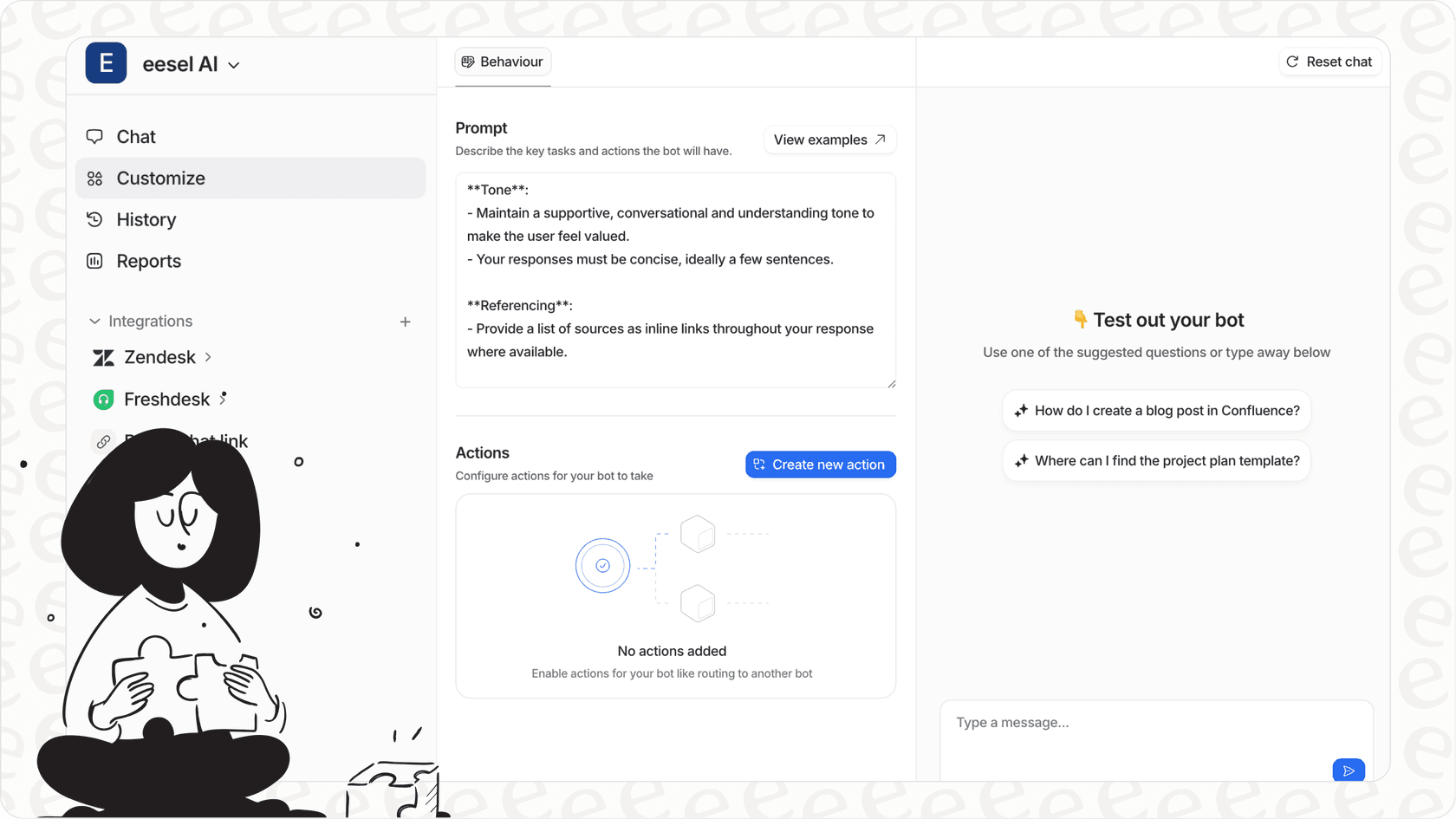
Here's where we can help. Our AI Copilot drafts responses for agents across all channels. Agents review, edit if needed, and send. This effectively increases agent capacity without adding headcount.
Teams using AI Copilot alongside Zendesk typically see 40-60% faster handle times on routine tickets.
Measuring omnichannel success
You cannot improve what you do not measure. Track these metrics to gauge your omnichannel health:
Customer experience metrics
| Metric | What it tells you | Good benchmark |
|---|---|---|
| CSAT | Customer satisfaction with support | Above 90% |
| First reply time | How fast customers get initial response | Under 1 hour for chat, 4 hours for email |
| Resolution time | Total time to solve the issue | Varies by complexity |
| Channel switching rate | How often customers have to switch channels | Lower is better |
| Repeat contact rate | How often customers follow up on the same issue | Under 10% |
Agent productivity metrics
| Metric | What it tells you |
|---|---|
| Tickets handled per agent | Overall workload distribution |
| Capacity utilization | How fully agents are loaded |
| First contact resolution | Issues solved in one interaction |
| Agent satisfaction | Happy agents provide better service |
Use these metrics to identify bottlenecks. If first reply times are good but resolution times are long, your agents might need better knowledge resources. If channel switching is high, your routing rules need work.
Enhancing Zendesk with AI automation
Zendesk includes AI features out of the box, but there are gaps worth addressing.
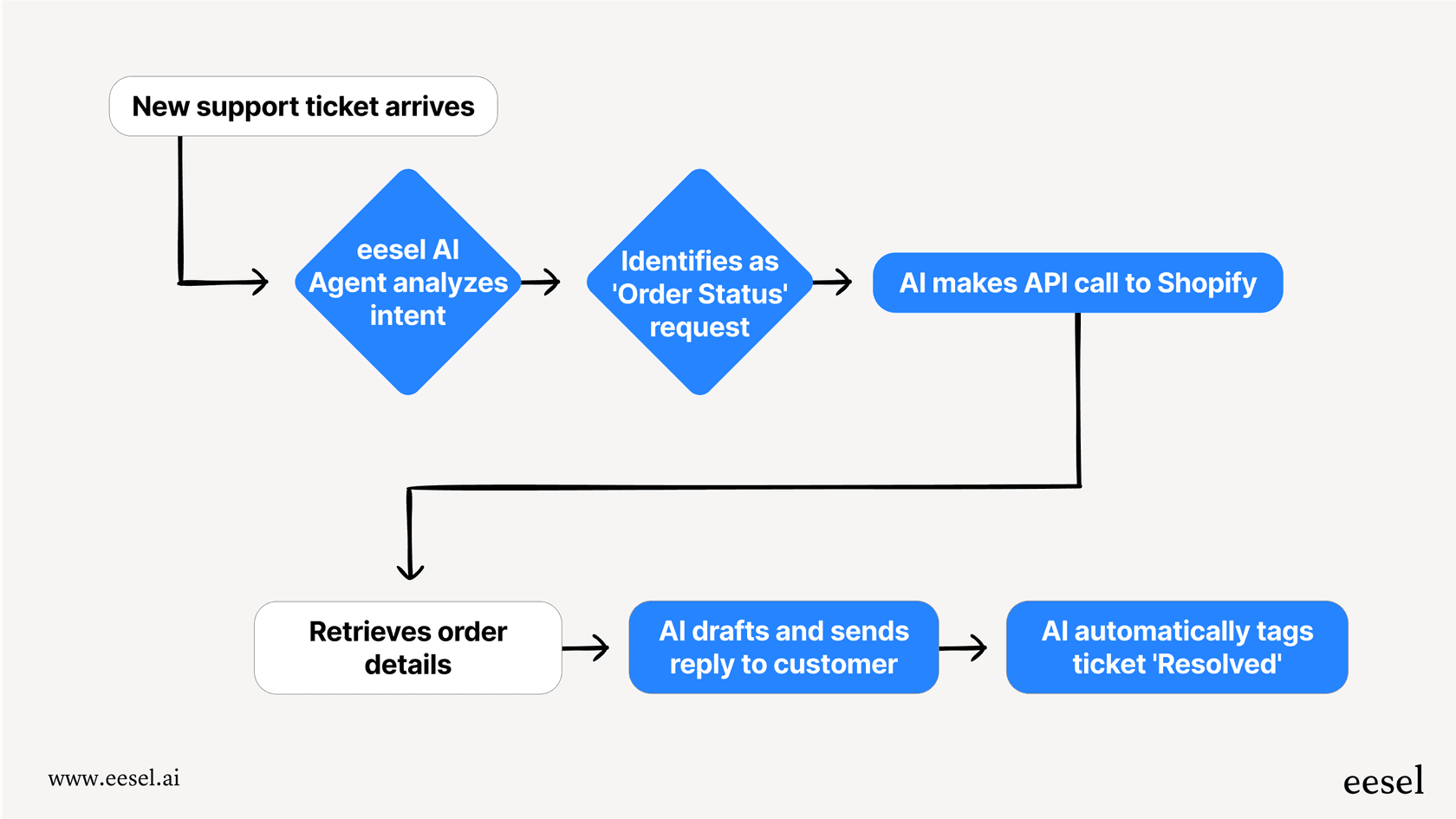
Where AI fits in the workflow
AI works best for high-volume, repetitive tasks:
- Triage: Reading incoming tickets and routing them correctly
- Tagging: Categorizing tickets by topic, urgency, and sentiment
- Initial response: Drafting replies for common questions
- Escalation detection: Identifying tickets that need human attention
What Zendesk offers
All Zendesk Suite plans include "Essential" AI agents that handle basic FAQs. Suite Professional adds Copilot writing tools (5 uses per agent per month). Advanced AI features require add-ons or higher tiers.
Where eesel AI fits in
We integrate directly with Zendesk to fill these gaps:
- Intelligent triage: We analyze ticket content and automatically apply tags, set priority, and route to the right team. No manual sorting required.
- AI-generated responses: Draft replies that match your brand voice, drawing from your help center and past tickets. Agents review and send.
- Simulation before deployment: Test AI responses on historical tickets before going live. See exactly how it would perform.
The key difference? We learn from your specific data. Connect your help center, past tickets, and macros. The AI understands your products, policies, and tone. It's not generic. It's trained on your business.
For a deeper dive on AI automation strategies, check out our practical guide to AI and automation in customer support.
Start building your omnichannel strategy today
Let's recap the key steps:
- Connect your channels in Zendesk Suite (Team or higher)
- Configure routing rules based on agent status, capacity, and skills
- Train agents on the unified workspace and cross-channel workflows
- Staff strategically using cross-trained agents with channel specialists for complex work
- Measure relentlessly using CSAT, reply times, and agent productivity metrics
- Layer on AI to handle repetitive work and augment agent capacity
The goal is simple: customers get seamless support regardless of channel, and agents have the context and tools they need to deliver it.
If you're already using Zendesk and want to see how AI can enhance your omnichannel workflow, try our simulation. Connect your Zendesk account, and we'll show you exactly how AI would handle your historical tickets. No guesswork. Just data.


Frequently Asked Questions
Share this article

Article by
Stevia Putri
Stevia Putri is a marketing generalist at eesel AI, where she helps turn powerful AI tools into stories that resonate. She’s driven by curiosity, clarity, and the human side of technology.



