7 standout Zendesk Marketplace sellers to know in 2026

Stevia Putri
Last edited March 6, 2026
The Zendesk Marketplace has grown into a massive ecosystem. With over 1,977 apps from 1,136 independent software vendors, it's become the go-to destination for teams looking to extend Zendesk beyond its core capabilities.
But here's the challenge: with so many options, how do you know which sellers are worth your time? Which ones have the track record, the features, and the support to actually solve your problems?
We dug into the data, analyzed ratings across multiple marketplaces, and looked at what makes certain sellers stand out. The result is this list of seven vendors that are genuinely reshaping how teams handle support, sales, and customer engagement. If you're looking to add AI to your Zendesk setup, eesel AI offers an AI teammate that learns your business in minutes.
What is the Zendesk Marketplace?
Before we dive into the sellers, let's clarify what we're talking about. The Zendesk Marketplace is Zendesk's official app store. It's where you find integrations, apps, bots, and themes that extend Zendesk's functionality.
The Marketplace has four main types of offerings:
- Public apps Built with Zendesk's App Framework, these install directly into your Zendesk instance
- Integration apps Built using Zendesk's REST API, these typically live in third-party products but connect to Zendesk
- Bots Third-party AI bots that can replace or augment Answer Bot
- Themes Custom designs for your Zendesk Guide help center
What's particularly interesting is the growth of AI-powered solutions. According to AppMarketplace.com, 21.54% of all live listings are now AI-powered apps. That's a significant shift, and it reflects where customer support is heading.
How we selected these sellers
We didn't just pick the most popular apps. Instead, we looked at several criteria:
- Ratings and reviews Minimum 4.5 stars with substantial review volume
- Multi-marketplace presence Sellers listed across multiple app marketplaces tend to be more established
- Innovation Apps that solve real problems in new ways
- Zendesk integration depth How well the app actually works within Zendesk
We also focused on sellers across different categories so there's something here whether you're looking for AI automation, workforce management, or ecommerce integrations.
The 7 standout Zendesk Marketplace sellers
1. eesel AI
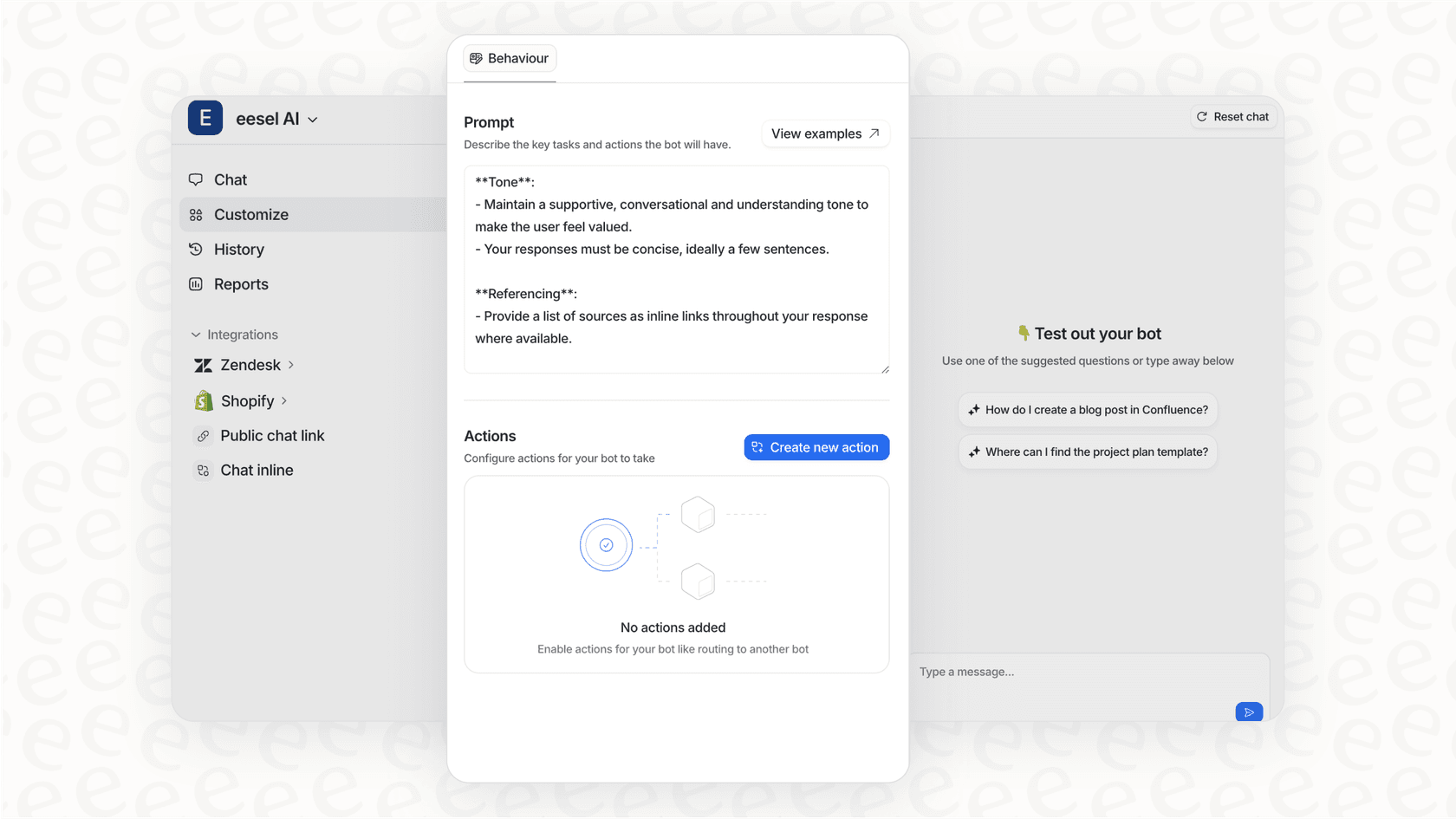
Let's start with the obvious: we're including ourselves because we genuinely believe we solve a problem that other tools don't address well. But we'll let the facts speak for themselves.
eesel AI is an AI teammate for customer service. Unlike traditional chatbots that require extensive configuration, you "hire" eesel like you'd a new team member. It learns from your past tickets, help center articles, macros, and connected documentation. Within minutes, it understands your business context, tone, and common issues.
The platform includes several products:
- AI Agent Handles frontline support tickets autonomously, resolving up to 81% of conversations
- AI Copilot Drafts replies for human agents to review and send
- AI Triage Tags, routes, merges, and closes tickets automatically
- AI Internal Chat Answers employee questions from internal knowledge in Slack or Teams
- AI Chatbot Customer-facing chat for websites and apps
What makes eesel different is the progressive rollout model. You start with oversight (eesel drafts replies for review), then expand scope as it proves itself. This isn't a black box you turn on and hope for the best. You can run simulations on thousands of past tickets before going live to see exactly how it'd perform.
Pricing:
| Plan | Monthly Price | Annual Price | Key Features |
|---|---|---|---|
| Team | $299 | $239/mo | Up to 3 bots, 1,000 interactions/mo, AI Copilot |
| Business | $799 | $639/mo | Unlimited bots, 3,000 interactions/mo, AI Agent, AI Triage |
| Custom | Contact sales | Contact sales | Unlimited interactions, multi-agent orchestration |
Why it stands out: The teammate mental model changes how you think about AI in support. Instead of configuring rules, you're training a team member. That shift makes AI feel less like a tool and more like a natural extension of your team.
2. SweetHawk
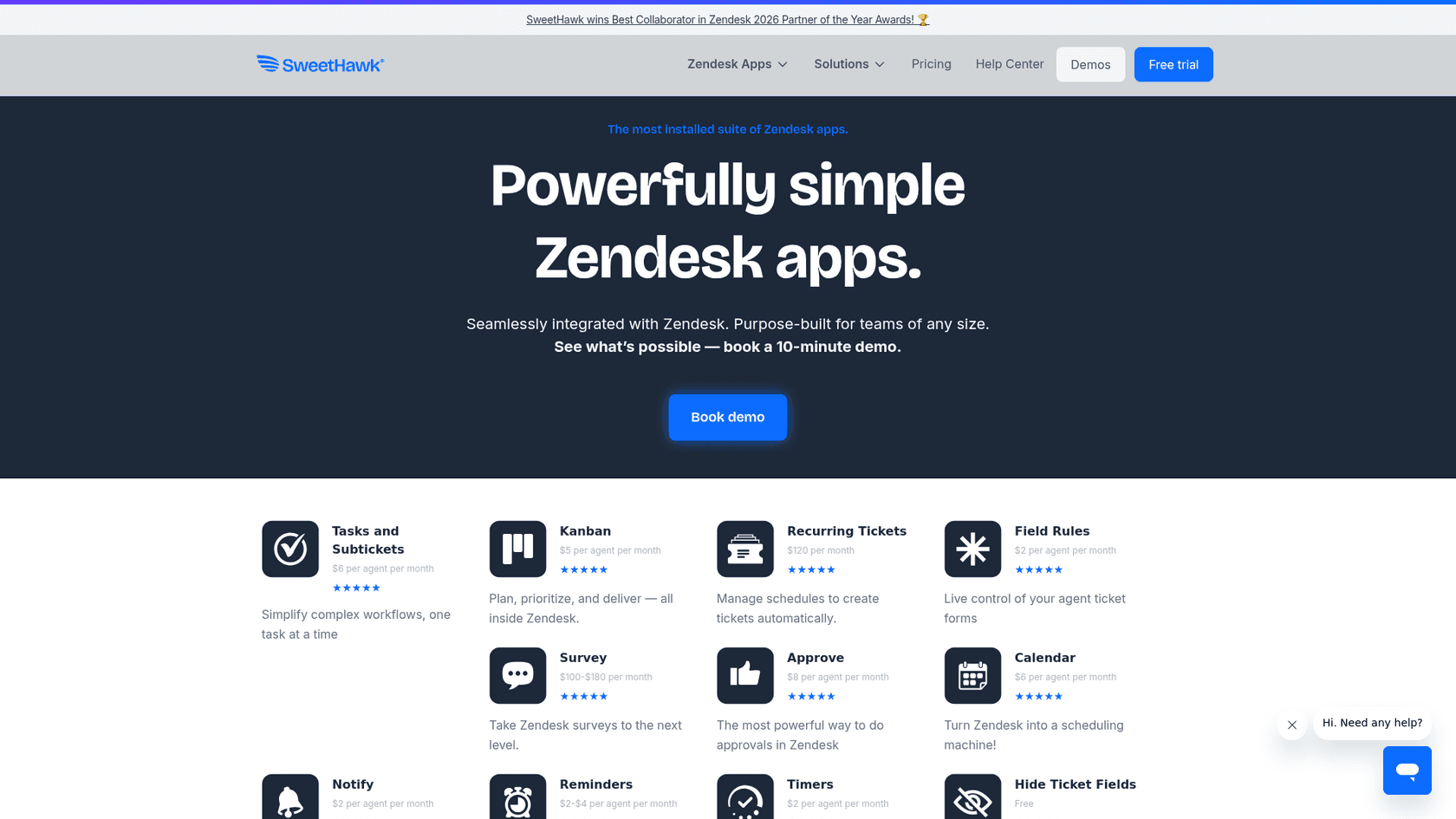
SweetHawk has been building Zendesk apps since 2015, and it shows. They're the leading developer of top-rated Zendesk apps, with over 15 tools in their portfolio and 12,000+ organizations using their software.
Their apps cover everything from approvals and reminders to surveys and Kanban boards. The standout offering is the SweetHawk Suite, which gives you all their apps for a single per-agent price. This includes:
- Approve ($8/agent/mo) Approval workflows inside Zendesk tickets
- Calendar ($6/agent/mo) Turn tickets into synced calendar events
- Tasks and Subtickets ($6/agent/mo) Create tasks and assigned subtickets
- Kanban ($5/agent/mo) Visual Kanban boards for ticket workflows
- Reminders ($2-4/agent/mo) Set reminders and trigger workflows
SweetHawk recently won Zendesk's 2026 Partner of the Year Award for Best Collaborator, which says something about their relationship with Zendesk and the quality of their integrations.
Their customer list includes Amazon, Pinterest, Twilio, MongoDB, Porsche, and eBay. When companies of that size trust a vendor, it's usually because the software is reliable and the support is solid.
Why it stands out: SweetHawk turns Zendesk into a true workflow engine. Instead of buying separate tools for approvals, scheduling, and task management, you get it all inside Zendesk where your team already works.
3. Tymeshift
Tymeshift is workforce management software built specifically for support teams. Zendesk acquired them, which tells you something about how important they consider this category.
The platform covers three main areas:
- Scheduling Intuitive drag-and-drop scheduling that accounts for time zones, skills, and preferences
- Forecasting Predict staffing needs based on historical ticket volume and trends
- Real-time reporting See what your team is doing right now, adherence rates, and performance metrics
Tymeshift integrates natively with Zendesk, so data flows seamlessly between the two systems. You don't need to export CSVs or maintain separate user lists.
Pricing:
| Plan | Price | Billing |
|---|---|---|
| Professional | $15/user/mo | Annual |
| Enterprise | $30/user/mo | Annual |
Why it stands out: Most workforce management tools are built for call centers and adapted to support. Tymeshift was built for support from day one. That means it understands concepts like ticket backlog, first response time, and resolution time in ways generic WFM tools don't.
4. ChannelReply
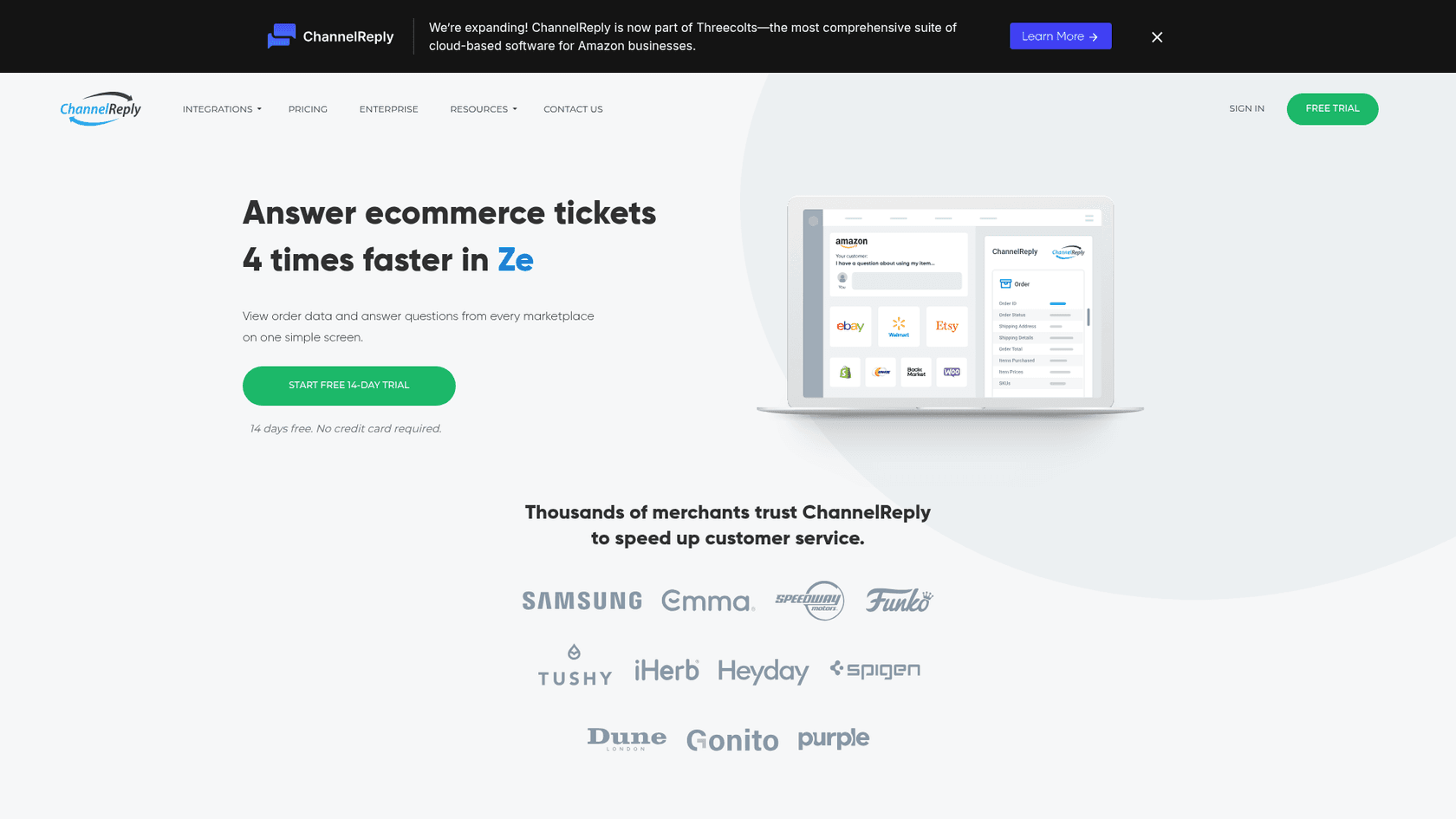
If you sell on multiple ecommerce platforms, ChannelReply solves a very specific headache: managing customer messages from Amazon, eBay, Etsy, Shopify, Walmart, and others in one place.
ChannelReply connects these marketplaces to your helpdesk (Zendesk, Freshdesk, Gorgias, and others). When a customer messages you on Amazon, that message appears in Zendesk alongside your regular support tickets. You can respond from Zendesk, and your reply goes back to Amazon.
The integration pulls in order data too. When you're looking at a ticket, you see the customer's order history, shipping status, and purchase details. This context lets your agents resolve issues faster without switching between platforms.
ChannelReply is now part of Threecolts, a suite of tools for Amazon sellers. That backing suggests they'll continue investing in the product.
Why it stands out: Multi-channel ecommerce sellers often struggle with fragmented support. ChannelReply unifies those channels without forcing you to abandon your existing helpdesk. Their customers include Samsung, iHerb, and Purple Mattress, so it clearly works at scale.
5. Maestro QA
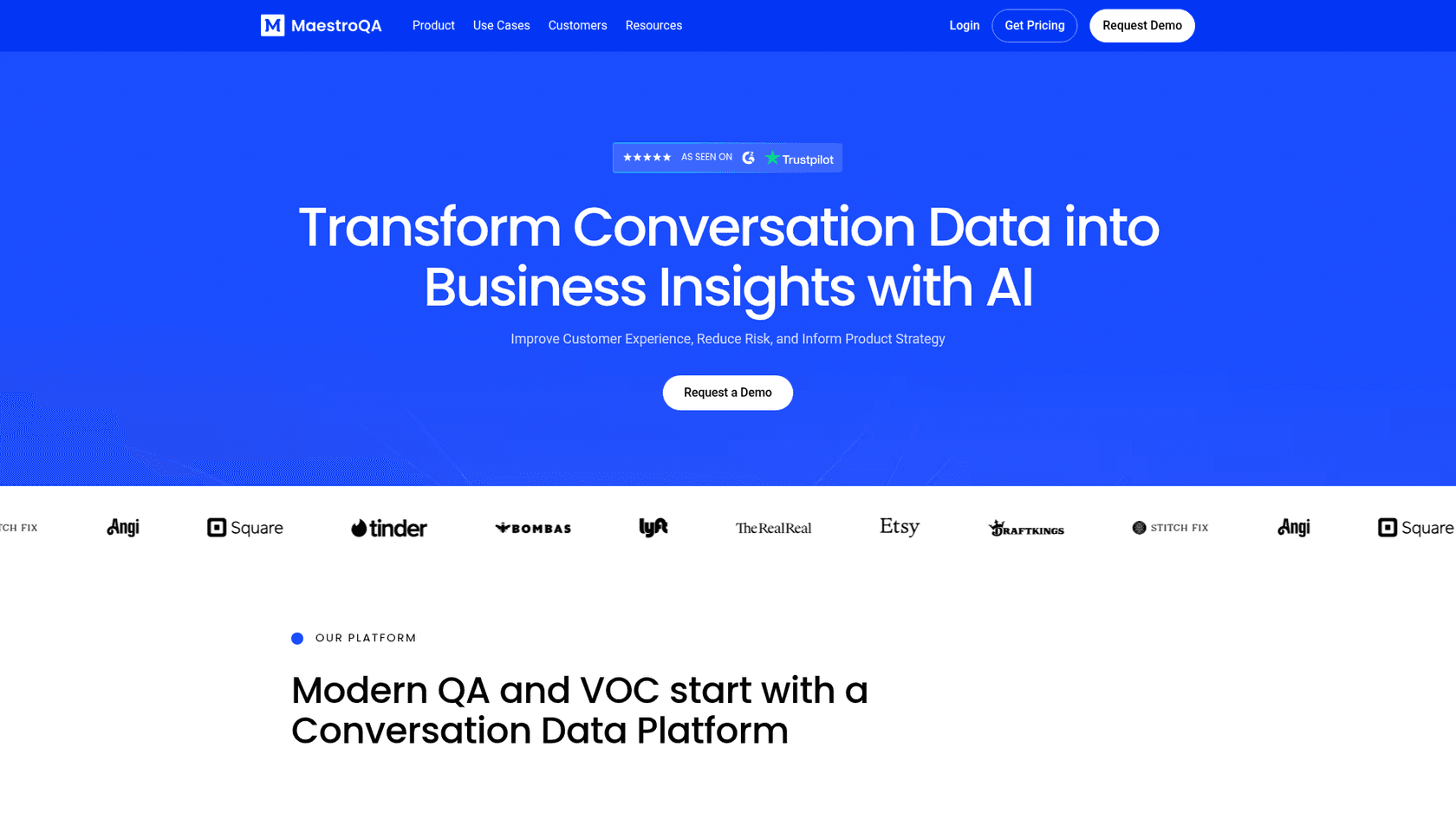
Maestro QA started as a quality assurance platform for contact centers. They've evolved into a full conversation data platform that uses AI to analyze customer interactions across channels.
The platform ingests conversation data from Zendesk and other sources, then applies AI to extract insights. This includes:
- Compliance risk detection Identify non-compliant interactions in real time
- Missed sales opportunities Spot upsell and cross-sell moments that agents missed
- Churn detection Analyze sentiment and friction points to catch at-risk customers
- AI chatbot monitoring Track how your bots are performing and where they fail
Their customer list includes Etsy, DraftKings, Stitch Fix, Square, and Lyft. These are companies that take customer experience seriously and have the resources to choose the best tools.
Why it stands out: Most QA tools focus on scoring individual tickets. Maestro QA looks at patterns across all conversations to identify systemic issues. That's a different level of insight that can drive real operational changes.
6. Alpha Serve
Alpha Serve builds data connectors that let you export Zendesk data into business intelligence platforms. Their main offerings are:
- Power BI Connector for Zendesk Starting at $49/mo
- Tableau Connector for Zendesk Starting at $49/mo
- Jira Connector for Zendesk Starting at $49/mo
These are enterprise-grade connectors with a focus on security. Alpha Serve doesn't collect, store, or share your data. Everything stays encrypted, and you control exactly what gets exported.
The connectors support unlimited data export including tickets, metrics, agents, users, satisfaction ratings, comments, and organizations. You can apply advanced filtering to export only what you need.
Why it stands out: If you're serious about analytics, you eventually hit the limits of Zendesk's built-in reporting. Alpha Serve lets you get your data into proper BI tools where you can build custom dashboards and perform deeper analysis. The no-code setup means you don't need engineering resources to get started.
7. Kaizo
Kaizo is a performance management platform that uses gamification to motivate support teams and improve agent productivity. It's designed to make quality assurance and performance tracking more engaging for agents while giving managers the insights they need.
The platform includes several key features:
- Agent Scorecards Real-time performance metrics with customizable KPIs
- Gamification Weekly skill challenges, badges, and rewards to keep agents motivated
- QA Automation Streamlined quality assurance with automated scoring
- Real-time Metrics Live dashboards showing ticket volume, response times, and resolution rates
Kaizo integrates directly with Zendesk, pulling ticket data automatically and updating scores in real time. Agents can see their progress, compare performance with teammates, and work toward personal improvement goals.
Pricing:
| Plan | Price | Key Features |
|---|---|---|
| Starter | $15/agent/mo | Basic scorecards, gamification, reporting |
| Professional | $25/agent/mo | Advanced QA, coaching tools, API access |
| Enterprise | Custom | Custom integrations, dedicated support |
Why it stands out: Most performance management tools feel like surveillance. Kaizo makes performance tracking engaging by turning it into a game. Agents actually want to check their scores and improve, which shifts the culture from monitoring to motivation.
Comparison table
Here's a quick comparison of all seven sellers:
| Seller | Category | Rating | Reviews | Starting Price | Best For |
|---|---|---|---|---|---|
| eesel AI | AI & Bots | 5.0 | 54 | $299/mo | Teams wanting autonomous AI support |
| SweetHawk | Productivity | 5.0 | - | $1-100/app | Workflow automation inside Zendesk |
| Tymeshift | Workforce Mgmt | 5.0 | - | $15/user/mo | Scheduling and forecasting |
| ChannelReply | E-commerce | 5.0 | 168 | Free install | Multi-channel ecommerce sellers |
| Maestro QA | QA & Analytics | 5.0 | 232 | Contact sales | Quality assurance at scale |
| Alpha Serve | Reporting | 5.0 | - | $49/mo | BI and data analysis |
| Kaizo | Performance Mgmt | 4.8 | 150+ | $15/agent/mo | Gamified agent motivation |
How to choose the right Marketplace seller
With seven solid options, how do you decide? Here are some questions to guide your decision:
What's your biggest pain point?
- If it's handling repetitive tickets, look at eesel AI
- If it's scheduling and forecasting, Tymeshift is purpose-built
- If it's managing ecommerce across channels, ChannelReply solves that
- If it's getting data out for analysis, Alpha Serve is the answer
What's your budget?
- Free to install options exist (ChannelReply)
- Per-agent pricing is common (SweetHawk, Tymeshift)
- Flat monthly rates work better for larger teams (eesel AI, Alpha Serve)
How deep is the integration?
All of these sellers have native Zendesk integrations, but some go deeper than others. eesel AI and Tymeshift (now owned by Zendesk) have particularly tight integrations. SweetHawk's apps work natively inside the Zendesk interface.
What's the rollout complexity?
Some tools require significant configuration and training. Others, like eesel AI, emphasize quick setup and learning from existing data. Consider how much time you can invest in implementation.
Getting started with Zendesk Marketplace apps
If you're new to the Marketplace, here's the basic process:
- Browse or search Start at zendesk.com/apps and filter by category or use case
- Check compatibility Make sure the app works with your Zendesk plan
- Start with trials Most sellers offer free trials. Use them to test with real workflows
- Review security Check what data the app accesses and how it's handled
- Plan your rollout Don't turn on everything at once. Start with a pilot group
The Marketplace is one of Zendesk's biggest advantages over competitors. The breadth of integrations means you can build a support stack that fits your specific needs rather than settling for one-size-fits-all functionality.
Ready to add AI to your Zendesk setup?

If you're considering AI for your support team, we built eesel AI specifically for teams that want autonomous support without the complexity of traditional chatbot platforms. You can try it free for 7 days or book a demo to see how it'd work with your specific Zendesk setup.
The key is finding the right mix of tools for your team. Whether that's AI automation, workforce management, or better analytics, the sellers on this list represent the best of what the Zendesk Marketplace has to offer in 2026.

Frequently Asked Questions
Share this article

Article by
Stevia Putri
Stevia Putri is a marketing generalist at eesel AI, where she helps turn powerful AI tools into stories that resonate. She’s driven by curiosity, clarity, and the human side of technology.