
Consistently publishing high-quality blog content is a significant undertaking. While excellent for growth, the process involves extensive research, outlining, writing, editing, and sourcing visuals. The market is also filled with various writing tools, making it challenging to identify the most effective ones for your needs.
This guide provides a curated list of resources to help streamline your writing process. Modern AI tools are changing how content is created, and the right ones can make a significant impact. For instance, the eesel AI blog writer is the tool we used to grow our own blog impressions from 70k to 750k in just three months by generating complete, publish-ready articles from a single keyword.

What are blog writing resource tools?
When we talk about blog writing resources, we are not just talking about a glorified spell-checker. We are talking about specialized platforms designed to help with the entire content creation workflow, from that first flicker of an idea to the final published post.
These tools usually fall into a few main categories:
- AI Content Generators: These are for brainstorming, research, and getting first drafts down, helping you scale up content production without burning out.
- Editing and Grammar Tools: Think of these as your personal editor. They polish your writing, check for mistakes, and help make your arguments clearer and more effective.
- Organizational Software: For writers who dive into big, complex topics, these tools are a lifesaver for managing outlines, research notes, and different parts of a long article.
- SEO and Research Tools: These are vital for making sure people actually find your content. They help you figure out what people are searching for so you can write articles that show up in search results.
How we selected the tools for this list
To make this list genuinely useful, we did not just grab the most popular names. We looked at each tool based on a few key criteria to ensure they deliver real value.
Here’s what we looked for:
- Impact on Workflow: Does the tool solve a real problem and save you a significant amount of time? If it adds more steps than it removes, it did not make the cut.
- Quality of Output: For AI generators, does the content sound like a person wrote it? Is it well-researched and interesting, or just generic fluff? For editors, do the suggestions actually improve the writing?
- Ease of Use: Is the interface intuitive, or do you need a manual to get started? We focused on tools you can start using right away.
- Value for Money: Does the price make sense for the features you get? We included both free and paid options to find tools that give you the most for your money.
A comparison of our top blog writing tools
For a quick overview, here’s a breakdown of our top picks and what they’re best at.
| Tool | Best For | Key Feature | Pricing Model |
|---|---|---|---|
| eesel AI blog writer | Complete, publish-ready SEO blogs | Automatic assets & social proof | Pay-per-use credits |
| Grammarly | Editing & proofreading | AI-powered grammar & style checks | Freemium |
| Scrivener | Long-form writing & organization | Ring-binder project environment | One-time fee |
| Hemingway App | Improving clarity & readability | Color-coded readability analysis | Free (Web) / Subscription (Plus) |
| Jasper AI | On-brand marketing copy at scale | Brand IQ & Content Pipelines | Subscription |
Detailed review of blog writing tools
Now, let's get into the specifics of each tool. We’ll cover what makes each one stand out, who it's best for, and why it made our list.
1. eesel AI blog writer
The eesel AI blog writer is more than just a writing assistant; it's a full-blown content generation platform. You give it a keyword, and it delivers a complete, SEO-optimized blog post that’s ready to go live. It’s the tool we used to grow our own organic impressions from 70k to over 750k in three months, so we can vouch for its effectiveness.
Pros: A key feature is its context-aware research. It automatically generates relevant assets like AI images and data tables, so you do not have to spend time finding them yourself. It also pulls in social proof by finding and embedding real Reddit quotes and relevant YouTube videos directly into the article. The content is also optimized for AI Answer Engines (AEO), which helps with visibility in new search formats like Google AI Overviews. It can learn from your website's URL to match your existing tone and style, making the output feel like it came from your team.
That manual workflow is actually what we automated with the tool I work on, the eesel AI blog writer. It just does the outlining and section-by-section generation in the background from a single prompt, which saves a lot of the back-and-forth. It's a common issue for people trying to scale content.

Cons: While it gets you about 95% of the way there, the very best articles still benefit from a quick human touch. Adding a personal story or a unique brand insight on top of the generated draft can elevate the content from great to outstanding.
Pricing:
- It's completely free to try, so you can generate your first post and see the quality for yourself.
- The Early Bird plan is just $99 for 50 blog credits.
Why it's on the list: It is designed for teams that need to produce high-quality content at scale. It provides a complete article with text, SEO, and assets in a single step.
2. Grammarly
Grammarly is the go-to final check for any writer. It’s an AI-powered editing assistant that catches everything from simple typos to tricky grammatical mistakes. It has also expanded to include a suite of AI agents, like a paraphraser and a humanizer, to help you fine-tune your writing's clarity and tone.
Pros: Its browser extension works smoothly across almost every site and app you use. The Pro version is comprehensive, with an excellent plagiarism checker that scans against billions of web pages and academic databases. Features like "Reader Reactions" are also quite useful for making sure your writing lands well with your intended audience.
Cons: The free version is fairly limited. The Pro version is strong, but its suggestions can sometimes feel a bit too rigid. You might find yourself ignoring recommendations that do not align with your brand’s voice or a specific stylistic choice you made intentionally.
Pricing:
- Free plan: Available with basic writing suggestions.
- Pro plan: Starts at $12/month per member when billed annually.
- Enterprise plans: Available with custom pricing for larger teams.
Why it's on the list: It's the industry standard for good reason. No content should be published without a final proofread, and Grammarly is the best and simplest way to catch those small errors that can undermine your credibility.
3. Scrivener
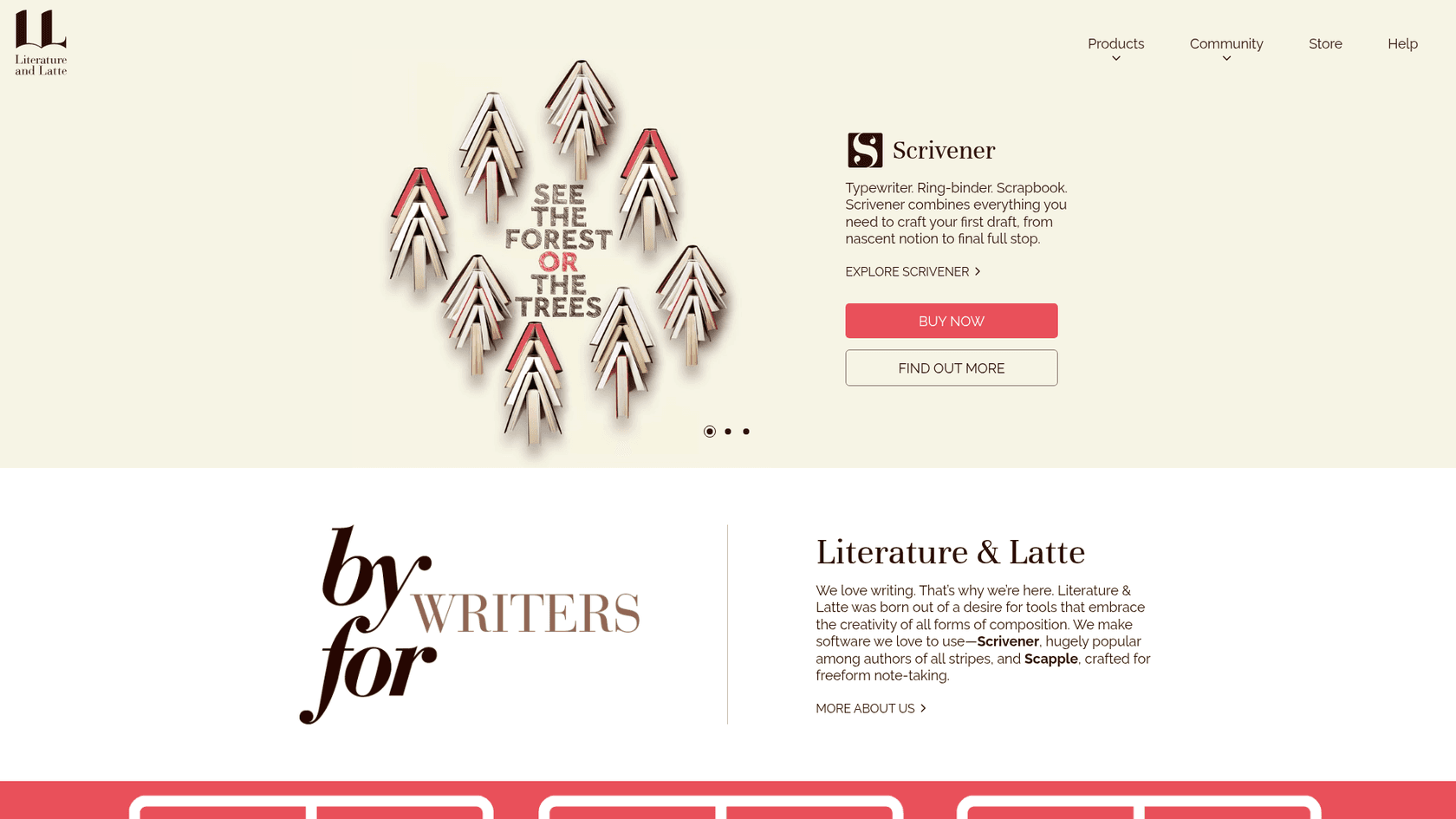
Scrivener is a professional word processor and project management tool built for writers handling large, complex projects like novels, screenplays, or in-depth white papers. Its design is based on a simple ring-binder metaphor that helps you organize and navigate long documents without getting overwhelmed.
Pros: Organization is where Scrivener really excels. The "binder" view lets you break a huge document into small, manageable pieces. The "corkboard" feature lets you rearrange sections with virtual index cards, which is great for outlining. Best of all, you can keep all your research, notes, and drafts together in a single project file.
Cons: It is known for having a steep learning curve. For a typical 1,000-word blog post, its features can feel like overkill. It’s powerful, but it’s often more than you need for daily blogging.
Pricing:
- It’s a one-time purchase, but you need separate licenses for each operating system.
- macOS: $59.99
- Windows: $59.99
- iOS: $23.99
Why it's on the list: For bloggers who specialize in long-form, deeply researched content, there really is not a better tool for managing the project's structure from start to finish.
4. Hemingway App
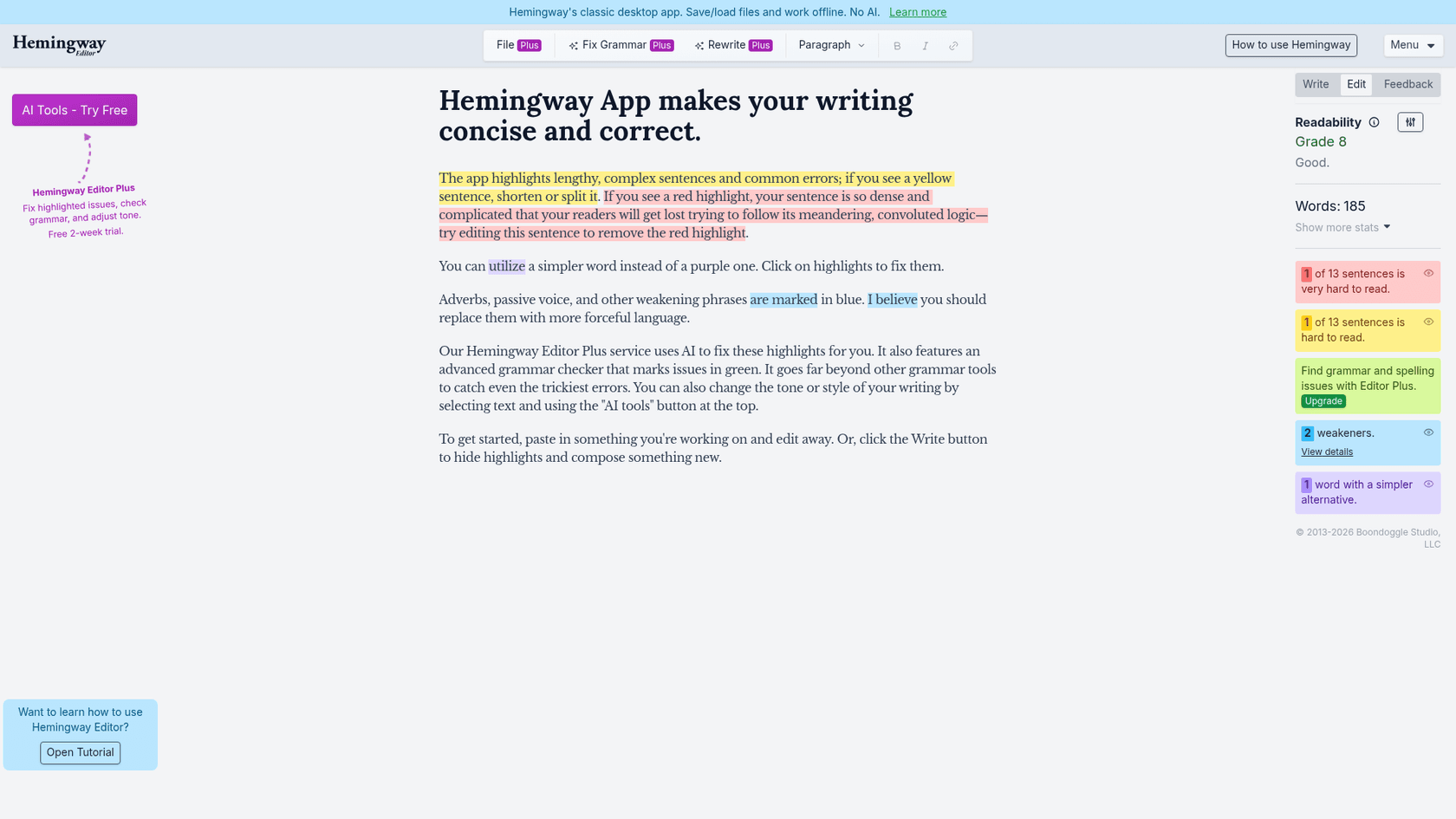
The Hemingway App is less of a grammar checker and more of a "style checker." It will not find typos, but it will help make your writing bolder and clearer by highlighting overly complex sentences, passive voice, and weak adverbs that dilute your message.
Pros: It’s incredibly simple and effective. The color-coded feedback gives you an instant visual report on your writing's readability. The free web version is perfect for quick checks, and you do not even have to sign up to use it.
Cons: The tool's suggestions can be highly opinionated. Following every suggestion may risk stripping the personality and nuance from your writing. It’s a helpful guide, but it should not replace a real grammar checker or your own good judgment.
Pricing:
- Free to use on the website.
- The classic Hemingway Editor 3 desktop app is a one-time fee of $19.99 (no AI features).
- Hemingway Editor Plus with AI features starts at $8.33/month (billed annually).
Why it's on the list: It’s a great (and free) resource for training yourself to write with more clarity and punch. In a world of shrinking attention spans, that's a key skill for any online writer.
5. Jasper AI
Jasper is an AI content automation platform designed for marketing teams. It’s not just a writer; it’s a collection of tools, including AI Agents and Content Pipelines, that help you create consistent, on-brand copy at scale across all your marketing channels.
Pros: Its standout feature is Jasper IQ, which learns your brand voice, style guides, and product details to ensure every piece of content it creates is on-brand. It's built for enterprise use, with features like SOC 2 compliance and advanced user permissions. It also pulls fresh data from Google search, so the content it generates is current.
Cons: Jasper is primarily a co-writing and automation platform. It excels at generating text and AI images, but users may need to manually add other assets like data tables, videos, or social proof to create a complete, media-rich blog post.
Pricing:
- Pro plan: Starts at $59/month per seat when billed annually.
- Business plans: Custom pricing for teams that need API access and other advanced features.
Why it's on the list: For marketing teams that need a flexible AI assistant for more than just blogging, Jasper is a powerful all-in-one platform. It's a solid choice for teams that need deep brand consistency controls and a wide variety of marketing copy.
Tips for getting the most from your blog writing tools
Just having the tools is not enough; you need a smart way to use them. Here are a few tips to build an efficient and effective workflow.
- Create a Workflow: Learn how to "stack" your tools. For instance, you could use the eesel AI blog writer to generate a complete first draft in minutes. Then, run that draft through Grammarly for a final polish before hitting publish. This combination handles 99% of the work for you.
- Maintain Your Voice: Treat AI suggestions as just that—suggestions. Do not blindly accept every change. The final decision should always be yours to make sure the article still sounds like you.
- Do not Overcomplicate: It’s tempting to try every new tool that comes along, but it's better to master one or two that really work for you. A simple, consistent process will always be more effective than a complex one you never follow.
- Use AI as a Lever: Think of these tools as a way to automate the 80% of repetitive work (like outlining, initial drafting, finding images, and basic research). This frees you up to focus on the 20% that really counts: your unique insights, personal stories, and strategic direction.
Build your perfect writing toolkit
The right set of tools can make a huge difference, turning your blog writing from a slow, painful task into a streamlined, effective process. You'll be able to publish higher-quality content, faster than ever.
The "best" toolkit is always personal, but a great setup should cover the three main pillars: content generation, organization, and editing. By picking a favorite from each category, you’ll have a workflow that can handle anything.
For anyone serious about growing their blog, the journey starts with an efficient first draft. If you’re tired of staring at a blank page, it's time to see what a true AI content generator can do.
Visual guides can also be incredibly helpful for seeing these tools in action. To get a better sense of how top creators are using AI in their workflows, check out this video breakdown of the best AI tools currently available for bloggers.
Ready to stop drafting and start publishing? Generate your first SEO-optimized blog post with the eesel AI blog writer for free.