Support costs are eating into margins faster than most companies realize. Labor alone consumes roughly 70% of support budgets, and ticket volumes keep climbing 20% year over year while budgets stay flat. The math doesn't work for long.
But here's the shift: AI has moved from experimental to practical. Companies implementing AI support agents are seeing cost reductions of 30-80% without sacrificing quality. Vodafone cut cost-per-chat by 70%. Alibaba automated 75% of queries and saved $150 million annually. Klarna's AI now handles work equivalent to 700 full-time agents.
This guide walks through exactly how to reduce support costs with AI. You'll learn to audit your current spend, choose the right approach, implement safely, and measure real ROI.
Step 1: Audit your current support costs
Before implementing any AI solution, you need to know your baseline. Most teams underestimate their true cost per ticket because they only look at salaries.
Calculate your fully-loaded cost per ticket:
Cost per ticket = Total Support Spend ÷ Total Tickets Resolved
Total support spend includes:
- Salaries and benefits for all support staff
- Software licenses (helpdesk, chat, phone systems)
- Training and onboarding costs
- Overhead (office space, equipment, management time)
The North American average runs around $15.56 per ticket. If you're significantly above this, you have clear room for improvement. If you're below, you're likely already running lean or underinvesting.
Next, categorize your tickets by volume and complexity. Rate each type on a 1-5 scale (1 = simple password resets, 5 = complex technical investigations). Look for the sweet spot: high volume, low complexity. These are your automation candidates.
Finally, map your peak demand patterns. When do ticket spikes happen? What coverage gaps exist outside business hours? AI agents work 24/7, so off-hours coverage gaps represent immediate savings opportunities.
Step 2: Choose the right AI approach for your needs
Not all AI support solutions work the same way. You have three main approaches, and the right choice depends on your ticket mix and team structure.
AI Agent: Autonomous resolution
AI agents handle Tier 1 queries end-to-end. They read incoming tickets, draft responses based on your knowledge base, and send replies directly. They can look up order information, process refunds, and update ticket fields through API integrations.
Best for: High-volume, repetitive queries ("Where's my order?", "How do I reset my password?", "What's your return policy?")
AI Copilot: Real-time assistance
AI Copilots work alongside human agents. When an agent opens a ticket, the AI drafts a suggested reply based on similar past tickets and your documentation. The agent reviews, edits if needed, and sends.
Best for: Complex support where human judgment matters, or teams building confidence with AI before full automation
AI Triage: Automated routing and prioritization
AI Triage processes incoming tickets before humans touch them. It categorizes by topic, sets priority, assigns to the right team, and can close spam or duplicate tickets automatically.
Best for: Large teams with heavy queue volume, or organizations struggling with ticket hygiene
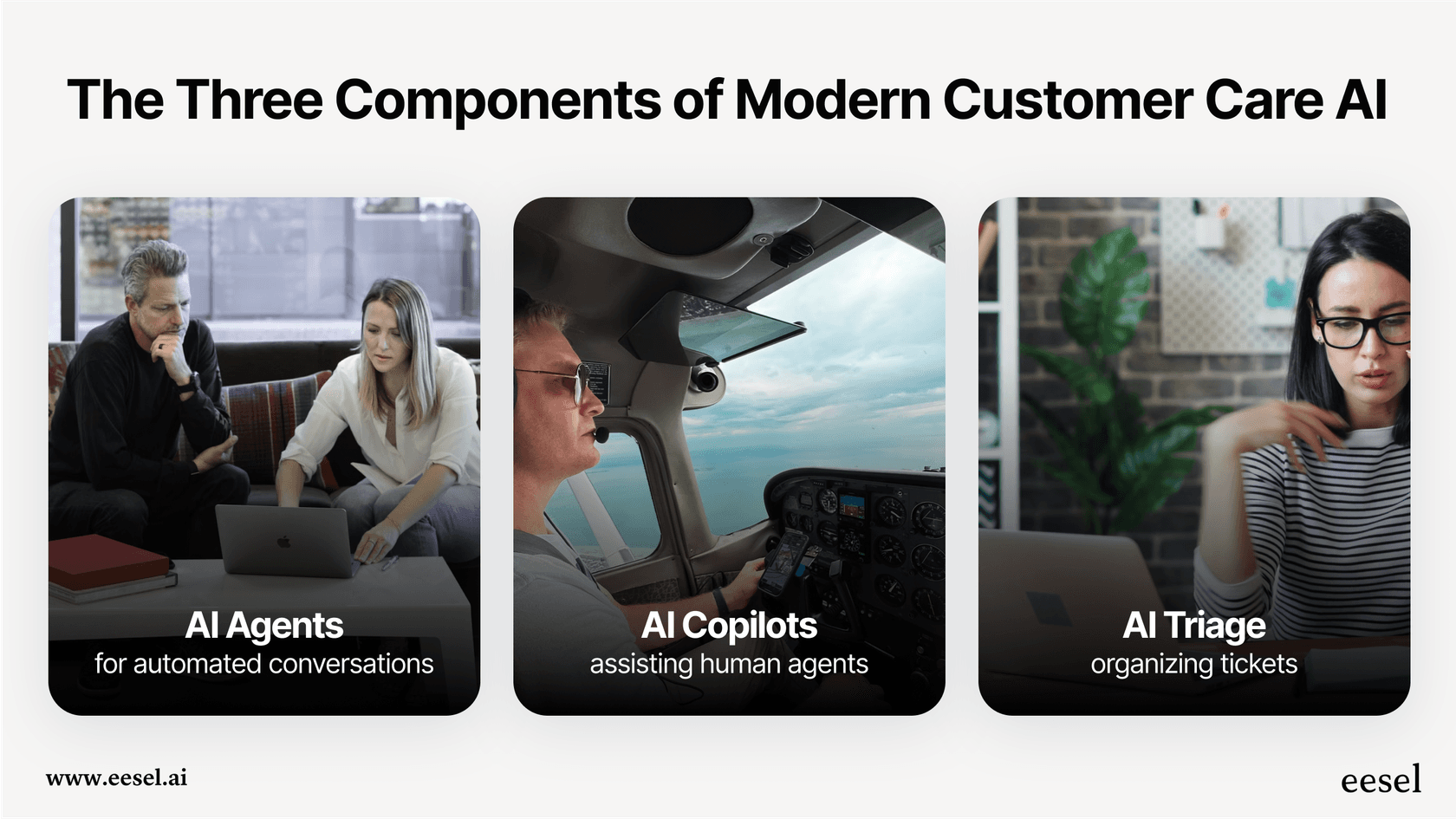
The unified approach
Here's where eesel AI differs from point solutions. Rather than buying separate tools for each function, eesel combines all three in one platform. You can start with Copilot to build confidence, enable Triage to clean up your queues, and gradually expand Agent autonomy as performance data proves itself. All from the same interface, trained on the same knowledge base.
Step 3: Implement AI with a progressive rollout
The biggest mistake in AI implementation? Going live without testing. Modern platforms let you simulate performance before customers ever see an AI response.
Phase 1: Simulate before going live
Run your AI on thousands of past tickets. Measure predicted resolution rates. Identify knowledge gaps where the AI can't find answers. Refine your escalation rules.
This step is non-negotiable. You wouldn't hire a human agent without an interview. Don't deploy an AI agent without simulation.
Phase 2: Start with guidance
Deploy AI in Copilot mode first. Your agents see AI-drafted replies for every ticket, but they review and approve before sending. This builds confidence in AI accuracy and helps you spot edge cases.
Most teams run Copilot for 2-4 weeks. During this phase, track how often agents edit AI suggestions. High edit rates indicate knowledge gaps or tone mismatches. Low edit rates mean you're ready to expand.
Phase 3: Expand autonomy
Once Copilot performance proves solid, enable direct responses for high-confidence scenarios. Start with your simplest ticket types (password resets, order status checks, FAQ responses).
Define escalation rules in plain English:
- "Always escalate billing disputes over $500 to a supervisor"
- "For VIP customers, CC the account manager on all responses"
- "Escalate any ticket mentioning 'legal' or 'lawyer' immediately"
Monitor daily. Expand scope weekly based on performance data.
Step 4: Integrate with your existing stack
The best AI support solutions plug into what you already use. Rip-and-replace projects fail more often than they succeed.
Helpdesk connections: Your AI should work with Zendesk, Freshdesk, Intercom, Gorgias, Jira, ServiceNow, or whatever system your team knows.
Knowledge sources: Connect your help center articles, Confluence pages, Google Docs, Notion wikis, and PDF documentation. The AI learns from all of it.
Action integrations: Enable real-time lookups in Shopify, Airtable, or your custom databases. Let the AI check order status, process refunds, or create Jira issues without agent intervention.
Context preservation: When AI escalates to humans, the handoff should include full conversation history and context. Customers hate repeating themselves.
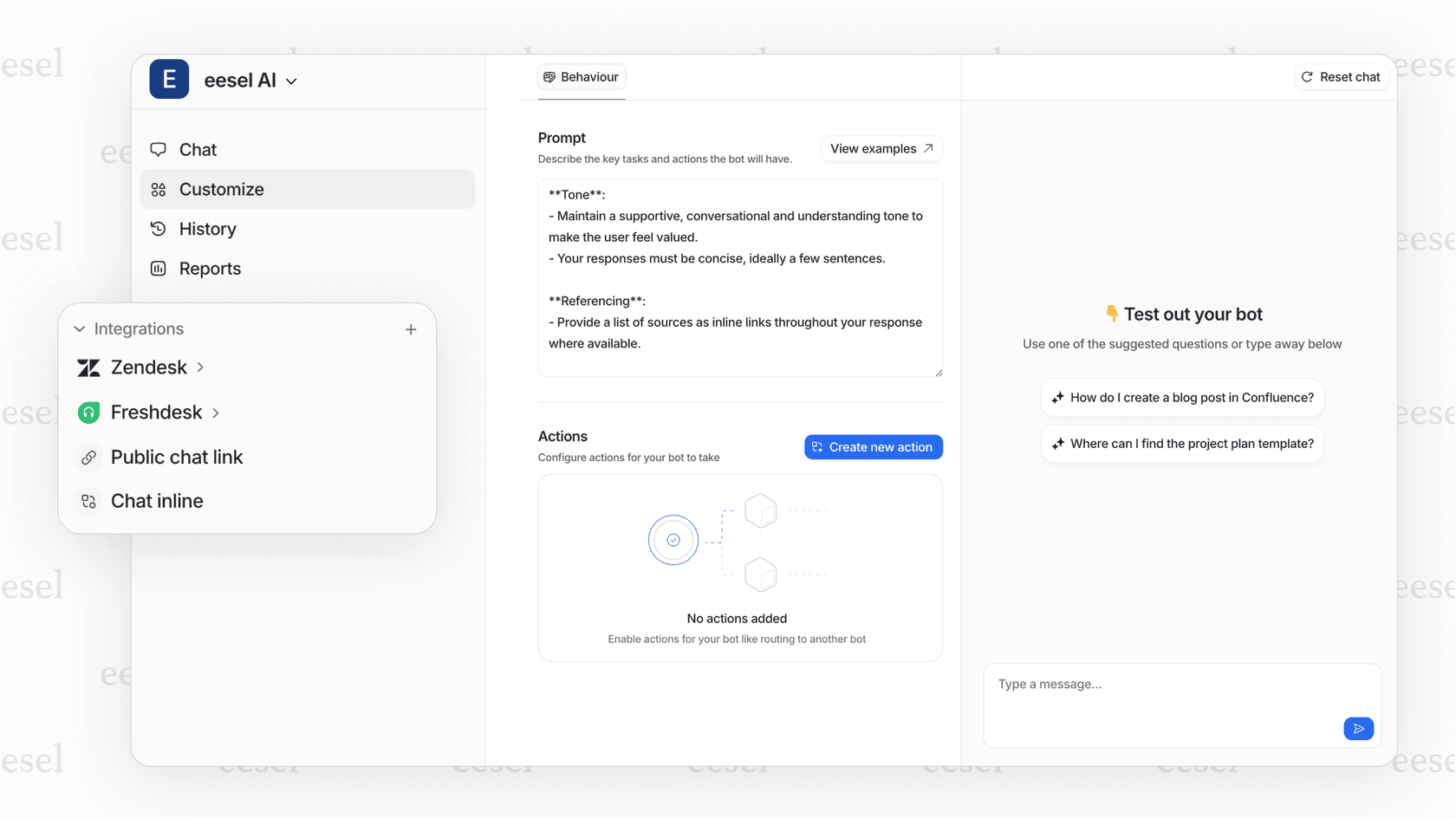
With eesel AI, you get 100+ integrations out of the box. No engineering projects required.
Step 5: Measure ROI and optimize continuously
Cost reduction isn't a one-time project. It's a continuous optimization cycle.
Track these metrics:
| Metric | Target | Why It Matters |
|---|---|---|
| Cost per resolution | 50-70% reduction | The bottom-line number that justifies investment |
| Automation rate | 70-80% for Tier 1 | Shows how much volume AI handles vs. humans |
| First-contact resolution | Maintain or improve | Ensures quality isn't sacrificed for speed |
| Customer satisfaction (CSAT/NPS) | No decline | Proves customers accept AI interactions |
| Average handle time | 20-40% reduction | Shows efficiency gains for human agents |
Optimization cycle:
Review conversation analytics weekly. Look for patterns in escalations. Are certain ticket types consistently failing? That's a training opportunity.
Update your knowledge base based on gaps. If customers keep asking questions the AI can't answer, write the help article.
A/B test agent behaviors. Try different response tones. Test various escalation thresholds. Small tweaks compound over time.
Expand to new use cases based on data, not gut feel. When automation rate stabilizes above 75% for a ticket type, that's your signal to expand scope.
Real-world benchmarks:
- Vodafone: 70% cost-per-chat reduction using AI
- Alibaba: $150M annual savings with 75% query automation
- Klarna: AI handles work equivalent to 700 FTE agents, contributing to $40M profit improvement
Common pitfalls and how to avoid them
Pitfall 1: Resolution-based pricing surprises
Some vendors charge per resolution, not per interaction. This creates unpredictable costs. If your AI resolves 1,000 tickets one month and 5,000 the next, your bill quintuples.
Solution: Choose transparent per-interaction pricing. eesel AI's pricing is based on AI interactions, not resolutions. Predictable costs, no surprises.
Pitfall 2: The rip-and-replace trap
Vendors who force you to migrate to their helpdesk create massive disruption. Your team learns new workflows. Integrations break. Productivity drops for months.
Solution: Choose AI that integrates with your existing tools. Keep your helpdesk. Keep your workflows. Add AI as a layer on top.
Pitfall 3: Risky all-at-once rollouts
Launching AI without testing is gambling with customer relationships. One bad AI response can turn a loyal customer into a vocal critic.
Solution: Use simulation and progressive rollout. Test on past tickets. Start with Copilot. Expand autonomy gradually based on performance data.
Pitfall 4: Underinvesting in knowledge base
AI is only as good as the information it learns from. If your help center is outdated or your documentation is scattered, AI will give wrong answers.
Solution: Audit and update knowledge sources before deployment. Connect all relevant documentation. Plan for continuous updates as products and policies change.
Start reducing your support costs with eesel AI
If you're ready to cut support costs without sacrificing quality, eesel AI gives you everything you need in one platform.
Here's how it works:
- Connect in minutes: Plug into your existing helpdesk and knowledge sources. No migration required.
- Learn from your data: eesel AI absorbs your past tickets, help center articles, macros, and documentation to understand your business and tone.
- Simulate before going live: Run the AI on thousands of historical tickets to verify accuracy and identify gaps. No customer-facing risks.
- Progressive rollout: Start with Copilot drafting for review. Enable Triage to clean your queues. Expand Agent autonomy as performance proves itself.
- Define behavior in plain English: Set escalation rules conversationally. "Always escalate billing disputes over $500." No code required.
With 100+ integrations including Zendesk, Freshdesk, Intercom, Confluence, and Shopify, eesel works with your stack, not against it.
Pricing is transparent: $299/month for the Team plan, $799/month for Business with full AI Agent capabilities. Pay per interaction, not per resolution. No surprise bills.
Teams using eesel AI see up to 81% autonomous resolution rates with typical payback periods under two months.
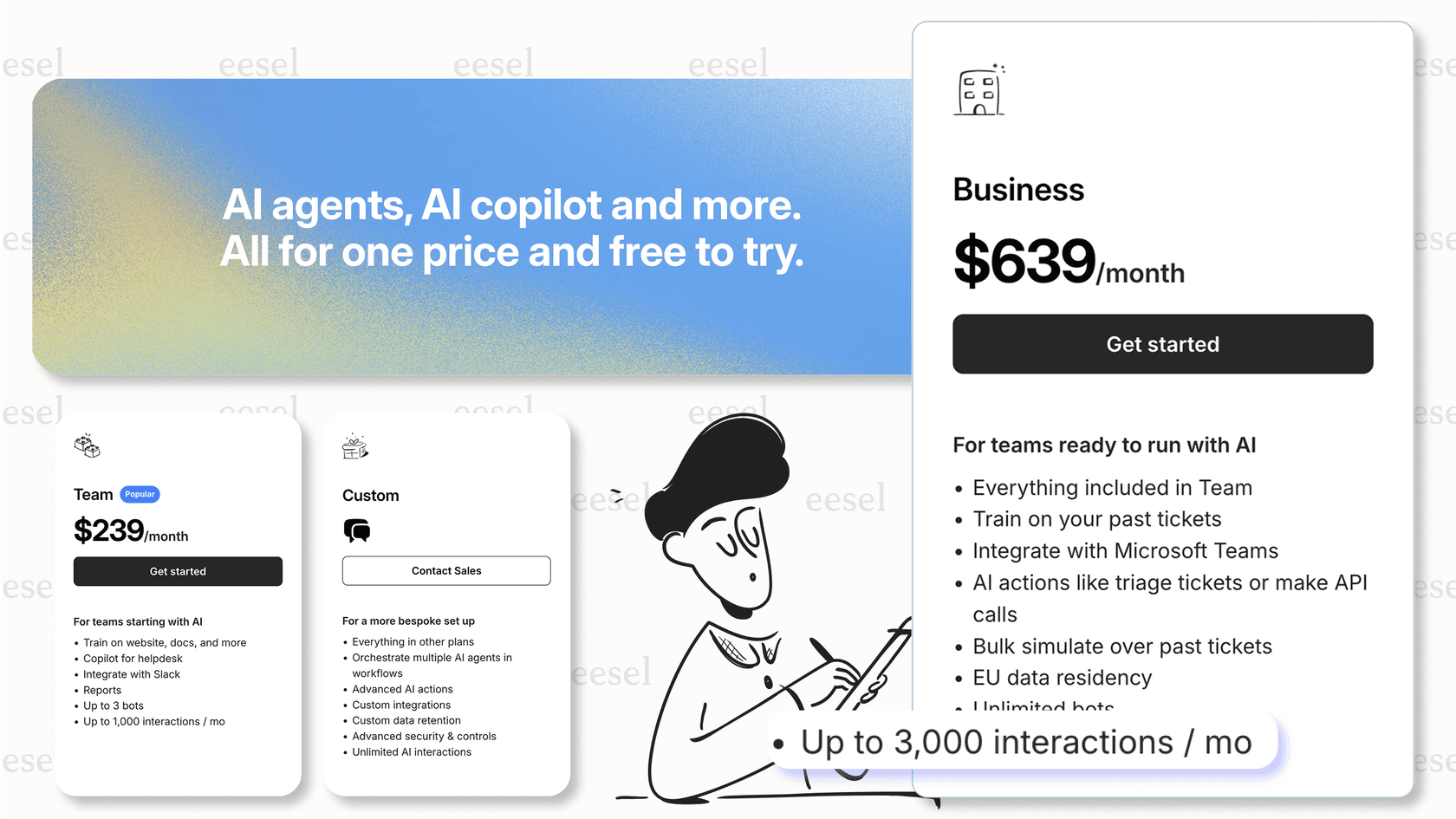
Try eesel AI free for 7 days or book a demo to see it in action.

Frequently Asked Questions
Share this article

Article by
Stevia Putri
Stevia Putri is a marketing generalist at eesel AI, where she helps turn powerful AI tools into stories that resonate. She’s driven by curiosity, clarity, and the human side of technology.