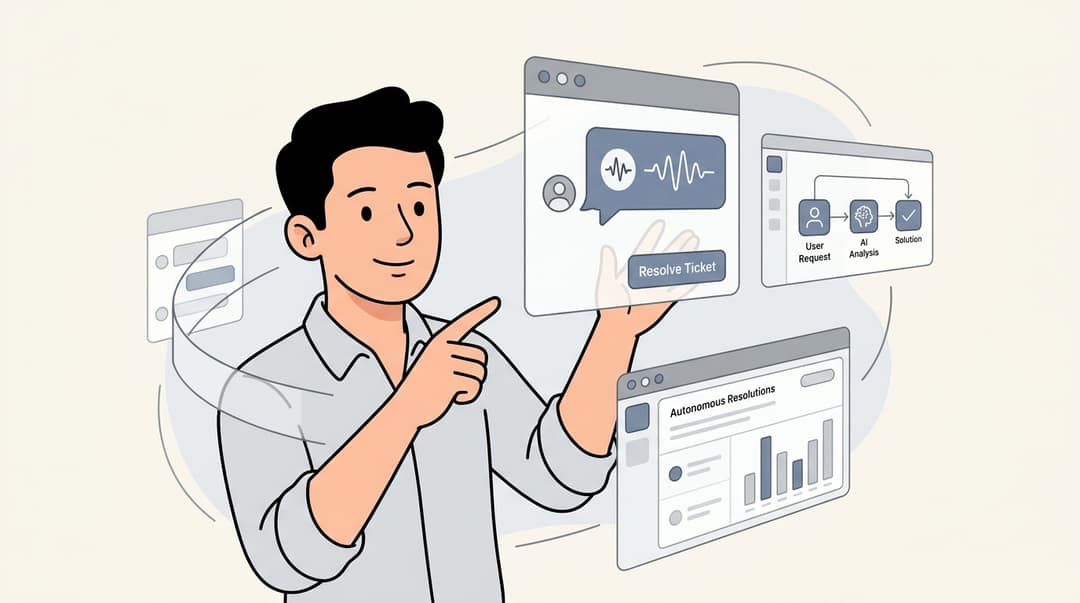
Every support team faces the same challenge: how do you handle growing ticket volume without proportionally growing headcount? Ticket deflection is the answer. It's the practice of resolving customer issues through self-service before they ever become support tickets.
Kustomer approaches this as a CRM-first platform, combining unified customer data with AI-powered deflection capabilities. But how exactly does Kustomer ticket deflection work, and is it the right fit for your team?
In this guide, we'll break down Kustomer's deflection features, show you how to measure success, and explore when you might want to consider alternatives like eesel AI.
What is ticket deflection?
Ticket deflection means resolving customer questions through self-service channels (knowledge bases, chatbots, automated responses) before they reach a human agent. The goal isn't to avoid customers. It's to give them faster answers while reducing the load on your support team.
Think of it this way: when a customer can find an answer in 30 seconds through your help center instead of waiting 4 hours for an email response, everyone wins. The customer gets instant resolution. Your team focuses on complex issues that actually need human expertise.
Industry benchmarks tell an interesting story. The average deflection rate sits around 23%, while best-in-class teams achieve 60-85%. AI-first platforms reportedly achieve 60% higher deflection rates than traditional help desks.
The shift from traditional support to AI-powered self-service is accelerating. Customers increasingly expect instant answers. Teams need scalable solutions. Deflection bridges that gap.
How Kustomer's ticket deflection works
Kustomer takes a multi-layered approach to deflection, combining knowledge base recommendations with AI-generated responses. Let's look at each component.
Knowledge base deflection in forms
Kustomer's most basic deflection feature works through form submissions. When a customer fills out a contact form, Kustomer analyzes their input and displays up to 3 recommended knowledge base articles before the form is submitted.
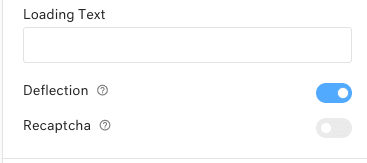
Here's how to set it up:
- Navigate to Settings > Knowledge Base > Forms in your Kustomer admin
- Enable the "Deflection" toggle for your contact forms
- Ensure your knowledge base articles are assigned to categories (this is required for them to appear in suggestions)
- Test the form to verify articles appear based on customer input
A few things to keep in mind. Articles must be categorized to appear in deflection suggestions. If you're using an older custom theme, you may need to update it to support the deflection widget. And form submissions still create conversations in Kustomer, so you'll have a record even if deflection succeeds.
AI-powered deflection (Enterprise/Ultimate plans)
For teams on Kustomer's Enterprise or Ultimate plans, AI deflection adds another layer. Instead of just suggesting articles, Kustomer can generate AI responses directly from your public knowledge base content.
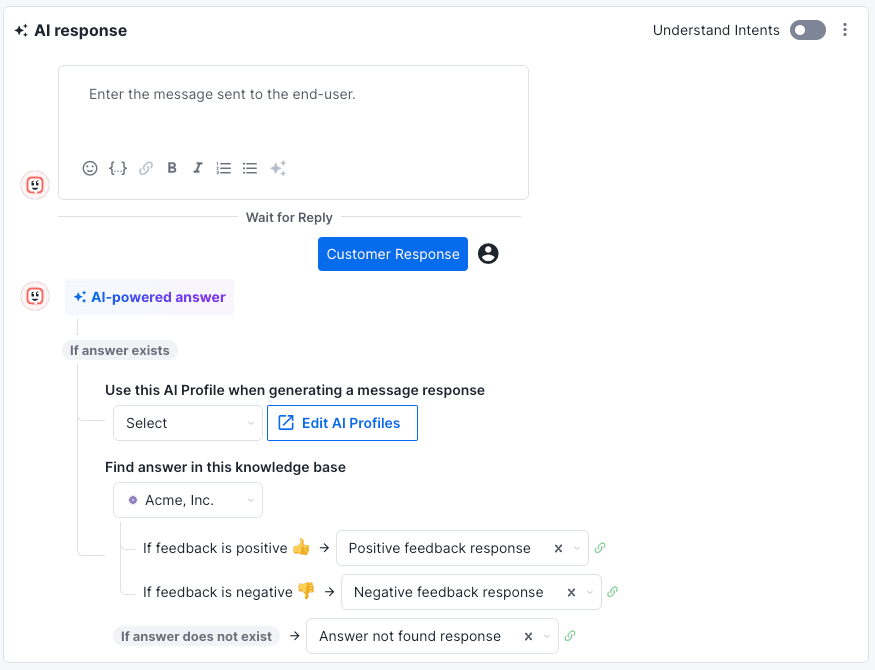
The conversational assistant analyzes the customer's question and provides an AI-generated answer using your KB content. Customers can rate whether the response was helpful, giving you data to refine your knowledge base over time.
This feature requires the AI Response add-on, which is priced separately from the base platform.
Email and chat deflection
Kustomer extends deflection across channels. The conversational assistant can suggest articles during chat conversations. Email deflection options analyze incoming messages and recommend relevant content before routing to agents.
The key here is context-awareness. Kustomer uses the inquiry topic, customer history, and conversation timeline to surface the most relevant recommendations.
Understanding the Kustomer deflection report
You can't improve what you don't measure. Kustomer's deflection report, available under Reporting > Deflection, tracks four key metrics:
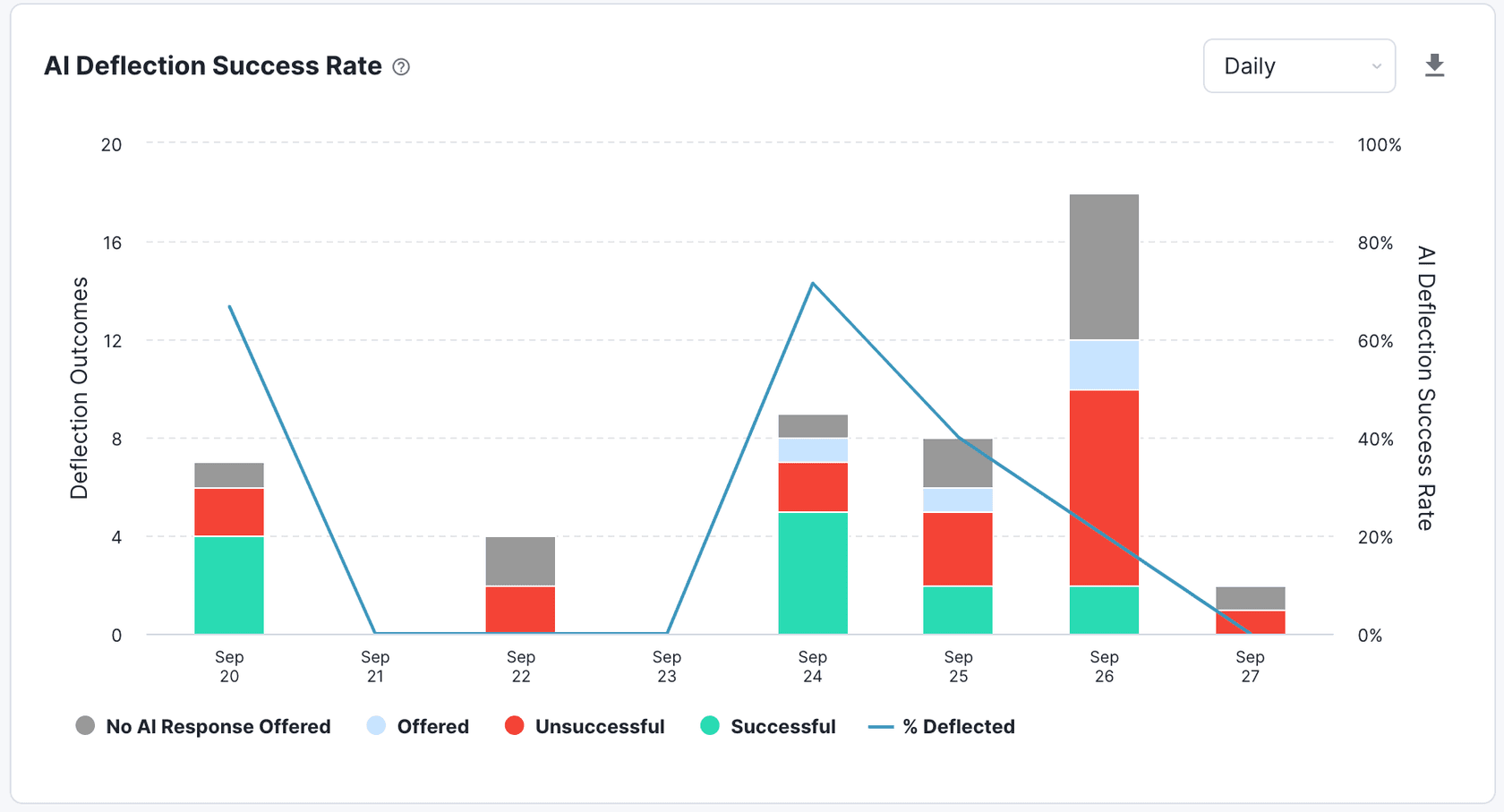
| Metric | What it measures |
|---|---|
| Count of Deflections | How many tickets were successfully deflected |
| Customer Hours Saved | Estimated time customers saved by finding answers instantly |
| Agent Hours Saved | Time your team would have spent on deflected tickets |
| Deflection Success Rate | Percentage of deflection attempts that resolved the issue |
The report also includes an Article Performance table showing views, clicks, and resolution rates for individual articles. This tells you which content is actually helping customers versus what is being ignored.
Most valuable is the Search Queries table. It shows exactly what customers are searching for. If you see repeated searches with no matching articles, you have found your next content priority.
Deflection Topic Coverage shows the percentage of queries that have matching articles. Low coverage means customers cannot find what they need, even if your knowledge base looks comprehensive.
How to calculate and improve your deflection rate
The formula is straightforward: divide self-service interactions by support tickets submitted.
Example: If customers viewed 800 knowledge base articles and submitted 200 tickets, your deflection rate is 4:1 (or 80% if you prefer percentages).
Here's how to improve those numbers:
- Audit your top 20 questions. Pull your most common ticket types and ensure each has a comprehensive knowledge base article.
- Optimize article titles. Use the language customers actually use, not internal jargon. If customers search for "cancel order" but your article is titled "Subscription termination process," they'll never find it.
- Categorize everything. Remember, uncategorized articles won't appear in Kustomer's deflection suggestions.
- Monitor search queries weekly. The Search Queries table in your deflection report reveals content gaps in real-time.
- A/B test article placement. Try different recommended articles for the same form fields and see which drives higher resolution rates.
Kustomer ticket deflection: limitations and considerations
Kustomer's approach works well for some teams, particularly mid to large teams in e-commerce and retail, but there are limitations to understand before committing.
Plan availability. The AI-powered deflection features require Enterprise or Ultimate plans, starting at $89 per seat per month with an 8-seat minimum. The AI add-ons are priced separately: $0.60 per engaged conversation for AI customer responses, or $40 per user per month for AI rep assistance.
Article limits. KB deflection is capped at 3 recommended articles per form. If your issue requires more context, customers may not find what they need.
Theme dependencies. Older custom knowledge base themes require manual updates to support deflection widgets. This means developer time.
Categorization requirements. Every article must be manually assigned to a category to appear in suggestions. This creates ongoing maintenance overhead as your knowledge base grows.
Limited actions. Kustomer's deflection focuses on content recommendations. It doesn't perform real-time actions like looking up orders, processing refunds, or creating tickets in other systems without custom integrations.
Manual escalation paths. Setting up when and how tickets escalate to humans requires workflow configuration. There's no plain-English way to define escalation rules.
Alternative: eesel AI for advanced ticket deflection
If Kustomer's limitations feel restrictive, eesel AI offers a different approach. Instead of just recommending articles, it acts as an AI teammate that handles tickets end-to-end.
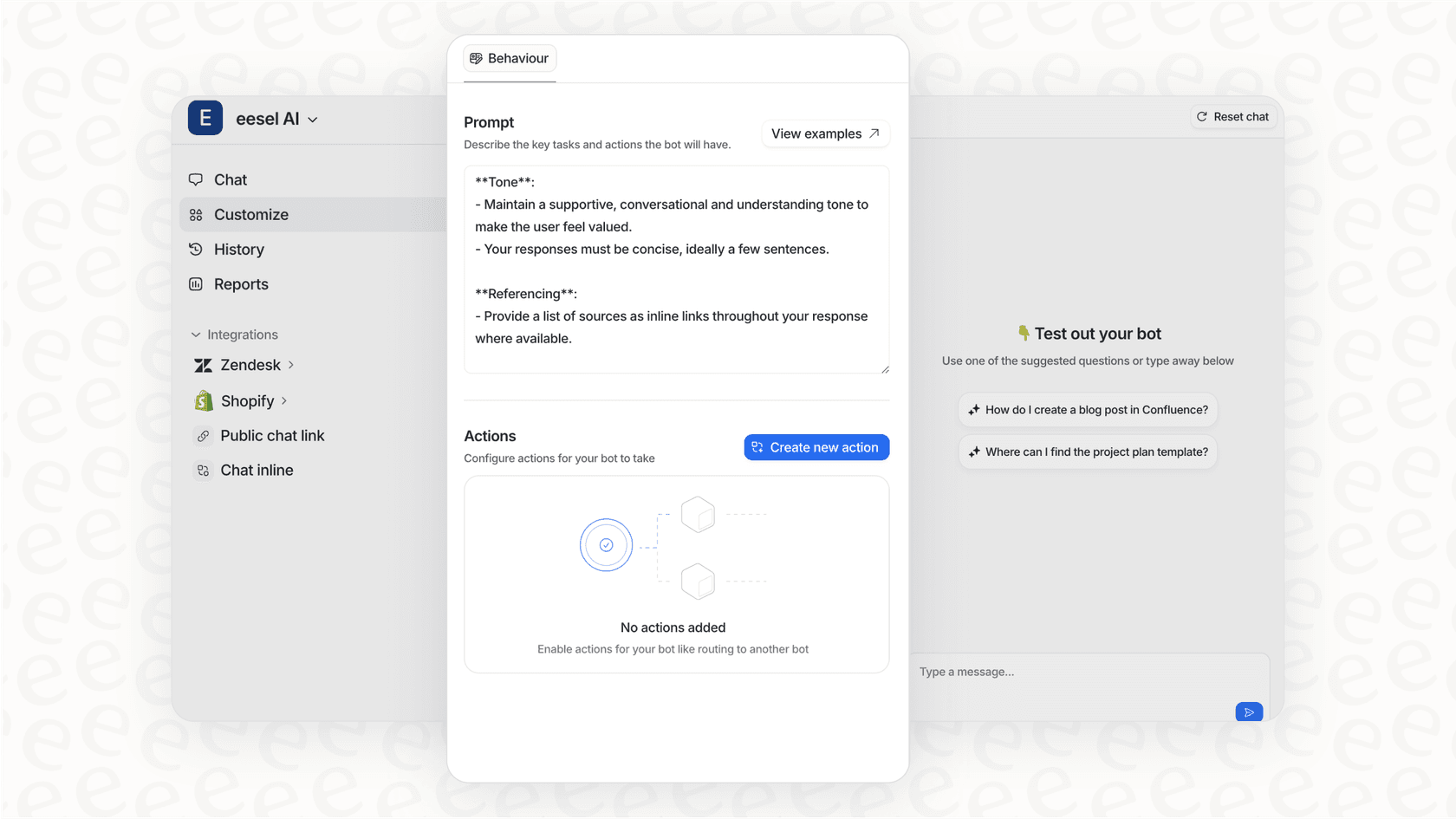
Here's what sets eesel AI apart:
Learn from past tickets, not just KB articles. While Kustomer relies primarily on your knowledge base, eesel AI analyzes your historical tickets, macros, and saved replies to understand how your team actually solves problems. This means better responses from day one.
Real-time actions. eesel AI doesn't just suggest content. It performs actions: looking up Shopify orders, processing refunds, creating Jira tickets, updating customer records. Customers get resolution, not just directions.
Plain-English escalation rules. No workflow builders or code required. Tell eesel AI in plain language: "Escalate billing disputes over $500 to the finance team" or "Always loop in a human for VIP customers." It follows those rules automatically.
Progressive rollout. Start with eesel AI drafting replies for your agents to review. As it proves itself, level up to full autonomy. You control the pace based on actual performance, not a vendor's timeline.
Higher resolution rates. Mature deployments achieve up to 81% autonomous resolution, with typical payback periods under two months.
Ready to see how eesel AI can transform your support? Try eesel AI free or book a demo to discuss your specific needs.
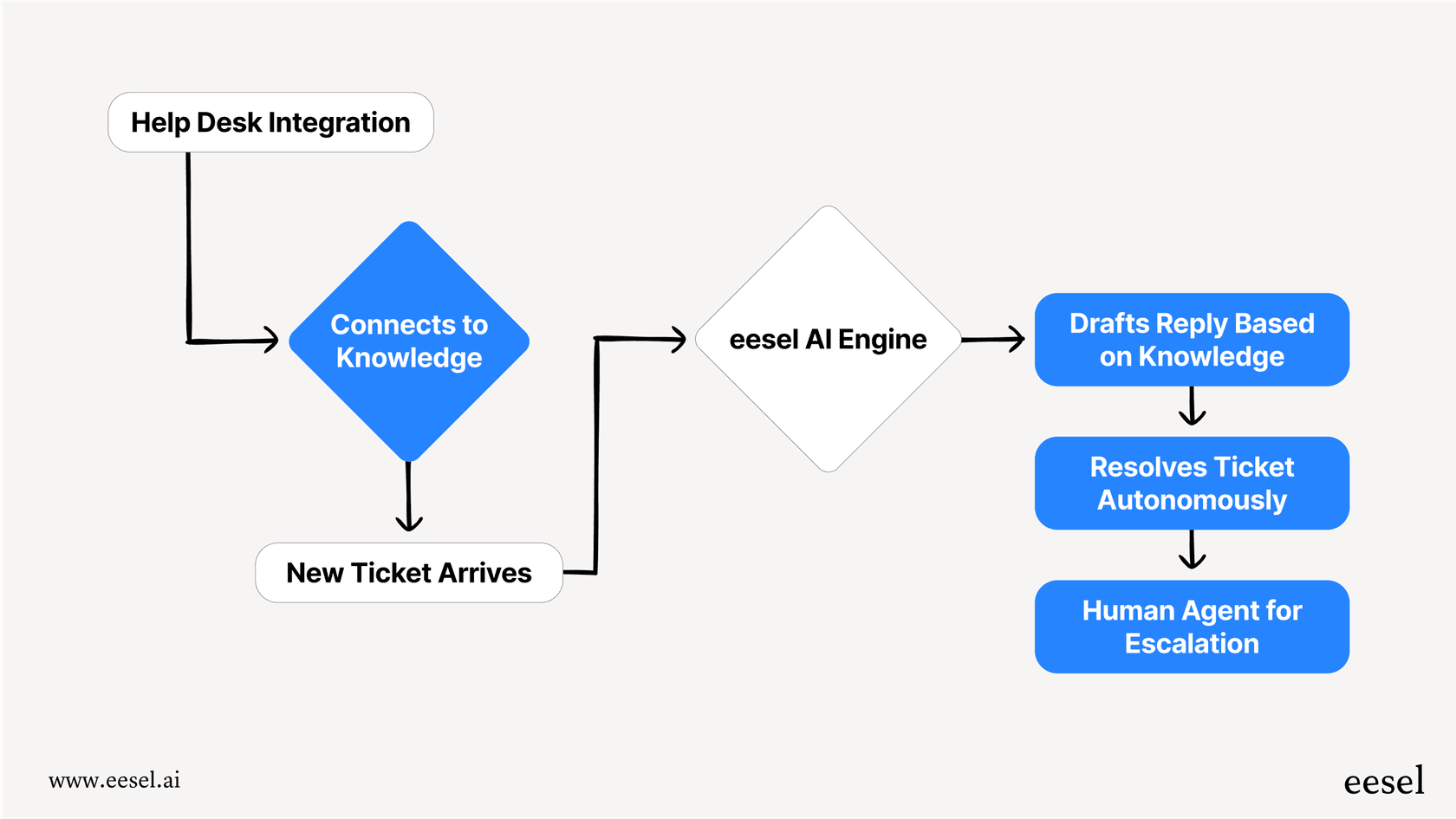
eesel AI integrates directly with Kustomer if you want to enhance your existing setup, or it can serve as a standalone alternative if you are evaluating options.
Getting started with smarter ticket deflection
Ticket deflection isn't about replacing human support. It's about routing the right issues to the right resolution path. Simple questions get instant answers. Complex problems get human expertise.
If you're using Kustomer, start with knowledge base optimization. Ensure your articles are categorized, monitor your Search Queries table, and track your deflection rate weekly. Add AI features only after your foundation is solid.
If you're evaluating alternatives or want more advanced capabilities, consider how eesel AI might fit. It handles the full resolution loop, not just content recommendations, and learns continuously from every interaction.
The best deflection strategy is the one your customers actually use. Measure, iterate, and optimize based on real behavior. That's how you turn ticket deflection from a cost-cutting metric into a genuine customer experience improvement.

Frequently Asked Questions
Share this article

Article by
Stevia Putri
Stevia Putri is a marketing generalist at eesel AI, where she helps turn powerful AI tools into stories that resonate. She’s driven by curiosity, clarity, and the human side of technology.