You know that little snippet of text under the headline on a Google search results page? That's a meta description, and it’s your blog post's 160-character elevator pitch. It's also one of the most underrated parts of on-page SEO, a small detail that can make a huge difference.
Often, meta descriptions are overlooked or written in a generic way, which can be a missed opportunity. This description is an opportunity to convince someone to click on your link instead of the nine others on the page.

What is a blog meta description?
A meta description is a small piece of HTML code that summarizes a webpage's content. When you search for something on Google, it’s usually the text that shows up right below the title and URL.
It is important to note that a meta description is not a direct ranking factor. Stuffing it with keywords won't magically push you to the top of page one. However, it has a huge say in whether a real, live human decides your page is worth their time. A great description gets more clicks, and a higher click-through rate (CTR) can signal to Google that your page is a super relevant result, which can help your rankings over time.
According to Google's own documentation, they often generate these snippets automatically from your page's content. But, they also say they'll frequently use your meta description if it "gives users a more accurate description than would be possible purely from the on-page content."
Writing a good one gives you control over your message. It’s your best shot at making a great first impression and pitching your content directly to searchers.
Key elements of a compelling blog meta description
Aim for the right length (around 155 characters)
You've probably heard there's a hard character limit, but it's a bit more complicated. The real limit is based on pixel width. A 'w' takes up way more screen space than an 'i'.
The best practice is to keep it under 155-160 characters. This usually prevents your awesome description from getting cut off with a "..." right when it's getting good. As folks on Reddit's SEO community often point out, it’s more of a guideline than a strict rule. Just make sure your most important info and keywords are right at the beginning.
Careful with the length, shouldn't exceed 155 characters, otherwise, it won't be fully shown in SERPs

Use an active voice and a clear call to action
Passive voice is boring. Active voice gets people moving. Instead of saying, "Information about SEO can be found here," try something like, "Learn everything you need to know about SEO." It's more direct and engaging.
Then, give them a little nudge with a call to action (CTA). Simple phrases like "Learn more," "Get the guide," or "Try it for free," as suggested by the SEO experts at Yoast, can make a surprising difference in encouraging that click.
Include your focus keyword
When someone searches for a term, Google often bolds that exact word or phrase in the search results.
Keywords are essential. Search engines highlight a query in bold when identifying keywords in the meta description.
Seeing their search term in your description instantly tells them your page is relevant. That little bit of visual highlighting makes your result pop on a crowded page and builds immediate confidence that you have the answer they're looking for.
Accurately match the content and user intent
Your meta description is a promise. If you promise a guide to baking chocolate chip cookies, your page better deliver a guide to baking chocolate chip cookies.
Misleading descriptions, or clickbait, might get you a click, but the visitor will bounce the second they realize they've been tricked. A high bounce rate tells search engines your page isn't helpful, and it absolutely kills user trust. Be honest and give a genuine preview of what's on the page.
Make it unique for every page
Duplicate meta descriptions are a big no-no. As noted by SEMrush, they create a poor user experience and can make it harder for search engines to figure out which page to show for which query.
If you have a massive website, this can feel daunting. Google's advice is to start with your most important pages: your homepage, your top blog posts, and your key service pages. Get those right first, and then work your way through the rest.
Here's a quick look at how to apply these principles, with examples pulled from Google's best practices.
| Page Type | Bad Meta Description (and why) | Better Meta Description |
|---|---|---|
| Blog Post | Eggs are a source of joy in everyone's life. When I was a small child, I remember picking eggs from the hen house... (Doesn't summarize the page) | Learn how to cook eggs with this complete guide in 1 hour or less. We cover all the methods, including: over-easy, sunny side up, boiled, and poached. |
| Product Page | Mechanical pencil (Too short and vague) | Self-sharpening mechanical pencil that autocorrects your penmanship. Includes 2B auto-replenishing lead. Order 50+ pencils, get free shipping. |
| Homepage | Sewing supplies, yarn, colored pencils, sewing machines, threads, bobbins, needles (Just a list of keywords) | Get everything you need to sew your next garment. Open Monday-Friday 8-5pm, located in the Fashion District. |
Common mistakes to avoid
Keyword stuffing
This tactic involves inserting as many keywords as possible into your description. "Looking for the best CRM for sales? Our best sales CRM guide will help your sales team find the best CRM." It sounds unnatural, it's annoying to read, and Google is more likely to ignore it and pull a different snippet from your page anyway.
Do not overload a description with keywords. It doesn't help the users and also increases the chances of your website being marked as spam.
Writing for search engines, not people
It’s easy to get so caught up in SEO rules that you forget who you're writing for. Your primary audience is a person trying to solve a problem. Write for them. Use a conversational tone, be persuasive, and sound like a human. If a real person wouldn't want to read it, it's not a good meta description.
Write for people not machines. Enhance for machines.
Forgetting to summarize the page
Your description needs to answer one simple question for the user: "What will I get if I click this link?" Don't get so focused on keywords and CTAs that you forget to describe the content. A clear, concise summary is job number one.
Using double quotation marks
This is a small technical tip, but it's important. When Google scans the HTML of your page, it might see a double quotation mark and think it's the end of the meta description attribute, cutting your text short. It's just safer to avoid them altogether. Single quotes are fine if you need them.
Automatically write blog meta descriptions with the eesel AI blog writer
We've covered the rules, but the challenge is applying them to every single blog post you publish. Writing a unique, optimized, and compelling meta description for hundreds of articles is a massive time sink.
Each time eesel AI generates an article, it also automatically writes an SEO-optimized title and a compelling meta description that follows all the best practices we just talked about.
- Saves Time: You can stop spending hours writing metadata. That time is better spent on your overall content strategy.
- Ensures Consistency: Every single post gets a high-quality, unique description, every single time. No more "I'll do it later" and then forgetting.
- Optimized from the Start: The descriptions are built with your keywords, user intent, and CTR in mind from the get-go.
- Includes Rich Assets: The tool doesn't stop at text. It automatically adds AI-generated images, infographics, and even pulls relevant Reddit quotes to make your content more engaging, which in turn makes your meta description's promise even more enticing.
We used this tool to grow our own blog from 700 to 750,000 daily impressions in just three months by publishing over 1,000 optimized articles.
Useful tools for writing meta descriptions
If you prefer to write your descriptions manually or need to audit your existing content, a few tools can make your life easier.
eesel AI's meta description generator
For those times when you just need a great description for an existing blog post, check out our free Meta Description Generator. Just paste in your topic or content, and it will instantly create a few compelling options between 130-150 characters.
SERP simulators
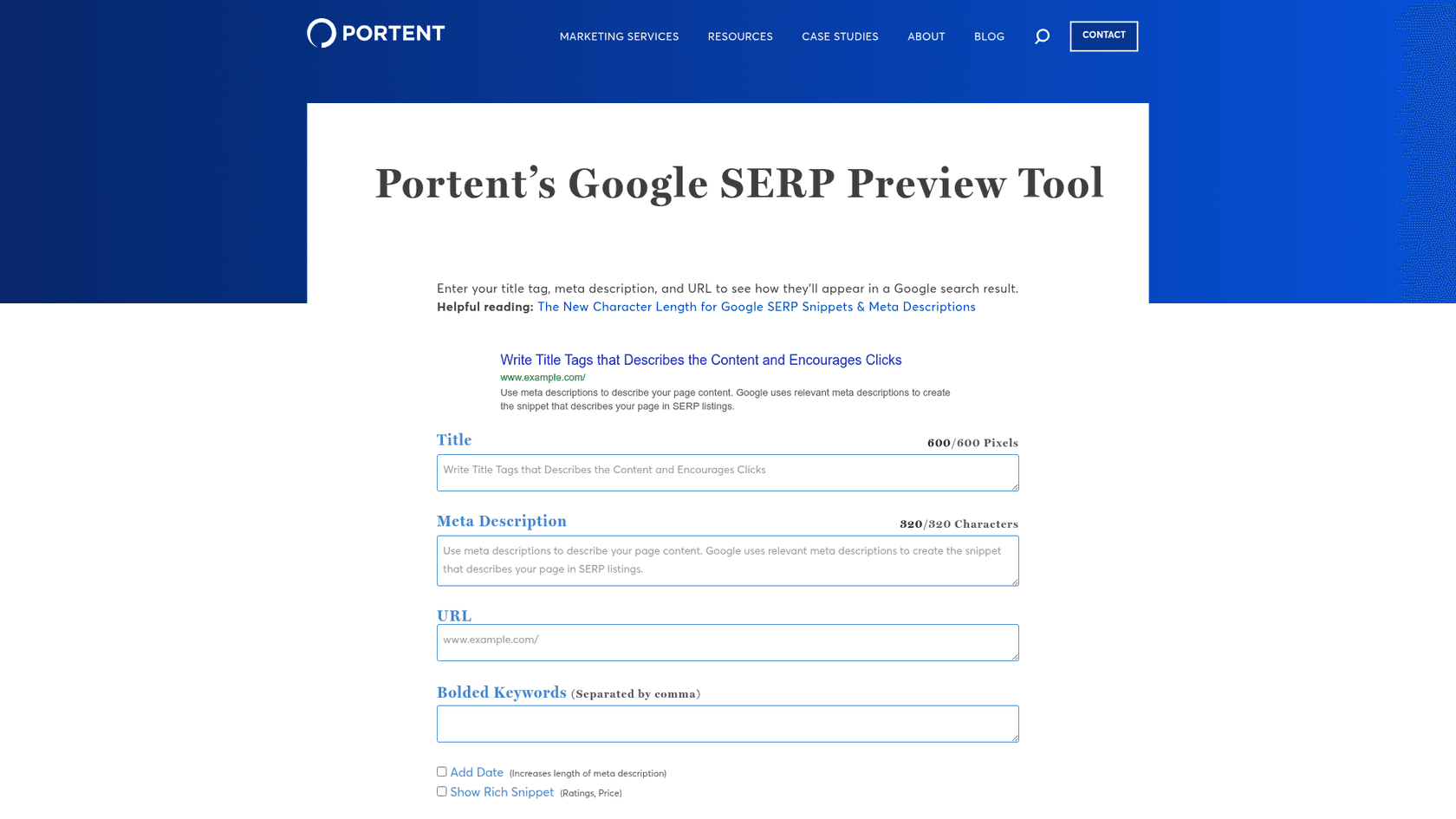
Tools like Portent's SERP Preview Tool are fantastic. They let you see exactly how your title, URL, and meta description will look on a Google results page. It's the best way to check for awkward truncation and make sure your message is coming across clearly.
In-editor feedback plugins like Yoast SEO
If you're on a platform like WordPress, plugins are your best friend. Yoast SEO gives you real-time feedback right in your editor. It'll show you a little green, orange, or red bar to let you know if your description's length and keyword usage are on point.
Full SEO suites like SEMrush
For a big-picture view, comprehensive platforms like SEMrush are invaluable. Their site audit tools can crawl your entire website and spit out a report that flags all the pages with missing, duplicate, or too-long meta descriptions. It's the fastest way to find and fix problems at scale.
For a more visual guide, here's a helpful video that walks you through the process of writing effective meta descriptions to improve your click-through rates.
Final thoughts
A meta description acts as a small advertisement on a search engine. It might not be a direct ranking factor, but it’s absolutely critical for earning clicks from real people.
The approach is straightforward: keep it unique, be descriptive, include your keyword, and always write for the human on the other side of the screen.
While the rules are straightforward, doing it consistently for every piece of content is the real challenge. If you need a quick fix for an existing page, give our free meta description generator a spin. And if you're ready to scale your blog and organic traffic without getting lost in manual SEO tasks, the eesel AI blog writer can help automate the process.
Frequently Asked Questions
What's the most important rule for how to write blog meta descriptions?
Does knowing how to write blog meta descriptions still matter for SEO?
What's the ideal character count when you're learning how to write blog meta descriptions?
Can AI help with how to write blog meta descriptions?


Article by
Alicia Kirana Utomo
Kira is a writer at eesel AI with a Computer Science background and over a year of hands-on experience evaluating AI-powered customer service tools. She focuses on breaking down how helpdesk platforms and AI agents actually work so that support teams can make better buying decisions.