How to build a support team: a step-by-step guide

Stevia Putri

Katelin Teen
Last edited May 15, 2026
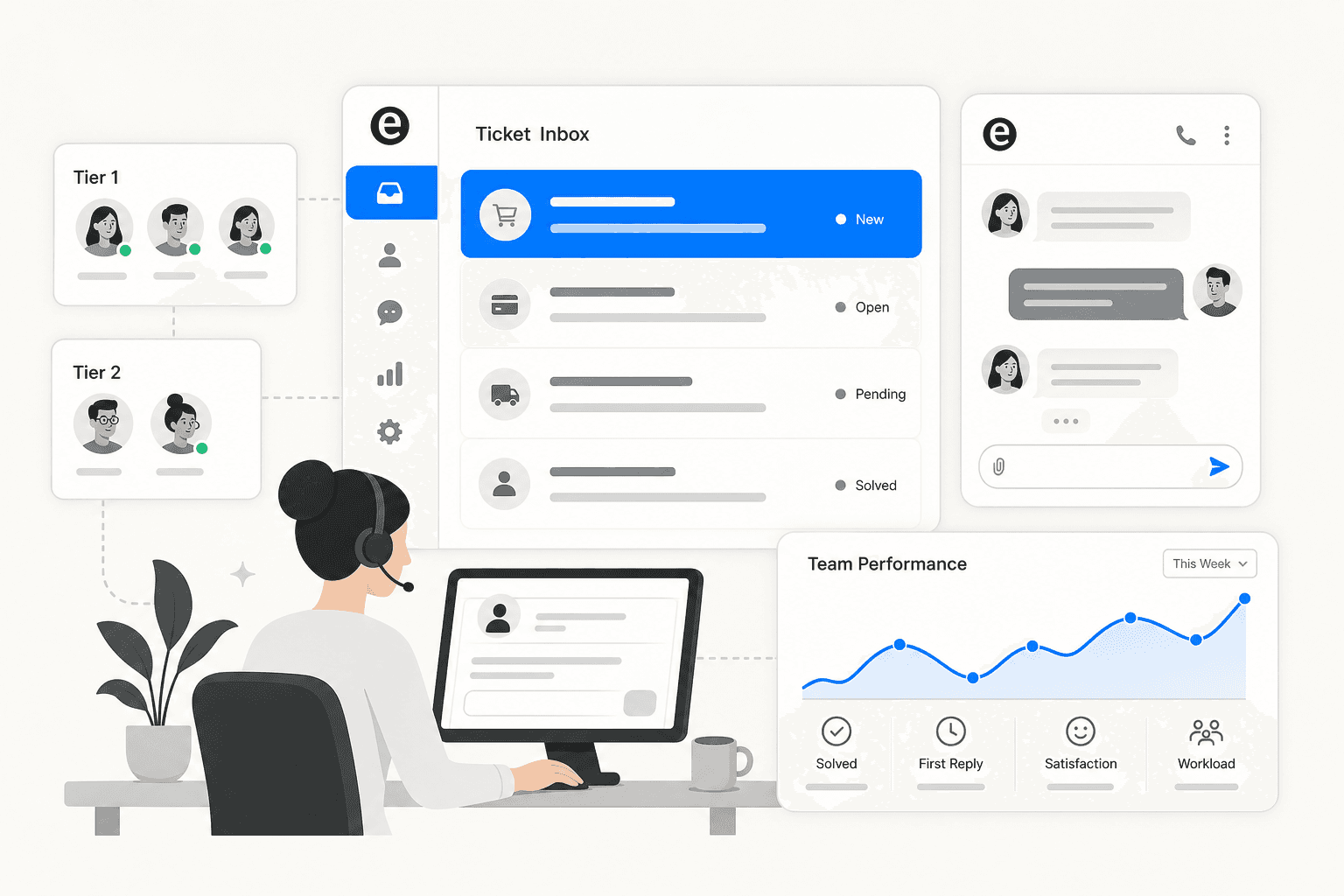
Building a support team is one of the higher-stakes decisions at a growing company. Done well, it becomes a retention engine - 94% of customers are more likely to make additional purchases after a positive experience, and almost 80% will switch to a competitor after just one bad interaction. Done poorly, it drains product team bandwidth, frustrates customers, and costs far more than the headcount involved.
This guide covers how to build a customer support team from scratch, or sharpen one that's already started. We cover everything from structure and hiring to processes and tooling, including how tools like eesel AI let lean teams handle volumes that would otherwise require twice the headcount.
Step 1: Define what good support looks like at your company
Before posting a job or buying software, you need to know what you're optimizing for. Establish what "great customer service" means for your company before hiring anyone.
That means setting concrete answers to:
- Channel priorities. Where will you support customers first? Email is used by 100% of support teams; phone and live chat by over 50%. Start with the channels your customers already use, not every channel you might use eventually. Two channels done well beat eight channels done inconsistently.
- Response time targets. What's your first-response SLA? For email, one to four hours during business hours is standard. For live chat, under two minutes. Research what your competitors offer and position above that, not at it.
- Tone and escalation rules. How should your team communicate? Which issue types go straight to specialists? Document this before volume forces you to improvise, because improvised escalation rules tend to be inconsistent ones.
Formalizing these into a service level agreement (SLA) early saves a lot of internal debate later. Define targets by channel and customer tier - free users versus paid, SMB versus enterprise - and revisit them quarterly.
Step 2: Design your team structure before you start hiring
A support team without a clear structure creates ambiguity about who owns what, who escalates to whom, and who is accountable for quality.
The standard framework is tiers:
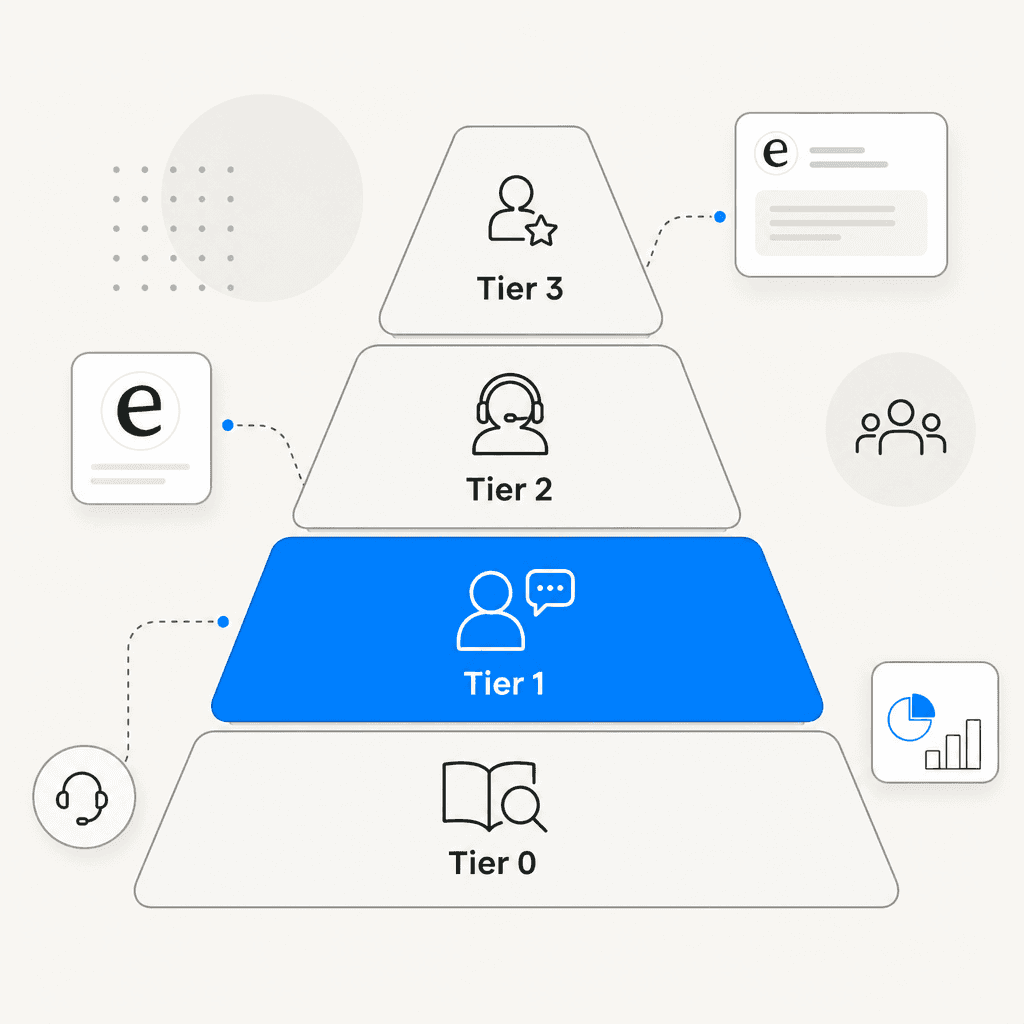
| Tier | Handled by | Covers |
|---|---|---|
| Tier 0 | Self-service | FAQs, knowledge base, AI - customers resolve independently |
| Tier 1 | Frontline agents | Basic inquiries: order status, billing questions, password resets |
| Tier 2 | Specialists | Complex technical issues, software bugs, deeper troubleshooting |
| Tier 3 | Experts / engineering | Security issues, product defects, integration failures |
SupportYourApp describes a Tier 4 as well - external vendors for highly specialized requests - but most teams don't need that until significant scale.
Within those tiers, the roles that matter most:
- Frontline reps (Tier 1): Your primary volume handlers. High throughput, general inquiries, first contact.
- Technical specialists (Tier 2): Deeper product knowledge and troubleshooting ability. The escalation path from Tier 1.
- Team lead: First escalation point, quality mentor, bridge between frontline and management.
- Support manager: Hires, trains, sets strategy, monitors performance.
- QA analyst: Reviews conversation quality, tracks KPIs, surfaces patterns for product.
For an early-stage SaaS team, a minimal viable structure is two frontline reps reporting to a mid-tier specialist, who reports to a support manager. Four people, clear ownership, working escalation path. As volume grows, introduce a tiered structure and begin separating support from technical support as distinct functions.
Dispatchers - staff who receive initial contacts and route them to the right tier or team - become worth adding once misrouted tickets are a regular friction point.
Step 3: Hire for traits, train for skills
The most common mistake in support hiring is overweighting resume credentials and underweighting the traits that actually determine performance. Zendesk identifies five core skills to screen for: empathy, clear communication, problem-solving, active listening, and composure under pressure.
But the most important of these are not really learnable in the traditional sense. As Intercom puts it:
"Technical skills can be taught but teaching someone to operate in a way that isn't natural to them is a different challenge."
Prioritize candidates with genuine care for helping people, proactive curiosity about root causes, and the emotional stability to absorb frustration without burning out. Product knowledge comes with time. That disposition doesn't.
A few practices that separate high-quality support hiring from the rest:
Use a paid work sample. Assign realistic tickets before extending an offer - one neutral scenario, one difficult one. This is the single most predictive step in the process. Written quality under pressure tells you more than any interview question.
Post on specialized platforms. Support Driven and Elevate CX attract candidates who think of support as a career, not a waystation. This filters for people who won't leave in six months to join a different function.
Ask behavioral questions. Strong examples: "Tell me about a time you couldn't solve the customer's problem - what was the outcome?" and "How would you define good customer service?" (the answer reveals philosophical alignment fast). Zendesk has a full list of interview questions that work.
Include the team. Not involving existing team members in hiring misses an opportunity to build buy-in for the new hire and catch signals that managers miss. A 20-minute peer conversation makes a real difference.
Most importantly: don't hire under pressure. Rushing to fill seats leads to poor-fit hires who hurt quality and churn quickly. Take the extra week. Josh Pigford of Baremetrics processed 808 applications and 18 interviews over three months to fill one remote support role - and considered the patience worth it.
Step 4: Onboard properly - it takes longer than a week
Most companies treat onboarding as a one-week event. The data says it should be a three-month program with structured support throughout. Onboarding programs that extend through the first year produce measurably better retention.
The most common failure mode isn't malicious - it's just inattention. A viral Reddit post in r/managers described a new hire quitting after three weeks because the team had no onboarding plan and forgot to provision his software access on day one. The manager's reflection stuck:
"We did not have a plan but just assumed he would figure it out, and when he did not, we got annoyed at him. We made him feel like a burden every time he asked a question."
The fix was simple: a day-one checklist focused on setup, not output. If you're a team lead and new hires keep leaving fast, it's worth asking whether you're sending the same message.
A practical timeline:
Week 1 - Orientation. Cover company culture and support philosophy before tools and procedures. Give access to the helpdesk, knowledge base, and key documentation. Assign a mentor they can shadow freely. Cover escalation paths at a high level - not the full detail, just the shape.
Week 2 - Shadowing. New hire observes experienced agents on real tickets. Encourage "why" questions. Begin supervised responses: new hire drafts, supervisor reviews before sending.
Week 4 - Supervised independence. New hire handles their own queue with lighter oversight. Run knowledge base exercises - give a list of common customer questions and ask them to find the answers using internal docs. Reverse shadowing flips it: experienced agent watches the new hire and provides real-time feedback.
Month 2-3 - Full ownership. New hire works independently. Weekly ticket reviews continue. Track CSAT, resolution accuracy, and conversations per day as the first real performance indicators.
Build a support handbook as you onboard people. Effective onboarding fast-tracks productivity, boosts engagement, and reduces turnover - and a written handbook makes every future onboarding faster. For teams wanting to keep their knowledge base current automatically, AI-powered knowledge base tools can surface gaps and draft updates from resolved tickets.
Step 5: Pick a toolstack that integrates
Support teams work across multiple systems. The friction of switching contexts - opening four tabs to answer one ticket - is a slow tax on quality and speed. Build your stack around integration, not features.
The core tools:
| Category | What it does | Common options |
|---|---|---|
| Ticketing / helpdesk | Central inbox for all channels | Zendesk, Freshdesk, Help Scout |
| Knowledge base | Self-service articles + internal reference | Zendesk Guide, Confluence, Notion |
| Live chat | Real-time conversations | Help Scout Beacon, Tidio |
| CRM | Customer history and account context | HubSpot, Salesforce |
| Analytics | KPI dashboards and trend reports | Native helpdesk reporting + eesel Insights |
Email, phone, and live chat are the three channels used by most support teams. Start with the channels where your customers already reach you rather than adding coverage for its own sake.
Involve the people who will actually use the tools in selection. Agents answering tickets eight hours a day will notice friction that managers don't catch in demos.
For teams comparing helpdesk platforms specifically, this roundup of the best helpdesk software for startups covers the main options and what to weigh.
Step 6: Track the metrics that matter
Metrics exist to surface problems before customers notice them. Most support teams track too many things and act on too few.
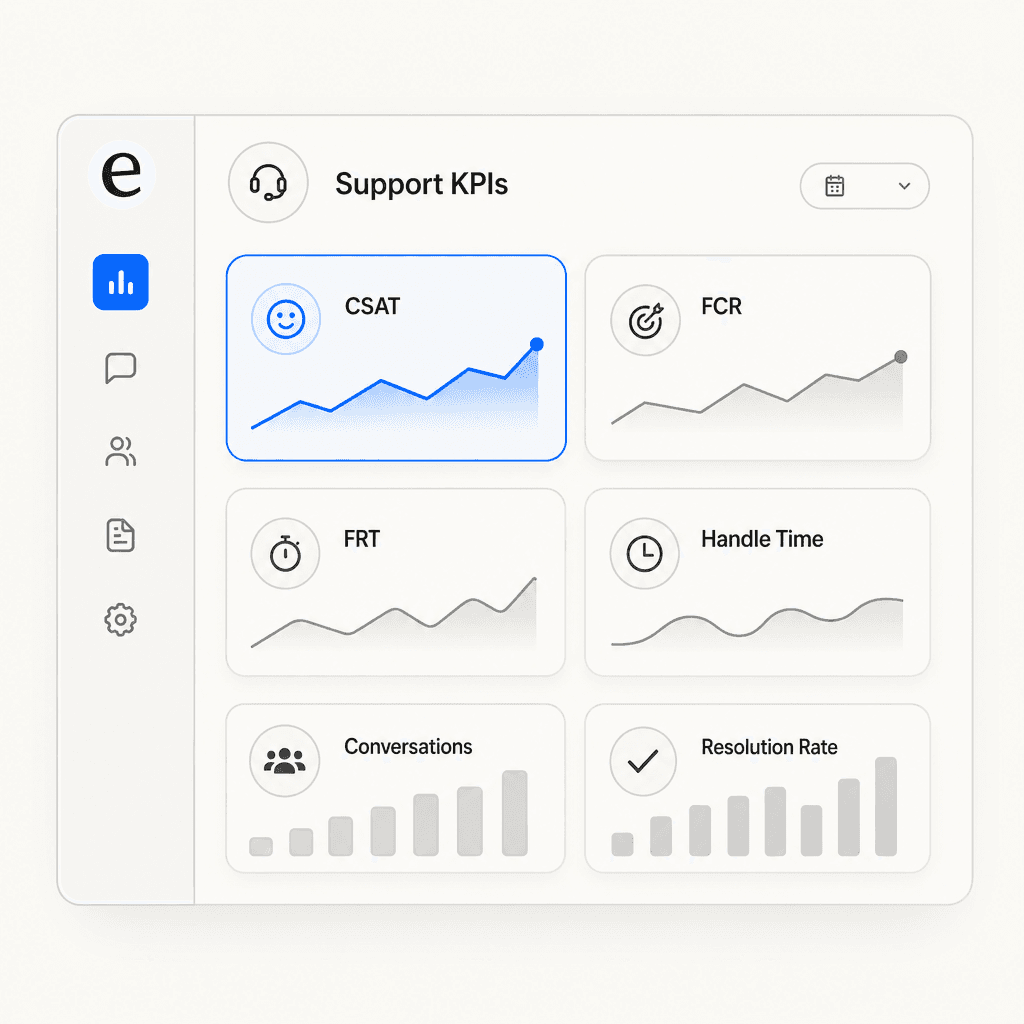
The five that actually drive decisions:
CSAT (Customer Satisfaction Score): 64-80% is typical; 80-90% is considered good. The most direct read on how interactions land with customers.
First Contact Resolution (FCR): Average is ~70%; world-class is 80%+. Tickets that need multiple contacts cost more and frustrate customers. High FCR and high CSAT together signal a team that's actually resolving things.
First Response Time (FRT): 73% of customers say fast resolutions are the most important aspect of good service. Set FRT targets by channel and track them weekly.
Average Handle Time (AHT): ~6 minutes is the general average across channels. Balance this against quality - driving AHT down without watching CSAT means faster bad support.
Ticket backlog: A healthy backlog is 0-7.6% of total volume. A backlog growing faster than you can clear it is the earliest capacity warning sign.
Avoid metrics your team cannot influence - they demoralize rather than motivate. Keep dashboards focused on numbers agents can actually move through their work. eesel AI's guide to customer support analytics is a good reference for building a practical measurement system.
Step 7: Use AI to scale without just adding headcount
The support team you build today will face a fraction of the ticket volume you'll have in 18 months. The question of how to scale matters as much as the initial setup.
AI hasn't replaced support teams. Only 20% of customer service leaders had reduced agent staffing due to AI as of 2026, while 95% plan to retain human agents. What's changing is what those agents spend their time on.
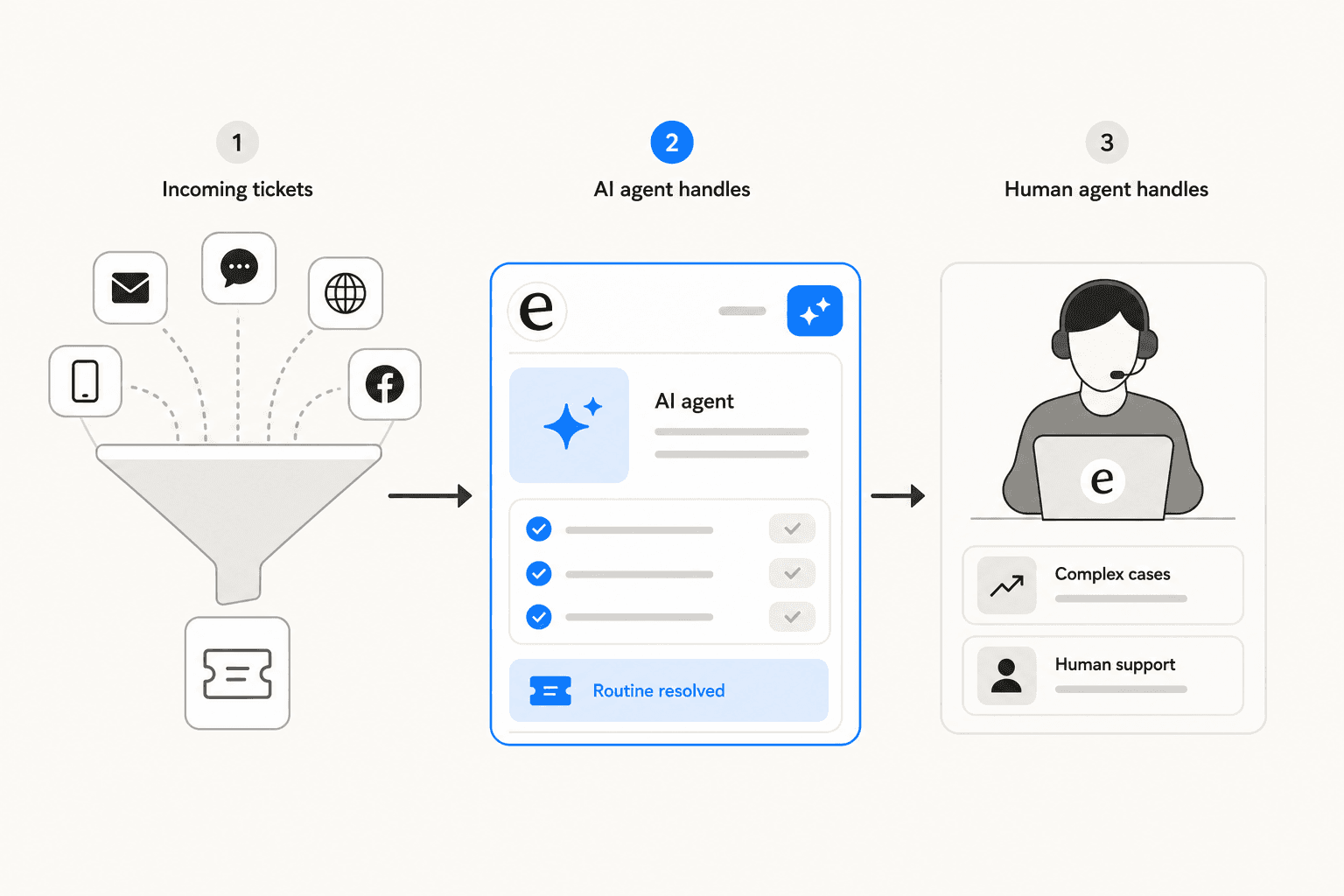
The model that works at most high-performing teams: AI handles first contact, triage, and routine resolution - human agents take escalations, complex cases, and relationship-sensitive situations. Hybrid customer service reduces costs 35% while maintaining 94% satisfaction rates.
What AI handles well:
- Password resets, account access, order tracking
- Billing FAQs and subscription changes
- Ticket classification and routing
- Off-hours and surge coverage
- Drafting responses for agent review (copilot mode)
What still needs humans:
- Emotionally charged situations - frustrated customers, complaints about failures
- Complex technical troubleshooting requiring judgment
- Policy exceptions and billing disputes
- High-value accounts where the relationship matters more than speed
Ticket deflection benchmarks give a sense of what's achievable: industry average is 23%, good is 40-50%, best-in-class is 60-85%. The lever that moves you toward the high end is knowledge base quality - AI is only as good as the documentation it draws from. First response times have dropped from over 6 hours to under 4 minutes with AI-powered support.
The Klarna case study is instructive about where AI hype runs ahead of reality. The company claimed in 2024 that its AI could do the work of 700 support reps and paused hiring - then reversed course in 2025, reinvesting in human talent. Gartner's Emily Potosky observed that "reducing the workforce too quickly is the wrong move, and is going to lead to a ton of unintended consequences." The teams doing this well treat AI as a throughput multiplier alongside their agents, not a replacement for them.
New roles are emerging as AI becomes more embedded: AI Workforce Manager (tuning escalation logic and policies), Knowledge Operations (keeping documentation accurate), and CX Analytics (surfacing performance signals for product and leadership). These are the positions growing in value - less first-line triage, more system oversight and optimization.
For teams evaluating what AI to add first, the best AI tools for customer support teams in 2026 covers the main options and what to weigh.
eesel AI for customer support teams
eesel AI is an AI helpdesk agent that handles frontline support end-to-end. It connects to your existing help desk - Zendesk, Freshdesk, Gorgias, Help Scout - and learns from your past tickets, help center articles, and macros in minutes, without any migration or configuration wizard.
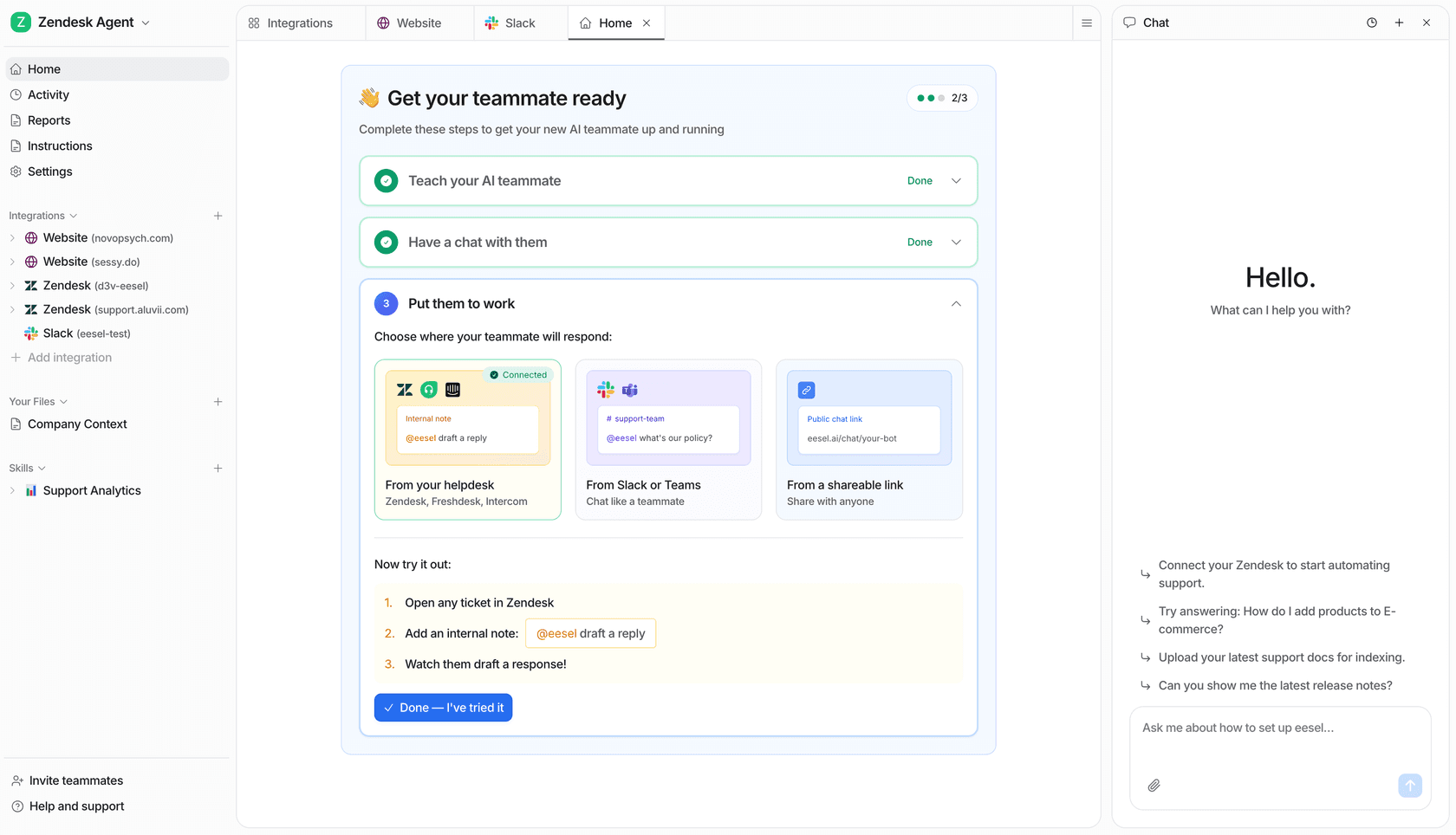
The rollout model is designed for teams that want to start supervised and expand gradually. You begin with eesel drafting replies for agent review, then promote it to full autonomous responses as it proves itself on your ticket types. Instructions are written in plain English - "escalate all billing disputes to a senior agent" - rather than built in a decision tree.
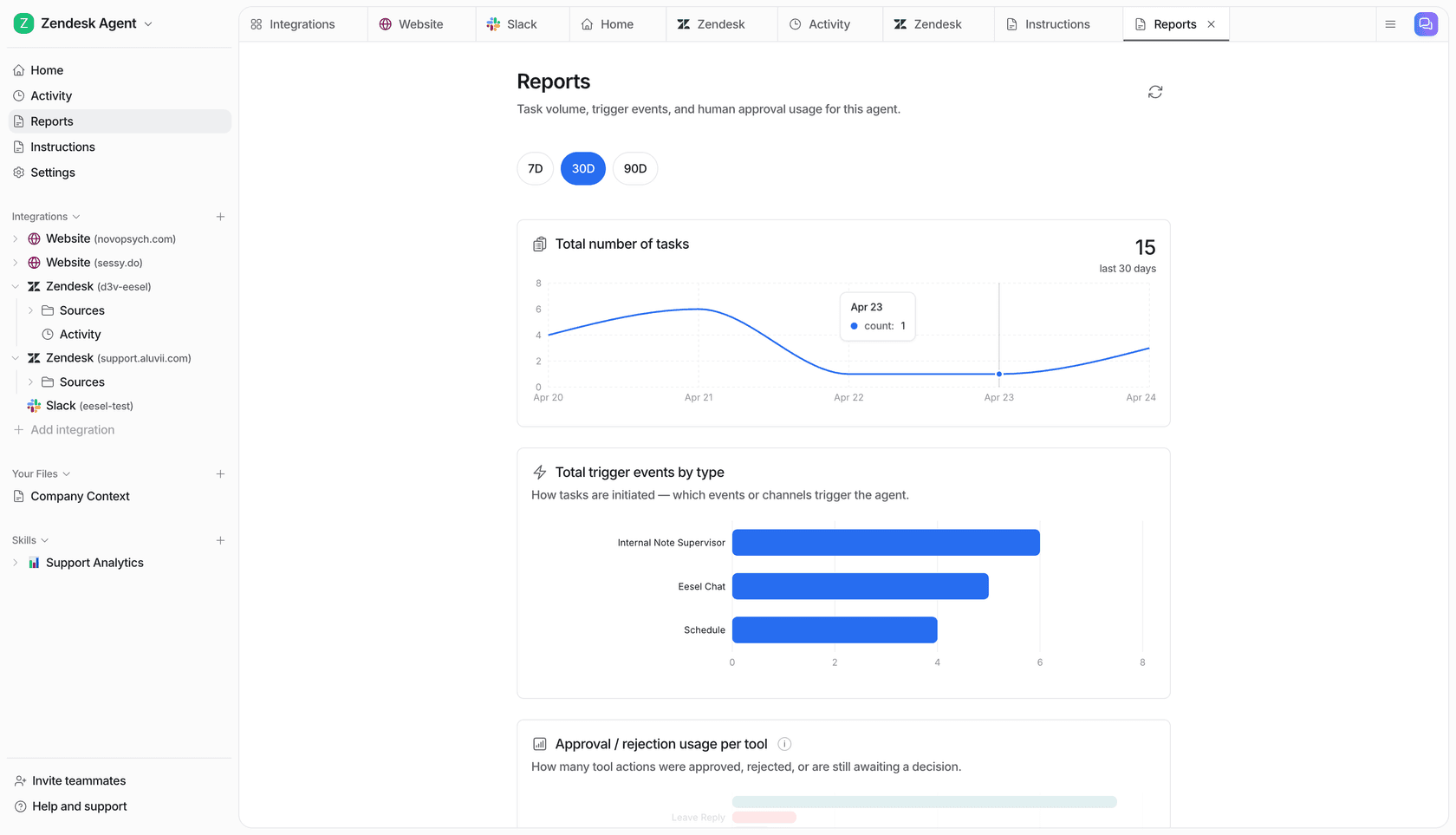
The Reports tab tracks task volume, trigger events by channel, and approval and rejection rates - giving you a clear read on AI performance before expanding its scope. Teams run simulations on past tickets before going live to forecast resolution rates and catch gaps.
Results from live deployments: Gridwise resolved 73% of Tier 1 requests in the first month. Smava runs 100,000+ German-language tickets per month fully automated. As Oil Stores put it: "Results are incredible! Relieves our small support team from being overwhelmed by easily answered questions."
Pricing is task-based: $0.40 per regular support ticket, no per-seat fees. Free trial includes $50 in credits, no credit card required.

Frequently Asked Questions
Share this article

Article by
Stevia Putri
Stevia Putri is a marketing generalist at eesel AI, where she helps turn powerful AI tools into stories that resonate. She’s driven by curiosity, clarity, and the human side of technology.