How to automate CMS publishing (and stop wasting time)

Kenneth Pangan

Stanley Nicholas
Last edited January 15, 2026
Expert Verified
You’ve just finished a great blog post. The research is solid, the writing is sharp, and the edits are done. Now for the process of copying it from Google Docs into your CMS. You know the drill: fighting with weird formatting, uploading images one by one, and meticulously filling out every single metadata field before you can finally schedule it.
It’s a challenge for one post, but for a content team trying to grow, it’s a huge time sink that brings everything to a crawl.
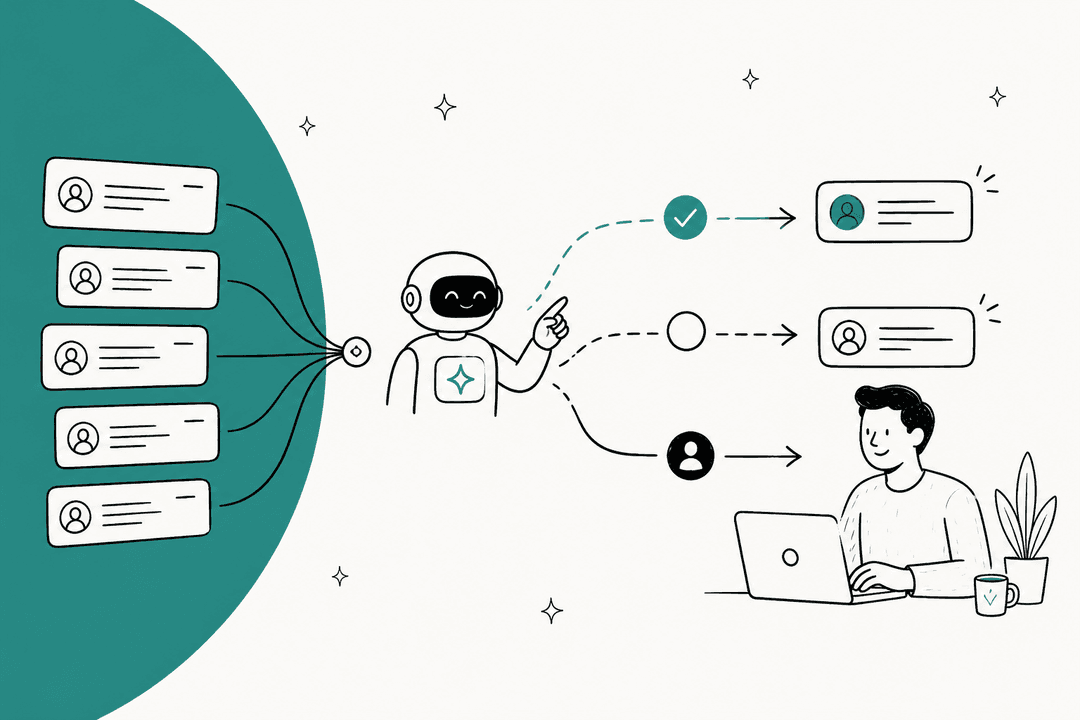
The good news? You can automate this entire process and get those hours back. Automating your CMS publishing is how you scale content without scaling the frustration. And with AI today, you can take it a step further and automate the entire content pipeline, from a single keyword to a finished post. We used this exact approach to grow our own blog with the eesel AI blog writer. But before we get into the how, let’s talk about why sticking to the manual process is so costly.

The hidden costs of manual CMS publishing
The problem with doing everything by hand isn't just about lost time; it can hinder your strategy. When your team is stuck in repetitive tasks, they can't focus on the work that actually moves the needle, like strategy, analysis, and promotion. Manual work can also lead to mistakes and inconsistency.
Here are a few of the "hidden costs" that come with sticking to the old way of doing things:
- Your team is stuck on copy-paste duty. Think about what your marketers and content creators could be doing instead of wrestling with your CMS. They could be analyzing content performance, launching new campaigns, or digging into customer research. Every hour spent on copy-pasting is an hour not spent on strategy.
- Mistakes are inevitable. When you're manually moving content, things can break. Formatting gets messed up, links don't work, metadata gets forgotten, and branding can go sideways. These little errors add up, hurting the user experience and your SEO performance.
- Your content gets stuck in a traffic jam. Your creative team might be producing great content, but if it sits in a publishing queue for days (or weeks), you're delaying results. Campaigns get pushed back, and you miss out on timely chances to rank for important keywords.
- You can't grow if you're stuck in the weeds. As you try to produce more content, the manual process completely falls apart. It becomes impossible for one person to keep up. You either have to hire more people just for publishing or watch your content calendar slip.
Creating an automatable publishing workflow
Before you start looking at tools, you need a solid process. Trying to automate a chaotic process just makes the chaos happen faster. Let’s walk through how to create a structured workflow that’s actually ready for automation.
Step 1: Audit and map your current process
First, you need a clear picture of how things work right now, warts and all. Be brutally honest about where the slowdowns are. Ask yourself and your team:
- Where do our content ideas come from?
- Who is responsible for drafting, editing, and final approval?
- How does a piece of content move from one person to the next?
- Where are the biggest delays and hold-ups?
Mapping this out visually can be a huge help. You’ll quickly see where communication breaks down and where the bottlenecks are.
Step 2: Define each stage with clear criteria
Once you’ve mapped your process, break it down into distinct stages. For each stage, you need clear ownership and a "definition of done." This just means everyone knows exactly what needs to happen before a task can be handed off to the next person. A typical content pipeline moves from ideation and SEO planning to content creation, editing, uploading, and finally publishing and distribution.
Step 3: Choose and connect your tools
With a process in place, you can look at the tools you use at each stage. Your tool stack is the technical backbone of your workflow. Most teams use a mix of tools for different jobs:
- Content Planning: Trello, Asana, or Notion are great for managing content calendars.
- Writing & Collaboration: Google Docs and Notion are the usual suspects for drafting and editing.
- CMS Platforms: WordPress, Webflow, and Framer are popular choices for hosting the content.
The trick is figuring out how to make these tools talk to each other. That’s where automation tools come in since they act as the glue connecting everything.
Options for automating CMS publishing
Once your workflow is mapped out, you can decide on the right automation strategy. Your options range from simple tools that sync content from one place to another to AI platforms that can handle the entire content lifecycle. Let's break down the three main approaches.
Option 1: End-to-end AI content automation
This approach offers an end-to-end solution. Instead of just automating the final publishing step, you can automate everything from the very beginning. The eesel AI blog writer turns a single keyword into a complete, SEO-optimized, and publish-ready blog post in minutes.
Here’s how this approach works:
- Comprehensive content generation: It doesn't just generate text. It does deep research, structures the content logically, optimizes it for SEO, and even creates assets like images, tables, and infographics.
- Context-aware writing: You can add your website URL, and it automatically learns your brand's context. This lets it weave in natural product mentions and maintain a consistent voice.
- Social proof integration: A notable feature is its ability to find and integrate real quotes and insights from relevant Reddit threads. This adds a layer of human credibility.
Automating from Word/Google Docs I see is going to be a rocky road. The styling and content isn't structured in any way in those files, even with a syncing solution in between, there will still be a need to fix up the styling once you get the content into Webflow. - Publish-ready output: The output is a fully structured article with proper headings, lists, and media embeds, making it simpler to copy into your CMS without extensive reformatting.
This is the AI content generation platform we used to grow our own blog from 700 to 750,000 daily impressions in just three months. This approach can shift the focus of content creation from writing and formatting to editing and strategy.
Option 2: Workflow automation platforms for custom connections
Next up are general-purpose automation platforms like Zapier, Make, or the open-source option Activepieces. Think of these tools as digital Swiss Army knives.
They work by connecting different apps using triggers and actions. For example, you could set up a workflow where "When a new row is added in Airtable (trigger), create a new draft post in Webflow (action)."
- Pros: They are incredibly flexible. Zapier connects with thousands of apps, so you can build almost any custom workflow you can think of.
- Cons: These tools aren't built specifically for syncing content. As the data-sync experts at Whalesync point out, using them for a two-way sync is "highly discouraged" because it can easily create "infinite loops" that mess up your data. They automate the connection, but they don't solve the core problems of content creation or formatting.
Option 3: Dedicated content syncing tools
Finally, there are tools designed specifically for moving content from a source (like Notion) into a CMS. Popular options include Whalesync and Narrato.
-
Whalesync is a true two-way sync tool. It's designed to keep your data in a source like Notion or Airtable perfectly mirrored in your CMS. It’s built to avoid the infinite loop problem that can pop up with general automation tools.
-
Narrato is more of an all-in-one content workflow platform. It has features for creating, collaborating, and then publishing that content directly to platforms like WordPress.
-
Pros: These tools are much simpler and more reliable for their specific job than trying to build a complex workflow in Zapier.
-
Cons: They only solve one part of the puzzle. You still have to write and manage all of the content in a separate tool before it gets synced. Plus, formatting can still be a challenge, as rich text from Notion doesn't always translate perfectly into a Webflow CMS.
| Feature | eesel AI blog writer | Workflow Automation (Zapier/Make) | Content Sync Tools (Whalesync) |
|---|---|---|---|
| Primary Function | End-to-end content creation & automation | General app-to-app task automation | App-to-CMS content syncing |
| Solves Writing? | Yes, fully automated | No | No |
| Solves Formatting? | Yes, generates publish-ready format | Partially, requires careful mapping | Often requires manual fixes |
| Setup Complexity | Minimal | Moderate to High | Low to Moderate |
| Risk of Data Loops? | No | High, if used for two-way sync | No, purpose-built to prevent them |
| Best For | Scaling high-quality blog content fast | Custom, multi-step, one-way workflows | Teams already writing in Notion/Airtable |
A 5-step plan for automating your workflow
Ready to dive in? Here’s a simple checklist to get started. The key is to start small, build some momentum, and show your team how much time this can save.
- Audit your current process: Use the flowchart idea from earlier to find the single biggest manual bottleneck in your publishing workflow. Is it formatting? Image uploads? SEO metadata?
- Identify a quick win: What's one small, repetitive task you can automate today? A great place to start is creating a draft post in your CMS whenever a new content idea is marked as "approved" in your project management tool.
- Choose your tool: Based on the options above, decide what you need. Is it a simple sync tool, a flexible workflow platform, or a full-stack content generation platform like eesel AI?
- Build your first automated workflow: Start with that quick win. Build it, test it, and get comfortable with how the automation works before you move on to more complex tasks.
- Monitor and optimize: Automation isn't something you just set up and forget. Check in on your workflows regularly to see if they can be improved, expanded, or made more efficient.
To see these automation principles in action, check out this practical tutorial on how to connect your content sources to a Webflow CMS using Make.com. It provides a clear, step-by-step walkthrough of building an automated publishing workflow from scratch.
A video tutorial on how to post content automatically onto Webflow using Make.com.
The future is automated
Manual CMS management can be a significant bottleneck. It holds back growth, creates unnecessary errors, and wastes your team's most valuable resource: time. To scale content effectively in 2026, building a clear workflow and using automation are not just nice-to-haves; they are essential.
Sync and workflow tools can fix specific pieces of the publishing puzzle, while other platforms like the eesel AI blog writer are designed to handle the entire content lifecycle. They can free your team from the manual tasks of both writing and publishing, allowing you to focus more energy on strategy, growth, and high-level content planning.
Ready to stop copying and pasting and start publishing? Generate your first blog post for free with the eesel AI blog writer and see how much time you can save.
Frequently Asked Questions
Share this post

Article by
Kenneth Pangan
Writer and marketer for over ten years, Kenneth Pangan splits his time between history, politics, and art with plenty of interruptions from his dogs demanding attention.