
Every customer has questions. It’s a fact of life in business. But the way most companies handle them, with a lonely, static FAQ page, is usually a dead end. These pages are often just a long list of questions with short, unhelpful answers that don't do much for your users or your SEO.
But what if you could turn those common questions into a powerful piece of content? That’s the idea behind FAQ blog writing. It’s a smarter way to answer customer questions in-depth, which helps attract search traffic, build your authority, and even lighten the load on your support team.

What is FAQ blog writing?
FAQ blog writing is simply creating a detailed, long-form article that tackles a whole group of frequently asked questions about a specific topic, product, or service. Instead of a quick, one-line answer, you’re providing a full explanation that actually helps the reader.
Here’s a quick comparison:
| Feature | Static FAQ Page | FAQ Blog Post |
|---|---|---|
| Format | A simple list of questions and short answers. | A comprehensive, long-form article. |
| Depth | Brief, direct answers. | Detailed explanations with examples and context. |
| SEO Value | Low. Often not indexed or ranked well. | High. Targets long-tail keywords and question-based queries. |
| Engagement | Low. A functional dead-end for users. | High. Uses internal links and CTAs to guide users. |
| Media | Typically text-only. | Can include images, videos, tables, and infographics. |
So, why bother? Well, the perks are pretty big:
- Boosts SEO and AEO: These posts are perfect for targeting long-tail keywords and questions. They’re also structured in a way that’s easily understood by AI Answer Engines like Google's AI Overviews, putting your answers right at the top of search results.
- Builds trust and authority: When you take the time to answer customer questions properly, it shows you’re an expert who actually cares. It’s a simple way to build trust.
- Reduces support tickets: By offering great self-service answers, you let customers solve their own problems. This frees up your support agents to handle more involved issues. In fact, AI can autonomously resolve up to 81% of conversations when it has a strong knowledge base to pull from.
- Guides the customer journey: An FAQ blog can tackle potential objections and offer clear next steps right when a customer is trying to decide whether to buy.
The core components of effective FAQ blog writing
A great FAQ blog isn't just a random collection of questions. It's a carefully built piece of content with a few key ingredients that work together to help readers and please search engines.
Finding the right questions to answer
First, you need to answer questions that your audience is actually asking. Guessing isn't going to work. You need to find real questions to create content that connects.
Here are a few places to look:
- Your customer-facing teams: Your support and sales teams are on the front lines every day. They know exactly which questions come up again and again. Just ask them.
- Social media and community comments: Keep an eye on your comments, direct messages, and emails. Recurring questions in these channels are perfect material for an FAQ blog post.
- Keyword research tools: Tools like Ahrefs or Semrush can help you find popular question-based keywords (like "how to," "what is," or "can I") that people are searching for in your industry.
- Public forums like Reddit and Quora: These platforms are great for finding unfiltered, honest questions people have about your industry, products, or even your competitors.
Pro tip
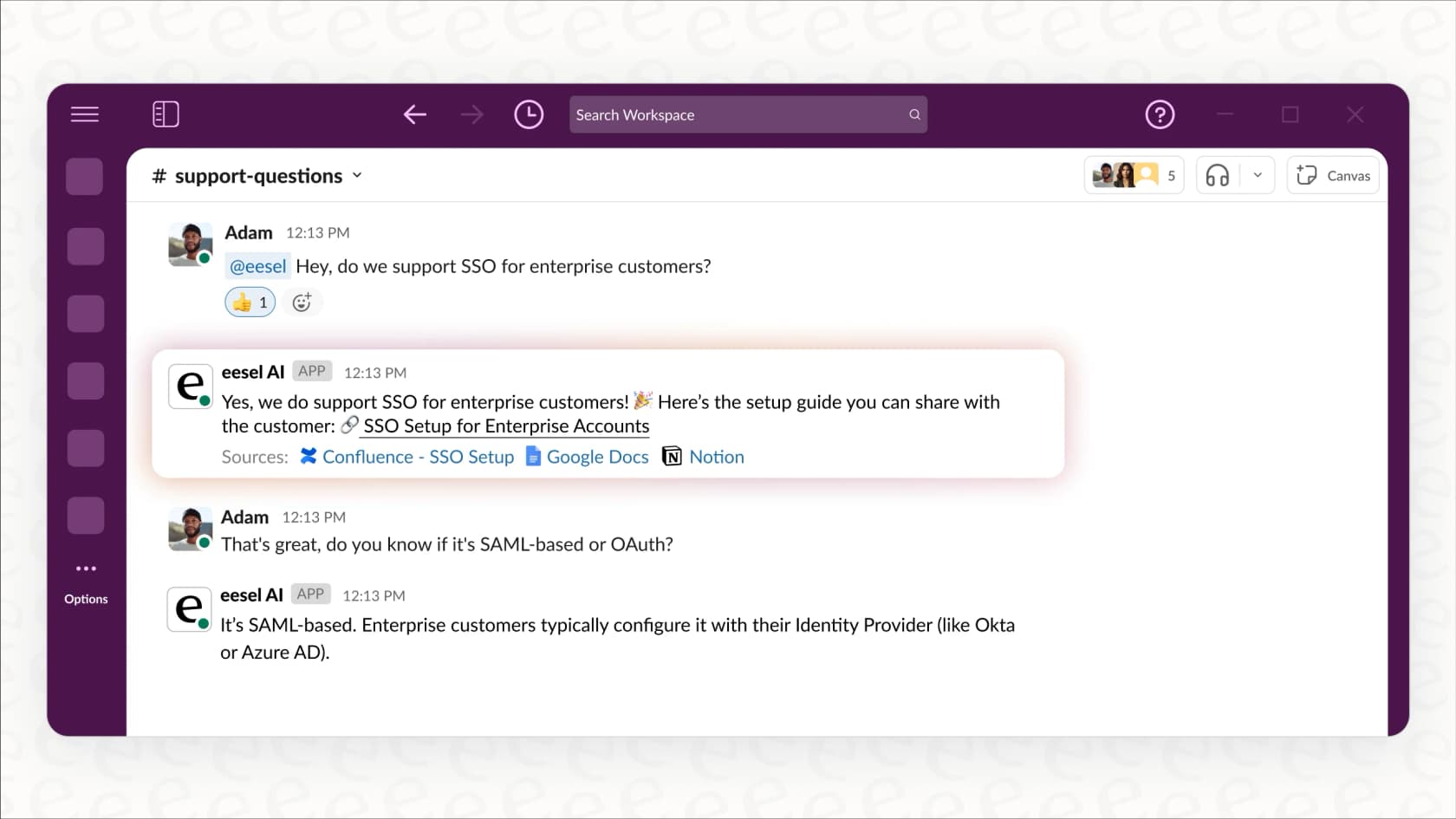
Use a tool like eesel AI's internal chat to search your internal knowledge bases and support logs. You can instantly find the most common customer issues without digging through tickets manually.
Structuring your blog for readability and search engines
Once you have your questions, how you structure the post is key for both user experience and SEO. Nobody wants to read a giant wall of text.
Here are a few best practices for a winning structure:
- Logical grouping: Don't just list questions randomly. Group related questions under clear H2 or H3 headings. Think in categories like "Shipping & Delivery," "Account Settings," or "Troubleshooting."
- Direct answers first: For each question, start with a short, direct answer right at the top. You can then expand with more detail and examples. This is great for people who are scanning, and it's the exact format AI answer engines love.
- Smart formatting: Use bullet points, bold text, and numbered lists to break up long paragraphs. This makes your content much easier to scan.
- Internal linking: As you answer questions, link key terms to other relevant blog posts, product pages, or your help center. This helps guide users through your site and gives your SEO a little boost.
Weaving natural CTAs into your blog
An FAQ blog shouldn't be a dead end. The goal is to answer a question and then point the reader toward what to do next.
Here are a few examples of effective CTAs you can place within your answers:
- After answering a question about a feature, you could say something like, "You can see this in action on our [Product Page]."
- If a question involves a tricky process, you could direct users to a detailed tutorial or video guide.
- For really specific issues, you might end with, "If you're still stuck, our support team is happy to help. [Contact them here]."
Using AI for FAQ blog writing
Creating a high-quality FAQ blog takes research, writing, structuring, and optimizing. The manual process works, but modern AI offers a much faster workflow that can handle many of these steps.
The manual process of FAQ blog writing
The manual process involves compiling a list of questions, researching each one, writing the content, finding visuals, editing for tone, and formatting everything for the blog. This workflow requires significant time and resources, which can make it challenging for teams to consistently create FAQ content at scale.
Is it worth it to grab a deal and get a lot of content done (which I likely have to rewrite) as a base for some low volume keywords?

The automated process with the eesel AI blog writer
The eesel AI blog writer is an efficient, modern way to create high-quality FAQ blogs that get results. It simplifies the entire process into just a couple of steps.
Here’s how it works:
- Provide a topic and context: You start with a simple keyword (like "shipping policy questions") and add your website URL. eesel AI automatically scans your site to learn your brand's voice, product details, and general context.
- Generate the full post: In minutes, the AI researches common questions on your topic, structures them logically, writes human-like answers, and generates a complete, publish-ready blog post.
A two-step workflow diagram showing the automated process of FAQ blog writing using the eesel AI blog writer.
It’s built to create content that people actually want to read. Here’s what makes it so good for FAQ blogs:
- Automatic asset generation: The platform doesn't just give you text. It creates and embeds helpful tables, infographics, and AI-generated images to explain complex answers visually.
- Authentic social proof: It automatically searches the web to find and integrate real, relevant quotes from Reddit. This adds a layer of credibility and a human touch that AI text can't replicate on its own.
- Built-in SEO and AEO: Every post is automatically optimized for search engines and structured to be a primary source for AI Answer Engines, helping your answers get found.
- Context-aware research: It understands the intent behind your topic, so it provides genuinely helpful, detailed information instead of generic AI filler.
We used this exact tool to grow our own blog from 70k to over 750k impressions in just three months. The best part? It's completely free to try, so you can generate your first post and see the quality for yourself.
Optimizing and promoting your FAQ blog
Writing the blog post is just the first step. To get the most out of it, you need to make sure it's technically sound and seen by the right people.
Technical SEO for maximum visibility
A little technical optimization can go a long way in helping search engines understand and rank your content.
- Keyword optimization: Make sure you’re using your target keywords naturally in your main title, headings, and within the answers themselves.
- FAQ and Q&A schema markup: Schema markup is code you can add to your page to help search engines understand its format. For FAQ blogs, you'll want to use
FAQPageschema for static lists orQAPagefor more forum-style content. Adding the right schema can help you get rich results (like those dropdowns) in search. You can check your work with Google's Rich Results Test. - Internal linking strategy: Don't forget to link to your new FAQ blog from other high-traffic pages on your site, like your homepage or relevant product pages. This tells search engines that it's an important piece of content.
Ongoing distribution and maintenance
Your FAQ blog is a living document, not something you publish and forget.
- Promote it: Share your post in your newsletter, on social media, and in relevant online communities. Ask your support agents to link to it when answering tickets to give customers more detailed information.
- Keep it fresh: Your products, policies, and customer questions will change. Make a habit of reviewing and updating your FAQ blog every few months to make sure all the information is still accurate.
- Track performance: Keep an eye on the page's traffic in your analytics. Ideally, you should see a drop in the number of support tickets related to the questions you've answered.
To dive deeper into the technical side of optimizing your FAQs, it's helpful to see a practical demonstration. Understanding how to implement schema markup, for instance, can significantly boost your visibility in search results by enabling rich snippets.
Turn questions into a growth channel
FAQ blog writing is a smart strategy that turns a basic customer service task into a powerful tool for content marketing, SEO, and building trust.
By proactively answering your customers' most common questions in a detailed and engaging format, you create a better user experience that drives real organic growth. You're not just solving problems; you're building a resource that attracts new customers and makes your relationship with existing ones even stronger.
And with tools like the eesel AI blog writer, scaling this high-impact content strategy has never been easier. It’s a practical way to support your customers and grow your business at the same time.