Dixa vs Kustomer: Which conversational CRM is right for you in 2026?

Stevia Putri
Last edited April 27, 2026
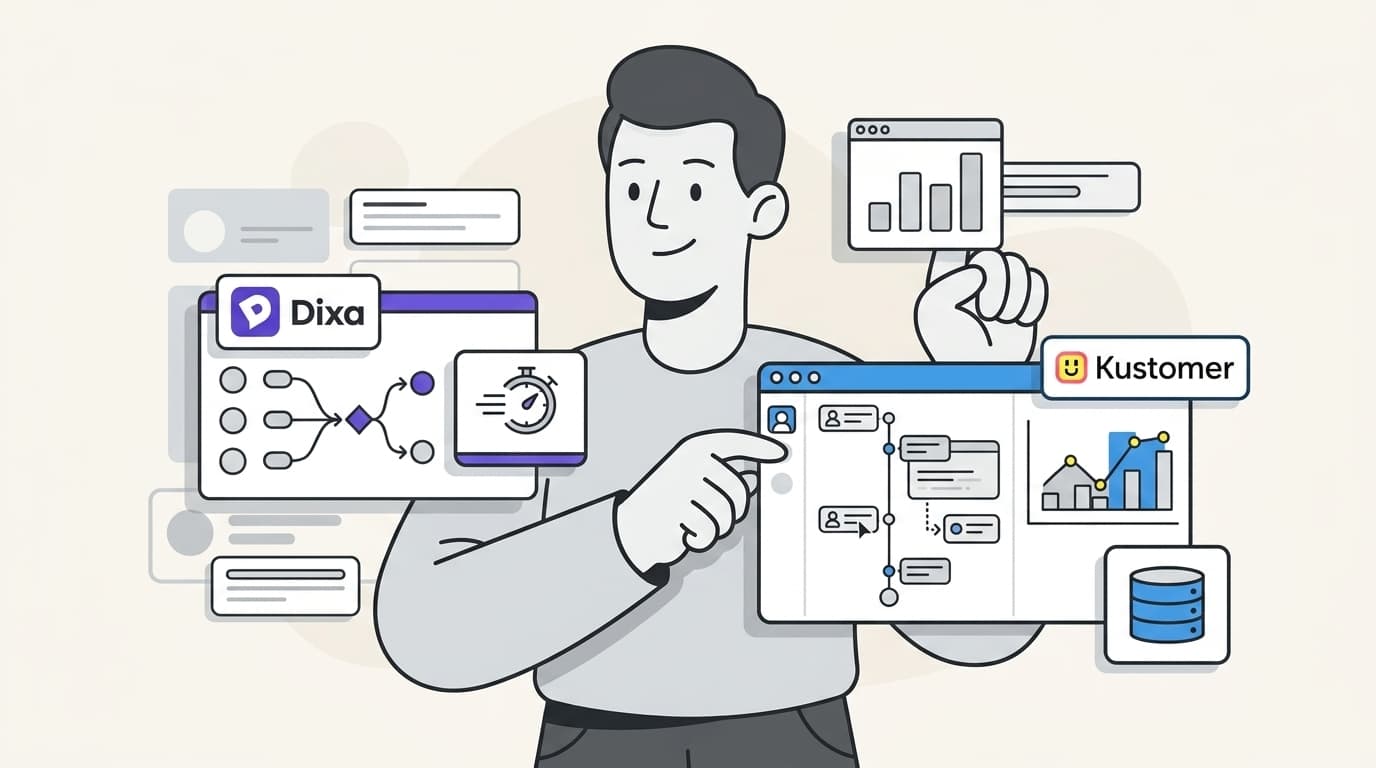
If your team handles high-volume e-commerce and needs every data point mapped into a custom timeline, Kustomer's flexibility is worth the months of setup. But for brands that prioritize personal engagement and need to be live in days, Dixa’s "agentic" AI resolutions offer a faster path to ROI. Full comparison below.
The customer service landscape has shifted dramatically over the last few years. We've moved past the era of "ticketing systems" where customers were just numbers in a queue. Today, brands are looking for conversational platforms that treat every interaction as part of a continuous relationship. If you're weighing up the best AI helpdesk tools for 2026, you've likely landed on two major players: Dixa and Kustomer.
Dixa has built its reputation as a specialist in conversational customer engagement. It is designed to feel personal and fast, focusing on "conversations" rather than tickets. On the other side, Kustomer positions itself as a CRM-first support platform. It prioritizes data depth, aiming to give you a 360-degree view of the customer by unifying every touchpoint into a single timeline.
Choosing between them often comes down to a fundamental trade-off: do you want the personability and speed of Dixa, or the deep data unification of Kustomer? Let's break it down.
Comparing the core platforms
While both platforms aim to unify your support, they approach the "agent workspace" from different angles. One focuses on the flow of the conversation, while the other focuses on the history of the customer.
Dixa: The unified agent workspace
Dixa rejects the traditional ticketing model. In Dixa, every interaction (whether it's voice, email, chat, or social) lives in a single, unified timeline. This means your agents never have to switch tabs or ask a customer to repeat their order number. The interface is intentionally clean, designed to keep agents focused on the human on the other end of the line.
One of Dixa's standout features is the Conversation Engine. It uses skill-based routing to ensure that every conversation reaches the right person based on their expertise, language, or the customer's priority level. This isn't just about simple logic; it is about building a visual flow that matches your specific business needs without needing a developer to write code.
For teams that need to scale quickly (especially during peak ecommerce seasons), Dixa's interface is remarkably intuitive. New hires can often get up to speed in days rather than weeks, which is a major advantage for organizations that rely on seasonal staff.
Kustomer: The customer timeline CRM
Kustomer takes a different path. Because it is built on a CRM foundation, it treats the customer profile as the primary source of truth. Every interaction, purchase, and website visit is centralized into a single, chronological timeline. This gives agents an incredible amount of context, but it also means the platform is significantly more complex.
The power of Kustomer lies in its flexibility. Admins can build custom displays and data objects (known as Klasses) to map out the entire customer journey. If you need to see exactly when a customer last clicked a marketing email before they opened a support chat, Kustomer can show you that.
However, that power comes with a cost. Kustomer has a notoriously steep learning curve. Most organizations using the full Kustomer AI + Platform find they need a dedicated admin or even external consultants to maintain and optimize the system. It is a robust journey for high-volume support, but it requires technical resources to manage.
AI and automation: Mim vs. Kustomer IQ
In 2026, the real battle isn't just about the interface, it's about the intelligence behind it. Both Dixa and Kustomer have invested heavily in AI, but their philosophies differ.
Dixa Mim: Agentic resolution
Dixa markets its AI agent, Mim, as "agentic." But what does agentic AI actually mean in this context? Most chatbots are built for deflection, they try to point customers toward a help article so they don't talk to a human. Mim is built for resolution.
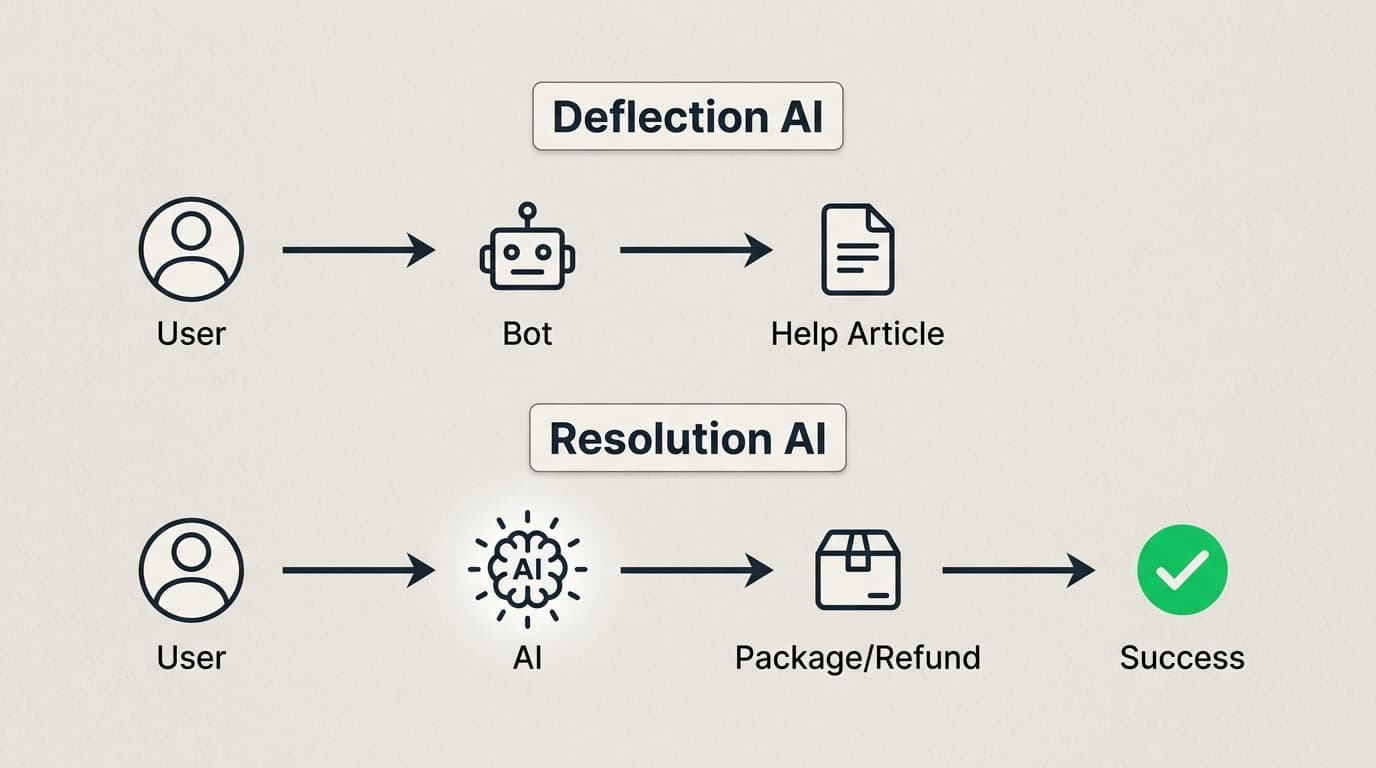
Because Mim connects directly to your ecommerce backend (like Shopify or Magento), it can actually complete tasks. It can process a refund, track an order, or update a delivery address autonomously. It learns from your existing knowledge base and handles routine inquiries end-to-end, only handing off to a human when things get complex.
This "resolve first" approach is a significant shift. For mid-market ecommerce brands, this means a massive reduction in Tier 1 ticket volume without sacrificing the customer experience.
Kustomer IQ: Intent and orchestration
Kustomer approaches automation through Kustomer IQ. While it also offers AI agents, its core strength lies in intent detection and orchestration. Kustomer IQ is designed to "reason" through workflows. It analyzes incoming messages to identify the customer's intent, then routes the conversation or suggests the best response to the agent.
Kustomer focuses heavily on "layering" AI. You can actually use Kustomer AI on top of other helpdesks (like Zendesk) if you aren't ready to migrate your entire stack. This makes it an interesting option for enterprise teams that want advanced intelligence but are locked into their current platform.
The difference here is subtle but important. While Dixa Mim is built to "act" as an agent, Kustomer IQ often acts as the "brain" orchestrating where data and conversations should go.
Implementation and time to value
The "implementation gap" is perhaps the biggest differentiator between these two tools.
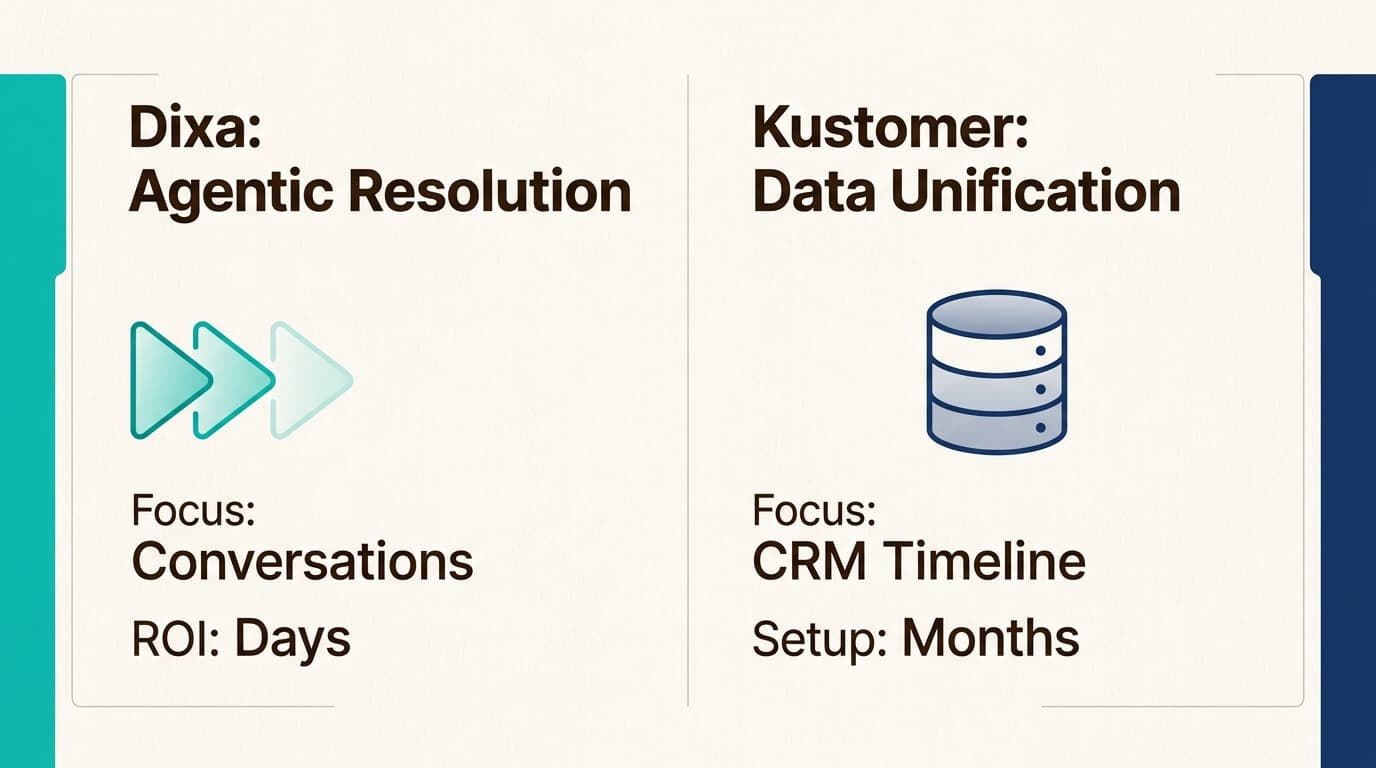
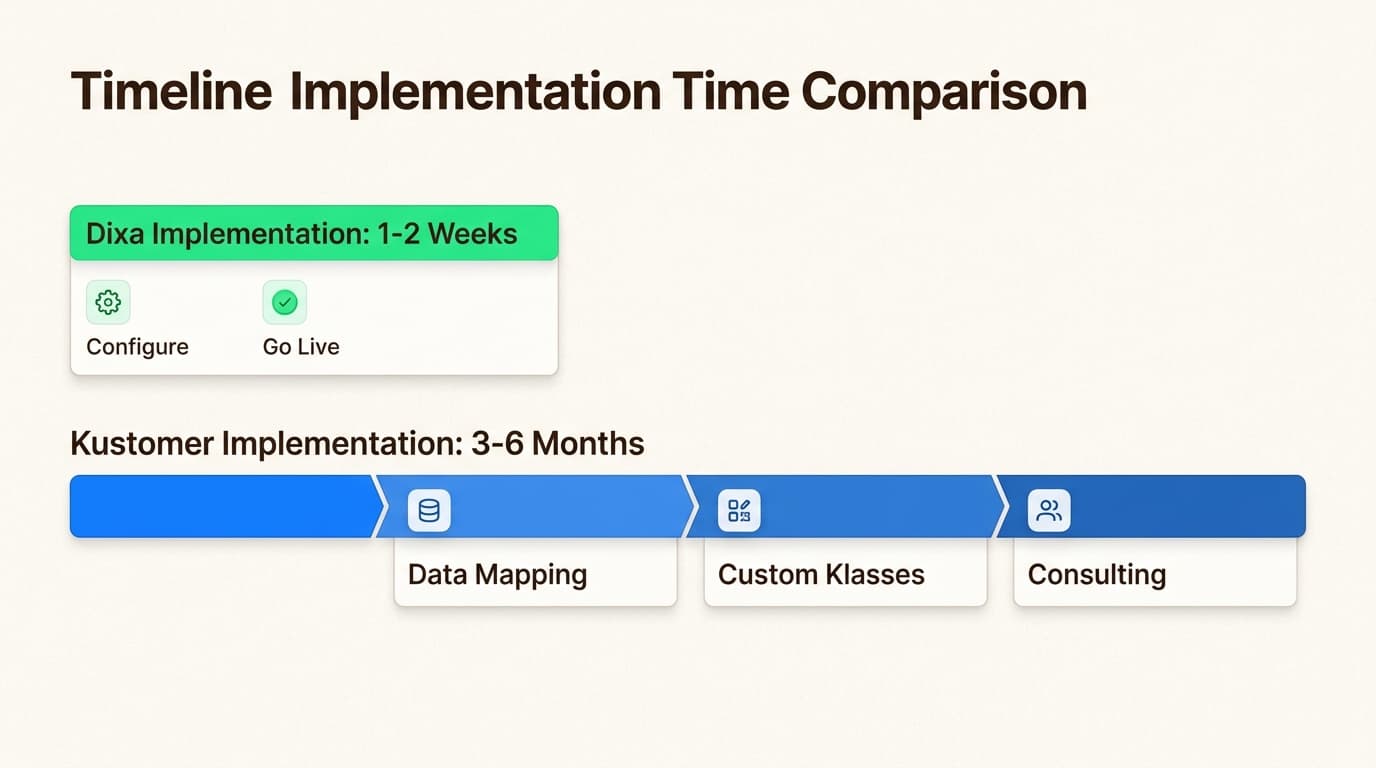
Dixa is built for speed. Most customers are able to go live in days or weeks. The platform is designed to be configured by the customer experience team themselves, without heavy involvement from IT. Dixa also offers hands-on onboarding, which helps teams hit the ground running.
Kustomer, by contrast, is an enterprise-grade build. Because it is so customizable, it takes time to set up correctly. Mapping your data into the Kustomer timeline and building out custom workflows can take months. If you have the technical resources and the complex data needs to justify it, the result is a tailor-made system. But if you need ROI by next month, Kustomer might feel like overkill.
Users often report that Dixa’s interface is more approachable. For seasonal staff or teams with high turnover, having a tool that "just works" out of the box is a major efficiency gain. Kustomer’s power is undeniable, but that power requires a level of admin expertise that not every team has in-house.
Pricing and total cost of ownership
Comparing the costs of these platforms is tricky because they use different models. Dixa is more transparent with its per-seat pricing, while Kustomer is firmly in the "contact sales for a quote" category for its platform.
Pricing comparison table
| Plan | Dixa (Per Agent/Mo) | Kustomer (Per User/Mo) | Key Inclusions |
|---|---|---|---|
| Entry | $89 (Growth) | Custom (AI only) | All channels, Basic AI |
| Mid-Tier | $139 (Ultimate) | Custom (Full Platform) | Advanced routing, Macros |
| Enterprise | $179 (Prime) | Custom | SSO, Enterprise API limits |
Note: Dixa prices reflect monthly billing; annual contracts save 20%. Dixa typically requires a 5-seat minimum.
Beyond the base seat cost, you need to consider the hidden costs of maintenance. Kustomer often requires a dedicated admin to manage the custom Klasses and workflows. Dixa is generally simpler to maintain, but it's worth noting that their AI features (Mim and Co-Pilot) are priced as add-ons, which can add up as your volume grows.
Kustomer also typically requires an annual subscription and has user minimums (often cited as 8-10 users for the platform tier). Bottom line? Neither tool is the "budget" option. You're paying for premium, AI-driven conversational capabilities.
Verdict: Which should you choose?
Both tools are world-class, but they serve different masters.
Who should choose Dixa?
Dixa is the clear winner for mid-market ecommerce brands that need to see a fast ROI. If your team is growing quickly and you need a tool that your agents will actually enjoy using, Dixa is the move. It is built for organizations that prioritize conversational speed and want to lean into AI for e-commerce shopping assistants to handle their routine volume.
Choose Dixa if:
- You need to be live in weeks, not months.
- Your primary goal is resolving ecommerce inquiries (refunds, tracking).
- You don't have a team of technical admins to manage your helpdesk.
Who should choose Kustomer?
Kustomer is the right choice for enterprise organizations with truly complex customer data models. If you have multiple custom databases that need to be unified into a single customer view, and you have the technical resources to maintain it, Kustomer’s flexibility is hard to beat.
Choose Kustomer if:
- You need a deep, CRM-integrated customer journey.
- You have complex, non-linear support workflows.
- You have dedicated technical resources to optimize the platform.
A modern alternative: Hire an AI teammate with eesel AI
If you're looking at Dixa and Kustomer and feeling overwhelmed by the thought of a "rip and replace" migration, there's another path. At eesel AI, we believe you shouldn't have to switch your entire helpdesk just to get world-class AI.
Instead of a platform you configure, we offer an AI teammate you hire. Our AI Helpdesk Agent plugs directly into the tools you already use, whether that's Zendesk, Intercom, or even Slack. It learns your business in minutes (not months) by reading your past tickets, help center articles, and internal docs.
Here is why teams are choosing to hire an eesel AI teammate instead:
- Zero migration required: Keep your current helpdesk and just invite our AI to join the team.
- Natural language control: You don't need an admin or a developer. You can "train" our AI just by chatting with it in plain English.
- Outcome-focused: Whether you're using our Helpdesk Agent to resolve tickets or our AI Content Writer to scale your SEO, we focus on the work getting done.
If you want to see how we compare to the top AI customer service tools, the best way is to see it in action. You can hire your first AI teammate today and have them productive in minutes.

Frequently Asked Questions
Share this article

Article by
Stevia Putri
Stevia Putri is a marketing generalist at eesel AI, where she helps turn powerful AI tools into stories that resonate. She’s driven by curiosity, clarity, and the human side of technology.