If you write a blog post about "best running shoes," that phrase is your keyword. You would include it in your text. Then, you would set a "
" tag like "The 10 Best Running Shoes for Beginners" and a meta description summarizing the article. The keyword is the subject; the meta tags are the packaging for search results.</div></div></div></div><div id="how-has-googles-approach-to-meta-tags-and-keywords-changed" class="scroll-mt-24"><button type="button" class="group flex w-full cursor-pointer items-center justify-between gap-4 py-5 text-left text-base font-medium text-olive-900"><span class="flex items-center gap-2">How has Google's approach to meta tags and keywords changed?<a href="#how-has-googles-approach-to-meta-tags-and-keywords-changed" class="opacity-0 group-hover:opacity-100 transition-opacity text-gray-400 hover:text-gray-600" aria-label="Link to "How has Google's approach to meta tags and keywords changed?""><svg width="14" height="14" viewBox="0 0 16 16" fill="none" class="shrink-0"><path d="M6.5 8.5H9.5M6.75 11.25H5.25C3.45507 11.25 2 9.79493 2 8C2 6.20507 3.45507 4.75 5.25 4.75H6.75M9.25 4.75H10.75C12.5449 4.75 14 6.20507 14 8C14 9.79493 12.5449 11.25 10.75 11.25H9.25" stroke="currentColor" stroke-width="1.5" stroke-linecap="round"></path></svg></a></span><svg width="13" height="13" viewBox="0 0 13 13" fill="none" stroke="currentColor" stroke-width="1" aria-hidden="true" class="inline-block h-lh shrink-0 text-gray-400"><path d="M6.5 0.5V12.5" stroke-linecap="round" stroke-linejoin="round"></path><path d="M12.5049 6.49512L0.504883 6.49512" stroke-linecap="round" stroke-linejoin="round"></path></svg></button><div class="overflow-hidden transition-[height] duration-300 ease-out" style="height:0"><div class="pb-5"><div class="text-base leading-relaxed text-gray-600">Drastically. In the past, search engines relied heavily on the meta keywords tag. Google announced in 2009 that it completely ignores that tag now. Today, the focus is on the actual content on the page and a few key meta tags like the title tag, which helps Google understand the page's main topic.</div></div></div></div></div></section><div class="mx-auto grid max-w-[650px] place-items-center gap-8 py-8 sm:py-12 lg:max-w-full"><div class="flex flex-col items-center gap-2"><p class="text-sm text-gray-500">Share this article</p><ul class="flex list-none gap-4 p-0 m-0"><li><button aria-label="Share on X" class="flex cursor-pointer items-center justify-center border-none bg-transparent p-2 text-gray-500 transition-colors hover:text-gray-900"><svg width="36" height="36" viewBox="0 0 25 30" fill="currentColor"><path d="M14.1751 6.5H16.9358L10.9052 13.7013L18 23.5H12.4446L8.09483 17.557L3.11803 23.5H0.356047L6.80547 15.7981L0 6.5H5.69675L9.62897 11.9328L14.1751 6.5ZM13.2065 21.7739H14.7367L4.86423 8.13585H3.22406L13.2065 21.7739Z"></path></svg></button></li><li><button aria-label="Share on LinkedIn" class="flex cursor-pointer items-center justify-center border-none bg-transparent p-2 text-gray-500 transition-colors hover:text-gray-900"><svg width="36" height="36" viewBox="0 0 30 30" fill="currentColor"><path d="M22.6613 6H7.3275C6.59625 6 6 6.585 6 7.29375V22.695C6 23.415 6.59625 24 7.3275 24H22.6613C23.3925 24 23.9887 23.415 23.9887 22.7063V7.29375C23.9887 6.57375 23.3925 6 22.6613 6ZM11.3438 21.3338H8.6775V12.7387H11.3438V21.3338ZM10.005 11.58C9.15 11.58 8.4525 10.8825 8.4525 10.0387C8.4525 9.195 9.15 8.4975 10.005 8.4975C10.86 8.4975 11.5462 9.195 11.5462 10.0387C11.5462 10.8825 10.8487 11.58 10.005 11.58ZM21.3338 21.3338H18.6675V17.16C18.6675 16.17 18.645 14.8875 17.2837 14.8875C15.9225 14.8875 15.6862 15.9787 15.6862 17.0925V21.3338H13.02V12.7387H15.5738V13.9088H15.6075C15.9675 13.2338 16.8337 12.525 18.1275 12.525C20.8275 12.525 21.3338 14.3025 21.3338 16.62V21.3338Z"></path></svg></button></li><li><button aria-label="Share on Facebook" class="flex cursor-pointer items-center justify-center border-none bg-transparent p-2 text-gray-500 transition-colors hover:text-gray-900"><svg width="36" height="36" viewBox="0 0 30 30" fill="currentColor"><path d="M25 15.0609C25 9.50444 20.5228 5 15 5C9.47716 5 5 9.50444 5 15.0609C5 20.083 8.65707 24.2453 13.4376 25V17.9689H10.8984V15.0609H13.4376V12.8439C13.4376 10.3228 14.9311 8.92979 17.2147 8.92979C18.3093 8.92979 19.4538 9.12656 19.4538 9.12656V11.6029H18.1926C16.9502 11.6029 16.5624 12.3788 16.5624 13.1737V15.0609H19.336L18.8927 17.9689H16.5624V25C21.3429 24.2453 25 20.083 25 15.0609Z"></path></svg></button></li><li><button aria-label="Share via Email" class="flex cursor-pointer items-center justify-center border-none bg-transparent p-2 text-gray-500 transition-colors hover:text-gray-900"><svg width="36" height="36" viewBox="0 0 32 30" fill="currentColor"><path d="M16.0158 15.9641C16.469 15.9641 16.8801 15.7521 17.365 15.2877L26.5771 6.50477C26.1555 6.17162 25.4282 6 24.4058 6H7.3834C6.4664 6 5.80237 6.16153 5.41238 6.47448L14.6561 15.2877C15.141 15.7521 15.552 15.9641 16.0158 15.9641ZM4.30566 22.2232L11.9789 14.9243L4.33729 7.69602C4.11594 8.04935 4 8.61469 4 9.41223V20.5777C4 21.3449 4.1054 21.8901 4.30566 22.2232ZM27.7049 22.2131C27.8946 21.8699 28 21.3348 28 20.5777V9.41223C28 8.63488 27.8841 8.05945 27.6627 7.71621L20.0422 14.9243L27.7049 22.2131ZM7.5942 24H24.6166C25.5758 24 26.2609 23.8183 26.6719 23.475L18.8617 16.0348L18.2503 16.6102C17.5125 17.2967 16.8063 17.6197 16.0158 17.6197C15.2148 17.6197 14.5086 17.2967 13.7707 16.6102L13.1594 16.0348L5.35968 23.4649C5.80237 23.8183 6.55072 24 7.5942 24Z"></path></svg></button></li></ul></div><div class="flex w-full flex-col gap-8 rounded-xl border border-olive-200 bg-olive-50 p-6 sm:flex-row lg:max-w-[650px] "><img alt="Stevia Putri" loading="lazy" width="220" height="220" decoding="async" data-nimg="1" class="aspect-square w-full rounded-lg object-cover sm:max-h-[220px] sm:max-w-[220px]" style="color:transparent" srcSet="/_next/image?url=https%3A%2F%2Fwebsite-cms.eesel.ai%2Fwp-content%2Fuploads%2F2025%2F08%2FIMG-20250812-WA0014-e1755016187283.jpg&w=320&q=75 1x, /_next/image?url=https%3A%2F%2Fwebsite-cms.eesel.ai%2Fwp-content%2Fuploads%2F2025%2F08%2FIMG-20250812-WA0014-e1755016187283.jpg&w=640&q=75 2x" src="/_next/image?url=https%3A%2F%2Fwebsite-cms.eesel.ai%2Fwp-content%2Fuploads%2F2025%2F08%2FIMG-20250812-WA0014-e1755016187283.jpg&w=640&q=75"/><div class="flex flex-1 flex-col"><p class="text-xs text-gray-500">Article by</p><h4 class="font-sans text-xl font-semibold tracking-[-0.015em] text-olive-950">Stevia Putri</h4><p class="my-3 text-[15px] leading-[1.6] text-gray-600">Stevia Putri is a marketing generalist at eesel AI, where she helps turn powerful AI tools into stories that resonate. She’s driven by curiosity, clarity, and the human side of technology.</p><div class="mt-auto flex gap-3 pt-2"></div></div></div></div></article><section class="py-16"><div class="mx-auto w-full max-w-2xl px-4 md:max-w-3xl lg:max-w-7xl lg:px-10"><div class="mb-16 h-px w-full bg-olive-250"></div><div class="mb-10 flex items-center justify-between"><h2 class="font-sans text-2xl font-semibold tracking-[-0.02em] text-olive-950">Related Posts</h2><a class="text-sm font-medium text-gray-500 hover:text-gray-900" href="/blog">All posts →</a></div><div class="grid grid-cols-1 gap-6 sm:grid-cols-2 lg:grid-cols-3"><a class="group flex flex-col rounded-xl border border-olive-200 bg-white p-1.5 transition-all duration-200 hover:-translate-y-[3px] hover:scale-[1.02] hover:shadow" href="/blog/groove-reporting"><div class="overflow-hidden rounded-lg"><img alt="Banner image for Groove reporting: a complete guide to analytics and insights in 2026" loading="lazy" width="500" height="500" decoding="async" data-nimg="1" class="aspect-video w-full rounded-lg object-cover transition-all duration-300 group-hover:scale-[1.04] group-hover:brightness-[1.03]" style="color:transparent" srcSet="/_next/image?url=https%3A%2F%2Fwmeojibgfvjvinftolho.supabase.co%2Fstorage%2Fv1%2Fobject%2Fpublic%2Fpublic_assets%2Fblog-gen%2Fbanner-00397729-41cf-4825-8d2f-90d3c4fbae7d&w=640&q=75 1x, /_next/image?url=https%3A%2F%2Fwmeojibgfvjvinftolho.supabase.co%2Fstorage%2Fv1%2Fobject%2Fpublic%2Fpublic_assets%2Fblog-gen%2Fbanner-00397729-41cf-4825-8d2f-90d3c4fbae7d&w=1080&q=75 2x" src="/_next/image?url=https%3A%2F%2Fwmeojibgfvjvinftolho.supabase.co%2Fstorage%2Fv1%2Fobject%2Fpublic%2Fpublic_assets%2Fblog-gen%2Fbanner-00397729-41cf-4825-8d2f-90d3c4fbae7d&w=1080&q=75"/></div><div class="flex flex-1 flex-col p-4 pt-5"><span class="mb-1.5 self-start rounded-full bg-stone-300/60 bg-blend-darken px-2.5 py-0.5 text-xs font-medium text-gray-600">Blog Writer AI</span><h3 class="mb-1.5 font-sans text-xl font-semibold tracking-[-0.015em] text-olive-900 transition-colors group-hover:text-gray-500">Groove reporting: a complete guide to analytics and insights in 2026</h3><div class="line-clamp-2 text-sm text-gray-500 [&_p]:m-0"><p>A comprehensive guide to GrooveHQ's reporting features, including conversation analytics, productivity metrics, CSAT tracking, and knowledge base insights for support teams.</p>
</div><div class="mt-auto flex items-center gap-2 pt-4 text-xs text-gray-500"><img alt="Stevia Putri" loading="lazy" width="28" height="28" decoding="async" data-nimg="1" class="size-7 rounded-full object-cover" style="color:transparent" srcSet="/_next/image?url=https%3A%2F%2Fwebsite-cms.eesel.ai%2Fwp-content%2Fuploads%2F2025%2F08%2FIMG-20250812-WA0014-e1755016187283.jpg&w=64&q=75 1x" src="/_next/image?url=https%3A%2F%2Fwebsite-cms.eesel.ai%2Fwp-content%2Fuploads%2F2025%2F08%2FIMG-20250812-WA0014-e1755016187283.jpg&w=64&q=75"/><span>Stevia Putri</span><span aria-hidden="true">·</span><span>Apr 2, 2026</span></div></div></a><a class="group flex flex-col rounded-xl border border-olive-200 bg-white p-1.5 transition-all duration-200 hover:-translate-y-[3px] hover:scale-[1.02] hover:shadow" href="/blog/how-much-does-groove-cost"><div class="overflow-hidden rounded-lg"><img alt="Banner image for How much does Groove cost in 2026: Complete pricing guide" loading="lazy" width="500" height="500" decoding="async" data-nimg="1" class="aspect-video w-full rounded-lg object-cover transition-all duration-300 group-hover:scale-[1.04] group-hover:brightness-[1.03]" style="color:transparent" srcSet="/_next/image?url=https%3A%2F%2Fwmeojibgfvjvinftolho.supabase.co%2Fstorage%2Fv1%2Fobject%2Fpublic%2Fpublic_assets%2Fblog-gen%2Fbanner-1dba68a4-973a-4561-93f2-1171d0b2a865&w=640&q=75 1x, /_next/image?url=https%3A%2F%2Fwmeojibgfvjvinftolho.supabase.co%2Fstorage%2Fv1%2Fobject%2Fpublic%2Fpublic_assets%2Fblog-gen%2Fbanner-1dba68a4-973a-4561-93f2-1171d0b2a865&w=1080&q=75 2x" src="/_next/image?url=https%3A%2F%2Fwmeojibgfvjvinftolho.supabase.co%2Fstorage%2Fv1%2Fobject%2Fpublic%2Fpublic_assets%2Fblog-gen%2Fbanner-1dba68a4-973a-4561-93f2-1171d0b2a865&w=1080&q=75"/></div><div class="flex flex-1 flex-col p-4 pt-5"><span class="mb-1.5 self-start rounded-full bg-stone-300/60 bg-blend-darken px-2.5 py-0.5 text-xs font-medium text-gray-600">Blog Writer AI</span><h3 class="mb-1.5 font-sans text-xl font-semibold tracking-[-0.015em] text-olive-900 transition-colors group-hover:text-gray-500">How much does Groove cost in 2026: Complete pricing guide</h3><div class="line-clamp-2 text-sm text-gray-500 [&_p]:m-0"><p>Groove pricing varies by product. GrooveHQ help desk starts at $29/user/month, while Groove.cm marketing platform ranges from free to $299/month.</p>
</div><div class="mt-auto flex items-center gap-2 pt-4 text-xs text-gray-500"><img alt="Stevia Putri" loading="lazy" width="28" height="28" decoding="async" data-nimg="1" class="size-7 rounded-full object-cover" style="color:transparent" srcSet="/_next/image?url=https%3A%2F%2Fwebsite-cms.eesel.ai%2Fwp-content%2Fuploads%2F2025%2F08%2FIMG-20250812-WA0014-e1755016187283.jpg&w=64&q=75 1x" src="/_next/image?url=https%3A%2F%2Fwebsite-cms.eesel.ai%2Fwp-content%2Fuploads%2F2025%2F08%2FIMG-20250812-WA0014-e1755016187283.jpg&w=64&q=75"/><span>Stevia Putri</span><span aria-hidden="true">·</span><span>Apr 2, 2026</span></div></div></a><a class="group flex flex-col rounded-xl border border-olive-200 bg-white p-1.5 transition-all duration-200 hover:-translate-y-[3px] hover:scale-[1.02] hover:shadow" href="/blog/groove-chatbot"><div class="overflow-hidden rounded-lg"><img alt="Banner image for Groove chatbot explained: What you need to know in 2026" loading="lazy" width="500" height="500" decoding="async" data-nimg="1" class="aspect-video w-full rounded-lg object-cover transition-all duration-300 group-hover:scale-[1.04] group-hover:brightness-[1.03]" style="color:transparent" srcSet="/_next/image?url=https%3A%2F%2Fwmeojibgfvjvinftolho.supabase.co%2Fstorage%2Fv1%2Fobject%2Fpublic%2Fpublic_assets%2Fblog-gen%2Fbanner-707be101-068a-47b5-b7b0-d4ceee7ca48b&w=640&q=75 1x, /_next/image?url=https%3A%2F%2Fwmeojibgfvjvinftolho.supabase.co%2Fstorage%2Fv1%2Fobject%2Fpublic%2Fpublic_assets%2Fblog-gen%2Fbanner-707be101-068a-47b5-b7b0-d4ceee7ca48b&w=1080&q=75 2x" src="/_next/image?url=https%3A%2F%2Fwmeojibgfvjvinftolho.supabase.co%2Fstorage%2Fv1%2Fobject%2Fpublic%2Fpublic_assets%2Fblog-gen%2Fbanner-707be101-068a-47b5-b7b0-d4ceee7ca48b&w=1080&q=75"/></div><div class="flex flex-1 flex-col p-4 pt-5"><span class="mb-1.5 self-start rounded-full bg-stone-300/60 bg-blend-darken px-2.5 py-0.5 text-xs font-medium text-gray-600">Blog Writer AI</span><h3 class="mb-1.5 font-sans text-xl font-semibold tracking-[-0.015em] text-olive-900 transition-colors group-hover:text-gray-500">Groove chatbot explained: What you need to know in 2026</h3><div class="line-clamp-2 text-sm text-gray-500 [&_p]:m-0"><p>Clearing up the confusion between GrooveHQ and Groove.ai what each platform actually offers and whether they meet your chatbot needs.</p>
</div><div class="mt-auto flex items-center gap-2 pt-4 text-xs text-gray-500"><img alt="Stevia Putri" loading="lazy" width="28" height="28" decoding="async" data-nimg="1" class="size-7 rounded-full object-cover" style="color:transparent" srcSet="/_next/image?url=https%3A%2F%2Fwebsite-cms.eesel.ai%2Fwp-content%2Fuploads%2F2025%2F08%2FIMG-20250812-WA0014-e1755016187283.jpg&w=64&q=75 1x" src="/_next/image?url=https%3A%2F%2Fwebsite-cms.eesel.ai%2Fwp-content%2Fuploads%2F2025%2F08%2FIMG-20250812-WA0014-e1755016187283.jpg&w=64&q=75"/><span>Stevia Putri</span><span aria-hidden="true">·</span><span>Apr 1, 2026</span></div></div></a></div></div></section><section class="py-16" id="blog-post-cta"><div class="mx-auto w-full max-w-2xl px-4 md:max-w-3xl lg:max-w-7xl lg:px-10 flex flex-col items-center gap-10"><div class="flex flex-col gap-6"><h2 class="font-display text-[2rem]/10 tracking-tight text-pretty text-olive-950 sm:text-5xl/14 dark:text-white max-w-4xl text-center">Ready to hire your AI teammate?</h2><div class="text-base/7 text-olive-700 dark:text-olive-400 flex max-w-3xl flex-col gap-4 text-center text-pretty"><p>Set up in minutes. No credit card required.</p></div></div><a class="inline-flex shrink-0 items-center justify-center gap-1 rounded-full text-sm/7 font-medium bg-olive-950 text-white hover:bg-olive-800 dark:bg-olive-300 dark:text-olive-950 dark:hover:bg-olive-200 px-4 py-2" href="https://eesel.us.auth0.com/u/signup?state=hKFo2SBYdnFqODFGcTRPVmZ0a29OSjZ2T25lUzg3bWllamhLQaFur3VuaXZlcnNhbC1sb2dpbqN0aWTZIDdsU01WOUV0N0piLU9iX1NtcU5sdkp3RVJrX0RmWk91o2NpZNkgVEZweFpwNTNCS3ByN0cyRnB6N05BSFNqbVdUbjJxOWc">Get started free</a></div></section></main><footer class="pt-16" id="footer"><div class="bg-olive-950/2.5 py-16 text-olive-950 dark:bg-white/5 dark:text-white"><div class="mx-auto w-full max-w-2xl px-4 md:max-w-3xl lg:max-w-7xl lg:px-10 flex flex-col gap-16"><nav class="grid w-full grid-cols-2 gap-x-6 gap-y-10 text-base/6 sm:has-[>:last-child:nth-child(3)]:grid-cols-3 sm:has-[>:nth-child(5)]:grid-cols-3 md:gap-y-12 md:has-[>:last-child:nth-child(4)]:grid-cols-4 lg:gap-y-6 lg:has-[>:nth-child(5)]:grid-cols-5"><div><h3 class="font-medium">Agents</h3><ul role="list" class="mt-2 flex flex-col gap-2"><li class="text-olive-700 transition-colors duration-150 hover:text-olive-950 dark:text-olive-400 dark:hover:text-white"><a href="/ai-helpdesk-agent">Helpdesk</a></li><li class="text-olive-700 transition-colors duration-150 hover:text-olive-950 dark:text-olive-400 dark:hover:text-white"><a href="/ai-blog-writer">Blog Writer</a></li><li class="text-olive-700 transition-colors duration-150 hover:text-olive-950 dark:text-olive-400 dark:hover:text-white"><a href="/ai-ecommerce-agent">E-commerce</a></li><li class="text-olive-700 transition-colors duration-150 hover:text-olive-950 dark:text-olive-400 dark:hover:text-white"><a href="/marketplace">Marketplace</a></li></ul></div><div><h3 class="font-medium">Integrations</h3><ul role="list" class="mt-2 flex flex-col gap-2"><li class="text-olive-700 transition-colors duration-150 hover:text-olive-950 dark:text-olive-400 dark:hover:text-white"><a href="/integrations/zendesk">Zendesk</a></li><li class="text-olive-700 transition-colors duration-150 hover:text-olive-950 dark:text-olive-400 dark:hover:text-white"><a href="/integrations/slack">Slack</a></li><li class="text-olive-700 transition-colors duration-150 hover:text-olive-950 dark:text-olive-400 dark:hover:text-white"><a href="/integrations/google-drive">Google Drive</a></li><li class="text-olive-700 transition-colors duration-150 hover:text-olive-950 dark:text-olive-400 dark:hover:text-white"><a href="/integrations/freshdesk">Freshdesk</a></li><li class="text-olive-700 transition-colors duration-150 hover:text-olive-950 dark:text-olive-400 dark:hover:text-white"><a href="/integrations/notion">Notion</a></li><li class="text-olive-700 transition-colors duration-150 hover:text-olive-950 dark:text-olive-400 dark:hover:text-white"><a href="/integrations/shopify">Shopify</a></li><li class="text-olive-700 transition-colors duration-150 hover:text-olive-950 dark:text-olive-400 dark:hover:text-white"><a href="/integrations">All integrations</a></li></ul></div><div><h3 class="font-medium">Company</h3><ul role="list" class="mt-2 flex flex-col gap-2"><li class="text-olive-700 transition-colors duration-150 hover:text-olive-950 dark:text-olive-400 dark:hover:text-white"><a href="https://calendly.com/eesel/30">Book a demo</a></li><li class="text-olive-700 transition-colors duration-150 hover:text-olive-950 dark:text-olive-400 dark:hover:text-white"><a href="/pricing">Pricing</a></li><li class="text-olive-700 transition-colors duration-150 hover:text-olive-950 dark:text-olive-400 dark:hover:text-white"><a href="/customers">Customers</a></li><li class="text-olive-700 transition-colors duration-150 hover:text-olive-950 dark:text-olive-400 dark:hover:text-white"><a href="/about">About</a></li><li class="text-olive-700 transition-colors duration-150 hover:text-olive-950 dark:text-olive-400 dark:hover:text-white"><a href="/terms">Terms of Service</a></li><li class="text-olive-700 transition-colors duration-150 hover:text-olive-950 dark:text-olive-400 dark:hover:text-white"><a href="/privacy">Privacy Policy</a></li></ul></div><div><h3 class="font-medium">Resources</h3><ul role="list" class="mt-2 flex flex-col gap-2"><li class="text-olive-700 transition-colors duration-150 hover:text-olive-950 dark:text-olive-400 dark:hover:text-white"><a href="/enterprise">Enterprise</a></li><li class="text-olive-700 transition-colors duration-150 hover:text-olive-950 dark:text-olive-400 dark:hover:text-white"><a href="/blog">Blog</a></li><li class="text-olive-700 transition-colors duration-150 hover:text-olive-950 dark:text-olive-400 dark:hover:text-white"><a href="https://docs.eesel.ai/">Docs</a></li><li class="text-olive-700 transition-colors duration-150 hover:text-olive-950 dark:text-olive-400 dark:hover:text-white"><a href="/changelog">Changelog</a></li><li class="text-olive-700 transition-colors duration-150 hover:text-olive-950 dark:text-olive-400 dark:hover:text-white"><a href="/tools">Tools</a></li><li class="text-olive-700 transition-colors duration-150 hover:text-olive-950 dark:text-olive-400 dark:hover:text-white"><a href="/security">Security</a></li></ul></div><div><h3 class="font-medium">Connect</h3><ul role="list" class="mt-2 flex flex-col gap-2"><li class="text-olive-700 transition-colors duration-150 hover:text-olive-950 dark:text-olive-400 dark:hover:text-white"><a href="https://x.com/eeaborai">X</a></li><li class="text-olive-700 transition-colors duration-150 hover:text-olive-950 dark:text-olive-400 dark:hover:text-white"><a href="https://au.linkedin.com/company/eesel">LinkedIn</a></li><li class="text-olive-700 transition-colors duration-150 hover:text-olive-950 dark:text-olive-400 dark:hover:text-white"><a href="https://www.instagram.com/eesel.ai/">Instagram</a></li><li class="text-olive-700 transition-colors duration-150 hover:text-olive-950 dark:text-olive-400 dark:hover:text-white"><a href="https://youtube.com/@eeselai">YouTube</a></li></ul></div></nav><div class="flex flex-col gap-6 pt-8 sm:flex-row sm:items-center sm:justify-between"><div class="sm:order-2"><div class="flex items-center gap-4"><img alt="GDPR Compliant" loading="lazy" width="60" height="60" decoding="async" data-nimg="1" style="color:transparent" srcSet="/_next/image?url=%2Fimages%2Fintegrations-grid%2Fgdpr-logo.png&w=64&q=75 1x, /_next/image?url=%2Fimages%2Fintegrations-grid%2Fgdpr-logo.png&w=160&q=75 2x" src="/_next/image?url=%2Fimages%2Fintegrations-grid%2Fgdpr-logo.png&w=160&q=75"/><img alt="CCPA Compliant" loading="lazy" width="60" height="60" decoding="async" data-nimg="1" style="color:transparent" srcSet="/_next/image?url=%2Fimages%2Fintegrations-grid%2Fccpa-logo.png&w=64&q=75 1x, /_next/image?url=%2Fimages%2Fintegrations-grid%2Fccpa-logo.png&w=160&q=75 2x" src="/_next/image?url=%2Fimages%2Fintegrations-grid%2Fccpa-logo.png&w=160&q=75"/><a target="_blank" rel="noopener noreferrer" aria-label="Vanta Trust Center" href="https://app.aus.vanta.com/eesel.ai/trust/5ncypy4hkv10s9yf7il8sp"><img alt="Vanta - SOC 2 Type II" loading="lazy" width="60" height="60" decoding="async" data-nimg="1" class="transition-opacity hover:opacity-60" style="color:transparent" src="/images/integrations-grid/vanta-logo.svg"/></a></div></div><div class="text-base/6 text-olive-600 sm:order-1 dark:text-olive-500"><div class="flex items-center gap-4"><span>© 2026 eesel AI</span><div class="relative"><button type="button" class="flex cursor-pointer items-center gap-1.5 rounded-md border border-olive-300 bg-white px-3 py-1.5 text-sm text-olive-800 transition-colors hover:border-olive-400 hover:bg-olive-50"><svg width="13" height="13" viewBox="0 0 13 13" fill="none" stroke-width="1" aria-hidden="true" class="inline-block text-olive-600"><path d="M0.5 1.5H8.5" stroke="currentColor" stroke-linecap="round"></path><path d="M4.5 0.5V1.5" stroke="currentColor" stroke-linecap="round" stroke-linejoin="round"></path><path d="M5.5 12.5L9 4.5L12.5 12.5" stroke="currentColor" stroke-linecap="round" stroke-linejoin="round"></path><path d="M6.5 10.5H11.5" stroke="currentColor" stroke-linecap="round" stroke-linejoin="round"></path><path d="M7.29996 1.5C6.58287 5.03269 4.00349 7.88913 0.63116 9" stroke="currentColor" stroke-linecap="round"></path><path d="M2.33209 3.5C3.0286 5.09415 4.12873 6.47161 5.5033 7.50321" stroke="currentColor" stroke-linecap="round"></path></svg><span>English</span><svg width="10" height="10" viewBox="0 0 10 10" fill="none" class="ml-0.5 text-olive-500 transition-transform "><path d="M2 4L5 7L8 4" stroke="currentColor" stroke-width="1.5" stroke-linecap="round" stroke-linejoin="round"></path></svg></button></div></div></div></div></div></div></footer><!--$--><!--/$--><script src="/_next/static/chunks/26e49b1fa32ed982.js" id="_R_" async=""></script><script>(self.__next_f=self.__next_f||[]).push([0])</script><script>self.__next_f.push([1,"1:\"$Sreact.fragment\"\n3:I[339756,[\"/_next/static/chunks/d96012bcfc98706a.js\",\"/_next/static/chunks/4af70b23fc1b5f2e.js\"],\"default\"]\n4:I[837457,[\"/_next/static/chunks/d96012bcfc98706a.js\",\"/_next/static/chunks/4af70b23fc1b5f2e.js\"],\"default\"]\n6:I[897367,[\"/_next/static/chunks/d96012bcfc98706a.js\",\"/_next/static/chunks/4af70b23fc1b5f2e.js\"],\"OutletBoundary\"]\n7:\"$Sreact.suspense\"\n9:I[897367,[\"/_next/static/chunks/d96012bcfc98706a.js\",\"/_next/static/chunks/4af70b23fc1b5f2e.js\"],\"ViewportBoundary\"]\nb:I[897367,[\"/_next/static/chunks/d96012bcfc98706a.js\",\"/_next/static/chunks/4af70b23fc1b5f2e.js\"],\"MetadataBoundary\"]\nd:I[168027,[],\"default\"]\n10:I[653181,[\"/_next/static/chunks/0384435c1a1e583d.js\"],\"LangDetector\"]\n11:I[423455,[\"/_next/static/chunks/0384435c1a1e583d.js\"],\"default\"]\n12:I[522016,[\"/_next/static/chunks/0384435c1a1e583d.js\",\"/_next/static/chunks/85b7a3274c9eb34d.js\",\"/_next/static/chunks/533592ca12bd6b2b.js\",\"/_next/static/chunks/0b961d766aec6967.js\"],\"default\"]\n13:I[479520,[\"/_next/static/chunks/0384435c1a1e583d.js\"],\"default\"]\n14:I[652157,[\"/_next/static/chunks/0384435c1a1e583d.js\"],\"PreloadChunks\"]\n15:I[800855,[\"/_next/static/chunks/0384435c1a1e583d.js\"],\"default\"]\n:HL[\"/_next/static/chunks/aaacfcf9cc7fdfea.css\",\"style\"]\n:HL[\"/_next/static/chunks/3aaf3d9d2bcf6d35.css\",\"style\"]\n:HL[\"/_next/static/media/83afe278b6a6bb3c-s.p.3a6ba036.woff2\",\"font\",{\"crossOrigin\":\"\",\"type\":\"font/woff2\"}]\n:HL[\"/_next/static/media/f5edcc6a132fb1ad-s.p.014220aa.woff2\",\"font\",{\"crossOrigin\":\"\",\"type\":\"font/woff2\"}]\n:HL[\"/_next/static/chunks/226fbe18d2816841.css\",\"style\"]\n0:{\"P\":null,\"b\":\"LbxkmC0RE2klFOUUh31xy\",\"c\":[\"\",\"blog\",\"difference-between-meta-tags-and-keywords?locale=en\u0026post=difference-between-meta-tags-and-keywords\"],\"q\":\"\",\"i\":false,\"f\":[[[\"\",{\"children\":[[\"locale\",\"en\",\"d\"],{\"children\":[\"blog\",{\"children\":[[\"post\",\"difference-between-meta-tags-and-keywords\",\"d\"],{\"children\":[\"__PAGE__\",{}]}]}]}]},\"$undefined\",\"$undefined\",true],[[\"$\",\"$1\",\"c\",{\"children\":[[[\"$\",\"link\",\"0\",{\"rel\":\"stylesheet\",\"href\":\"/_next/static/chunks/aaacfcf9cc7fdfea.css\",\"precedence\":\"next\",\"crossOrigin\":\"$undefined\",\"nonce\":\"$undefined\"}],[\"$\",\"link\",\"1\",{\"rel\":\"stylesheet\",\"href\":\"/_next/static/chunks/3aaf3d9d2bcf6d35.css\",\"precedence\":\"next\",\"crossOrigin\":\"$undefined\",\"nonce\":\"$undefined\"}],[\"$\",\"script\",\"script-0\",{\"src\":\"/_next/static/chunks/0384435c1a1e583d.js\",\"async\":true,\"nonce\":\"$undefined\"}]],\"$L2\"]}],{\"children\":[[\"$\",\"$1\",\"c\",{\"children\":[null,[\"$\",\"$L3\",null,{\"parallelRouterKey\":\"children\",\"error\":\"$undefined\",\"errorStyles\":\"$undefined\",\"errorScripts\":\"$undefined\",\"template\":[\"$\",\"$L4\",null,{}],\"templateStyles\":\"$undefined\",\"templateScripts\":\"$undefined\",\"notFound\":\"$undefined\",\"forbidden\":\"$undefined\",\"unauthorized\":\"$undefined\"}]]}],{\"children\":[[\"$\",\"$1\",\"c\",{\"children\":[null,[\"$\",\"$L3\",null,{\"parallelRouterKey\":\"children\",\"error\":\"$undefined\",\"errorStyles\":\"$undefined\",\"errorScripts\":\"$undefined\",\"template\":[\"$\",\"$L4\",null,{}],\"templateStyles\":\"$undefined\",\"templateScripts\":\"$undefined\",\"notFound\":\"$undefined\",\"forbidden\":\"$undefined\",\"unauthorized\":\"$undefined\"}]]}],{\"children\":[[\"$\",\"$1\",\"c\",{\"children\":[null,[\"$\",\"$L3\",null,{\"parallelRouterKey\":\"children\",\"error\":\"$undefined\",\"errorStyles\":\"$undefined\",\"errorScripts\":\"$undefined\",\"template\":[\"$\",\"$L4\",null,{}],\"templateStyles\":\"$undefined\",\"templateScripts\":\"$undefined\",\"notFound\":\"$undefined\",\"forbidden\":\"$undefined\",\"unauthorized\":\"$undefined\"}]]}],{\"children\":[[\"$\",\"$1\",\"c\",{\"children\":[\"$L5\",[[\"$\",\"link\",\"0\",{\"rel\":\"stylesheet\",\"href\":\"/_next/static/chunks/226fbe18d2816841.css\",\"precedence\":\"next\",\"crossOrigin\":\"$undefined\",\"nonce\":\"$undefined\"}],[\"$\",\"script\",\"script-0\",{\"src\":\"/_next/static/chunks/85b7a3274c9eb34d.js\",\"async\":true,\"nonce\":\"$undefined\"}],[\"$\",\"script\",\"script-1\",{\"src\":\"/_next/static/chunks/533592ca12bd6b2b.js\",\"async\":true,\"nonce\":\"$undefined\"}],[\"$\",\"script\",\"script-2\",{\"src\":\"/_next/static/chunks/0b961d766aec6967.js\",\"async\":true,\"nonce\":\"$undefined\"}]],[\"$\",\"$L6\",null,{\"children\":[\"$\",\"$7\",null,{\"name\":\"Next.MetadataOutlet\",\"children\":\"$@8\"}]}]]}],{},null,false,f"])</script><script>self.__next_f.push([1,"alse]},null,false,false]},null,false,false]},null,false,false]},null,false,false],[\"$\",\"$1\",\"h\",{\"children\":[null,[\"$\",\"$L9\",null,{\"children\":\"$La\"}],[\"$\",\"div\",null,{\"hidden\":true,\"children\":[\"$\",\"$Lb\",null,{\"children\":[\"$\",\"$7\",null,{\"name\":\"Next.Metadata\",\"children\":\"$Lc\"}]}]}],[\"$\",\"meta\",null,{\"name\":\"next-size-adjust\",\"content\":\"\"}]]}],false]],\"m\":\"$undefined\",\"G\":[\"$d\",[]],\"S\":false}\ne:Te84,{\"@context\":\"https://schema.org\",\"@type\":\"Organization\",\"@id\":\"https://www.eesel.ai/#organization\",\"name\":\"eesel AI\",\"alternateName\":\"eesel\",\"url\":\"https://www.eesel.ai\",\"logo\":{\"@type\":\"ImageObject\",\"url\":\"https://www.eesel.ai/eesel-logo.svg\",\"width\":\"200\",\"height\":\"50\"},\"image\":\"https://www.eesel.ai/eesel-logo.svg\",\"description\":\"Hire AI teammates for support, content, and operations. They live in your existing apps and are ready in minutes.\",\"foundingDate\":\"2020\",\"numberOfEmployees\":25,\"sameAs\":[\"https://www.linkedin.com/company/eesel/posts/?feedView=all\",\"https://x.com/eeselai\",\"https://www.youtube.com/@eeselapp\"],\"contactPoint\":[{\"@type\":\"ContactPoint\",\"url\":\"https://intercom.help/eesel/en/\",\"contactType\":\"customer service\",\"availableLanguage\":[\"en\"],\"serviceArea\":\"Worldwide\"}],\"address\":{\"@type\":\"PostalAddress\",\"streetAddress\":\"651 North Broad Street\",\"addressLocality\":\"Middletown\",\"addressRegion\":\"DE\",\"postalCode\":\"19709\",\"addressCountry\":\"US\"},\"areaServed\":{\"@type\":\"Place\",\"name\":\"Worldwide\"},\"aggregateRating\":{\"@type\":\"AggregateRating\",\"ratingValue\":\"4.8\",\"reviewCount\":\"150\",\"bestRating\":\"5\",\"worstRating\":\"1\"},\"hasOfferCatalog\":{\"@type\":\"OfferCatalog\",\"name\":\"AI Customer Service Solutions\",\"itemListElement\":[{\"@type\":\"Offer\",\"itemOffered\":{\"@type\":\"SoftwareApplication\",\"name\":\"AI Agent for Customer Service\",\"url\":\"https://www.eesel.ai/ai-helpdesk-agent\",\"applicationCategory\":\"BusinessApplication\",\"operatingSystem\":\"Web Browser\",\"aggregateRating\":{\"@type\":\"AggregateRating\",\"ratingValue\":\"4.7\",\"reviewCount\":\"1376\",\"bestRating\":\"5\",\"worstRating\":\"1\"},\"review\":[{\"@type\":\"Review\",\"reviewBody\":\"We've seen a significant drop in tech support emails that contain simple customer queries. We liked the results, our customers are happy and we are not looking elsewhere.\",\"author\":{\"@type\":\"Person\",\"name\":\"Karel Kyovsky\"},\"reviewRating\":{\"@type\":\"Rating\",\"ratingValue\":\"5\",\"bestRating\":\"5\",\"worstRating\":\"1\"},\"datePublished\":\"2025-08-01\"},{\"@type\":\"Review\",\"reviewBody\":\"It essentially acts just like an agent would. It reduces the need for a human to have to deal with an issue that could be resolved by referring to documentation.\",\"author\":{\"@type\":\"Person\",\"name\":\"Jason Loyola\"},\"reviewRating\":{\"@type\":\"Rating\",\"ratingValue\":\"5\",\"bestRating\":\"5\",\"worstRating\":\"1\"},\"datePublished\":\"2025-08-01\"}],\"offers\":[{\"@type\":\"Offer\",\"name\":\"Team\",\"priceCurrency\":\"USD\",\"price\":\"239\",\"priceSpecification\":{\"@type\":\"PriceSpecification\",\"price\":\"239\",\"priceCurrency\":\"USD\",\"priceType\":\"UnitPrice\",\"referenceQuantity\":{\"@type\":\"QuantitativeValue\",\"value\":\"1\",\"unitText\":\"month\"}},\"url\":\"https://www.eesel.ai/pricing\"},{\"@type\":\"Offer\",\"name\":\"Business\",\"priceCurrency\":\"USD\",\"price\":\"639\",\"priceSpecification\":{\"@type\":\"PriceSpecification\",\"price\":\"639\",\"priceCurrency\":\"USD\",\"priceType\":\"UnitPrice\",\"referenceQuantity\":{\"@type\":\"QuantitativeValue\",\"value\":\"1\",\"unitText\":\"month\"}},\"url\":\"https://www.eesel.ai/pricing\"},{\"@type\":\"Offer\",\"name\":\"Enterprise\",\"priceCurrency\":\"USD\",\"priceSpecification\":{\"@type\":\"PriceSpecification\",\"priceCurrency\":\"USD\",\"price\":\"0.0\",\"priceType\":\"ContactForPrice\"},\"url\":\"https://www.eesel.ai/pricing\"}]}}]},\"knowsAbout\":[\"Artificial Intelligence\",\"Help Desk Software\",\"AI\",\"ChatGPT\",\"Customer Support\",\"ChatGPT for Confluence\",\"ChatGPT for Slack\",\"ChatGPT for Intercom\",\"ChatGPT for Zendesk\"],\"founder\":{\"@type\":\"Person\",\"name\":\"Amogh Sarda\",\"url\":\"https://www.linkedin.com/in/amoghsarda/\",\"image\":\"https://media.licdn.com/dms/image/v2/C4D03AQGzWewUeviYWA/profile-displayphoto-shrink_200_200/profile-displayphoto-shrink_200_200/0/1615332003437?e=2147483647\u0026v=beta\u0026t=btdJoHvoZqv8jGLkalZzkt1DdZKwbTeG42tc0tV9gQc\",\"sameAs\":[\"https://www.linkedin.c"])</script><script>self.__next_f.push([1,"om/in/amoghsarda/\"]}}2:[\"$\",\"html\",null,{\"lang\":\"en\",\"className\":\"familjen_grotesk_d4636ed1-module__YdqBQa__variable inter_173403c7-module__czr2iW__variable\",\"children\":[[\"$\",\"head\",null,{\"children\":[[\"$\",\"link\",null,{\"rel\":\"preconnect\",\"href\":\"https://dashboard.eesel.ai\"}],[\"$\",\"link\",null,{\"rel\":\"preconnect\",\"href\":\"https://calendly.com\"}],[\"$\",\"script\",null,{\"id\":\"ld-organization\",\"type\":\"application/ld+json\",\"dangerouslySetInnerHTML\":{\"__html\":\"$e\"}}]]}],\"$Lf\"]}]\nf:[\"$\",\"body\",null,{\"className\":\"bg-olive-100 text-olive-900 antialiased\",\"children\":[[\"$\",\"$L10\",null,{}],[\"$\",\"$L11\",null,{\"children\":[\"$\",\"$L3\",null,{\"parallelRouterKey\":\"children\",\"error\":\"$undefined\",\"errorStyles\":\"$undefined\",\"errorScripts\":\"$undefined\",\"template\":[\"$\",\"$L4\",null,{}],\"templateStyles\":\"$undefined\",\"templateScripts\":\"$undefined\",\"notFound\":[[\"$\",\"div\",null,{\"className\":\"flex min-h-screen flex-col items-center justify-center bg-olive-100 px-6 text-center -translate-y-8\",\"children\":[[\"$\",\"h1\",null,{\"className\":\"font-display text-[12rem] font-bold leading-none tracking-tight text-olive-300 sm:text-[20rem] lg:text-[28rem]\",\"children\":\"404\"}],[\"$\",\"p\",null,{\"className\":\"mt-4 max-w-md text-lg text-olive-600\",\"children\":[\"Looks like this page wandered off.\",[\"$\",\"br\",null,{}],\"Let's get you back on track.\"]}],[\"$\",\"$L12\",null,{\"href\":\"/\",\"className\":\"inline-flex shrink-0 items-center justify-center gap-1 rounded-full text-sm/7 font-medium bg-olive-950 text-white hover:bg-olive-800 dark:bg-olive-300 dark:text-olive-950 dark:hover:bg-olive-200 px-4 py-2 mt-8\",\"children\":\"Back to homepage\"}]]}],[]],\"forbidden\":\"$undefined\",\"unauthorized\":\"$undefined\"}]}],[\"$\",\"$L13\",null,{\"src\":\"https://www.googletagmanager.com/gtag/js?id=G-MZ3Y0BGL9C\",\"strategy\":\"lazyOnload\"}],[\"$\",\"$L13\",null,{\"id\":\"gtag-init\",\"strategy\":\"lazyOnload\",\"children\":\"\\n window.dataLayer = window.dataLayer || [];\\n function gtag(){dataLayer.push(arguments);}\\n gtag('js', new Date());\\n gtag('config', 'G-MZ3Y0BGL9C', {\\n page_path: window.location.pathname,\\n });\\n \"}],[[\"$\",\"$L14\",null,{\"moduleIds\":[\"18303595095662932551\"]}],[\"$\",\"$L15\",null,{}]]]}]\na:[[\"$\",\"meta\",\"0\",{\"charSet\":\"utf-8\"}],[\"$\",\"meta\",\"1\",{\"name\":\"viewport\",\"content\":\"width=device-width, initial-scale=1\"}]]\n16:I[312212,[\"/_next/static/chunks/0384435c1a1e583d.js\",\"/_next/static/chunks/85b7a3274c9eb34d.js\",\"/_next/static/chunks/533592ca12bd6b2b.js\",\"/_next/static/chunks/0b961d766aec6967.js\"],\"SharedNavbar\"]\n22:I[27201,[\"/_next/static/chunks/d96012bcfc98706a.js\",\"/_next/static/chunks/4af70b23fc1b5f2e.js\"],\"IconMark\"]\n17:T438,{\"@context\":\"https://schema.org\",\"@type\":\"BlogPosting\",\"headline\":\"The real difference between meta tags and keywords in modern SEO\",\"description\":\"Learn the key difference between meta tags and keywords for SEO. Understand which tags matter today and why the old meta keywords tag is obsolete.\",\"url\":\"https://www.eesel.ai/en/blog/difference-between-meta-tags-and-keywords\",\"datePublished\":\"2026-01-12T00:00:00.000Z\",\"dateModified\":\"2026-01-12T00:00:00.000Z\",\"inLanguage\":\"en\",\"author\":{\"@type\":\"Person\",\"name\":\"Stevia Putri\"},\"publisher\":{\"@type\":\"Organization\",\"@id\":\"https://www.eesel.ai/#organization\",\"name\":\"eesel AI\",\"logo\":{\"@type\":\"ImageObject\",\"url\":\"https://www.eesel.ai/eesel-logo.svg\"}},\"mainEntityOfPage\":{\"@type\":\"WebPage\",\"@id\":\"https://www.eesel.ai/en/blog/difference-between-meta-tags-and-keywords\"},\"image\":\"https://website-cms.eesel.ai/wp-content/uploads/2026/01/Banner-An-illustration-of-a-hand-using-a-pen-to-circle-the-acronym-_SEO_-hidden-within-a-word-search-puzzle-grid-representing-the-keyword-discovery-and-research-phase-of-an-AI-blog-generator.png\"}5:[[\"$\",\"$L16\",null,{\"dict\":{\"nav\":{\"agents\":\"Agents\",\"agentItems\":[{\"label\":\"Helpdesk\",\"description\":\"Automate frontline support\"},{\"label\":\"Blog Writer\",\"description\":\"Generate high quality blogs\"},{\"label\":\"E-commerce\",\"description\":\"Answers and guides shoppers\"},{\"label\":\"Browse all →\",\"description\":\"Agents, skills, and more\"}],\"integrations\":\"Integrations\",\"in"])</script><script>self.__next_f.push([1,"tegrationDescriptions\":{\"zendesk\":\"Automate your support\",\"slack\":\"AI teammates where you work\",\"googleDrive\":\"Train AI agents on your docs\",\"freshdesk\":\"Automate your support\",\"notion\":\"Train AI agents on your wiki\",\"shopify\":\"AI agent for your store\"},\"integrationsExploreAll\":\"Explore all →\",\"integrationsExploreAllDesc\":\"Browse all integrations\",\"pricing\":\"Pricing\",\"customers\":\"Customers\",\"resources\":\"Resources\",\"resourceItems\":[{\"label\":\"Enterprise\",\"description\":\"Custom solutions for large teams\"},{\"label\":\"Blog\",\"description\":\"Latest articles and insights\"},{\"label\":\"Docs\",\"description\":\"Guides and API reference\"},{\"label\":\"Changelog\",\"description\":\"What's new and improved\"},{\"label\":\"Tools\",\"description\":\"Free AI tools and utilities\"},{\"label\":\"Security\",\"description\":\"Compliance and data protection\"}],\"enterprise\":\"Enterprise\",\"blog\":\"Blog\",\"bookDemo\":\"Book a demo\",\"login\":\"Log in\",\"getStarted\":\"Get started\"},\"footer\":{\"agents\":\"Agents\",\"helpdesk\":\"Helpdesk\",\"blogWriter\":\"Blog Writer\",\"ecommerce\":\"E-commerce\",\"marketplace\":\"Marketplace\",\"integrations\":\"Integrations\",\"zendesk\":\"Zendesk\",\"freshdesk\":\"Freshdesk\",\"intercom\":\"Intercom\",\"slack\":\"Slack\",\"googleDrive\":\"Google Drive\",\"notion\":\"Notion\",\"hubspot\":\"HubSpot\",\"shopify\":\"Shopify\",\"allIntegrations\":\"All integrations\",\"company\":\"Company\",\"bookDemo\":\"Book a demo\",\"pricing\":\"Pricing\",\"enterprise\":\"Enterprise\",\"customers\":\"Customers\",\"about\":\"About\",\"careers\":\"Careers\",\"termsAndPrivacy\":\"Terms \u0026 Privacy\",\"terms\":\"Terms of Service\",\"privacy\":\"Privacy Policy\",\"security\":\"Security\",\"resources\":\"Resources\",\"blog\":\"Blog\",\"docs\":\"Docs\",\"changelog\":\"Changelog\",\"tools\":\"Tools\",\"connect\":\"Connect\",\"fineprint\":\"© 2026 eesel AI\"},\"cta\":{\"headline\":\"Ready to hire your AI teammate?\",\"subheadline\":\"Set up in minutes. No credit card required.\",\"button\":\"Get started free\"},\"meta\":{\"title\":\"Blog | eesel AI\",\"description\":\"Tips, guides, and insights on AI teammates, customer support automation, and building smarter teams.\",\"ogTitle\":\"Blog | eesel AI\",\"ogDescription\":\"Tips, guides, and insights on AI teammates, customer support automation, and building smarter teams.\"},\"hero\":{\"headline\":\"Blog\",\"subheadline\":\"Tips, guides, and insights on AI teammates, smarter support, and building better teams.\"},\"sideCta\":{\"defaultTitle\":\"Hire your AI teammate\",\"defaultSubheadline\":\"Set up in minutes. No credit card required.\",\"tryForFree\":\"Try for free\",\"bookDemo\":\"Book a demo\"},\"postHeader\":{\"allPosts\":\"All posts\",\"blog\":\"Blog\",\"writtenBy\":\"Written by\",\"reviewedBy\":\"Reviewed by\",\"published\":\"Published\",\"lastEdited\":\"Last edited\",\"expertVerified\":\"Expert Verified\"},\"_locale\":\"en\"}}],[\"$\",\"main\",null,{\"className\":\"isolate overflow-clip\",\"children\":[[\"$\",\"article\",null,{\"className\":\"mx-auto max-w-[1400px] px-6 pt-8 pb-0 sm:px-10 lg:px-[72px] lg:pt-[120px]\",\"children\":[[[\"$\",\"script\",\"0\",{\"type\":\"application/ld+json\",\"dangerouslySetInnerHTML\":{\"__html\":\"$17\"}}],\"$L18\"],\"$L19\",\"$L1a\",\"$L1b\",\"$L1c\",\"$L1d\",\"$L1e\"]}],\"$L1f\",\"$L20\"]}],\"$L21\"]\n8:null\nc:[[\"$\",\"title\",\"0\",{\"children\":\"The real difference between meta tags and keywords in modern SEO | eesel AI\"}],[\"$\",\"meta\",\"1\",{\"name\":\"description\",\"content\":\"Learn the key difference between meta tags and keywords for SEO. Understand which tags matter today and why the old meta keywords tag is obsolete.\"}],[\"$\",\"link\",\"2\",{\"rel\":\"canonical\",\"href\":\"https://www.eesel.ai/blog/difference-between-meta-tags-and-keywords\"}],[\"$\",\"link\",\"3\",{\"rel\":\"alternate\",\"hrefLang\":\"en\",\"href\":\"https://www.eesel.ai/blog/difference-between-meta-tags-and-keywords\"}],[\"$\",\"link\",\"4\",{\"rel\":\"alternate\",\"hrefLang\":\"fr\",\"href\":\"https://www.eesel.ai/fr/blog/difference-between-meta-tags-and-keywords\"}],[\"$\",\"link\",\"5\",{\"rel\":\"alternate\",\"hrefLang\":\"de\",\"href\":\"https://www.eesel.ai/de/blog/difference-between-meta-tags-and-keywords\"}],[\"$\",\"link\",\"6\",{\"rel\":\"alternate\",\"hrefLang\":\"es\",\"href\":\"https://www.eesel.ai/es/blog/difference-between-meta-tags-and-keywords\"}],[\"$\",\"link\",\"7\",{\"rel\":\"alternate\",\"hrefLang\":\"ja\",\"href\":\"https://www.eesel.ai/ja/blog/difference-between-meta-tags-and-"])</script><script>self.__next_f.push([1,"keywords\"}],[\"$\",\"link\",\"8\",{\"rel\":\"alternate\",\"hrefLang\":\"pt\",\"href\":\"https://www.eesel.ai/pt/blog/difference-between-meta-tags-and-keywords\"}],[\"$\",\"meta\",\"9\",{\"property\":\"og:title\",\"content\":\"The real difference between meta tags and keywords in modern SEO\"}],[\"$\",\"meta\",\"10\",{\"property\":\"og:description\",\"content\":\"Learn the key difference between meta tags and keywords for SEO. Understand which tags matter today and why the old meta keywords tag is obsolete.\"}],[\"$\",\"meta\",\"11\",{\"property\":\"og:url\",\"content\":\"https://www.eesel.ai/blog/difference-between-meta-tags-and-keywords\"}],[\"$\",\"meta\",\"12\",{\"property\":\"og:image\",\"content\":\"https://website-cms.eesel.ai/wp-content/uploads/2026/01/Banner-An-illustration-of-a-hand-using-a-pen-to-circle-the-acronym-_SEO_-hidden-within-a-word-search-puzzle-grid-representing-the-keyword-discovery-and-research-phase-of-an-AI-blog-generator.png\"}],[\"$\",\"meta\",\"13\",{\"name\":\"twitter:card\",\"content\":\"summary_large_image\"}],[\"$\",\"meta\",\"14\",{\"name\":\"twitter:title\",\"content\":\"The real difference between meta tags and keywords in modern SEO\"}],[\"$\",\"meta\",\"15\",{\"name\":\"twitter:description\",\"content\":\"Learn the key difference between meta tags and keywords for SEO. Understand which tags matter today and why the old meta keywords tag is obsolete.\"}],[\"$\",\"meta\",\"16\",{\"name\":\"twitter:image\",\"content\":\"https://website-cms.eesel.ai/wp-content/uploads/2026/01/Banner-An-illustration-of-a-hand-using-a-pen-to-circle-the-acronym-_SEO_-hidden-within-a-word-search-puzzle-grid-representing-the-keyword-discovery-and-research-phase-of-an-AI-blog-generator.png\"}],[\"$\",\"link\",\"17\",{\"rel\":\"icon\",\"href\":\"/icon.ico\",\"type\":\"image/x-icon\",\"sizes\":\"48x48\"}],[\"$\",\"link\",\"18\",{\"rel\":\"icon\",\"href\":\"/favicon.svg\",\"type\":\"image/svg+xml\",\"sizes\":\"any\"}],[\"$\",\"link\",\"19\",{\"rel\":\"icon\",\"href\":\"/favicon-16x16.png\",\"sizes\":\"16x16\"}],[\"$\",\"link\",\"20\",{\"rel\":\"icon\",\"href\":\"/favicon-32x32.png\",\"sizes\":\"32x32\"}],[\"$\",\"link\",\"21\",{\"rel\":\"icon\",\"href\":\"/favicon-96x96.png\",\"sizes\":\"96x96\"}],[\"$\",\"link\",\"22\",{\"rel\":\"apple-touch-icon\",\"href\":\"/apple-touch-icon.png\",\"sizes\":\"180x180\"}],[\"$\",\"link\",\"23\",{\"rel\":\"manifest\",\"href\":\"/site.webmanifest\"}],[\"$\",\"$L22\",\"24\",{}]]\n24:I[605500,[\"/_next/static/chunks/0384435c1a1e583d.js\",\"/_next/static/chunks/85b7a3274c9eb34d.js\",\"/_next/static/chunks/533592ca12bd6b2b.js\",\"/_next/static/chunks/0b961d766aec6967.js\"],\"Image\"]\n25:I[9668,[\"/_next/static/chunks/0384435c1a1e583d.js\",\"/_next/static/chunks/85b7a3274c9eb34d.js\",\"/_next/static/chunks/533592ca12bd6b2b.js\",\"/_next/static/chunks/0b961d766aec6967.js\"],\"BlogTocSidebar\"]\n26:I[614411,[\"/_next/static/chunks/0384435c1a1e583d.js\",\"/_next/static/chunks/85b7a3274c9eb34d.js\",\"/_next/static/chunks/533592ca12bd6b2b.js\",\"/_next/static/chunks/0b961d766aec6967.js\"],\"BlogArticleContent\"]\n29:I[240247,[\"/_next/static/chunks/0384435c1a1e583d.js\",\"/_next/static/chunks/85b7a3274c9eb34d.js\",\"/_next/static/chunks/533592ca12bd6b2b.js\",\"/_next/static/chunks/0b961d766aec6967.js\"],\"BlogFaqSection\"]\n2a:I[124816,[\"/_next/static/chunks/0384435c1a1e583d.js\",\"/_next/static/chunks/85b7a3274c9eb34d.js\",\"/_next/static/chunks/533592ca12bd6b2b.js\",\"/_next/static/chunks/0b961d766aec6967.js\"],\"BlogShareBar\"]\n23:T91f,{\"@context\":\"https://schema.org\",\"@type\":\"FAQPage\",\"mainEntity\":[{\"@type\":\"Question\",\"name\":\"What is the main difference between meta tags and keywords?\",\"acceptedAnswer\":{\"@type\":\"Answer\",\"text\":\"The main difference is their function. Keywords are the topics people search for, which you use in your content for readers. Meta tags are code snippets for search engines that describe your page's content. Some, like the title tag and meta description, appear in search results.\"}},{\"@type\":\"Question\",\"name\":\"Why do meta tags matter if the meta keywords tag is obsolete?\",\"acceptedAnswer\":{\"@type\":\"Answer\",\"text\":\"Even though the meta keywords tag is obsolete, other meta tags are critical. The title tag is a major ranking factor, and the meta description influences clicks. Understanding which tags matter helps you focus on what actually works: creating great content around a k"])</script><script>self.__next_f.push([1,"eyword and using the right tags to frame it for search engines.\"}},{\"@type\":\"Question\",\"name\":\"How do meta tags and keywords affect on-page SEO strategy?\",\"acceptedAnswer\":{\"@type\":\"Answer\",\"text\":\"They define your workflow. Your strategy starts with keyword research to decide what to write about. Then, you create content that uses that keyword naturally. Finally, you use meta tags (like the title and headers) to structure that content and make it easy for Google and users to understand. One is about the topic, the other is about presentation.\"}},{\"@type\":\"Question\",\"name\":\"What's a simple example of meta tags vs. keywords?\",\"acceptedAnswer\":{\"@type\":\"Answer\",\"text\":\"If you write a blog post about \\\"best running shoes,\\\" that phrase is your keyword. You would include it in your text. Then, you would set a \\\"\\u003ctitle\u003e\\\" tag like \\\"The 10 Best Running Shoes for Beginners\\\" and a meta description summarizing the article. The keyword is the subject; the meta tags are the packaging for search results.\"}},{\"@type\":\"Question\",\"name\":\"How has Google's approach to meta tags and keywords changed?\",\"acceptedAnswer\":{\"@type\":\"Answer\",\"text\":\"Drastically. In the past, search engines relied heavily on the meta keywords tag. Google announced in 2009 that it completely ignores that tag now. Today, the focus is on the actual content on the page and a few key meta tags like the title tag, which helps Google understand the page's main topic.\"}}]}18:[\"$\",\"script\",\"1\",{\"type\":\"application/ld+json\",\"dangerouslySetInnerHTML\":{\"__html\":\"$23\"}}]\n19:[\"$\",\"div\",null,{\"className\":\"max-w-[1200px] mx-auto\",\"children\":[\"$\",\"div\",null,{\"className\":\"grid grid-cols-1 gap-8 lg:grid-cols-[1fr_600px_1fr] xl:grid-cols-[1fr_800px_1fr]\",\"children\":[[\"$\",\"div\",null,{\"className\":\"hidden lg:block\",\"children\":[\"$\",\"$L12\",null,{\"href\":\"/en/blog\",\"className\":\"inline-flex items-center gap-2 text-sm text-gray-500 hover:text-gray-700\",\"children\":[[\"$\",\"svg\",null,{\"width\":\"16\",\"height\":\"16\",\"viewBox\":\"0 0 16 16\",\"fill\":\"none\",\"className\":\"shrink-0\",\"children\":[\"$\",\"path\",null,{\"d\":\"M10 12L6 8L10 4\",\"stroke\":\"currentColor\",\"strokeWidth\":\"1.5\",\"strokeLinecap\":\"round\",\"strokeLinejoin\":\"round\"}]}],\"All posts\"]}]}],[\"$\",\"div\",null,{\"className\":\"flex flex-col gap-4 sm:gap-6\",\"children\":[[\"$\",\"div\",null,{\"className\":\"text-sm\",\"children\":[[\"$\",\"$L12\",null,{\"href\":\"/en/blog\",\"className\":\"text-gray-500 hover:text-gray-900\",\"children\":\"Blog\"}],[[\"$\",\"span\",null,{\"className\":\"text-gray-400\",\"children\":\" / \"}],[\"$\",\"$L12\",null,{\"href\":\"/en/blog?category=blog-writer-ai\",\"className\":\"text-gray-500 hover:text-gray-900\",\"children\":\"Blog Writer AI\"}]]]}],[\"$\",\"h1\",null,{\"className\":\"font-sans text-3xl font-semibold leading-[1.15] tracking-[-0.035em] text-olive-950 sm:text-[2.5rem] sm:leading-[1.1]\",\"children\":\"The real difference between meta tags and keywords in modern SEO\"}],false,[\"$\",\"div\",null,{\"className\":\"flex flex-col gap-4 sm:flex-row sm:items-center sm:justify-between\",\"children\":[[\"$\",\"div\",null,{\"className\":\"flex flex-col gap-4 sm:flex-row sm:items-center sm:gap-6\",\"children\":[[\"$\",\"div\",null,{\"className\":\"flex items-center gap-2.5\",\"children\":[[\"$\",\"$L24\",null,{\"src\":\"https://website-cms.eesel.ai/wp-content/uploads/2025/08/IMG-20250812-WA0014-e1755016187283.jpg\",\"alt\":\"Stevia Putri\",\"width\":48,\"height\":48,\"className\":\"size-10 shrink-0 rounded-full object-cover sm:size-12\"}],[\"$\",\"div\",null,{\"className\":\"leading-none\",\"children\":[[\"$\",\"span\",null,{\"className\":\"text-xs text-gray-500 sm:text-sm\",\"children\":\"Written by\"}],[\"$\",\"p\",null,{\"className\":\"text-sm font-normal text-olive-950 sm:text-base\",\"children\":\"Stevia Putri\"}]]}]]}],null]}],[\"$\",\"div\",null,{\"className\":\"flex flex-col gap-1 sm:border-l sm:border-gray-400 sm:pl-5\",\"children\":[[\"$\",\"p\",null,{\"className\":\"text-xs text-gray-500 sm:text-sm\",\"children\":[\"Last edited\",\" \",\"January 12, 2026\"]}],[\"$\",\"div\",null,{\"className\":\"flex items-center gap-1.5\",\"children\":[[\"$\",\"svg\",null,{\"width\":\"20\",\"height\":\"20\",\"viewBox\":\"0 0 24 24\",\"fill\":\"currentColor\",\"className\":\"shrink-0 text-green-600\",\"children\":[\"$\",\"path\",null,{\"fill"])</script><script>self.__next_f.push([1,"Rule\":\"evenodd\",\"d\":\"M8.603 3.799A4.49 4.49 0 0 1 12 2.25c1.357 0 2.573.6 3.397 1.549a4.49 4.49 0 0 1 3.498 1.307 4.491 4.491 0 0 1 1.307 3.497A4.49 4.49 0 0 1 21.75 12a4.49 4.49 0 0 1-1.549 3.397 4.491 4.491 0 0 1-1.307 3.497 4.491 4.491 0 0 1-3.497 1.307A4.49 4.49 0 0 1 12 21.75a4.49 4.49 0 0 1-3.397-1.549 4.49 4.49 0 0 1-3.498-1.306 4.491 4.491 0 0 1-1.307-3.498A4.49 4.49 0 0 1 2.25 12c0-1.357.6-2.573 1.549-3.397a4.49 4.49 0 0 1 1.307-3.497 4.49 4.49 0 0 1 3.497-1.307Zm7.007 6.387a.75.75 0 1 0-1.22-.872l-3.236 4.53L9.53 12.22a.75.75 0 0 0-1.06 1.06l2.25 2.25a.75.75 0 0 0 1.14-.094l3.75-5.25Z\",\"clipRule\":\"evenodd\"}]}],[\"$\",\"span\",null,{\"className\":\"text-xs font-medium text-green-700 sm:text-sm\",\"children\":\"Expert Verified\"}]]}]]}]]}]]}],[\"$\",\"div\",null,{\"className\":\"hidden lg:block\"}]]}]}]\n1a:[\"$\",\"div\",null,{\"className\":\"max-w-[1200px] mx-auto my-8 h-px w-full bg-olive-250 sm:my-[60px] lg:my-[72px]\"}]\n1b:[\"$\",\"$L24\",null,{\"src\":\"https://website-cms.eesel.ai/wp-content/uploads/2026/01/Banner-An-illustration-of-a-hand-using-a-pen-to-circle-the-acronym-_SEO_-hidden-within-a-word-search-puzzle-grid-representing-the-keyword-discovery-and-research-phase-of-an-AI-blog-generator.png\",\"alt\":\"Image alt text\",\"width\":1200,\"height\":780,\"className\":\"mx-auto mb-10 h-auto max-h-[780px] w-full rounded-xl border border-olive-250 object-cover sm:mb-10 lg:mb-[72px] lg:max-w-[800px]\"}]\n27:T39b6,\nIf you're confused about \"meta tags\" vs. \"keywords,\" you're not the only one. It's a common question, mostly because of how search engines used to work back in the day. Today, they have [completely different jobs in SEO](https://copiq.com/content/what-is-the-difference-between-meta-tags-and-keywords/).\n\nHere’s the simple breakdown: Keywords are what people type into Google. They’re the topic. Meta tags are bits of HTML code that tell search engines what your page is about. Think of it like this: the keyword is the topic of a book, and the meta tags are the summary on the back cover.\n\nThis guide will sort it all out. We'll go over the old meta keywords tag (which is now useless), which meta tags you actually need to care about, and how to use them right.\n\nGetting all the [technical SEO details](https://www.eesel.ai/blog/best-seo-ai-tools-free) right can be a pain. Luckily, tools can now do the heavy lifting for you so you can focus on creating good content. For example, the [eesel AI blog writer](https://www.eesel.ai/product/ai-blog-writer) can take a single keyword and generate a full, ready-to-publish article with all the on-page SEO handled automatically.\n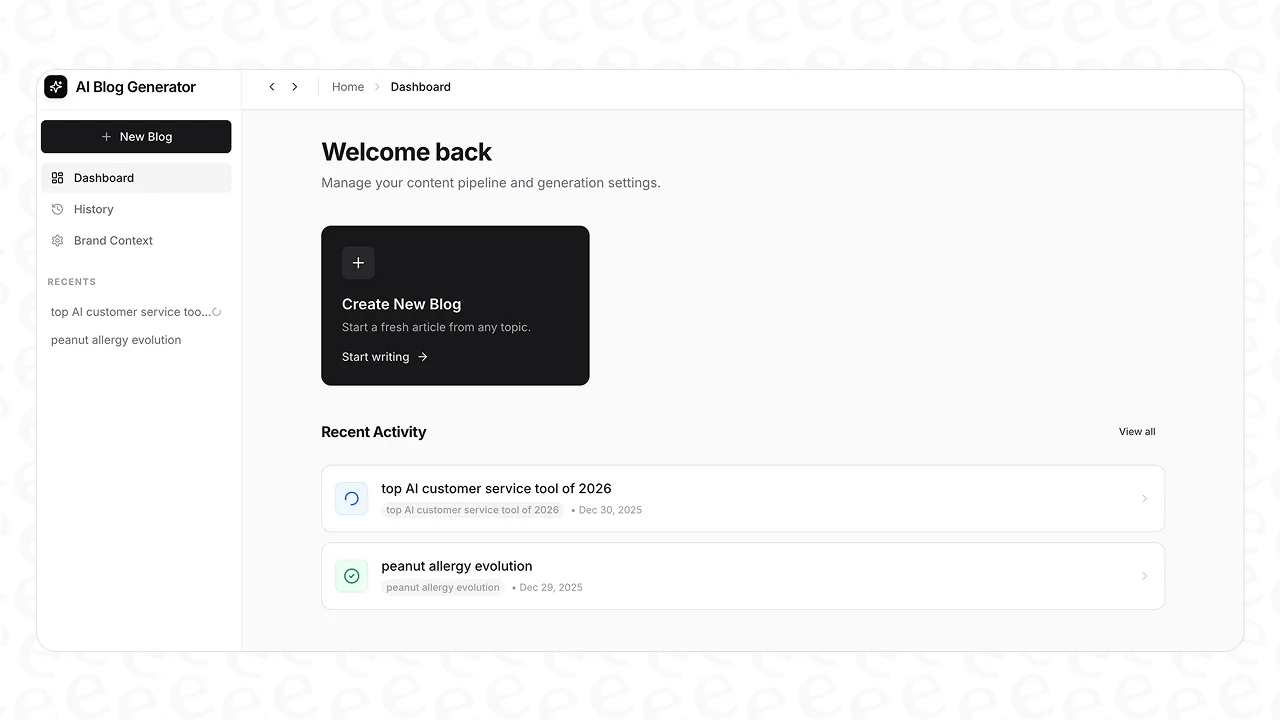\n\n## Understanding the difference between meta tags and keywords\n\nLet's start with some simple definitions. Getting this right is the first step to getting your on-page SEO in order. To make this even clearer, the following visual breaks down the core distinctions.\n\n\n### What are keywords?\n\nKeywords are just the words and phrases people type into search engines. They show what a user needs or what question they have. Your whole SEO strategy is built on keywords because they connect your content to your audience.\n\nUnlike most meta tags, keywords are meant to be seen by your readers. You weave them into your content naturally: in the text, headings, URL, and even image alt text. The idea is to build a page that fully covers the topic your keyword is about.\n\n### What are meta tags?\n\nMeta tags are small pieces of HTML code in the \"\u003chead\u003e\" section of your webpage. They give search engine crawlers [structured information (metadata)](https://www.eesel.ai/tools/metadata-generator) about your page.\n\nMost of the time, y"])</script><script>self.__next_f.push([1,"our visitors won't see these tags. But a couple of them, like the title tag and meta description, are very visible on the search results page. They're like a preview that helps people decide if they should click on your link. They give search engines context so they know what your page is about and who should see it.\n\n## The history of the meta keywords tag\n\nSo, where did all the confusion come from? It all started with one specific tag: the meta keywords tag.\n\nBack in the 90s, search engines weren't very smart. They needed simple clues to figure out what a webpage was about. The \"\u003cmeta name=\"keywords\"\u003e\" tag was one of those clues. Webmasters could just list the keywords they wanted to rank for, and search engines would use that to rank the page. A page about running shoes might have looked like this:\n\n\"\u003cmeta name=\"keywords\" content=\"running shoes, sneakers, athletic footwear, jogging shoes\"\u003e\"\n\nIt was a simple system, but it was also easy to cheat. This led to the era of \"[keyword stuffing](https://surferseo.com/blog/meta-keywords/).\" People figured out they could game the system by cramming the tag with tons of irrelevant or repetitive keywords. A page about running shoes might be stuffed with terms like \"best running shoes,\" \"cheap running shoes,\" and even competitor brand names to try and get more traffic.\n\nThis turned the tag into a signal for spam, not relevance. As search engines got smarter, they found better ways to understand content, like actually analyzing the text on the page.\n\nThe final nail in the coffin came on September 21, 2009. In a blog post, [Google confirmed it ignores the tag](https://developers.google.com/search/blog/2009/09/google-does-not-use-keywords-meta-tag) for ranking. Other search engines like Bing also say it has almost no value.\n\u003cquote text=\"Just to pile on to what others said - these have been useless since 2009. A long, long time ago in SEO terms.\" sourceIcon=\"https://www.iconpacks.net/icons/2/free-reddit-logo-icon-2436-thumb.png\" sourceName=\"Reddit\" sourceLink=\"https://www.reddit.com/r/SEO/comments/1dow3md/comment/lad6u99/\"\u003e\n\u003c/quote\u003e\n\nToday, the meta keywords tag is a fossil. Using it gives you [zero SEO benefit](https://www.reddit.com/r/SaaS/comments/1j97nzj/why_you_should_not_use_keywords_meta_tag_in_2025/). All it does is tell your competitors exactly which keywords you're targeting. It’s best to just ignore it.\n\n## The 5 meta tags that still matter\n\nNow that we've left the old keywords tag behind, let's talk about what actually works. Here are the five types of tags that are essential for your on-page SEO and visibility in 2026, based on Google's own guidelines.\n\n\n### 1. Title tag (\"\u003ctitle\u003e\")\n\nThe \"\u003ctitle\u003e\" tag is probably the single most important on-page SEO element. It's the clickable blue link you see in search results and the text that shows up in your browser tab. Google uses the title tag as a strong signal to understand what a page is about. A good title can directly impact your rankings and is your first opportunity to grab someone's attention.\n\nHere are some best practices from [Google's guidelines](https://developers.google.com/search/docs/appearance/title-link):\n\n* **Be descriptive and short:** Your title should accurately describe what's on the page. Avoid vague titles like \"Home\" or \"New Post.\"\n* **Make every title unique:** Every page on your site needs its own title tag. This helps avoid duplicate content issues and shows search engines that each page has unique value.\n* **Brand your titles:** You can add your brand name at the beginning or end of your titles (e.g., \"The 5 Meta Tags That Matter for SEO | YourBrand\"). Just keep it brief.\n\n### 2. Meta description tag (\"\u003cmeta name=\"description\"\u003e\")\n\nLet's clear something up: the meta description is **[not a direct ranking factor](https://www.geeksforgeeks.org/"])</script><script>self.__next_f.push([1,"techtips/difference-between-meta-tags-and-meta-descriptions/)**. Google doesn't use the keywords in your description to rank your page.\n\nSo why is it important? Because it's the ad copy for your page in the search results. It's the short block of text under your title, and its job is to convince people that your page has the answer they need. A good meta description boosts your click-through rate (CTR), which tells search engines that users find your result useful.\n\nHere’s what Google looks for in a [good snippet](https://developers.google.com/search/docs/appearance/snippet):\n\n* **Write unique descriptions:** Each page needs a description that accurately summarizes its content. Don't use the same one across your site.\n* **Include relevant info:** If you’re selling a product, mention the price or key features. If it's a blog post, add the author or date. Give users the details they need to choose your link.\n* **Watch the length:** There's no official character limit, but Google usually cuts off snippets to fit the screen. Aim for around 150-160 characters to make sure your main point gets seen.\n\n### 3. Header tags (\"\u003ch1\u003e\", \"\u003ch2\u003e\", etc.)\n\nHeader tags (\"\u003ch1\u003e\", \"\u003ch2\u003e\", \"\u003ch3\u003e\", etc.) are HTML tags that structure your content. They create a clear hierarchy on the page, which makes it easier for people to scan your article. They also help search engine crawlers understand the structure and importance of different sections.\n\nAccording to the [Google developer style guide](https://developers.google.com/style/headings), here are the best practices:\n\n* **Use one \"\u003ch1\u003e\" per page:** Your main title should be in an \"\u003ch1\u003e\" tag. Only use one.\n* **Use headings in order:** Your headings should follow a logical sequence. Don't jump from an \"\u003ch1\u003e\" to an \"\u003ch3\u003e\". This creates a clean outline for both readers and crawlers.\n* **Use sentence case:** For readability, write your headings in sentence case (e.g., \"The meta tags that matter for SEO\") instead of title case.\n\n### 4. Image alt text (\"\u003cimg alt=\"...\"\u003e\")\n\nThe \"alt\" attribute, or alt text, is key for image SEO and web accessibility. It’s a short text description of an image that shows up if the image doesn't load. Screen readers also use it to describe the image to visually impaired users.\n\nFor SEO, alt text gives search engines context about your images. Since crawlers can't \"see\" pictures, they use alt text to understand them. This helps your images show up in Google Image Search and adds relevance to the text around them.\n\nThe best practice is simple: be descriptive and concise. Accurately describe what's in the image. You can include a keyword if it fits naturally, but don't stuff it in.\n\n### 5. Robots meta tag (\"\u003cmeta name=\"robots\"\u003e\")\n\nThe robots meta tag is an instruction manual for search engine crawlers. It tells them how to crawl and index the content on a page. The two most common instructions are \"noindex\" and \"nofollow.\"\n\n* **\"noindex\":** This tells search engines not to show the page in search results. You might use this for thin content, internal search pages, or thank-you pages.\n* **\"nofollow\":** This tells search engines not to follow any links on the page.\n\nAs explained in [Google's documentation](https://developers.google.com/search/docs/crawling-indexing/robots-meta-tag), this tag is powerful, so be careful. If you accidentally add a \"noindex\" tag to an important page, it can disappear from search results and kill your traffic.\n\n## How eesel AI automates on-page SEO\n\nManually optimizing all these tags for every blog post is tedious. You have to write the right title, a catchy meta description, structure your headers, and add alt text to images. It's a lot to keep track of, especially if you're trying to publish content regularly.\n\n\nThis is where you can switch from doing it all by hand to using an au"])</script><script>self.__next_f.push([1,"tomated solution. The [eesel AI blog writer](https://www.eesel.ai/product/ai-blog-writer) is a tool built to handle all of these on-page SEO elements for you, generating a complete article from just a keyword.\n\nHere’s how it automates the best practices we just covered:\n\n* It generates SEO-friendly \"\u003ctitle\u003e\" tags and meta descriptions designed to get clicks.\n* It creates a logical article structure with \"\u003ch1\u003e\", \"\u003ch2\u003e\", and \"\u003ch3\u003e\" tags that naturally include your target keyword.\n* It writes high-quality content that uses your keywords in a way that’s helpful for readers and clear to search engines.\n* It provides **automatic assets** like images and infographics, so you have visuals ready for optimized alt text without having to find them yourself.\n\nThe main benefit is that it connects your content strategy to the technical work. You give it a keyword, and it gives you back a fully optimized, publish-ready blog post. This is the same process we used for [growing our blog's impressions](https://www.eesel.ai/blog/ai-to-write-seo-friendly-blogs) in just three months by consistently publishing optimized content.\n\n## A modern SEO workflow\n\nNow that you know the key pieces, here’s what a modern SEO workflow looks like. It comes down to three simple steps.\n\n* **Step 1: Keyword research.** It all starts with understanding your audience. What are they searching for? What problems do they have? Keyword research helps you find the topics that matter to them.\n* **Step 2: Content creation.** Once you have a keyword, you need to create a high-quality piece of content that completely answers the user's question. This means writing something that is helpful, engaging, and uses your keywords naturally.\n* **Step 3: On-page optimization.** This is where meta tags come in. After you've created great content, you use the important tags (title, description, headers, alt text) to present it effectively to both search engines and users. This makes sure your hard work gets seen.\n\n\nThis workflow is the foundation of [good content marketing](https://www.eesel.ai/blog/seo-ai-tools). Platforms like the eesel AI blog writer are made to streamline this process by taking your keyword (Step 1) and instantly giving you a fully optimized article that covers both content creation and on-page optimization (Steps 2 \u0026 3).\n\nFor a deeper dive, John Mueller from Google explains exactly how Google Search views keyword meta tags and why they are no longer used for ranking.\n\u003cpre\u003e\n\u003ciframe width=\"560\" height=\"315\" src=\"https://www.youtube.com/embed/OUh0MVFJ1EY\" title=\"YouTube video player\" frameborder=\"0\" allow=\"accelerometer; autoplay; clipboard-write; encrypted-media; gyroscope; picture-in-picture; web-share\" referrerpolicy=\"strict-origin-when-cross-origin\" allowfullscreen\u003e\u003c/iframe\u003e\nJohn Mueller from Google explains the relevance of keyword meta tags for SEO.\n\u003c/pre\u003e\n\n## Key takeaways\n\nLet's do a quick recap. Keywords define your topic, while meta tags describe and structure that topic for search engines. The old meta keywords tag is dead and should be ignored. Instead, modern SEO is about a few key tags: the title tag, meta description, header tags, and image alt text.\n\nGetting these details right is important, but it shouldn't take away from what really matters: creating useful content for your audience. The best approach is to focus your energy there and let a tool handle the technical side of things.\n\nIf you want to see how easy it is to get a perfectly optimized article, [try the eesel AI blog writer](https://blog-generator.eesel.ai/) and generate your first blog post in minutes.\n1c:[\"$\",\"div\",null,{\"className\":\"grid grid-cols-1 gap-[70px] lg:grid-cols-[1fr_600px_1fr] xl:grid-cols-[1fr_645px_1fr]\",\"children\":[[\"$\",\"div\",null,{\"className\":\"relative hidden lg:flex flex-col gap-6\",\"childr"])</script><script>self.__next_f.push([1,"en\":[\"$\",\"div\",null,{\"className\":\"sticky top-[92px]\",\"children\":[\"$\",\"$L25\",null,{}]}]}],[\"$\",\"div\",null,{\"children\":[\"$\",\"div\",null,{\"className\":\"relative\",\"data-content\":true,\"children\":[\"$\",\"$L26\",null,{\"content\":\"$27\",\"categoryName\":\"blog-writer-ai-en\"}]}]}],\"$L28\"]}]\n1d:[\"$\",\"$L29\",null,{\"heading\":\"Frequently Asked Questions\",\"faqs\":[{\"question\":\"What is the main difference between meta tags and keywords?\",\"answer\":\"The main difference is their function. Keywords are the topics people search for, which you use in your content for readers. Meta tags are code snippets for search engines that describe your page's content. Some, like the title tag and meta description, appear in search results.\"},{\"question\":\"Why do meta tags matter if the meta keywords tag is obsolete?\",\"answer\":\"Even though the meta keywords tag is obsolete, other meta tags are critical. The title tag is a major ranking factor, and the meta description influences clicks. Understanding which tags matter helps you focus on what actually works: creating great content around a keyword and using the right tags to frame it for search engines.\"},{\"question\":\"How do meta tags and keywords affect on-page SEO strategy?\",\"answer\":\"They define your workflow. Your strategy starts with keyword research to decide what to write about. Then, you create content that uses that keyword naturally. Finally, you use meta tags (like the title and headers) to structure that content and make it easy for Google and users to understand. One is about the topic, the other is about presentation.\"},{\"question\":\"What's a simple example of meta tags vs. keywords?\",\"answer\":\"If you write a blog post about \\\"best running shoes,\\\" that phrase is your keyword. You would include it in your text. Then, you would set a \\\"\u003ctitle\u003e\\\" tag like \\\"The 10 Best Running Shoes for Beginners\\\" and a meta description summarizing the article. The keyword is the subject; the meta tags are the packaging for search results.\"},{\"question\":\"How has Google's approach to meta tags and keywords changed?\",\"answer\":\"Drastically. In the past, search engines relied heavily on the meta keywords tag. Google announced in 2009 that it completely ignores that tag now. Today, the focus is on the actual content on the page and a few key meta tags like the title tag, which helps Google understand the page's main topic.\"}]}]\n1e:[\"$\",\"div\",null,{\"className\":\"mx-auto grid max-w-[650px] place-items-center gap-8 py-8 sm:py-12 lg:max-w-full\",\"children\":[[\"$\",\"$L2a\",null,{\"url\":\"https://www.eesel.ai/en/blog/difference-between-meta-tags-and-keywords\",\"title\":\"The real difference between meta tags and keywords in modern SEO\"}],[\"$\",\"div\",null,{\"className\":\"flex w-full flex-col gap-8 rounded-xl border border-olive-200 bg-olive-50 p-6 sm:flex-row lg:max-w-[650px] \",\"children\":[[\"$\",\"$L24\",null,{\"src\":\"https://website-cms.eesel.ai/wp-content/uploads/2025/08/IMG-20250812-WA0014-e1755016187283.jpg\",\"alt\":\"Stevia Putri\",\"width\":220,\"height\":220,\"className\":\"aspect-square w-full rounded-lg object-cover sm:max-h-[220px] sm:max-w-[220px]\"}],[\"$\",\"div\",null,{\"className\":\"flex flex-1 flex-col\",\"children\":[[\"$\",\"p\",null,{\"className\":\"text-xs text-gray-500\",\"children\":\"Article by\"}],[\"$\",\"h4\",null,{\"className\":\"font-sans text-xl font-semibold tracking-[-0.015em] text-olive-950\",\"children\":\"Stevia Putri\"}],[\"$\",\"p\",null,{\"className\":\"my-3 text-[15px] leading-[1.6] text-gray-600\",\"children\":\"Stevia Putri is a marketing generalist at eesel AI, where she helps turn powerful AI tools into stories that resonate. She’s driven by curiosity, clarity, and the human side of technology.\"}],[\"$\",\"div\",null,{\"className\":\"mt-auto flex gap-3 pt-2\",\"children\":[\"$undefined\",\"$undefined\",\"$undefined\"]}]]}]]}]]}]\n1f:[\"$\",\"section\",null,{\"className\":\"py-16\",\"children\":[\"$\",\"div\",null,{\"className\":\"mx-auto w-full max-w-2xl px-4 md:max-w-3xl lg:max-w-7xl lg:px-10\",\"children\":[[\"$\",\"div\",null,{\"className\":\"mb-16 h-px w-full bg-olive-250\"}],[\"$\",\"div\",null,{\"className\":\"mb-10 flex items-center justify-between\",\"children\":[[\"$\",\"h2\",null,{\"className\":\"font-sans text-2x"])</script><script>self.__next_f.push([1,"l font-semibold tracking-[-0.02em] text-olive-950\",\"children\":\"Related Posts\"}],[\"$\",\"$L12\",null,{\"href\":\"/blog\",\"className\":\"text-sm font-medium text-gray-500 hover:text-gray-900\",\"prefetch\":false,\"children\":\"All posts →\"}]]}],[\"$\",\"div\",null,{\"className\":\"grid grid-cols-1 gap-6 sm:grid-cols-2 lg:grid-cols-3\",\"children\":[[\"$\",\"$L12\",\"groove-reporting\",{\"href\":\"/blog/groove-reporting\",\"className\":\"group flex flex-col rounded-xl border border-olive-200 bg-white p-1.5 transition-all duration-200 hover:-translate-y-[3px] hover:scale-[1.02] hover:shadow\",\"prefetch\":false,\"children\":[[\"$\",\"div\",null,{\"className\":\"overflow-hidden rounded-lg\",\"children\":[\"$\",\"$L24\",null,{\"width\":500,\"height\":500,\"src\":\"https://wmeojibgfvjvinftolho.supabase.co/storage/v1/object/public/public_assets/blog-gen/banner-00397729-41cf-4825-8d2f-90d3c4fbae7d\",\"alt\":\"Banner image for Groove reporting: a complete guide to analytics and insights in 2026\",\"className\":\"aspect-video w-full rounded-lg object-cover transition-all duration-300 group-hover:scale-[1.04] group-hover:brightness-[1.03]\"}]}],[\"$\",\"div\",null,{\"className\":\"flex flex-1 flex-col p-4 pt-5\",\"children\":[[\"$\",\"span\",null,{\"className\":\"mb-1.5 self-start rounded-full bg-stone-300/60 bg-blend-darken px-2.5 py-0.5 text-xs font-medium text-gray-600\",\"children\":\"Blog Writer AI\"}],[\"$\",\"h3\",null,{\"className\":\"mb-1.5 font-sans text-xl font-semibold tracking-[-0.015em] text-olive-900 transition-colors group-hover:text-gray-500\",\"children\":\"Groove reporting: a complete guide to analytics and insights in 2026\"}],[\"$\",\"div\",null,{\"className\":\"line-clamp-2 text-sm text-gray-500 [\u0026_p]:m-0\",\"dangerouslySetInnerHTML\":{\"__html\":\"\u003cp\u003eA comprehensive guide to GrooveHQ\u0026#39;s reporting features, including conversation analytics, productivity metrics, CSAT tracking, and knowledge base insights for support teams.\u003c/p\u003e\\n\"}}],[\"$\",\"div\",null,{\"className\":\"mt-auto flex items-center gap-2 pt-4 text-xs text-gray-500\",\"children\":[[\"$\",\"$L24\",null,{\"src\":\"https://website-cms.eesel.ai/wp-content/uploads/2025/08/IMG-20250812-WA0014-e1755016187283.jpg\",\"alt\":\"Stevia Putri\",\"width\":28,\"height\":28,\"className\":\"size-7 rounded-full object-cover\"}],[\"$\",\"span\",null,{\"children\":\"Stevia Putri\"}],[\"$\",\"span\",null,{\"aria-hidden\":\"true\",\"children\":\"·\"}],[\"$\",\"span\",null,{\"children\":\"Apr 2, 2026\"}]]}]]}]]}],[\"$\",\"$L12\",\"how-much-does-groove-cost\",{\"href\":\"/blog/how-much-does-groove-cost\",\"className\":\"group flex flex-col rounded-xl border border-olive-200 bg-white p-1.5 transition-all duration-200 hover:-translate-y-[3px] hover:scale-[1.02] hover:shadow\",\"prefetch\":false,\"children\":[[\"$\",\"div\",null,{\"className\":\"overflow-hidden rounded-lg\",\"children\":[\"$\",\"$L24\",null,{\"width\":500,\"height\":500,\"src\":\"https://wmeojibgfvjvinftolho.supabase.co/storage/v1/object/public/public_assets/blog-gen/banner-1dba68a4-973a-4561-93f2-1171d0b2a865\",\"alt\":\"Banner image for How much does Groove cost in 2026: Complete pricing guide\",\"className\":\"aspect-video w-full rounded-lg object-cover transition-all duration-300 group-hover:scale-[1.04] group-hover:brightness-[1.03]\"}]}],[\"$\",\"div\",null,{\"className\":\"flex flex-1 flex-col p-4 pt-5\",\"children\":[[\"$\",\"span\",null,{\"className\":\"mb-1.5 self-start rounded-full bg-stone-300/60 bg-blend-darken px-2.5 py-0.5 text-xs font-medium text-gray-600\",\"children\":\"Blog Writer AI\"}],[\"$\",\"h3\",null,{\"className\":\"mb-1.5 font-sans text-xl font-semibold tracking-[-0.015em] text-olive-900 transition-colors group-hover:text-gray-500\",\"children\":\"How much does Groove cost in 2026: Complete pricing guide\"}],\"$L2b\",\"$L2c\"]}]]}],\"$L2d\"]}]]}]}]\n20:[\"$\",\"section\",null,{\"className\":\"py-16\",\"id\":\"blog-post-cta\",\"children\":[\"$\",\"div\",null,{\"className\":\"mx-auto w-full max-w-2xl px-4 md:max-w-3xl lg:max-w-7xl lg:px-10 flex flex-col items-center gap-10\",\"children\":[[\"$\",\"div\",null,{\"className\":\"flex flex-col gap-6\",\"children\":[[\"$\",\"h2\",null,{\"className\":\"font-display text-[2rem]/10 tracking-tight text-pretty text-olive-950 sm:text-5xl/14 dark:text-white max-w-4xl text-center\",\"children\":\"Ready to hire your AI teammate?\"}],[\"$\",\"div\",null,{"])</script><script>self.__next_f.push([1,"\"className\":\"text-base/7 text-olive-700 dark:text-olive-400 flex max-w-3xl flex-col gap-4 text-center text-pretty\",\"children\":[\"$\",\"p\",null,{\"children\":\"Set up in minutes. No credit card required.\"}]}]]}],[\"$\",\"$L12\",null,{\"href\":\"https://eesel.us.auth0.com/u/signup?state=hKFo2SBYdnFqODFGcTRPVmZ0a29OSjZ2T25lUzg3bWllamhLQaFur3VuaXZlcnNhbC1sb2dpbqN0aWTZIDdsU01WOUV0N0piLU9iX1NtcU5sdkp3RVJrX0RmWk91o2NpZNkgVEZweFpwNTNCS3ByN0cyRnB6N05BSFNqbVdUbjJxOWc\",\"className\":\"inline-flex shrink-0 items-center justify-center gap-1 rounded-full text-sm/7 font-medium bg-olive-950 text-white hover:bg-olive-800 dark:bg-olive-300 dark:text-olive-950 dark:hover:bg-olive-200 px-4 py-2\",\"children\":\"Get started free\"}]]}]}]\n21:[\"$\",\"footer\",null,{\"className\":\"pt-16\",\"id\":\"footer\",\"children\":[\"$\",\"div\",null,{\"className\":\"bg-olive-950/2.5 py-16 text-olive-950 dark:bg-white/5 dark:text-white\",\"children\":[\"$\",\"div\",null,{\"className\":\"mx-auto w-full max-w-2xl px-4 md:max-w-3xl lg:max-w-7xl lg:px-10 flex flex-col gap-16\",\"children\":[[\"$\",\"nav\",null,{\"className\":\"grid w-full grid-cols-2 gap-x-6 gap-y-10 text-base/6 sm:has-[\u003e:last-child:nth-child(3)]:grid-cols-3 sm:has-[\u003e:nth-child(5)]:grid-cols-3 md:gap-y-12 md:has-[\u003e:last-child:nth-child(4)]:grid-cols-4 lg:gap-y-6 lg:has-[\u003e:nth-child(5)]:grid-cols-5\",\"children\":[[\"$\",\"div\",null,{\"children\":[[\"$\",\"h3\",null,{\"className\":\"font-medium\",\"children\":\"Agents\"}],[\"$\",\"ul\",null,{\"role\":\"list\",\"className\":\"mt-2 flex flex-col gap-2\",\"children\":[[\"$\",\"li\",null,{\"className\":\"text-olive-700 transition-colors duration-150 hover:text-olive-950 dark:text-olive-400 dark:hover:text-white\",\"children\":[\"$\",\"$L12\",null,{\"href\":\"/ai-helpdesk-agent\",\"children\":\"Helpdesk\"}]}],[\"$\",\"li\",null,{\"className\":\"text-olive-700 transition-colors duration-150 hover:text-olive-950 dark:text-olive-400 dark:hover:text-white\",\"children\":[\"$\",\"$L12\",null,{\"href\":\"/ai-blog-writer\",\"children\":\"Blog Writer\"}]}],[\"$\",\"li\",null,{\"className\":\"text-olive-700 transition-colors duration-150 hover:text-olive-950 dark:text-olive-400 dark:hover:text-white\",\"children\":[\"$\",\"$L12\",null,{\"href\":\"/ai-ecommerce-agent\",\"children\":\"E-commerce\"}]}],[\"$\",\"li\",null,{\"className\":\"text-olive-700 transition-colors duration-150 hover:text-olive-950 dark:text-olive-400 dark:hover:text-white\",\"children\":[\"$\",\"$L12\",null,{\"href\":\"/marketplace\",\"children\":\"Marketplace\"}]}]]}]]}],[\"$\",\"div\",null,{\"children\":[[\"$\",\"h3\",null,{\"className\":\"font-medium\",\"children\":\"Integrations\"}],[\"$\",\"ul\",null,{\"role\":\"list\",\"className\":\"mt-2 flex flex-col gap-2\",\"children\":[[\"$\",\"li\",null,{\"className\":\"text-olive-700 transition-colors duration-150 hover:text-olive-950 dark:text-olive-400 dark:hover:text-white\",\"children\":[\"$\",\"$L12\",null,{\"href\":\"/integrations/zendesk\",\"children\":\"Zendesk\"}]}],[\"$\",\"li\",null,{\"className\":\"text-olive-700 transition-colors duration-150 hover:text-olive-950 dark:text-olive-400 dark:hover:text-white\",\"children\":[\"$\",\"$L12\",null,{\"href\":\"/integrations/slack\",\"children\":\"Slack\"}]}],[\"$\",\"li\",null,{\"className\":\"text-olive-700 transition-colors duration-150 hover:text-olive-950 dark:text-olive-400 dark:hover:text-white\",\"children\":[\"$\",\"$L12\",null,{\"href\":\"/integrations/google-drive\",\"children\":\"Google Drive\"}]}],[\"$\",\"li\",null,{\"className\":\"text-olive-700 transition-colors duration-150 hover:text-olive-950 dark:text-olive-400 dark:hover:text-white\",\"children\":[\"$\",\"$L12\",null,{\"href\":\"/integrations/freshdesk\",\"children\":\"Freshdesk\"}]}],[\"$\",\"li\",null,{\"className\":\"text-olive-700 transition-colors duration-150 hover:text-olive-950 dark:text-olive-400 dark:hover:text-white\",\"children\":[\"$\",\"$L12\",null,{\"href\":\"/integrations/notion\",\"children\":\"Notion\"}]}],[\"$\",\"li\",null,{\"className\":\"text-olive-700 transition-colors duration-150 hover:text-olive-950 dark:text-olive-400 dark:hover:text-white\",\"children\":[\"$\",\"$L12\",null,{\"href\":\"/integrations/shopify\",\"children\":\"Shopify\"}]}],[\"$\",\"li\",null,{\"className\":\"text-olive-700 transition-colors duration-150 hover:text-olive-950 dark:text-olive-400 dark:hover:text-white\",\"children\":[\"$\",\"$L12\",null,{\"href\":\"/integrations\",\"chil"])</script><script>self.__next_f.push([1,"dren\":\"All integrations\"}]}]]}]]}],[\"$\",\"div\",null,{\"children\":[[\"$\",\"h3\",null,{\"className\":\"font-medium\",\"children\":\"Company\"}],[\"$\",\"ul\",null,{\"role\":\"list\",\"className\":\"mt-2 flex flex-col gap-2\",\"children\":[[\"$\",\"li\",null,{\"className\":\"text-olive-700 transition-colors duration-150 hover:text-olive-950 dark:text-olive-400 dark:hover:text-white\",\"children\":[\"$\",\"$L12\",null,{\"href\":\"https://calendly.com/eesel/30\",\"children\":\"Book a demo\"}]}],[\"$\",\"li\",null,{\"className\":\"text-olive-700 transition-colors duration-150 hover:text-olive-950 dark:text-olive-400 dark:hover:text-white\",\"children\":[\"$\",\"$L12\",null,{\"href\":\"/pricing\",\"children\":\"Pricing\"}]}],[\"$\",\"li\",null,{\"className\":\"text-olive-700 transition-colors duration-150 hover:text-olive-950 dark:text-olive-400 dark:hover:text-white\",\"children\":\"$L2e\"}],\"$L2f\",\"$L30\",\"$L31\"]}]]}],\"$L32\",\"$L33\"]}],\"$L34\"]}]}]}]\n35:I[493702,[\"/_next/static/chunks/0384435c1a1e583d.js\",\"/_next/static/chunks/85b7a3274c9eb34d.js\",\"/_next/static/chunks/533592ca12bd6b2b.js\",\"/_next/static/chunks/0b961d766aec6967.js\"],\"LanguagePicker\"]\n28:[\"$\",\"div\",null,{\"className\":\"relative hidden xl:flex flex-col gap-6\",\"children\":[\"$\",\"div\",null,{\"className\":\"sticky top-[92px]\",\"children\":[\"$\",\"div\",null,{\"className\":\"rounded-xl p-5\",\"style\":{\"background\":\"linear-gradient(to bottom, white, #d6e3ec)\",\"border\":\"1px solid #c0d4e2\"},\"children\":[\"$\",\"div\",null,{\"className\":\"flex flex-col gap-6\",\"children\":[[\"$\",\"div\",null,{\"className\":\"flex flex-col gap-4\",\"children\":[[\"$\",\"$L24\",null,{\"src\":\"/eesel.svg\",\"alt\":\"blog-writer\",\"width\":57,\"height\":20,\"className\":\"h-5 w-auto self-start\"}],[\"$\",\"h4\",null,{\"className\":\"font-sans text-2xl font-semibold leading-[1.2] tracking-[-0.02em] text-olive-950\",\"children\":\"Automate your content with AI agents\"}],false]}],[\"$\",\"div\",null,{\"className\":\"flex flex-col gap-3\",\"children\":[[\"$\",\"a\",null,{\"href\":\"https://blog-generator.eesel.ai/signup\",\"className\":\"flex items-center justify-center gap-2 rounded-lg bg-olive-950 px-5 py-3 text-sm font-semibold text-white transition-colors hover:bg-olive-800\",\"children\":[\"Try for free\",[\"$\",\"svg\",null,{\"width\":\"16\",\"height\":\"16\",\"viewBox\":\"0 0 16 16\",\"fill\":\"none\",\"className\":\"shrink-0\",\"children\":[\"$\",\"path\",null,{\"d\":\"M6 4L10 8L6 12\",\"stroke\":\"currentColor\",\"strokeWidth\":\"1.5\",\"strokeLinecap\":\"round\",\"strokeLinejoin\":\"round\"}]}]]}],[\"$\",\"a\",null,{\"href\":\"https://calendly.com/eesel/30\",\"className\":\"flex items-center justify-center rounded-lg border border-olive-300 bg-white px-5 py-3 text-sm font-semibold text-olive-900 transition-colors hover:bg-olive-50\",\"children\":\"Book a demo\"}]]}]]}]}]}]}]\n2b:[\"$\",\"div\",null,{\"className\":\"line-clamp-2 text-sm text-gray-500 [\u0026_p]:m-0\",\"dangerouslySetInnerHTML\":{\"__html\":\"\u003cp\u003eGroove pricing varies by product. GrooveHQ help desk starts at $29/user/month, while Groove.cm marketing platform ranges from free to $299/month.\u003c/p\u003e\\n\"}}]\n2c:[\"$\",\"div\",null,{\"className\":\"mt-auto flex items-center gap-2 pt-4 text-xs text-gray-500\",\"children\":[[\"$\",\"$L24\",null,{\"src\":\"https://website-cms.eesel.ai/wp-content/uploads/2025/08/IMG-20250812-WA0014-e1755016187283.jpg\",\"alt\":\"Stevia Putri\",\"width\":28,\"height\":28,\"className\":\"size-7 rounded-full object-cover\"}],[\"$\",\"span\",null,{\"children\":\"Stevia Putri\"}],[\"$\",\"span\",null,{\"aria-hidden\":\"true\",\"children\":\"·\"}],[\"$\",\"span\",null,{\"children\":\"Apr 2, 2026\"}]]}]\n2d:[\"$\",\"$L12\",\"groove-chatbot\",{\"href\":\"/blog/groove-chatbot\",\"className\":\"group flex flex-col rounded-xl border border-olive-200 bg-white p-1.5 transition-all duration-200 hover:-translate-y-[3px] hover:scale-[1.02] hover:shadow\",\"prefetch\":false,\"children\":[[\"$\",\"div\",null,{\"className\":\"overflow-hidden rounded-lg\",\"children\":[\"$\",\"$L24\",null,{\"width\":500,\"height\":500,\"src\":\"https://wmeojibgfvjvinftolho.supabase.co/storage/v1/object/public/public_assets/blog-gen/banner-707be101-068a-47b5-b7b0-d4ceee7ca48b\",\"alt\":\"Banner image for Groove chatbot explained: What you need to know in 2026\",\"className\":\"aspect-video w-full rounded-lg object-cover transition-all duration-300 group-hover:scale-[1.04] group-hover:brightness-["])</script><script>self.__next_f.push([1,"1.03]\"}]}],[\"$\",\"div\",null,{\"className\":\"flex flex-1 flex-col p-4 pt-5\",\"children\":[[\"$\",\"span\",null,{\"className\":\"mb-1.5 self-start rounded-full bg-stone-300/60 bg-blend-darken px-2.5 py-0.5 text-xs font-medium text-gray-600\",\"children\":\"Blog Writer AI\"}],[\"$\",\"h3\",null,{\"className\":\"mb-1.5 font-sans text-xl font-semibold tracking-[-0.015em] text-olive-900 transition-colors group-hover:text-gray-500\",\"children\":\"Groove chatbot explained: What you need to know in 2026\"}],[\"$\",\"div\",null,{\"className\":\"line-clamp-2 text-sm text-gray-500 [\u0026_p]:m-0\",\"dangerouslySetInnerHTML\":{\"__html\":\"\u003cp\u003eClearing up the confusion between GrooveHQ and Groove.ai what each platform actually offers and whether they meet your chatbot needs.\u003c/p\u003e\\n\"}}],[\"$\",\"div\",null,{\"className\":\"mt-auto flex items-center gap-2 pt-4 text-xs text-gray-500\",\"children\":[[\"$\",\"$L24\",null,{\"src\":\"https://website-cms.eesel.ai/wp-content/uploads/2025/08/IMG-20250812-WA0014-e1755016187283.jpg\",\"alt\":\"Stevia Putri\",\"width\":28,\"height\":28,\"className\":\"size-7 rounded-full object-cover\"}],[\"$\",\"span\",null,{\"children\":\"Stevia Putri\"}],[\"$\",\"span\",null,{\"aria-hidden\":\"true\",\"children\":\"·\"}],[\"$\",\"span\",null,{\"children\":\"Apr 1, 2026\"}]]}]]}]]}]\n2e:[\"$\",\"$L12\",null,{\"href\":\"/customers\",\"children\":\"Customers\"}]\n2f:[\"$\",\"li\",null,{\"className\":\"text-olive-700 transition-colors duration-150 hover:text-olive-950 dark:text-olive-400 dark:hover:text-white\",\"children\":[\"$\",\"$L12\",null,{\"href\":\"/about\",\"children\":\"About\"}]}]\n30:[\"$\",\"li\",null,{\"className\":\"text-olive-700 transition-colors duration-150 hover:text-olive-950 dark:text-olive-400 dark:hover:text-white\",\"children\":[\"$\",\"$L12\",null,{\"href\":\"/terms\",\"children\":\"Terms of Service\"}]}]\n31:[\"$\",\"li\",null,{\"className\":\"text-olive-700 transition-colors duration-150 hover:text-olive-950 dark:text-olive-400 dark:hover:text-white\",\"children\":[\"$\",\"$L12\",null,{\"href\":\"/privacy\",\"children\":\"Privacy Policy\"}]}]\n32:[\"$\",\"div\",null,{\"children\":[[\"$\",\"h3\",null,{\"className\":\"font-medium\",\"children\":\"Resources\"}],[\"$\",\"ul\",null,{\"role\":\"list\",\"className\":\"mt-2 flex flex-col gap-2\",\"children\":[[\"$\",\"li\",null,{\"className\":\"text-olive-700 transition-colors duration-150 hover:text-olive-950 dark:text-olive-400 dark:hover:text-white\",\"children\":[\"$\",\"$L12\",null,{\"href\":\"/enterprise\",\"children\":\"Enterprise\"}]}],[\"$\",\"li\",null,{\"className\":\"text-olive-700 transition-colors duration-150 hover:text-olive-950 dark:text-olive-400 dark:hover:text-white\",\"children\":[\"$\",\"$L12\",null,{\"href\":\"/blog\",\"children\":\"Blog\"}]}],[\"$\",\"li\",null,{\"className\":\"text-olive-700 transition-colors duration-150 hover:text-olive-950 dark:text-olive-400 dark:hover:text-white\",\"children\":[\"$\",\"$L12\",null,{\"href\":\"https://docs.eesel.ai/\",\"children\":\"Docs\"}]}],[\"$\",\"li\",null,{\"className\":\"text-olive-700 transition-colors duration-150 hover:text-olive-950 dark:text-olive-400 dark:hover:text-white\",\"children\":[\"$\",\"$L12\",null,{\"href\":\"/changelog\",\"children\":\"Changelog\"}]}],[\"$\",\"li\",null,{\"className\":\"text-olive-700 transition-colors duration-150 hover:text-olive-950 dark:text-olive-400 dark:hover:text-white\",\"children\":[\"$\",\"$L12\",null,{\"href\":\"/tools\",\"children\":\"Tools\"}]}],[\"$\",\"li\",null,{\"className\":\"text-olive-700 transition-colors duration-150 hover:text-olive-950 dark:text-olive-400 dark:hover:text-white\",\"children\":[\"$\",\"$L12\",null,{\"href\":\"/security\",\"children\":\"Security\"}]}]]}]]}]\n33:[\"$\",\"div\",null,{\"children\":[[\"$\",\"h3\",null,{\"className\":\"font-medium\",\"children\":\"Connect\"}],[\"$\",\"ul\",null,{\"role\":\"list\",\"className\":\"mt-2 flex flex-col gap-2\",\"children\":[[\"$\",\"li\",null,{\"className\":\"text-olive-700 transition-colors duration-150 hover:text-olive-950 dark:text-olive-400 dark:hover:text-white\",\"children\":[\"$\",\"$L12\",null,{\"href\":\"https://x.com/eeaborai\",\"children\":\"X\"}]}],[\"$\",\"li\",null,{\"className\":\"text-olive-700 transition-colors duration-150 hover:text-olive-950 dark:text-olive-400 dark:hover:text-white\",\"children\":[\"$\",\"$L12\",null,{\"href\":\"https://au.linkedin.com/company/eesel\",\"children\":\"LinkedIn\"}]}],[\"$\",\"li\",null,{\"className\":\"text-olive-700 transition-colors dura"])</script><script>self.__next_f.push([1,"tion-150 hover:text-olive-950 dark:text-olive-400 dark:hover:text-white\",\"children\":[\"$\",\"$L12\",null,{\"href\":\"https://www.instagram.com/eesel.ai/\",\"children\":\"Instagram\"}]}],[\"$\",\"li\",null,{\"className\":\"text-olive-700 transition-colors duration-150 hover:text-olive-950 dark:text-olive-400 dark:hover:text-white\",\"children\":[\"$\",\"$L12\",null,{\"href\":\"https://youtube.com/@eeselai\",\"children\":\"YouTube\"}]}]]}]]}]\n34:[\"$\",\"div\",null,{\"className\":\"flex flex-col gap-6 pt-8 sm:flex-row sm:items-center sm:justify-between\",\"children\":[[\"$\",\"div\",null,{\"className\":\"sm:order-2\",\"children\":[\"$\",\"div\",null,{\"className\":\"flex items-center gap-4\",\"children\":[[\"$\",\"$L24\",null,{\"src\":\"/images/integrations-grid/gdpr-logo.png\",\"alt\":\"GDPR Compliant\",\"width\":60,\"height\":60}],[\"$\",\"$L24\",null,{\"src\":\"/images/integrations-grid/ccpa-logo.png\",\"alt\":\"CCPA Compliant\",\"width\":60,\"height\":60}],[\"$\",\"$L12\",null,{\"href\":\"https://app.aus.vanta.com/eesel.ai/trust/5ncypy4hkv10s9yf7il8sp\",\"target\":\"_blank\",\"rel\":\"noopener noreferrer\",\"aria-label\":\"Vanta Trust Center\",\"children\":[\"$\",\"$L24\",null,{\"src\":\"/images/integrations-grid/vanta-logo.svg\",\"alt\":\"Vanta - SOC 2 Type II\",\"width\":60,\"height\":60,\"className\":\"transition-opacity hover:opacity-60\"}]}]]}]}],[\"$\",\"div\",null,{\"className\":\"text-base/6 text-olive-600 sm:order-1 dark:text-olive-500\",\"children\":[\"$\",\"div\",null,{\"className\":\"flex items-center gap-4\",\"children\":[[\"$\",\"span\",null,{\"children\":\"© 2026 eesel AI\"}],[\"$\",\"$L35\",null,{}]]}]}]]}]\n"])</script></body></html>