Confluence vs Guru: Which knowledge platform fits your team in 2026

Stevia Putri
Written by

Stevia Putri

Last edited March 24, 2026

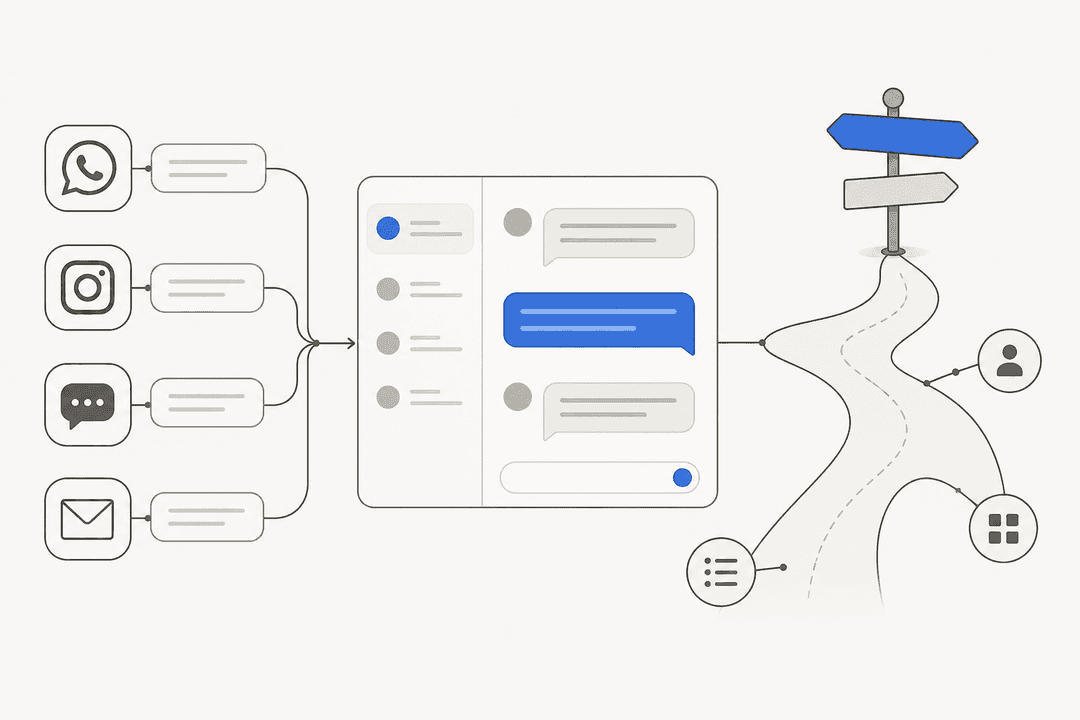
Banner image for Confluence vs Guru: Which knowledge platform fits your team in 2026

Choosing the right knowledge management platform can feel like picking between two different philosophies. Confluence has been the default choice for engineering teams for two decades. Guru represents a newer approach that prioritizes verification and contextual delivery. Both have evolved significantly with AI, and both serve different workflows.

This comparison breaks down where each platform excels, where they fall short, and how to decide which one fits your team's needs. We'll also look at how modern AI teammates like eesel AI can work alongside either platform to augment your knowledge management capabilities.

A screenshot of Confluence's landing page.

What is Confluence?

Confluence is Atlassian's enterprise wiki platform, launched in 2004 and now serving over 60,000 customers worldwide. It functions as a centralized documentation backbone, particularly for teams already invested in the Atlassian ecosystem.

The platform organizes knowledge through a hierarchical structure of spaces and pages. Spaces act as containers for related content (think departments, projects, or products), while pages hold the actual documentation. This tree-like organization works well for long-form technical documentation, architectural decision records, and comprehensive project wikis.

Confluence's deepest strength is its native integration with Jira. When your project tracking and documentation live in the same ecosystem, you can link epics, stories, and bugs directly to relevant documentation. This connection is why engineering teams often default to Confluence. The platform also supports multiple content types including whiteboards for brainstorming, databases for structured information, and embedded Loom videos for async communication.

Confluence's hierarchical organization and deep Jira integration provide a structured environment for managing complex technical projects and long-form documentation.

In 2026, Confluence has evolved into an AI-powered workspace through Rovo, Atlassian's GenAI solution. Rovo Search connects to 80+ third-party apps, Rovo Chat provides an AI assistant for complex tasks, and Rovo Agents automate repetitive work. These features are included in all paid plans, making AI accessibility a key differentiator.

What is Guru?

Guru takes a different approach to knowledge management. Founded in 2013 and launched in 2015, Guru positions itself as an "AI Source of Truth" that delivers verified answers where work actually happens.

A screenshot of Guru's landing page.

Instead of page hierarchies, Guru uses a card-based system. Each card contains a discrete piece of knowledge: a policy, a procedure, an answer to a common question. These cards are organized into collections and can be surfaced through a browser extension that works across any web application. A sales rep can access product information without leaving Salesforce. A support agent can find troubleshooting steps without switching tabs.

Guru's standout feature is its verification workflow. Every card has an owner and an expiration date. When knowledge becomes stale, the system prompts the owner to verify or update it. This prevents the documentation decay that plagues traditional wikis, where information grows outdated but nobody knows which pages to trust.

Guru's automated verification cycle ensures that your company's internal knowledge remains accurate and trustworthy by holding subject matter experts accountable for regular updates.

The platform also offers AI Knowledge Agents: customizable AI assistants trained on your company's verified knowledge. These agents can answer questions, conduct research, and integrate with tools via MCP (Model Context Protocol). However, these advanced AI features are restricted to Guru's Enterprise tier, unlike Confluence's Rovo AI which is available on all paid plans.

Feature comparison: Where they differ

Integration philosophy

Confluence centralizes knowledge. You go to Confluence to find information, create documentation, and collaborate. Its integrations (particularly with Jira, Trello, and other Atlassian products) are deep but operate within a walled garden. The platform connects to external tools through its marketplace, but the experience is fundamentally about bringing information into Confluence.

Guru distributes knowledge. Through its browser extension and Slack integration, Guru brings answers to wherever your team is working. This "in the flow of work" approach suits customer-facing teams who cannot afford context switching. A support agent handling a ticket in Zendesk can access relevant knowledge without leaving the ticket view.

Content structure and organization

Confluence's page hierarchies excel at long-form documentation. Technical specifications, architectural decision records, and detailed project documentation fit naturally into Confluence's tree structure. The platform supports nested pages, version history, and granular permissions at the space and page level.

Guru's card-based system optimizes for quick answers. Each card is designed to answer a specific question or explain a specific process. This granularity makes information easier to find and digest, but it can feel limiting when you need to write comprehensive documentation. Guru's formatting options are more constrained than Confluence's rich text editor.

Choosing between a hierarchical wiki or a card-based system depends on whether your team needs deep technical archives or rapid-fire answers in their daily workflow.

AI capabilities in 2026

Confluence's Rovo AI includes Search, Chat, Agents, and Studio across all paid plans. Rovo Search connects to 80+ connectors including Google Workspace, Microsoft 365, GitHub, and Salesforce. Rovo Chat provides an AI assistant for brainstorming and complex tasks. Rovo Agents automate repetitive work, and Rovo Studio lets teams build custom AI solutions. The platform has over 5 million monthly active users leveraging these AI capabilities.

Guru's Knowledge Agents include Chat, Research capabilities, and MCP Server support. However, these features are restricted to the Enterprise tier with custom pricing. Standard plan users get AI credits included but with usage limits. This gating means smaller teams cannot access Guru's most powerful AI features without upgrading to Enterprise.

Verification and content governance

Guru's verification workflows are its killer feature. Every card has an assigned expert and a verification interval. When knowledge expires, the owner gets notified. If they don't verify the content, Guru flags it as unverified. This system creates accountability and prevents the "documentation graveyard" problem where wikis fill with outdated information.

Confluence relies on manual review processes. While the platform offers page insights and analytics to see which content is being viewed, there's no built-in verification workflow. Teams must create their own processes for keeping documentation current, often resulting in stale content that confuses more than it helps.

Pricing comparison

PlanConfluenceGuru
FreeUp to 10 users, 2GB storage, unlimited spaces/pagesNot available
Standard/Starter$5.42/user/month (annual), includes Rovo AI$25/user/month ($30 monthly), 10-seat minimum = $250/month floor
Premium$10.44/user/month (annual), unlimited storage, 99.9% SLAEnterprise custom pricing
EnterpriseCustom pricing, multiple sites, 99.95% SLACustom pricing, includes Knowledge Agents

The pricing difference is stark. Confluence's free tier supports up to 10 users with 2GB storage and unlimited spaces and pages. Small teams can run on Confluence free indefinitely. Guru has no free tier. Their Standard plan starts at $25 per user per month with a 10-seat minimum, creating a $250 monthly floor before you can use the platform.

At the paid tier, Confluence costs roughly one-fifth of Guru per user. For a 20-person team, Confluence Standard runs about $108 monthly. Guru Standard costs $500 monthly (minimum). This gap widens as teams grow.

AI access differs significantly too. Confluence includes Rovo AI (Search, Chat, Agents) on all paid plans with usage credits ranging from 25 credits per user on Standard to 150 on Enterprise. Guru's Knowledge Agents are Enterprise-only. Standard plan users get AI credits but cannot access the full Knowledge Agent capabilities.

Who should choose Confluence

Engineering and product teams

If your team already uses Jira, Confluence is the obvious choice. The integration between project tracking and documentation is unmatched. You can link epics and stories directly to technical specifications, create release notes from Jira issues, and maintain a single source of truth across your development workflow. The 76% of Confluence customers who also use Jira report shipping projects faster because of this connection.

Organizations needing comprehensive documentation

Teams producing long-form technical documentation, architectural decision records, API documentation, and detailed project wikis will find Confluence's page-based structure more suitable than Guru's card system. The rich text editor, version history, and nested page hierarchies support complex documentation needs.

Budget-conscious teams

Small teams (under 10 users) can use Confluence's free tier indefinitely. Growing teams benefit from the $5.42 per user monthly price point on Standard. Even at scale, Confluence Premium at $10.44 per user costs less than half of Guru's entry price.

Who should choose Guru

Sales and support teams

Customer-facing roles benefit enormously from Guru's browser extension. When a sales rep is in Salesforce or a support agent is in Zendesk, they can access verified answers without switching contexts. This "in the flow of work" delivery model reduces response times and improves accuracy.

Guru is much more user-friendly than Confluence overall. We actually moved our knowledge management from Confluence to Guru for our frontline agents.

Teams prioritizing knowledge accuracy

Guru's verification workflows ensure information stays current. Subject matter expert ownership creates accountability for documentation quality. If your organization struggles with outdated documentation or "tribal knowledge" that lives in people's heads, Guru's verification system addresses this directly.

Slack-heavy organizations

Guru's Slack integration goes deeper than Confluence's. Teams can create, share, and update knowledge directly from Slack conversations. When someone asks a question in a channel, Guru can suggest relevant cards or capture the answer for future reference.

User sentiment and ratings

User ratings consistently favor Guru, though both platforms score well:

PlatformG2TrustRadiusCapterra
Confluence4.4/58.0/104.4/5
Guru4.7/59.6/104.8/5

Confluence users praise the Jira integration, document collaboration features, and template library. Criticism focuses on the interface feeling clunky, search limitations, and the learning curve for new users. Some reviewers note that Confluence can become slow with large pages and that finding information requires knowing where to look.

The search function is poor, there is no AI to help guide your choices and people find it hard to navigate and understand where to find the content.

Guru users highlight the browser extension, clean UI, and verification workflows as standout features. The 10-seat minimum pricing is the most common complaint, creating a barrier for smaller teams. Some users also mention that Guru's formatting options feel limited compared to traditional document editors.

The browser extension and Slack integration are standout features that make knowledge truly accessible 'in the flow of work.'

eesel AI: An alternative approach to knowledge management

While Confluence and Guru represent different philosophies for knowledge management, there's a third option that works alongside either platform. eesel AI functions as an AI teammate that integrates with both Confluence and Guru, plus your help desk, Slack, and other tools.

A screenshot of the eesel AI platform showing the no-code interface for setting up the main AI agent, which uses various subagent tools.

Instead of replacing your knowledge base, eesel learns from it. Connect eesel to your existing Confluence spaces or Guru collections, and it immediately understands your company's knowledge, tone, and common issues. This means you don't need to migrate anything or change how your team works.

Where traditional knowledge management tools stop at storage and retrieval, eesel operates as an AI Agent that can actually resolve tickets, answer questions, and take actions. It can look up orders in Shopify, process refunds, update ticket fields, and escalate complex issues to humans. For teams that want AI assistance without full automation, AI Copilot drafts replies for human agents to review and send.

The teammate mental model is what differentiates eesel. You don't configure it like a traditional tool. You hire it, start with guidance, and level up to autonomy based on performance. Run simulations on past tickets to verify quality before going live. Define escalation rules in plain English. Mature deployments achieve up to 81% autonomous resolution with a typical payback period under 2 months.

The eesel AI rollout strategy allows teams to build trust through a guided pilot phase before moving to fully autonomous customer support and task execution.

For teams already invested in Confluence or Guru, eesel offers integrations that enhance rather than replace. Our Confluence AI integration and Guru AI integration let you leverage your existing knowledge investments while adding autonomous resolution capabilities.

Choosing the right knowledge platform for your team

The decision between Confluence and Guru comes down to your team's workflow, existing tools, and budget.

Choose Confluence if:

  • You're already using Jira or other Atlassian products
  • You need comprehensive long-form documentation
  • You have a small team that can use the free tier
  • Budget is a primary concern (Confluence costs roughly one-fifth of Guru)
  • You want AI features included in all paid plans

Choose Guru if:

  • You have sales or support teams who need contextual knowledge delivery
  • Knowledge accuracy and verification are critical
  • Your team lives in Slack and browser-based tools
  • You can justify the $250/month minimum entry price
  • You need the browser extension for "in the flow of work" access

Consider eesel AI if:

  • You want to augment your existing knowledge base with AI capabilities
  • You need autonomous ticket resolution, not just knowledge retrieval
  • You prefer a teammate model that learns and improves over time
  • You want to work across multiple platforms (Confluence, Guru, help desks, Slack) from a single AI interface
Screenshot of a help desk interface like Zendesk. On the right side, the eesel AI Copilot sidebar shows a suggested reply to a customer's question, which was generated using the company's knowledge base and the powerful GPT-5 model.

Both Confluence and Guru are solid platforms that serve different needs. The best choice is the one that fits how your team actually works. Start with a clear understanding of your primary use cases, evaluate both platforms with real workflows, and consider how AI teammates like eesel can enhance whichever platform you choose.


Frequently Asked Questions

Yes, though it's uncommon. Some teams use Confluence for technical documentation and Guru for customer-facing knowledge. Alternatively, tools like eesel AI can integrate with both platforms simultaneously, learning from your Confluence spaces and Guru collections to provide unified AI assistance.
Confluence offers better AI accessibility for small teams. Rovo AI (Search, Chat, Agents) is included in the Standard plan at $5.42/user/month. Guru's Knowledge Agents are restricted to Enterprise tier with custom pricing, making them inaccessible to smaller teams on the Standard plan.
Guru generally has a faster initial setup due to its card-based structure and browser extension. However, Confluence's free tier lets small teams get started without any financial commitment. Both platforms require ongoing effort to maintain organized, useful knowledge bases.
Guru has built-in verification workflows with expert ownership and expiration dates. Confluence relies on manual review processes and page analytics. If preventing documentation decay is critical, Guru's verification system provides clear advantages.
Yes, both platforms offer import/export capabilities. Guru can import Confluence spaces. Confluence can import various formats. However, migration requires planning around content structure changes (pages to cards or vice versa) and re-establishing permissions and workflows.

Share this article

Stevia Putri

Article by

Stevia Putri

Stevia Putri is a marketing generalist at eesel AI, where she helps turn powerful AI tools into stories that resonate. She’s driven by curiosity, clarity, and the human side of technology.

Ready to hire your AI teammate?

Set up in minutes. No credit card required.

Get started free