CloudTalk AI call summaries: Complete guide for 2026

Stevia Putri
Last edited March 12, 2026
Every sales and support team has been there. A rep finishes a call, scribbles some notes, and moves to the next one. By the end of the day, those notes are incomplete, inconsistent, or missing entirely. Managers who want to review calls face hours of listening to recordings. Valuable insights get lost in the noise.
This is where AI call summaries come in. Instead of relying on manual note-taking, these tools automatically transcribe conversations, extract key points, and generate structured summaries that teams can actually use.
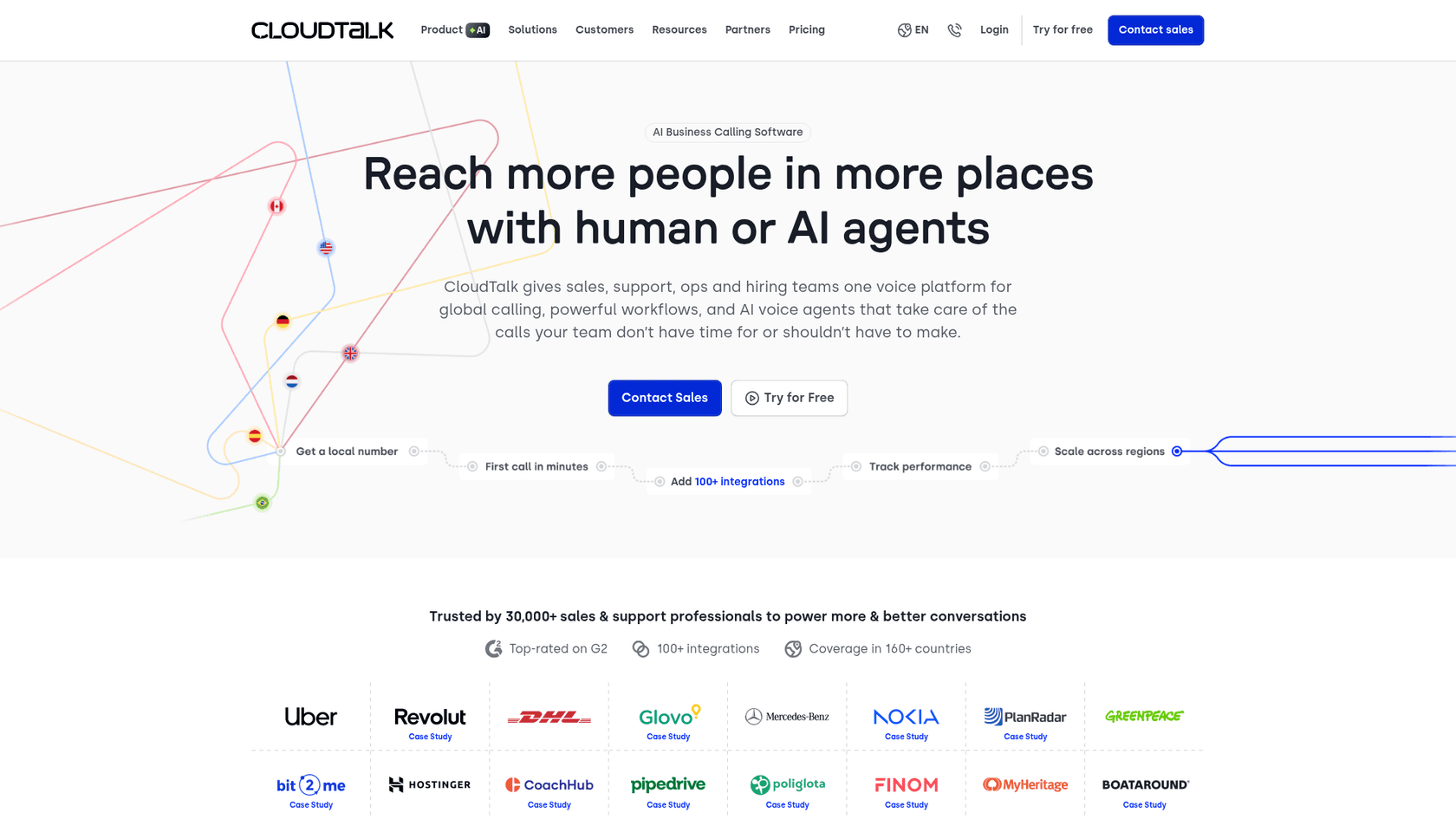
CloudTalk has built AI call summaries into its conversation intelligence platform. Here is how it works, what it offers, and whether it is the right fit for your team.
What are CloudTalk AI call summaries?
CloudTalk AI call summaries are part of the platform's Conversation Intelligence suite. The system records your calls, transcribes them using speech-to-text technology, and applies natural language processing to identify what actually matters in each conversation.
The result is a concise summary that captures key discussion points, action items, and customer sentiment without anyone having to take notes manually. These summaries appear in your call history and can sync directly to your CRM.
CloudTalk is a cloud-based business phone system designed for sales and support teams. It handles inbound and outbound calling, routing, and analytics. The AI features sit on top of this foundation, adding intelligence to every conversation.
For teams already using help desk software like Zendesk or Freshdesk, it is worth noting that CloudTalk focuses on phone calls specifically. If you need AI that works across tickets, chat, email, and other channels, you might want to explore broader solutions like our AI Agent that integrates directly with your existing help desk.

How CloudTalk AI call summaries work
The process is straightforward. When a call starts, CloudTalk records the audio. After the call ends, the AI gets to work.
First, the system transcribes the conversation into text. Then it analyzes that text to identify key topics, sentiment shifts, and important moments. Finally, it generates a summary organized into specific categories that make the information easy to digest.

The summaries include:
- Call details who participated and significant updates
- Action items followup tasks identified during the conversation
- Decisions made points that were agreed upon
- Open questions items requiring followup after the call
- Important dates and deadlines timelines mentioned
- Risks and issues potential problems flagged during the discussion
These AI-generated notes can be copied to your CRM or call notes section with a single click. The system also applies smart tags automatically based on the conversation topics, making it easy to categorize and search calls later.
One thing to keep in mind: the AI features require call recording to be enabled, and the summary generation happens after the call ends rather than in real-time. This is standard for most conversation intelligence tools, but worth knowing if you were expecting live transcription.
Key features and capabilities
CloudTalk's AI conversation intelligence goes beyond simple summaries. Here is what you get:
AI-powered transcription
The system converts speech to text with claimed accuracy above 95%. It supports more than 50 languages, including major ones like English, German, Portuguese, Spanish, and French. This matters if you have international customers or multilingual teams.
Automated call summaries and tags
Rather than just dumping a transcript on you, CloudTalk generates concise summaries and applies relevant tags automatically. This reduces the after-call work that reps typically hate doing.
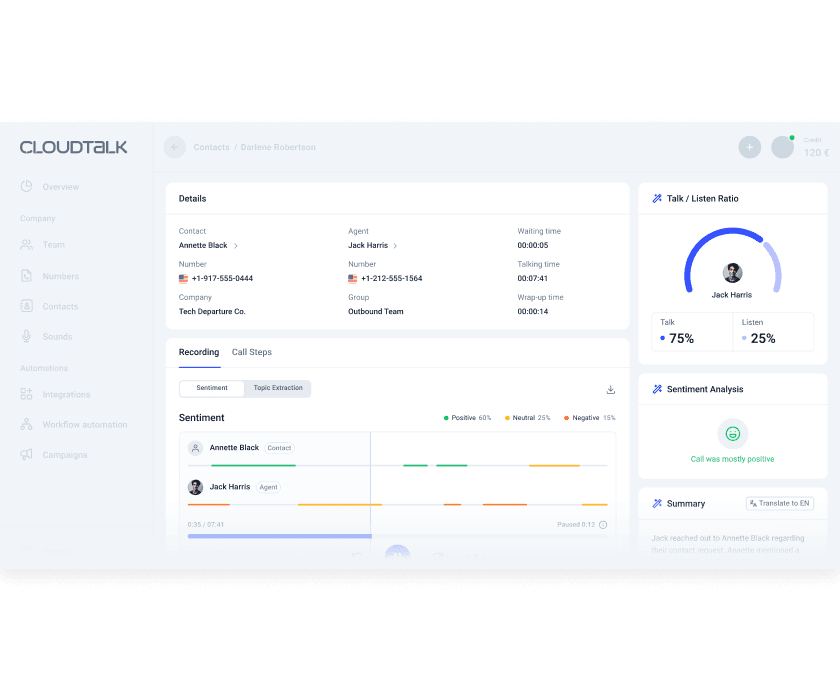
Sentiment analysis
The AI tracks how customer sentiment changes throughout the call. You can see where frustration spiked or where the conversation turned positive. This helps managers identify coaching opportunities and reps adjust their approach in real time.
Talk and listen ratio
This metric shows how much time the rep spent talking versus listening. It is a useful coaching metric. Sales teams often do better when reps listen more than they talk.
Topic extraction and trending topics
The system identifies what subjects come up repeatedly across your calls. This can reveal product issues, common objections, or training gaps you might not have noticed otherwise.
Transcript search
You can search through all your call transcripts for specific keywords or phrases. Want to find every mention of a competitor? Or every call where pricing was discussed? The search function makes this possible without listening to hours of recordings.
CRM integration
Summaries and transcripts can sync directly to Salesforce, HubSpot, Pipedrive, and other CRMs. This keeps your customer records up to date without manual data entry.
AI call scoring
You can build QA scorecards and have the AI evaluate calls against them automatically. This helps maintain consistent quality standards across large teams.
Benefits for sales and support teams
The main pitch for AI call summaries is time savings. CloudTalk claims their AI cuts manual call review time by 80% and saves agents about 5 minutes per call on after-call work.
Let's put that in perspective. If a rep handles 20 calls per day, saving 5 minutes per call adds up to over an hour and a half of reclaimed time daily. Across a team of 20 reps, that is 30+ hours per day of productivity gained.
Beyond time savings, here is what teams actually get:
Better coaching. Managers can review summaries instead of listening to full recordings. They can spot patterns across multiple calls and give specific, data-backed feedback. A sales ops manager at Capitalo reported that CloudTalk's AI cut their call quality analysis from 2 hours to 20 minutes daily.
Consistent documentation. Every call gets documented the same way. No more guessing what a rep meant by their handwritten notes. No more calls that went completely unrecorded.
Faster onboarding. New reps can review real call examples to learn what good conversations look like. They can see how top performers handle objections and structure their calls.
Improved customer experience. When a customer calls back, any agent can see what was discussed previously. No one has to ask customers to repeat themselves.
Data-driven decisions. Trending topics and sentiment analysis reveal what customers actually care about. This can inform product decisions, marketing messaging, and support priorities.
CloudTalk pricing and plans
Here is where things get a bit more complicated. CloudTalk's AI conversation intelligence is an add-on, not included in the base plans. You will need to factor this into your budgeting.
The AI add-on costs €9 per user per month when billed annually. If you pay monthly, the price is higher.
Base plan pricing (annual billing) looks like this:
| Plan | Monthly Price (per user) | Key Features | AI Add-on |
|---|---|---|---|
| Lite | €19 | Basic calling, 1 ring group, limited minutes | +€9 |
| Starter | €25 | 500 EU minutes, unlimited ring groups | +€9 |
| Essential | €29 | Unlimited US/Canada/EU calls, 95+ integrations | +€9 |
| Expert | €49 | Power dialer included, Salesforce integration | +€9 |
Source: CloudTalk Pricing
So for a team of 10 on the Essential plan with AI features, you are looking at €380 per month (€290 for the base plans plus €90 for the AI add-on).
Other add-ons to consider:
- Power Dialer: €15 per user per month for automated sequential dialing
- Parallel Dialer: €39 per user per month to dial up to 10 numbers simultaneously
- AI Voice Agents: €350 per month for 1,000 minutes of AI agent calls
The good news is you can try CloudTalk with a 14-day free trial, no credit card required. This lets you test the AI features before committing.
Alternatives to consider
CloudTalk is not the only player in this space. Depending on your needs, these alternatives might be worth exploring:
CloudCall
CloudCall focuses heavily on recruitment and sales workflows. It offers AI-powered transcription with claimed accuracy above 95% and strong CRM integration, particularly with Bullhorn and Vincere. If you are in recruitment, this specialization might make it a better fit.
eesel AI
If you need AI that goes beyond phone calls, we offer an AI teammate that handles tickets across multiple channels. Our AI Agent can resolve tickets autonomously, while our AI Copilot drafts replies for human review. We integrate with help desks like Zendesk, Freshdesk, and Intercom, making us a better fit if your support happens across tickets, chat, and email rather than just phone calls.

Zoom Phone
At $10 per user per month for the metered plan, Zoom Phone includes AI summaries as part of its core offering. This can be more cost-effective for smaller teams or those already using Zoom for meetings.
Microsoft Teams Phone
If your organization is deep in the Microsoft ecosystem, Teams Phone with Copilot integration might be the path of least resistance. The AI features work natively within tools your team already uses.
Getting started with AI call summaries
If you decide to move forward with CloudTalk's AI features, here is how to set them up:
Prerequisites. You will need a CloudTalk plan that supports the AI Conversation Intelligence add-on. Call recording must be enabled for the numbers you want to analyze.
Enable the add-on. Purchase the AI Conversation Intelligence add-on for your plan. This is done through the billing section of your dashboard.
Configure Notes and Tagging. Go to Account > Settings > AI Conversation Intelligence. Turn on Notes and Tagging, then select which Smart Notes categories you want the AI to capture.
Set up tags. If you want automatic tagging, add the tags you use to the AI configuration. The AI will only apply tags you have explicitly included.
Add tag descriptions. For better accuracy, add brief descriptions to your tags in the dashboard settings. This helps the AI understand when to apply each tag.
Review and refine. After the AI starts generating summaries, review them for accuracy. The system learns from feedback, so correcting mistakes early improves results over time.
One limitation to note: the call summary and copy-to-notes features are not available on CloudTalk's mobile app. If your team does a lot of call review on mobile devices, this could be a constraint.
Is CloudTalk AI call summaries right for your team?
CloudTalk's AI call summaries work best for teams that:
- Handle high volumes of phone calls
- Need consistent call documentation for compliance or coaching
- Want to identify trends and patterns across conversations
- Already use or are willing to adopt CloudTalk as their phone system
It is less ideal if:
- Your support happens primarily through tickets, chat, and email rather than phone
- You need AI that can take actions beyond summarizing (like resolving tickets autonomously)
- You are looking for a solution that works across multiple communication channels
For teams needing broader AI support capabilities, our AI solutions integrate with existing help desks to handle tickets end-to-end. We focus on being an AI teammate that learns your business and levels up from drafting replies to working autonomously, rather than just summarizing calls.
The bottom line? CloudTalk offers solid AI call summarization at a reasonable price point if phone calls are your primary customer interaction channel. The 80% reduction in review time and 5 minutes saved per call are compelling numbers, especially for larger teams where those savings compound quickly.
Before committing, take advantage of the 14-day free trial to test the AI features with your actual calls. Every business has different conversation patterns, and what works brilliantly for one team might miss the mark for another.

Frequently Asked Questions
Share this article

Article by
Stevia Putri
Stevia Putri is a marketing generalist at eesel AI, where she helps turn powerful AI tools into stories that resonate. She’s driven by curiosity, clarity, and the human side of technology.



