The 5 best AI assistants with powerful integrations in 2026

Katelin Teen
Last edited February 1, 2026
Standalone chatbots are evolving. In 2026, the value of AI lies not just in what it knows, but in what it can do. The real power is in its ability to connect to the tools we use every day. This is where the truly integrated AI assistant comes in.
From handling customer support tickets to running your smart home, these assistants are quickly becoming the command center for our digital lives. But with open-source tools like OpenClaw (you probably know it as Clawd Bot) getting so much buzz, choosing the right one can be challenging.
We’re going to break down five of the best AI assistants available today, focusing on what really counts: their integration capabilities. We'll help you find the perfect match, whether you're a business owner who needs a secure, ready-to-go solution or a developer looking for a fun weekend project.
What are AI assistants and why do integrations matter?
An AI assistant is much more than a simple chatbot. It’s an AI that understands context, remembers previous conversations, and, most importantly, takes action by connecting to other software and hardware.
An assistant without connections can provide information, but it can't take action on your behalf. Integrations are what allow it to get things done for you, like:
- Reading and summarizing new emails from your Google Workspace.
- Checking a customer's order status in Shopify.
- Creating a new support ticket in Zendesk or Jira.
- Adding a task to your team's board in Notion or Trello.
- Turning on your living room lights through Home Assistant.
This is a primary reason why a tool like Clawd Bot gained popularity. It's not an AI model on its own; it's more of an open-source intermediary. It links messaging apps like Telegram to large AI models like Claude, letting it carry out tasks. The self-hosted, "personal Jarvis" concept generated significant interest.
How we evaluated AI assistants
Not all assistants are created equal, so we chose our top five based on a few important factors to give you a fair comparison.
- Primary use case: Is it meant for running a business, enhancing personal productivity, or controlling your smart home? The right tool for one job may not be suitable for another.
- Integration breadth and depth: How many apps can it connect to? More importantly, how much control does it have? Reading data is one thing, but taking action is what matters.
- Setup and maintenance: Does it offer a no-code setup, or is it a DIY project that requires technical expertise?
- Data privacy and control: Is your data managed by a service with strong security protocols, or is it on a self-hosted platform where you're responsible for everything?
- Cost model: Is it free and open-source, a simple monthly subscription, or based on API usage that could fluctuate?
Quick comparison of the best AI assistants
Here’s a quick rundown of how our top picks compare.
| Feature | eesel AI | Clawd Bot (OpenClaw) | Claude | Home Assistant | Notion AI |
|---|---|---|---|---|---|
| Primary Use Case | Business Automation (Support, Sales, IT) | Personal Productivity & Automation | Foundational AI Model & Dev Platform | Smart Home Control | Integrated Workspace AI |
| Setup | 1-Click Onboarding (No Code) | Technical (Node.js, Docker) | API or Web App | Technical (Hardware + Software) | Instant (SaaS) |
| Hosting | Managed Cloud | Self-Hosted | Cloud API | Self-Hosted | Managed Cloud |
| Ideal User | Businesses, Support Teams | Developers, Tinkerers | Developers, Power Users | Smart Home Enthusiasts | Teams, Individuals |
| Pricing Model | Subscription (from $299/mo) | Free (BYO hardware & API keys) | Subscription & Pay-as-you-go API | Free (hardware costs) | Included in Business/Enterprise plans (from $20/user/mo) |
The top 5 AI assistants with powerful integrations
Now, let's get into the details of each platform.
1. eesel AI
Description: eesel AI is built to be an "AI teammate" for your business. You don't configure it with complex workflows; you "hire" it, and it learns from your existing data in minutes. Its integrations are focused on business tools, connecting to over 120 platforms like Zendesk, Intercom, Shopify, and Confluence. It’s designed for companies that want powerful, secure automation without the technical overhead of a self-hosted setup.
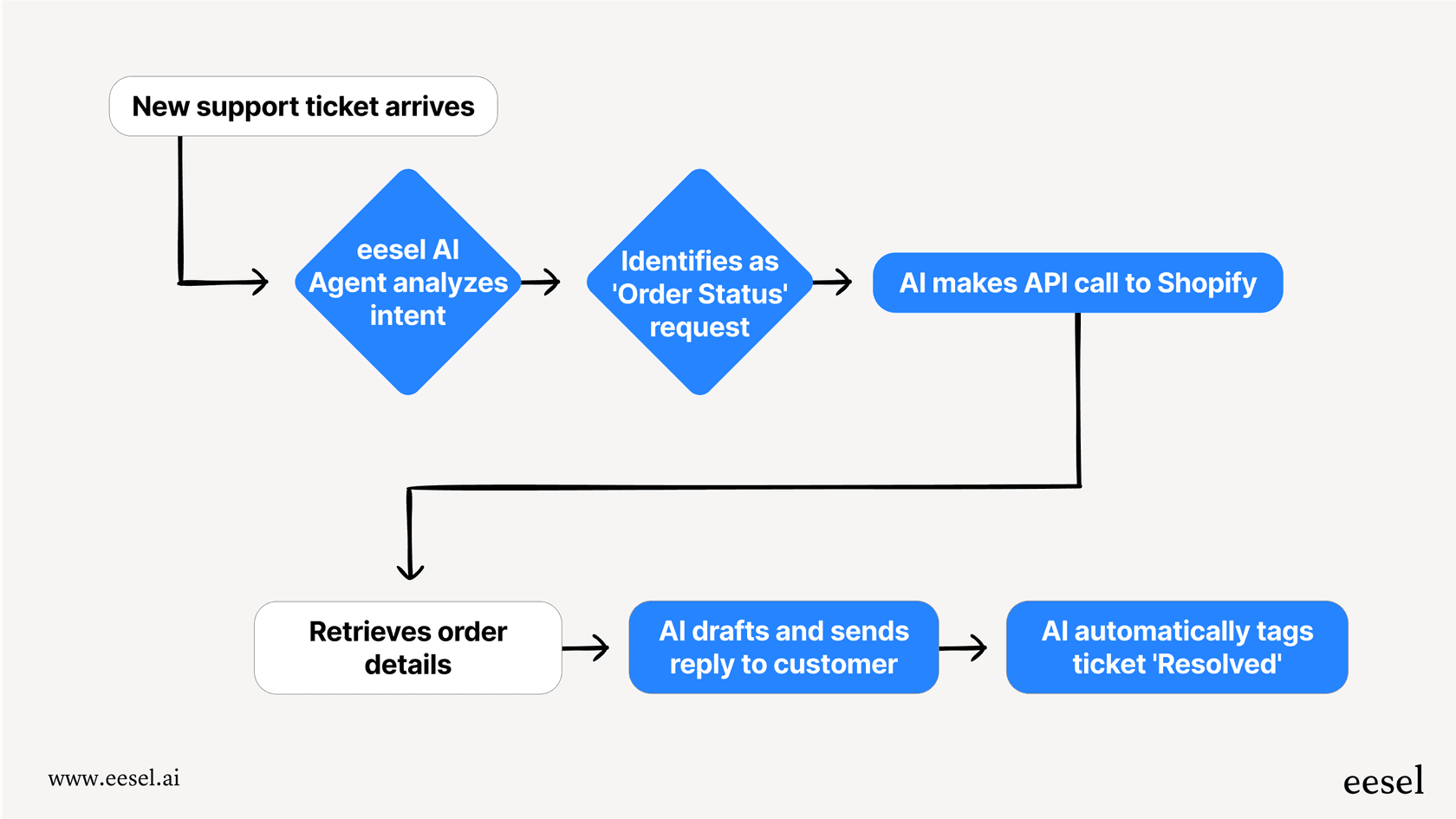
Pros: The setup is incredibly fast and doesn't require engineers. The "teammate" approach allows teams to start small. You can begin with eesel drafting replies for your team to review (AI Copilot) and then promote it to handle tickets autonomously (AI Agent). Its pre-live simulation feature is a key benefit, letting you see how it would have handled thousands of past tickets so you can check its work before it ever interacts with a customer. Plus, your data is contractually guaranteed not to be used for training other models, and it's GDPR/CCPA compliant.
Cons: It's a specialized tool. It’s excellent for business tasks but isn't built for the wide-ranging, customizable integrations into personal apps or smart home gadgets that something like OpenClaw offers. As a managed cloud service, it's also not for you if you require a self-hosted solution.
Pricing:
- Team Plan: $299/month for 1,000 AI interactions.
- Business Plan: $799/month for 3,000 AI interactions, which adds the ability to train on past tickets.
- Custom Plan: Custom pricing for unlimited interactions and advanced features.
Best for: Businesses of any size that want a secure, easy-to-use AI agent to automate customer and internal workflows without writing any code.
2. Clawd Bot (now OpenClaw)
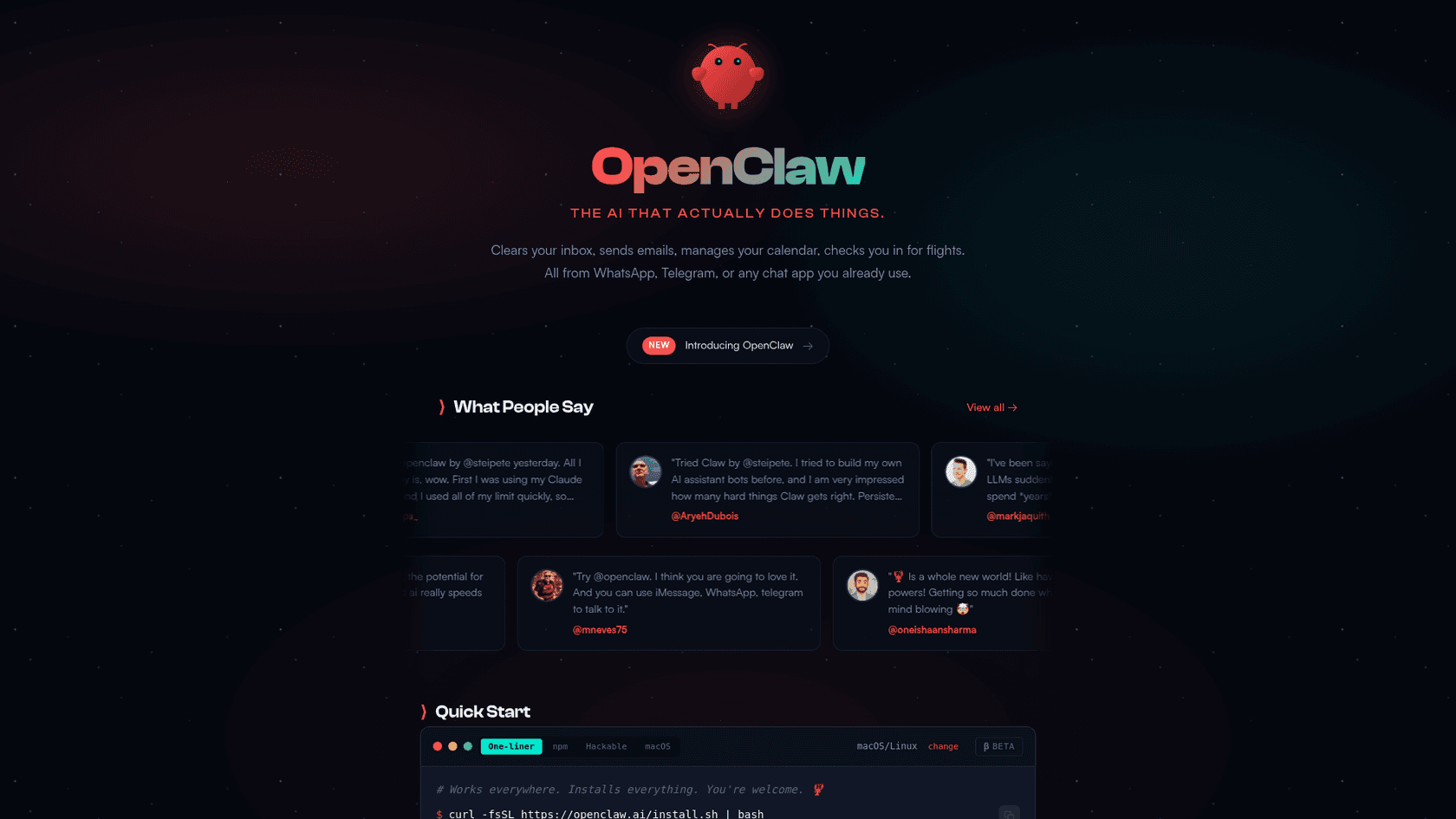
Description: Clawd Bot, now officially called OpenClaw, is the open-source, self-hosted AI assistant that gained significant traction in the developer community. It's a gateway that connects messaging apps (like WhatsApp and Telegram) to powerful AI models (like Claude or GPT-4) and a massive ecosystem of integrations called "skills." With skills on ClawHub for tools like Trello, Slack, and Home Assistant, it can become the command center for your entire digital life, all from a simple chat.
Pros: Being self-hosted gives you total privacy and control over your data. It’s very flexible, letting you connect it to almost any service that has an API. Chatting with it through a messaging app provides a modern personal automation experience.
Cons: The setup process is technical. You need to be familiar with tools like Node.js, Docker, or the command line. It is a DIY project, meaning you're responsible for all the maintenance, updates, and security. Some Reddit users have brought up valid security concerns, since API keys can be stored unencrypted on your machine.
The "bring your own API key" model also means your costs can be unpredictable.As a security pro, a piece of software with unfettered access to your system is a nightmare with that big attack surface area. I would be highly cautious and suggest putting this on a sandbox and experiment.

Pricing:
- The OpenClaw software is free and open-source.
- You pay for the hardware to run it on (e.g., a Mac Mini or a cloud server, which can be $5+/month).
- You also pay for the AI model's API usage (e.g., Claude's API can run from $20 to over $100 a month, depending on how much you use it).
Best for: Developers, tinkerers, and privacy-focused power users who want to build a completely custom personal AI assistant from scratch.
3. Claude
Description: While not an "assistant" in the same way as the others, Claude by Anthropic is the brain behind many of them, including the recommended setup for OpenClaw. It's a family of next-gen AI models (Opus 4.5, Sonnet 4.5) known for safety and reasoning capabilities. The Pro plan has a direct integration with Google Workspace, letting it securely analyze your emails and docs. For developers, it offers a solid API to build custom tools and integrations.
Pros: Claude's models are known for their performance, especially for understanding long, complicated documents. The platform is built with security in mind and is HIPAA-ready and SOC 2 compliant. For anyone doing knowledge work, the Google Workspace integration is a useful feature for analyzing private data without sacrificing privacy.
Cons: Using Claude's API requires some coding; it doesn’t come with a pre-built integration hub like eesel AI. The regular chat product has very few direct app integrations compared to a full assistant platform.
Pricing:
- Free Plan: Limited usage for anyone to try.
- Pro Plan: $20/month for much higher usage limits and access to features like the Google Workspace integration.
- API: Pay-as-you-go, with prices like $3 per million input tokens for the Sonnet 4.5 model.
Best for: Developers building their own AI apps or individuals who want a secure, powerful chat interface with deep access to their Google Workspace data.
4. Home Assistant
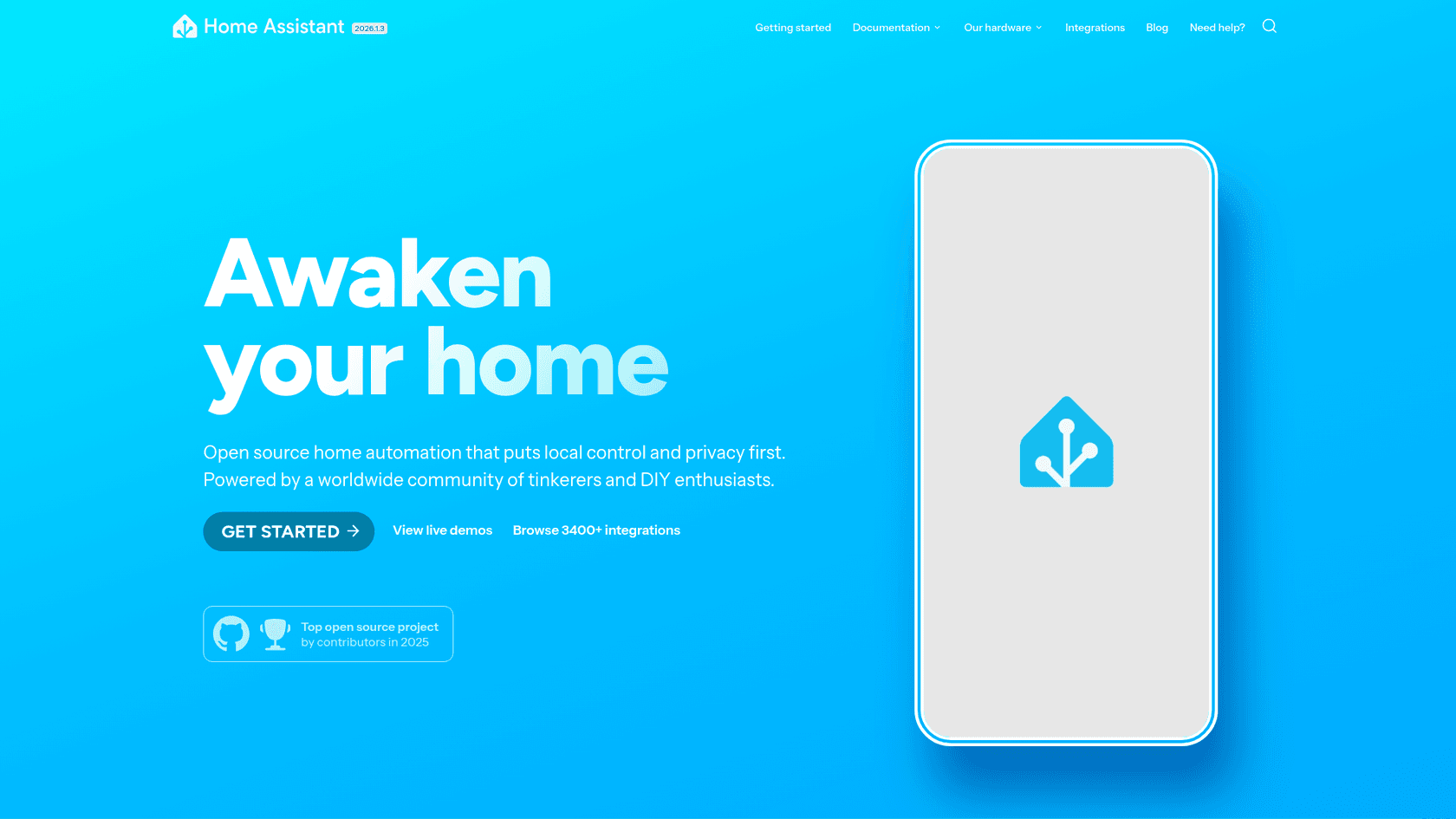
Description: Home Assistant is an open-source home automation platform that prioritizes local control and privacy. It's a powerful, specialized assistant for managing your physical environment. It integrates with a large number of devices, over 3,400 smart devices and services are supported, including big names like Philips Hue, Sonos, and Shelly, plus standards like Zigbee, Z-Wave, and Matter.
Pros: It has one of the widest ranges of smart home device integrations available. Since it's fully self-hosted, your data stays on your own network, and your home automation keeps working even if the internet goes out. The automation engine is incredibly powerful, and it's supported by a large, dedicated community.
Cons: It requires specific hardware (like a Raspberry Pi 5, which is about $80) and the setup is technical. Its AI features are focused on automation and voice commands through its "Assist" feature, not on the kind of generative conversation or complex reasoning you'd get from a model like Claude.
Pricing:
- The Home Assistant software is free and open-source.
- You have to buy the hardware to run it on.
- There's an optional Nabu Casa cloud subscription for $6.50/month that makes remote access and voice assistant integration much easier.
Best for: Smart home enthusiasts and privacy advocates who want complete control and ownership over their home automation.
5. Notion AI
Description: Notion has evolved from a note-taking app into an all-in-one workspace with an AI assistant built into its platform. Notion AI works directly on your documents, databases, and project boards. Its "Enterprise Search" feature is a notable feature, letting it become the central brain for your team's knowledge by connecting to and searching across other apps like Slack, Google Drive, Jira, and GitHub.
Pros: The AI is smoothly integrated into the workspace you and your team might already use daily. It's effective for knowledge management, summarizing, and creating content. Being able to search across all your connected apps from one spot makes it an effective knowledge hub.
Cons: Its abilities are mostly contained within the Notion ecosystem. It can't control external apps, browse the web, or manage smart home devices. The per-user pricing can also get expensive for larger teams.
Pricing:
- Notion AI features are now included in the Business and Enterprise plans.
- The Business Plan costs $20 per user/month (when billed annually) and includes the Notion Agent and Enterprise Search.
Best for: Teams who are already all-in on Notion and want to boost their productivity with integrated AI search and automation.
How to choose the right AI assistant for your needs
Your choice depends on your main goal. Focus on the job you need to get done, not just the popularity of a particular tool.
- For your business: If you need to automate customer support, IT, or sales, you need a platform that's secure, reliable, and easy to manage. An AI teammate like eesel AI is built specifically for this. It has deep integrations with help desks and e-commerce platforms, and you can safely test it with simulations before it ever talks to a customer.
- For personal automation: If you're a developer who loves to tinker and wants total control over your personal data and workflows, a self-hosted solution like OpenClaw (Clawd Bot) is a suitable option.
- For your smart home: If your main goal is to unify and automate all your IoT devices with complete local control, a dedicated platform like Home Assistant is a leading choice.
- For knowledge work: If you spend your day in documents and need to connect knowledge scattered across different apps, an integrated workspace assistant like Notion AI will give you the most value.
For those curious to see a step-by-step guide on how to get started with an open-source assistant, the video below offers a complete walkthrough of the Clawd Bot setup process, from installation to practical use cases.
The future is a connected teammate
AI assistants have evolved beyond simple chatbots. The most powerful AI assistants in 2026 are the ones that connect deeply with the tools you already use. It doesn't matter if it's a developer's custom-built OpenClaw managing their digital life from Telegram, or a business's AI agent from eesel handling up to 81% of customer tickets on its own.
The key consideration is not just the AI's intelligence, but its integration capabilities for your specific needs. The DIY approach of OpenClaw is suitable for personal use, while businesses often prioritize security, reliability, and ease of use.
To add an AI teammate to your business, you can opt for a managed solution that doesn't require extensive technical setup. You can get started with eesel AI in just a few minutes. It learns from your existing help desk data and can start drafting replies for your team right away. See for yourself how an AI teammate can transform your customer support.

Frequently Asked Questions
Share this article

Article by
Katelin Teen
Katelin is an operations specialist at eesel where she uses her psychology training and education experience to optimize B2B SaaS processes. Outside of work, she unwinds with story-driven games, writing, and keeping up with latest tech innovations.