

Real estate agents write more than most people realize. A single listing week might produce an MLS description, three follow-up emails, five Instagram captions, a neighborhood blog post, and a market update for your newsletter. That's somewhere between 2,000 and 4,000 words of content - before you've taken a single call.
AI writing tools won't replace the local knowledge that makes a listing compelling. They will cut the time it takes to go from that knowledge to polished prose. The difference between a mediocre AI writing tool and a good one, for an agent specifically, comes down to a few things: whether it can hold a consistent voice across dozens of listings, whether it understands real estate vocabulary without you explaining it, and whether the pricing actually makes sense for a solo operator or small team.
These five tools are the ones worth looking at in 2026 - tested for real estate use cases, with full pricing and no vague "starts at" numbers.
How to pick an AI writing tool as a real estate agent
Before getting into the tools, it's worth naming the use cases that matter most, because they're different from what a general content marketer needs.
Property listings. This is the highest-stakes writing you do. MLS descriptions have word count limits, specific vocabulary expectations, and zero tolerance for factual errors. You want a tool that can take a bulleted list of specs and turn it into compelling prose in your voice - without inventing details.
Email outreach and follow-up. High volume, needs to feel personal. The best tools let you set a tone once and re-use it, so your 40th follow-up email reads like the first.
Social media captions. Short form, platform-specific. Instagram wants hooks; LinkedIn wants authority. Canva wins here because the writing and design happen in the same tool.
Neighborhood descriptions and market reports. Longer form, data-heavy. You're combining local expertise with readable prose. ChatGPT's Deep Research is the standout for this.
Blog posts. If you're doing content marketing to build search visibility, blog writing takes the longest. See eesel's guide to real estate blog writing for the workflow.
The 5 best AI writing tools for real estate agents in 2026
Here's a quick comparison before the deep dives:
| Tool | Starting price | Best for | Brand voice | Free plan? |
|---|---|---|---|---|
| ChatGPT | $0 / $8 / $20/mo | Everything - listings, emails, research | Custom Instructions + Projects | Yes (10 msgs/5 hrs) |
| Jasper | $59/mo (annual) | High-volume listing teams, brand consistency | Brand Voice Profiles (up to 2 on Pro) | No (7-day trial) |
| Writesonic | $79/mo (annual) | SEO-driven blog content, AI search visibility | Writing Styles (1-10 depending on plan) | No (free trial) |
| Rytr | $0 / $7.50/mo | Budget-conscious solo agents | Custom tone building (1-5) | Yes (10k chars/mo) |
| Canva Magic Write | $0 / $144/yr | Social media, visual content + captions | Brand Kits with voice presets | Yes (200 AI uses/mo) |
1. ChatGPT
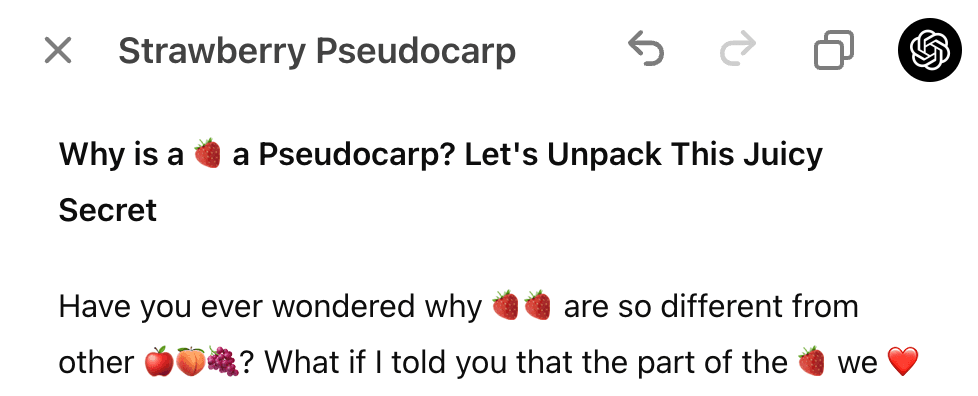
ChatGPT is the default starting point for most agents who want to try AI writing. It's not purpose-built for real estate, but that's fine - it's capable enough across all the writing tasks an agent faces that you might not need a specialist tool at all.
The two features that make ChatGPT genuinely useful for agents (not just a glorified autocomplete) are Canvas and Projects.
Canvas opens a split-pane document editor alongside your chat. Instead of getting a rewrite dumped into the conversation thread, the document lives on the right and ChatGPT makes targeted inline edits. For listing descriptions, this means you can ask for a "Adjust Length - Shorter" pass on a 250-word description and see exactly what changed. The reading level slider (Kindergarten to Graduate School) is useful for matching the register of luxury listings vs. starter-home copy.
Projects let you group chats around a topic and attach files to all of them. Create a project called "Listings - [Your Market]", upload your brand voice guide, a few sample MLS descriptions you're proud of, and your standard neighborhood boilerplate. Every chat inside that project inherits that context without you re-explaining it each time.
One practical workflow shared by The Simple Touches, a real estate marketing site: upload five or more writing samples (emails, captions, past listings) into a chat and ask ChatGPT to "study the structure carefully - sentence length, rhythm, how I explain concepts - save it as my default voice." Then, in any future listing session: "Use my saved writing voice. Do not default to generic AI phrasing."
For agents who want to write neighborhood market summaries or monthly reports, Deep Research is the real differentiator. It autonomously browses dozens of sources, pulls current stats, and produces a structured report. On the Plus plan, you get 25 Deep Research runs per month - enough for a weekly market update and several long-form blog posts.
The limitation every agent hits: no built-in SEO tools. ChatGPT will write an SEO-optimised article if you tell it to, but it won't tell you which keywords to target or how well your draft ranks. For that, you need Writesonic or a separate SEO tool. For a practical workflow on using AI to write content that actually ranks, eesel's AI content writing guide breaks down the process step by step.
"Rewrite listings weekly... create a Listing Description GPT that rewrites every new property in your brand voice without you re-explaining your tone each time."
ChatGPT pricing
| Plan | Monthly | Annual | Key limits |
|---|---|---|---|
| Free | $0 | $0 | 10 messages / 5 hrs on GPT-5.3 Instant; no Canvas, no Custom GPTs |
| Go | $8 | - | Unlimited GPT-5.5 Instant, Custom GPTs, ads in US |
| Plus | $20 | - | Canvas, Projects, Memory, ~25 Deep Research runs/mo, 160 msgs/3 hrs on GPT-5.3 |
| Pro $100 | $100 | - | 5x Plus limits, for heavy daily use |
| Pro $200 | $200 | - | 20x Plus limits, 250 Deep Research runs/mo, 1M token context |
| Business | $25/user/mo | $20/user/mo | Team workspaces, doubled Plus limits, data stays private |
| Enterprise | Custom | Custom | Unlimited messages, SCIM/SSO, compliance features |
Source: OpenAI pricing page and ChatGPT plans.
Best for real estate: The $20/mo Plus plan. Canvas handles listing editing, Projects hold your brand context, and the 25 Deep Research runs cover monthly market reports and pillar blog content.
2. Jasper
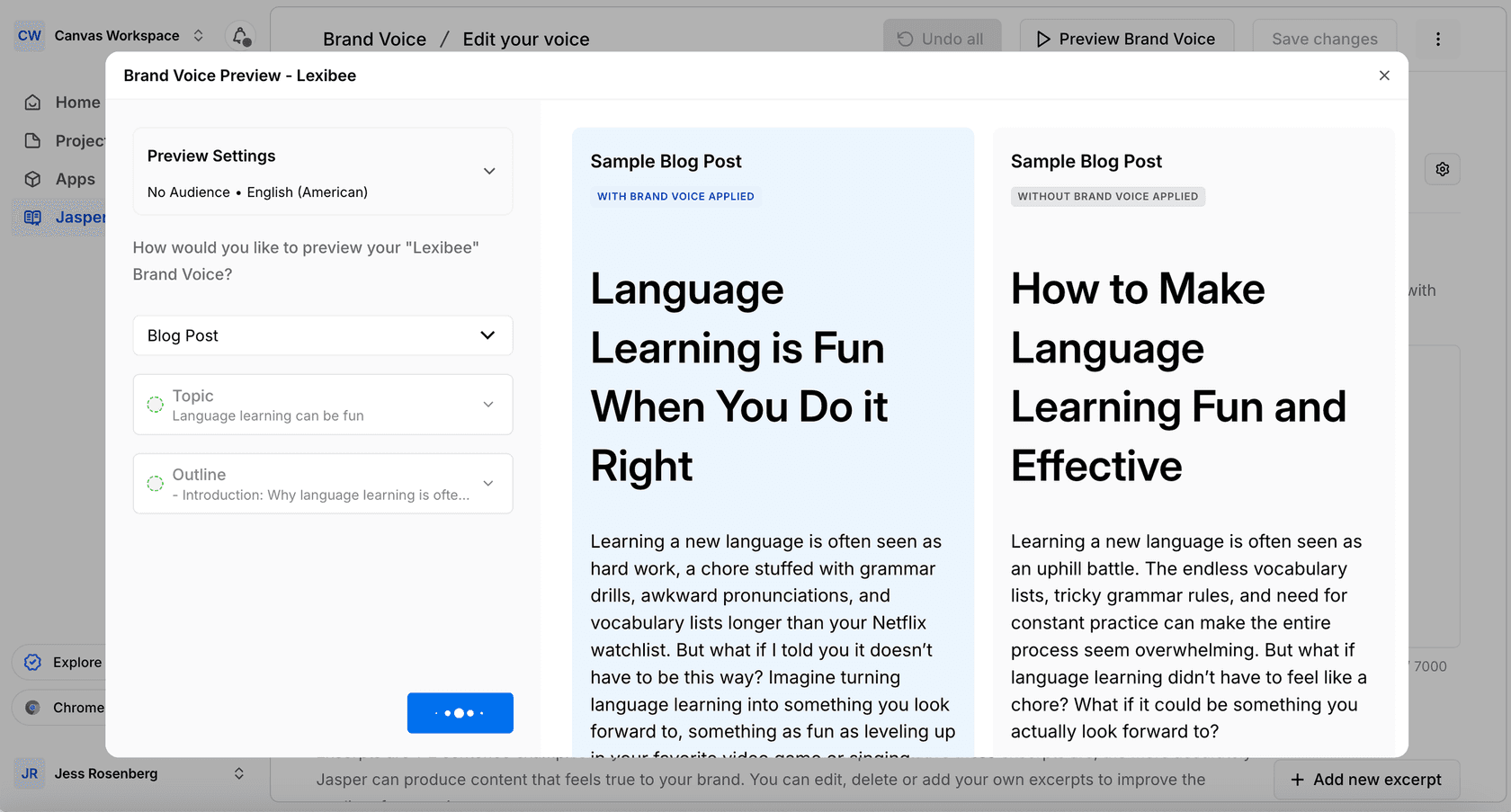
Jasper is built for marketing teams that produce content at scale. It's more expensive than ChatGPT, but the thing it does that ChatGPT doesn't is enforce your brand voice automatically - across every output, without you manually uploading writing samples every session.
For a real estate agent writing 20+ listing descriptions per month, that matters.
The core feature is Brand IQ. You create a Brand Voice profile by pasting in sample copy - your best-performing listings, your email signature style, your bio. Jasper extracts the personality from those samples and builds a structured profile: tone, vocabulary tendencies, sentence rhythm. From that point, every output runs through that profile automatically.
The Pro plan gives you 2 Brand Voice profiles and 5 Knowledge Assets (documents the AI references, like your neighborhood guides or service area info). If you're representing a brokerage with a distinct brand alongside your personal voice, you could set up one profile for each.
Jasper Canvas - the editor - feels more purpose-built for professional writing than ChatGPT's version. You can work from templates (property listing, cold email, Instagram caption), generate variations side-by-side, and iterate without leaving the editing surface. The browser extension works inside Gmail and Google Docs, so you don't have to copy-paste between tools.
The Capterra review community rates it 4.8/5 across 1,855 reviews. One reviewer described it as turning "one and done piece turns into a twelve and done piece" through content variations - Jasper's ability to quickly generate multiple versions of a listing description so you can pick the strongest one.
The honest limitation: Jasper requires real investment upfront. You have to configure Brand Voice properly for it to actually sound like you, which takes a few hours the first time. Users who don't do that configuration complain the output sounds generic. And at $59/month for a single-agent business, it's positioned as a professional tool - the value calculation is different from a $20/month general-purpose assistant.
The Business plan is custom pricing (contact sales), which means multi-agent teams can't self-serve the comparison.
Jasper pricing
| Plan | Monthly | Annual | Key limits |
|---|---|---|---|
| Pro | $69/user/mo | $59/user/mo (~$708/yr) | 1 seat, 2 Brand Voices, 5 Knowledge Assets, 3 Audiences, 7-day trial |
| Business | Custom | Custom | Unlimited Brand Voices, Knowledge Assets, Audiences; API; SSO/SCIM; dedicated CSM |
Source: Jasper pricing page.
Best for real estate: Solo agents or small teams writing 20+ listings per month who need consistent brand voice without manually re-uploading context every session. The upfront setup investment pays off at that volume.
3. Writesonic
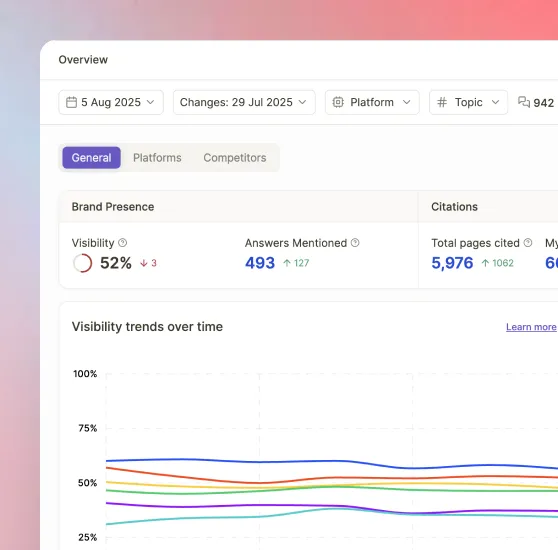
Writesonic has repositioned itself heavily around GEO - Generative Engine Optimization - which is about making sure your content appears when people ask AI assistants like ChatGPT, Gemini, or Perplexity questions about real estate in your market. If you're building a content marketing strategy and want to show up in AI search, Writesonic is the most direct tool for that goal.
For agents who blog about their market ("best neighborhoods in [city]", "what's happening with [city] home prices"), the AI Article Writer is the strongest piece. It generates long-form, fact-checked articles with embedded sources, tailored to a brand voice. On the Starter plan, you get 15 AI articles per month.
Chatsonic - Writesonic's chat interface - gives you access to multiple models (GPT-4o, Claude 3.7 Sonnet, Gemini 1.5 Pro) in one place, which is genuinely useful if you want to A/B test outputs between models. You can also generate images from the same interface, handy for social content.
The GEO tracking features are overkill for most individual agents - tracking which AI platforms cite your content across 50-200 tracked queries is a marketing agency workflow. But for an agent running a content-heavy brand strategy or working with a brokerage marketing team, the data is real. Writesonic reports a 25% increase in AI-driven traffic for Viscaweb after implementing their GEO strategy.
On the G2 community (4.7/5 across 2,100+ reviews), users consistently praise the speed of usable draft generation for ads, emails, and SEO content. The recurring concern is pricing - some users note that features they need are gated behind higher plans than they expected.
At $99/month (or $79/mo annually) for the Starter plan, Writesonic is priced for businesses, not solo agents testing the waters. The AI article limit (15/month on Starter) also means it's not a replacement for your main writing workflow - more a specialized content engine for SEO-driven blog work.
Writesonic pricing
| Plan | Monthly | Annual | Articles/mo | Users |
|---|---|---|---|---|
| Starter | $99 | $79 | 15 | 1 |
| Basic | $249 | $199 | 25 | 2 |
| Growth | $499 | $399 | 50 | 3 |
| Enterprise | Custom | Custom | Custom | Custom |
Source: Writesonic pricing. Annual pricing reflects 20% discount.
Additional users on Basic/Growth plans cost $50/user/month. On the Growth plan, you can add 40 more articles per month for $100/mo. There's a 7-day no-questions-asked refund.
Best for real estate: Agents running active content marketing blogs who want AI search visibility alongside article writing. Less suited for solo agents primarily writing listings and emails.
4. Rytr
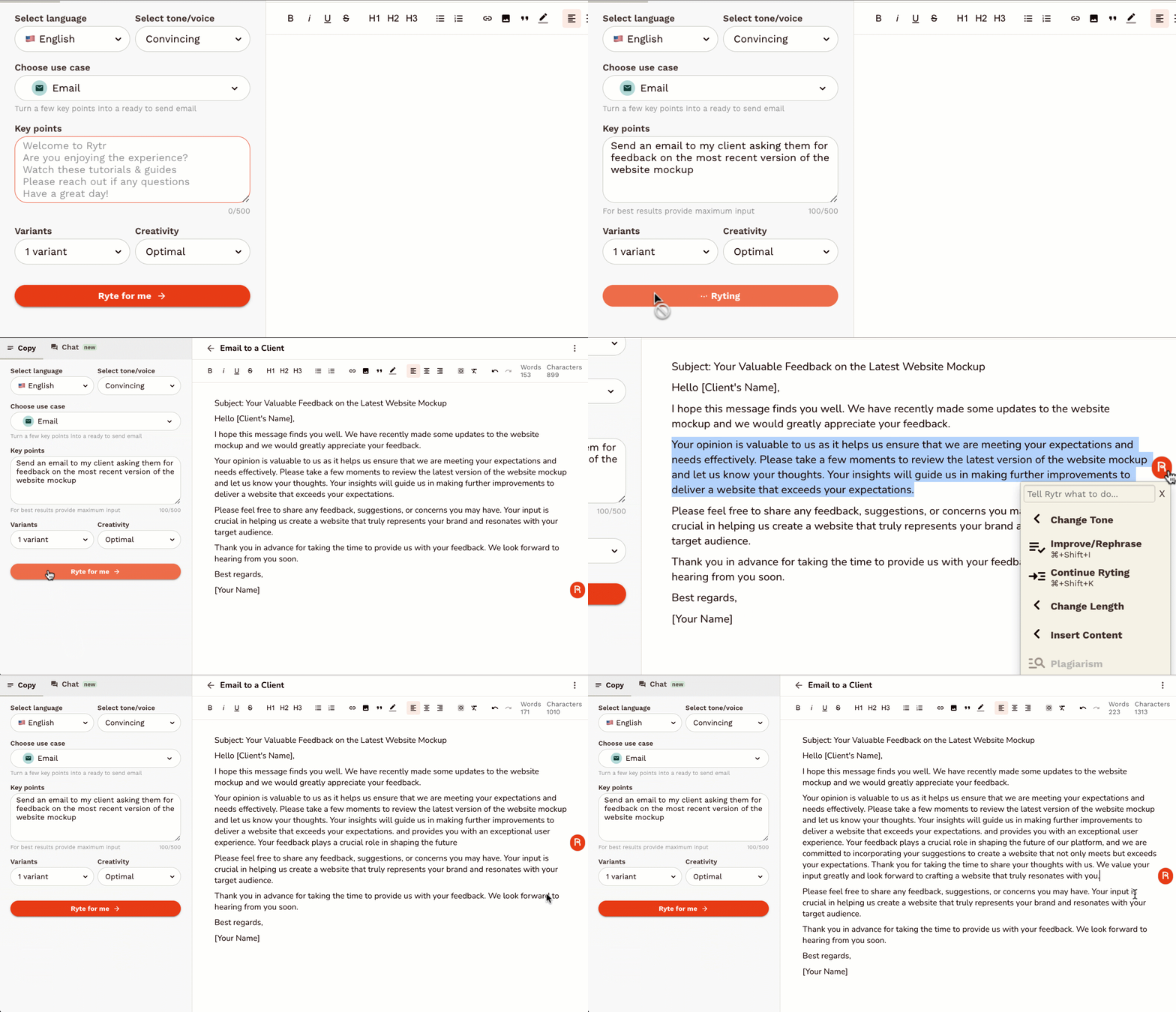
Rytr is the simplest and most affordable option in this list. At $7.50/month for unlimited writing, it's priced for individual agents who want AI assistance without a substantial monthly commitment.
The appeal is the template-driven approach. Rytr ships with 40+ use cases covering everything from property descriptions to email follow-ups to social media captions. You pick the use case, select a tone (or build a custom one), paste in the key details, and get a draft. It's less of an open-ended conversation and more of a structured workflow - which some agents find easier to incorporate than a blank chat interface.
The tone customization is the real differentiator at this price point. The Unlimited plan ($7.50/mo) lets you build one custom tone from your own writing samples. The Premium plan ($24.16/mo) extends that to five custom tones - useful if you work across market segments (luxury, starter homes, commercial) or manage content for multiple agents.
It's rated 4.7/5 on G2 across 820+ verified reviews, with users consistently mentioning how quickly it generates usable drafts for copywriting, blog posts, and social media. For a direct comparison of Rytr against a broader AI assistant, eesel's Gemini vs Rytr breakdown is worth a read if you're weighing your options. For an independent agent, the math is straightforward: at $90/year (Unlimited plan), it costs about as much as a single hour of a copywriter's time.
The gaps are real too. Rytr doesn't do web research, can't generate images, and has no SEO tools. It's a writing assistant, nothing more. For listing descriptions and emails it works well; for neighborhood market reports that need current data, you'll still be opening ChatGPT or Writesonic alongside it.
The free plan (10,000 characters/month) is roughly 1-2 listing descriptions or 8-10 social captions. Enough to test whether the templates fit your workflow before paying.
"I almost couldn't believe it was real! I shared the results with a friend who couldn't believe it was written by AI. Worth every penny!"
"I've tried other AI writing tools before, but none compare to the speed and accuracy of Rytr. It's definitely the best AI writing tool out there!"

Rytr pricing
| Plan | Monthly | Annual | Characters | Custom tones | Plagiarism checks |
|---|---|---|---|---|---|
| Free | $0 | $0 | 10,000/mo | 0 | 0 |
| Unlimited | $7.50 | $90/yr | Unlimited | 1 | 50/mo |
| Premium | $24.16 | $290/yr | Unlimited | 5 | 100/mo |
Source: Rytr pricing page.
Best for real estate: Solo agents who want AI-assisted writing for listings, emails, and social captions without a large budget commitment. The $7.50/month Unlimited plan is the starting point for serious use.
5. Canva Magic Write
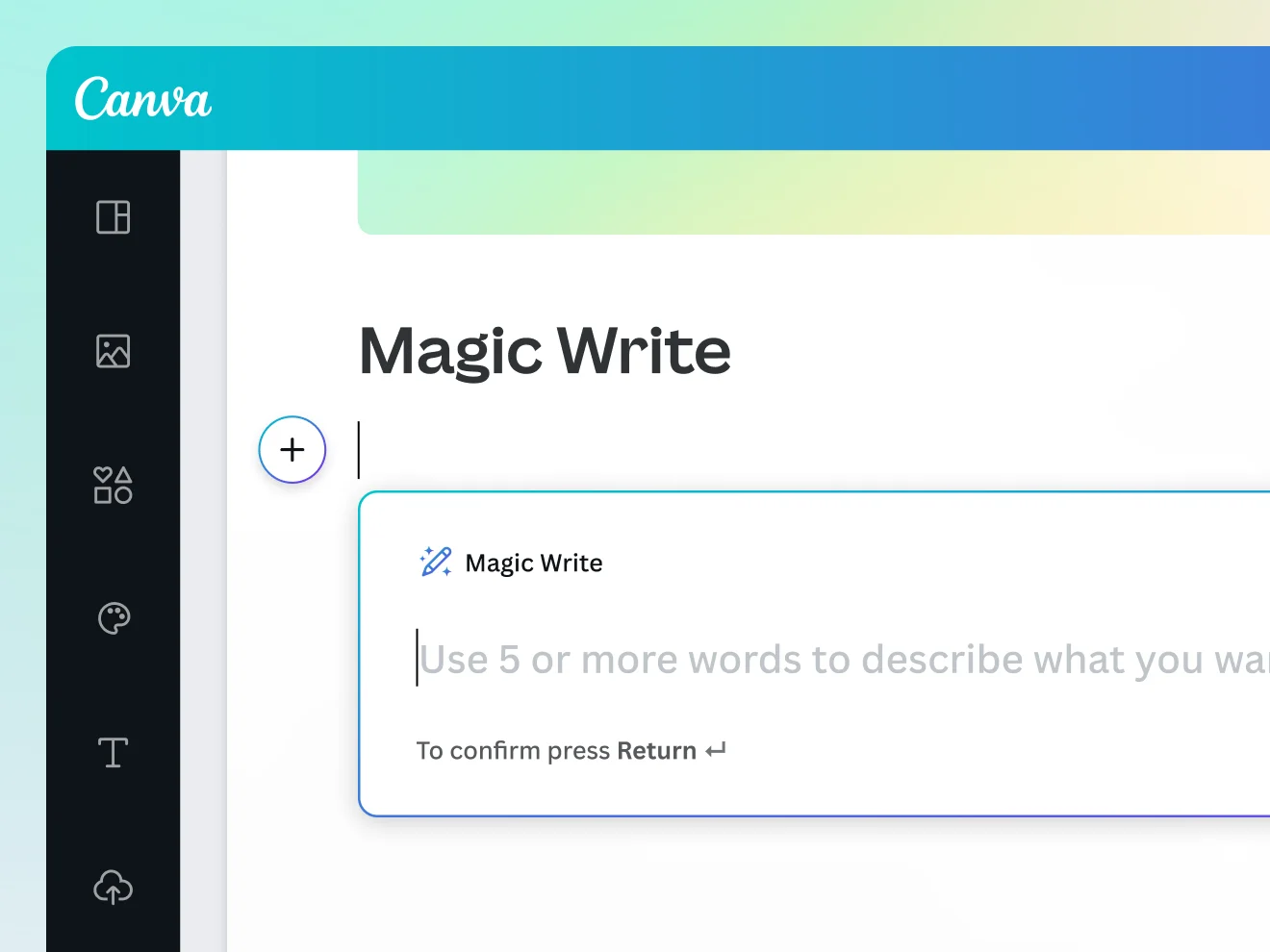
Canva Magic Write isn't a dedicated AI writing tool - it's an AI text generator built into a design platform. That distinction matters for real estate agents, because the practical workflow is different from the other tools here.
The use case where Canva wins: you're creating an Instagram post or a neighborhood flyer and you need the caption or body copy to match the visual. With Magic Write, you prompt for the text inside the same canvas where you're designing. No copy-paste between tools, no reformatting after.
Magic Write is powered by OpenAI and generates content across any Canva format: Designs, Docs, Presentations, Sheets. For agents, the most relevant surfaces are social posts, flyers, email headers, and presentation slides for buyer consultations.
The text editing functions are solid for refinement: Continue Writing, Shorten, Rewrite, Change Voice, and Fix Spelling all work within selected text. The Change Voice option includes presets (More Fun, More Formal) plus custom saved voices from your Brand Kit.
The Brand Kit is where Canva ties writing to visual identity. A Brand Kit holds your colors, fonts, logos, and voice guidelines. On the Pro plan ($144/year), you get 5 Brand Kits. On the Business plan ($250/person/year), you get 100 - relevant if you're managing a brokerage or team with multiple agents who each need their own brand identity.
The constraint everyone mentions: the AI usage quota. On the free plan, all AI tools (including Magic Write) share 200 uses per month. That's about 6 per day if you spread them evenly. Pro gives 2,000 uses; Business gives 4,000. For daily social media content creation, you'll hit the free cap quickly.
Magic Write's training data was last updated through mid-2021 per Canva's help documentation, which means it doesn't have current real estate market data. You'll supply the facts; it handles the prose.
The G2 community (4,500+ reviews) praises Canva for accessibility and template variety. The common concern for content-heavy workflows: AI quotas on free and Pro plans feel restrictive for production use.
Canva pricing
| Plan | Annual cost | AI uses/mo | Brand Kits | Team features |
|---|---|---|---|---|
| Free | $0 | 200 (shared across all AI tools) | 1 (colors only) | No |
| Pro | $144/yr | 2,000 | 5 | No (solo only) |
| Business | $250/person/yr | 4,000 | 100 | Yes |
| Enterprise | Custom | 4,000 | 1,000 | Yes, plus SSO |
Source: Canva pricing. AI uses are Standard tier and shared across Magic Write, Magic Resize, Translate, and other Standard AI tools.
Best for real estate: Agents who produce visual content alongside writing - social media, flyers, open house materials. Not the strongest standalone writing tool, but unmatched when you need copy and design in one workflow.
How these tools compare
| ChatGPT Plus | Jasper Pro | Writesonic Starter | Rytr Unlimited | Canva Pro | |
|---|---|---|---|---|---|
| Monthly cost | $20 | $69 (annual) | $99 (annual) | $7.50 | $12/mo (annual) |
| Listing descriptions | Excellent | Excellent | Good | Good | Basic |
| Email drafts | Excellent | Good | Good | Good | Basic |
| Social captions | Good | Good | Good | Good | Excellent |
| Market reports / blog | Excellent (Deep Research) | Good | Excellent (GEO + articles) | Basic | Basic |
| SEO tools | None | None | Strong (GEO tracking) | None | None |
| Brand voice | Manual setup via Custom Instructions | Automated Brand Voice profiles | Writing Styles | Custom tone building | Brand Kit |
| Web research | Yes (web search + Deep Research) | No | Yes (Chatsonic) | No | No |
| Image generation | Yes (Images 2.0) | Yes (Image Suite) | Yes (Flux via Chatsonic) | No | Yes (Premium AI) |
| Free plan | Yes (capped) | No | No | Yes (10k chars) | Yes (capped) |
Which tool should you actually use?
For most solo agents, ChatGPT Plus at $20/month is the right answer. It covers all the writing tasks on the list - listings, emails, social, market reports - and the Projects + Memory combination means you set up your brand context once and it persists. The 25 Deep Research runs per month cover weekly market updates and several pillar blog posts.
If you're writing 20+ listings per month and brand consistency is a real concern, Jasper's Pro plan at $59/month (annual) is worth the premium. The automated Brand Voice enforcement saves time at scale.
If your growth strategy centers on content marketing and AI search visibility, Writesonic's Starter at $79/month (annual) is purpose-built for that workflow in a way the others aren't.
For agents who want a simple, affordable tool that works without much setup, Rytr at $7.50/month is a low-risk entry point. The templates handle the most common writing tasks and the custom tone feature is effective once configured.
Canva Magic Write belongs in any agent's toolkit for social media and visual content, but works best alongside one of the text-focused tools rather than as a primary writing environment.
One more option worth knowing about: eesel AI connects to your existing tools and knowledge sources - documents, Google Drive, help centers - so an AI agent can answer questions and generate content grounded in your specific business context. If you're building a more automated content workflow, it's worth reading eesel's guide to AI content writer tools to understand how the pieces fit together.
For a practical comparison of how AI writing tools handle different content types, eesel's AI writing software review covers the trade-offs in detail. And if you're curious how Jasper and Writesonic stack up head-to-head, eesel's Jasper vs Writesonic comparison is the most thorough breakdown available.
The broader picture of how AI fits into a real estate business - beyond writing - is at eesel's AI for real estate guide.