

The demand for great content feels like a treadmill that just keeps speeding up. Everyone wants more blog posts, more social updates, more videos, and more everything, but our calendars (and budgets) haven't exactly grown to match. It feels like you need to be a writer, designer, SEO expert, and video editor all at once.
This is where AI tools for content creation can step in. They're not here to take your job or replace your creativity. Think of them as a seriously capable assistant, one that can handle the heavy lifting so you can focus on the ideas and strategy. The right platform can transform your workflow, turning a single keyword into a fully optimized, publish-ready article.
This guide compares seven tools across writing, design, and video. The Invideo entry is based on its published product features and pricing, rather than hands-on testing.
What are AI tools for content creation?
At their core, these tools are software that uses AI to help you make stuff. They're usually powered by Large Language Models (LLMs), which are complex AI systems trained on a staggering amount of text and data from the internet. This training allows them to understand language, context, and patterns to generate surprisingly human-like content.
But it's not just about writing blog posts anymore. The category has exploded. Modern AI tools can help you:
- Brainstorm topics your audience will actually care about.
- Research and outline articles in minutes.
- Optimize your writing for search engines.
- Design eye-catching graphics and infographics.
- Edit podcasts and videos just by editing a text document.
They're built to handle the repetitive, time-sucking parts of content creation, freeing you up to be more strategic.
How we chose the best AI tools for content creation
To cut through the noise, I judged every tool against a clear set of criteria. I wasn't just looking for flashy features; I wanted tools that deliver real-world results.
- Output Quality: Does the content actually sound human? Is it well-researched, or is it just shallow fluff? The goal is content you're proud to publish, not AI-generated gibberish.
- Ease of Use: How steep is the learning curve? The best tools are intuitive and let you get started and see value almost immediately.
- Core Functionality: Does it do its main job exceptionally well? A writing tool should write great content, and a video tool should make editing a breeze.
- Value for Money: Is the price tag justified by the time it saves and the quality it produces?
- Unique Features: What does this tool do that a simple prompt in ChatGPT can't? I was looking for specialized features that solve specific content creation problems.
Comparison of the top AI tools for content creation
Here’s a quick look at how the best tools stack up.
| Tool | Best For | Key Feature | Starting Price (Billed Annually) |
|---|---|---|---|
| eesel AI blog writer | Complete, publish-ready blog posts | Automatic assets & social proof | Free to try ($99/50 blogs) |
| Jasper | Marketing and sales copywriting | Jasper IQ brand context layer | $59/month |
| Invideo | AI video generation and editing | AI agent plus editable timeline | $20/seat/month, billed annually |
| Surfer SEO | SEO content optimization | Real-time Content Score | $79/month |
| Descript | AI-powered audio and video editing | Text-based video editing | Free plan available ($16/month) |
| Canva AI | Visuals and simple videos | Magic Studio AI tools | Free plan available ($120/year) |
| ChatGPT | Brainstorming and initial drafts | High versatility | Free plan available ($20/month) |
The 7 best AI tools for content creation
Here’s a detailed breakdown of the tools that made the cut, based on the criteria above.
SEO content writer managing 5 client blogs. Need AI to help scale from 12 posts/month to 30+ without sacrificing quality or rankings.

1. eesel AI blog writer
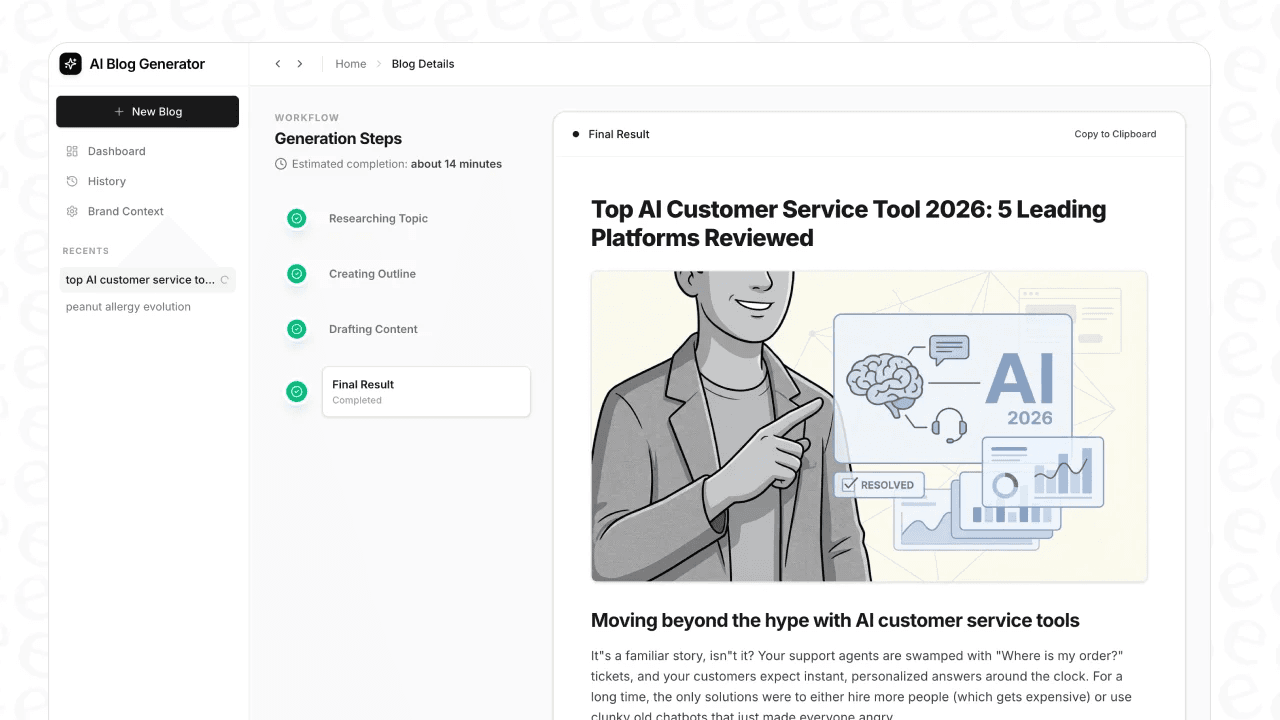

The proof is in the results. It's the exact tool we grew our daily impressions from a humble 700 to over 750,000 in just three months.
What makes it so different is that it thinks like a content marketer, not just a language model. It automatically generates and embeds AI images, infographics, and tables. It pulls in real Reddit quotes and relevant YouTube videos to add authenticity and social proof. It also performs context-aware research and is optimized for AI Answer Engines (AEO), so your content is ready for the future of search.
- Pros: It creates comprehensive, long-form blog content with all the necessary assets included from the get-go. This saves countless hours of manual research, design, and formatting. The output is deeply researched and sounds genuinely human.
- Cons: It’s hyper-focused on producing high-quality blog posts. If you need social media captions or quick ad copy, a more generalized tool might be a better fit.
- Pricing: You can try it free. Paid plans are credit-based, starting at $99 for 50 complete blog posts.
2. Jasper
Jasper has established itself as a go-to AI copywriter for marketing teams, and for good reason. It’s incredibly versatile, with a huge library of templates for everything from ad copy and product descriptions to email newsletters.
Its standout feature is Jasper IQ, which acts as your brand's central brain. You feed it your style guide, product catalogs, and company facts, and it uses that context to generate on-brand content every time. For teams trying to maintain a consistent voice across many channels, this is a huge win. They also offer Content Pipelines to help automate the entire content lifecycle.
- Pros: It’s fantastic for cranking out a wide variety of short-form marketing copy. The brand consistency features are top-notch for teams. Its AI engine is also model-agnostic, meaning it automatically picks the best LLM for the specific task at hand.
- Cons: For long-form content, it may require additional human editing to refine the search intent and flow of a full blog post. The output is most effective with detailed prompting, which helps avoid a generic feel.
- Pricing: The Pro plan starts at $59 per month when billed annually.
3. Invideo
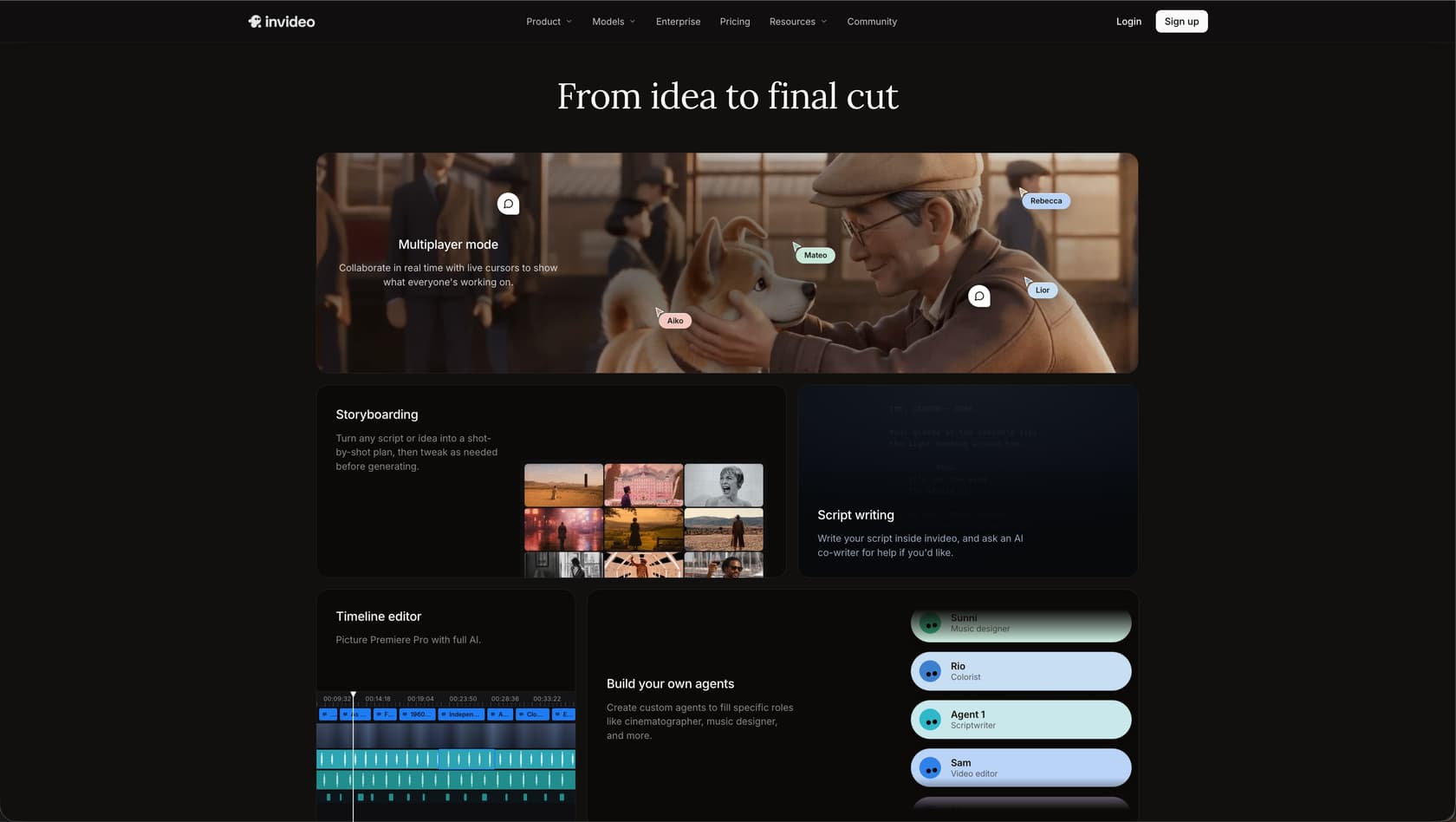
Invideo combines AI video generation with browser-based timeline editing. You can start with a text brief, generate the material for a video, and refine the result through AI instructions or manual edits.
Invideo Agent supports scripting, storyboarding, and shot assembly, with access to more than 200 AI models across the platform. It retains project context and accepts references including videos, scripts, PDFs, and links, helping carry creative decisions through production.
Invideo Editor combines an AI editing agent with a timeline you can control yourself. You can ask it to remove pauses, find footage, or change scenes, then adjust the cut, audio, and color manually. The output remains editable rather than being a fixed export.
Pros: Combines prompt-based video creation with manual timeline control, supporting both generated content and uploaded footage.
Cons: Available models and agent capabilities depend on the plan, and generation consumes credits. Budget for the seats and generation volume your team needs.
Pricing: Starter is listed at $20 per seat per month, billed annually, with 400 credits per seat each month. Higher plans offer larger credit allowances and additional model access. Check the current pricing page for the selected seat count, credit allowance, and billing period.
4. Surfer SEO
Surfer SEO isn't about creating content from scratch; it's about making the content you create unbeatable in search rankings. It's an optimization powerhouse that analyzes the top-ranking pages for your target keyword and gives you a data-driven blueprint for success.
Its core feature is the real-time Content Score. As you write in its editor (or in an integrated Google Doc), it gives you a score from 0-100, telling you exactly which keywords to add, how long your article should be, and how to structure your headings. It takes the guesswork out of on-page SEO.
- Pros: The SEO recommendations are actionable, data-backed, and can make a real difference in your rankings. Its integrations with platforms like Google Docs and WordPress create a smooth workflow for content teams.
- Cons: It's an optimization tool, not a creator. You still need to do the writing yourself or use another AI tool to generate the initial draft. There's also a bit of a learning curve to understand and implement all of its suggestions effectively.
- Pricing: Plans start at $79 per month for the Essential plan when you pay annually.
5. Descript
If you create podcasts, webinars, or any kind of video content, Descript is a revelation. It overhauls the editing process by letting you edit audio and video as easily as editing a text document. It automatically transcribes your media, and then you can cut, copy, and paste the text to edit the final video.
The AI features are brilliant. Studio Sound can make a recording from your laptop microphone sound like it was done in a professional studio, removing echo and background noise. It can also detect and remove all your "ums" and "ahs" with a single click. It makes multimedia production accessible to everyone, not just professional editors.
- Pros: It massively accelerates the editing workflow for any spoken-word content. You don't need to be a video editing wizard to produce a polished final cut.
- Cons: It's not a full replacement for professional software like Adobe Premiere Pro if you need to do complex color grading or motion graphics. The free plan is great for trying it out, but your exported videos will have a Descript watermark.
- Pricing: A free plan is available, and the paid Hobbyist plan starts at $16 per user per month when billed annually.
6. Canva AI
You probably already know Canva as the go-to tool for quick and easy graphic design. But its suite of AI-powered Magic Studio features has made it an essential content creation tool.
With Magic Design, you can just describe an idea, and Canva will generate a set of custom, on-brand templates for you. Magic Write helps you with copy, and the background remover is scarily accurate. For content creators, this means you can produce beautiful blog headers, infographics, and social media visuals in minutes, without needing a design degree.
- Pros: It’s incredibly user-friendly, and the massive library of templates makes design work fast and fun. The AI features are seamlessly integrated and genuinely helpful.
- Cons: It's a design tool first and foremost, so its AI writing capabilities are pretty basic. For advanced photo editing or vector illustration, you'll still need professional software like Photoshop or Illustrator.
- Pricing: Canva has a very generous free plan. The Pro plan, which unlocks all the Magic Studio features, starts at $120 per year for one person.
7. ChatGPT
No list of AI tools would be complete without ChatGPT. It's the versatile all-rounder that brought generative AI into the mainstream. For content creators, its greatest strength is as a creative sparring partner.
It's fantastic for brainstorming blog post ideas, generating outlines, summarizing long research papers, or writing that very first "vomit draft" to get you past the blank page. Its conversational interface is intuitive and makes it easy to refine ideas. You can ask it to rephrase a sentence, suggest alternative headlines, or explain a complex topic in simple terms.
- Pros: Its flexibility is unmatched. You can throw almost any text-based task at it and get a useful response. The conversational style makes it approachable for users of any skill level.
- Cons: The outputs are a useful starting point but should be fact-checked, as the AI can sometimes generate inaccuracies. It does not have the specialized workflows for SEO or rich media integration found in more purpose-built tools.
- Pricing: The standard version is free, while ChatGPT Plus is $20 per month for priority access and advanced features.
Tips for getting the most out of your AI tools for content creation
These tools are powerful, but they're not mind readers. To get great results, you need to work with them effectively.
Once I paired that with Perplexity Pro for sourcing *quality citations* and ChatGPT-4o for writing/refining, my workflow got 10x smoother.
- Provide Rich Context: Don't just give the AI a keyword and hope for the best. Tell it about your audience, your brand's tone of voice, the key points you want to hit, and what you want the reader to do next. The more context you provide, the better and more relevant the output will be.
- Use AI as a First Drafter: Let the AI handle the heavy lifting of research, structure, and getting words on the page. Then, your job is to come in and add your unique expertise, personal anecdotes, and brand voice. You're the editor, the strategist, and the final quality check.
- Iterate and Refine: The first output is rarely the final one. Treat it like a conversation. Ask the AI to expand on a point, try a more casual tone, or rephrase a clunky paragraph. The best content comes from a few rounds of refinement.
- Always Fact-Check and Edit: This is non-negotiable. AI models can get things wrong or use outdated information. Always verify any facts, stats, or claims before you hit publish. Read through the entire piece to edit for flow, clarity, and your own unique style.
Seeing these tools in action can also provide a better sense of how they fit into a real workflow. The video below offers a great overview of how different AI platforms can be combined to save hours of work each week.
Automate content, not creativity
AI tools for content creation have moved from a novelty to a necessity for anyone trying to keep up with the demands of modern marketing. They can save you a ton of time, break through creative blocks, and help you produce better, more effective content at scale.
The key is to pick the right tool for the job. You might use ChatGPT for brainstorming, Canva for your visuals, and Surfer SEO to optimize your final piece.
The 'all-in-one' pitch is always tempting. Be careful though, a lot of these tools do 10 things just 'ok' instead of doing one thing really well.
But if your goal is to efficiently scale high-quality, long-form blog content, the eesel AI blog writer is built for that exact purpose. It’s the most direct path from a single keyword to a complete, publish-ready post, packed with all the assets you need to rank and engage your audience.
Don’t just take my word for it. See the quality for yourself and generate your first blog post for free.