Zoho Desk AI ROI: A practical guide to measuring returns in 2026

Stevia Putri
Last edited March 15, 2026
AI promises efficiency gains, but what's the actual ROI? If you're considering Zoho Desk for your support team, you need to know whether the investment in their AI assistant Zia will pay off. Here's the short version: Zia is only available on the Enterprise plan at $40 per agent per month, and while it can deliver solid returns for the right teams, the math doesn't work for everyone.
This guide provides a practical framework for calculating ROI, understanding the true costs, and setting realistic expectations for when you'll see returns. We'll also look at how teams that want AI across multiple knowledge sources might consider alternatives like eesel AI.
What Zoho Desk AI (Zia) actually does
Before calculating ROI, you'll need to understand what Zia can and cannot do. Zia is Zoho Desk's built-in AI assistant with conversational, predictive, and generative capabilities. But here's the catch: all AI features are locked behind the Enterprise plan.

Sentiment analysis and auto-tagging. Zia scans incoming tickets to detect customer mood (positive, negative, or neutral) and automatically categorizes requests for routing. This helps prioritize urgent issues and route them to the right agents.
Reply assistance and knowledge base suggestions. As agents handle tickets, Zia suggests canned responses and links to relevant help center articles. This reduces the time agents spend hunting for information.
Ticket summarization. For long ticket threads, Zia uses generative AI to condense the conversation into a brief summary. Agents can quickly get context without reading through dozens of messages.
Answer Bot for customers. This is the customer-facing side of Zia. It attempts to resolve queries using your knowledge base before creating a ticket, providing 24/7 self-service support.
Zia Actions (Enterprise only). These are advanced automation capabilities including field extraction from emails, auto-populating ticket fields, content generation for responses, and automated email replies with KB article links. Note that Zia Actions are limited to 1,000 executions per organization per day and only support English.
The key limitation: Zia only accesses data within the Zoho ecosystem. If your knowledge lives in Google Docs, Confluence, Notion, or Slack, Zia cannot learn from it. This "walled garden" approach means you're limited to Zoho-hosted content for training the AI.
Understanding the true cost of Zoho Desk AI
To calculate accurate ROI, you'll need the complete cost picture. Here's the pricing breakdown:
| Plan | Price/agent/month (annual) | AI Features |
|---|---|---|
| Free | $0 (3 agents max) | None |
| Express | $7 | None |
| Standard | $14 | None (Generative AI with OpenAI key only) |
| Professional | $23 | None |
| Enterprise | $40 | Full Zia AI, Answer Bot, Zia Actions |
Source: Zoho Desk Pricing
The real price tag is clear: to use any Zia AI features, you must be on the Enterprise plan at $40 per agent per month. For a team of 10 agents, that's $400 per month or $4,800 annually just for the base plan.
But that's not the full story. Hidden costs to factor include:
- Premium support: 20-25% extra on your plan cost for faster responses and dedicated onboarding
- Implementation and training time: Budget for the hours your team will spend learning the system
- Answer Bot training: Time invested in curating your knowledge base and training the bot on historical data
- Zia Actions limits: With only 1,000 executions per day, high-volume teams may hit this ceiling
Bottom line? The sticker price is just the starting point. Your true investment includes the Enterprise plan plus time, training, and potential support add-ons.
How to calculate Zoho Desk AI ROI
Now let's get to the framework. Here's the formula:
AI ROI % = [(Saved costs + Revenue impact) - Total AI cost] / Total AI cost × 100
Calculate saved costs:
- Agent time saved per ticket (minutes saved × hourly rate × tickets per month)
- Tickets fully resolved by AI without agent touch
- Reduced escalation rates (fewer tickets reaching senior agents)
- Faster resolution times (improved first-response and resolution metrics)
Calculate revenue impact:
- Customer retention from faster response times
- Sales influenced through Answer Bot interactions
- Reduced churn from improved customer satisfaction scores
Calculate total AI cost:
- Monthly Enterprise plan cost ($40 × number of agents)
- Premium support add-on (if applicable)
- Implementation and training hours (converted to dollar value)
- Ongoing maintenance and optimization time
Industry benchmarks to consider:
- Chatbot ROI typically ranges from 148% to 200% according to Fullview AI's 2025 analysis
- Most businesses see financial ROI in 3-6 months
- Small teams see returns faster due to lower setup costs
Example calculation for a 10-agent team:
Let's say your team handles 2,000 tickets per month. Zia fully resolves 20% (400 tickets) without agent intervention, and saves 3 minutes per ticket on the remaining 1,600 tickets. At $25/hour agent cost:
- Fully resolved tickets: 400 × $8.33 (10 minutes saved) = $3,333/month
- Time saved on other tickets: 1,600 × $1.25 (3 minutes) = $2,000/month
- Total monthly savings: $5,333
- Monthly AI cost: $400 (Enterprise) + $100 (support) = $500
- Monthly net benefit: $4,833
- Annual ROI: [(5,333 × 12) - (500 × 12)] / (500 × 12) × 100 = 967%
This is an optimistic scenario. Your actual results depend on ticket complexity, knowledge base quality, and how well you train the AI.
Realistic timeline for seeing Zoho Desk AI ROI
When should you expect to see returns? Here's a realistic timeline:
Month 1-2: Setup and training
You'll spend this period preparing your knowledge base, training Answer Bot, and getting agents onboarded. ROI during this phase is negative because you're investing time and money without seeing benefits yet.
Month 3-4: Initial improvements
Response time reductions become visible. Agents start reporting time saved. Early customer satisfaction improvements may appear. At this stage, you're likely breaking even or seeing modest gains.
Month 5-6: Full ROI realization
Automated resolution rates stabilize. Cost savings become clear in your metrics. Revenue impact (retention, CSAT improvements) becomes measurable. This is when positive returns typically materialize.
Factors that speed up ROI:
- Well-organized existing knowledge base
- High ticket volume (more automation opportunities)
- Simple, repetitive query types (password resets, order status, FAQs)
Factors that slow down ROI:
- Complex, unique tickets requiring human judgment
- Poor knowledge base quality
- Low ticket volume (not enough automation to justify the cost)
When Zoho Desk AI makes sense (and when it doesn't)
Zoho Desk AI is a good fit for:
- Teams already invested in the Zoho ecosystem (CRM, Analytics, Books, etc.)
- Larger organizations with budget for Enterprise plans
- Support teams handling straightforward, repeatable queries
- Companies with well-maintained Zoho knowledge bases
Where it falls short:
- The "walled garden" limitation means AI can't learn from external knowledge sources
- AI features locked exclusively behind the $40/agent Enterprise plan
- Steep learning curve for setup and configuration
- No way to test AI on past tickets before going live (you're flying blind until launch)
An alternative approach: eesel AI
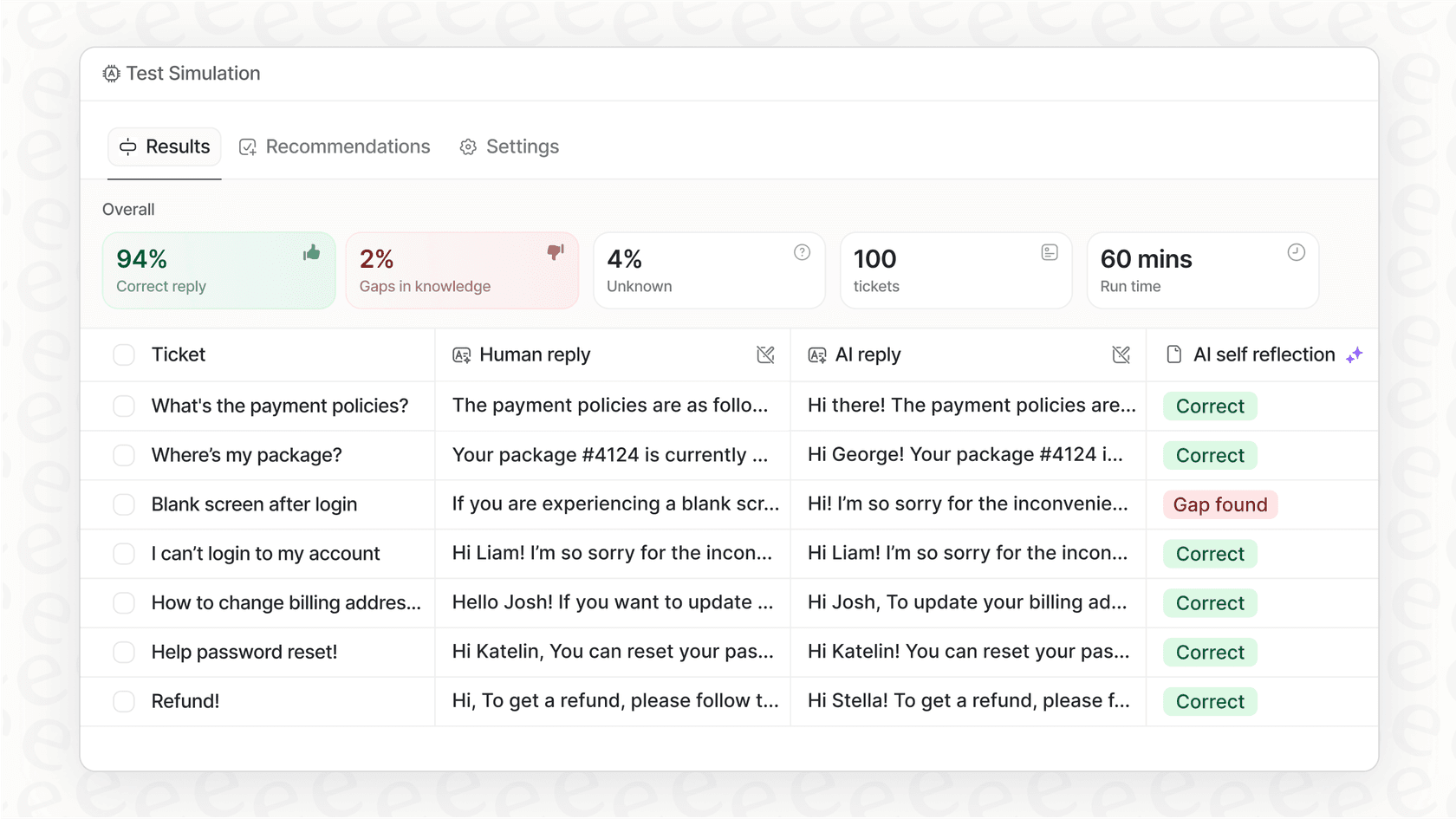
If Zoho's ecosystem limitations don't work for your setup, eesel AI offers a different approach. We connect to 100+ sources including Zendesk, Freshdesk, Google Docs, Confluence, and Slack. All AI features are included in every plan (no tier locking), and you can simulate on past tickets before going live to see exactly how the AI will perform.
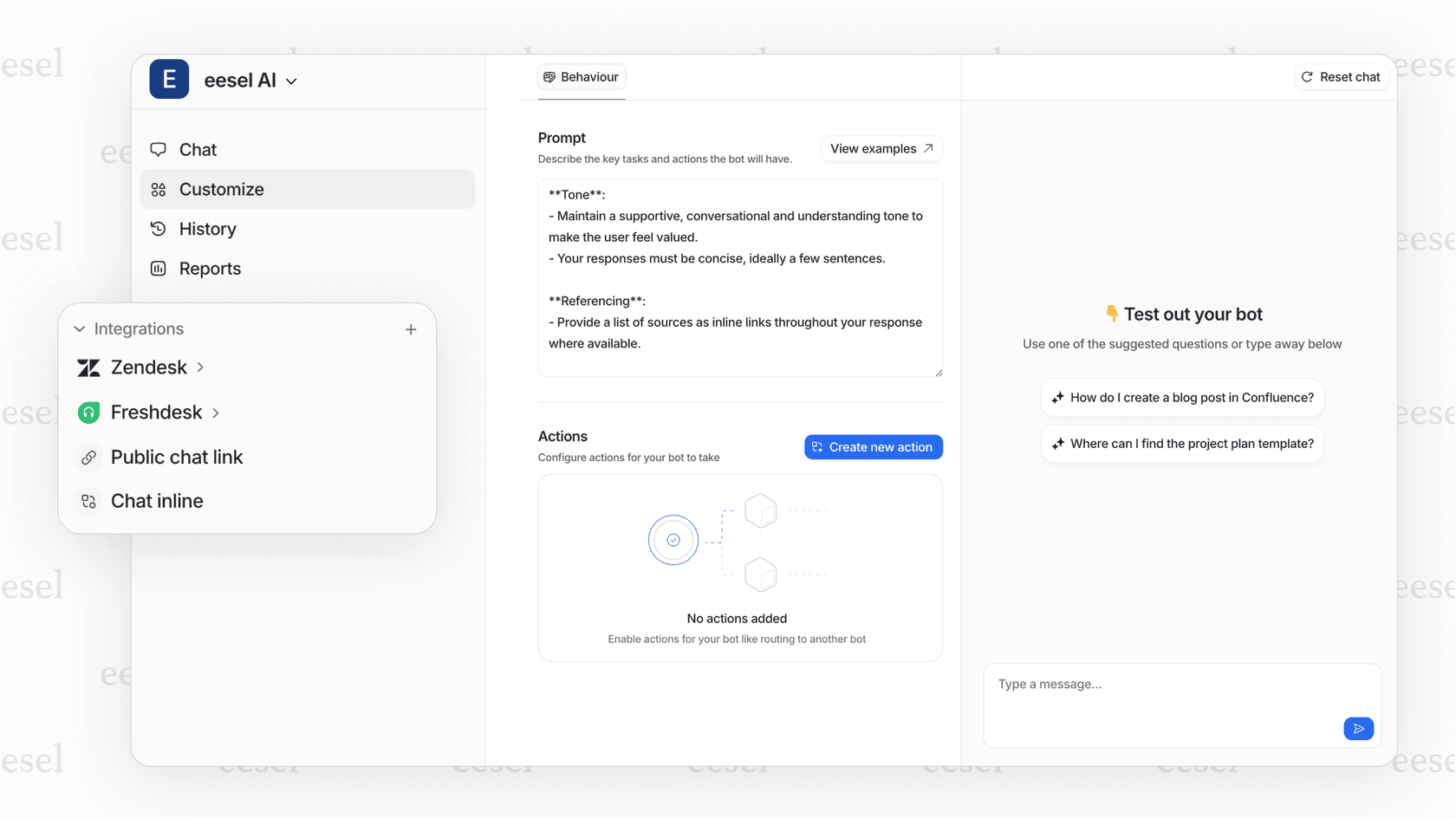
Our pricing is usage-based rather than per-agent: Team plan at $239/month (annual) includes up to 3 bots and 1,000 interactions, while the Business plan at $639/month includes unlimited bots, 3,000 interactions, and full AI Agent capabilities. For teams already committed to Zoho Desk but wanting more flexible AI, we also offer a Zoho Desk integration.
Maximizing your Zoho Desk AI ROI
If you decide to proceed with Zoho Desk AI, here are practical tips to maximize returns:
Invest in knowledge base quality. AI is only as good as the content it learns from. Regular updates and curation are essential. Outdated or incomplete articles will lead to poor AI responses and frustrated customers.
Train Answer Bot thoroughly. Feed it historical ticket data and monitor response accuracy. The more you train it on real conversations, the better it will perform.
Start with high-volume, simple queries. Password resets, order status checks, and common FAQs are perfect candidates for automation. Build confidence with these before expanding scope.
Monitor and optimize continuously. Track deflection rates, review AI-suggested responses, and iterate based on performance data. AI isn't a set-it-and-forget-it solution.
Set up proper escalation paths. Don't force AI on complex issues. Ensure seamless handoff to human agents when the AI reaches its limits.
Getting started with AI-powered support
Zoho Desk AI can deliver solid ROI for the right teams, but it needs Enterprise investment and a commitment to the Zoho ecosystem. The key takeaway: calculate true costs including the Enterprise tier and premium support before committing. For a 10-agent team, you're looking at $5,000+ annually just to access AI features.
If your knowledge lives across multiple tools (Google Docs, Confluence, Slack, various help desks), or if you'd like to test AI performance on past tickets before going live, consider alternatives that offer more flexibility.
At eesel AI, we've helped over 1,000 customer service teams automate their support. Our customers see up to 81% of conversations resolved autonomously with a typical payback period under two months. If you're curious how AI could work across your existing tools without the ecosystem lock-in, see eesel AI in action or try it free for 7 days.

Frequently Asked Questions
Share this article

Article by
Stevia Putri
Stevia Putri is a marketing generalist at eesel AI, where she helps turn powerful AI tools into stories that resonate. She’s driven by curiosity, clarity, and the human side of technology.