How to handle Zendesk SaaS outages: A complete guide for 2026

Stevia Putri
Last edited March 3, 2026
When your help desk goes down, every minute counts. If your team relies on Zendesk to manage customer conversations, an outage doesn't just pause your support operations. It creates a cascade of frustrated customers, idle agents, and potential revenue loss.
Here's the reality: Zendesk serves over 100,000 companies, from Uber to Khan Academy. When their infrastructure hiccups, millions of customer interactions hang in the balance. And while Zendesk's reliability is generally solid (they've built a robust platform), outages do happen. The question isn't if you'll face one, it's whether you're prepared when it occurs.

This guide covers everything you need to know about handling Zendesk SaaS outages. We'll look at how their infrastructure works, how to monitor for issues before they impact your customers, and how to build a response playbook that keeps your support operations running even when your primary tool is down.
Understanding Zendesk's infrastructure and outage patterns
Zendesk runs on a distributed "pod" architecture. Think of pods as separate data center clusters that handle different groups of customer accounts. When you sign up for Zendesk, your account gets assigned to a specific pod (like Pod 18, Pod 25, or Pod 29).
This architecture has implications for how outages unfold:
- Pod-specific issues affect only customers on that particular pod. You might be unable to access tickets while your competitor on a different pod has no problems at all.
- Global issues hit all pods simultaneously. These are less common but more severe.
- Service-specific outages might knock out just the Web Widget or Agent Workspace while the rest of the platform stays online.
Looking at recent incident data from Zendesk's service notifications, several patterns emerge. Over the past few months, the most common issues have been CDN-related 5XX errors (affecting multiple services), Agent Workspace composer problems (where the interface defaults to internal notes instead of public replies), and Web Widget functionality issues.
Resolution times vary significantly. Minor incidents often resolve within 1-3 hours. Moderate issues might take 4-12 hours. Extended outages are rare but can last multiple days (like the December 2025 API Usage dashboard issue that persisted for nearly two weeks).
The key takeaway? Don't assume an outage affecting you is global. Check your pod status specifically. And don't assume a global outage means all Zendesk features are down. The platform is modular enough that partial outages are common.
How to monitor Zendesk status proactively
Relying solely on Zendesk to tell you when Zendesk is down creates a conflict of interest. You need independent verification sources.
Start with the official Zendesk status page. Subscribe to email or SMS alerts for your specific pod. The status page breaks down health by product (Support, Chat, Voice, etc.) and includes maintenance schedules so you can plan around planned downtime.
But here's the catch: official status pages sometimes lag behind user-reported issues. Companies tend to verify problems before posting them, which creates a delay. That's where third-party monitoring tools become valuable.
Downdetector aggregates crowdsourced user reports. When users can't access Zendesk, they report it here. This often surfaces issues 15-30 minutes before official acknowledgment. The site categorizes problems by type (App, Login, Website) so you can quickly see if others are experiencing the same symptoms.
StatusGator takes a different approach. They monitor Zendesk's official status page alongside user reports and automated API checks. Their outage map shows geographic distribution of issues. According to their data, Zendesk experienced 79 incidents in the past 12 months, with Support being the most affected component.
For technical teams, consider monitoring Zendesk's API endpoints directly. A simple HTTP check every few minutes can alert you to connectivity issues before they cascade to your agents. Tools like Uptime.com provide this automated monitoring with historical response time data.
The best practice? Use multiple sources. Subscribe to the official status page for authoritative updates, check Downdetector for early warning signals, and use StatusGator for trend analysis and geographic impact assessment.
Building your Zendesk outage response playbook
When Zendesk goes down, chaos follows unless you have a plan. Here's a framework for building that plan.
Immediate verification (first 5 minutes)
Don't assume the worst. Check multiple sources to confirm whether this is a widespread outage or a local issue:
- Check the Zendesk status page for your pod
- Check Downdetector for user reports
- Try accessing Zendesk from a different network (mobile hotspot) to rule out your ISP
- Ask a colleague on a different location to test access
If it's just you, troubleshoot locally. If it's widespread, activate your outage response.
Internal communication (minutes 5-15)
Alert your team through your internal chat platform (Slack, Microsoft Teams, etc.). Designate a single "outage coordinator" who owns communication. This prevents conflicting messages and ensures consistent updates.
Your internal alert should include:
- Confirmation that Zendesk is experiencing an outage
- Expected impact (can't create tickets, can't access historical data, etc.)
- Alternative workflows being activated
- Timeline for next update (even if that update is "we're still waiting")
Customer communication (minutes 15-30)
Silence frustrates customers more than bad news. Proactive communication shows you're on top of the situation.
Post a notice on your:
- Status page (if you have one)
- Website banner
- Social media channels
- Email autoresponder (if appropriate)
The message should be honest but reassuring: "We're experiencing technical difficulties with our support platform. Our team is monitoring the situation and working on alternative ways to assist you. For urgent issues, please [alternative contact method]."
Escalation procedures
Define thresholds for when to escalate:
- 15 minutes: Activate alternative workflows
- 1 hour: Notify leadership and customer success teams
- 4 hours: Consider offering service credits or goodwill gestures to affected customers
- 8+ hours: Full incident response mode with dedicated war room
Documentation
Log everything during an outage. Note start times, symptoms, customer complaints received, actions taken, and resolution time. This data becomes valuable for post-mortems and for building the business case for redundancy investments.
Maintaining customer support during Zendesk outages
When your primary help desk is down, you need alternatives. The key is having these alternatives pre-configured and tested before you need them.
Alternative communication channels
- Email: Keep a backup email address (support@company.com) that doesn't route through Zendesk. Agents can monitor this directly in Gmail or Outlook during outages.
- Phone: If you have voice support, ensure it can operate independently of Zendesk. Many phone systems can route calls to agents' direct lines when the help desk integration fails.
- Social media: Twitter/X and Facebook can serve as temporary support channels. Customers often check these first when they can't reach you through normal channels.
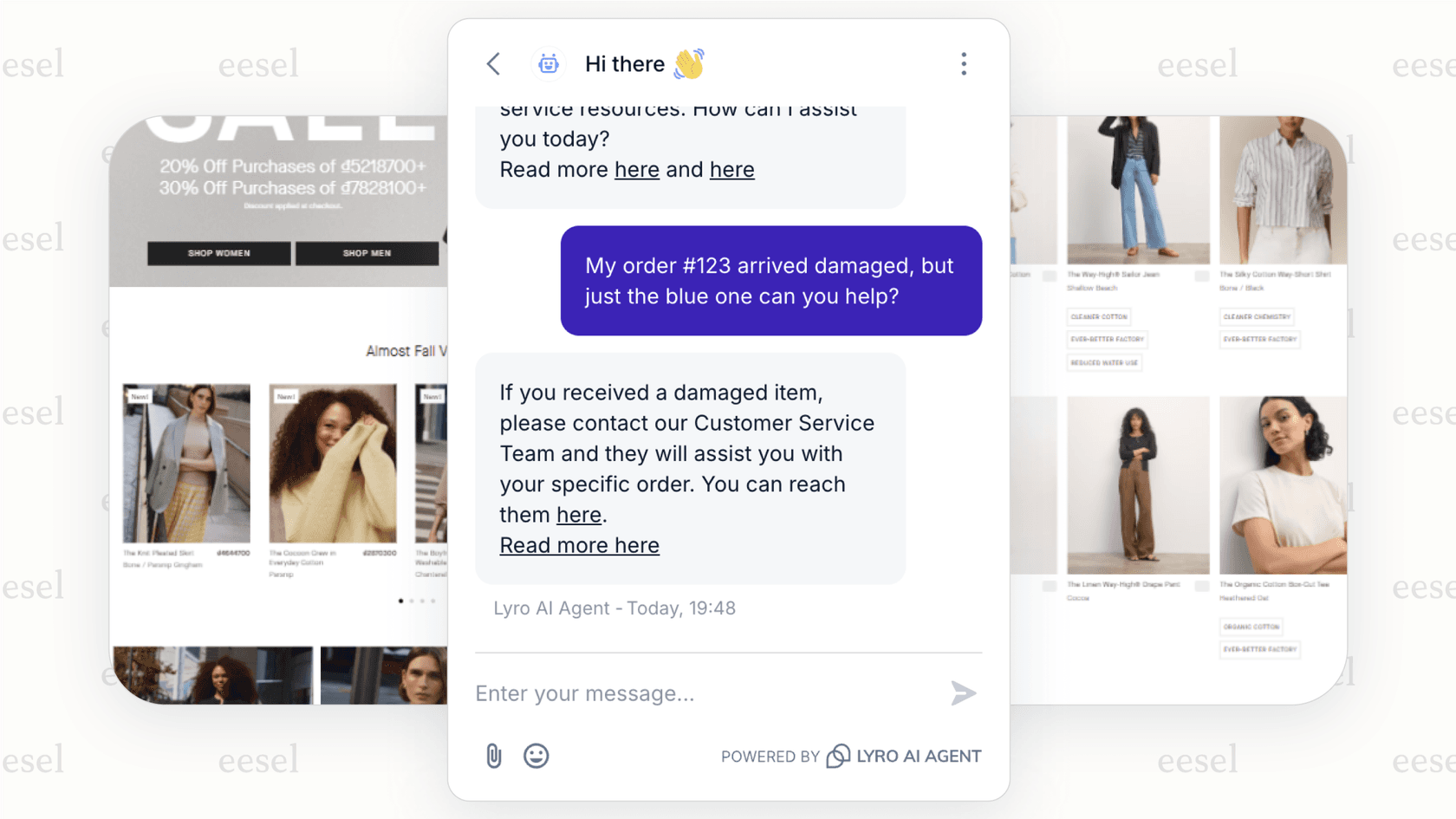
- Chat widgets on other platforms: If you use eesel AI's chatbot, it can continue operating on your website even when Zendesk is down, capturing inquiries for later follow-up.
Self-service options
A well-maintained knowledge base can deflect a significant portion of inquiries even when your ticketing system is down. Ensure your help center articles remain accessible during outages. Consider creating a simple "Zendesk outage FAQ" page that explains the situation and provides alternative contact methods.
AI-powered backup
Modern AI support tools can provide continuity during outages. An AI agent trained on your knowledge base can answer common questions even when your primary ticketing system is unavailable. Our AI Agent integrates with multiple platforms simultaneously, so if Zendesk goes down, it can continue operating through alternative channels.
The key is setting up these backups before you need them. An outage is the wrong time to configure new tools.
Calculating the true cost of support tool downtime
Outages aren't just inconvenient. They're expensive. Understanding the cost helps justify investments in redundancy.
Here's a simple framework for calculating outage impact:
Direct costs:
- Agent idle time: (Number of affected agents) × (Hourly cost) × (Outage duration)
- Lost ticket resolution: (Average tickets per hour) × (Outage hours) × (Average ticket value)
- Overtime for catch-up work: (Backlog tickets) × (Time to resolve) × (Overtime rate)
Indirect costs:
- SLA penalties: Check your contracts for breach clauses
- Customer churn: (Affected customers) × (Churn probability) × (Customer lifetime value)
- Reputation damage: Harder to quantify but real, especially if outages become frequent
Example calculation for a mid-sized team:
- 50 agents at $40/hour = $2,000/hour labor cost
- 4-hour outage = $8,000 direct labor cost
- Lost capacity: 200 tickets at $25 value = $5,000
- Total immediate impact: $13,000
That doesn't include the overtime to clear the backlog, potential SLA penalties, or customer satisfaction damage. A single major outage can easily cost $20,000-50,000 when all factors are considered.
This math changes how you think about backup systems. Spending $500/month on redundancy looks cheap when a 4-hour outage costs $13,000+.
Building a resilient support stack with eesel AI
Here's the uncomfortable truth: relying on a single SaaS platform for critical business operations creates single points of failure. When that platform has an outage, you're at their mercy.
The solution? A multi-platform approach that doesn't put all your eggs in one basket.
At eesel AI, we've built our platform with resilience in mind. Our AI Agent doesn't just live in one help desk. It integrates with Zendesk, Freshdesk, Intercom, Gorgias, and 100+ other tools simultaneously. This means:
- If Zendesk goes down, your AI agent can continue operating through alternative channels
- You can run AI on multiple platforms in parallel, creating redundancy
- Customer data and conversation history aren't trapped in a single vendor's ecosystem

Our approach is different from traditional AI tools. Instead of configuring complex workflows, you hire eesel AI like a new team member. It learns your business from your existing data (past tickets, help center articles, macros) and starts with oversight before leveling up to autonomous operation.
Here's how teams build resilience with eesel AI:
Start with AI Copilot during normal operations. It drafts replies for your agents to review, learning your tone and policies. This keeps working even during partial outages because it can draft responses that agents send through alternative channels.
Progress to AI Agent for routine inquiries. When Zendesk is down, the AI can handle common questions through your website chat widget, email, or Slack, buying you time to resolve the primary platform issue.
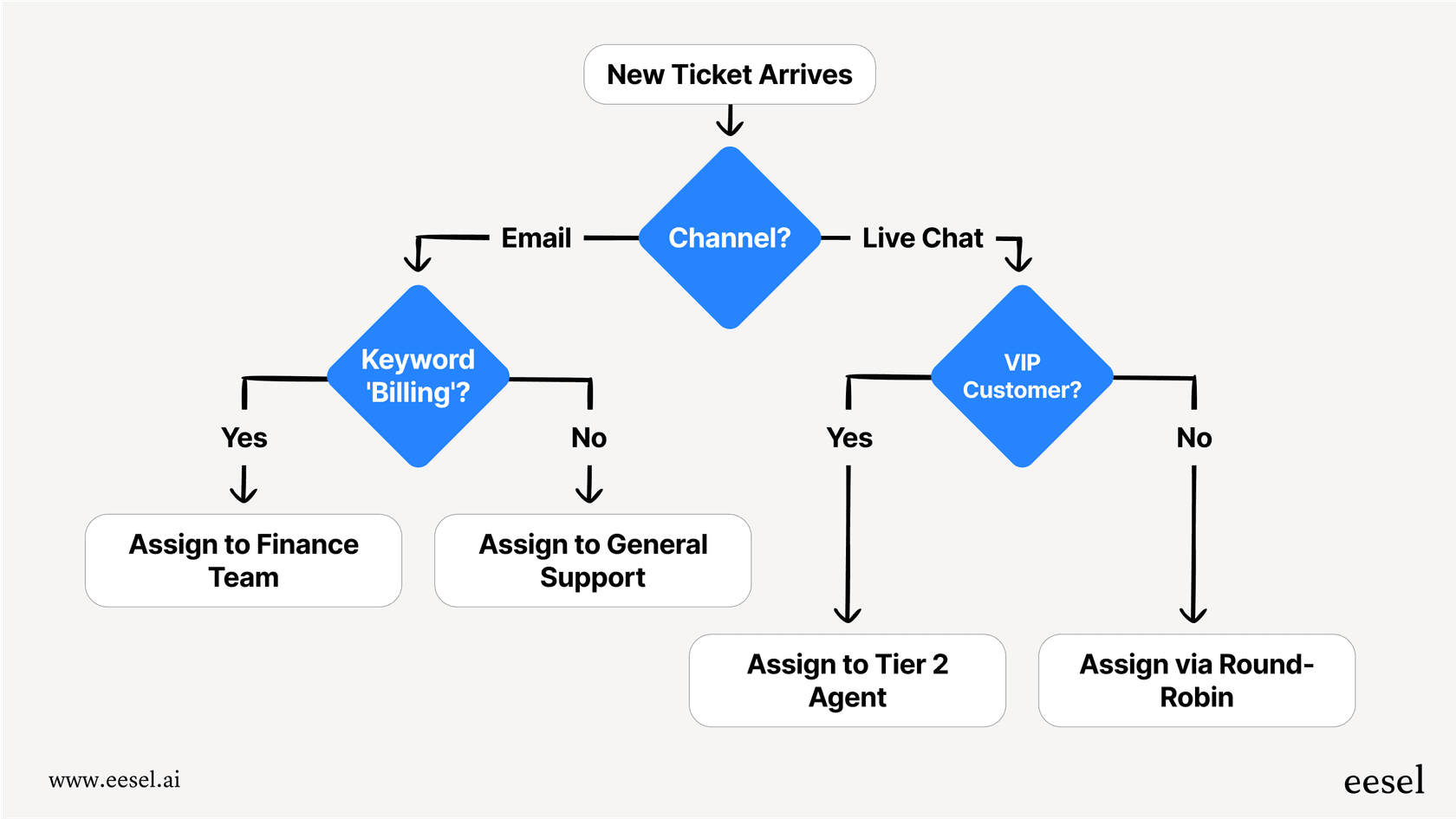
Use AI Triage to keep ticket hygiene automated. Even during degraded service, it can tag, route, and prioritize tickets so your team isn't facing a complete mess when full service restores.
The payback period for AI support tools is typically under two months. When you factor in outage resilience alongside the normal efficiency gains, the investment becomes even more compelling.
If you're currently relying entirely on Zendesk for customer support, consider this: what happens to your customer experience during the next outage? Let's talk about building a more resilient support operation.


Frequently Asked Questions
Share this article

Article by
Stevia Putri
Stevia Putri is a marketing generalist at eesel AI, where she helps turn powerful AI tools into stories that resonate. She’s driven by curiosity, clarity, and the human side of technology.



