How to set up Zendesk SaaS onboarding: A complete guide for 2026

Stevia Putri
Last edited March 3, 2026
Getting new users up to speed with your software can make or break their experience. Whether you're onboarding employees to your internal systems or guiding customers through your product, a smooth process sets the tone for everything that follows.
According to Wyzowl research, 86% of customers are more likely to stay loyal to a business that invests in welcoming, educational onboarding content. And 55% of people have returned a product simply because they didn't understand how to use it.
This guide walks you through setting up Zendesk SaaS onboarding, covering both employee and customer contexts. You'll learn how to configure channels, build automation, create email sequences, and measure success. We'll also look at how AI teammates can enhance your onboarding workflows.

What you'll need
Before diving into setup, make sure you have these basics covered:
- A Zendesk account (Support, Suite, or Sell depending on your needs)
- Admin access to configure settings and add users
- Email integration credentials (Gmail or Outlook)
- A list of users or agents you need to onboard
- Internal documentation, help center articles, or knowledge base content to reference
With these in place, you're ready to start building your onboarding experience.
Step 1: Configure your support channels
Your support channels are the entry points where users will interact with your team. Setting these up correctly from the start prevents headaches later.
Start with email integration. If you're using Gmail or Outlook, head to the Admin Center and navigate to Channels > Email. Connect your external email address by following the authentication prompts. This lets Zendesk convert incoming emails into tickets automatically.
Next, set up your support addresses. You can add multiple addresses (like support@company.com or help@company.com) and route them to different teams or departments. This helps organize requests before they even reach an agent.
For real-time support, enable messaging and live chat. Go to Channels > Messaging and add the web widget to your site or app. You can also connect social channels like Facebook Messenger, WhatsApp, and Instagram. The key here is meeting customers where they already are.
Finally, test everything. Send test emails, try the chat widget, and verify tickets are being created correctly. Better to catch issues now than during a real onboarding session.
Step 2: Set up your help center
A well-organized help center lets users find answers on their own, reducing the load on your support team and speeding up onboarding.
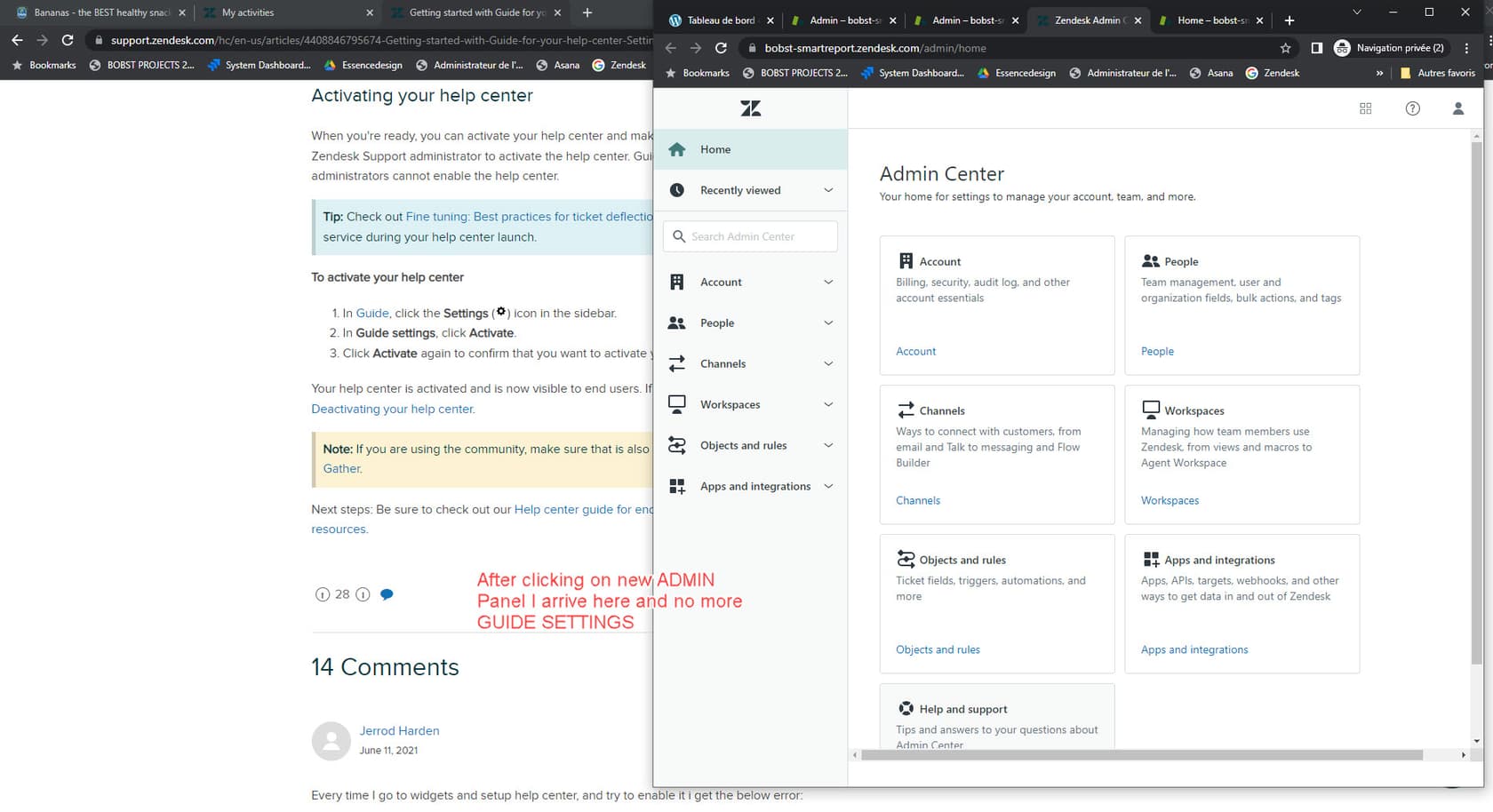
First, activate Zendesk Guide if you haven't already. Go to Admin Center > Guide and enable your help center. Choose a theme that matches your brand, or customize one with your colors, logo, and layout.
Create essential knowledge base articles covering the basics new users need most. Think setup instructions, common troubleshooting steps, and FAQs. Start with 5-10 core articles rather than trying to document everything at once.
Organize your content using categories and sections. For example, you might have categories like "Getting Started," "Account Management," and "Troubleshooting." This structure helps users browse when they don't know exactly what to search for.
Enable search functionality and make sure it's prominent on your help center homepage. Most users will search rather than browse, so good search results are critical. Use clear, descriptive titles and include relevant keywords in your articles.
Step 3: Create macros and automation
Macros and automation handle repetitive work so your team can focus on complex issues that need a human touch.
Macros are pre-written responses for common questions. To create one, go to Admin Center > Workspaces > Macros. Write responses for frequent scenarios like password resets, account verification, or feature explanations. Include placeholders like {{ticket.requester.name}} to personalize each response automatically.
Triggers are rules that fire immediately when tickets are created or updated. Set up triggers to route tickets to the right team based on keywords, assign priority levels, or send automated responses acknowledging receipt. For onboarding specifically, you might create a trigger that tags all tickets from new users for special attention.
Automations are time-based rules that run once per hour. Use these for follow-up emails, escalation reminders, or closing tickets that haven't had activity. A useful onboarding automation might check for tickets from new users that haven't been updated in 24 hours and send a gentle follow-up.
When building automation, start simple. Create rules for your most common scenarios first, then expand based on what you learn. Too many rules too quickly can create conflicts that are hard to debug.
Step 4: Build your onboarding email sequence
Email sequences guide users through their first days and weeks with your product. A well-timed series of helpful messages can dramatically improve activation and retention.
Day 1 should focus on welcome and account verification. Send this immediately after signup. Confirm their email, thank them for joining, and point them toward the single most important next step. Don't overwhelm them with options.
Days 2-3 introduce core features. Break this into digestible pieces. Maybe Day 2 covers setting up their profile, while Day 3 walks through their first key action. Use progress indicators to show how far they've come and what's next.
Day 7 is a good time for a progress check. Share tips based on common successful user behaviors. If they've completed key milestones, celebrate that. If they haven't, gently nudge them back with helpful guidance.
For timing, send emails during business hours in the user's timezone when possible. Keep messages short and scannable. Use clear subject lines that communicate value, not just "Welcome to Product X."
Personalization helps too. Reference actions they've taken (or haven't taken), use their name, and segment based on their role or use case when you can.
Step 5: Measure and optimize onboarding success
You can't improve what you don't measure. Tracking the right metrics shows you where your onboarding process works and where it needs attention.
Time-to-first-value is critical. How long does it take a new user to complete their first meaningful action? This varies by product, but shorter is generally better. If users are taking weeks to reach this milestone, your onboarding needs streamlining.
Completion rates tell you how many users finish your onboarding flow. If 80% drop off at a particular step, that's where you need to focus improvements.
Customer satisfaction (CSAT) scores from new users specifically can highlight onboarding pain points. Consider sending a micro-survey after key milestones.
Zendesk Explore provides built-in analytics for tracking these metrics. Set up dashboards showing ticket volume from new users, resolution times for onboarding-related issues, and CSAT trends over time.
Gather qualitative feedback too. Talk to users who just completed onboarding. What confused them? What helped most? Their insights often reveal issues your metrics miss.
Use what you learn to iterate. Onboarding is never "done." Plan quarterly reviews of your process and make incremental improvements based on data.
Tips for automating Zendesk SaaS onboarding
Automation can take your onboarding from good to great by providing consistent experiences at scale.
AI agents offer 24/7 support for common onboarding questions. Unlike traditional chatbots that follow rigid scripts, modern AI agents can understand context and provide relevant guidance. They handle routine questions while escalating complex issues to humans.
Workflow automation eliminates repetitive tasks. Automatically tag tickets from new users, assign them to specialized onboarding agents, or trigger welcome sequences when accounts are created. The goal is removing friction from the process.
Self-service resources reduce dependency on live support. A comprehensive help center with search, tutorials, and FAQs lets users find answers instantly. Consider adding video walkthroughs for complex features.
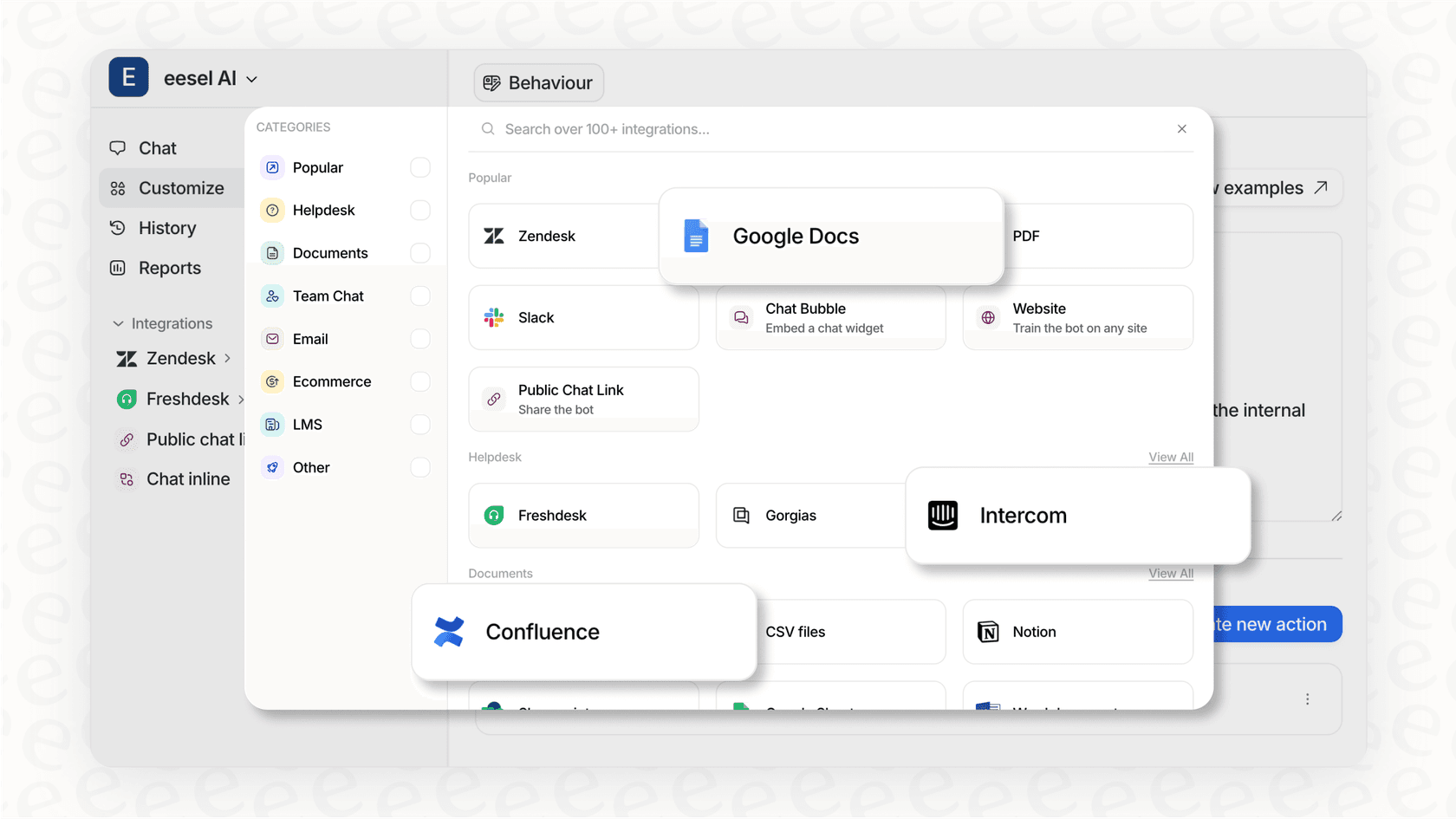
If you're looking to enhance Zendesk with AI, eesel AI integrates directly with Zendesk to provide AI-powered onboarding assistance. It learns from your existing tickets and help center content to answer questions in your company's voice. You can start with AI drafting responses for review, then gradually expand to more autonomous handling as confidence grows.
For broader automation strategies, see our guide to customer support automation.
Common onboarding mistakes to avoid
Even well-intentioned onboarding processes can go wrong. Here are pitfalls to watch for:
-
Overwhelming users with too much information. Focus on the minimum they need to get value. You can always teach advanced features later.
-
Lack of clear next steps. Every touchpoint should guide users toward a specific action. Don't leave them wondering what to do next.
-
Ignoring user feedback. If multiple users struggle with the same step, that's a signal to fix something, not a user problem.
-
Not measuring success metrics. Without data, you're guessing about what works. Track the metrics we covered in Step 5.
-
Setting and forgetting. Your product evolves, so should your onboarding. Review and update regularly.
Start improving your SaaS onboarding today
A solid Zendesk SaaS onboarding setup comes down to a few key elements: configured channels that capture requests, a help center that enables self-service, automation that handles routine work, email sequences that guide users, and metrics that show you what's working.
You don't need to implement everything at once. Start with the basics (channels and help center), then layer in automation and email sequences as you learn what your users need most.
If you're looking to add AI to your onboarding workflow, eesel AI works as an AI teammate that learns your processes and helps scale them. It integrates with Zendesk to draft responses, answer common questions, and free your team to focus on the complex issues that need human judgment.

Good onboarding isn't just about teaching features. It's about helping users achieve their goals. Keep that in mind, measure your results, and iterate based on what you learn.


Frequently Asked Questions
Share this article

Article by
Stevia Putri
Stevia Putri is a marketing generalist at eesel AI, where she helps turn powerful AI tools into stories that resonate. She’s driven by curiosity, clarity, and the human side of technology.



