12 essential Zendesk SaaS integrations for your support stack in 2026

Stevia Putri
Last edited March 3, 2026
Zendesk powers support operations for over 130,000 businesses worldwide. But here's the thing: the platform's real strength comes from what you connect to it. The Zendesk Marketplace hosts more than 1,700 integrations, which is great for flexibility but can feel overwhelming when you're trying to decide what to actually install.
The right integrations bridge gaps between your support platform and the rest of your tech stack. They reduce context switching, automate repetitive work, and give agents a complete view of the customer without tab-hopping across a dozen tools.
We've identified 12 essential Zendesk SaaS integrations that deliver the most value for modern support teams. These span AI automation, CRM alignment, team collaboration, and analytics. Whether you're building a new support stack or optimizing an existing one, this list will help you prioritize.
What are Zendesk SaaS integrations?
Zendesk SaaS integrations are pre-built connections between Zendesk and other cloud-based software tools. They work through APIs and OAuth authentication, allowing data to flow between systems without custom development.
Most integrations fall into a few categories:
- Data sync integrations pull customer information into Zendesk tickets (CRM, e-commerce platforms)
- Communication integrations route notifications to team channels (Slack, Microsoft Teams)
- Workflow integrations automate handoffs between departments (Jira for engineering, Asana for project management)
- AI and automation integrations handle routine tasks and augment agent capabilities
The setup process varies by complexity. Some integrations, like Slack or Google Workspace, take minutes to configure. Others, like Salesforce or Jira, require more planning around data mapping and permissions.
How to choose the right integrations
Before adding another app to your stack, consider these questions:
- What are your team's biggest time sinks? Look for integrations that eliminate manual work in those areas.
- What tools does your company already use? The best integrations connect systems your teams already rely on.
- How complex is the setup? Factor in implementation time and ongoing maintenance.
- Will it scale? Ensure the integration can handle your ticket volume and team growth.
Start with 2-3 critical integrations rather than trying to connect everything at once. You can always expand as your needs evolve.
The 12 essential Zendesk SaaS integrations
1. eesel AI
eesel AI is an AI teammate that learns from your existing Zendesk data and starts handling frontline support. Unlike traditional chatbots that require extensive configuration, eesel connects to your help desk and absorbs your past tickets, help center articles, and macros within minutes.
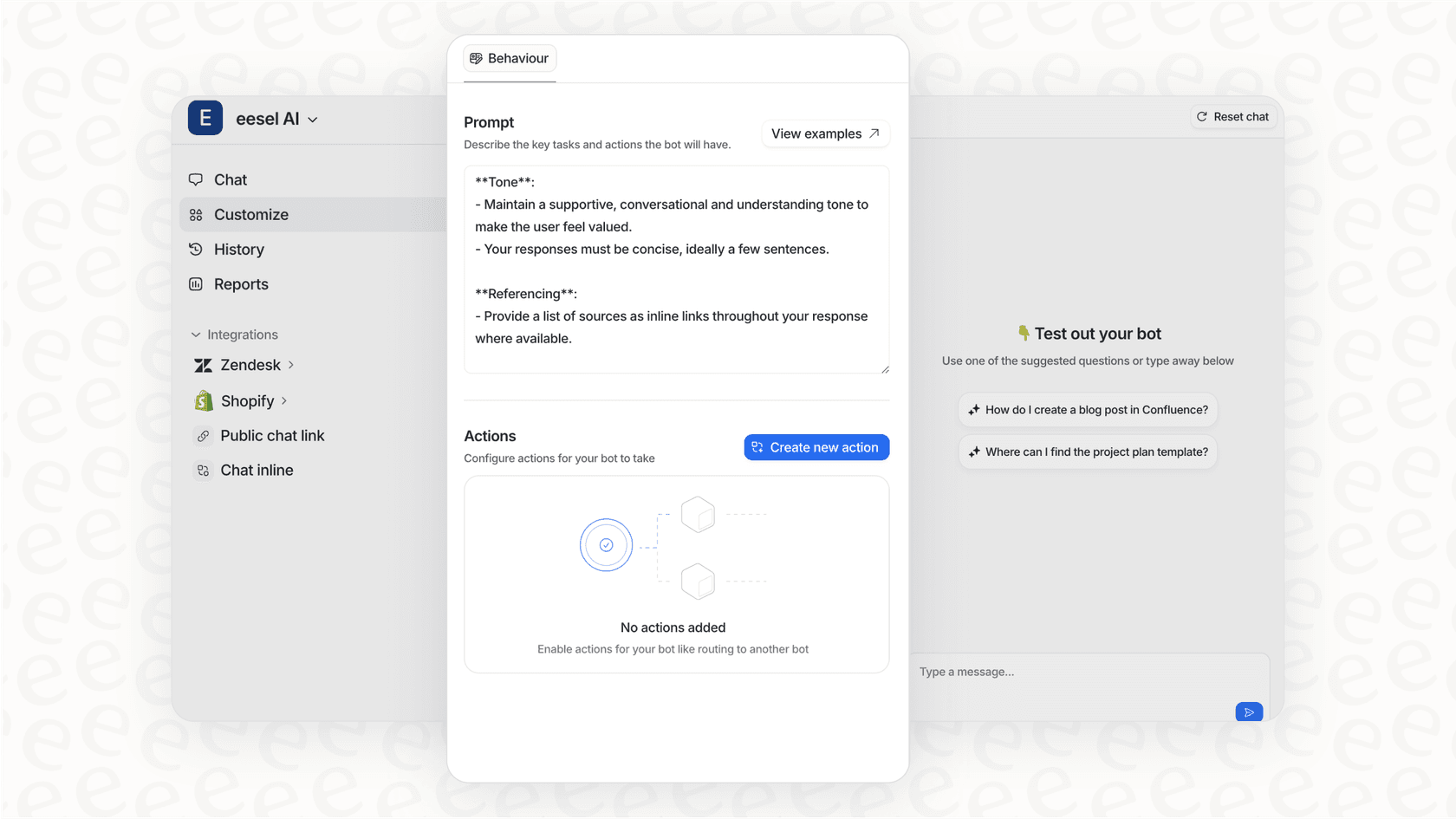
The platform operates on a progressive rollout model. You start with eesel drafting replies for agent review, then expand to full autonomous ticket resolution as the AI proves itself. This lets you verify quality before customers see AI-generated responses.
Key capabilities include:
- Autonomous ticket resolution with intelligent escalation
- AI Copilot for drafting replies agents can review and send
- AI Triage for automatic tagging, routing, and prioritization
- Real-time actions like order lookups and refund processing
- Support for 80+ languages across email, chat, and social channels
| Plan | Monthly | Annual | Bots | Interactions/mo |
|---|---|---|---|---|
| Team | $299 | $239/mo | Up to 3 | 1,000 |
| Business | $799 | $639/mo | Unlimited | 3,000 |
| Custom | Contact sales | Custom | Unlimited | Unlimited |
Mature deployments achieve up to 81% autonomous resolution with a typical payback period under two months. Try eesel AI free for 7 days.
2. Salesforce
The Salesforce integration bridges the gap between sales and support by syncing customer data between both platforms. Support agents see Salesforce contact and account records directly within Zendesk tickets, while sales teams get visibility into support history.
The integration enables two-way data flow, so updates in either system reflect in the other. This eliminates the need for agents to switch contexts when they need customer background, subscription details, or account history.
Setup complexity is medium due to data mapping requirements, but the payoff is significant for organizations where sales and support frequently collaborate. The integration itself is included with your Zendesk subscription; you'll need a Salesforce Service Cloud subscription separately.
3. Slack
Slack for Zendesk brings ticket activity into your team's communication hub. Agents receive real-time notifications in designated channels when tickets are created, updated, or escalated. More importantly, team members can create and update tickets directly from Slack without switching to Zendesk.
This integration shines for collaborative problem-solving. When a complex issue requires input from engineering or product, you can loop in the right people where they already work. The conversation stays in Slack while ticket updates sync back to Zendesk automatically.
| Slack Plan | Price (annual) | Key Features |
|---|---|---|
| Free | $0 | 90-day history, 10 integrations |
| Pro | $7.25/user/mo | Unlimited history, unlimited integrations |
| Business+ | $15/user/mo | 99.99% uptime SLA, SAML SSO |
| Enterprise+ | Contact sales | Advanced security, dedicated support |
Setup takes minutes and the integration is free; you just need an active Slack workspace.
4. Jira
For teams that need to escalate issues to engineering, the Jira integration creates a seamless bridge between support and development. Support agents can link Zendesk tickets to Jira issues, and the bi-directional sync keeps both sides updated as status changes.
When a customer reports a bug, the agent creates a Jira issue from Zendesk with all relevant context. Engineers work in Jira as usual, and updates flow back to the Zendesk ticket so agents can keep customers informed without chasing down status updates.
| Jira Plan | Price | Users | Key Features |
|---|---|---|---|
| Free | $0 | Up to 10 | 2 GB storage, basic features |
| Standard | $7.91/user/mo | Up to 10,000 | 250 GB storage, business hours support |
| Premium | $14.54/user/mo | Up to 10,000 | Unlimited storage, 24/7 support |
| Enterprise | Contact sales | Unlimited | Multiple sites, enterprise support |
Setup complexity is medium due to workflow mapping, but the time savings on engineering handoffs make it worthwhile for technical support teams.
5. HubSpot
The HubSpot integration aligns support with marketing and sales by surfacing HubSpot contact timelines directly in Zendesk. Agents see the full customer journey, from initial website visit through marketing touchpoints to support interactions.
This context helps agents understand customer intent and history. A customer who just downloaded a pricing guide has different needs than one who's been a newsletter subscriber for two years. That context shapes how you approach the conversation.
Setup is straightforward with low complexity. The integration is free with your Zendesk subscription; you'll need a HubSpot subscription separately.
6. Google Workspace
The Google Workspace integration bundle connects Gmail, Google Drive, Calendar, and Contacts to Zendesk. The Gmail connector turns emails into tickets automatically. Google Drive integration lets agents attach files and access shared documents within tickets.
Calendar sync enables appointment scheduling from Zendesk, while contact sync keeps customer data aligned between Google Contacts and Zendesk profiles.
Setup complexity is low, and the integration is included with Zendesk. You'll need an active Google Workspace subscription (Business Starter starts at $6/user/mo).
7. Microsoft Teams
For organizations in the Microsoft ecosystem, the Microsoft Teams integration delivers similar functionality to Slack. Ticket notifications appear in Teams channels, and agents can create tickets from conversations without leaving the app.
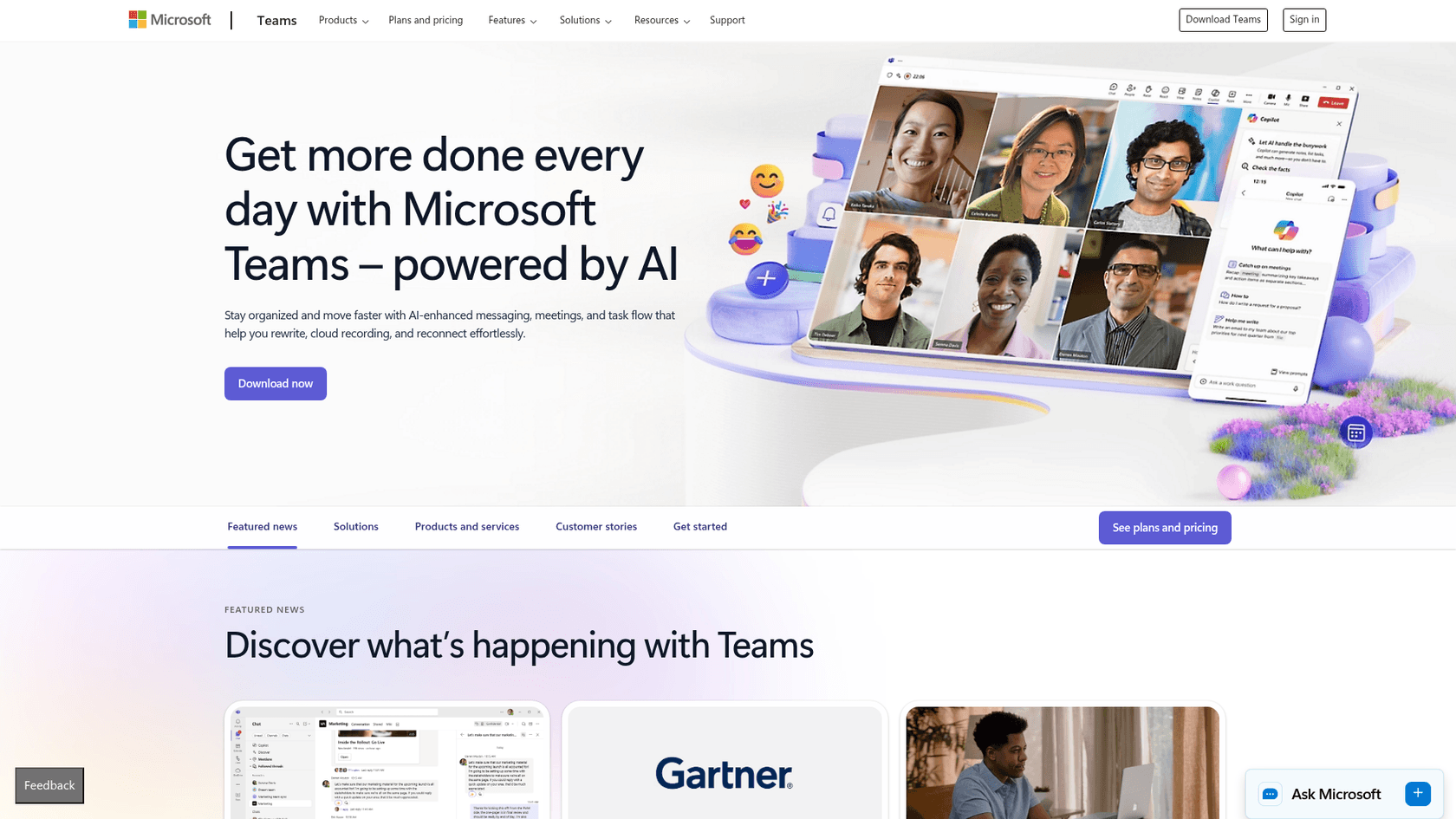
This integration is particularly valuable for enterprises that have standardized on Microsoft 365. Support teams can collaborate with colleagues across the organization without asking them to adopt new tools.
Setup is simple with low complexity. The integration is free; you'll need a Microsoft 365 subscription (Business Basic starts at $6/user/mo).
8. Shopify
E-commerce support teams need order context to resolve issues efficiently. The Shopify integration displays customer orders, shipping status, and payment information directly in Zendesk tickets. Agents can process refunds and check inventory without switching to Shopify admin.

This integration is essential for any support team handling order inquiries, shipping issues, or refund requests. The time saved on each ticket adds up quickly when you're processing dozens of e-commerce inquiries daily.
| Shopify Plan | Monthly | Annual | Key Features |
|---|---|---|---|
| Basic | $39/mo | $29/mo | 10 inventory locations, 24/7 chat |
| Grow | $105/mo | $79/mo | 5 staff accounts, enhanced shipping discounts |
| Advanced | $399/mo | $299/mo | 15 staff accounts, local storefronts |
| Plus | $2,300/mo | Custom | Unlimited staff, priority phone support, B2B features |
Setup complexity is low, and the integration is free with your Zendesk subscription.
9. Asana
When support tickets require follow-up work across teams, the Asana integration keeps everything tracked. Agents can create Asana tasks from Zendesk tickets, linking support requests to project work.
This is useful for feature requests that need product team review, bugs requiring engineering fixes, or any ticket that spawns work outside the support team. The integration ensures nothing falls through the cracks when tickets need action from other departments.
| Asana Plan | Price (annual) | Key Features |
|---|---|---|
| Free | $0 | Up to 15 team members, basic features |
| Starter | $10.99/user/mo | Timeline, custom fields, 500 guests |
| Advanced | $24.99/user/mo | Portfolios, workload, advanced integrations |
| Enterprise | Contact sales | Advanced security, priority support |
Setup complexity is low. The integration is free; you'll need an Asana subscription.
10. Klaus
Quality assurance is critical for maintaining support standards as you scale. Klaus, now part of Zendesk QA, provides AI-powered conversation review and scoring.
The platform analyzes support interactions to identify coaching opportunities, ensure consistency, and track quality metrics over time. AutoQA reviews 100% of conversations, flagging high-risk moments and outliers for manager attention.
Klaus is now available as a Zendesk QA add-on for Support and Suite plans. Setup complexity is medium due to review criteria configuration, but the insights into team performance are invaluable for support leaders focused on quality.
11. Geckoboard
Geckoboard creates real-time KPI dashboards that visualize support metrics. Connect it to Zendesk and display ticket volume, response times, CSAT scores, and agent performance on screens around your support center.
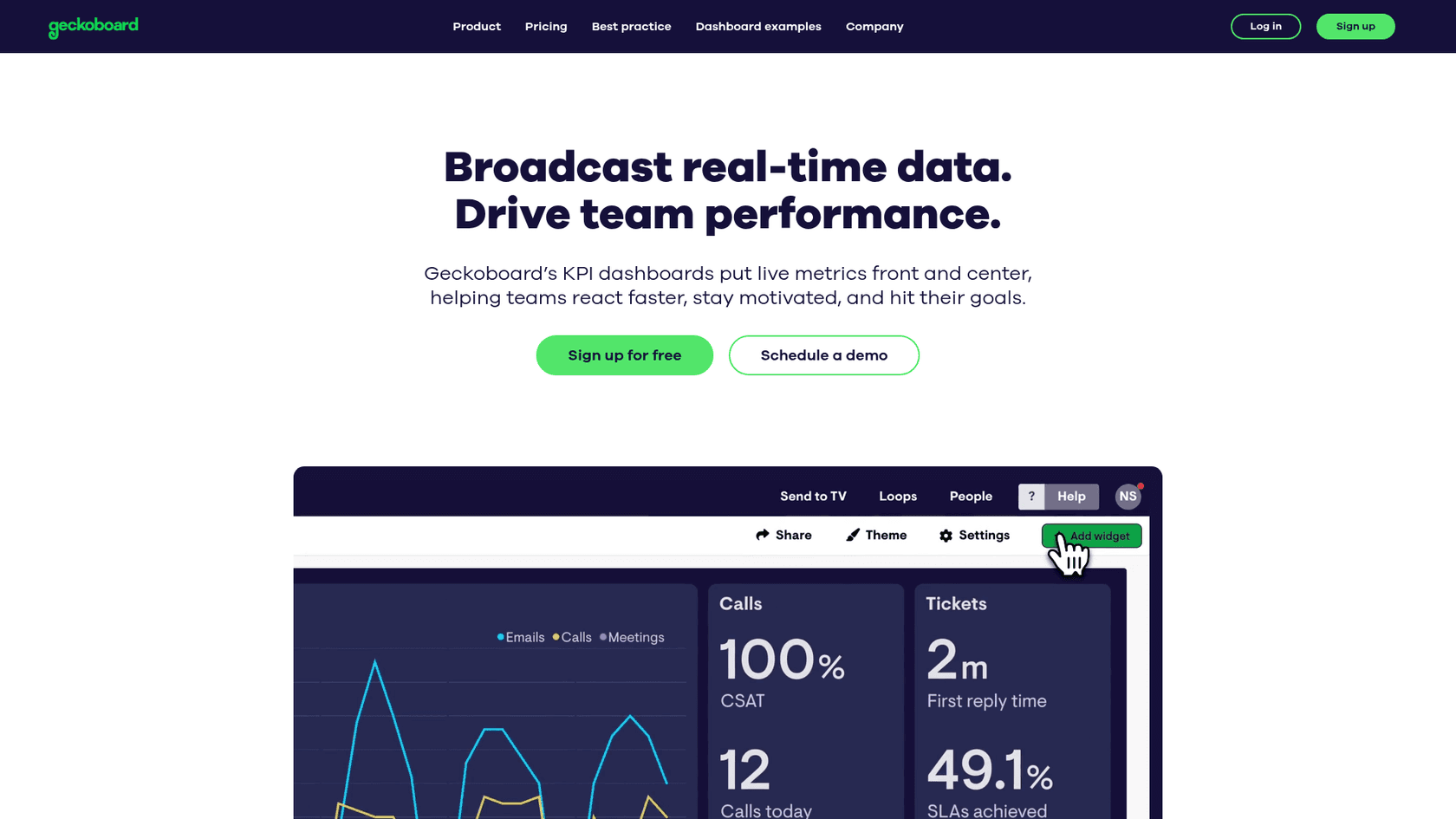
Visual dashboards keep metrics visible and top-of-mind for the whole team. When everyone can see current queue depth and response time trends, it creates shared accountability for performance.
| Geckoboard Plan | Price (annual) | Dashboards | Viewers | Key Features |
|---|---|---|---|---|
| Essential | $60/mo | 1 | 10 | All integrations, sharing links |
| Core | $175/mo | 20 | 25+ | Slack/Teams sharing, custom logo |
| Pro | $319/mo | 50 | 50+ | Dashboard management, folders |
| Enterprise | Custom | Custom | Custom | SSO, API access, dedicated support |
Setup complexity is low, and the integration includes 90+ data sources beyond Zendesk.
12. TypeGenie
TypeGenie is an AI-powered writing assistant designed specifically for Zendesk. It suggests sentence completions as agents type, reducing average handle time while maintaining response quality.
The Pro plan learns from your team's ticket history to match your brand voice and common phrasing. It includes MessageGenie for drafting full responses, ToneGenie for tone guidance, and ArticleGenie for knowledge base creation.
| TypeGenie Plan | Price | Users | Features |
|---|---|---|---|
| Free | $0/mo | Up to 5 | 50 suggestions/month |
| Basic | $10/user/mo | Up to 10 | 5,000 tokens/month, MessageGenie |
| Pro | $25/user/mo | Up to 30 | 12,000 tokens/month, learns from history |
| Enterprise | Custom | Custom | Custom integrations, dedicated support |
Setup complexity is low, and the 7-day free trial lets you test the impact on agent productivity before committing.
Comparison table: Zendesk integrations at a glance
| Integration | Category | Setup Complexity | Pricing | Best For |
|---|---|---|---|---|
| eesel AI | AI/Automation | Low | From $299/mo | Autonomous support |
| Salesforce | CRM | Medium | Free + Salesforce | Sales-support alignment |
| Slack | Communication | Low | Free + Slack | Real-time collaboration |
| Jira | DevOps | Medium | Free + Jira | Engineering handoffs |
| HubSpot | CRM | Low | Free + HubSpot | Marketing alignment |
| Google Workspace | Productivity | Low | Free + Google | Email and file management |
| Microsoft Teams | Communication | Low | Free + Microsoft | Microsoft ecosystem |
| Shopify | E-commerce | Low | Free + Shopify | Online stores |
| Asana | Project Management | Low | Free + Asana | Task tracking |
| Klaus | QA/Coaching | Medium | Zendesk QA add-on | Quality management |
| Geckoboard | Analytics | Low | From $60/mo | Dashboards |
| TypeGenie | AI/Automation | Low | From $10/user/mo | Agent productivity |
Tips for implementing Zendesk integrations
Adding integrations to your support stack requires more than just clicking "install." Here are practical tips to ensure your implementation succeeds:
Start small and expand gradually. Pick 2-3 integrations that solve your most pressing pain points rather than trying to connect everything at once. This lets you focus on proper configuration and team adoption.
Test in a sandbox first. Most integrations can be tested in Zendesk's sandbox environment before going live. Use this to verify data flows and catch configuration issues before they affect production tickets.
Train your team on new workflows. An integration only delivers value if your team actually uses it. Document new processes and provide hands-on training for any workflows that change.
Monitor usage and ROI. Track how often integrations are used and whether they're delivering the expected time savings. If an integration isn't being adopted, investigate whether it's a configuration issue or a workflow mismatch.
Keep security in mind. Review permissions carefully, especially for integrations that access sensitive customer data. Limit access to only what each integration needs to function.
Document your integration architecture. As you add more connections, maintain documentation of what integrates with what. This becomes invaluable when troubleshooting issues or onboarding new team members.
Building your connected support stack with eesel AI
Traditional integrations connect your tools; eesel AI acts as a teammate that works within those tools. While the integrations above help data flow between systems, eesel actually handles the work that flows through them.

Here's how eesel complements your integration stack:
- With Salesforce: eesel can reference customer data when drafting responses, pulling context from your CRM automatically
- With Slack: eesel can notify channels when it escalates tickets that need human attention
- With Shopify: eesel looks up orders, processes refunds, and answers shipping questions without agent intervention
- With Jira: eesel creates issues for bugs it can't resolve and keeps customers updated on status
The difference is that traditional integrations move data. eesel moves work. It doesn't just show agents what they need to know; it handles the routine responses, lookups, and actions that consume most of their time.
Getting started takes minutes. Connect eesel to your Zendesk, let it learn from your existing tickets and help center, and start with AI-drafted replies while you verify quality. As confidence grows, expand to full autonomous resolution.
Try eesel AI free for 7 days and see how an AI teammate changes what your support team can accomplish.


Frequently Asked Questions
Share this article

Article by
Stevia Putri
Stevia Putri is a marketing generalist at eesel AI, where she helps turn powerful AI tools into stories that resonate. She’s driven by curiosity, clarity, and the human side of technology.
