If you're a healthcare organization evaluating customer support software, you've probably asked yourself: is Zendesk HIPAA compliant? The short answer is yes, but with a significant caveat. Zendesk can be configured to meet HIPAA requirements, but it is not compliant by default.
This distinction matters. Many healthcare providers assume that purchasing a Zendesk subscription automatically ensures HIPAA compliance. In reality, achieving compliance requires the right plan, mandatory add-ons, a Business Associate Agreement (BAA), and over 50 specific security configurations across multiple products. For teams looking to streamline patient support without navigating this complexity, eesel AI's Zendesk integration offers an alternative approach. Our AI teammate integrates with your existing help desk and learns your compliance requirements from day one, letting you focus on patient care rather than configuration management.
Here's exactly what it takes to make Zendesk HIPAA compliant and whether the investment makes sense for your organization.

Understanding Zendesk and HIPAA compliance
Zendesk is a customer experience platform used by thousands of organizations worldwide. It offers ticketing, live chat, help centers, and AI-powered support tools. Healthcare organizations like One Medical and HeartFlow use Zendesk to manage patient communications and support workflows.
HIPAA, the Health Insurance Portability and Accountability Act, sets national standards for protecting sensitive patient health information (PHI). Any software handling PHI must meet strict security, privacy, and administrative requirements.
Here's the critical point: Zendesk explicitly prohibits storing or transmitting PHI under its standard Main Services Agreement unless you've "expressly agreed to otherwise by Zendesk in writing." This means out-of-the-box Zendesk isn't HIPAA compliant.
To legally handle PHI in Zendesk, you need three things:
- A HIPAA-enabled Service Plan (Suite Enterprise or higher)
- The Advanced Data Privacy and Protection Add-On
- A signed Business Associate Agreement (BAA) with Zendesk
Even with these in place, compliance depends entirely on how you configure and use the platform. As Zendesk's official documentation states: "Adhering to HIPAA compliance while using Zendesk largely depends on how you use the software."
Zendesk HIPAA compliance requirements
Required plan and add-ons
HIPAA compliance is only available on Zendesk's Suite Enterprise plan or higher. The lower-tier plans (Suite Team, Growth, and Professional) do not support HIPAA compliance regardless of configuration.
For reference, here's how Zendesk's standard Suite pricing breaks down:
| Plan | Monthly Price (per agent) | Annual Price (per agent) | HIPAA Support |
|---|---|---|---|
| Suite Team | $55 | $49 | Not available |
| Suite Growth | $89 | $79 | Not available |
| Suite Professional | $115 | $99 | Not available |
| Suite Enterprise | Custom pricing | Custom pricing | Available with add-on |
Source: Zendesk Pricing
On top of the Enterprise plan, you must purchase the Advanced Data Privacy and Protection Add-On. This add-on includes the BAA, advanced encryption features, access logs, redaction capabilities, and data retention policies. Zendesk doesn't publicly disclose the add-on pricing, which means you'll need to contact their sales team for a quote.
Business Associate Agreement (BAA)
A Business Associate Agreement is a legally binding contract required under HIPAA when a covered entity (like a healthcare provider) shares PHI with a third-party vendor (like Zendesk). The BAA outlines each party's responsibilities for protecting PHI.
Zendesk does not sign individual BAAs for each customer. Instead, they provide a standardized BAA addendum to their Main Services Agreement. This addendum covers the necessary HIPAA terms and specifies which Zendesk services fall under its scope.
Importantly, the BAA only applies to specific "Covered Services." Any additional features, Marketplace apps, or third-party integrations aren't covered and require separate compliance evaluation.
Source: Zendesk Business Associate Agreement
For more details on Zendesk's compliance features, see their Advanced Compliance documentation.
Security configuration requirements
Once you have the right plan and BAA in place, the real work begins. Zendesk requires over 50 specific security configurations across its various products. These configurations cover:
- Zendesk Support: Authentication, SSL encryption, IP restrictions, API security, attachment protection, notification settings
- Zendesk Guide: Content restrictions, user comment moderation, public profile settings
- Zendesk Messaging: File attachment controls, AI Agent configurations, end-user authentication
- Zendesk Chat: Transcript handling, email piping restrictions, agent workspace security
- Zendesk Explore: Access permissions, dashboard sharing controls, export restrictions
- Zendesk AI: Usage restrictions (cannot use for medical advice, diagnosis, or treatment decisions)
- Mobile Applications: Device encryption, biometric access, notification settings
Source: Zendesk Security Configuration Requirements
For a complete overview of Zendesk's security certifications including SOC 2 Type II and ISO 27001, visit their Trust Center.
Common HIPAA compliance pitfalls in Zendesk
Even with the right plan and configurations, healthcare organizations frequently make mistakes that jeopardize compliance. Here are the most common pitfalls to avoid.
Access control issues
Zendesk's default settings come with relatively open access controls. If you don't actively configure role-based access, agents may see tickets and PHI that aren't relevant to their role. This violates HIPAA's "minimum necessary" standard.
Enterprise plans let you create custom roles with specific ticket access permissions. You can restrict agents to only see tickets assigned to them, their group, or their organization. Regular access audits (monthly is recommended) help ensure permissions match current job responsibilities.
Third-party integration risks
This is the number one overlooked compliance risk: Zendesk's BAA does not extend to Marketplace apps or third-party integrations.
Many healthcare organizations install apps from the Zendesk Marketplace without realizing these apps may not be HIPAA compliant. Any PHI shared with these apps falls outside Zendesk's BAA protection.
High-risk integrations include:
- Slack: Slack only offers a BAA on their Enterprise Grid plan. Standard Slack integrations expose PHI outside your compliance boundary.
- SMS/Text messaging (Twilio, Zendesk Talk Text): SMS is unencrypted and not HIPAA compliant. Avoid sending PHI via text.
- Social messaging (Facebook, WhatsApp): These channels fall outside Zendesk's BAA scope entirely.
- Most Marketplace apps: The majority lack HIPAA compliance documentation.
For any integration handling PHI, you must obtain a separate BAA from that vendor and verify their compliance independently.
Source: Adelante CX Insights on HIPAA Pitfalls
PHI mishandling in tickets
Support tickets often contain sensitive information. Without proper training and tools, agents may inadvertently include PHI in ticket subjects, comments, or custom fields. This creates compliance exposure.
Zendesk offers redaction tools to remove sensitive information from tickets. However, redaction must be performed manually or through third-party data loss prevention (DLP) tools. Zendesk doesn't automatically detect or redact PHI.
Best practices include:
- Training staff on what constitutes PHI and how to handle it
- Using custom ticket fields to collect only essential information
- Regularly auditing tickets for PHI exposure
- Implementing DLP tools for automated detection
AI and automation considerations
Zendesk's AI features have specific HIPAA restrictions that many organizations miss. According to Zendesk's security requirements:
- AI features cannot be used to provide medical or healthcare advice
- AI cannot provide diagnosis of conditions or symptoms
- AI cannot prescribe treatments
- AI cannot prevent users from seeking professional healthcare advice
- Generated AI outputs may be inaccurate and should not be relied upon for clinical decisions
If you use AI Agents or automated responses in a healthcare context, you must configure them carefully to avoid these prohibited uses. Additionally, conversations between patients and AI Agents that are transformed into tickets can't currently be redacted within the ticket, only deleted entirely.
Source: Zendesk AI Security Requirements
For additional guidance on healthcare use cases, refer to Zendesk's healthcare solutions page.
Step-by-step: Making Zendesk HIPAA compliant
If you've decided to proceed with Zendesk for your healthcare organization, here's how to implement HIPAA compliance.
Step 1: Upgrade to the right plan
Contact Zendesk sales to discuss your HIPAA compliance needs. You'll need to:
- Upgrade to Suite Enterprise (if not already on it)
- Purchase the Advanced Data Privacy and Protection Add-On
- Review and execute the Business Associate Agreement
This step typically requires working with a Zendesk account representative rather than using self-service upgrades.
Step 2: Configure core security settings
Implement the foundational security controls:
- Enable single sign-on (SSO) or set native password settings to "Recommended" with mandatory two-factor authentication (2FA)
- Ensure SSL encryption remains enabled (required for all HIPAA-enabled accounts)
- Set up IP address restrictions for agent access (unless MFA is enforced)
- Configure API security using OAuth 2.0 where possible, with regular token rotation
- Enable "require authentication for download" to protect attachments
Source: Zendesk Security Configuration
Step 3: Configure product-specific settings
Each Zendesk product requires its own compliance configuration:
Support: Configure email notifications to exclude PHI. Instead of including ticket content in notification emails, set them to alert users that a response is available and require login to view details.
Guide: Ensure no PHI appears in public help center articles. Either disable user comments entirely or enable moderation to review all submissions before they appear.
Messaging: Disable file attachments for end-users unless you've implemented secure attachment handling. Review AI Agent configurations to ensure they don't provide prohibited medical advice.
Explore: Limit access to agents who can view all tickets containing PHI. Disable public dashboard sharing or password-protect shared dashboards with strong authentication.
Mobile: Require device-level encryption, biometric or PIN access, and disable notifications that surface ticket content on lock screens.
Step 4: Audit and monitor
Compliance is not a one-time setup. Ongoing maintenance includes:
- Enabling comprehensive audit logging
- Setting up alerts for suspicious activity (after-hours access, large data exports, multiple failed logins)
- Conducting monthly access reviews
- Training all staff on HIPAA-compliant Zendesk usage
- Reviewing and updating configurations quarterly
Zendesk HIPAA compliance: Is it worth the effort?
Achieving HIPAA compliance with Zendesk requires significant investment across multiple dimensions.
Financial costs: Suite Enterprise pricing is custom and significantly higher than lower tiers. The Advanced Data Privacy and Protection Add-On adds additional cost. Many organizations also need implementation partners to configure everything correctly, which can cost thousands more.
Time investment: The configuration process involves over 50 specific settings across multiple products. Planning, implementation, and testing can take weeks.
Ongoing maintenance: Compliance configurations can drift over time. New features, app installations, or staff changes can inadvertently create compliance gaps. Regular audits and updates are essential.
Risk exposure: If configurations are not maintained perfectly, your organization assumes full liability for any unauthorized access or PHI disclosure resulting from misconfiguration.
For large healthcare organizations with dedicated IT and compliance teams, this investment may be justified by Zendesk's comprehensive feature set. However, smaller practices or organizations without extensive technical resources may find the burden overwhelming.
This is where eesel AI's approach differs. Rather than requiring you to configure a complex platform for compliance, we integrate with your existing help desk as an AI teammate. We learn your specific compliance policies, handle patient inquiries according to your protocols, and escalate appropriately when human judgment is needed. You don't configure compliance. You hire a teammate who understands it.
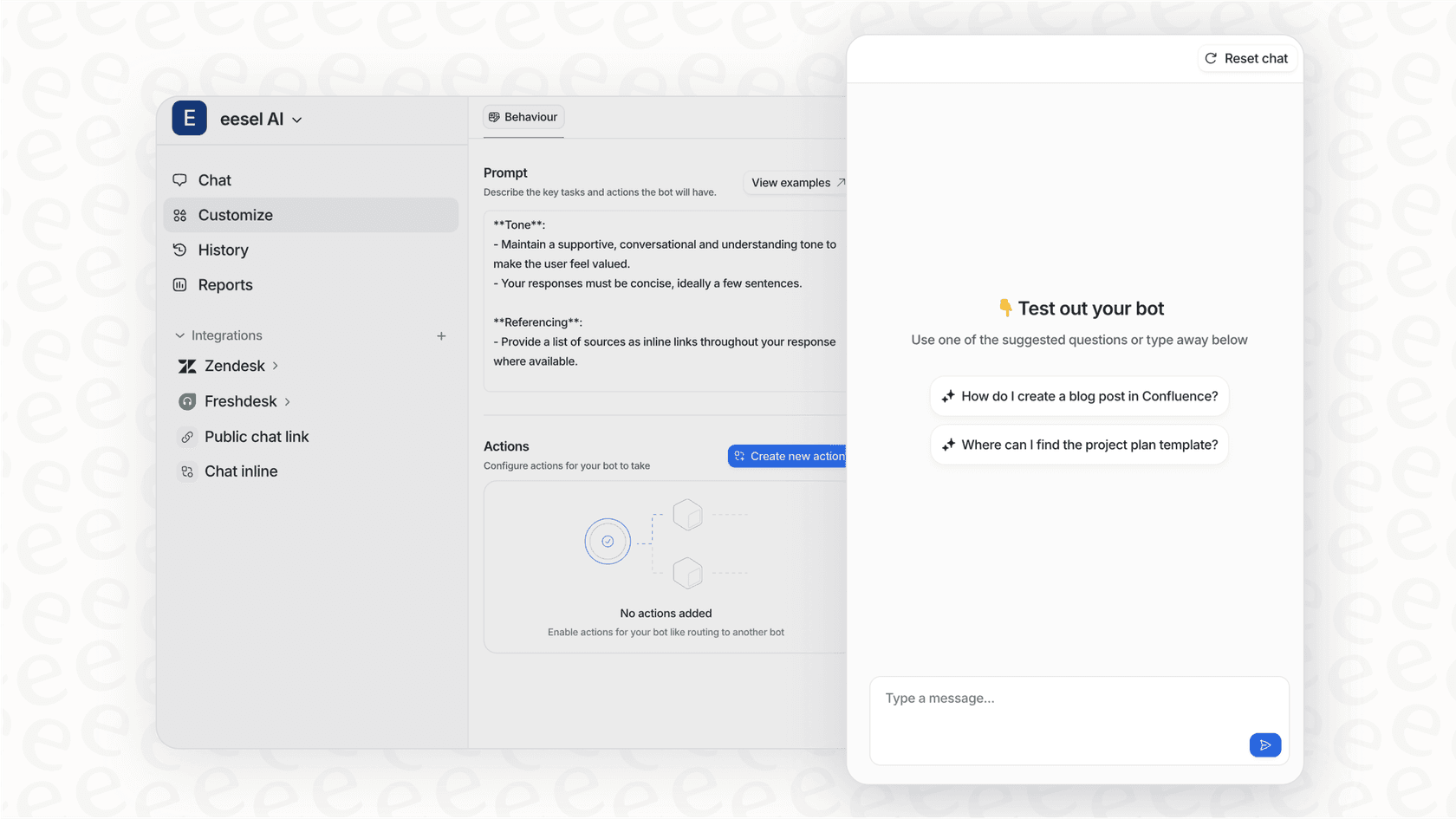
Our AI Agent handles frontline support autonomously while respecting your compliance boundaries. Our AI Copilot drafts responses for your team to review before sending. And our integration with Zendesk means you can add AI capabilities to your existing setup without replacing your infrastructure.
Getting started with HIPAA-compliant customer support
Zendesk can be a powerful platform for healthcare customer support, and it can be made HIPAA compliant. But the path is neither quick nor simple. It requires the right plan, mandatory add-ons, extensive configuration, and ongoing maintenance.
Before committing, consider whether your organization has the resources to implement and maintain these requirements. Factor in not just the subscription costs, but the time, expertise, and ongoing attention required to stay compliant.
For teams that want AI-powered support without the configuration complexity, eesel AI offers an alternative. Our AI teammate learns your business and compliance requirements from your existing tickets, help center, and documentation. You define escalation rules in plain English. We handle the rest.
Whether you choose to configure Zendesk for HIPAA compliance or explore AI alternatives, the key is ensuring your patient data remains protected while delivering the support experience your patients expect.
Ready to simplify your healthcare support? Try eesel AI free and see how our AI teammate can work within your compliance framework.