
Trying to pick the right SEO tool these days can be a challenge. It’s not just about keywords and backlinks anymore. With search changing to include AI chats and generative answers, you need a tool that can keep up.
Surfer SEO is one of those tools. It's a popular platform that over 150,000 pros use to optimize their content by looking at what’s already winning on Google. But the main question is whether it is worth the price.
I was thinking of using Surfer SEO but I'm not really convinced it's worth $119 per month. Does anyone use it? Is it really that helpful?

This post will provide a straightforward look at Surfer SEO's pricing, plans, and features. We’ll get into what you get for your money and help you decide if it’s the right fit for your workflow. We’ll also discuss its limitations and explore an alternative for those looking to generate entire media-rich blog posts from scratch, rather than just optimizing text.
Understanding Surfer SEO before looking at the pricing
Surfer SEO is a cloud-based tool designed to help your content rank higher on Google and appear in AI search. Its focus is on-page optimization.
Here’s the gist of how it works: Surfer scans over 500 different web signals from the pages already ranking for your keyword. It then provides a data-driven checklist to improve your content. It provides guidance on which keywords to add, how to structure your article, and what topics to cover to align with top-ranking content.
It’s built for content marketers, SEO specialists, and agencies. It’s not an all-in-one suite like Ahrefs or Semrush, so it doesn't offer deep backlink analysis or technical site audits. Surfer's primary strength has always been content optimization.
A detailed look at the Surfer SEO pricing plans
Surfer SEO offers three main subscription plans: Essential, Scale, and Enterprise. You can pay month-to-month or choose an annual plan to save up to 20%, which is a standard model for SaaS tools. The following infographic provides a clear comparison of the Surfer SEO pricing tiers.
Here’s a quick comparison of the two most popular plans:
| Feature | Essential Plan | Scale Plan |
|---|---|---|
| Price (Monthly) | $99/month | $219/month |
| Price (Annual) | $79/month | $175/month |
| Content Editor | 30 articles/month | 100 articles/month |
| AI Articles | 5 articles/month | 20 articles/month |
| Audit | 100 pages/month | 100 pages/month |
| Team Members | 1 | 4 |
| Best For | Individuals & small teams | Growing teams & agencies |
Let's dig into what each plan actually gives you.
The Essential plan
First up is the Essential plan, Surfer’s starting point. It costs $99 per month, or $79 per month if you pay for the year, which saves you $240.
This plan gets you 30 Content Editor articles, the main feature for optimizing your writing. You also get 5 AI-generated articles and 100 page audits each month. It’s a decent starting block for solo creators and small teams who are beginning to focus on content optimization. It also connects directly with Google Docs and WordPress.
The Scale plan for teams
If you're producing a lot of content, the Scale plan may be a better fit. It costs $219 per month, or $175 per month with an annual subscription, saving you $528 for the year.
This plan is designed for scaling up. It increases your limits to 100 Content Editor articles and 20 AI articles per month. You also get access to the AI Tracker (with 5 prompts) to see how your brand is mentioned in AI chats, and you can export your data. This plan is intended for growing in-house teams and agencies that need more capacity and more seats for the team (you get 4).
The Enterprise plan with custom pricing
For larger operations, there's the Enterprise plan. Pricing for this one starts at $999 per month and is billed annually.
This option includes everything in the Scale plan plus extras like single sign-on (SSO), white-labeling for agencies, API access for custom setups, priority support, and strategic SEO advice from their team. It’s for large companies and agencies with extensive content needs or specific security requirements.
Understanding add-ons and credits
It's important to note that not everything is included in the base price. Some features are optional add-ons. For instance, the AI Tracker, which monitors your brand in AI search, costs an extra $95 per month for 25 prompts.
It's also important to understand their credit system. If you're on a monthly plan, your unused credits for AI articles and audits expire at the end of the month. They don't roll over. If you choose an annual plan, you get all your credits for the year at once, which offers more flexibility.
What features are included in the pricing?
The value of any tool comes down to its features. Let’s look at what you’re paying for with Surfer.
Content Editor: The core feature
The Content Editor is the main feature in Surfer. As you write, it gives you a real-time "Content Score" from 0 to 100. This score is based on how well your article covers key topics, uses the right keywords, and matches the structure of top-ranking pages.
Surfer conducted its own study and found that the Content Score has a 0.28 correlation with Google rankings. In SEO, that's a notable signal for a factor you can influence.
To simplify workflow, the Content Editor integrates with Google Docs, WordPress, and ChatGPT, allowing you to optimize content without switching between multiple tabs.
Surfer AI: Is it included in the pricing?
Surfer AI is the platform’s generative AI feature. You provide a keyword, and it produces a full article draft. The goal is to speed up the first draft.
However, as noted in some user reviews, while it provides a starting point, the output may require heavy human editing and fact-checking before publishing.
Content audit and SERP analyzer
The Content Audit tool is for updating old content. You provide a URL, and Surfer compares it to what's currently ranking, showing you which keywords you're missing and how you can improve your structure.
The SERP Analyzer gives you a much more detailed look at the search results page, but it is a $29 add-on if you're on the Essential plan.
Keyword research and topical map tools
Surfer also has a built-in Keyword Research tool for finding new content ideas and a Topical Map feature to help you plan out topic clusters.
Reviews suggest these tools are more on the basic side compared to dedicated platforms like Ahrefs or Semrush. For example, it's missing data like CPC and doesn't have the advanced filters that some SEO professionals may require for in-depth strategic planning.
Limitations of the Surfer SEO model
To provide a comprehensive overview, it's important to consider some of the limitations users have noted.
The risk of over-optimization
It can be easy to focus on hitting a high Content Score, but following the numbers too closely can lead to content that sounds robotic and is stuffed with keywords. The primary audience is human readers, with search engines secondary.
There's a Reddit discussion where some SEOs mentioned their sites were impacted by recent Google updates after they had optimized content with tools like Surfer. This suggests Google may be improving its detection of content that appears overly engineered for SEO.
A tool for optimization, not creation
Surfer is effective at optimizing text you’ve already written, but it doesn't handle the entire content creation process. You still have to do the initial research, write the draft, and create your own visuals like images, charts, and infographics.
While the AI writer can provide a first draft, it is not a complete solution. One review of Surfer AI noted that it created a list of non-existent restaurants for a local guide. This highlights the need for human oversight and editing.
The need for supplementary subscriptions
Because Surfer's keyword research tools are somewhat basic, many content teams will need to use it alongside a more powerful SEO platform. This means paying for Surfer in addition to another subscription, which can increase total software costs.
It think it's $59/month actually (Basic at least). As to if it's useful, depends on what you want it for. I think it has a good content editor and you can use into optimize your content for SEO, but for keyword research, traffic research and such, I'd rather use Ahrefs or Semrush.
For a visual breakdown of the plans and what's included at each tier, this video offers a detailed walkthrough of Surfer SEO's pricing structure.
An alternative for end-to-end content creation: eesel AI
For teams looking for a tool that handles the entire content creation process, from keyword to finished article, other options are available.
Some tools focus on generating a complete, ready-to-publish blog post from a single keyword. One such tool is the eesel AI blog writer, designed to manage the workflow from initial concept to a finished article.
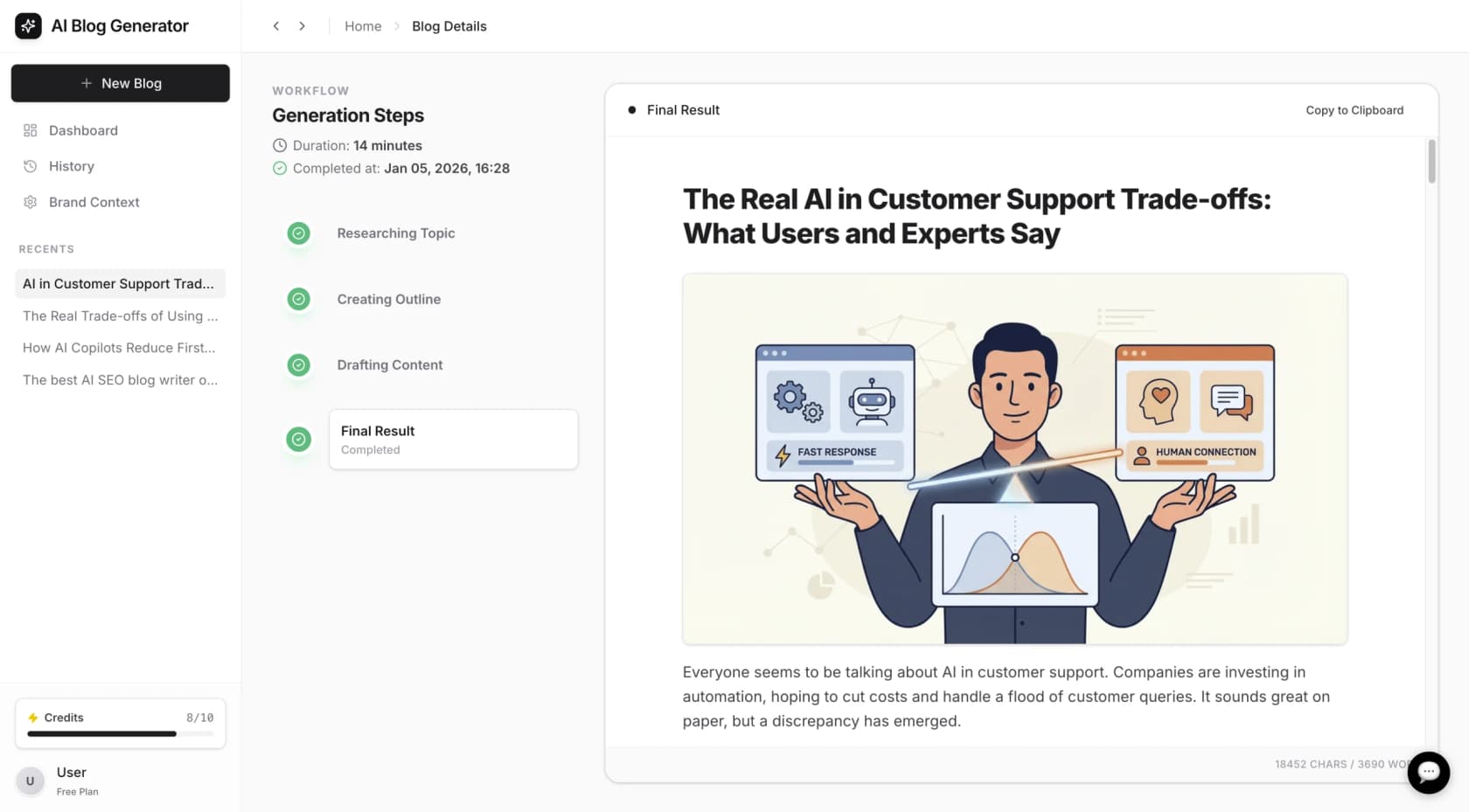
This approach differs from a text optimization tool in a few key ways:
-
Comprehensive article generation: While Surfer focuses on optimizing text, eesel AI is designed to build a complete article, automatically generating and adding relevant images, infographics, and tables.
-
Inclusion of external media: It can find and include relevant YouTube videos and quotes from Reddit discussions to add context.
-
Context-aware research: The tool analyzes the keyword to determine the type of content needed. For a comparison post, it can look for pricing data; for a review, it may find technical specifications.
At eesel AI, we used this tool to grow our search impressions from 70k to over 750k in three months.
The eesel AI blog writer is positioned for teams who want to accelerate their content creation process, generating a complete, media-rich article from a keyword. It is free to try.
Is Surfer SEO right for you?
The decision depends on your team's specific needs. If your primary goal is to refine and optimize existing content with data-driven suggestions, Surfer is a strong option. It gives you a clear checklist to improve your articles.
If you are looking to generate complete, media-rich articles from a keyword to speed up the entire content creation workflow, a tool like the eesel AI blog writer may be a suitable alternative.
Frequently asked questions
Is there a free trial available for any of the Surfer SEO pricing plans?
Surfer SEO doesn't typically offer a free trial for its plans. However, they sometimes provide a money-back guarantee for new users. It's always best to check their official pricing page for the most current offers and policies.
Can I change my Surfer SEO pricing plan after I've subscribed?
Yes, you can generally upgrade or downgrade your plan to fit your changing needs. The process is usually managed through your account dashboard, allowing you to scale up during busy periods or scale down if your content volume decreases.
What happens if I go over my monthly limits on a Surfer SEO pricing plan?
If you're on a monthly plan, your credits for features like AI Articles and Audits do not roll over. If you use them all, you'll need to wait for them to reset the following month or consider upgrading to a plan with higher limits.
Does the Surfer SEO pricing include access to the API?
API access is an advanced feature reserved for the Enterprise plan. If you need to integrate Surfer's data and functionality with your own custom tools or workflows, you will need to subscribe to this top-tier plan.
How does the annual discount on Surfer SEO pricing work?
By paying for a full year upfront, you can get a significant discount, saving up to 20% compared to the month-to-month cost. A major benefit of the annual plan is that you receive all of your credits for the entire year at once, giving you more flexibility.