The world of AI writing tools is getting pretty crowded. Rytr is one of those names you hear a lot, usually praised for being simple and easy on the wallet. It claims it can whip up content for emails, social media, and other quick tasks. But with so many tools out there, is it actually the right one for you?
This review is a straightforward look at Rytr. We'll get into its strengths, its limitations, and who it’s really for. I'll walk you through its main features, pricing, and some key limitations, especially if you're trying to write long, SEO-friendly articles. By the end, you should know if Rytr is a good fit or if you should keep looking.
What is Rytr AI?
Rytr is an AI writing assistant that's all about creating short-form content without the fuss. It's not trying to be a do-it-all chatbot. Instead, Rytr uses a bunch of templates (they call them "use cases") to help with specific writing jobs. The whole idea is to be accessible, not complicated.
It’s really built for a certain kind of person who needs to get content out the door quickly:
-
Freelancers and solopreneurs juggling social media posts, ad copy, and emails.
-
Bloggers who need a hand with outlines or just getting a paragraph started when they're stuck.
-
Small business owners doing their own marketing and needing quick product descriptions or responses to reviews.
Rytr’s biggest selling point is that it’s easy to use and a good value. It’s not built for big teams trying to pump out massive articles or automate their whole content plan. It’s more like a useful little helper for your daily writing tasks, a point that several reviews seem to agree on.
Key features of Rytr
For what you pay, Rytr packs in a decent number of features, and they’re all wrapped in a simple, clean interface. Let's get into what it can actually do.
Content generation and use cases
Getting content out of Rytr is pretty simple. You just give it a three things: a language, a tone, and a "use case." This template-first system makes it dead simple for anyone to jump in, following a simple three-step process.
-
Over 40 use cases: You don't have to be a prompt engineering wizard. Rytr gives you more than 40 templates for things like "Blog Idea & Outline," "Email," and even classic copywriting formulas like AIDA and PAS.
-
More than 20 tones: One of its handiest features is setting the tone. You can tell it to sound Convincing, Enthusiastic, or Humorous to fit your brand. If you're on a paid plan, the "MyVoice" feature can even scan your own writing to create a custom tone, which is great for staying consistent.
-
30+ languages: Rytr can write in over 30 languages, which is a big plus if you have an international audience. It writes directly in that language instead of just translating, so the output usually sounds more natural.
Editing and refinement tools
After Rytr spits out some text, it doesn't just leave you hanging. It has a few built-in AI tools to help you clean things up. Just highlight some text, and a little menu appears with these options:
-
Improve & Rephrase: "Improve" tidies up grammar and makes things easier to read. "Rephrase" gives you a few different ways to say the same thing.
-
Expand & Shorten: Pretty self-explanatory. You can make a section longer by adding more detail or trim it down to be more to the point.
-
Continue Ryting: This one is for when you hit a wall. It'll generate the next sentence for you to try and get the ball rolling again.
-
Plagiarism checker: Rytr has a plagiarism checker that uses Copyscape to make sure your work is original. Just a heads-up, you only get a limited number of checks, even on the paid plans.
Unique features: AI image generator and writing profiles
Rytr has a couple of extra tricks up its sleeve that you don't always see in other budget-friendly AI writers.
-
AI image generator: You can type in a description and Rytr will create an AI image for you. This is super useful for bloggers or social media folks who need custom images but don't want to spend money on a designer.
-
Writing profile: This is a neat little perk for writers. You can set up a public profile page (at rytr.me/user/yourname) to show off your work. It's a nice touch for the freelancers using the platform who might be looking for gigs.
Workflow and integrations
Rytr tries to play nice with the other tools you're already using.
-
Chrome extension: Probably its most useful integration is the Chrome extension. It lets you use Rytr's AI helper right inside other apps like Gmail, WordPress, or Google Docs.
-
Basic SEO tools: Rytr has a "Keywords Generator" and a SERP analysis tool that pulls common words from top-ranking pages. However, these tools provide basic insights. As one detailed Rytr review points out, they don't include metrics like search volume or keyword difficulty. They're suitable for brainstorming but are not a comprehensive SEO solution.
Rytr pricing
Let's talk about the price, because that's one of Rytr's main selling points. The pricing is straightforward and has options for different needs.
| Plan | Price (Monthly) | Key Features | Best For |
|---|---|---|---|
| Free | $0 | 10,000 characters/month, 40+ use cases, 30+ languages | Casual users wanting to test the platform without commitment. |
| Saver | $9/month | Unlimited characters, create 1 custom use case, access to MyVoice, 20 images/month | Freelancers and bloggers who need to generate a moderate amount of content regularly. |
| Unlimited | $29/month | Everything in Saver, plus a dedicated account manager, priority support, 100 images/month | Small businesses and marketers who rely on the tool for daily tasks and need faster support. |
The Free plan is surprisingly generous. You get enough characters to give the tool a proper test drive for all sorts of short writing tasks. It’s a great way to see if you even like it without spending a dime.
The Saver plan is a steal at $9 a month for unlimited characters, which is perfect for solo creators. The Unlimited plan throws in a dedicated account manager, making it a better fit for small teams who need reliable support. All in all, Rytr's pricing gives you a lot of value, especially if you're sticking to short-form content.
Limitations of Rytr AI
Rytr is simple and cheap, but that comes with some trade-offs, especially if you have bigger content ambitions. This core trade-off is illustrated below.
The biggest issue is long-form content. Rytr is fine for spitting out a paragraph here and there or creating an outline. But when asked to write a full, in-depth article, it can be challenging to maintain coherence. As one in-depth review put it, repeatedly using the "Continue Ryting" feature can result in text that is "very odd, repetitive, and often nonsensical." This means users may need to heavily edit and restructure the output for long-form pieces.
Its SEO tools also have limitations. The keyword generator and SERP analysis provide a starting point but lack the advanced data needed for a comprehensive content plan, such as search volume or ranking difficulty. For those focused on search engine optimization, Rytr may not be sufficient on its own.
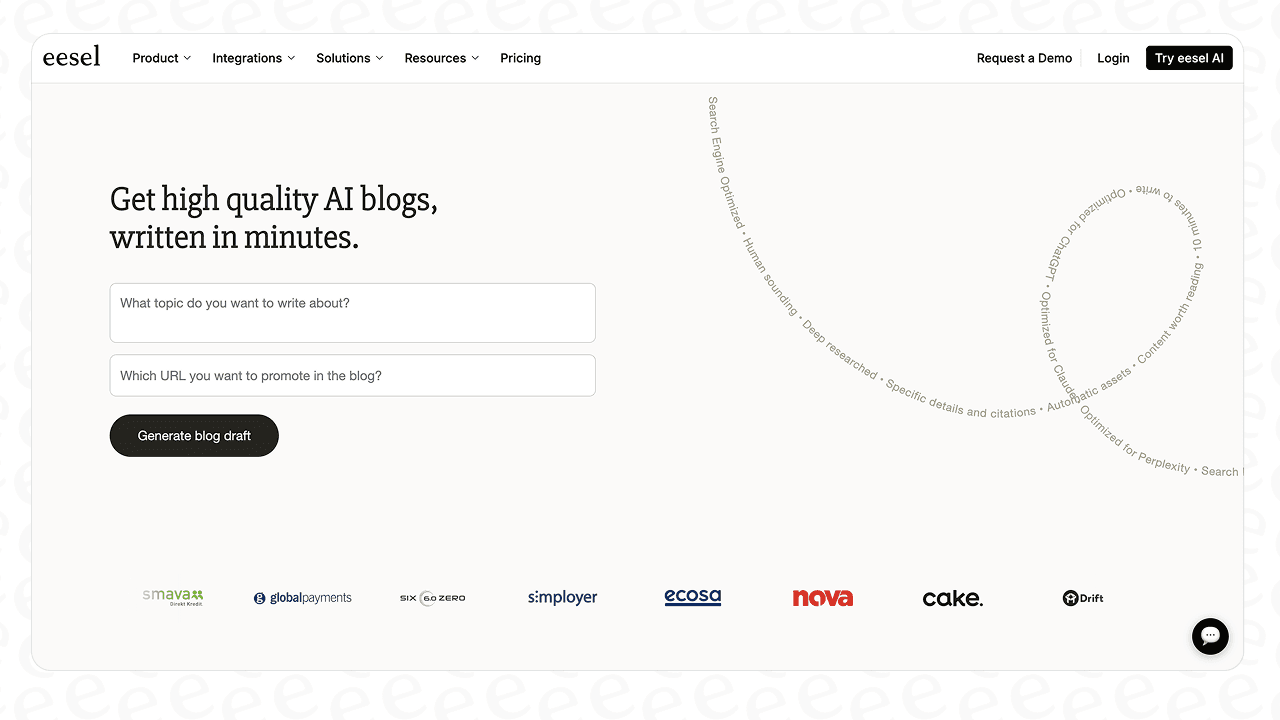
Rytr can help you get started, but it won't get you to the finish line with a complete, SEO-ready article. This is where tools designed for end-to-end content creation differ. For instance, the eesel AI blog writer is designed to manage the entire process, from taking a keyword to building a blog post with research, citations, and images. It's built for scaling a content strategy, which contrasts with Rytr's focus on assisting with specific writing tasks.
To see Rytr in action and get a better feel for its user interface and workflow, check out this detailed video review.
Final verdict on Rytr
So, what's the final verdict? Is Rytr worth your time? The answer is yes, but with a big "if."
If you're a freelancer, social media manager, or small business owner who needs a cheap, simple tool for short-form stuff, Rytr is a fantastic option. It’s great for brainstorming, writing emails, whipping up social posts, and breaking through writer's block. The free plan is solid, and the paid plans are a bargain, making it one of the best deals out there for an AI assistant.
If you're in the market for an AI tool to assist with content generation, you might find yourself weighing options like Rytr and Copymatic. In my experience, Rytr proves to be the superior choice, with a legitimate operation and satisfactory performance.

However, if your main goal is writing long, high-quality blog posts that rank on Google, you may find its capabilities limited. It is not designed for coherent long-form writing, and its SEO features are not intended for in-depth analysis. It’s a helper, not a complete system for a serious content strategy.
For teams that need to scale their blog and bring in organic traffic, tools with more advanced features may be necessary. If Rytr's limitations are a concern, it might be worth exploring a tool that handles the entire workflow. The eesel AI blog writer has a free trial and can build a whole, media-rich blog post from just a topic. It's a good example of what AI can do when it's designed for the entire content creation process.
Looking to compare Rytr with other tools? Check out Rytr vs Surfer SEO, Rytr vs Anyword, and Rytr vs SEO.ai. For pricing details, see our Rytr pricing guide, and explore more options in our Rytr alternatives roundup.
Frequently asked questions
What is the main takeaway from this Rytr AI review for bloggers?
The main takeaway is that Rytr is great for short-form tasks like creating blog outlines, social media posts, or overcoming writer's block. However, it struggles with producing coherent, long-form articles, so it's not a complete solution for serious SEO blogging.
Does this Rytr AI review recommend the tool for beginners?
Absolutely. Rytr's simple interface, use-case templates, and generous free plan make it one of the most beginner-friendly AI writers available. You can get started and generate content in minutes without a steep learning curve.
According to your Rytr AI review, what is the biggest limitation of the tool?
Its biggest limitation is definitely its performance with long-form content. The AI has trouble maintaining a consistent flow for full articles, often producing repetitive or nonsensical text that requires heavy editing. Its SEO tools are also very basic.
Is the pricing mentioned in the Rytr AI review good value?
Yes, Rytr offers excellent value for money, especially for individuals. The free plan is very usable, and the Saver plan at $9/month for unlimited characters is one of the most affordable deals on the market for short-form content generation.
After reading this Rytr AI review, what's a good alternative for creating full blog posts?
If you need to create complete, SEO-optimized blog posts from start to finish, a tool like the eesel AI blog writer is a better fit. It's designed to handle the entire workflow, from research and writing to adding images and citations, which is something Rytr isn't built for.
Can I trust the plagiarism checker mentioned in this Rytr AI review?
Rytr's built-in plagiarism checker is powered by Copyscape, which is a reliable service. However, the number of checks is limited even on paid plans, so if you're producing a high volume of content, you might need a separate, dedicated plagiarism tool.