

Let's be honest, most of us are swimming in a sea of text. Project docs, meeting notes that scroll on forever, research papers, team updates... just keeping up can feel like a job in itself. You're constantly trying to find the key takeaways and action items without having to read every single line, which, let's face it, is nearly impossible. This is where AI summarization tools are starting to feel less like a futuristic gimmick and more like a necessary sidekick.
Notion has jumped into this space with its own AI features, letting you summarize content right inside the tool you're already using for notes and docs. It's pretty handy for tidying up your own workspace. But what happens when your team's knowledge isn't all neatly filed away in Notion?
This guide will walk you through everything Notion AI’s summarizer can do, where it really shines, and, just as importantly, where it falls short. We'll also cover the pricing, so you know exactly what you're getting into.
What is Notion AI?
Notion AI isn’t some separate app you have to toggle over to. Think of it more like a built-in assistant that’s ready to help you write, edit, brainstorm, and get your thoughts in order, all without leaving the Notion page you're on. Its job is to make your workflow a bit smoother by handling some of the heavy lifting.
The clever part is that it’s context-aware. It reads and understands the content on the specific page you’re working on, using large language models (like the ones from OpenAI and Anthropic) to give you relevant answers and suggestions. At its core, it helps you do four main things: create new text from a prompt, clean up your existing writing, summarize long passages, and automatically populate your databases with useful info.
Key features of Notion AI
Notion AI gives you a few different ways to summarize your information, each designed for a slightly different situation. Whether you’re staring at a wall of text from a meeting or a database packed with articles, there’s a tool to help you get the gist quickly.
In-page text and document summarization
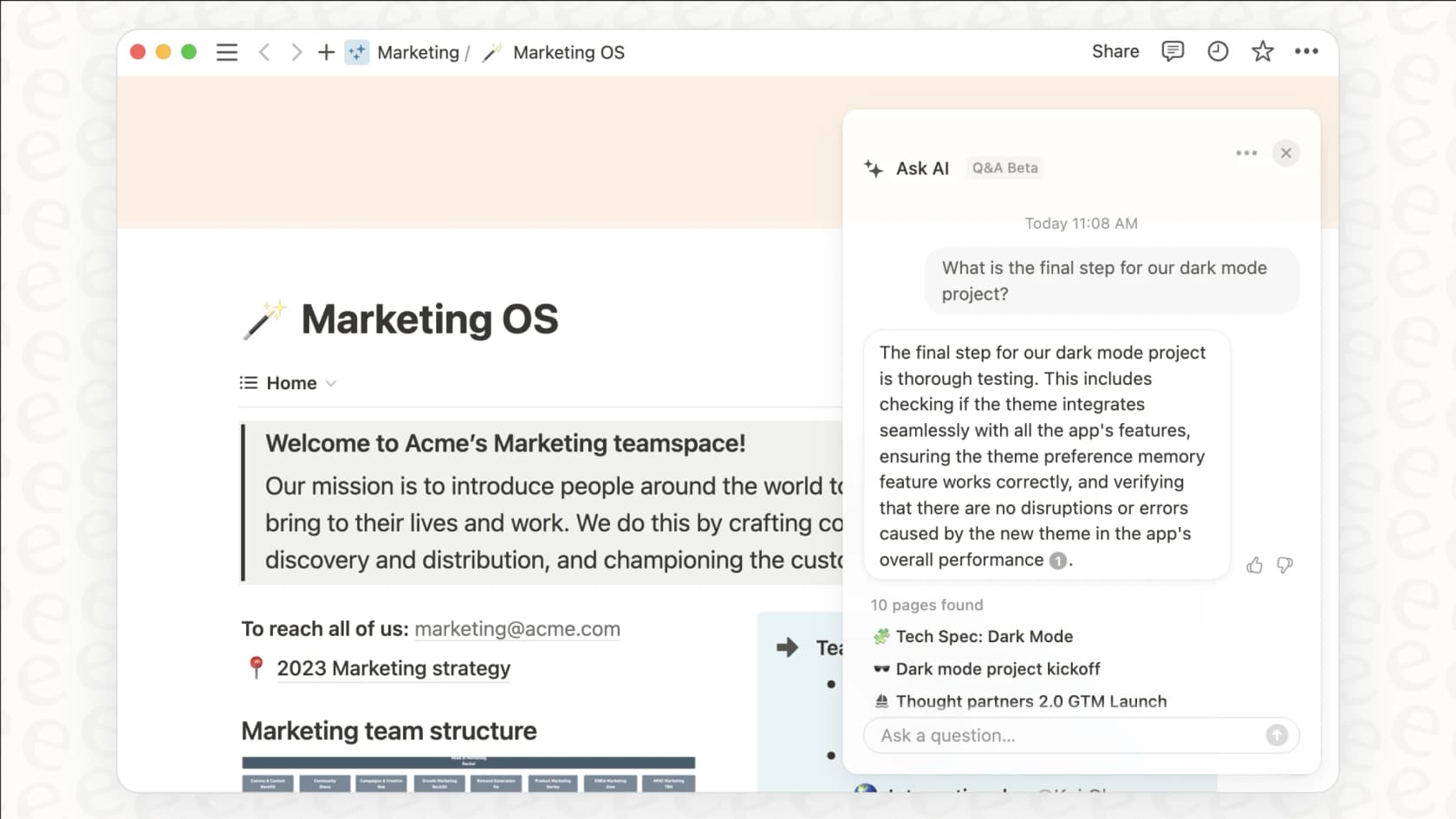
This is the most direct way to use the feature and probably the one you'll use most often. You can highlight any chunk of text on a Notion page, whether it's a few paragraphs or several pages long, and an "Ask AI" menu will appear.
From there, you’ve got options. You can ask it to:
-
Summarize: This gives you a concise paragraph covering the main points.
-
Find action items: This is perfect for meeting notes, as it scans the text and pulls out a to-do list.
-
Explain this: If you're dealing with jargon-heavy or complex text, this can rephrase it in simpler terms.
It’s incredibly useful for getting a quick handle on things you've pasted into Notion, like interview transcripts, detailed project briefs, or long articles you need to review.
Using AI autofill
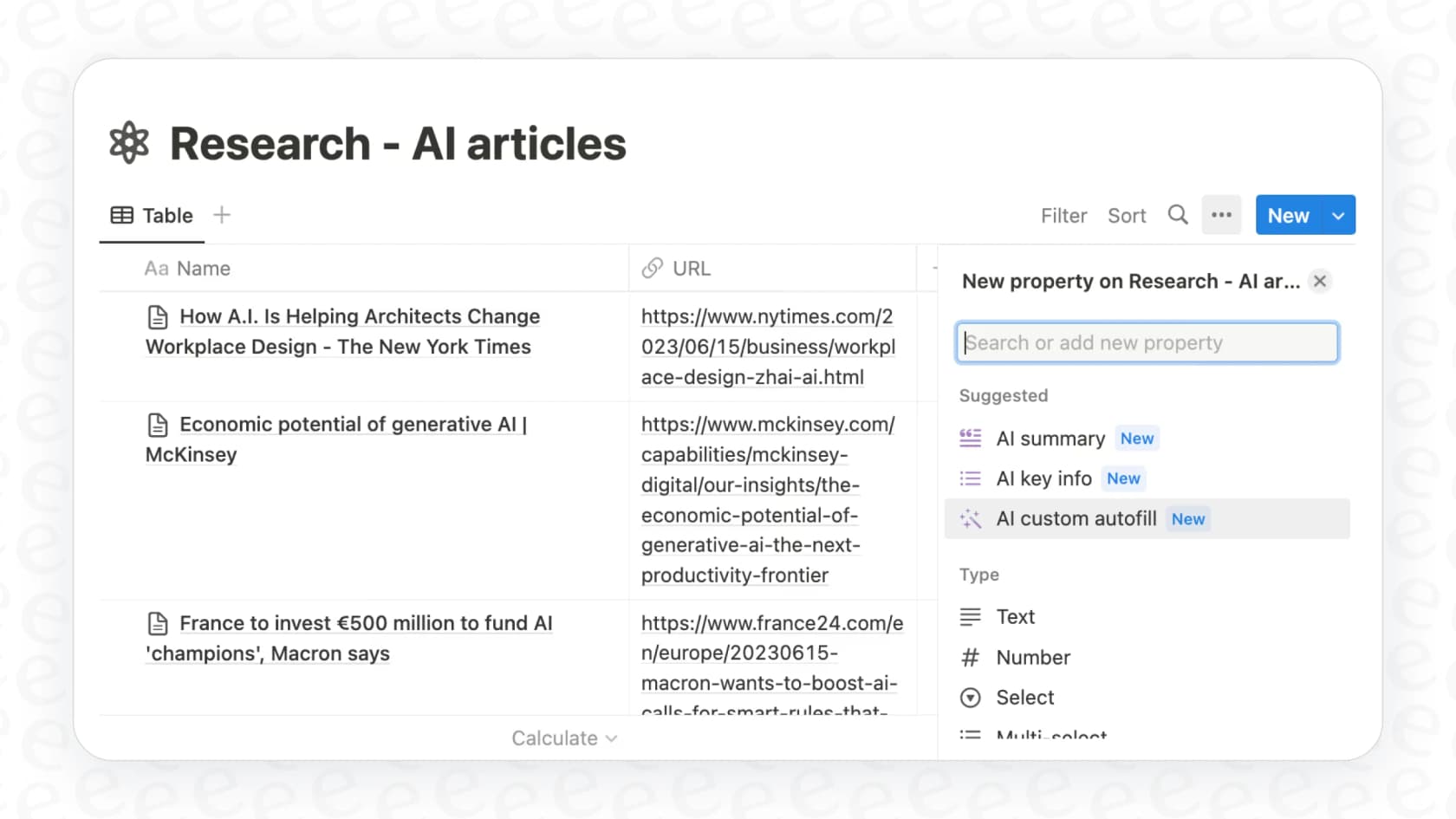
Okay, this is where it gets really cool if you love a well-organized database. Notion databases now have special properties called "AI Summary" and "Custom AI autofill." When you add one of these as a column to your database, it works its magic on every single entry.
Imagine you have a database for your team’s competitive research, and you use the Notion Web Clipper to save articles about other companies. You could add an "AI Summary" column, and it would automatically generate a one-sentence summary for every article you add. This lets you scan dozens of entries at a glance to see what’s important, without ever having to open each page. It turns a cluttered database into a scannable dashboard.
Analyzing external links and uploaded files
Notion AI also makes an attempt to summarize content from public URLs you paste onto a page. Full disclosure: this feature can be a bit of a gamble. Sometimes it works like a charm and pulls a perfect summary from a link, but other times it struggles to access the content. When it does work, it’s a fast way to digest an article without having to switch tabs.
It can also be a big help with uploaded files. If you store PDFs in Notion, like research papers, reports, or legal documents, the AI can scan the text within the file and provide a summary. This is a huge time-saver when you’re handed a 50-page report and you just need the highlights before a meeting.
Common use cases for Notion AI
Knowing the features is one thing, but figuring out how to fit them into your day-to-day is what really counts. Here are a few practical ways people are using Notion AI's summarization tools to make their work a little easier.
Turning messy meeting notes into action items
You know that feeling after a long meeting when someone just dumps a huge block of unformatted notes into a page? It’s a mess of half-finished sentences, random thoughts, and, somewhere in there, important tasks.
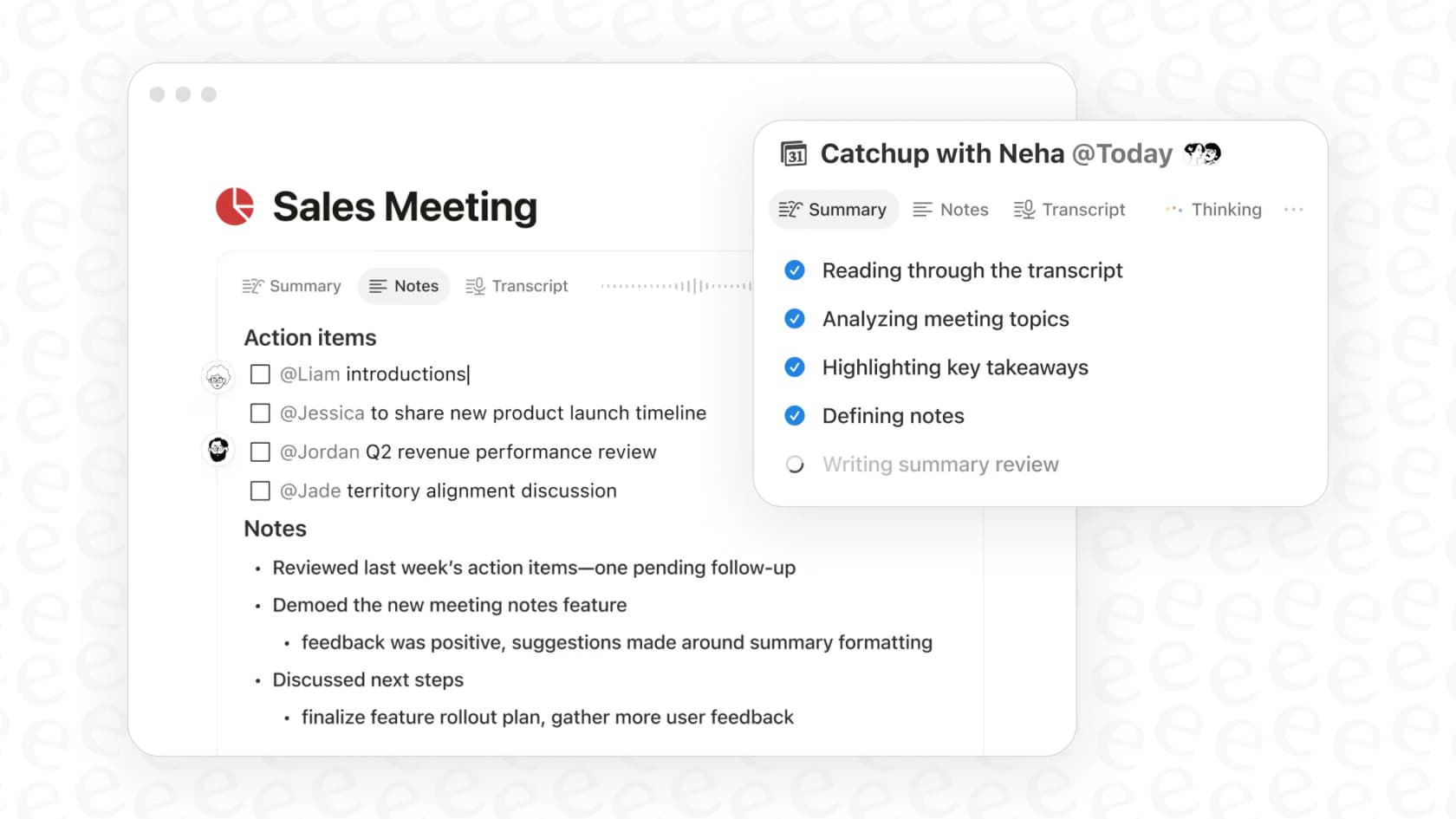
Instead of manually digging through it all, you can just highlight the whole thing and ask Notion AI to "Find action items." In seconds, you’ll get a clean, bulleted to-do list. It makes follow-ups so much faster and clearer, ensuring nothing gets missed because it was buried on line 87 of the notes doc.
Making research and learning faster
If you're a student, a researcher, or just someone who needs to keep up with industry news, this is a big one. A common workflow is to use the Notion Web Clipper to save articles into a "Reading List" database. By setting up an AI summary property in that database, you get an instant tl;dr for every single article you save.
This helps you triage your reading list. You can quickly scan the summaries to decide which articles are worth reading in full and which ones you can just file away. It helps turn that intimidating mountain of "things to read" into something you can actually tackle.
Getting the gist of long project documents
Project briefs, technical specifications, and status reports have a tendency to get very, very long. Not everyone on the project team, especially stakeholders or leadership, has the time to read every single word.
With Notion AI, a project manager can just highlight the text on a project page and generate a quick summary of the goals, progress, and any roadblocks. It’s a simple way to to keep everyone aligned without forcing them to wade through pages of detail.
Limitations and pricing of Notion AI
Notion AI is a really solid tool for boosting personal productivity, but it’s not without its limits. Before you decide to roll it out for your whole team, it’s good to understand where it hits a wall and how the pricing is structured.
What Notion AI can't do
Notion AI is powerful, but its power is pretty much confined to the Notion universe. Here are a few things it just can't handle:
-
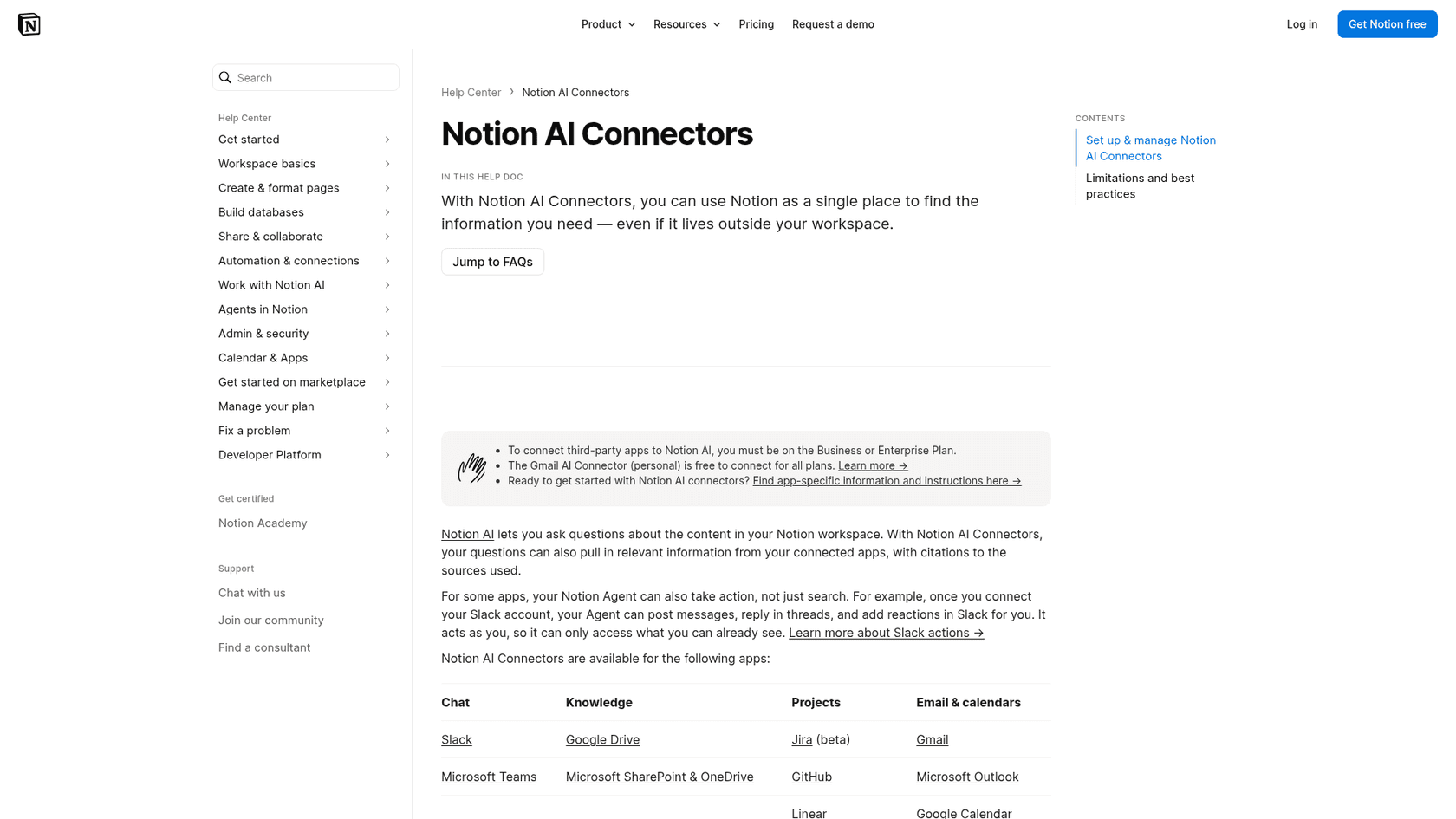
It's mostly built around Notion. The AI understands content that lives on a Notion page or, occasionally, from a public link. On Business and Enterprise plans, AI connectors also cover apps like Slack, but Zendesk and Confluence aren't on Notion's connector list, so pulling those into one real-time answer takes another route.
-
It doesn't know your business. Notion AI answers from your workspace and its connected apps, and customer support tickets from a helpdesk aren't among the sources it lists. This means its summaries might be grammatically perfect, but they'll lack your company's specific brand voice, tone, and the hard-won solutions your team has developed over time.
-
It’s not built for complex workflows across different apps. It can search connected apps like Jira and Google Drive, but Freshdesk isn't on the connector list, so summarizing a customer ticket against a bug report and an internal how-to guide means getting that ticket into Notion first. It works mostly in one place, which is a roadblock for how many modern teams operate.
How Notion AI pricing works
This is important: Notion AI isn't automatically included with every plan. If you're on a Free or Plus plan, you get a limited trial, and full access comes with the Business plan at $20 per member, per month if you pay for the year upfront.
The feature is included in the more expensive Business and Enterprise plans. So, for smaller teams or individuals, getting access to the AI features means a pretty noticeable price increase. Even then, Notion says Business and Enterprise carry a usage allowance measured in a six-hour and a monthly window, and some AI features pause until it refreshes.
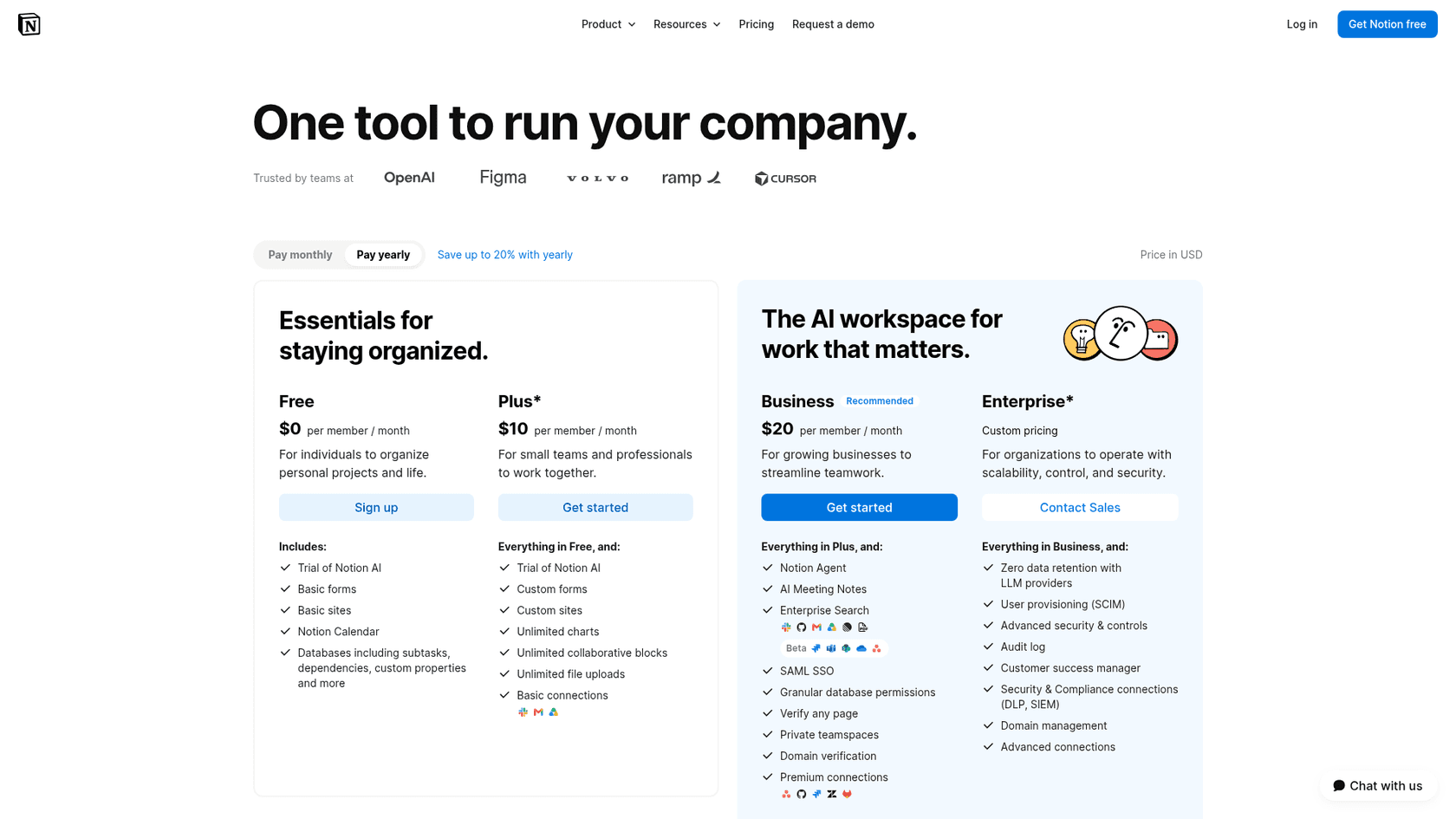
Here’s a quick look at the breakdown:
| Plan | Price (Billed Annually) | Notion AI Access |
|---|---|---|
| Free | $0 | Limited trial responses only |
| Plus | $10 per user/month | Limited trial only |
| Business | $20 per user/month | Included |
| Enterprise | Custom Pricing | Included (with advanced features) |
The headache of disconnected knowledge
When you step back and look at the whole picture, the real challenge for most businesses becomes obvious. The problem isn’t just about summarizing one document. It's about getting reliable answers from a single source of truth that spans every single app your team relies on.
It makes you wonder: what’s the point of summarizing a Notion doc if the real, up-to-the-minute answer is buried in a Slack thread, a Zendesk ticket, or a Google Doc? This is where a single-platform tool starts to show its cracks.
Beyond Notion AI: Unify knowledge with eesel AI
This is the exact problem eesel AI was designed to fix. Unlike Notion AI, which is built around Notion and its own connector list, eesel AI connects to all of them. It integrates with your helpdesk (like Zendesk or Gorgias), your team chat (like Slack or Microsoft Teams), and all your wikis and docs (Notion, Confluence, and so on).
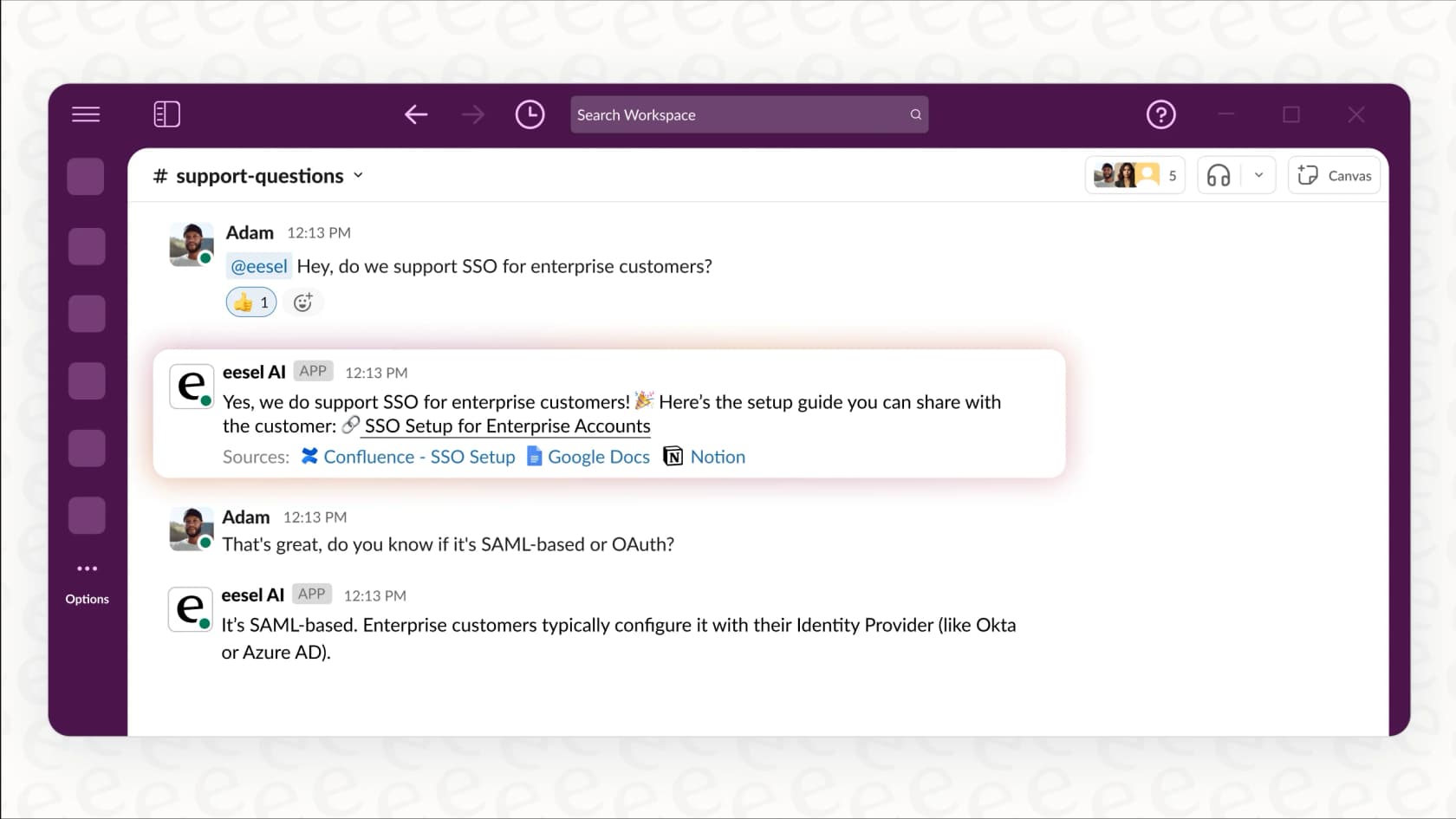
Here’s what sets it apart:
-
It learns from your actual work. eesel AI digs into your past support tickets and internal conversations. This means its responses and summaries use your team's exact voice and the solutions that you know actually work, not just generic AI fluff.
-
You can get started in minutes. It’s a self-serve platform, which is a breath of fresh air. You can connect your apps and get a powerful AI assistant running without having to schedule a demo or talk to a sales rep.
-
You can test it with zero risk. Before you let it talk to customers, you can run a simulation on your past support tickets. It shows you exactly how the AI would have responded, so you can roll it out with confidence.
eesel AI doesn't replace a tool like Notion. It makes it even more valuable by creating a single, smart AI that understands all your company's knowledge, including every last page you've stored in Notion.
Is the Notion AI Summarize Content feature the right tool?
Look, it all comes down to using the right tool for the right task. Notion AI is a fantastic assistant for your personal productivity and for summarizing content that’s already living in your Notion workspace. For those kinds of tasks, it's clean, well-integrated, and works great.
But for your business as a whole, it operates in a bubble. It just doesn't have the deep, company-wide context that comes from learning from all your different platforms. For teams that need a single source of truth, and want to generate truly smart summaries and answers based on knowledge from across the entire company, a connected platform is the way to go.
If you're tired of information being stuck in different apps and want an AI that gets the full picture of your business, try eesel AI for free and see how easy it is to bring all your knowledge together.
Frequently asked questions
How exactly does Notion AI Summarize Content function when I'm working on a page?
When you're on a Notion page, you can highlight any text, and an "Ask AI" menu appears. From there, you can choose to summarize the text, find action items within it, or ask the AI to explain complex passages in simpler terms. It directly processes the content on your active page.
Can Notion AI Summarize Content integrate with databases to automate summaries?
Yes, it can. Notion databases offer "AI Summary" and "Custom AI autofill" properties. When added as a column, these properties automatically generate summaries or extract specific information from each entry in your database, creating a quick overview for many items at once.
What are some common practical applications for Notion AI Summarize Content in daily tasks?
Many users leverage Notion AI Summarize Content to quickly turn disorganized meeting notes into clear action item lists. It's also excellent for students and researchers to triage long reading lists and for project managers to get the gist of extensive project documents without reading every word.
Does Notion AI Summarize Content work with documents from external links or uploaded files?
Notion AI attempts to summarize content from public URLs pasted onto a page, though its success can vary. Additionally, it can scan and summarize text within uploaded PDF files, making it easier to digest long reports or research papers.
What are the key limitations of Notion AI Summarize Content when managing knowledge across multiple business tools?
Notion AI Summarize Content is primarily confined to the Notion platform. On Business and Enterprise plans, AI connectors can search apps like Slack, Google Drive, and Microsoft Teams, but helpdesks like Zendesk aren't on Notion's connector list, so it can lack your company's specific brand voice, internal solutions, and context from the rest of your business applications.
Is the Notion AI Summarize Content feature included in my current Notion plan, or do I need to purchase it separately?
The Notion AI Summarize Content feature is included in the Business and Enterprise plans, with Business at $20 per member per month when billed annually. Free and Plus plans get only a limited trial of Notion AI, and I no longer see a separate AI add-on on Notion's pricing page.