Kustomer is a well-built customer service CRM with a genuinely strong unified timeline, a fast-moving AI roadmap, and deep roots in e-commerce. For the right buyer, it's one of the best platforms in the mid-market-to-enterprise range. For the wrong buyer, it's an expensive, complex implementation that solves problems you don't have.
This review is for enterprise CX leaders evaluating Kustomer in 2026 - teams with real volume, real complexity, and the ability to run a proper evaluation. It covers what the platform actually does, what it costs, what G2 users praise and complain about, and where it leaves gaps.

What Kustomer is
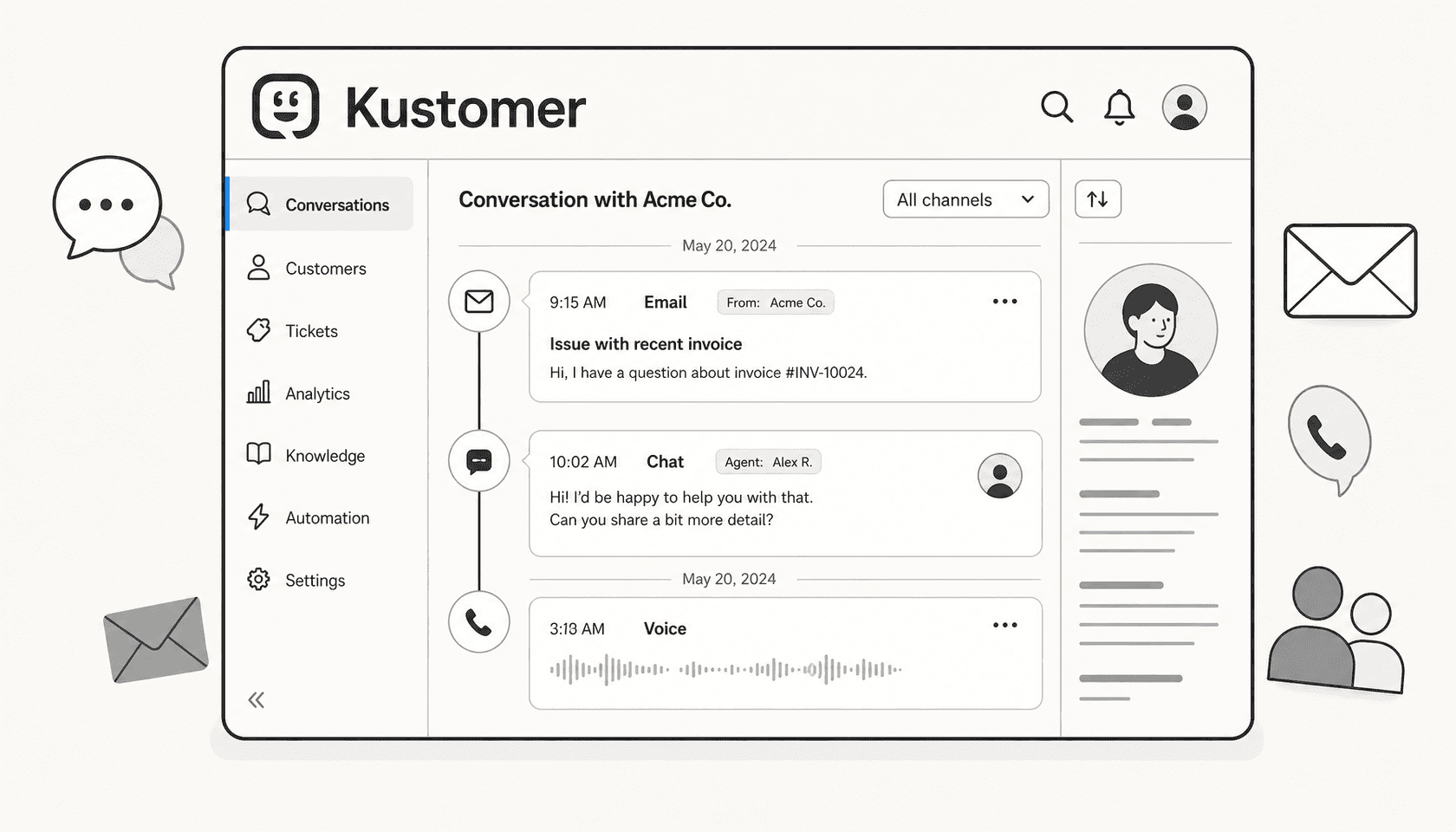
Kustomer is a customer service CRM - not a standalone helpdesk, not a pure AI tool, but a full data platform for customer interactions. The core idea is the unified customer timeline: every email, chat, call, SMS, social message, and order history event for a given customer appears chronologically in one view. Agents stop switching between tabs; the context is already there.
The company was founded as a CRM-first alternative to Zendesk, acquired by Meta in 2022, and spun back out as an independent company in 2023. It now operates standalone, with 600+ companies including Turo, Everlane, Skims, sweetgreen, and Vuori on its platform. G2 shows 551 reviews at 4.4/5, skewing heavily mid-market (354 reviewers) with a smaller enterprise cohort (66 reviewers).
Kustomer markets two purchase paths:
- Kustomer AI - bolt AI onto your existing helpdesk without migrating. Kustomer's own copy: "Deploy AI agents, deliver real-time insights, and orchestrate customer experiences with your existing CX stack."
- Kustomer AI + Platform - the full replacement. The complete CRM, omnichannel inbox, AI agents, workflows, and reporting under one roof.
Both require annual contracts and sales quotes. The AI-only path is newer positioning; most of Kustomer's named customer case studies describe full migrations from Zendesk or other platforms.
The unified customer timeline
The timeline is where Kustomer earns its reputation. G2 reviewers mention it more than any other feature.
"The timeline view is generally one of the best features for our support team. I like being able to see the customer's full interaction history in a chronological view, and it means our agents do not have to go in blind on repeat contacts, which is a benefit. The UI is also cleaner and more modern than a lot of CRM tools I have used. It does not feel cluttered."
— Kari A., Quality Manager, Mid-Market, G2, April 2026
Under the hood, the timeline runs on Kustomer's CRM data model - a system of KObjects (custom data objects) and Klasses with up to 500 custom attributes per Klass on the Kustomer AI + Platform tier. The platform supports up to 100 million Custom Objects and Tasks. AI Agents can read and write the full Customer object (lifetime value, loyalty points, past orders, sentiment history) and the full Conversation object (queue, priority, resolution type, tags) directly within automated workflows.

This is a genuine differentiator from bolt-on AI tools that sit on top of a data-poor helpdesk. When an AI Agent processes a refund request, it isn't guessing - it reads the order data, customer history, and conversation context from the same CRM that human agents use. The decisions it makes are grounded in real customer data, not just the text of the current message.
What Kustomer calls "KObjects" are the building blocks. A furniture retailer can store delivery status, damage claim status, and warranty history as separate objects tied to each customer. An insurance company can track policy details and claim history. The data model is genuinely flexible - and on the AI + Platform tier, every object type becomes something the AI can read, update, or act on.
AI agents for customers (KustomerIQ)
Kustomer's customer-facing AI product went through a substantial rebuild in March 2026. AI for Customers 2.0, released March 10, 2026, introduces Procedures - a way to define step-by-step instructions for specific tasks that balance AI reasoning with deterministic logic.
The two builder modes:
- Simple Mode - guided step-by-step instructions for a specific task, no prompt engineering required.
- Advanced Builder - full control over prompts, tools, procedures graph, and agent team structure.
The multi-agent team model is where enterprise complexity gets handled. A Supervisor agent delegates to specialist agents - an order lookup agent, a refund processing agent, a returns expert - each configured with its own job responsibilities and tool access. From Kustomer's e-commerce tutorial, the Supervisor prompt reads:
"Determine the customer's intent - Address the customer's issue immediately. If you need assistance, ask your TEAMMATES for assistance immediately... Do not ask the customer for information that you can get on your own, or via one of your tools or teammates."
Source: AI Agent e-commerce example tutorial.

The Procedures layer is what separates this from a generic AI wrapper. Hybrid reasoning - Kustomer's term for combining AI judgment with deterministic steps - means a refund eligibility check can be forced through a hard rule (order date < 30 days, item not damaged) rather than left to the model's interpretation. For enterprise teams with strict policy requirements, this matters.
What AI Agents can do:
- Call external REST APIs via OpenAPI specs uploaded directly to the platform.
- Execute custom code inline via Code Procedures (available since December 2025).
- Connect to remote MCP servers as of March 2026, with tools auto-discovered on connection.
- Access knowledge from Public URLs, XML sitemaps, Zendesk Help Center, and Guru as first-party sources.
- Work across authenticated chat, email, Facebook, WhatsApp, SMS, and anonymous chat.
The customer claims are strong: Vuori says "70% of all conversations coming into chat are fully automated." Everlane reports "4x increase in deflections via AI." Kustomer's own homepage headline is "Handle up to 70% of customer inquiries with autonomous AI Agents."
Pricing: AI Agents for Customers are priced at $0.60 per engaged conversation - defined as any conversation with at least one inbound customer message where an AI response was generated. This is on top of the base platform fee.
Observability and governance
Enterprise deployments need visibility and rollback. Kustomer added two things in January 2026 that address this:
Version controls and rollbacks - every time you deploy an AI Agent configuration change, Kustomer saves a snapshot. If a new deployment underperforms, you can revert with a single click. Version comparison (diff between configs) landed in March 2026 for AIC 1.0.
Observability traces - the AI Observability Assistant shows every step of an interaction: which knowledge articles were retrieved, what reasoning the agent applied, which tools were called, and what guardrails were checked. Trace history extends 90 days.
For a compliance-sensitive enterprise, having a full audit trail of what an AI decided and why is not optional - it's a procurement requirement. Kustomer's observability layer is one of the more mature implementations in this product category.
AI for reps (Copilot)
Alongside the autonomous AI Agents, Kustomer ships a rep-facing Copilot that shows up inside the conversation view. It's not a separate tool - it's a sidebar that reads the same customer timeline and suggests what the agent should do next.

The December 2025 rebuild of AI for Reps was described as making it "faster, smarter, and significantly more actionable." The March 2026 release of Signals added a real-time intelligence layer that surfaces sentiment shifts, escalation risk, loyalty indicators, and churn signals during live conversations.
What Copilot does in practice:
- Highlights relevant customer history before the agent types the first word.
- Suggests draft responses for review.
- Surfaces KB articles matching the inquiry.
- Suggests macro shortcuts based on historical usage (the Suggested Shortcuts feature from January 2026 recommends three shortcuts based on what agents have used historically in similar conversations).
- Two-way translation for multilingual conversations - now using AWS Nova models for outbound.
- Internal Threads with Slack Support (April 2026) - agents can pull in a Slack expert thread directly from the conversation view without leaving Kustomer.
G2 users are positive about Copilot in practice:
"Macros save me time with generic replies, and the AI co-pilot assists with company policy explanations. It tracks account history and provides customer sentiments, which helps in understanding customer problems."
— Sangram Z., Analyst (Maritime), Mid-Market, 4.5/5, G2, April 2026
Pricing: AI Agents for Reps costs $40 per user per month, billed on top of the base plan. On the Kustomer AI tier, AI for Reps is listed as "Coming Soon" - it's currently included only in the full platform tier.
Workflows and automation

Kustomer's no-code automation layer handles the operational plumbing that AI Agents don't touch directly: routing conversations to the right queue, enforcing SLAs, triggering external system calls, managing follow-up tasks.
The limits on the Kustomer AI + Platform tier:
| Limit | Value |
|---|---|
| Conversations & task routing | 10 queues per team |
| Business rules & customer workflows | 200 |
| Outbound webhooks | 5 |
| Inbound webhooks | 20 |
| API rate limit | 2,000 RPM |
Three AI authoring assistants come bundled: a Workflows Assistant, an Automations Assistant, and Smart Routing. These don't replace configuration knowledge, but they lower the floor for building new automations.
The webhook limits (5 outbound, 20 inbound) are worth noting if your integration architecture relies heavily on event-driven connectors. Customers who need to push Kustomer events to multiple external systems - a data warehouse, a Jira integration, a BI tool - may find 5 outbound webhooks constraining.
For teams using Shopify, the OrderGroove integration (February 2026) lets agents pause, cancel, or modify subscriptions directly from the Kustomer timeline without leaving the platform. That's a concrete workflow win for subscription-heavy e-commerce.
Reporting and Data Explorer

Data Explorer is Kustomer's natural-language reporting layer, and it's one of the more thoughtful implementations of AI-in-reporting I've seen in a customer service platform. You type a question - "why did handle time spike last Tuesday?" - and get back a chart, a breakdown, and an explanation that includes metric definitions so you understand exactly what calculation was used.
Kustomer claims "250+ guided prompt starters for forecasting, SLA health, and backlog analysis," plus root-cause analysis for refunds, cancellations, and volume surges, and rep scorecards for coaching.
It's included in the Kustomer AI + Platform tier and listed as "Coming Soon" on the AI-only tier.
The honest counterpoint from G2:
"Analytics is the other major sticking point. Besides being slow to generate data, the reporting suite is not robust enough for a team that needs to make data-driven decisions with confidence. The customization options are limited, but more critically, we have encountered data accuracy issues that make it hard to trust the information we are looking at."
— Kari A., Quality Manager, Mid-Market, G2, April 2026
There's also a real-time-only limitation that surfaced in reviews:
"When we switched to Kustomer there was a lot of talk about it being real time. This is fantastic, however there are some instances where we do need to look into the past, but since the reports are in real time it makes it impossible."
— Angelica H., Mid-Market, G2, April 2026
The reporting has improved with Data Explorer, but the underlying data accuracy concerns from real enterprise users are worth flagging if your team makes operations decisions from support data.
Integrations and the marketplace
Kustomer's integrations story is better than its critics suggest. The marketplace includes named first-party apps for TikTok Shop, AfterShip, Narvar, parcelLab, OrderGroove, Attentive, and Scorebuddy - the connectors that e-commerce teams actually need. Eight integration categories in the help center cover analytics, e-commerce, email channels, messaging channels, productivity, reviews, social, and voice.
The REST API supports 2,000 RPM, and the developer portal at developer.kustomer.com hosts the full reference. Bidirectional MCP (Model Context Protocol), released March 10, 2026, means Kustomer can call external MCP servers (so AI Agents can use external tools) and also expose itself as an MCP server (so external AI like Claude or ChatGPT can act on Kustomer data directly).
What's not in the marketplace as first-party integrations: Notion, Confluence, Google Drive, SharePoint, Salesforce KB, ServiceNow, Jira, GitHub, and Microsoft Teams. Customers who need these either use OpenAPI tools to build custom connectors or sync content into Kustomer's internal knowledge base. For enterprise teams with a large productivity-suite footprint, this gap is real and requires engineering work to bridge.
The knowledge source constraints deserve specific attention for AI deployments. Kustomer AI Agents can ingest from Public URLs, XML sitemaps (capped at 5,000 entries), Zendesk Help Center (capped at 5,000 entries), and Guru. Everything else goes through OpenAPI tools or MCP. If your company knowledge lives in Confluence or Notion, you're building a bridge, not flipping a switch.
Kustomer pricing - the full picture
Kustomer's pricing structure has two layers: what they publish and what they don't.
What's published (from the comprehensive pricing details page):
| Add-on / Component | Published rate |
|---|---|
| AI Agents for Customers | $0.60 per engaged conversation |
| AI Agents for Reps | $40 per user per month |
| HIPAA compliance | $25 per user per month |
| Kustomer Voice | Starting at $0.02 per minute |
| Meta template fee + 20% Kustomer markup | |
| Outbound messages | $0.025 per message |
| Data storage | $50 per GB per month |
What's not published: the base platform fee for either tier. Both Kustomer AI and Kustomer AI + Platform require a sales call for quotes. Annual contract is required on both.
Legacy seat-based plans (reported by Capterra and third-party sources):
| Plan | Reported price |
|---|---|
| Enterprise | $89 per user per month (billed annually) |
| Ultimate | $139 per user per month (billed annually) |
G2 reviewer data adds context: eight-seat minimum is paraphrased from buyer experience, not stated on the public pricing page. Average discount across buyers is 12%. Implementation takes two months on average. ROI arrives at 15 months on average. G2's perceived cost indicator is "$$$$$" - top of its five-bar scale.
For enterprise teams on the full platform path, the math typically looks like: base seat licenses + AI Agents for Customers ($0.60/conversation) + AI Agents for Reps ($40/user/month) + potentially HIPAA ($25/user/month) + Voice usage + data storage. At scale, the usage components can materially outrun the base fee.
Some configuration also "requires a statement of work and an implementation fee" - particularly for more complex channel setups. Budget for this in any enterprise contract negotiation.
What G2 and enterprise users actually say
551 reviews at 4.4/5. Star distribution: 72% five stars, 20% four stars, 4% three stars. The headline number looks strong; the patterns in the text tell a more nuanced story.
What enterprise users praise most
The unified timeline wins consistently. It comes up in nearly every positive review:
"I really appreciate how Kustomer centralizes all customer interactions into a single timeline. It makes it easy to view the complete history of conversations in one place, without having to switch between different tools."
— Rasheed T., Customer Service Specialist, G2, April 2026
G2's frequency tags for positive reviews: Ease of Use (56 reviews), Features (42), Helpful (37), Efficiency (30), Automation (20). The Shopify integration depth also gets specific praise:
"Kustomer is the primary method people communicate with our company. As the first line, it allows us to use other programs to filter messages, tag them appropriately, use macros, and combine data from Shopify & Loop in the customer's profile."
— Allissa S., Mid-Market, G2, April 2026
What enterprise users complain about most
The top G2 cons by tag count: Slow Performance (21 reviews), Slow Loading (17), Learning Curve (16), Complexity (14), Not Intuitive (13). Performance complaints appear across company sizes.
"I think it lags sometimes, there might be some bug or something, I need to refresh it to see what email it is, as it keeps loading."
— Sangram Z., Mid-Market, G2, April 2026
The knowledge base criticism is a pattern, not an outlier:
"The biggest pain point for my specific team by far is the knowledge base. For a platform that does so much so well on the customer-facing side, the knowledge base feels like an afterthought. It's clunky to build out, difficult to maintain, and agents can never find the information they need - the search feature just does not work. This is a huge gap and one of the features that could drive us to look at alternatives if it doesn't see meaningful improvement."
— Kari A., Quality Manager, Mid-Market, G2, April 2026
Kari A.'s review is a useful litmus test because it's a 3.5/5 from someone who clearly knows the platform well and sees both sides. She praises the timeline and is excited about the AI direction; she finds the KB and analytics materially insufficient for enterprise decision-making. Her feedback shows up as a recurring pattern across the review corpus, not an edge case.
Onboarding complexity also surfaces in SMB reviews, though it likely affects enterprise teams during rollout too:
"The platform can feel overwhelming because of the sheer number of options and settings, which can make onboarding new team members more difficult and time-consuming."
— Rasheed T., Small-Business, G2, April 2026
Kustomer vs alternatives for enterprise
| Platform | Best for | Model | Starts at |
|---|---|---|---|
| Kustomer | E-commerce enterprise wanting full CRM replacement | Platform or AI layer | $89/seat/mo (reported, billed annually) |
| Zendesk | Large teams needing a mature helpdesk with deep ecosystem | Per-seat SaaS | ~$55/agent/mo (Suite Team) |
| Gladly | People-centric support, flat agent pricing model | Per-seat but customer-centric | ~$150/agent/mo |
| Freshdesk | Cost-conscious teams needing helpdesk + AI | Per-seat SaaS | $19/agent/mo (Growth) |
| eesel AI | Teams wanting AI on top of any existing helpdesk | AI layer, no migration | $0.40/task (pay-per-use) |
| Salesforce Service Cloud | Enterprises already on Salesforce CRM | Full platform | $25/user/mo (Starter) |
A few notes on this comparison:
Kustomer vs Zendesk: Kustomer's timeline and CRM depth are genuinely stronger than Zendesk's native data model. Zendesk wins on ecosystem breadth and integrations - it has more third-party apps. G2 shows Zendesk at 4.3/5 across 6,816 reviews; Kustomer at 4.4/5 across 551. The smaller Kustomer review base means individual vocal detractors have more weight.
Kustomer vs Gladly: Gladly's pricing model (per agent, not per ticket or conversation) makes it cheaper at volume for teams with lots of customers but similar agent counts. Gladly also rates 4.7/5 on G2 with 1,112 reviews - meaningfully higher satisfaction. Kustomer's AI depth exceeds Gladly's.
Kustomer vs eesel AI: These aren't direct competitors in the platform sense. Kustomer is a full platform replacement. eesel AI is an AI layer that sits on whatever helpdesk you're already using - Zendesk, Freshdesk, Gorgias, Help Scout. If you're happy with your current helpdesk data model and just want to add autonomous AI resolution and copilot features, eesel gets you there without the two-month implementation or the seat-minimums conversation. If you need the full unified timeline and CRM data model, that's a Kustomer use case that eesel isn't trying to replicate.
For teams that already have a helpdesk and want to add AI without the migration risk, eesel's AI agent layer connects to your existing stack in under 15 minutes and charges $0.40 per resolved ticket rather than per seat.
Limitations and watch-outs for enterprise buyers
1. Knowledge base is a real gap
The in-product KB authoring and search experience is consistently flagged as weak, even by positive reviewers. This matters for enterprise teams that need agents to quickly surface institutional knowledge mid-conversation. The problem isn't whether Kustomer can ingest knowledge - it can, from several sources. The problem is that the in-product search and authoring experience doesn't match the platform's overall quality.
2. Reporting has data accuracy concerns
Multiple enterprise reviewers flag data accuracy issues in the reporting layer, alongside the real-time-only limitation that makes historical analysis harder. If your team uses support data to make resourcing, escalation, or quality decisions, test the reporting heavily in your evaluation period.
3. Knowledge sources don't include productivity suites
No first-party Notion, Confluence, Google Drive, or SharePoint integration. If your team knowledge lives across multiple SaaS tools, your AI Agents will only know what you've manually synced into Kustomer or exposed via a custom OpenAPI connector.
4. AI add-on costs stack up quickly
The base platform fee (not published) plus $0.60/conversation for customer-facing AI plus $40/user/month for rep-facing AI plus potential HIPAA fees means the full AI picture is materially more expensive than the seat rate alone. Run the math on your actual conversation volume before signing. eesel AI's per-task pricing ($0.40/resolved ticket) may compare favorably depending on your volume and existing helpdesk setup.
5. Implementation requires genuine investment
G2's two-month average is real. The complexity that makes Kustomer powerful - the configurable data model, the multi-agent teams, the workflow rules - requires real configuration effort. Some channel setups require a statement of work. Plan accordingly in your enterprise timeline.
6. Performance issues at scale
Slow loading and lag appear in 38 G2 reviews (Slow Performance: 21, Slow Loading: 17). The mobile experience in particular is called out. For global support teams working across time zones and devices, this is worth probing in a demo.
Who should buy Kustomer
Kustomer fits teams that:
- Run significant support volume in e-commerce, retail, travel, or financial services.
- Need a full CRM data layer, not just a ticket routing system - custom objects, complex customer profiles, multi-brand setups.
- Want a multi-agent AI system with deterministic procedures, observability traces, and rollback controls.
- Are migrating off a basic helpdesk and need to consolidate channels into a unified inbox.
- Have the engineering capacity to configure OpenAPI tools and custom workflows at implementation.
It's a harder fit for teams that:
- Need deep integration with productivity knowledge sources (Confluence, Notion, SharePoint) without custom development.
- Want to maintain their current helpdesk and add AI on top without a full migration.
- Are below the implied seat minimum and unwilling to pay for unused capacity.
- Rely heavily on historical reporting for team management decisions.
- Need to go live in weeks rather than months.
Conclusion: strong platform, real gaps, and where eesel fits
Kustomer is genuinely good at what it's built for: a CRM-first customer service platform for e-commerce and similar verticals, with a unified timeline that agents actually want to use and an AI roadmap that's been moving fast in 2026. The March 2026 AI for Customers 2.0 release with Procedures and Hybrid Reasoning, the January 2026 observability and rollback features, and the April 2026 Evaluations Assistant collectively represent a serious enterprise AI product.
The gaps - in-product knowledge base, historical reporting, productivity-suite integrations - are real and documented by paying customers. They don't disqualify the platform, but they set expectations for what you'll still need to build around or improve through the contract lifecycle.
For enterprise teams evaluating the full CX platform market, Kustomer belongs in the shortlist if you need the CRM depth and are ready for the implementation investment.
If your situation is different - you have a working helpdesk and want to layer AI resolution on top of it, or you need your knowledge from Notion and Confluence to work without custom development - that's where a tool like eesel AI is worth looking at instead. It connects to your existing helpdesk, pulls knowledge from the tools your team already uses, and handles tickets at $0.40 each without requiring a platform migration. The ticket deflection guide covers the approach in detail if you want to evaluate that path alongside Kustomer.
Either way: don't take the vendor's headline automation rates at face value. Vuori's 70% automation figure and Everlane's 4x deflection both reflect teams that invested heavily in configuration. The platform's ceiling is real; so is the ramp to get there.
Frequently Asked Questions
What is Kustomer and who is it built for?
How much does Kustomer cost for enterprise teams?
Does Kustomer work with existing helpdesk tools, or does it require migration?
What knowledge sources can Kustomer's AI agents use?
How long does it take to implement Kustomer at enterprise scale?


Article by
Kira
Kira is a writer at eesel AI with a Computer Science background and over a year of hands-on experience evaluating AI-powered customer service tools. She focuses on breaking down how helpdesk platforms and AI agents actually work so that support teams can make better buying decisions.