Let's be real, if your team uses Jira, you know the drill. The constant stream of repetitive tickets for things like password resets, status checks, and software access requests never seems to stop. This isn't just background noise; it's a real drain on your team, pulling them away from the tricky projects that actually need their expertise.
The good news is, there's a much better way to handle this. A Jira chatbot can step in to automate these simple tasks, giving users answers in seconds and freeing up your team to focus on work that really matters.
This guide is your playbook for picking and setting up a Jira chatbot that actually works. We'll cover what they are, how to compare your options (including Jira’s own tool), and how to get one up and running to make your whole workflow smoother.
What is a Jira chatbot and how does it work?
Think of a Jira chatbot as a smart assistant that plugs right into your Jira Service Management setup. It hangs out where your team already works, like Slack or Microsoft Teams, and handles common tasks and questions so your human agents don’t have to.
So, how does it all work?
It's pretty smart. The bot uses Natural Language Processing (NLP) to understand what people are asking in normal, everyday language. It can figure out the intent behind phrases like "my login isn't working" or "I need a new laptop" without you needing to type in specific keywords.
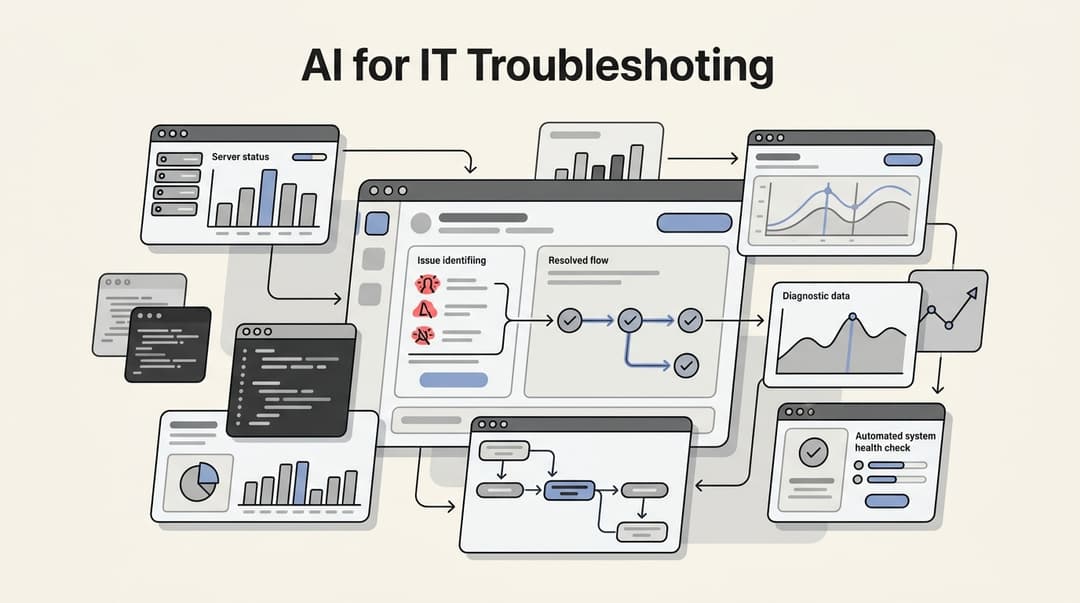
Once it understands the request, the chatbot connects to Jira’s API to get things done. It can create a new ticket, look up an issue's status, or add a comment for you, all without anyone having to jump over to Jira. For common questions, it can pull answers straight from your knowledge sources, like a Confluence space, to give people instant help. Here's a visual breakdown of how that process works:
The real benefit here is getting time back. By bringing key Jira functions into the chat tools your team uses all day, a chatbot cuts down on the manual work and context-switching that slows everyone down.
How to choose and implement your Jira chatbot
Getting started with a Jira chatbot doesn't have to be a huge project. It really comes down to a few key steps: looking at your options, figuring out what you truly need, and then setting it up to do its job well. Let's walk through it.
Step 1: Evaluate your options, starting with Jira's native virtual agent
Jira has its own built-in solution, the virtual agent, which is part of Jira Service Management (JSM). For teams already living in the Atlassian ecosystem, it’s a powerful place to start. It has features like "Intent Flows" for guided tasks and "AI Answers" for robust Q&A.
To ensure you get the most out of it, here are some features to consider.
First, it is helpful to understand the pricing and availability for these premium features. The virtual agent is part of JSM's Cloud Premium and Enterprise plans, which are designed for organizations needing enterprise-grade capabilities. These plans give you a certain number of "assisted conversations" each month. For high-volume teams, Jira offers a flexible $0.30 per-conversation rate to ensure your service remains uninterrupted as you scale.
Next, the native virtual agent is highly optimized for the Atlassian ecosystem. The "AI Answers" feature is deeply integrated with Confluence spaces or JSM's own knowledge base. If your team's collective brain is stored in Google Docs, Notion, or past Jira tickets, you might also consider complementary tools that can connect to these additional sources.
Finally, the native bot is built for reliability within your live environment. While you can test flows in a dedicated channel, teams looking for data-backed predictions before going live might complement it with a simulation tool to see how it would have performed against historical data.
| Feature | Jira Virtual Agent | eesel AI |
|---|---|---|
| Availability | Integrated in JSM Premium and Enterprise plans | All plans, simple setup |
| Knowledge Sources | Primarily Confluence and JSM knowledge base | Confluence, Google Docs, past tickets and 100+ more |
| Pre-Deployment Testing | Test channel for manual checks | Powerful simulation on thousands of historical tickets |
| Pricing Model | Tiered plans with usage-based scaling | Flat-rate, predictable pricing with no hidden fees |
Step 2: Identify the key features your team actually needs
When you start looking at other options, it's easy to get lost in long feature lists. Instead of getting bogged down in the details, focus on what will genuinely help your team.
Here's a quick checklist of what to look for:
-
Broad integrations: A chatbot is only as smart as the information it can reach. Make sure the platform connects to all the places your knowledge is stored, not just Confluence. Look for simple, one-click integrations with tools like Google Drive, Notion, and Slack.
-
Risk-free simulation: This should be a must-have. The ability to test an AI on thousands of your old Jira tickets gives you a clear, data-backed report on how it will perform and what your return on investment could be. It’s a key feature that a platform like eesel AI offers as a complement to your Jira setup, giving you a clear picture of what to expect.
IMAGE::https://website-cms.eesel.ai/wp-content/uploads/2025/08/05-Simulation-report-showing-the-ROI-of-an-AI-for-enterprise-agent. Alt-text-A-screenshot-of-an-eesel-AI-simulation-report-that-analyzes-past-tickets-to.png::eesel AI simulation report::A view of the eesel AI simulation report showing how to test a bot, as explained in this Jira chatbot guide._
-
A truly self-serve setup: You shouldn't need to book a demo or sit through a sales pitch just to try something. The best tools let you get started on your own. Look for a simple, one-click integration with Jira Service Management that lets you build and test a working chatbot in a few minutes.
-
Customizable workflows: Your business isn't a cookie-cutter template, and your chatbot shouldn't be either. You need full control to define which tickets the AI should handle, when it needs to pass things to a human, and what custom actions it can perform.
-
Predictable pricing: Keep an eye out for pricing models that help you manage your scaling costs. Look for clear, flat-rate plans that make budgeting simple, like the ones on eesel AI's pricing page.
Step 3: Set up your Jira chatbot in minutes
The nice thing about modern AI tools is that they’re built for simplicity. With a platform like eesel AI, you can get a powerful Jira chatbot up and running without a developer or a massive project plan.
Here’s how it works:
1. Connect your accounts: First, sign up for a platform like eesel AI and connect your Jira instance with one click. There's no complex API configuration or coding needed.
2. Add your knowledge sources: Now for the fun part. Go beyond Confluence and connect all the places your team's knowledge lives, like Google Docs, PDFs, and your old Jira tickets. eesel AI is a complementary option because it automatically learns your business context, tone, and common solutions right from your past conversations.
3. Customize the prompt and actions: Use a simple editor to give your bot a personality. You can set its tone of voice and create rules for when it should hand a conversation over to a person. You can also turn on custom actions, like creating a ticket in Jira or calling an external API to check on order information.
4. Deploy it where your team works: Finally, decide where your chatbot will operate. You can launch it as an AI Internal Chat bot in Slack or Microsoft Teams for your employees, or embed it as a customer-facing chatbot in your help portal.
Step 4: Test with confidence before going live
Launching a new tool shouldn't feel like you're just crossing your fingers and hoping for the best. The best platforms give you ways to reduce the risk and prove the tool's value before it ever talks to a user.
Instead of spending hours manually testing things in a separate environment, a platform like eesel AI lets you use its powerful simulation mode. This feature runs your configured AI against thousands of your past Jira tickets in a safe space, showing you exactly how it would have handled them.
The simulation report gives you an accurate prediction of your resolution rate, shows which topics are the best fit for automation, and can even point out gaps in your knowledge base.
With that data, you can tweak the AI’s prompts, add more knowledge, or adjust its rules to make it even better, all before it goes live. It’s the smartest way to make sure your launch is a success from day one.
Pro tips for maximizing impact
Once you're up and running, a few simple strategies can help you get more out of your new bot.
-
Start small and expand: Don't try to automate your whole service desk on day one. Pick one or two common, simple request types, like software access or password resets. Get those working smoothly, build some confidence, and then gradually let the bot handle more.
-
Think beyond just a chatbot: A chatbot is just one tool. For the biggest impact, look for a platform that can also provide AI Triage to automatically tag and route incoming tickets, or an autonomous AI Agent to resolve requests completely on its own.

- Encourage adoption: A great tool is useless if nobody uses it. Announce your new chatbot in company-wide channels and show people how it can get them the fastest support.
Stop drowning in tickets and start automating
A Jira chatbot is a fantastic tool for getting your team out of the ticket-answering rut. While Jira's native virtual agent is an excellent starting point, teams with specific needs around varied knowledge sources or advanced simulation might find value in exploring complementary third-party platforms.
By following this guide and choosing a tool that connects to all your knowledge, lets you test without risk, and gives you complete control, you can build an automation strategy that really works for your team.
Ready to see what your true automation potential is? Try eesel AI for free and run a simulation on your own Jira data in minutes.


Frequently asked questions
The first step is to figure out what you really need and evaluate your options, starting with Jira's own virtual agent to understand its specialized capabilities. This helps you create a benchmark for what to look for in other tools.
This guide suggests you should definitely look at Jira's native agent, and explore its specific capabilities. It is a powerful tool designed for Premium and Enterprise plans, providing a highly integrated experience within the Atlassian ecosystem.
They're essential. Your chatbot is only useful if it can access information from all the places your team stores it, like Google Docs, past Jira tickets, and Confluence, not just one or two locked-in sources.
Testing lets you see exactly how the bot will perform with your real data, but without any risk. A good simulation shows you your potential resolution rate and helps you find knowledge gaps before you go live, ensuring a smoother launch.
The main takeaway is that you don't have to be stuck with repetitive tickets. By choosing a flexible chatbot that connects to all your knowledge and lets you test it thoroughly, you can automate a huge chunk of your support workload and free up your team.
Absolutely. A key point in this guide is to deploy your chatbot where your team already works. A good platform will let you launch your bot directly in Slack or Microsoft Teams for internal support.
Share this article

Article by
Kenneth Pangan
Writer and marketer for over ten years, Kenneth Pangan splits his time between history, politics, and art with plenty of interruptions from his dogs demanding attention.