How to optimize for Google AI overviews: A practical guide

Kenneth Pangan

Katelin Teen
Last edited January 16, 2026
Expert Verified
Google Search is changing at lightning speed. The AI Overviews appearing at the top of search results are more than just a new feature; they are significantly impacting website traffic. If you've seen your numbers dip lately, you are not alone. Recent data shows that for informational searches, organic click-through rates have plummeted by 61% since these overviews became more common.
The old SEO playbook needs a few new chapters. This guide walks you through the move from classic SEO to getting your content cited by AI. We'll cover the strategies you need to get ahead, using Google's own advice and the latest research. The goal is to provide a straightforward plan to adapt and become a go-to source in this new world of AI search.
Understanding Google AI overviews
Google AI Overviews are the AI-generated summaries you see at the very top of the search results. Their purpose is to give you a direct answer by pulling information from several sources into one quick snapshot. You'll typically find them when you ask a more complex question that a single link can't fully answer.
The main chatter around these overviews is about their effect on traffic and the rise of "zero-click searches." The stats are stark. A study by Seer Interactive revealed that organic click-through rates (CTR) for informational queries fell by 61%, and paid CTR dropped by 68%. Additionally, queries that do not have an AI Overview still saw their organic CTR dip by 41%, hinting at a broader change in search behavior.
It’s also worth noting that AI Overviews are different from Featured Snippets. A snippet usually pulls from one source, but an AI Overview blends information from a wider range of links to create a fuller answer. The goal has shifted from being the single best answer to being one of the essential, trusted sources.
How Google picks sources for AI overviews
Getting cited in an AI Overview isn't about finding a new SEO hack. It's about leaning into what has always been important: creating helpful, reliable, people-first content. Google's systems are built to reward content that demonstrates its value, and that’s where your focus should be.
The role of E-E-A-T
If you've been doing SEO for a while, you know about E-A-T. In 2022, Google added another "E" for "Experience," emphasizing that first-hand knowledge is important. This isn't just friendly advice; it's central to how they judge content.
Here's how to apply E-E-A-T, based on what Google says in its helpful content guidelines:
- Experience: You have to show you've actually done the thing you're writing about. Reviewing a product? Post pictures of you using it. Writing a travel guide? Share details from your own trip. It’s all about proving you’ve been there.
- Expertise: Your content needs to be written or reviewed by someone who knows their stuff. An article on taxes should come from an accountant, not just any writer.
- Authoritativeness: This boils down to your reputation. Cite your sources, link out to other well-respected sites, and get good backlinks from others in your field.
- Trustworthiness: This is the big one. Trust comes from being accurate and open. Back up your claims, cite where you got your info, and make it clear who you are and why people should trust you. Factual errors are your worst enemy here.
Answering "who, how, and why"
Google wants you to be transparent about how your content is made. They flat-out ask you to tell users who created your content, how they did it, and why.
- Who: Every article should have a clear author byline. That byline should link to a detailed author bio page showing their credentials, experience, and maybe some social media links. It proves a real human is behind the content.
- How: Explain your methodology. If you're reviewing a bunch of products, explain your testing process. If you're sharing data, explain where it came from and how you crunched the numbers. This builds significant trust.
- Why: Be honest about your content's purpose. Your main goal should be helping the reader, not just ranking on Google. If your content reads like it was written for a machine, people and Google will see right through it.
Building this kind of authority often starts with a well-organized knowledge base. Whether that's a public help center or an internal wiki, having a single source of truth is exactly what AI models look for. Coincidentally, that same knowledge can power an eesel AI Internal Chat inside Slack or Teams, giving your team instant answers from your company's own docs.

Content strategies for AI overviews
Once you've laid a strong foundation with E-E-A-T, the next move is to write and structure your content so AI models can easily read, understand, and quote it. It's all about making your expertise machine-accessible.
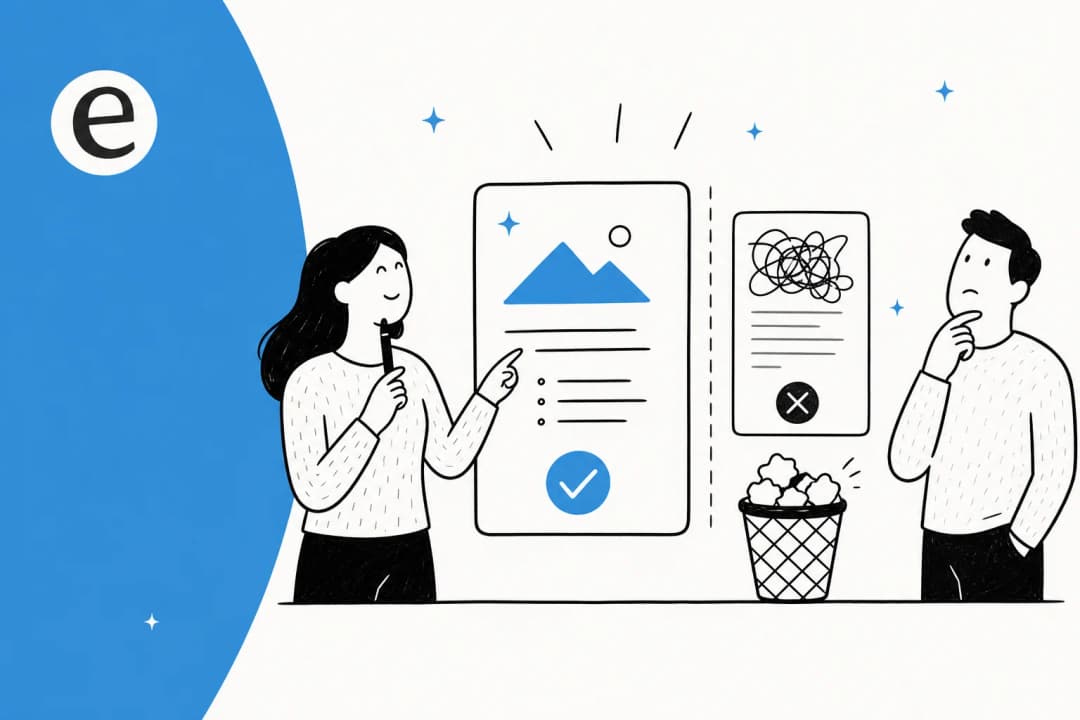
Structure content for readability
AI models appreciate logic and structure. A large block of unstructured text is difficult for both humans and AI to parse.
- Use clear, descriptive headings (H2s, H3s) to break your content into logical chunks.
- Keep your paragraphs short and focused on a single point.
- Use bulleted and numbered lists when you're explaining steps, listing features, or summarizing key points. They are incredibly easy for an AI to grab and use in a summary.
Answer questions directly
Think about how people search these days. Google says users are asking longer, more specific questions in these new AI-driven experiences. Your content has to match that behavior.
- Write in a natural, conversational style.
- Start sections with a direct answer to the question posed in the heading. Give the AI a perfect, quotable snippet right away, then use the rest of the section to add more detail.
- Add an FAQ section to your most important pages. This is a great way to target those long-tail, question-based searches that are perfect for triggering an AI Overview.
Go beyond text: A multimodal approach
Google's AI isn't just reading your text; it's analyzing everything on the page. As Google's John Mueller puts it, you should support your text with high-quality images, videos, and infographics.
Make sure all your multimedia has descriptive alt text, file names, and captions. This metadata gives the AI important context to understand what the image or video is about and how it fits with your content.
These content tips don't just help with Google. When your documentation is clearly structured, it makes your internal tools much more powerful. For example, eesel AI's AI agent can provide much more accurate answers to customer support tickets in Zendesk or Intercom when your help articles are well-organized and easy for it to understand.

Technical strategies for AI overviews
Great content and strong authority are the main course, but you also need a technically sound website so Google's AI crawlers can find and index your work. Let's look at the backend stuff that makes it all work.
Use structured data
Schema markup is code added to a website to give search engines explicit information about its content. It acts like labels for information, which can make pages eligible for rich results in search.
Here are a few of the most useful schema types for AI Overviews:
- "HowTo": Great for step-by-step guides. It structures the info in a way that's perfect for a list-style overview.
- "Article": Lets you specify details like the author and publication date, which directly supports your E-E-A-T signals.
- "Product": Essential for eCommerce sites. It can feed data like price, availability, and reviews directly into product-related summaries.
Important Note: A few years back, "FAQPage" schema was very popular. However, Google changed its guidelines, and this schema now only creates rich results for authoritative government and health websites. If you're not in one of those categories, your time is better spent on other schema types.
Focus on core technical SEO
All the amazing content and schema in the world mean nothing if Google can't access your site. The basics of technical SEO are non-negotiable. Google has said that you have to meet their technical requirements to even be considered for these features.
Make sure you have these things sorted out:
- Crawlability & Indexability: Check your "robots.txt" file to make sure you aren't blocking Googlebot from important pages. Use a clean XML sitemap and a logical internal linking structure so crawlers can find all your content.
- Page Speed: A slow website is a bad experience, and Google penalizes it. Page experience is a known ranking signal, so optimize your images, use browser caching, and minify your code.
- Mobile-Friendliness: Google uses mobile-first indexing, meaning it primarily looks at the mobile version of your site for ranking. Your site has to work flawlessly on mobile devices.
Here's a quick table to summarize how schema helps:
| Schema Type | What It Does | Why It Matters for AI Overviews |
|---|---|---|
| "Article" | Provides metadata like author and date. | Helps establish authority and timeliness (E-E-A-T). |
| "HowTo" | Structures step-by-step instructions. | Ideal for process-oriented queries that trigger list-style overviews. |
| "Product" | Details product info like price and reviews. | Feeds rich product data directly into eCommerce-related summaries. |
A technically solid website ensures Google can see your great content. And once visitors land on your site, an eesel AI Chat Bubble can give them instant answers from that same content, improving their experience and helping them before they decide to leave.

Visual learners might find it helpful to see these strategies in action. The following video from Surfer Academy offers a complete walkthrough on how to protect your brand and adapt your SEO to rank effectively in Google's new AI-driven search results.
This video from Surfer Academy offers a complete walkthrough on how to protect your brand and adapt your SEO to rank effectively in Google's new AI-driven search results.
From ranking to being the source
Getting your content featured in Google's AI Overviews isn't about chasing a new algorithm or learning a bunch of new tricks. It's about returning to the fundamentals and building a solid foundation of quality.
The key principles are simple: demonstrate E-E-A-T, build real topical authority, structure your content logically, and keep your website technically sound.
The biggest change is in your mindset. The goal isn't just to rank #1 anymore; it's to become the authoritative source that AI engines trust enough to cite. The upside is that the clicks you do get will be from a more engaged and qualified audience that has already seen Google's AI give your brand a thumbs-up.
Ultimately, when you create content that's optimized for an AI, you're really just creating content that's clearer, more helpful, and better organized for your human readers. And that’s always a good thing.
Optimizing for Google is the first step. The next is using that same authoritative content to automate your support. eesel AI connects to your existing help docs, wikis, and past tickets to create a smart AI agent that can resolve up to 81% of customer queries automatically.
See how it works with a free 7-day trial.
Frequently Asked Questions
Share this post

Article by
Kenneth Pangan
Writer and marketer for over ten years, Kenneth Pangan splits his time between history, politics, and art with plenty of interruptions from his dogs demanding attention.