How to generate blog ideas with AI: A practical guide

Stevia Putri

Katelin Teen
Last edited February 1, 2026
Keeping a content calendar full of fresh, engaging posts is a constant grind. You've got traffic goals to meet and an audience that expects new stuff. But some days you're just staring at a blinking cursor with zero ideas. We've all been there.

This guide will walk you through how to use AI for blog ideas and how to turn them into content that gets results.
Understanding how to generate blog ideas with AI
An AI blog idea generator isn't just a keyword tool. It uses natural language processing (NLP) to scan keywords, topics, and search trends to come up with relevant angles for your content. It’s like a research assistant that’s read most of the internet and knows what people are actually searching for.
What used to take hours of digging through search results and forums now takes seconds. It’s less about random brainstorming and more about making smart, data-driven decisions on what to write next.
A better method: From topic to full post
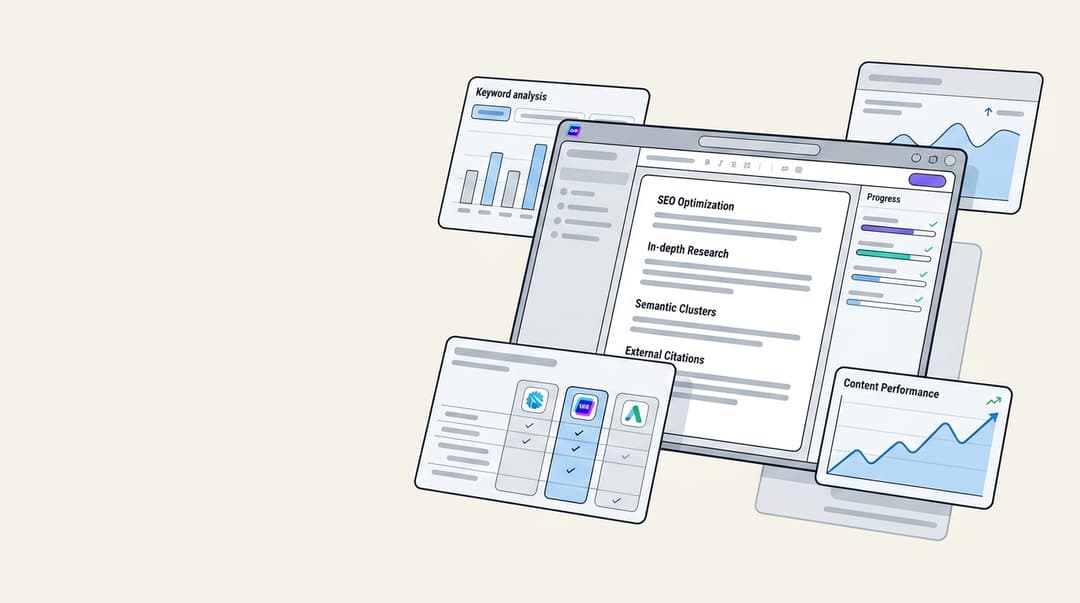
It doesn't just give you a title; it builds an entire article around your topic. Its "context-aware" feature is what really makes a difference. Just give it your website URL and any specific brand info, and the AI learns about your business, products, and voice. This makes sure the content it generates is not only relevant but also sounds like it came from you.
This deep understanding allows for natural product mentions that feel organic and contextually appropriate. The final output isn't a rough draft you have to spend hours editing. It's a fully structured article with headings, images, and social embeds, all designed to rank. It's even optimized for AI Answer Engines (AEO), so it's ready for new search formats like Google's AI Overviews and Perplexity.
Key features that go beyond topic generation
Many AI tools can provide a starting point, while others are designed to deliver a more finished product. The features below are designed to create a complete content asset, getting you from idea to publication much faster.
| Feature | Description |
|---|---|
| Complete Asset Generation | Instead of just titles, you get a full blog with an intro, headings, conclusion, and FAQs. It also includes AI-generated images, tables, and infographics. |
| Context-Aware Research | The AI automatically pulls relevant data based on the topic. Comparison posts get pricing info, while technical posts get specs. |
| Social Media Integration | Embeds relevant YouTube videos and pulls real quotes from Reddit forums to add authenticity and social proof to your content. |
| Organic Product Integration | Naturally weaves in your company's product or service based on the brand context you provide, making promotion feel natural. |
| AEO Optimization | Content is structured to perform well in emerging search formats like Google's AI Overviews, Perplexity, and ChatGPT. |
A step-by-step guide to generating blog ideas with eesel AI
Going from a blank page to a finished article should be simple. Here’s a quick walkthrough of how you can generate a complete blog post in just a few minutes.
Step 1: Enter your keyword or topic. This is your starting point. It can be a broad topic like "customer service automation" or a more specific long-tail keyword. The AI uses this to understand the core search intent you want to hit.
Step 2: Add your website and brand context. Provide your website's URL to give the AI context about your brand, products, and existing content. You can also add custom instructions or messaging guidelines to make sure the tone and focus are spot-on.
Step 3: Define your preferences. Select the tone of voice you're going for, whether it's confident, educational, or conversational. You can also specify the blog type and target audience to refine the output even more.
The core benefits of using AI for blog ideas
No matter which tool you end up using, bringing AI into your content process has some major upsides that go beyond just finding topics.
I'm finding AI to be a great tool - but not so great of a writer, especially for my blog posts. It generates ideas, builds outlines, and things like that - but it's still not quite trustworthy and does stupid things like making up links when it needs external links - it thinks something 'should' be there.. so it creates 'it.' Lol.

- Beat writer’s block: AI gives you a steady stream of inspiration, helping you get past creative hurdles and keep your publishing schedule consistent. You're never starting from scratch.
- Work more efficiently: The time you used to spend on brainstorming and research is cut way down. This lets you and your team focus on bigger-picture strategy, promotion, and polishing the final piece.
- Improve SEO and relevance: By analyzing real-time search trends, AI can suggest topics that are more likely to rank well and match what users are looking for. It helps you create content people actually want to find.
- Broaden your topic range: AI can uncover new angles on old subjects and help you explore related niches you might not have thought of. This keeps your content strategy from getting stale.
An infographic detailing the core benefits of how to generate blog ideas with AI, including beating writer's block and improving SEO.
How other AI blog idea generators compare
The market for AI writing tools is growing. While many tools can suggest topics, their approaches to turning an idea into a full post vary. Here’s a quick look at how some other popular options work.

The best AI tool for writing SEO-rich blog content is Jasper (formerly Jarvis). It helps create keyword-optimized content, improves readability, and offers features for generating ideas, headings, and meta descriptions.
| Tool | Primary Function | Core Focus | Starting Price |
|---|---|---|---|
| eesel AI blog writer | Generates a complete, publish-ready blog post with assets. | End-to-end blog post creation with assets. | $99 for 50 posts (Pay-as-you-go) |
| Jasper AI | Generates a list of blog topic ideas and drafts using templates. | Generating text drafts and ideas using templates. | $59/month (Pro Plan) (Billed yearly) |
| HubSpot | Generates ideas, outlines, and drafts within its CMS. | Ideation and drafting integrated within the HubSpot CMS. | Free basic tool available |
| Canva Magic Write | Generates topics and talking points within a design document. | Generating short-form text for design projects. | Free for 25 queries |
For a more detailed look at how these tools work in practice, check out this video guide that walks through using AI to create better content faster.
From brainstorming to publishing
AI has completely changed how we come up with blog ideas, turning it from a headache into a strategic advantage. It gets rid of writer's block and helps you build a content pipeline that consistently gives searchers what they want.
While a list of ideas is helpful, some tools can help you act on them immediately. For a more efficient workflow, consider a platform that takes you from a single keyword to a finished article. The eesel AI blog writer was built for exactly that, delivering a complete, SEO-optimized, and media-rich blog post that's ready to publish.
Ready to stop brainstorming and start publishing? Try the eesel AI blog writer for free and generate your first complete article in minutes.

Frequently Asked Questions
Share this article

Article by
Stevia Putri
Stevia Putri is a marketing generalist at eesel AI, where she helps turn powerful AI tools into stories that resonate. She’s driven by curiosity, clarity, and the human side of technology.