How to create comparison and alternative pages that actually convert

Kenneth Pangan

Stanley Nicholas
Last edited January 15, 2026
Expert Verified

Most SEO playbooks tell you to chase high-volume keywords. But what if a single, well-crafted page could have a bigger impact on your bottom line? One SaaS marketer boosted their conversion rate by 43% by focusing on just one type of content: comparison pages.
These pages are designed to catch users right when they’re about to make a purchase. A study of 95 articles found that "vs" and "alternative" keywords have the highest average conversion rate of any content type, hitting an impressive 8.43%.
This guide will show you why these pages are so important for growth, what goes into a great one, and a step-by-step process to build your own. It can be a lot of work, but tools like the eesel AI blog writer can do the heavy lifting for you, turning a competitor keyword into a finished article in minutes.
What are comparison and alternative pages?
Think of these pages as a tool for the final stage of the buyer's journey. They're SEO pages built to intercept people who are actively weighing their options before buying. These folks are already "solution aware", they know they have a problem and that products like yours can fix it. They're just trying to figure out which product is the right one.
They usually come in two main flavors:
- Comparison Pages ("Product A vs. Product B"): This is the classic head-to-head matchup. These pages get into the nitty-gritty of feature differences, pricing, and who each product is for. They’re for users who have narrowed it down to two finalists and just need a final nudge.
- Alternative Pages ("Alternative to Product B"): These pages target users who are looking to switch. Maybe they're fed up with a competitor's price, features, or support. Your job is to position your product as the perfect answer to their problems.
You might also see other styles, like the big comparison hubs that companies like Monday.com use. These let users tab between different competitors to see how they all stack up in one place.
Why comparison pages are a powerful tool for SaaS growth
The value here is much bigger than just grabbing some organic traffic. These pages are a key part of a smart, product-led growth strategy that can directly grow your revenue.
They capture high-intent, bottom-of-funnel traffic
Someone Googling "Salesforce alternative" isn't just browsing. They have a real problem, a budget, and they're looking for a solution right now. This is what marketers call "bottom-of-funnel" traffic, and it's basically gold.
This is why the Grow and Convert study showed that "alternative" and "vs" keywords convert at an average of 8.43%, which is way ahead of most other content. The Reddit user we mentioned earlier saw their conversion rate jump from 2.1% to 3.0% in just four months by focusing on these searches.
You control the narrative and build trust
If you don't have your own comparison page, where does the conversation about your product vs. a competitor happen? On third-party review sites, in random Reddit threads, or even worse, on your competitor's own biased page.
As Textdrip CEO Phil Portman said, "If you don’t guide the conversation, they’ll rely on third-party reviews, which may not frame your product in the best light."
By creating your own page, you get to frame the debate around your strengths. But here's the trick: you have to be honest. Admitting where a competitor might be a better fit for a very specific use case builds a ton of trust. When you're open about your weaknesses, people are much more likely to believe you when you talk about your strengths.
They serve as valuable sales and marketing assets
These pages aren't just for SEO. Your sales team can use them as powerful educational tools. When a prospect is on the fence, sending them a clear, honest comparison page can help them see your unique value before they even get on a call.
They’re also great for retargeting campaigns. You can show relevant comparison content to people who have already shown interest in your product category, keeping your solution top of mind.
Key components of an effective comparison page
A really good comparison page is more than just a list of features. It's a persuasive, well-structured argument that guides the user to a clear conclusion: your product is the right choice for them.
A clear, feature-by-feature comparison table
This is usually the main event of the page, and for good reason. It gives readers a quick, scannable summary of how you stack up. Use a simple table to break down the most important features, with clear markers like "Yes," "No," or "Limited."
This is also a chance to frame a potential weakness as a strength. For example, you could say, "While Competitor X offers 50 report types, we focus on the 5 essential reports that 99% of teams use daily, giving you a simpler, faster experience." It's all about the framing. Check out how ClickUp's vs. Monday page does this.

Here’s a simple example:
| Feature | Our Product | Competitor Product |
|---|---|---|
| Unlimited Users | Yes | No (Starts at 3 seats) |
| AI-Powered Workflows | Yes | Limited |
| 24/7 Live Support | Yes | No (Email only) |
| Free Forever Plan | Yes | Yes (Limited features) |
| Direct Reddit Integration | Yes | No |
Transparent pricing and total cost of ownership
Don't make people click a "Contact Us" button to see your pricing. In today's market, transparency is everything. Market intelligence reports show again and again that clear pricing is a huge factor in buying decisions.
And don't just show the sticker price, talk about the total cost of ownership. A competitor might seem cheaper at first, but what happens when you add in all the required extras? Archy's comparison page does a great job of this, showing how a competitor's lower base price inflates once you add fees for texting, online scheduling, and IT support.
Use case differentiation to guide buyers
The goal isn't to convince everyone your product is the best. It's to convince the right people that your product is perfect for them. Get specific about who you serve and what problems you solve better than anyone else.
A great example is Metadata's page comparing to 6Sense. They call it an "apples to oranges" comparison, stating clearly that 6Sense is for sales teams, while Metadata is for marketers. This helps guide each type of user to the tool that will actually help them, which builds trust.
Social proof from customers who made the switch
A generic testimonial is fine, but it's not nearly as powerful as a quote from a customer who switched from the exact competitor you're writing about. This is social proof on steroids.
Groove's page against Zendesk absolutely nails this. They feature direct quotes like, "Zendesk feels like something out of the late nineties... Groove was like a breath of fresh air." Hearing that from a peer who was in the same situation is incredibly persuasive.
A 4-step framework for creating comparison pages
Ready to build your own? Here's a straightforward framework to take you from research to a high-converting page.
Step 1: Prioritize your targets with data
You can't make a page for every single competitor, so you have to be smart about it. Start with data.
- Keyword Research: Use your favorite SEO tool to see which competitor comparisons have real search volume. Look for that sweet spot of decent monthly searches and high relevance to your product.
- Sales Intelligence: Your sales team is sitting on a goldmine of info. Ask them, "Which competitors come up most often on calls? Which ones do we consistently beat, and why?" This gives you the story behind the numbers.
Step 2: Conduct deep and objective research
To write a convincing page, you need to know the competitor's product inside and out. Don't just look at their marketing site.
Sign up for their free trial and actually use the product. Click around, test the main features, and get a feel for the user experience. Then, dive into review sites like G2 and Capterra. As Ruben Portz, founder of TractionPad, notes, "Customer reviews offer a treasure trove of information about potential opportunities for your business." Look for patterns in complaints and praise, these are the real-world issues you need to address.
Step 3: Write and design for clarity and conversion
Now it's time to put it all together. Structure your page logically. Start with a strong headline, feature your comparison table early, and sprinkle in your social proof throughout.
Use visuals like annotated screenshots to show key differences. And don't forget your calls-to-action (CTAs). Place clear CTAs like "Start Free Trial" or "See a Demo" right after key sections, like the comparison table or a powerful testimonial. Make it easy for the reader to take the next step.
Step 4: Streamline the entire process with the eesel AI blog writer
Let's be real, the first three steps are a ton of work. The research, writing, and design can take days, if not weeks. This is where you can work smarter.
The eesel AI blog writer can completely change this workflow. Instead of spending hours digging through G2 reviews and trying to structure an argument, you can just enter a keyword like "ClickUp vs Monday" and get a complete, publish-ready post in minutes.
It’s especially good for this because of a few key features:
- Context-Aware Research: It automatically finds the relevant features, pricing info, and user pain points needed for a detailed comparison.
- Automatic Asset Generation: It creates comparison tables, AI-generated images, and infographics for you, saving a huge amount of design time.
- Built-in Social Proof: It can pull in real Reddit quotes and forum discussions, adding a layer of authenticity and addressing common user concerns right on the page.
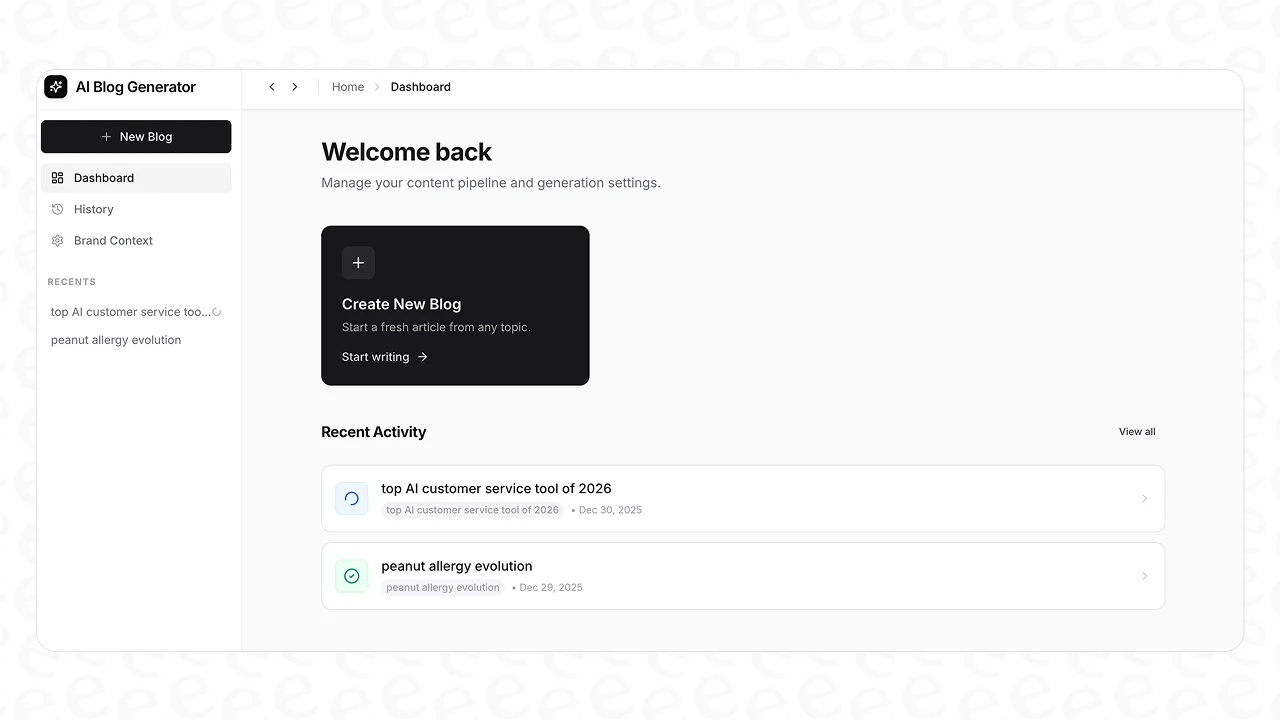
The result? You can scale up your output of high-converting content without having to scale your team or your workload.
Creating your first comparison page
Comparison and alternative pages are high-leverage assets that can seriously boost your growth. They capture ready-to-buy traffic, build trust through honesty, and, with an average conversion rate over 8%, are one of the most effective types of content you can create.
Just remember, the best pages are honest and genuinely helpful. They don't just trash the competition; they guide the right customers to your solution by focusing on their specific needs.
While creating these pages manually is an option, automating the process can save significant time and resources.
Ready to build comparison pages that rank and convert, without all the manual effort? Try the eesel AI blog writer for free and generate your first post in minutes.
Frequently Asked Questions

Share this post
Article by
Kenneth Pangan
Writer and marketer for over ten years, Kenneth Pangan splits his time between history, politics, and art with plenty of interruptions from his dogs demanding attention.


