

Internal linking. It’s one of those SEO tasks everyone knows is important, but let's be real, nobody actually enjoys doing it. If you’ve got a site with hundreds or even thousands of pages, the thought of manually digging through old posts to find linking opportunities is enough to push it to the bottom of the to-do list.
But when it gets ignored, you start seeing those classic SEO problems pop up: orphan pages that Google can't find, authority not being spread evenly across your site, and a confusing structure that leaves users and search engines totally lost. It’s a real issue that can stop your content from reaching its ranking potential.

This guide will walk you through everything you need to know about automating internal links, from the benefits to the best tools and practices to follow.
What is internal linking automation?
At its heart, internal linking automation is just using software to create links between pages on your own website. Sounds simple, right? But the tech behind it has improved a lot over the years.
Back in the day, these tools were pretty basic. You’d set a rule telling a plugin to find every mention of "SEO tips" and link it to a specific page. The results were often clunky and unnatural, creating spammy-looking links that didn't actually help readers.
- It helps search engines find your content: A solid linking structure gives crawlers like Googlebot clear paths to follow, making sure they can discover and index every single page on your site.
- It spreads authority around: Links pass value (sometimes called "PageRank" or "link equity") from one page to another. Automation helps make sure your most important pages get the link juice they need to rank higher.
- It shows you’re an expert: When you link related articles together, you're telling Google that you have a lot of expertise on a topic, which helps build your site's topical authority.
The core benefits of automating internal linking
Establish a clear site hierarchy and topical authority
Automation is great for organizing your content into logical topic clusters. A "pillar page," which is a big-picture overview of a topic, can be automatically linked to and from all of its related "cluster" pages, which cover specific sub-topics in more detail.
This creates a clean structure that makes it super easy for search engines to understand how your pages are related. It’s like giving Google a map of your expertise, which helps it see your site as an authority on the subject.
Fix uneven link distribution and rescue orphan pages
On larger websites, you often see a few main pages with hundreds of internal links while dozens of other pages are left with just one or two. Orphan pages are the worst-case scenario: they have zero internal links pointing to them, making them pretty much invisible to search engines.
Automation tools can scan your whole site to find these under-linked and orphaned pages. Then, they can automatically add relevant links to bring them back into the site structure, ensuring they get the visibility and link equity they need.
Improve user experience and on-site metrics
Let's not forget that internal links are for people, too. A smart linking strategy guides your visitors to other relevant content, keeping them on your site longer and helping them find what they're looking for.
When you make it easy for users to explore, you’ll probably see your bounce rate go down and metrics like pages per session and time on site go up. These are all good signs that tell Google people find your content valuable.
Save significant time and developer resources
This is the most obvious benefit. Manually going through every old and new article for linking opportunities just doesn't work at scale. It’s a tedious job that can take up hours of your team's time.
In fact, a 2021 survey found that 62% of SEOs struggle to implement internal links without getting a developer involved. Automation tools get rid of that problem. They can analyze your entire site and suggest or add thousands of links in the time it would take a person to do just a few, freeing up your team to focus on strategy.
Top tools for automating internal linking
There are a bunch of tools out there, but they usually fall into two groups: proactive tools that build links as you create content, and reactive tools that fix links on content that's already live.
Start with smart linking from day one with the eesel AI blog writer
An efficient way to handle internal linking is to build it into your content workflow. The eesel AI blog writer is an AI content generation platform that integrates this task. When generating a new blog post, it analyzes existing site content and adds relevant internal links into the draft. This approach integrates the SEO task directly into the content creation process, so links are included from the start rather than added later.
Key features:
- Generates complete, publish-ready blog posts with internal links already included.
- Optimized for both traditional SEO (keywords, structure) and AEO (AI Answer Engines like Google AI Overviews).
- Automatically creates assets like AI-generated images, tables, and infographics, and even embeds relevant YouTube videos and Reddit quotes to make your content more engaging.
Pricing: It's free to try, and paid plans are simple at $99 for 50 blog posts.
Link Whisper
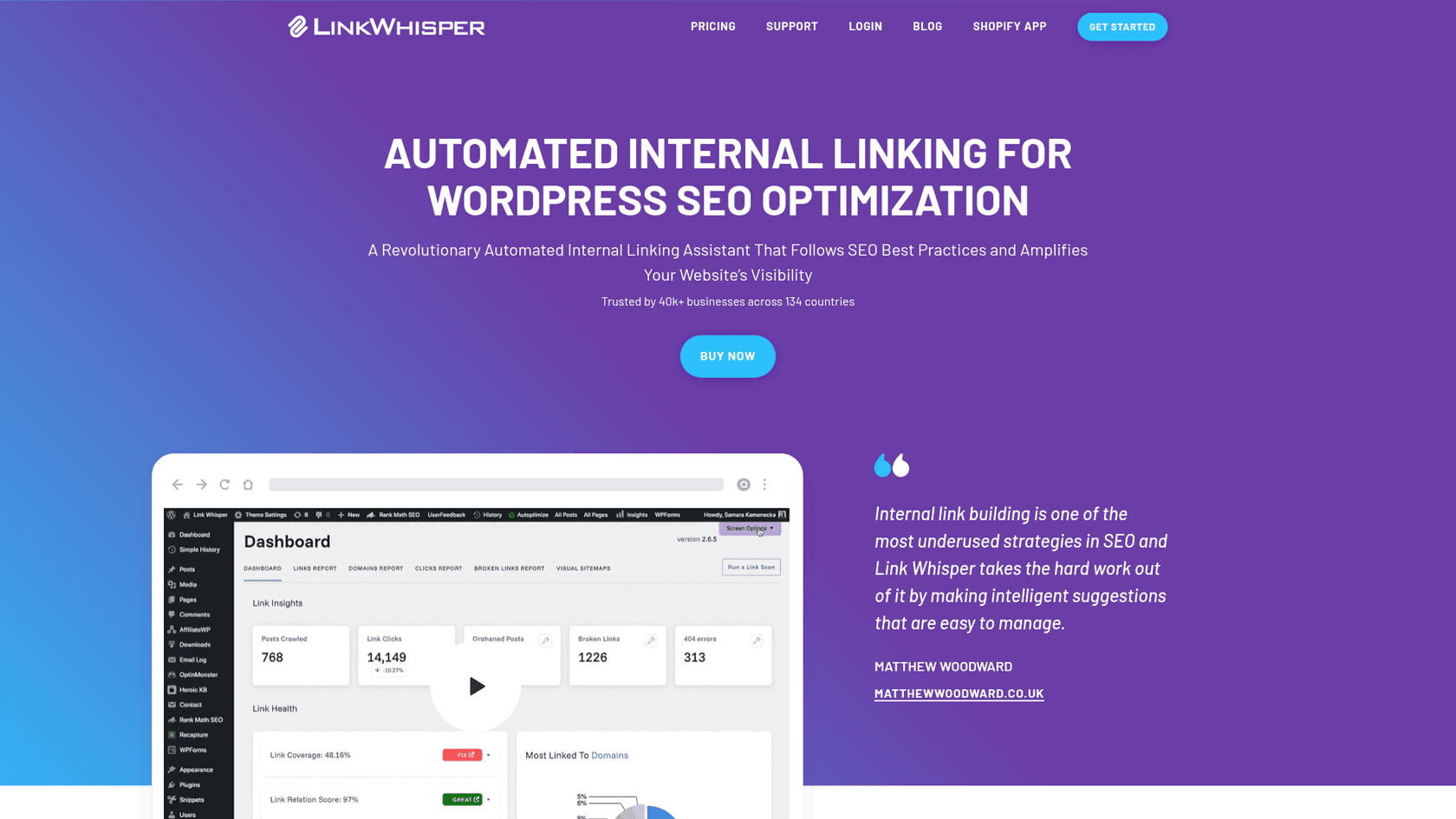
Link Whisper is a very popular WordPress plugin that uses AI to suggest internal links while you're writing in the WordPress editor. It's pretty useful, offering suggestions on the fly and providing a dashboard to help you find and fix orphaned content and broken links.
I used Linkwhisper for a long time but it regularly suggests irrelevant articles, also its anchor text selection is shit. So I am looking for better alternatives.

Link Whisper is designed primarily for WordPress sites. The tool provides AI suggestions in the editor after the content has been written, functioning as a distinct step in the publishing process.
Pricing: Plans start at $97 per year for a single site license.
Surfer SEO
Surfer SEO is a complete on-page optimization tool, and internal linking is one of its many features. It scans your site and uses data from your Google Search Console to find semantically related linking opportunities to add to your content.
Using the internal linking features requires setting up a Content Audit project for the domain. Similar to other tools, the linking process is a separate step that occurs after the content has been drafted.
Pricing: The internal linking feature is part of all Surfer plans, which start at $79/month when billed annually.
seoClarity (Link Seeker)
Link Seeker by seoClarity is an enterprise-level tool built for huge websites. It uses AI to identify underperforming pages, find matching content, and deploy deep links at scale, all without needing to involve developers.
As an enterprise-level platform, seoClarity is designed for large-scale websites with thousands of pages. Its features are built for complex operations, which may be more than what smaller businesses require.
Pricing: seoClarity's platform plans start at $4,500/month, and Link Seeker is an add-on that requires a custom quote on top of that.
For a more hands-on demonstration, check out this video from Julian Goldie SEO, which walks through how to automate internal linking using a free AI SEO tool.
Challenges and best practices of internal linking automation
Automating your internal links is a huge step up, but it’s not a magic button you can just press and forget about. A "set it and forget it" attitude can create new problems if you're not careful.
The risks of a hands-off approach
- Over-linking: Some tools can get a bit carried away and cram a page with too many links. This can water down the value passed by each link and make the page feel overwhelming for a reader. It's best to keep the number of links reasonable and focused on helping the user.
- Irrelevant links: Even the smartest AI can sometimes get the context wrong. It's really important to have a human review the suggested links to make sure every single one makes sense and adds value.
- Unnatural anchor text: Relying only on exact-match anchor text is an old SEO tactic that can get you in trouble. A natural link profile has a healthy mix of anchor text, including partial matches, branded terms, and generic phrases.
Best practices for successful automation
- Prioritize cornerstone content: Start by identifying your most important pages—your pillar posts, key service pages, and so on. Create rules to make sure these pages get a steady flow of link equity from other relevant articles.
- Focus on semantic relevance: The best internal links connect pages that are topically related, not just pages that share a keyword. Think about what the user wants and what other information they might find helpful.
- Audit and monitor: Don't just trust the system blindly. Regularly check the links your automated tool creates. Use tools like Google Search Console to monitor the performance of your updated pages and adjust your strategy based on the data.
Automating internal linking for a smarter strategy
Automating internal linking is a key strategy for scaling SEO efforts. It saves time, improves site architecture for search engines, and helps guide visitors to relevant content.
An effective approach combines automation with human oversight. Tools can identify opportunities, while human review ensures each link is high-quality and relevant.
Proactive tools, such as the eesel AI blog writer, build internal linking into the content creation workflow. This helps ensure every new article is optimized from the beginning.