

For its 40 million users and 50,000 organizations, Grammarly is the go-to tool for digital writing help. It’s dependable, simple to use, and has become the standard for catching typos and grammar mistakes. But the standard choice isn't always the best one for every situation.
when i write i tend to just throw things out there without focusing too much on proper grammar and punctuation, so i tried using grammarly, but it doesn’t help much when you don’t have a subscription (and i DEFINITELY don’t have the money for a $30 per month subscription), so i was wondering what you guys use? or if you know of any free/cheaper alternatives?
Many people start looking for other options for a few common reasons: they need features beyond just grammar checks, the price is too high, or they want tools that can create content, not just polish it. The market has grown well beyond simple proofreaders. Modern platforms like the eesel AI blog writer can now generate full, ready-to-publish articles from just a keyword. This marks a big change from simply fixing text to creating it from scratch.

This article is a hands-on review of six popular Grammarly AI alternatives. We'll look at who each tool is for, what it does best, and its limitations, so you can pick the right one for your needs in 2026.
Understanding AI writing assistants and Grammarly AI alternatives
At their heart, AI writing assistants are tools made to improve the quality and clarity of your writing and help you do it faster. They began as digital proofreaders, catching errors in grammar, spelling, and punctuation. Over the years, they started offering suggestions for style, tone, and word choice to help you sound more confident or professional.
The biggest shift has happened recently. These tools went from being simple correctors to sophisticated AI partners. Today's platforms, including Grammarly's own AI agents, can rewrite entire sentences for clarity, find academic citations, and even guess how a reader might react to your message. The following graphic shows how these tools have evolved.
This evolution is exactly why looking at alternatives is so important. The tool for you today might not just fix your writing, it could automate entire parts of your content creation process. For businesses that need consistent branding and efficiency, this is no longer a nice-to-have; it's a must.
Our criteria for the best Grammarly AI alternatives
To give you a clear and useful comparison, I looked at each tool using five main criteria. This approach makes sure we're focusing on what really matters when you're choosing a writing assistant that fits how you work.
- Core editing features: How well does it handle the basics? This covers its accuracy in finding grammar, spelling, and style mistakes.
- Advanced AI capabilities: Does it do more than just correct errors? I checked for features like sentence rewriting, paraphrasing, or full content generation.
- Ease of use: Is the interface easy to figure out? Does it work well with common platforms like Google Docs, Microsoft Word, or your browser?
- Best use case: Who is this tool made for? I figured out the ideal user for each platform, whether it's an author, a student, or a marketing team.
- Pricing: Is the price fair for what you get? I looked at whether there’s a decent free plan or a trial to test the tool before you buy.
A quick comparison of the top Grammarly AI alternatives for 2026
If you just need a quick answer, this table sums up my findings. Each tool is built for a different job, from generating entire blog posts to refining long-form novels.
| Tool | Best For | Standout Feature | Starting Price |
|---|---|---|---|
| eesel AI blog writer | Scaling blog content for businesses | Turns a keyword into a complete, SEO-optimized post | Free to try |
| ProWritingAid | Authors & long-form content | 25+ in-depth writing reports | Free plan available |
| Wordtune | Creative rewriting & paraphrasing | AI-powered sentence rephrasing | Free plan available |
| Hemingway Editor | Improving readability & conciseness | Highlights complex sentences and passive voice | Free (web version) |
| Writer.com | Enterprise brand consistency | Custom style guides and terminology | 14-day free trial |
| LanguageTool | Multilingual users | Grammar checks in over 30 languages | Free plan available |
The 6 best Grammarly AI alternatives in 2026
Here’s a detailed look at each tool, including its strengths, weaknesses, and who it’s best for.
1. eesel AI blog writer

The eesel AI blog writer is more than a grammar checker; it's a content generation platform. It’s built for businesses that need to scale their SEO and content marketing without hiring a large team. Its main function is straightforward: it takes a single keyword and turns it into a complete, publish-ready blog post. The platform automatically adds things like AI-generated images, data tables, and relevant YouTube videos to create a rich article. We used this tool to grow our own site's traffic at eesel AI, going from 70,000 to 750,000 daily impressions in just three months.
- Pros: Its ability to create a high-quality first draft in minutes saves time on research and writing. It automatically handles SEO and AEO (Answer Engine Optimization), adds visuals, and even pulls real Reddit quotes for social proof. The result is content that reads naturally. It's also entirely free to try, so you can check the quality for yourself.
- Cons: This is a specialized tool. If you just need to check a quick email or a short social media post, it offers more functionality than needed. Its strength is in creating full-length articles, not simple proofreading.
- Pricing:
- Free to try (you can generate your first post at no cost)
- Early Bird Plan: $99 for 50 blog posts
2. ProWritingAid
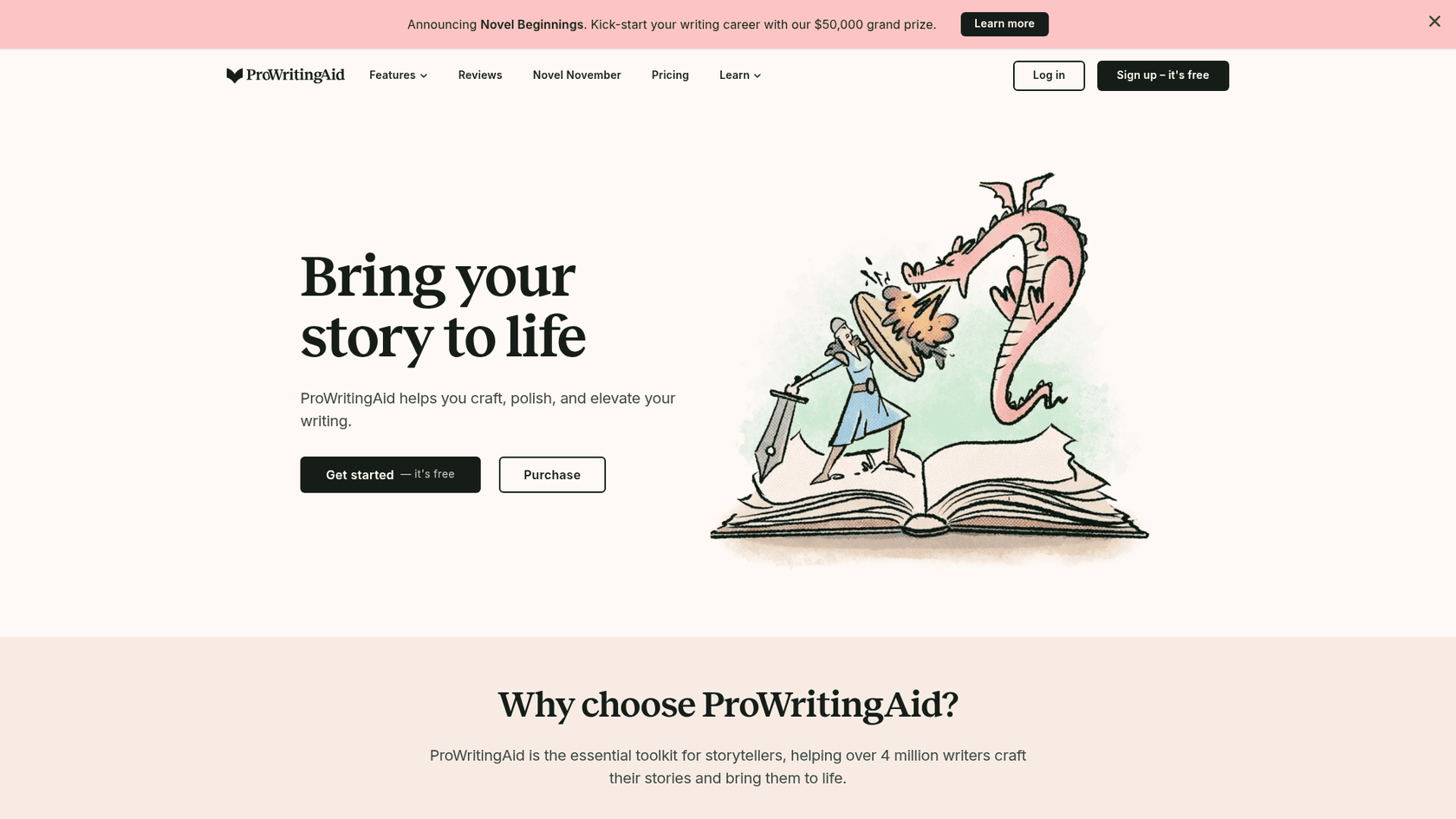
ProWritingAid is a tool designed for authors, academics, and anyone working on long documents like novels or research papers. Its main feature is its 25+ detailed writing reports, which analyze everything from pacing and sentence structure to clichés and overused words. It provides deep, specific feedback that goes beyond a simple grammar check. It also integrates with writing software like Scrivener, which is a major benefit for professional writers.
- Pros: A key strength is the depth of its analysis. It gives detailed feedback that helps writers improve their skills over time. The one-time payment option for a lifetime license also offers significant long-term value for users who prefer that model.
- Cons: For casual users or those writing shorter content, the number of reports can be extensive and may add extra steps to the editing process. The interface is powerful and functional, though some users may find it has a steeper learning curve than more streamlined UIs.
- Pricing:
- Free Plan: Basic checks, limited to 500 words at a time.
- Premium Plan: $30 per month or $120 per year.
- Lifetime Plan: $399 for a one-time payment.
I tried the free version of both. They were almost identical at the time I bought the lifetime license for ProWritingAid... Grammarly was just way too expensive for the amount of writing I saw myself doing at the time... Put me clearly in the PWA camp and if you can, go for the lifetime deal.
3. Wordtune
Wordtune acts more like a creative partner than a strict editor. Its main purpose is to rewrite and rephrase your sentences to help you find the right tone or get past writer's block. When you highlight a sentence, Wordtune gives you several alternative phrasings, letting you explore different ways to say the same thing. It can also translate content from 10 different languages into English before offering rewrite ideas, which is helpful for non-native speakers.
- Pros: It is effective at helping you refine your message and try out stylistic options you might not have thought of. The interface is clean and works smoothly in browsers and word processors, making it easy to use as you write.
- Cons: The free plan is limited, with only 10 rewrites per day. Its focus is on rephrasing, so its grammar and spelling checks are not as comprehensive as those in dedicated proofreading tools.
- Pricing:
- Free Plan: 10 rewrites per day.
- Advanced Plan: $4.89 per month (billed annually).
- Unlimited Plan: $6.99 per month (billed annually).
4. Hemingway Editor
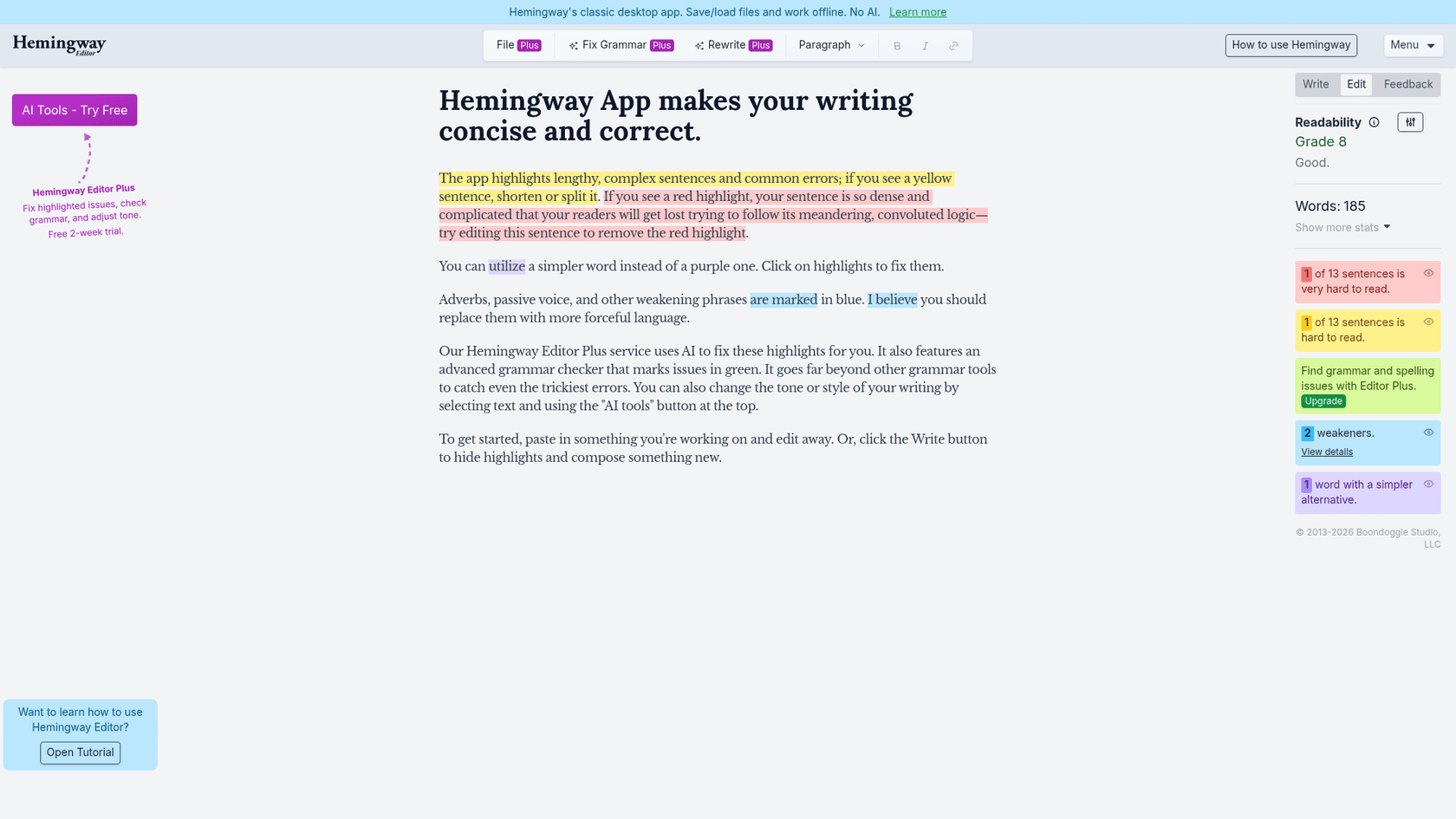
The Hemingway Editor is a style coach that encourages you to make your writing "bold and clear." It doesn't focus on minor grammatical rules. Instead, it uses a simple, color-coded system to flag common issues that can weaken writing: long sentences, passive voice, unnecessary adverbs, and complex words. The classic version is a basic editor, but the newer Hemingway Editor Plus service uses AI to actively fix these issues and includes a better grammar checker.
- Pros: It’s an effective tool for learning to write more directly. The web version is completely free and doesn't require a signup, making it very easy to access. For those who want an offline version, the $19.99 one-time purchase for the desktop app is a cost-effective option.
- Cons: The free version is not a full grammar or spell checker and will miss most of those types of errors. Its suggestions are based on a specific set of rules that might not work for all writing styles, especially more creative or academic writing where complexity is sometimes needed.
- Pricing:
- Free on the web.
- $19.99 one-time payment for the desktop app.
- AI-powered Plus plans start from $8.33 per month (billed annually).
5. Writer.com

Writer.com is a tool designed for large businesses that need to maintain strict brand consistency across all written materials. A key feature is the ability to create and enforce custom style guides, terminology lists, and brand voice rules for an entire team. Whether it’s making sure product names are always spelled right or that the company's tone is consistent, Writer.com automates brand rules. The platform is powered by its own family of Palmyra LLMs, which are built for business use.
- Pros: It provides extensive control over brand consistency, which is useful for large marketing, support, or legal teams. The platform is also built with enterprise security in mind, offering SOC 2 Type II compliance and a policy of not training its models on customer data.
- Cons: There is no permanent free plan, just a 14-day free trial for its basic plan, which can make it hard to evaluate over the long term. The pricing is aimed at teams and is higher than tools designed for individuals.
- Pricing:
- Starter Plan: 14-day free trial for up to 5 users.
- Enterprise Plan: Custom pricing available upon request.
6. LanguageTool
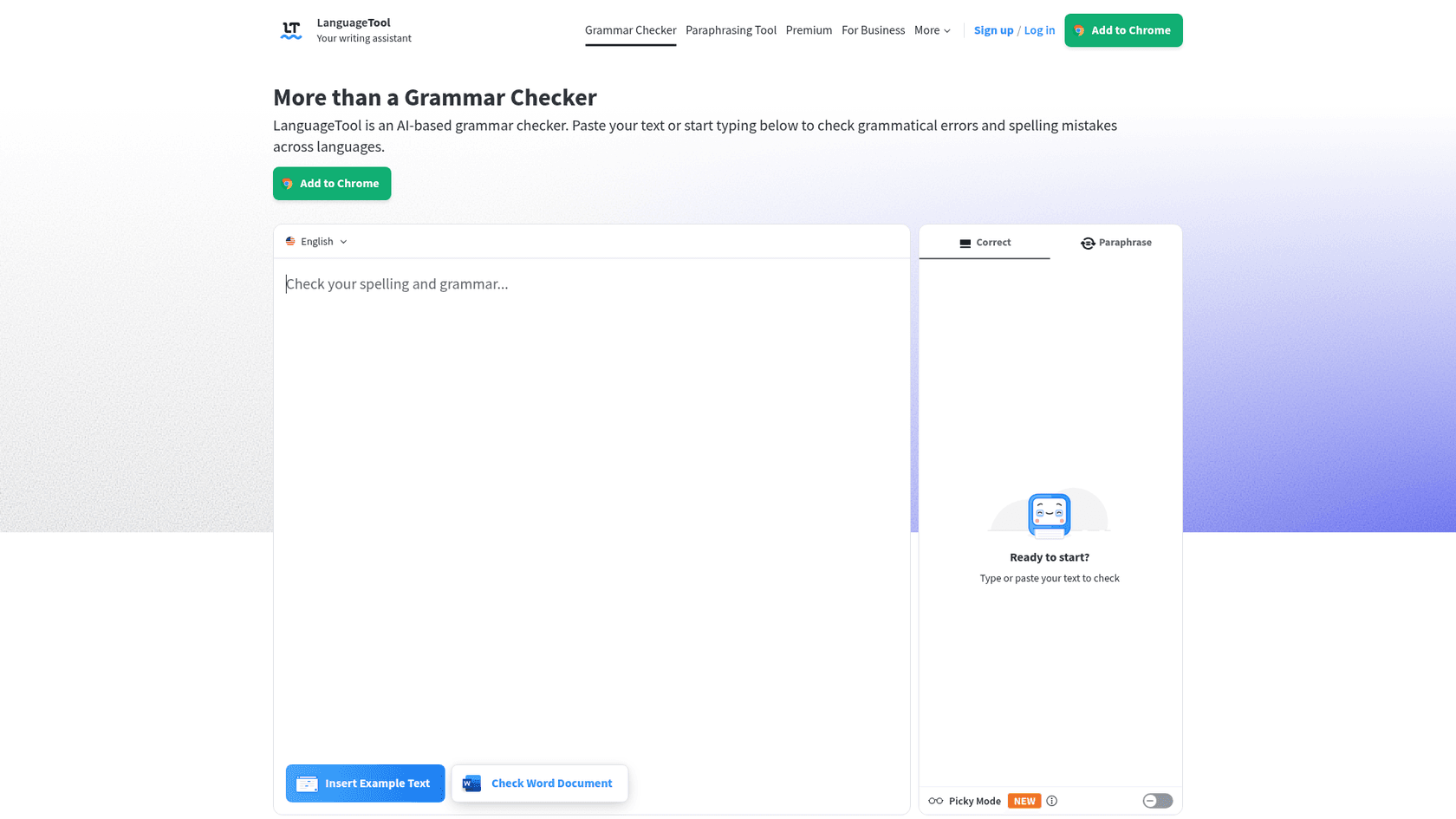
LanguageTool's main advantage is its wide-ranging multilingual support. While most writing assistants focus on English, LanguageTool provides grammar, spelling, and style checks in over 30 languages and dialects. This makes it a suitable choice for global teams, non-native English speakers who write in multiple languages, or anyone who needs reliable proofreading in languages other than English.
- Pros: Its multilingual capability is its main strength. The free version is useful, offering basic checks in all supported languages. The company is also GDPR-compliant and prioritizes user privacy.
- Cons: Its English checks are solid, though they may not offer the same depth of style and tone suggestions as tools specializing solely in English. The user interface is functional and straightforward.
- Pricing:
- Free Plan: Generous basic checks in all supported languages.
- Premium Plan: Starts at $5.83 per month (billed annually).
For a more visual comparison of how some of these tools stack up, the following video provides a detailed review of several top Grammarly alternatives, highlighting their unique features and ideal use cases.
How to choose the right Grammarly AI alternatives for your team
With so many choices, the best way to decide is to understand what you really need. Here’s a simple way to think about it.
I have both paid versions. For spelling/grammar - Grammarly. For sentence structure/writing help - pwa. Both are different and have unique strengths. ProwritingAid is more like an editor that helps me make my writing better. Then I use grammarly when I am completely finished to find little grammar/spelling mistakes as a final polish.
- Focus on the problem you're solving. Are you just fixing typos in emails, or are you trying to scale your company's entire content strategy? A simple tool like Hemingway is great for polishing a draft you've already written. But a business that needs to publish high-quality blogs regularly may need a content generator like the eesel AI blog writer.
- Consider your current workflow. The best tool is one that fits into how you already work. ProWritingAid's Scrivener integration is a huge help for novelists, while Writer.com's platform is designed for company-wide use across different departments.
- Use the free trials and plans. Almost every tool on this list offers a way to test it out for free. Spend some time using them in your actual work before you decide to pay. See if the suggestions are helpful and if the interface works for you.
- Think about collaboration. An individual writer has different needs than a team. For teams, features like shared style guides (Writer.com) or a platform built to achieve business goals like organic traffic growth (eesel AI blog writer) are important things to consider.
The verdict on the best Grammarly AI alternatives
In the end, there isn't one single "best" alternative to Grammarly. The best choice is the tool that's best for the specific job you're doing. Based on this analysis, the recommendations are as follows.
- For authors and editors who need deep, analytical feedback: ProWritingAid.
- For enterprise teams that need strict brand consistency: Writer.com.
- For anyone working in multiple languages: LanguageTool.
- For businesses focused on growing through SEO and content: eesel AI blog writer.
The evolution of AI writing assistants is about more than just fixing mistakes. It's about providing creators and businesses with tools to produce content more efficiently. For those looking to move from text correction to full content generation, a new generation of tools is available.
Ready to go from fixing text to generating complete blog posts that drive results? Generate your first blog post for free with the eesel AI blog writer.