


Tired of having to create an account just to try out an AI writer? We found and tested 5 options that let you generate text for free, with no sign up required. Let"s see which one is the right fit for you.
The hunt for a truly free AI writing tool with no sign up
You need a quick paragraph for a social media post, a catchy email subject line, or help getting a blog post started. You find a promising AI writer, click "generate," and then you hit a wall: "Sign up to continue," "Enter your email for free credits," or "Create an account to see your results." This can be an inconvenience. Sometimes you just want to get your text and move on, without adding another password to your collection or another newsletter to your inbox.
I have been working with AI writing tools for two years and I am looking for a fully free solution. No credits, no tokens and no word limits. I write children’s and YA books and generate chapters between 600 and 5000 words.

This post focuses on AI writing tools that are free to use and don"t ask for your email. We tested them for quality, speed, and whether "no strings attached" was actually true. Let"s dive in.
What is a no-sign-up AI writing generator and how does it work?
An AI writing generator is a tool that uses artificial intelligence, specifically large language models (LLMs), to create human-like text based on a prompt you give it.
Think of it like an incredibly well-read assistant. It has processed a massive amount of text from the internet, books, and articles, which allows it to understand context, tone, and structure. When you ask it to write something, it predicts the next best word, then the next, and so on, until it has formed complete sentences and paragraphs that match your request. This process can be visualized as a simple workflow.
You can use them for almost anything:
-
Drafting emails and social media captions
-
Brainstorming blog post ideas and outlines
-
Writing product descriptions for an e-commerce store
-
Summarizing long documents
-
Even writing full-length articles
The main difference is that the output can range from a single, slightly generic sentence to a fully researched, structured, and publish-ready article. The quality really depends on the tool you’re using.
How we rated the top no-sign-up AI writing tools
We rated each tool based on a few key criteria to ensure a useful comparison. Here’s what we looked for:
-
Truly No Sign-Up: We checked if we could land on the page and start generating text immediately. Any tool that forced an email or account creation was not included.
-
Quality of Output: We assessed whether the text sounded human, was coherent, useful, and free of unnatural phrasing. We looked for tools that produced content that could be used with minimal rewriting.
-
User Interface & Experience: We evaluated the tool"s ease of use and whether the interface was clean and intuitive, making it simple to enter a prompt and get the desired output.
-
Features & Customization: We looked for control over the output, such as options to tweak tone of voice, length, or output format.
-
Limitations: We checked for limitations such as low word limits, pop-up ads, or frequent CAPTCHA puzzles that could disrupt the user experience.
Comparison of the best no-sign-up AI writing tools
For a quick look at how our top picks stack up, here’s a simple comparison table.
| Tool | Best For | Key Feature | Limitations |
|---|---|---|---|
| eesel AI blog writer | Complete, publish-ready blog posts | Generates full articles with assets & SEO | Focused on long-form content |
| TinyWow | A wide variety of quick text tasks | Huge suite of over 250 different tools | Output can be generic; ad-supported |
| Picsart (Quicktools) | Social media and marketing copy | 20+ specific AI text tools in a creative suite | No-signup version is on the Quicktools subdomain |
| Writecream | Generating short-form copy and ideas | Some tools are free without an account | Most features require signing up for a credit-based plan |
| Perchance | Experimental and varied text generation | An ecosystem of countless community-built generators | Less of a product, more of a DIY platform; UI can vary |
5 free AI writing generators with no sign up for 2026
Here’s a breakdown of some no-signup AI writers you can use right now, detailing what they do best and where they fall short.
1. eesel AI blog writer
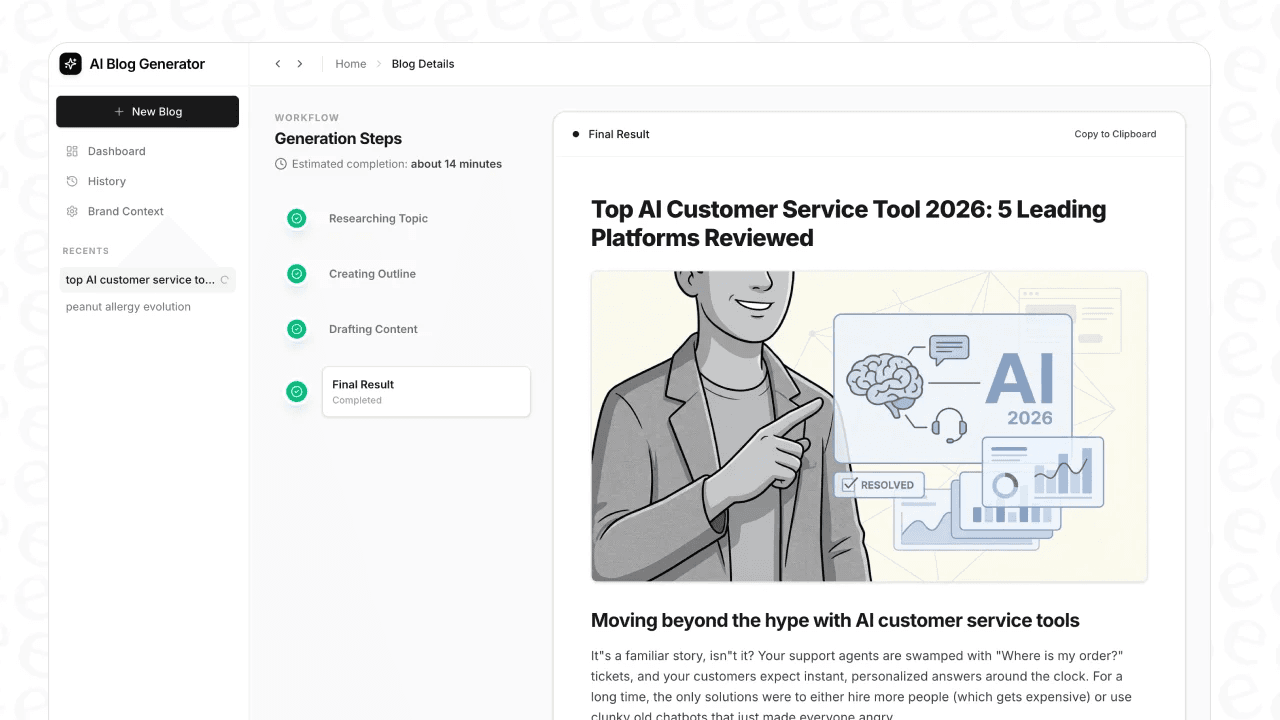
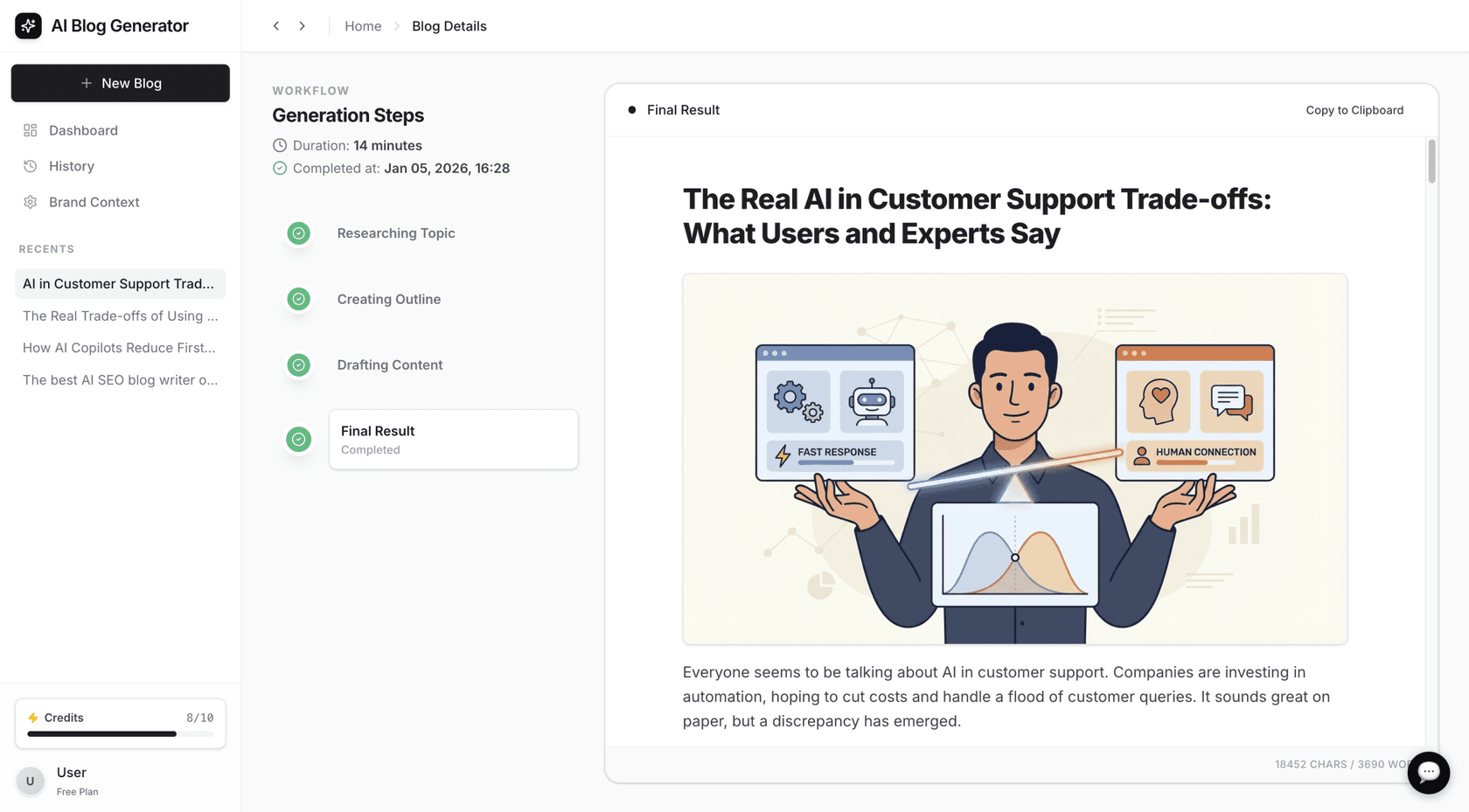
The eesel AI blog writer is designed to take a single keyword and generate a complete blog post. You provide a topic, and it generates a structured article with an intro, headings, subheadings, FAQs, and a conclusion. It can also add AI-generated images and pull quotes from Reddit.
-
Pros and Cons: The tool produces a whole article, not just a snippet. The content is designed to be SEO-optimized and considers AEO (AI Answer Engine Optimization). A potential drawback is that it"s a specialized tool for long-form content, so it may not be the best fit for short-form text like social media posts. For users focused on creating long-form content, it offers a streamlined process.
-
Pricing: You can generate your first blog post for free. After that, paid plans are available, with the starter package getting you 50 blogs for $99.
2. TinyWow
TinyWow is a digital toolbox with a collection of over 250 free online tools for tasks ranging from editing PDFs to converting video files. Within this suite is a set of AI writing tools, including a Paragraph Writer, Essay Writer, Content Improver, and Article Writer. It can be a useful resource for performing different, quick content tasks.
-
Pros and Cons: The variety of tools is TinyWow’s main strength. Users can perform multiple tasks without leaving the site. The AI writing quality is suitable for a first draft but can be generic and may require editing to align with a specific brand voice. The free version is ad-supported.
-
Pricing: It’s free to use. To remove ads and CAPTCHAs, you can sign up for a premium plan.
3. Picsart (Quicktools)
Picsart is known as a photo and video editor, and its Quicktools AI Writer is a useful tool for marketers and social media managers. This no-signup section of their website offers over 20 AI generators for short-form copy. It is suitable for creating social media bios, ad copy, product descriptions, or Instagram captions.
-
Pros and Cons: Its main advantage is its focus on specific marketing use cases, so the output is often relevant. A limitation is that it"s not built for content longer than a few sentences. While the Quicktools section is sign-up-free, the main Picsart platform"s free plan requires an account.
-
Pricing: The Quicktools by Picsart AI writer is free to use with no account needed.
4. Writecream
Writecream has a library of over 75 AI writing tools, some of which can be accessed without an account. By navigating directly to a specific tool"s page, such as the AI Image Generator, you can get a few generations for free. It’s useful for generating ideas, short product descriptions, or social media blurbs.
-
Pros and Cons: The tools are simple to use and the platform supports over 75 languages. The main limitation is that the no-signup access is restricted. To unlock most features, you have to create an account for their "Free Forever" plan. The no-signup access is a way to sample the tools, while the full suite of features is available under their free, credit-based plan.
-
Pricing: Some individual tools are free for a few uses without an account. Accessing the full platform requires signing up for a free or paid plan.
5. Perchance
Perchance is different from the others on this list. It is a community-driven platform where anyone can build and share their own random text generators. You can find a large library of tools, from an AI Story Outline generator to an AI Text Rewriter. It is suited for users who like to experiment and don"t mind a bare-bones interface.
-
Pros and Cons: The main pro is its variety and the creativity of the community. The main con is that the user experience and output quality can be inconsistent. It is best suited for experimentation rather than for tasks requiring consistent, professional output.
-
Pricing: Perchance is free to use.
3 tips for using a no-sign-up AI writing generator
Getting good results from these tools takes some practice. Here are three tips to improve your AI-generated text.
-
Provide Detailed Prompts: The quality of the output is tied to the quality of the input. Instead of writing "write a blog post about coffee," try something more specific like, "Write a friendly and informative blog post outline about the benefits of cold brew coffee for people who find regular coffee too acidic. Include sections on the brewing process, taste profile, and caffeine content." The more context you give the AI, the better the result will be.
-
Always Add a Human Touch: The generated text is a starting point. It is good practice to review it, add your own voice, check for accuracy, and make sure it flows naturally.
-
Fact-Check Everything: AI models are not infallible. They can generate incorrect facts, statistics, or outdated information. Before you publish, always verify any claims, data, or key details, especially for technical or sensitive topics.
For a visual walkthrough of some of the best free AI writing tools that don't require a signup, the video below offers a great overview of several options and their features.
Final thoughts on no-sign-up AI writing generators
For a quick caption, a few bullet points, or a catchy headline, the no-signup AI writers on this list are useful. Tools like TinyWow and Picsart are suitable for one-off tasks and let you get what you need without friction.
For goals that involve consistently publishing high-quality, SEO-optimized content, users might find they need more advanced features than what basic text snippet generators offer.
In such cases, a more specialized solution can be beneficial. For example, the eesel AI blog writer is designed to generate complete articles that are structured for search engines.
You can try the eesel AI blog writer to generate your first blog post.
Frequently asked questions
What is the best free AI writing generator no sign up for long-form content like blog posts?
For full articles, the eesel AI blog writer is an option. It is designed to generate a complete, SEO-optimized post from a single keyword, including images and quotes.
Are there any real limitations to using a free AI writing generator no sign up?
Yes. Most free, no-signup tools have limitations like lower word counts, more generic output, or ads. They are useful for quick tasks, but for high-quality, consistent content, a more specialized tool may be needed.
Can a free AI writing generator no sign up create content that is safe for SEO?
It depends on the tool and how you use it. A basic generator might produce generic text that does not rank well. Some tools, such as the eesel AI blog writer, are specifically designed with SEO and AEO (Answer Engine Optimization) in mind. It is always recommended to add a human touch and fact-check the output to ensure quality.
How do I get the best results from a free AI writing generator no sign up?
The key is to provide very specific and detailed prompts. Instead of a vague topic, give the AI context, a target audience, and the desired tone. Also, always review, edit, and fact-check the generated text before publishing.
Is the content from a free AI writing generator no sign up truly original and plagiarism-free?
Reputable AI tools are designed to generate original text by predicting word sequences, not by copying and pasting from existing sources. While the risk of plagiarism is very low, it's always a good practice to run the final text through a plagiarism checker if you're concerned, especially for academic or professional work.
Why do most AI writers require you to create an account?
Companies typically require sign-ups to manage usage, offer personalized features, and communicate with their users (often for marketing). A truly free AI writing generator no sign up is less common because it offers less value to the company providing the service.






