An objective overview of Bramework for AI content creation

Stevia Putri

Katelin Teen
Last edited January 21, 2026
Expert Verified

AI is becoming a common tool for bloggers and marketing teams trying to produce more content. These platforms can help with everything from brainstorming ideas to writing full articles. This post offers a straightforward look at Bramework, an AI writing assistant made for bloggers and content marketers.
Different AI writing tools offer various approaches to content creation. Some focus on generating initial drafts quickly, which can then be refined manually. Others aim to produce more complete, publish-ready articles. For teams looking for a tool that emphasizes the final product, platforms like the eesel AI blog writer offer a workflow focused on generating a complete post from a single prompt.
What is Bramework?

Bramework is an AI-powered writing tool designed to help with the entire blogging process, from research to publishing. The main idea is to help users create SEO-friendly, long-form content more efficiently, with the goal of increasing organic traffic from one platform.
According to its website, the tool is built for solo bloggers, freelance writers, marketing agencies, and small business owners. To create content, Bramework uses a mix of AI models like GPT-4o and Claude 3 Opus, plus its own custom models that use Natural Language Processing (NLP). It’s important to know that Bramework is focused entirely on blogging. The platform isn't meant for creating other types of content like e-books, general website copy, or social media posts. This focus allows it to provide features tailored specifically for managing a blog.
Bramework's key features and capabilities
Bramework provides a set of tools to help with different parts of the blog creation process. Here’s a simple breakdown of its main features, based on information from its official website.
Draft generation: Quick Draft vs. First Draft PRO
The platform has two main ways to generate drafts, each with a different purpose and pricing model.
- Quick Draft: This is a one-click feature that gives you a basic blog post draft. It’s meant to be a starting point, and you’ll need to do your own research, add facts, and handle SEO to get it ready for publishing. The words generated with this feature count against your monthly word limit.
- First Draft PRO: This is a more advanced option that aims to create a blog post up to 5,000 words long. It includes factual research, citations, and key SEO elements from the start. Unlike Quick Draft, this feature uses a separate credit system. According to Bramework, one credit per post, and you buy these credits separately from your monthly word allowance.
To help clarify the difference, here is a visual breakdown of the two drafting options.
SEO and performance tools
Bramework includes several features focused on search engine optimization and analyzing content performance.
- Keyword Planner: This tool gives you data on keyword difficulty, search volume, and trends. It’s designed to help you find ranking opportunities and choose the right keywords for your articles.
- Blog Booster: For content you've already published, the Blog Booster tool analyzes your posts and suggests specific SEO improvements. The idea is to improve the on-page optimization of older articles to boost their search engine rankings.
- Analytics Insights: This feature connects to your Google Analytics and Google Search Console accounts. It looks at performance data to find "quick win" keywords and identify content gaps, suggesting new topics or updates for existing posts.
Content and integration tools
Besides drafting and SEO, the platform includes a few other utilities to help with the content workflow.
- AI Blog Title and Outline Generators: These tools help with the early planning stages by suggesting headlines and article structures.
- Plagiarism Checker: Bramework has a plagiarism checker powered by Copyscape. Each plan has a monthly limit on how many words you can check.
- Image Integration: The platform connects with Unsplash, so you can search for and add copyright-free images directly into your posts.
- WordPress Plugin: A dedicated plugin lets you publish your finished articles directly to your WordPress site from the Bramework dashboard.
Bramework pricing
Bramework uses a subscription model with a few different tiers, plus a pay-as-you-go option. You can find the details on their official pricing page.
The main subscription plans are Grow ($19/month, billed annually) and Pro ($99/month, billed annually). These plans give you a monthly allowance of words for standard features like Quick Draft. They also include a certain number of First Draft PRO credits.
This sets up a dual-cost system. Standard tools use up your general word allowance, but the most advanced feature, First Draft PRO, needs its own credits. This means if you rely heavily on the more detailed draft generator, you might have costs on top of your base subscription.
For those who don't want to commit to a subscription, Bramework offers a Flex plan. This is a pay-as-you-go model where you can buy bundles of words and First Draft PRO credits when you need them.
It's also worth noting that Bramework doesn't offer a free trial. The company has a refund policy where you can cancel before your next billing cycle, but you won't get a refund for the period you've already paid for.
Limitations and considerations
When evaluating any tool, it's helpful to review all aspects. Based on public user feedback and the company's own information, here are a few things to keep in mind with Bramework.

Customer support and platform stability
User reviews on sites like Trustpilot have mentioned slow or unresolved customer support issues. Some users reported bugs or platform problems that weren't fixed even as new features were being released. Some users reported this affected their experience when they encountered platform issues.
WordPress plugin connectivity
While the WordPress plugin is a handy feature for publishing directly, Bramework states that it cannot guarantee a successful connection for everyone. The documentation points out that conflicts with certain hosting providers, security firewalls, or other plugins can block the connection. If that happens, you're responsible for contacting your hosting provider to fix it, as Bramework's support can't resolve these external issues.
Pricing model
The pricing model includes multiple components for new users to consider. The dual-cost system, with a subscription for a general word allowance and a separate credit system for the premium First Draft PRO feature, requires users to manage both. Users need to keep an eye on both their word count and their credit balance, which is a different approach than a single-tier, all-inclusive plan.
An alternative: eesel AI blog writer
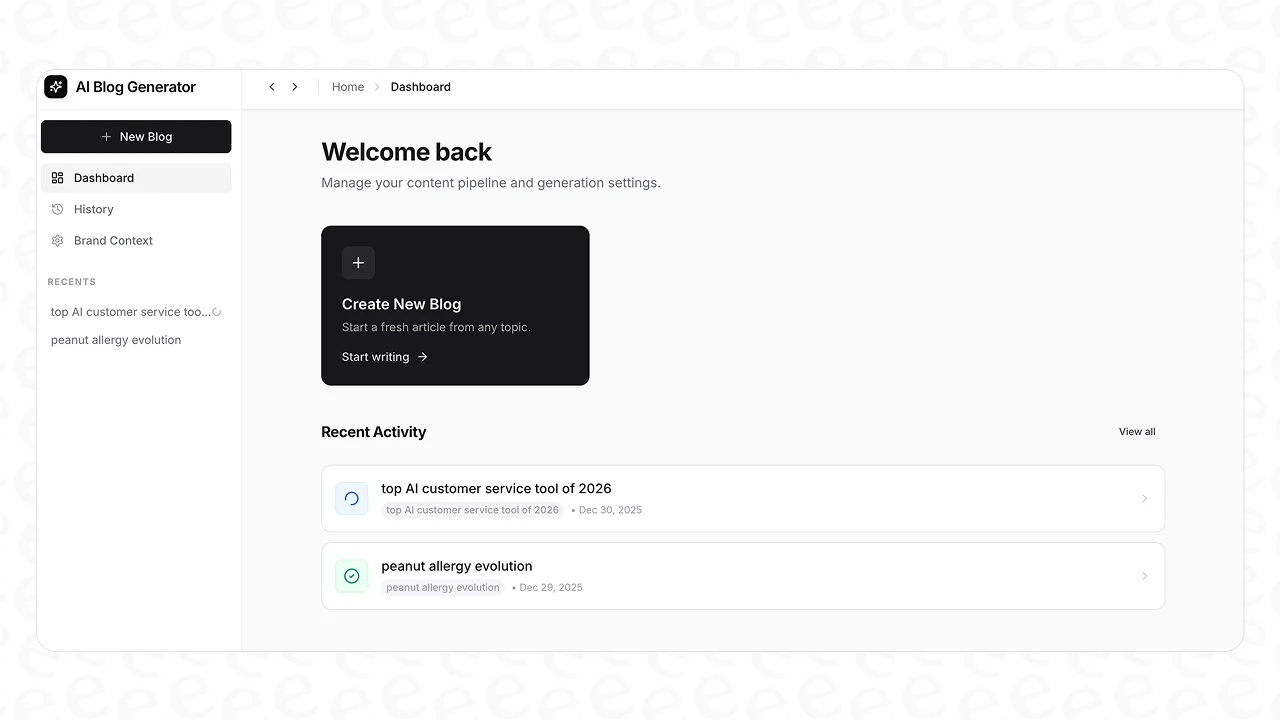
For anyone looking for a direct route from a keyword to a finished article, the eesel AI blog writer offers another option. It’s designed to create a publish-ready blog post from a single keyword, reducing the manual editing, research, and asset gathering that can follow an initial AI draft. The process is built to deliver a final product, not just a first attempt.
Generating complete, media-rich content
A key differentiator is the focus on creating a complete piece of content. The eesel AI blog writer automatically researches and embeds different types of media into each article. This includes AI-generated images, custom infographics, data tables, and relevant YouTube videos that make the content more engaging. It also has a unique feature that integrates real Reddit quotes and forum discussions, which adds social proof and human perspectives to the content.
Advanced SEO and AEO optimization
Beyond standard on-page SEO, the eesel AI blog writer optimizes content for Answer Engine Optimization (AEO). This means articles are structured to perform well in new AI-powered search results, like Google AI Overviews and answers from platforms like Perplexity. The eesel AI team demonstrated this approach by using the tool to grow its daily impressions in just three months after publishing over 1,000 optimized blog posts.
Pricing and accessibility
The eesel AI blog writer offers a plan of $99 for 50 complete blog posts. This pricing model does not use separate credit systems or variable word limits for its core features. Everything needed to produce a final article is included. The tool is also free to try, allowing users to generate a full blog post to evaluate its quality before making a purchase.
To see Bramework in action, watch this review and demo, which walks through how to use the AI to create an SEO-friendly blog post from start to finish.
This video provides a review and demo of Bramework, walking through how to use the AI to create an SEO-friendly blog post from start to finish.
Final thoughts
Bramework is positioned as a comprehensive tool for bloggers who want to manage their entire content workflow in one place. Its features, from keyword research and drafting to SEO analysis and publishing, provide a structured process for creating content. However, it's important to consider all its aspects, including user-reported issues with customer support, the conditional nature of the WordPress plugin, and a pricing structure with multiple components.
The right AI writing tool depends on your specific workflow and goals. For teams looking for an AI assistant to generate initial drafts for further in-house research and editing, Bramework provides a structured process.
Alternatively, if the main objective is to scale the production of complete articles ready for publication with less manual intervention, a solution like the eesel AI blog writer offers a workflow designed for that purpose. By focusing on creating a complete, media-rich article from the start, it helps teams reach traffic and ranking goals with less manual work.
Frequently Asked Questions

Share this post
Article by
Stevia Putri
Stevia Putri is a marketing generalist at eesel AI, where she helps turn powerful AI tools into stories that resonate. She’s driven by curiosity, clarity, and the human side of technology.


