It seems like every AI writing tool out there calls itself "free." But then you sign up, and a few days later, you hit a paywall or get asked for a credit card. Finding a tool that’s genuinely free for more than a week can be a real headache.
That's why we made this list. We sorted through the noise to find AI writers with solid "forever free" plans you can actually use long-term. At eesel, we're all about using AI to create content that works. It's how we grew our blog's organic traffic from 700 to 750,000 daily impressions in three months.
Here, we’ll look at 7 of the best tools, what their free plans really offer, and which one might be the right fit for you in 2026.
What is an AI writer?
An AI writer is software that uses artificial intelligence (like the large language models you hear about) to help write, edit, or improve text. Basically, it’s a writing partner that can help you come up with ideas, get a first draft on the page, or clean up your final version.
To help you choose, here's a look at the main flavors AI writers come in:
- AI text generators: These tools build content from the ground up based on a prompt you give them. You can ask for anything from a blog post outline to a full email draft.
- AI writing assistants: These are more focused on improving what you’ve already written. They’ll check your grammar and spelling, suggest better ways to phrase things, and help you get the tone right.
- AI-powered content platforms: These are specialized tools built for a specific job, like creating content that will rank well on search engines. They often have features for research, optimization, and even creating images.
An infographic explaining the three main types of AI writers: text generators, writing assistants, and specialized content platforms, to help you find the best free AI writer.
How we chose the best free AI writer tools for this list
We didn't just grab any tool with a "free" sticker. To make this list actually useful, we had a few ground rules for every tool we included:
- A good free plan: It had to be a "forever free" plan, not just a trial. The limits needed to be high enough for you to get real work done.
- Decent output quality: The text it generates has to be clear, useful, and not sound like a robot wrote it. We tossed out any tools that produced gibberish.
- Simple to use: You shouldn't need to read a manual to get started. We picked tools with straightforward interfaces.
- Includes the main features: The free plan had to give you a real taste of what the tool can do, not a watered-down version.
The best free AI writer tools at a glance
Here’s a quick overview of our top picks for 2026.
| Tool | Best For | Free Plan Limits | Key Feature |
|---|---|---|---|
| eesel AI blog writer | Generating complete, publish-ready blog posts | Free to try | Includes AI-generated assets & media embeds |
| ChatGPT | Research, brainstorming, and first drafts | Limited access to GPT-5.2 | Versatile conversational interface with web access |
| Grammarly | Improving writing clarity and correctness | 100 prompts/month | Advanced grammar and tone suggestions |
| QuillBot | Paraphrasing and rewriting existing text | 125 words at a time (Paraphraser) | Multiple rewriting modes |
| Rytr | All-around text generation | 10,000 characters/month | 40+ content templates |
| Copy.ai | Quick copywriting for marketing teams | 2,000 words/month | GTM-focused chat and workflow tools |
| ParagraphAI | Mobile writing and quick replies | 5 uses/day | Chrome and mobile keyboard integration |
A deep dive into the 7 best free AI writers
Now let’s get into the details of each tool, what makes it stand out, and who it’s best for.
1. eesel AI blog writer
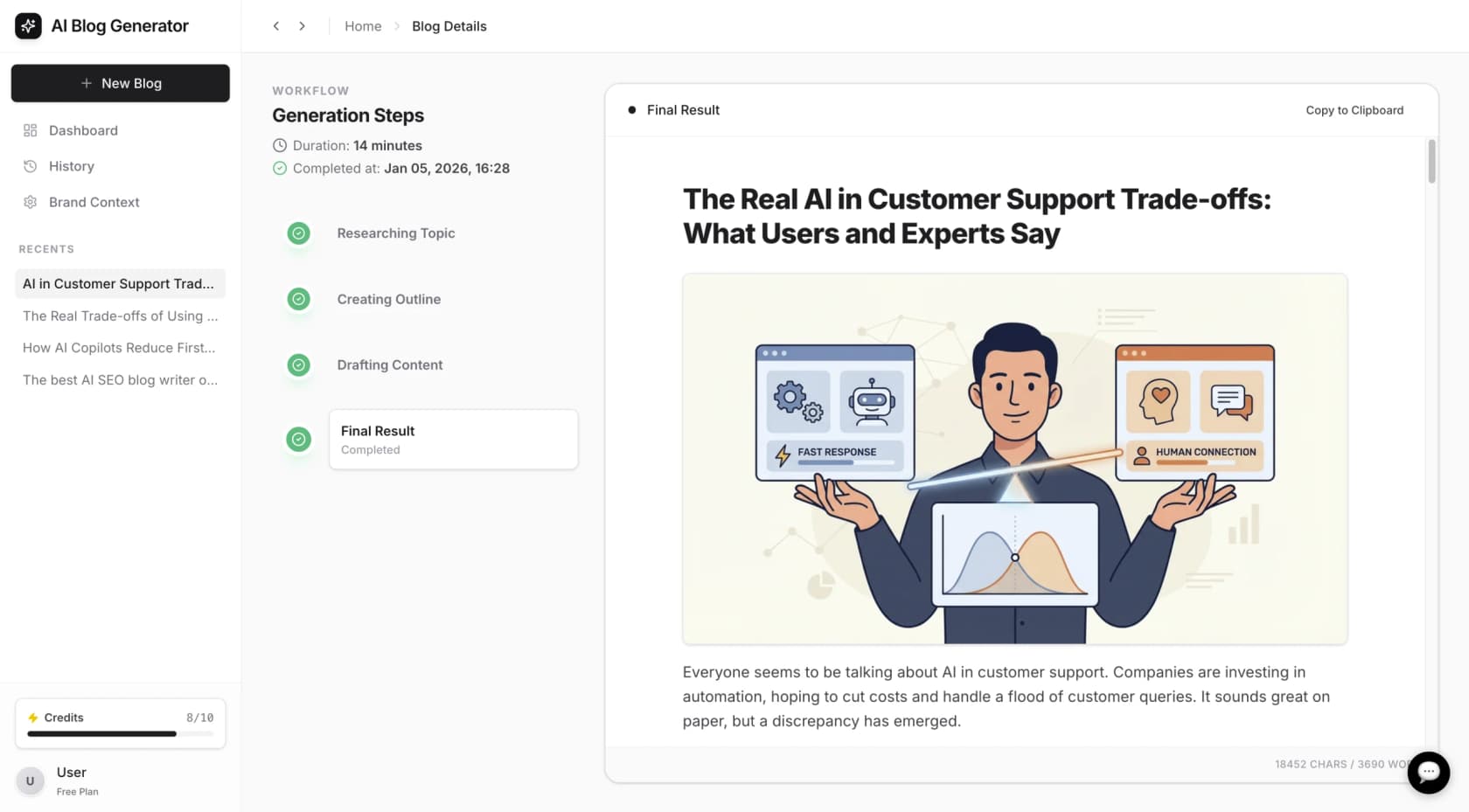
It creates a full content package. Instead of only text, it produces a structured article that can include AI-generated images, tables, relevant YouTube videos, and Reddit quotes. This helps reduce time spent on research and asset creation. You just give it a topic, your website URL for context, pick a tone, and the tool does the rest, creating an SEO-optimized article that’s good to go.
Pricing: It is free to try. You can generate a full blog post to evaluate the output without commitment. After that, paid credits start at $99 for 50 blog generations.
Who it's best for: Content marketers, SEOs, and businesses that want to scale up their blog content without sacrificing quality. If your main goal is to publish high-quality, optimized articles quickly, this is the tool for the job.
2. ChatGPT
ChatGPT is the Swiss Army knife of AI. Its real power is its conversational style, which makes it great for exploring ideas, doing initial research, and getting first drafts down for pretty much any topic.
The free tier now gives you limited access to the more advanced GPT-5.2 model, which means you get smarter and more creative answers. It can also browse the web, analyze data, and look at files you upload. This makes it a solid tool for everything from summarizing an article to creating a content outline.
I write the whole thing myself, upload it to chat gpt & it gives feedback on grammar, tone, etc.

Its primary advantage is flexibility. A limitation is that the free version has usage caps on the more advanced model, and users may be switched to an older version during peak times. The output generally requires editing to align with a specific brand voice before publishing.
Pricing: The core service is free with usage limits. ChatGPT Plus is $20 per month for more messages and priority access to new features.
Who it's best for: Anyone who needs a creative partner to get past writer's block, build outlines, summarize info, or create rough first drafts.
3. Grammarly
Grammarly started out as a simple grammar checker, but now it's a full-blown AI writing assistant. It’s less about generating text from scratch and more about helping you improve your own writing. With its AI agents, it can help you change your tone, write more clearly, and make sure your work is polished.
It works pretty much anywhere you write, whether that's its own editor, your email, or a Google Doc. It catches everything from basic typos to tricky style issues, making it a good safety net for any writer.
Grammarly is effective at spotting errors and suggesting improvements. On the free plan, many advanced suggestions are reserved for premium users, and the 100 generative AI prompts per month can be used up quickly.
Pricing: The free plan gives you basic grammar, spelling, and clarity checks, plus 100 AI prompts a month. Premium plans start at $12 per month (billed annually).
Who it's best for: Writers, students, and professionals who want to polish their own writing and make sure it's clear, correct, and easy to read.
4. QuillBot
QuillBot is a tool built to do one thing really well: rephrase and restructure text. It's great for simplifying complicated sentences, finding a new way to say something, or changing the tone of a piece of content.
The free plan gives you two rewriting modes (Standard and Fluency) and has a limit of 125 words at a time. It also has a free translator that can handle up to 5,000 characters, which is a nice little extra.
The free version is easy to use and does not require an account to start paraphrasing. The main limitation is the 125-word limit, which requires users to process longer documents in smaller sections.
Pricing: The free plan is available to everyone. The Premium plan, which gives you all modes and unlimited words, is available for a monthly or annual fee.
Who it's best for: Students, academics, and writers who need to rephrase source material, avoid repeating themselves, or simplify their language for a wider audience.
5. Rytr
Rytr is a straightforward AI writer with one of the most generous free plans out there. It offers over 40 templates for different kinds of content, from blog sections and ad copy to video descriptions and interview questions.
It's a solid all-around tool if you need to create a variety of content. The interface is clean and simple, letting you pick a template, add some context, and get your text in just a few clicks. It also supports over 40 languages, making it a good choice for global teams.
Rytr's key features include its wide range of templates and language support. The free plan is limited to 10,000 characters per month, which may not be sufficient for users creating long-form content regularly.
Pricing: The free plan gives you 10,000 characters per month. Paid plans are pretty affordable, starting at just $9 per month.
Who it's best for: Marketers and bloggers on a budget who need a flexible tool for short-form content like social media posts, product descriptions, and email subject lines.
6. Copy.ai
Copy.ai is an AI writer that’s all about marketing and sales copy. It calls itself a GTM (Go-to-Market) AI Platform and is made to help teams create text for ads, emails, and social media campaigns fast.
It uses a simple chat interface and automated workflows to speed things up. You can give it a prompt, and it will generate several options for you to pick from, which is great for brainstorming and testing different marketing angles.
The platform is tailored for sales and marketing teams. The free plan has a 2,000-word limit, which is suitable for getting a feel for the tool or for light usage.
Pricing: The free plan includes 2,000 words per month. The first paid plan, "Chat," starts at $29 per month for 5 users ($24/mo if billed annually).
Who it's best for: Marketing and sales teams who need to quickly generate ideas and drafts for social media posts, emails, and ad copy.
7. ParagraphAI
ParagraphAI is one of the few AI writers with a "free forever" plan that also works as a mobile keyboard on iOS and Android. This makes it a great tool for writing and drafting quick replies when you're away from your desk.
It plugs right into your phone's keyboard and browser, so you can use AI to write, reply, and improve text in any app. Whether you're answering an email, commenting on social media, or just texting a friend, it's always right there.
Its main advantage is its convenience for mobile use. The free plan is limited to 5 uses per day and a 1,000-character input limit, and it does not include the advanced features found in more comprehensive platforms.
Pricing: The free plan gives you 5 uses per day. The unlimited plan starts at $12.49 per month (billed annually).
Who it's best for: People looking for a simple, free AI assistant for personal use, especially for drafting quick replies on their phone or in their browser.
How to get the most out of your free AI writer
Whichever tool you end up picking, a few simple habits will help you get better results.
- Give clear instructions: The more detail you give the AI about your audience, tone, and goal, the better the output will be. This applies to all of them.
- Always fact-check: AI can sometimes make things up or use old information. Always double-check any stats or important facts before you publish.
- Edit for your own voice: Treat the AI's output as a solid first draft. Your job is to add your own personality, expertise, and brand voice to make it yours.
- Mix and match tools: You don't have to stick to just one. You could use ChatGPT to brainstorm an outline, Rytr to write some social media posts, and Grammarly to give everything a final polish.
This is what I do. I outline, have it do a first draft, edit it for a good period, and then add the 'me' to it.
Choosing the right free AI writer
The right free AI writer really comes down to what you need to do. There isn't one perfect tool for everybody, but there's definitely a right tool for a specific job.
Here’s a quick summary:
- For complete, publish-ready blog posts, try the eesel AI blog writer.
- For research and generating ideas, use ChatGPT.
- For polishing your own writing, use Grammarly.
- For quick and varied copywriting, try Rytr.
While many tools provide a text draft, the eesel AI blog writer aims to produce a more complete article, including assets like images and videos. It is free to try for generating your first post.
For a closer look at some of the top free AI writers in action, check out this video review. It breaks down the features and user experience of several popular tools, helping you see how they compare for different writing tasks.