Choosing between Asana and Wrike feels a bit like picking between a sports car and an SUV. Both'll get you where you need to go, but they're built for different journeys. Asana prioritizes simplicity and visual clarity, while Wrike leans into structure and deep customization.
Both platforms have evolved in 2026, adding AI features and expanding their integration ecosystems. But their core philosophies remain distinct. This comparison breaks down pricing, features, ease of use, and ideal use cases to help you decide which tool fits your team's workflow.
What is Asana?
Asana is a cloud-based work management platform founded in 2008 by Dustin Moskovitz (Facebook co-founder) and Justin Rosenstein. The company's core philosophy centers on making work management simple, visual, and accessible to teams of all sizes.
Asana serves over 100,000 organizations globally, including notable customers like Spotify, NASA, Deloitte, and The New York Times. The platform emphasizes intuitive design, offering multiple project views (list, board, timeline, calendar, and Gantt) that make it easy to visualize work in progress.
In 2026, Asana has expanded its AI capabilities. AI Studio allows teams to design AI-powered workflows without coding, while Smart Projects auto-generate project structures based on your descriptions. The platform integrates with over 200 apps including Slack, Microsoft Teams, Google Workspace, Salesforce, and Jira.
Asana works particularly well for marketing teams, creative agencies, remote teams, and nonprofits that need to coordinate work without getting bogged down in complex configuration.
What is Wrike?
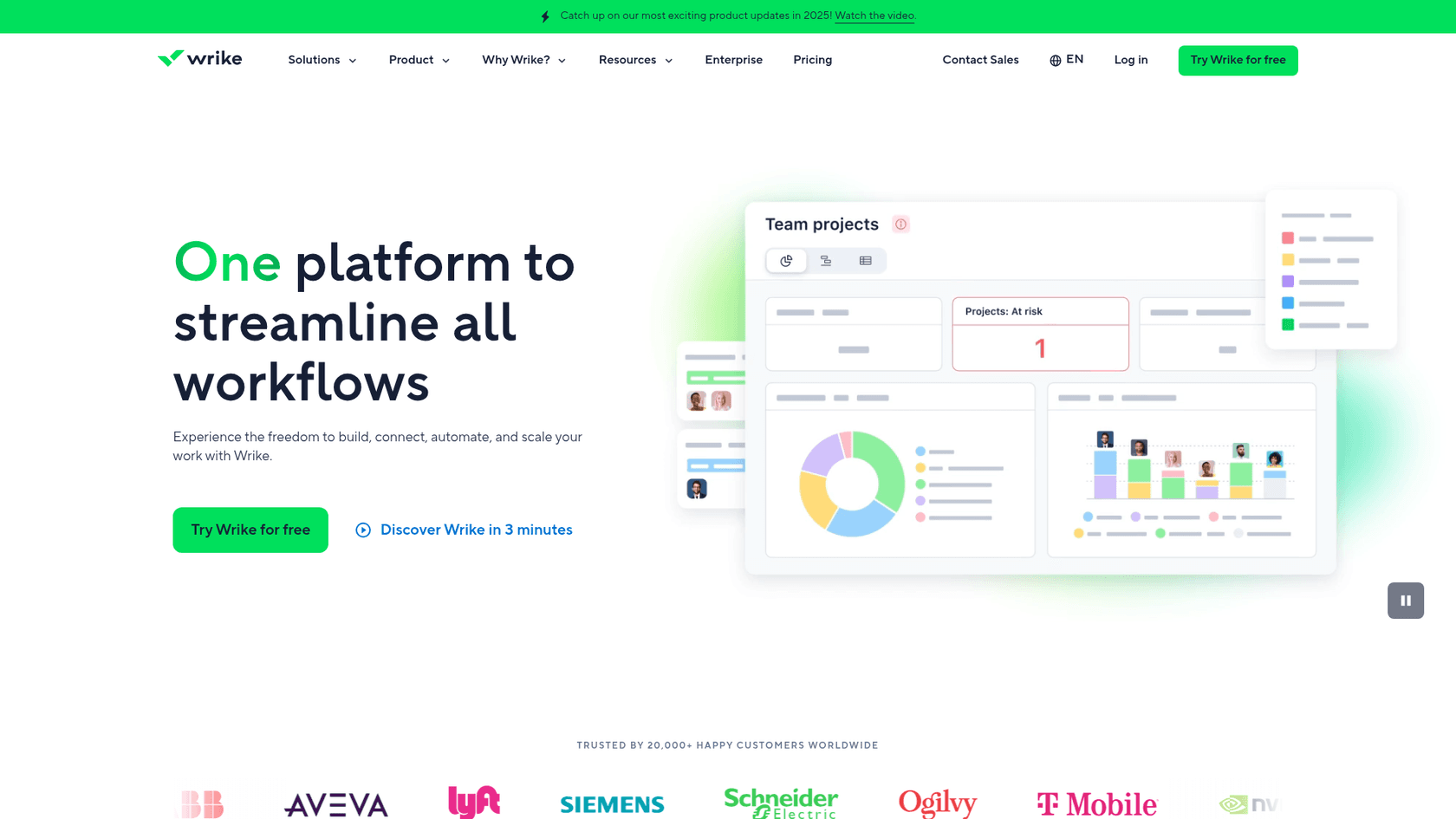
Wrike is an AI-powered enterprise work management platform founded in 2006. Unlike Asana's simplicity-first approach, Wrike focuses on providing deep customization and structure for complex organizational workflows.
The platform serves 20,000+ customers worldwide, including Siemens, Walmart Canada, Sony Pictures, and NVIDIA. Wrike's positioning targets mid-size to large organizations that need enterprise-grade project management with granular control over permissions, workflows, and reporting.
Wrike's 2026 AI rollout is notable for being available on all plans, including the free tier. AI agents can auto-fill custom fields, scan task titles, and manage intake processes without requiring code. The platform also offers 400+ integrations, including deep connections with Adobe Creative Cloud, QuickBooks, Tableau, and various enterprise systems.
Wrike excels for IT departments, construction firms, product development teams, and professional services organizations that need robust resource management, approval workflows, and BI-level reporting.
Asana vs Wrike: Pricing comparison
Let's talk numbers. Both platforms use per-user pricing, but the details matter.
Asana pricing
| Plan | Price (annual) | Users | Key Features |
|---|---|---|---|
| Personal | Free | Up to 2 | Unlimited tasks and projects, list/board/calendar views, 100+ integrations |
| Starter | $10.99/user/month | Unlimited | Timeline and Gantt, custom fields, reporting dashboards, AI Studio Basic (50K credits) |
| Advanced | $24.99/user/month | Unlimited | Portfolios, goals, workload management, approvals, AI Studio Basic (75K credits) |
| Enterprise | Custom | Unlimited | SAML, SCIM, capacity planning, AI Studio Basic (200K credits) |
| Enterprise+ | Custom | Unlimited | Data residency, HIPAA compliance, enterprise key management |
Source: Asana pricing
Wrike pricing
| Plan | Price (annual) | Users | Key Features |
|---|---|---|---|
| Free | $0 | Unlimited | 200 active tasks, 2GB storage, basic integrations, AI Essentials |
| Team | $10/user/month | 2-15 only | Unlimited projects, Gantt charts, 50 automations/user/month, time tracking, AI Essentials |
| Business | $25/user/month | 5-200 | Custom workflows, approvals, 200 automations/user/month, resource planning, AI Elite |
| Pinnacle | Custom | 5-Unlimited | Advanced resource planning, budgeting, SSO, advanced security, AI Elite |
| Apex | Custom | 5-Unlimited | Unlimited whiteboards, Wrike Integrate, Wrike Sync, Wrike Datahub (30M records) |
Source: Wrike pricing
Key pricing differences
The biggest difference is billing flexibility. Asana offers monthly billing on all paid plans (at a higher per-month rate), while Wrike requires annual commitments for paid tiers. This matters if you need to scale up or down throughout the year.
Wrike's Team plan has a hard 15-user cap, which can force premature upgrades. Asana allows unlimited users on any paid plan, making it more predictable for growing teams.
On AI features, Wrike includes them on all plans including free. Asana reserves AI Studio for paid plans, with higher credit allocations on Advanced and Enterprise tiers.
Feature comparison: Asana vs Wrike
Task and workflow management
Asana focuses on flexibility through multi-homing (the ability to add the same task to multiple projects without duplication). The platform offers 150+ templates and a simpler task structure with single assignees per task. This approach works well for teams that need to track work across multiple contexts without creating duplicate entries.
Wrike provides deeper structure with 15+ project views, a folder hierarchy system, custom item types, and the ability to assign multiple people to a single task. Blueprints allow you to save recurring tasks and projects as reusable templates. This structure benefits teams with complex approval chains and standardized processes.
Collaboration features
Asana emphasizes communication through a dedicated inbox, team messages, and proofing with automatic subtask creation. The "Do Not Disturb" mode helps users focus during deep work sessions. Comments and @mentions keep conversations tied to specific tasks.
Wrike offers robust proofing capabilities for 30+ file types (compared to Asana's 5), making it stronger for creative teams handling diverse asset types. Approval workflows can be configured with chains of internal and external reviewers, and the Wrike Document Editor allows live editing of attachments without downloading files.
Reporting and analytics
Asana provides dashboards with customizable charts, goals tracking that connects daily work to company objectives, and portfolios (available on Advanced+) for monitoring multiple projects. The reporting focuses on visual clarity and ease of interpretation.
Wrike delivers BI-level reporting with advanced analytics, report snapshots, and resource management capabilities. The platform offers more sophisticated filtering and data slicing for teams that need detailed performance metrics and capacity planning.
AI capabilities
Asana's AI includes Smart Projects that auto-generate project structures, AI Studio for building custom AI agents (Advanced+), workflow suggestions, and AI-drafted status reports. The AI Teammates add-on provides AI agents that work alongside human team members.
Wrike's AI is available on all plans including free, featuring content generation, automation rules, risk prediction, and an AI chatbot. Wrike claims users save 10 hours per week through AI-powered automation.
Integrations
Asana connects with 200+ integrations, with strong native connections to Slack, Microsoft Teams, Google Workspace, Salesforce, and Jira.
Wrike offers 400+ integrations, including deeper enterprise connections like Adobe Creative Cloud, QuickBooks, Tableau, and various DAM platforms. The Wrike Integrate add-on enables custom integrations with unlimited applications.
Ease of use and user experience
Asana delivers a clean, minimalist interface that most users can navigate intuitively. The learning curve is gentler, with visual timeline and board views that make project status immediately apparent. Setup is faster, and teams typically see productivity gains within days rather than weeks.
Wrike presents a more complex interface with its folder hierarchy and extensive customization options. The learning curve is steeper, but the payoff is greater control once mastered. Customizable dashboards let power users create exactly the views they need, though this requires more upfront configuration.
Both platforms offer iOS and Android mobile apps, though Asana's mobile experience tends to feel more streamlined while Wrike's offers more functionality for power users.
Who should choose Asana?
Asana fits best for:
- Small to medium teams (1-50 users) that need to get started quickly without extensive training
- Marketing teams and creative agencies managing campaigns, content calendars, and client work
- Remote teams requiring strong collaboration features and clear visibility into who's doing what
- Organizations wanting billing flexibility with month-to-month options
- Teams that value visual project management through timelines, boards, and intuitive dashboards
If your team prioritizes speed of adoption and ease of use over deep customization, Asana likely makes more sense. The platform's workflow management capabilities help teams stay organized without getting lost in configuration options.
Who should choose Wrike?
Wrike is the better choice for:
- Mid-size to large teams (15+ users) with complex organizational structures
- Organizations with complex workflows requiring approval chains, custom item types, and detailed permission controls
- IT departments, construction firms, and product development teams needing resource management and capacity planning
- Creative teams using Adobe Creative Cloud who benefit from the native extension
- Teams wanting AI features without expensive upgrades, since Wrike includes AI on all plans
If your organization needs enterprise-grade controls, BI-level reporting, and the ability to customize every aspect of your project management environment, Wrike provides the depth you need.
A modern alternative: eesel AI for intelligent workflow management

While Asana and Wrike help teams track and manage projects, there's another category of tools worth considering: AI teammates that actively handle work rather than just organizing it.
eesel AI operates as an AI teammate for customer service, sales, and internal knowledge workflows. Instead of replacing your existing tools, eesel AI integrates with platforms like Slack, Zendesk, and Freshdesk to handle tasks autonomously.
Our AI Agent resolves tickets end-to-end, AI Copilot drafts replies for human review, and AI Triage automatically tags, routes, and prioritizes incoming work. The platform learns from your existing data (past tickets, help center articles, macros) in minutes rather than weeks.
Pricing starts at $299/month for the Team plan with up to 3 bots and 1,000 monthly interactions. This model works well for teams that want AI to actively manage workflows rather than just track them.
Making your choice: Asana vs Wrike in 2026
Here's the short version:
Choose Asana if you want simplicity, have smaller teams, need quick adoption, and prefer visual project management with flexible billing options.
Choose Wrike if you have complex workflows, larger teams, need advanced reporting and BI capabilities, and want AI features available on lower-priced plans.
Both platforms offer free plans, so testing them with your actual workflow is the best way to decide. Consider your team's technical comfort level, growth trajectory, and whether you need deep customization or prefer to get started quickly.
For teams looking beyond traditional project management toward AI-native workflow automation, eesel AI offers a different approach: an AI teammate that learns your business and handles work autonomously alongside your existing tools.