For anyone running a WordPress site, creating content is one challenge; ensuring it ranks on Google is another. Effective SEO is key to driving organic traffic, which can be a complex process. Tools like All in One SEO (AIOSEO) aim to simplify this process.
As one of the original and most popular SEO plugins, trusted by over 3 million, AIOSEO promises to make optimization straightforward. This article provides a detailed review of AIOSEO, covering its main features, analytics tools, AI capabilities, and pricing to help you determine if it's the right fit for your website.
What is AIOSEO?
AIOSEO is a WordPress plugin and toolkit designed to make search engine optimization more accessible. It is designed for users of all experience levels, providing tools to improve a site's visibility in search results. First released in 2007, it has since grown into a comprehensive suite of optimization tools.
Its main goal is to simplify on-page and technical SEO. Instead of requiring extensive technical knowledge, AIOSEO allows users to manage sitemaps, schema markup, and content analysis from their WordPress dashboard. It functions as an integrated optimization, analytics, and content tool within the WordPress environment.
Exploring the core features of AIOSEO
AIOSEO's strength lies in its wide range of tools that cover many aspects of website optimization. These features work together to provide a comprehensive SEO solution. Let's break down the most important ones.
On-page optimization with TruSEO score
A key feature of AIOSEO is its integration with the WordPress post editor. As you write, it provides real-time feedback on how well your content is optimized. This revolves around its TruSEO score, a checklist that scores your content against over 70 SEO factors. It provides a score out of 100 for both on-page SEO and readability, indicating areas that need improvement.
The on-page analysis is detailed. It checks for keyword placement in your title, meta description, and headings. It also reviews content length, internal and external links, and image alt tags. It provides direct recommendations for common on-page SEO factors. Additionally, it integrates with Semrush, allowing you to find and add related keywords with current search volume data directly within the editor.
How AIOSEO simplifies technical SEO
Technical SEO includes behind-the-scenes optimizations that can be challenging to manage. AIOSEO automates many of these tasks.
An example is its Smart XML Sitemaps feature. A sitemap is a file that helps search engines find and index your content. AIOSEO automatically generates and updates these sitemaps for all posts, pages, and custom content types. Higher-tier plans also create specialized (https://aioseo.com/pricing/) for that type of content.
Another feature is the built-in Redirection Manager, available on the Pro plan and higher. Deleting a post or changing a URL can create 404 "not found" errors, which can negatively affect user experience and SEO. This tool simplifies the process of redirecting old URLs to new ones, helping to preserve SEO value.
Finally, the Schema Markup (Rich Snippets) generator is a useful feature. Schema is code that helps search engines understand your content, which can result in rich snippets in search results (like star ratings or prices). AIOSEO lets you add this structured data for over 20 different schema types, such as products or events, without writing any code.
Specialized SEO for different business types
AIOSEO has specialized modules to assist different types of websites, including local businesses and e-commerce stores.
The Local SEO module, available on Plus plans and up, is designed for businesses with a physical location. It helps you appear in Google Maps and local searches by simplifying the process of adding your business name, address, phone number, and hours. It then formats this information in the correct local business schema. It can also manage multiple locations.
For online stores, the WooCommerce SEO tools provide specific optimizations. It automatically optimizes product pages, categories, and product-specific schema to improve visibility in shopping results. This feature can add rich snippets for price, ratings, and even real-time stock levels in search results, making your listings more informative for potential customers.
AIOSEO Search Statistics: Your SEO data inside WordPress
One of AIOSEO's features is Search Statistics. This module connects to Google Search Console and pulls important performance data into your WordPress dashboard. This reduces the need to switch between your website and Google's tools to monitor performance.
This analytics suite is available on the AIOSEO Elite plan, positioning it as a tool for marketers, agencies, and businesses focused on content strategy.
This feature serves as a central dashboard for monitoring site performance. Here are a few of the key metrics it shows you:
-
Keyword Rank Tracking: You can monitor how your content ranks for your most important keywords. The dashboard shows position changes over time, so you can track progress.
-
Content Performance: See which keywords your individual posts are ranking for, along with their positions, clicks, and impressions. This helps you understand the SEO value of each article.
-
Content Decay Analysis: This tool identifies posts that are starting to lose traffic and rankings. This indicates that a piece of content may need to be updated.
-
Top Winning & Losing Keywords: The dashboard provides an overview of keywords that are improving in rank and those that are declining. This helps you identify new opportunities and potential issues.
This feature provides actionable information for data-driven content strategies, helping you adjust your approach without leaving WordPress.
A closer look at AIOSEO's AI-powered content tools
AIOSEO incorporates AI into its content workflow. Its main AI feature is the AI Writing Assistant, which helps generate optimized SEO titles and meta descriptions with a single click. It analyzes your content and suggests keyword-rich options to improve click-through rates from search results. This feature works on a credit-based system, and a number of credits are included with all paid plans.
These tools are designed for optimizing the metadata for your posts. They can assist in drafting metadata to improve search performance.
While these tools focus on optimizing metadata, other AI tools address the challenge of creating long-form content from scratch. For example, the eesel AI Blog Writer is designed for end-to-end content creation. It can take a keyword and generate a full, SEO-optimized article that includes research, headings, images, and links. Our team used this tool to grow our blog's impressions from 700 to 750,000 per day in three months.
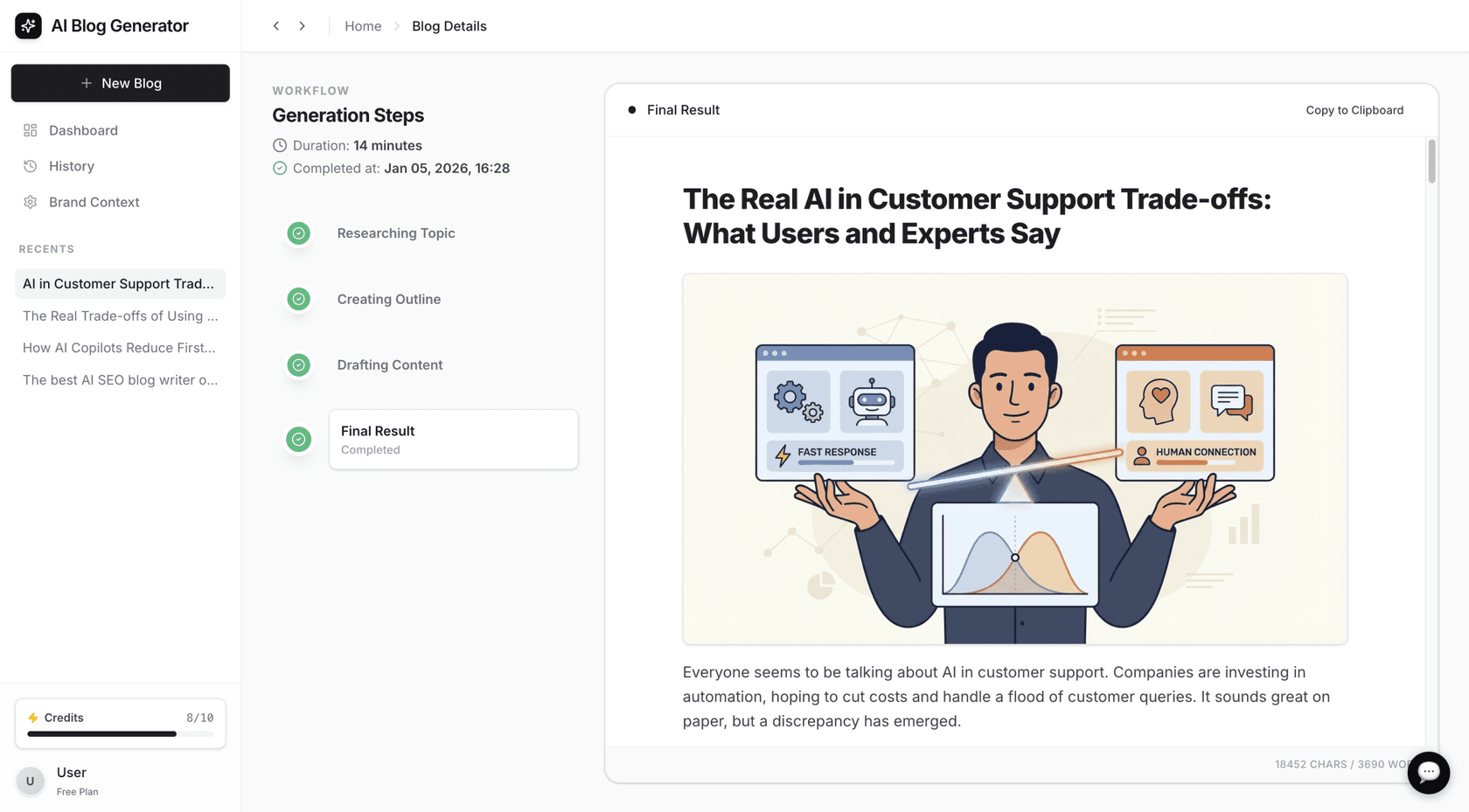
The use cases differ based on need. AIOSEO's AI tools are suited for optimizing metadata for existing content. The eesel AI Blog Writer is designed to handle the research, drafting, and optimization process, generating a complete post from an initial idea.
A breakdown of AIOSEO pricing plans
AIOSEO offers a free version available from the WordPress.org repository. It includes many core features needed to get started, such as TruSEO on-page analysis, basic schema markup, and XML sitemaps. It’s a good starting point for personal blogs or small websites.
For more advanced features, you’ll need to upgrade to a premium plan. They offer a 14-day money-back guarantee, so you can test the features.
Here’s a breakdown of the premium plans:
| Plan | Annual Price (Introductory) | Best For | Key Features Unlocked |
|---|---|---|---|
| Basic | $49.50/year | 1 Site (Blogs & Personal Sites) | TruSEO Analysis, Smart Schema, WooCommerce SEO, AI Title/Description Generator |
| Plus | $99.50/year | 3 Sites (Businesses & Marketers) | Everything in Basic + Local SEO, Image SEO, Author SEO (E-E-A-T) |
| Pro | $199.50/year | 10 Sites (Serious Businesses & Stores) | Everything in Plus + Redirection Manager, Link Assistant, News & Video Sitemaps |
| Elite | $299.50/year | 100 Sites (Agencies & Power Users) | Everything in Pro + Search Statistics, Keyword Rank Tracking, Client Management |
Is AIOSEO the right tool for your site?
After reviewing its features, is AIOSEO the right SEO plugin for you?
All in One SEO (AIOSEO) is generally reliable and widely used, especially for beginners. However, whether it's worth the $199 for the Pro version depends on your specific needs and budget. While AIOSEO has likely improved over the past year, it’s wise to compare it with other plugins like Yoast SEO or Rank Math to see which offers the features you need at a better value.

AIOSEO's strengths include its comprehensive feature set and user-friendly design. It simplifies many technical aspects of SEO, making them more accessible to users. From on-page analysis and schema markup to local SEO and redirection management, it provides extensive functionality within a single plugin. For those who want to manage their on-site and technical SEO from within WordPress, it is a popular choice.
A limitation is that certain features, such as Search Statistics and Keyword Rank Tracking, are only available in the Elite plan. This pricing structure may be a consideration for small businesses or individual bloggers. Also, its AI tools are focused on generating metadata rather than creating entire articles.
AIOSEO is a suitable choice for WordPress users looking to improve their SEO. It helps users optimize the content they are creating and provides the tools to ensure their site is technically sound.
To see how to get started and make the most of its features, this tutorial provides a helpful walkthrough of the setup process.
Taking control of your SEO workflow with AIOSEO
AIOSEO is a comprehensive plugin for managing WordPress SEO. It covers a wide range of functionalities, from technical setup and on-page optimization to performance analysis, all within the WordPress environment.
For managing on-site SEO and analytics within WordPress, AIOSEO provides tools that can help improve search rankings and increase traffic.
For teams whose primary challenge is content creation rather than optimization, specialized writing tools are available. For scaling up content creation, tools like the eesel AI Blog Writer can assist with scaling content production.
Frequently asked questions
What is the main benefit of using the AIOSEO plugin for WordPress?
The main benefit is that it simplifies complex SEO tasks. It brings on-page optimization, technical SEO fixes, and performance analytics directly into your WordPress dashboard, making it easier to improve your site's rankings without needing to be an expert.
Is there a free version of AIOSEO?
Yes, there's a free version of AIOSEO available on the WordPress plugin repository. It includes core features like on-page analysis with the TruSEO score, basic schema markup, and XML sitemaps, which is a great starting point for new websites or blogs.
How does the AIOSEO TruSEO score work?
The AIOSEO TruSEO score is a real-time checklist inside your post editor. It analyzes your content against dozens of SEO factors, like keyword placement and readability, and gives you a score out of 100. It also provides actionable recommendations to help you improve your content before you hit publish.
Can AIOSEO help with local SEO?
Yes. The premium versions of AIOSEO include a Local SEO module that helps you add your business name, address, phone number, and hours. It automatically formats this information with the correct schema markup to improve visibility in local search results and on Google Maps.
Do I need the most expensive AIOSEO plan to track my keyword rankings?
Yes, the Keyword Rank Tracking and Search Statistics features are only available in the top-tier Elite plan. This plan integrates with Google Search Console to pull your performance data directly into WordPress, but it's geared towards agencies and businesses with larger budgets.
What's the difference between the AI tools in AIOSEO and a tool like eesel AI?
The AI in AIOSEO is designed to help you generate optimized SEO titles and meta descriptions for content you've already written. A tool like the eesel AI Blog Writer is built to handle the entire content creation process, generating a full, researched, and SEO-optimized blog post from just a keyword.


Article by
Kurnia Kharisma
Kurnia is a software engineer and writer at eesel AI with two years of SEO experience, writing about AI tools, helpdesk software, and customer support. He pairs a developer's understanding of how these products are built with search-driven research into what actually ranks and resonates with the people searching for them.