


It feels like AI just showed up and changed the game for content creation overnight. For anyone running a blog, marketing a business, or just trying to get words on a page, it's been a massive shift. Suddenly, a draft that took hours now takes minutes.
But there’s a problem. Finding an AI writer is easy; finding a good free one is tough. Most "free" tools feel like a tiny sample at a food court. It’s a nice taste, but it’s not a meal. You run into tight word limits, find the best features are locked away, or get plain robotic content.
I was excited to try out the magic command function where you give it specific instructions on what you want it to write and the AI writer does so but I quickly realized that while it nailed the style/format, the output was confusing at times and outright contradictory at others.

We're going to sort through all that. We’ll look at what to watch out for in a free AI writing tool, review some of the big names and their real-world limits, and point you to a tool that delivers a complete, ready-to-publish blog post, not just a rough draft.
What is an AI writing tool and can you get one free?
So what are these things, really? Under the hood, they run on something called Large Language Models (LLMs). You can think of an LLM as a huge digital brain that’s been trained on a massive amount of text from the internet. It uses all that information to understand your request (a field known as Natural Language Processing, or NLP) and then create new, human-sounding text based on what you asked for.
To make sense of the options out there, it helps to group them into a few types:
-
AI text generators: These are the tools that write content from scratch. You feed them a topic or a prompt, and they produce something new, whether it’s a blog post, an ad, or a social media update.
-
AI writing assistants: Think of these as a co-pilot for your own writing. They help you clean up text you’ve already written by checking grammar, improving style, and making sure your message is clear.
-
AI-powered SEO tools: These are more specialized, focusing on helping you optimize your content to rank higher in search engines like Google.
What to look for in a free AI writing tool
When you're trying out a free tool, it's easy to get sidetracked by cool-looking features. To figure out if it’s actually going to help you, you need to focus on what really counts.
Quality of output This is the most important thing. Does the content sound like something a person would actually write? Or is it stiff, generic, and full of weird phrasing? If the quality is low, the tool is just making more editing work for you.
Usage limits "Free" usually has strings attached. Look closely at the limits. How many words or characters do you get per month? Is there a daily cap? Many free plans are so restrictive you can barely write a single article, making them impractical for creating content consistently.
Content types What can the tool actually make? Some are good for writing short paragraphs or brainstorming ideas but struggle with a fully structured blog post that has an intro, conclusion, and proper headings. A genuinely useful tool should be versatile.
Ease of use The whole idea behind AI is to save time. If the interface is confusing and you waste an hour trying to get what you need, it’s not doing its job. A good tool should be straightforward and easy to navigate.
Included features Often, the most useful features are behind a paywall. Does the free plan give you helpful extras like a plagiarism checker, SEO tips, or the ability to set a brand voice? These things can make a big difference in your workflow.
Asset generation This is a big one. Nearly all free tools just give you a block of text. That leaves you responsible for finding or creating images, charts, and other visuals to make your content interesting. A tool that automatically includes these assets can save you a ton of time.
Popular free AI writing tools and their features
Many tools offer a "free forever" plan to introduce users to their platform. To give you a better idea of what to expect, here’s a look at what some popular tools offer for free.
Grammarly: The AI writing assistant
Grammarly is a tool millions of people use to polish their writing. It's an AI assistant that improves your own work, but it isn't designed to be a long-form content generator.
-
Free Plan Offering: The free version is excellent for catching grammar, spelling, and punctuation errors. It also has a basic tone detector to help you sound the way you want. For generative AI, you get 100 prompts per month to help rephrase sentences or brainstorm short pieces of text.
-
Limitations: Those 100 prompts are for small, quick tasks, not for writing a complete blog post from a single topic. The features for fluency suggestions, plagiarism detection, and its more advanced AI writing, are in the Pro plan, which starts at $12 per member per month when billed annually.
On testing, I found that it didn't make significantly better improvements over GPT 3.5, the sentence rewrites were rather basic. Even paid users are limited to 1000 prompts/month which heavy users would run through quite fast.
QuillBot: The paraphrasing specialist
QuillBot is a tool for rephrasing something you've already written. It specializes in paraphrasing and summarizing, but it doesn't create new content from the ground up.
-
Free Plan Offering: The free plan allows you to paraphrase 125 words at a time and can summarize longer text of up to 1,200 words. You get two writing modes to choose from: Standard and Fluency.
-
Limitations: The 125-word limit is a key feature of the free plan. It’s well-suited for a sentence or two, but rewriting a full article requires copying and pasting in smaller sections. It’s an assistant for existing text, not a generator for new ideas. The more advanced modes that offer more creative options are available in the premium plan.
Rytr: The budget-friendly generator
Rytr is a popular option for generating short-form content like ad copy, social media posts, and product descriptions.
-
Free Plan Offering: Rytr's free plan provides up to 10,000 characters per month. It’s worth noting that's characters, not words, so it's important to monitor usage.
-
Limitations: The 10,000-character limit is suitable for short-form content, but may not be enough for multiple long-form articles per month. The tool generates text, and users are responsible for sourcing visuals and other assets. Paid plans with more characters start at $9/month.
I liked Rytr in pre-chatgpt era. Now I don't use it. And customer support sucks with its 'dark patterns' when it comes to your subscription annual fee. They got my annual subscription fee in advance and when were asked ro a refund THE NEXT day, they just like: 'we don't refund, it's a company's policy... blah-blah-blah-...'
Copy.ai: The GTM-focused platform
Copy.ai is a tool that markets itself as a go-to-market teams platform. It uses a chat-like interface and offers a wide variety of templates for different marketing needs.
-
Free Plan Offering: The free plan gives you 2,000 words per month through its chat feature. You get access to all its writing tools for one user.
-
Limitations: This limit is sufficient for a few pieces of content per month. The output is text-only, and users manage the research, formatting, and visuals. To get unlimited words, you need a paid plan, which starts at $49/month (or $36/month if you pay annually).
AI tools for complete content creation
The tools covered are useful for specific tasks like editing or generating short text. However, creating a publish-ready blog post often involves additional steps like research, formatting, sourcing images, and SEO. Some tools are designed to handle more of this workflow.
For example, the eesel AI blog writer is designed to produce complete, SEO-optimized, and media-rich blog posts to streamline this process.
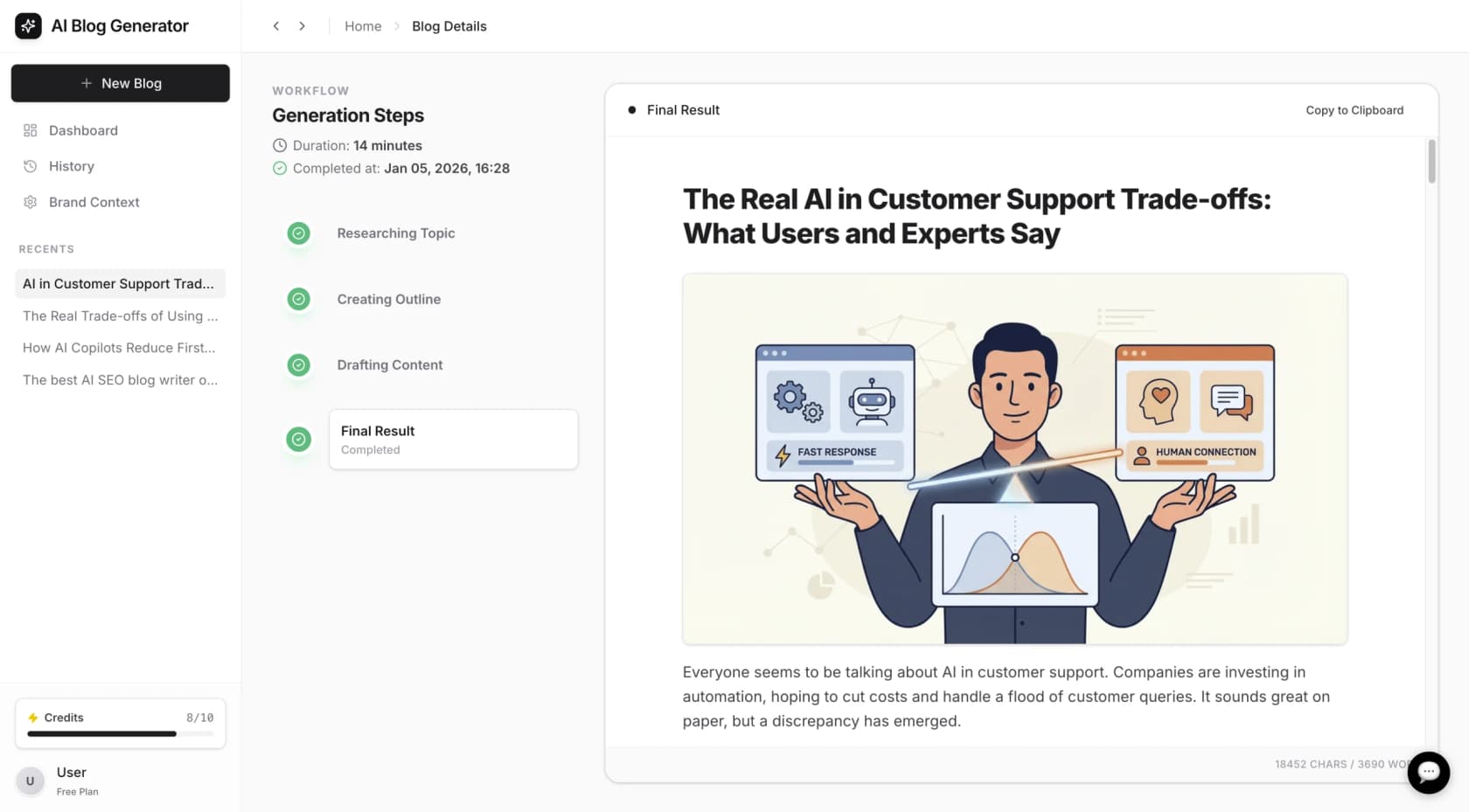
Features of an end-to-end AI writing tool
Some platforms include features that cover the entire content creation process. The eesel AI blog writer, for instance, incorporates the following to provide a comprehensive experience:
-
From keyword to complete post: Some tools allow you to generate a full article from a single keyword, including an introduction, headings, and an FAQ section.
-
Automatic assets included: To save time, some platforms automatically create and embed relevant images, infographics, and charts directly into the blog post.
-
Social and media integration: To add engagement and credibility, tools may pull in relevant YouTube videos and quotes from online discussions.
-
In-depth research and AEO: The AI can conduct research based on the blog type, ensuring the content is specific and valuable. It can also be optimized for AI Answer Engines (AEO) to improve visibility in formats like Google AI Overviews and Perplexity.
A case study in AI-powered content creation
For example, eesel AI used its own blog writer to grow daily search impressions from 700 to 750,000 in three months by publishing over 1,000 optimized blog posts. You can generate a complete, publish-ready blog post for free to evaluate the tool. No credit card is required.
To see some of these tools in action and get a feel for their interfaces, it can be helpful to watch a video review. The following video breaks down some of the top free AI writing tools available today, highlighting their strengths and weaknesses.
Choosing the right free AI writing tool
The landscape of free AI writing tools is diverse, with different platforms specializing in various tasks. Some are excellent for quick edits and brainstorming, while others have usage limits or feature sets geared toward specific use cases.
For those looking to streamline their workflow, an end-to-end tool that handles everything from research to asset creation can be a valuable option. You can explore a tool like the eesel AI blog writer by generating a publish-ready blog post for free to see how a comprehensive workflow operates.
Frequently asked questions
What are the biggest limitations of a typical AI writing tool free plan?
Most free plans have specific usage limits, such as word or character counts per month, which may be suitable for some users but not for high-volume content creation. They also may reserve advanced features like plagiarism checkers, SEO optimization, and diverse content templates for paid tiers, leaving you with a basic tool.
Can I really get a publish-ready article from an AI writing tool free of charge?
While many free tools provide a text draft that requires further work, some platforms are designed to generate a complete, media-rich, and optimized article. For instance, the eesel AI blog writer offers a free trial to generate one such post.
Is the content from an AI writing tool free from plagiarism?
Not always. While the generated text is typically original, there's always a small risk of it being too similar to existing content. Many free tools don't include a built-in plagiarism checker, so it's a good idea to run the text through a separate checker yourself or use a tool that includes this feature in its free offering.
How can I choose the best AI writing tool free for my needs?
Look beyond the "free" label. Evaluate the quality of the output-does it sound human? Check the usage limits to see if they're realistic for your workload. Also, consider what's included. A tool that generates assets like images and charts can streamline the content creation process significantly compared to one that only produces text.
Will using an AI writing tool free for SEO hurt my Google rankings?
Not if you use it correctly. Google's guidelines focus on the quality of the content, not how it was created. As long as the content is original, helpful, and provides a good user experience, it doesn't matter if an AI helped write it. The key is to use the tool to create high-quality, well-researched content, not just to churn out low-effort articles.
What's the main difference between an AI writing assistant and an AI writing tool free for generating content?
An AI writing assistant, like Grammarly, helps improve your *existing* writing by correcting grammar, style, and tone. An AI content generator, on the other hand, creates brand new text from a prompt or keyword. While some tools do both, they serve different primary purposes in the content creation process.