Product-led growth (PLG) flips the traditional SaaS playbook. Instead of sales teams driving adoption, the product itself becomes the primary growth engine. Users sign up, try the product, and ideally convert to paying customers, all without talking to a human.
It's an efficient model that's powered companies like Slack, Figma, and Zoom. But it creates a unique support challenge: users expect immediate help without the traditional guardrails of sales-led onboarding. When something goes wrong, there's no account manager to call. Support becomes part of the product experience itself.
This is where AI customer support becomes essential for PLG companies. Not as a nice-to-have, but as core infrastructure that scales with your user base. Let's break down why traditional support breaks under PLG pressure, how AI addresses these challenges, and what a practical implementation looks like.
Why PLG breaks traditional support models
In a sales-led model, humans onboard users. Account managers guide adoption, answer questions, and surface problems before they become tickets. Support teams can predict volume because there's a controlled funnel.
PLG removes those guardrails. Anyone can sign up, start using the product, and expect everything to work immediately. That means support isn't just a safety net anymore. When it doesn't work, users don't just think support is broken they think the product is broken.
The numbers tell the story. According to Salesforce research, 67% of customers feel frustrated when their issues aren't resolved instantly. Meanwhile, only 15-20% of freemium users convert to paying customers without support or sales guidance, per OpenView's PLG benchmarks.
Here's the paradox: growth creates a support burden that can stall growth. When ticket volume jumps without warning (say, after a viral Product Hunt launch), your support team can't keep up. Users get frustrated, and your hard-earned growth stalls.
Hiring more agents as a response is tricky and expensive. Human agents typically handle between 25 and 70 issues per day, according to industry research. AI, on the other hand, can bridge this gap predictably without needing to hire linearly.
For PLG companies, customer support automation isn't about cutting costs. It's about making the self-serve model actually work at scale.
How AI customer support works in PLG
AI in PLG support isn't one thing. It's a set of capabilities that work together to handle the unique challenges of product-led growth. Here are the five core use cases:
Ticket deflection and self-service
AI chatbots can answer common questions instantly, 24/7. The key is that they're trained on your actual help center, past tickets, and documentation, not generic responses.
ActiveCampaign implemented AI-powered chat and saw a 60%+ deflection rate on chat conversations year-to-date. They also achieved a 46% average weekly reduction in chat tickets created in their help desk. Users get faster answers, and the team focuses on complex issues.
This matters because 61% of customers prefer self-service for simple issues, according to Salesforce. The problem is most self-service options (static FAQs, basic chatbots) don't actually solve problems. Modern AI changes that by understanding context and providing specific answers.
Our AI Agent handles these interactions autonomously, learning from your existing tickets and help center to provide responses that actually resolve issues, not just deflect them.
Intelligent triage and routing
Not every ticket should be handled the same way. AI can review every incoming message for sentiment, intent, and topic, then route it to the right team immediately.
This goes beyond basic keyword matching. AI can differentiate between a critical billing issue and a routine feature request without human input. It interprets tone, sentence structure, and nuance. The result is that customers reach the right person from the outset, rather than being passed between teams through unnecessary escalations.
Our AI Triage product handles this automatically, tagging tickets by topic, sentiment, urgency, and intent, then routing them to the right team or agent based on content, not just rigid rules.
Agent augmentation
When customers need human help, AI can work in the background to make agents faster and more effective. This means real-time suggestions as agents handle complex tickets, surfacing relevant information without tab-switching.
ActiveCampaign used AI assist tools to reduce response times by 27% and replies per ticket by 8%. Agents spend less time digging through systems and more time providing empathetic, effective resolutions.
The key insight from ProductLedAlliance: "The best AI product in the world will fail if the interface makes an agent's job more complicated." The AI needs to fit into the workflow, not add friction.
Our AI Copilot drafts replies for agents to review and send, learning your team's tone from past tickets so responses sound like you, not generic AI.

Proactive support
AI shouldn't just react to problems. It should help prevent them. By analyzing user behavior, AI can flag at-risk users based on usage patterns and engagement levels.
This enables proactive engagement strategies. For example, automated status updates with links to schedule appointments directly reduced contact volumes by 20-30% in one implementation, according to ProductLedAlliance research. Customers get information before they need to ask for it.
Content gap analysis
AI can analyze support conversations to identify exactly where your knowledge base is missing or ineffective. Unlike basic analytics that just counts ticket topics, AI analyzes the actual content of customer interactions to find specific documentation gaps and suggest copy to improve them.
This creates a feedback loop: support interactions inform documentation, which reduces future support volume.
The progressive rollout approach
Most AI support tools are black boxes. You turn them on, hope for the best, and discover problems through customer complaints. There's a better way: treat AI as a teammate you hire and level up, not a tool you configure.
Here's how the progressive rollout works:
Phase 1: Onboard (minutes, not weeks)
Connect AI to your existing help desk. It immediately learns from your past tickets, help center articles, macros, and any connected documentation. No manual training. No documentation uploads. No configuration wizards.
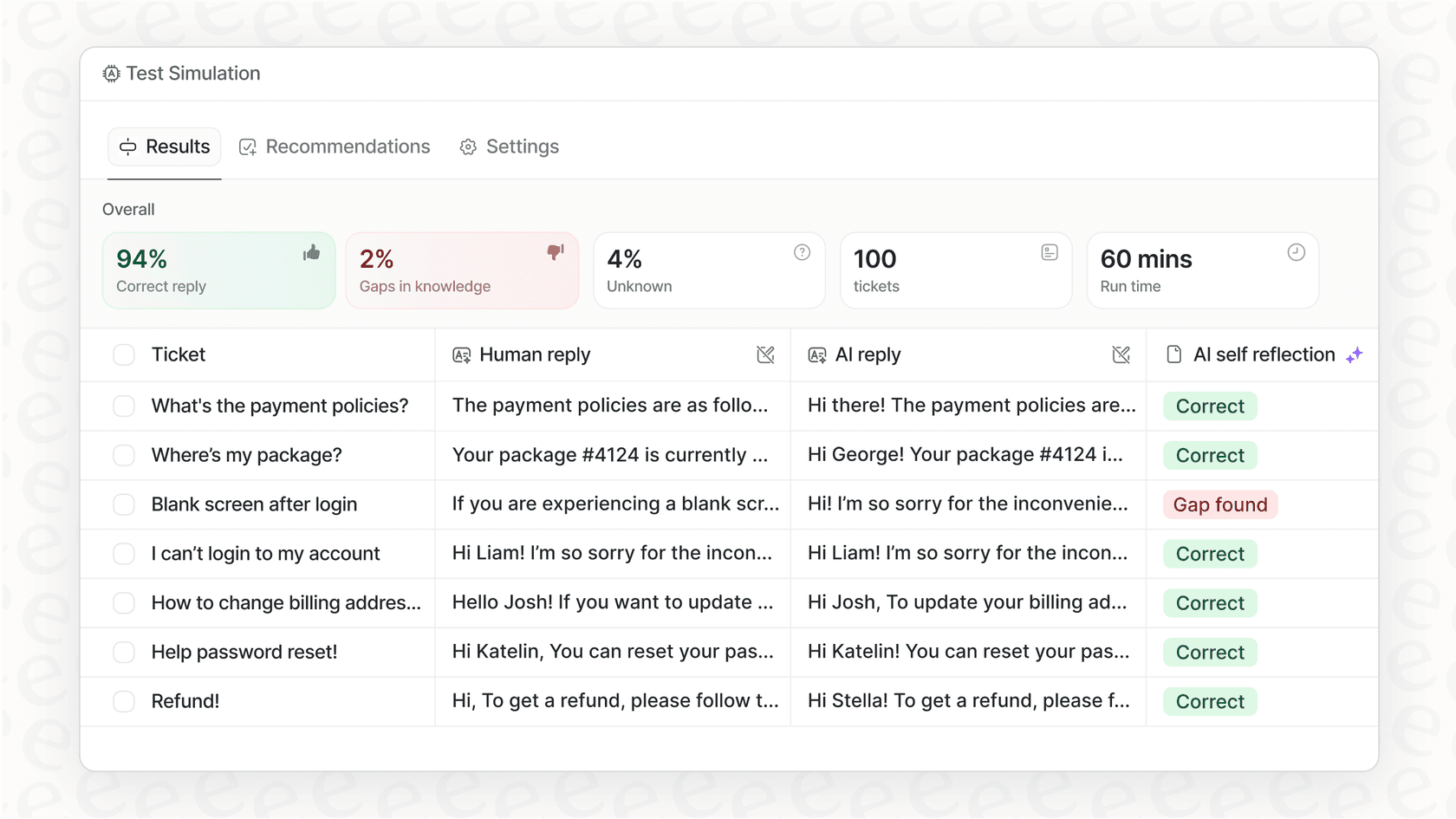
Before going live, run simulations on past tickets to see exactly how the AI would respond. Measure resolution rates. Identify gaps. This lets you verify quality before customers see it.
Phase 2: Start with guidance
Like any new hire, the AI begins with oversight. Have it draft replies that agents review before sending. Limit it to specific ticket types or queues. Set business hours when it can respond.
This isn't a limitation it's how you verify the AI understands your business before expanding its role.
Phase 3: Level up to autonomous
As the AI proves itself, you expand its scope:
- Drafts replies for review → sends replies directly
- Handles simple FAQs → handles all frontline support
- Works during business hours → works 24/7
- Escalates most tickets → escalates only edge cases you define
The path from "new hire" to "top-performing agent" is explicit and controlled. You decide when to promote based on actual performance.
Our AI Agent is built for this progression. Mature deployments achieve up to 81% autonomous resolution, with a typical payback period under 2 months.
Phase 4: Customize scope
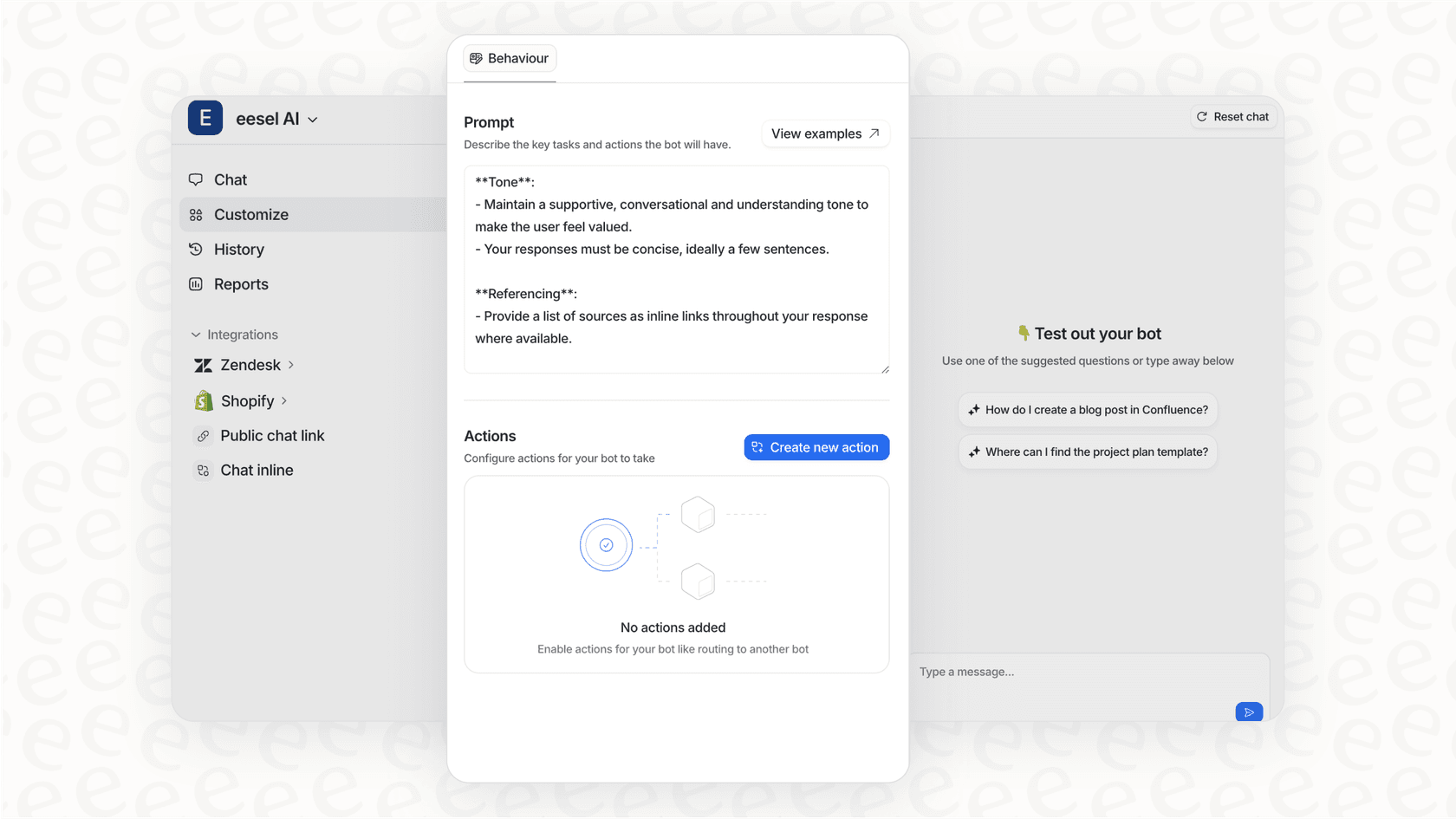
Define exactly what the AI handles and when it escalates, in plain English:
- "If the refund request is over 30 days, politely decline and offer store credit."
- "Always escalate billing disputes to a human."
- "For VIP customers, CC the account manager."
No code. No rigid decision trees. Natural language instructions that the AI follows.
This approach means you see how the AI performs before it's customer-facing. You control the pace of adoption, and you keep improving it over time through corrections and feedback.
Real results from AI-powered PLG support
The benchmarks from actual deployments are compelling:
| Metric | Result | Source |
|---|---|---|
| Ticket deflection | 60%+ | ActiveCampaign case study |
| Chat ticket reduction | 46% average weekly | Forethought data |
| Response time improvement | 27% faster | ActiveCampaign |
| Replies per ticket | 8% reduction | ActiveCampaign |
| Inbound query reduction | 20-30% | Proactive support |
| Autonomous resolution | Up to 81% | Mature deployments |
| Payback period | Under 2 months | Typical deployment |
The business impact
In PLG, support teams become the de facto face of the company. Sometimes they even replace frontline sales. The support provided to freemium users not only tips the odds of conversion in your favor, but also influences the relationship you build with customers after they subscribe.
According to Salesforce, 88% of customers are more likely to buy again from a company that provides great service. And support insights inform product development. Understanding how customers use your product, even those not yet paying, reveals what features are most important and where users get blocked.
As Forbes Tech Council contributor Palak Dalal Bhatia notes: "Don't treat your lower-tier users as 'tire kickers' or 'freeloaders.' Regardless of the revenue they may or may not provide your company, correlating as much information as possible about their engagement with your product can be invaluable."
Phil Lynch from ActiveCampaign put it this way: "Forethought has fundamentally shifted how we approach customer experience. Its automation and routing capabilities let us lean on AI to deliver faster solutions to our customers across a wide range of queries, freeing up our team to focus on the higher-value, more human conversations that really matter."
Implementation best practices for AI customer support
Based on lessons from the field, here are key principles for a successful rollout:
Start with high-impact, low-complexity use cases
Automate high-volume, simple tasks first. Delivering consistently accurate results in these areas builds credibility with both customers and internal stakeholders. Once you prove the AI works in simpler scenarios, it becomes much easier to get buy-in for tackling more complex problems later.
Attempting too much too fast usually backfires, creating half-baked solutions that frustrate customers and increase escalations.
Design for agent experience
The best AI product fails if the interface makes an agent's job more complicated. In one case study, a team noticed surprisingly low usage of an AI tool by agents despite positive feedback during pilot. The reason? Once integrated with the CRM, it required several extra clicks to access. Agents chose to ignore it altogether.
Get the user experience right from the start. Understand what agents actually need in their workflow, and design around that. Build quick prototypes, get them in front of real agents early, and adjust based on feedback.
Augment, don't replace
According to Cisco Agentic AI Research, while 68% of customer interactions are expected to involve agentic AI within three years, 89% of respondents believe enterprises must combine human empathy with AI efficiency to optimize customer experience.
The goal is a symbiotic relationship. AI handles the initial triage, gathers relevant information, and suggests solutions. Complex problems still benefit from human intervention. The key is designing systems that seamlessly escalate to human agents when needed.
Maintain brand voice
Customers expect a conversational, human-like tone that feels authentic to your brand. An overly robotic or generic response can ruin the experience.
Train your AI on brand-specific language and use prompt engineering to control tone, word choice, and formality. Monitor customer feedback continuously and adjust training data as needed to improve the experience.
Data quality over quantity
Poor data quality introduces bias, errors, and inconsistencies that ultimately erode customer trust. It's not enough to have a lot of data you need validated, preprocessed data.
In the short term, improve results by sourcing validated data, preprocessing it to handle missing values, and removing obvious bias. In the long term, establish strong data governance and feedback loops for continuous improvement.
For more implementation guidance, see our practical guide to mastering AI and automation in customer support.
Choosing the right AI customer support approach for your PLG strategy
If you're running a PLG motion and feeling the support crunch, here's how to think about getting started:
Assess your current state:
- What's your current ticket volume and growth trajectory?
- What help desk platform are you using? (Zendesk, Freshdesk, Intercom, Gorgias, etc.)
- How ready is your team for AI adoption?
- What's your budget and preferred pricing model?
Why we built eesel AI for this exact challenge:
The teammate mental model aligns naturally with the progressive rollout PLG companies need. Instead of configuring a tool, you hire an AI teammate that learns your business and levels up over time.
- Learns from existing data: No manual training or documentation uploads. Connect to your help desk and it absorbs your past tickets, help center, and macros.
- Pay per interaction: Not per seat. This scales with actual usage, making it predictable for PLG companies with fluctuating volumes.
- Works with your stack: Integrates with Zendesk, Freshdesk, Intercom, Gorgias, and 100+ other tools. No migration needed.
- Simulations before going live: Run the AI on past tickets to verify quality before customers see it.
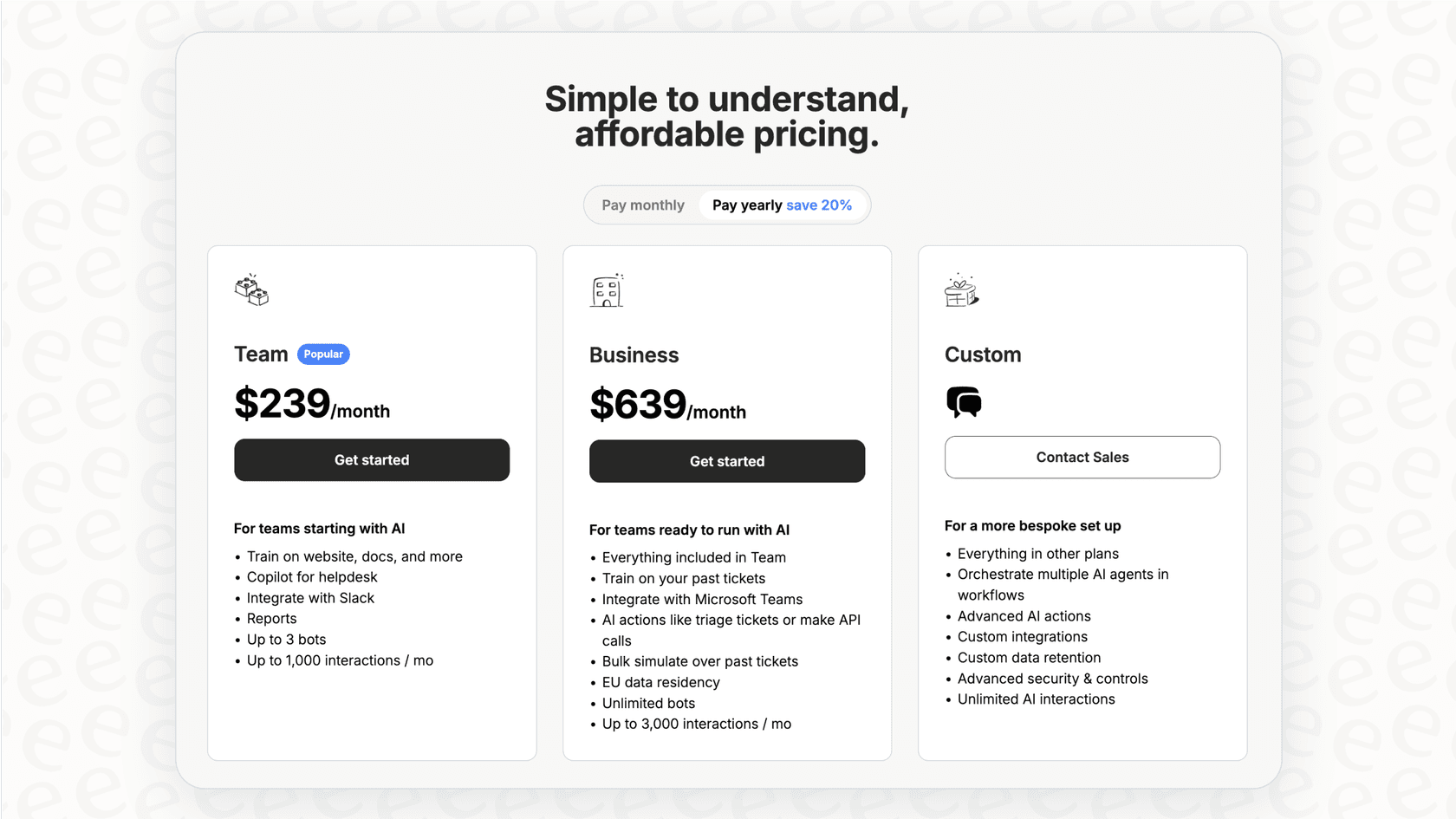
Our pricing starts at $299/month for the Team plan, with no per-seat fees. You pay for what you use, not for seats that sit empty.
Getting started:
Start with a simulation on your past tickets. See how AI would handle your actual support scenarios. Then level up from drafting to autonomous based on performance, not hope.
Invite eesel to your team and see how an AI teammate can help your PLG company scale support without proportional headcount.

Frequently Asked Questions
Share this article

Article by
Stevia Putri
Stevia Putri is a marketing generalist at eesel AI, where she helps turn powerful AI tools into stories that resonate. She’s driven by curiosity, clarity, and the human side of technology.