AI customer support for MarTech: A practical guide for 2026

Stevia Putri
Last edited March 17, 2026
Here's a paradox that keeps marketing leaders up at night: 60% of consumers now use AI tools at least weekly, yet only 13% completely trust AI in customer service. Even more concerning? A Gartner survey found that 64% of customers would prefer companies don't use AI for support at all.
So why are 93% of marketers adopting AI anyway? Because the data tells a different story. A BCG and Google study found that advanced AI adopters see 60% higher revenue growth. Teams using AI customer support report 65%+ conversation resolution rates and 39% faster ticket resolution than teams that don't.
The gap isn't in the technology. It's in how we implement it. This guide breaks down how to bring AI customer support into your MarTech stack without losing the human trust your brand depends on.
What is AI customer support for MarTech?
AI customer support for MarTech refers to AI-powered systems that handle customer interactions within your marketing technology stack. These aren't just chatbots on your website (though they can be). They're intelligent systems that work across your CRM, help desk, marketing automation platform, and customer data platform.
You can think of AI customer support in two categories (and both matter):
- Visible AI includes chatbots, virtual assistants, and recommendation engines that customers interact with directly. The customer knows they're talking to AI.
- Invisible AI works behind the scenes: predictive routing that sends tickets to the right agent, sentiment analysis that flags frustrated customers, automated triage that categorizes and prioritizes issues before a human sees them.
The shift happening now is from reactive support (waiting for customers to reach out) to proactive engagement (identifying issues before they escalate). AI can spot patterns in customer behavior, predict who might churn, and trigger interventions automatically.
At eesel AI, we approach this differently. Instead of configuring another tool, you hire an AI teammate. Like any new team member, eesel learns your business, starts with guidance, and levels up to work autonomously. The difference? What takes a human weeks to learn, eesel learns in minutes from your existing tickets, help center, and connected docs.
Why marketing teams need AI customer support now
The case for AI customer support goes beyond cost savings (though those are significant). Here's what's driving adoption in 2026:
The revenue argument: A BCG and Google study found that advanced AI adopters see 60% higher revenue growth. Teams using AI customer support report 65%+ conversation resolution rates automatically, freeing human agents for complex, high-value interactions.
The expectation shift: Customers expect 24/7 support, especially in SaaS and e-commerce. They want personalized responses at scale. They don't want to repeat their issue to three different agents. AI makes this possible without hiring round-the-clock teams.
The efficiency imperative: Marketing teams are stretched thin. Support tickets pull focus from campaigns, strategy, and growth initiatives. AI customer support lets you deflect routine inquiries without losing the human touch that builds brand loyalty.
The key is balancing automation with authenticity. Customers don't hate AI. They hate bad AI that wastes their time and makes it impossible to reach a human when needed.
Top AI customer support platforms for MarTech teams
Choosing the right platform depends on your existing stack, team size, and how quickly you want to scale automation. Here's how the major players compare.
1. eesel AI
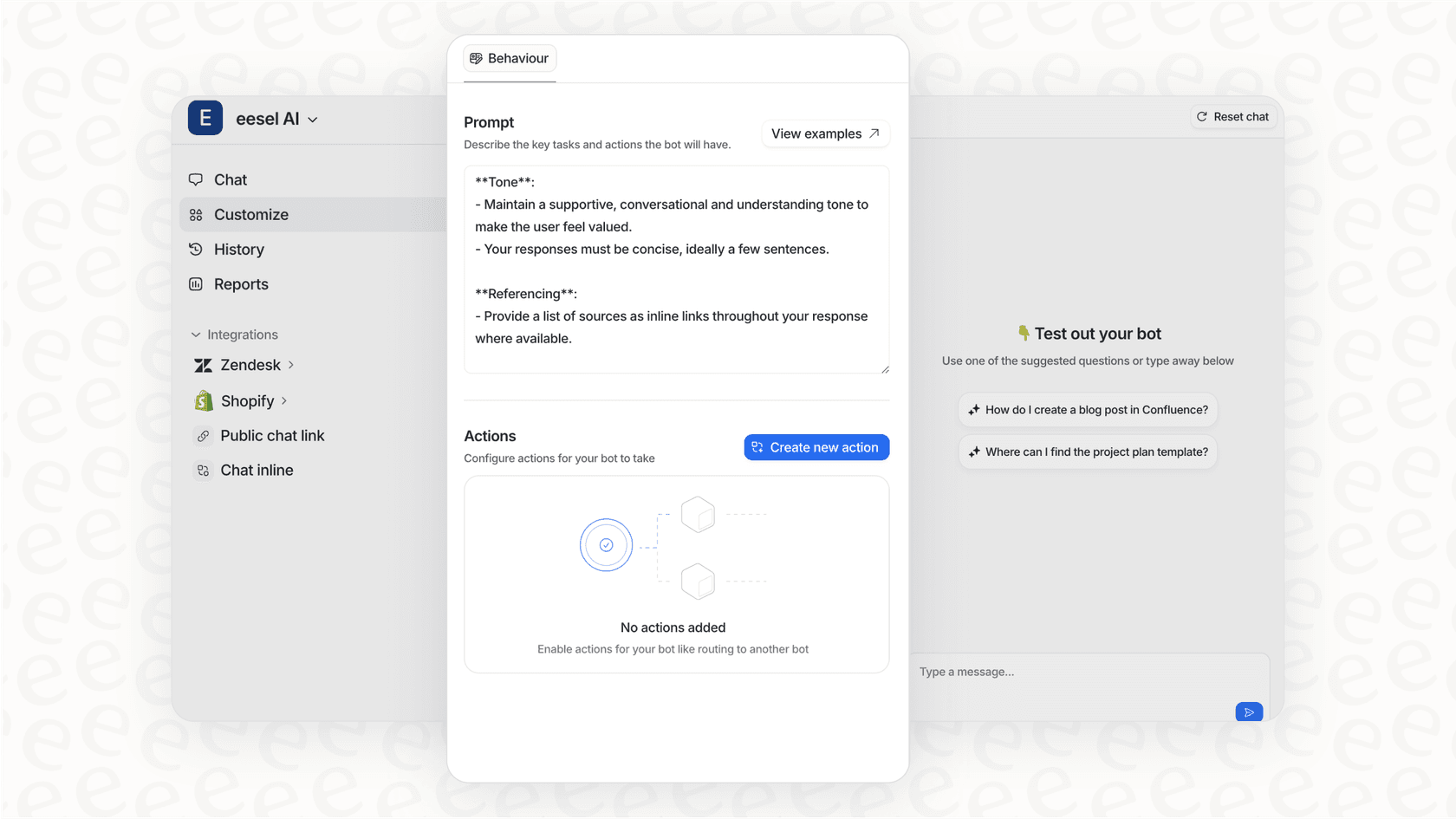
We built eesel AI around a simple idea: you don't configure AI, you hire it. Like any teammate, eesel starts with oversight and earns more autonomy as it proves itself.
Key capabilities:
- AI Agent: Handles frontline tickets end-to-end, from reading to responding to closing
- AI Copilot: Drafts replies for human review before sending
- AI Triage: Automatically tags, routes, merges, and closes tickets
- 100+ integrations including Zendesk, Freshdesk, Intercom, Gorgias, Salesforce, HubSpot, and Shopify
How the teammate model works:
- Connect eesel to your help desk. It learns from past tickets, macros, and help center articles immediately.
- Start with guidance: have eesel draft replies for review, limit it to specific ticket types, or set business hours.
- Level up based on performance: expand to 24/7 coverage, handle more ticket types, escalate only edge cases you define.
- Define escalation rules in plain English: "Always escalate billing disputes to a human" or "For VIP customers, CC the account manager."
Pricing:
| Plan | Monthly | Annual | Bots | Interactions/mo | Best For |
|---|---|---|---|---|---|
| Team | $299 | $239/mo | Up to 3 | 1,000 | Teams starting with AI |
| Business | $799 | $639/mo | Unlimited | 3,000 | Teams ready for full AI agent |
| Custom | Contact | Custom | Unlimited | Unlimited | Multi-agent orchestration |
Best for: Teams wanting gradual, controlled AI adoption with measurable results. Mature deployments achieve up to 81% autonomous resolution with typical payback under 2 months.
2. HubSpot Breeze Customer Agent
HubSpot's Breeze Customer Agent works as a 24/7 AI concierge across marketing, sales, and service. Because it's native to HubSpot, it pulls from complete CRM data for contextual responses.
Key capabilities:
- 65%+ resolution rates (top teams hit 90%)
- 39% faster ticket resolution vs. teams not using customer agent
- Works across chat, WhatsApp, Facebook, email, and voice
- Converts existing knowledge base docs into answers without coding
Pricing: Breeze Customer Agent is included in Professional ($800/mo) and Enterprise ($3,600/mo) plans, running on HubSpot Credits (100 credits per conversation).
Best for: Teams already invested in the HubSpot ecosystem who want unified marketing, sales, and service AI.
3. Zendesk AI
Zendesk AI offers agent copilot features and automated triage within the broader Zendesk ecosystem. It's built for enterprises with complex routing needs and high ticket volumes.
Key capabilities:
- AI agents for email and messaging (Essential plan included, Advanced plan as add-on)
- Generative replies and customizable AI agent persona
- Intelligent triage and macro insights
- Quality Assurance add-on ($35/agent/month) for automated conversation evaluation
Pricing:
| Plan | Annual Price | AI Agents | Key Features |
|---|---|---|---|
| Suite Team | $55/agent/mo | Essential | Messaging, live chat, phone |
| Suite Professional | $115/agent/mo | Essential | + Copilot writing tools, custom reporting |
| Suite Enterprise | $169/agent/mo | Essential | + Sandbox, approval workflows |
Best for: Enterprises with complex routing needs and existing Zendesk investments.
4. Salesforce Einstein

Salesforce Einstein (now branded as Agentforce) provides predictive case classification, routing, and AI-powered agent assistance embedded in Service Cloud.
Key capabilities:
- Atlas Reasoning Engine that breaks down requests and proposes resolutions
- Handles 85% of queries without human intervention (per Salesforce data)
- Omnichannel coverage: voice, SMS, WhatsApp, Apple Messages, Facebook Messenger
- Einstein Trust Layer for data masking and compliance
Pricing: Service Cloud plans start around $25/user/month (Starter) to $330/user/month (Unlimited). Einstein AI features often require additional licensing.
Best for: Large organizations with Salesforce-centric stacks and strict compliance requirements.
5. Kustomer
Kustomer (acquired by Meta) positions itself as an intelligent CX platform unifying AI and orchestration. It takes a CRM-first approach to customer service.
Key capabilities:
- AI-powered customer profiles with external data sources
- Omnichannel messaging: chat, email, text, voice
- Up to 100M custom objects and 500 custom attributes per class
- Support for up to 300 brands and 50 WhatsApp Business Accounts
Pricing: Custom pricing based on engaged conversations and customer outcomes. Kustomer Voice and WhatsApp are pay-as-you-go.
Best for: High-volume B2C operations, especially e-commerce companies wanting conversation-based pricing.
How to implement AI customer support without losing trust
The 64% of customers who'd prefer companies don't use AI aren't anti-technology. They're anti-frustration. Here's how to address their concerns head-on.
Be transparent. Clearly disclose when customers are interacting with AI. Provide obvious escalation paths to human agents. Hiding AI use backfires when customers figure it out (and they always do).
Give customers choice. Allow easy opt-out to human agents. Some people will always prefer talking to humans. Forcing AI interactions on them damages trust.
Prioritize accuracy over speed. An AI that gives wrong answers quickly is worse than no AI at all. Test extensively before customer-facing deployment. Run simulations on past tickets to measure quality before going live.
Use the progressive rollout framework:
- Phase 1: AI drafts replies for human review (Copilot mode). Agents verify and send. This builds confidence in AI quality without customer risk.
- Phase 2: Limited autonomous handling for specific ticket types. Low-risk categories like password resets or order status checks.
- Phase 3: Full frontline automation with smart escalation. AI handles routine issues, humans handle complexity.
Set escalation rules in plain English. The best systems let you define behavior naturally: "If the refund request is over 30 days, politely decline and offer store credit." "Always escalate billing disputes to a human." "For VIP customers, CC the account manager."
For a deeper dive into implementation strategies, see our practical guide to mastering AI and automation in customer support.
Measuring success: Key metrics for AI customer support
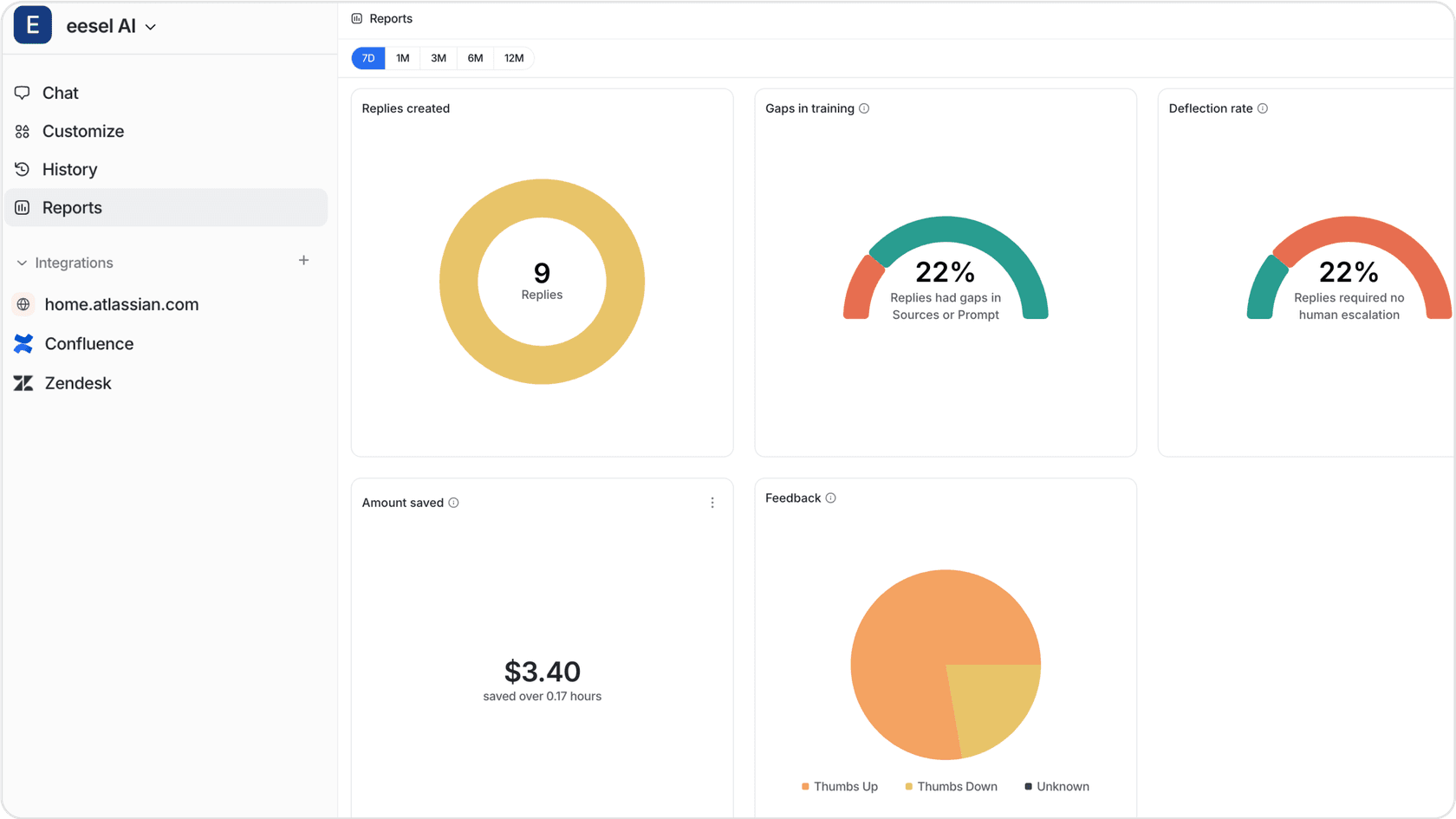
You can't improve what you don't measure. Track these metrics to ensure your AI customer support investment delivers results.
Operational metrics:
- Resolution rate: Target 65%+ for mature deployments. Track automated resolutions vs. escalated tickets.
- First response time: AI should deliver instant acknowledgment, with meaningful responses following quickly.
- Escalation rate: Monitor what percentage of tickets reach human agents and why.
Quality metrics:
- CSAT scores: Track AI vs. human interactions separately. Don't let averages hide AI-specific issues.
- Sentiment analysis: Are customers happier after AI interactions? Monitor trends over time.
- Knowledge gap identification: Good AI systems flag where your help center is missing articles.
Business impact:
- Cost per ticket: Calculate fully-loaded cost including AI platform, human agent time, and training.
- Agent productivity: Measure tickets handled per agent after AI implementation.
- Customer retention: Correlate support experience with churn rates.
Want to estimate your potential savings? Try our ROI calculator to see how much time and cost AI customer support could save your team.
Common pitfalls and how to avoid them
Pitfall 1: Over-automating too quickly
The excitement of AI capabilities leads some teams to automate everything at once. When it breaks (and it will), you'll damage customer trust and create cleanup work.
Solution: Start with 20% of ticket volume. Expand gradually as the AI proves itself.
Pitfall 2: Hiding the AI
Some companies try to pass off AI as human agents. Customers figure it out, and the deception hurts trust more than the AI itself would've.
Solution: Proactive transparency. "Hi, I'm an AI assistant. I can help with most questions, and I'll connect you to a human if needed."
Pitfall 3: Ignoring edge cases
AI handles routine beautifully but struggles with unusual situations. If you haven't defined what happens when the AI's uncertain, customers get stuck in loops.
Solution: Comprehensive escalation rules and human oversight. When in doubt, escalate.
Pitfall 4: Set-and-forget mentality
AI systems need ongoing training. Customer language evolves, products change, and new issues emerge.
Solution: Regular review of AI responses. Update training data monthly. Monitor for drift in performance metrics.
Getting started with AI customer support in your MarTech stack
Ready to move from reading to doing? Here's your roadmap:
Assessment (Week 1):
- Audit current ticket volume and types
- Map resolution paths for common issues
- Identify which tickets are truly routine vs. requiring human judgment
- Review your current MarTech stack for integration opportunities
Platform selection criteria:
- Integration with existing help desk and CRM
- Progressive autonomy capabilities (start guided, expand based on performance)
- Testing and simulation features to validate quality before going live
- Clear escalation paths and human oversight controls
30-60-90 day implementation roadmap:
- Days 1-30: Platform setup, training data ingestion, simulation testing
- Days 31-60: Soft launch with AI Copilot mode (drafting for human review)
- Days 61-90: Limited autonomous deployment, monitoring, iteration
The key is controlled, measurable rollout. You want to see exactly how the AI performs before customers do.
At eesel AI, we've built our entire approach around this principle. You can invite eesel to your team and start with a 7-day free trial. Connect your help desk, run simulations on past tickets, and see how eesel'd handle your actual customer issues. Only then do you decide how much autonomy to grant.
Check out our integrations to see how eesel connects with your existing MarTech stack, from Zendesk and Freshdesk to Salesforce and HubSpot.

Frequently Asked Questions
Share this article

Article by
Stevia Putri
Stevia Putri is a marketing generalist at eesel AI, where she helps turn powerful AI tools into stories that resonate. She’s driven by curiosity, clarity, and the human side of technology.