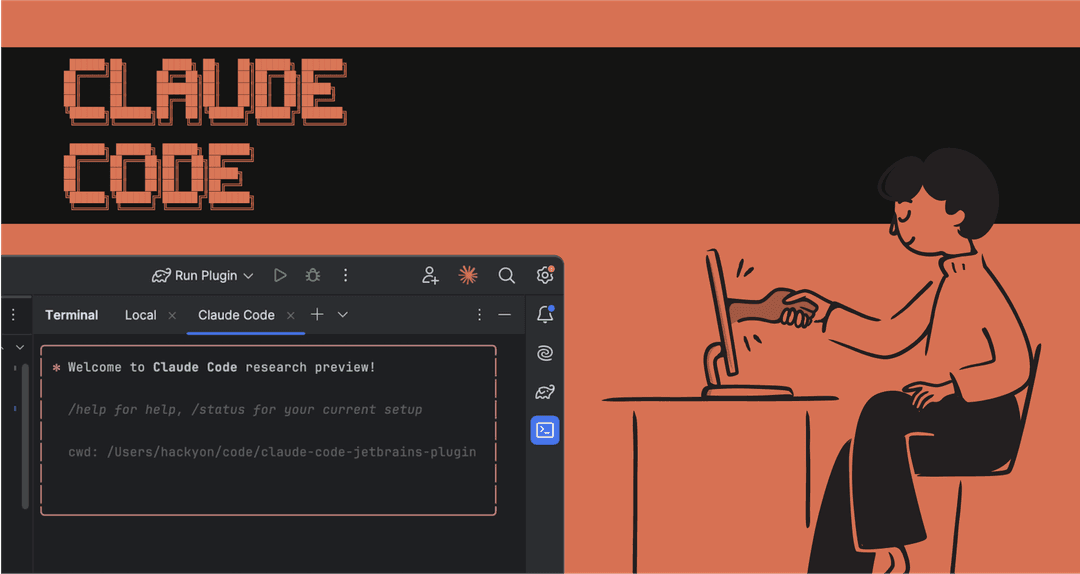
AI coding assistants are completely changing how developers write, test, and ship code. One of the most interesting setups right now is pairing Anthropic's Claude Code with Amazon Bedrock. This lets your dev team use a top-tier AI coding partner right inside your own secure AWS environment.
But let's be honest, getting it all up and running isn't a walk in the park. The potential is massive, but the setup can get complicated, and you really need to watch the costs. This guide is here to cut through the noise. We'll walk you through the setup, show you what it's good for, break down the pricing, and talk about the downsides so you can figure out if it’s the right move for your engineering team.
What is Amazon Bedrock Claude Code?
First things first, let's get clear on what we're actually talking about. This isn't one single product you can just download. It's two powerful tools working together.
What is Amazon Bedrock?
Amazon Bedrock is basically AWS's hub for top-tier foundation models (FMs) from AI companies like Anthropic, Meta, and Stability AI. It gives you access to all of them through one API, which is great for businesses that want to build AI tools while keeping everything secure and scalable within their existing AWS world.
What is Claude Code?
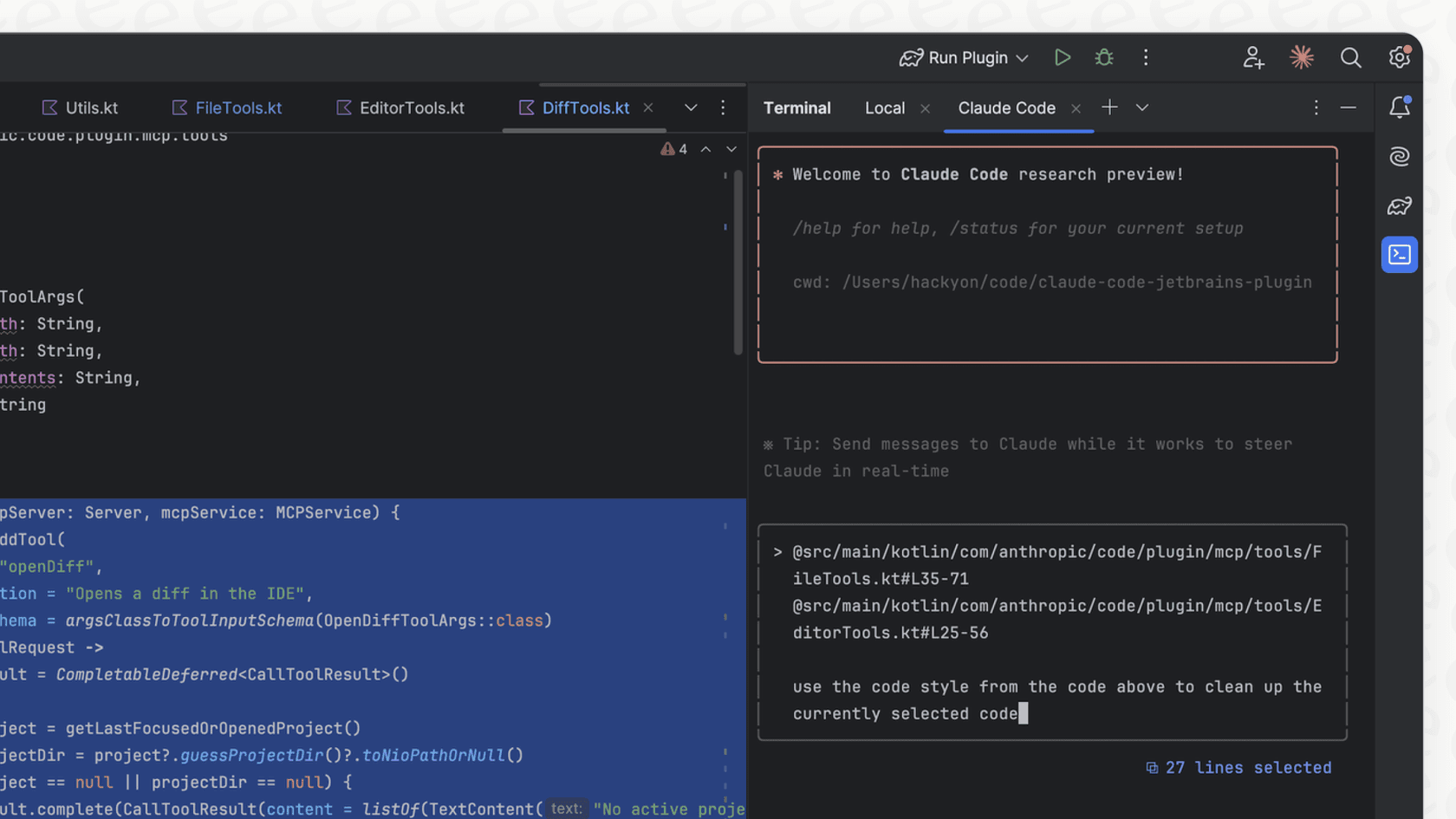
Claude Code is an AI assistant from Anthropic built specifically for developers. It lives in your terminal or IDE (like VS Code and JetBrains) and acts like a true coding partner. It's "agentic," which is a fancy way of saying it understands the entire context of your codebase. You can ask it in plain English to write code across multiple files, squash bugs, run tests, or even sort out git merge conflicts.
Why combine them?
So why run Claude Code through Bedrock? Simple: you get all the coding smarts of Claude, but everything stays inside your company's AWS infrastructure. This means billing is consolidated, security policies are already in place, and you don't have to worry about compliance headaches. For any company already deep in the AWS ecosystem, it's a pretty compelling setup.
A step-by-step guide to setting up Amazon Bedrock Claude Code
Okay, let's get into the setup. A word of warning: this is definitely for teams who are comfortable working in AWS. It’s not a simple one-click install and involves fiddling with a few different services to get everything talking to each other.
Prerequisites
Before you dive in, make sure you have these things ready:
-
An active AWS account with Amazon Bedrock access turned on.
-
The right AWS Identity and Access Management (IAM) permissions to use Bedrock models.
-
The AWS CLI installed and set up on your machine.
-
Node.js (version 18 or newer) to install Claude Code.
Configuration steps
Here’s a high-level look at the steps to get Claude Code and Bedrock working together.
graph TD; A[Start: Prerequisites] --> B{Have AWS Account?}; B -- Yes --> C[Enable Bedrock Access]; B -- No --> X[Create AWS Account]; C --> D[Configure IAM Permissions]; D --> E[Install AWS CLI]; E --> F[Install Node.js v18+]; F --> G[Step 1: Enable Anthropic Models in Bedrock Console]; G --> H[Step 2: Configure AWS Credentials via CLI or Env Vars]; H --> I[Step 3: Install Claude Code via npm]; I --> J[Set Bedrock & Model Environment Variables]; J --> K[Step 4: Manage Token Settings Environment Variables]; K --> L[Finish: Ready to Use];
-
Enable model access: Head over to the AWS Bedrock console and request access to the Anthropic models you want to use. You'll need access to both a main model (like Claude 3.5 Sonnet or Claude Sonnet 4.5) for the heavy-lifting and Claude 3.5 Haiku for smaller background tasks.
-
Configure AWS credentials: Claude Code uses the standard AWS SDK credential chain. You can get this working by running "aws configure" in your command line or by setting up environment variables for your access key, secret key, and session token. Using AWS SSO profiles or the new Bedrock API keys are also solid options.
-
Install and configure Claude Code: First, install the tool using npm: "npm install -g @anthropic-ai/claude-code". After that, you need to set some environment variables to tell the tool to use Bedrock instead of Anthropic's own service.
export CLAUDE_CODE_USE_BEDROCK=1
export AWS_REGION=us-east-1 # Or your preferred Bedrock region
export ANTHROPIC_MODEL='us.anthropic.claude-sonnet-4-5-20250929-v1:0'
export ANTHROPIC_SMALL_FAST_MODEL='us.anthropic.claude-3-5-haiku-20241022-v1:0'
```
4. **Manage token settings:** This is a big one. To avoid getting constantly throttled, you need to set limits on output tokens. This stops a single request from hogging your entire per-minute quota.
```bash
export CLAUDE_CODE_MAX_OUTPUT_TOKENS=4096
export MAX_THINKING_TOKENS=1024
```

Look, if you're on a customer support or IT team, you don't need to go through all this trouble for [AI automation](https://eesel.ai/ai-helpdesk-agent). Tools like [eesel AI](https://eesel.ai) are built for exactly this. You can connect it to your [Zendesk](https://www.eesel.ai/integration/zendesk) help desk or [Confluence](https://www.eesel.ai/integration/confluence) [knowledge base](https://www.eesel.ai/blog/internal-knowledge-base) with a single click. You can be up and running in minutes, not days, with zero developer help needed.
## Key features, use cases, and limitations
Once you get through the setup, you’ll have a seriously capable pair-programmer on your hands that can dig into the details of your projects.
### Core capabilities and use cases
It's built to speed up pretty much every part of the development cycle. Here are a few common things developers use it for:
* **Multi-file code generation:** Building out new features that touch several different files and directories.
* **Complex bug fixing:** Digging through stack traces and your codebase to figure out what went wrong and how to fix it.
* **Automated testing:** Writing unit tests and integration tests, then running them to make sure everything works.
* **Architectural Q&A:** Getting answers to questions about how different pieces of a big, complicated codebase fit together.
* **Git workflow automation:** Helping out with creating commits, summarizing changes, and even sorting out merge conflicts.
This makes it a great sidekick for developers, DevOps engineers, and R&D teams who want to get more done and solve tricky engineering problems.
### Common challenges and limitations
As powerful as it is, there are a few headaches you should expect.
* **[API throttling](https://blog.playgroundtech.io/getting-started-with-claude-code-on-aws-bedrock-b22a0ea09ba5):** You will almost certainly run into "429 Too Many Requests" errors. This happens because AWS limits how many tokens you can use per minute, and a single complex coding task can eat up that quota in seconds if you're not careful.
* **Configuration complexity:** This isn't a 'set it and forget it' kind of tool. You'll need to keep an eye on IAM policies, service quotas, and environment variables, which can become a chore.
* **Developer-centric focus:** It's important to remember this tool is made for one thing: writing code. It’s not going to help you automate business tasks like resolving support tickets, handling IT requests, or answering HR questions for your non-technical colleagues.
<pre><iframe loading="lazy" width="560" height="315" src="https://www.youtube.com/embed/8gTpgWru0Wg" title="YouTube video player" frameborder="0" allow="accelerometer; autoplay; clipboard-write; encrypted-media; gyroscope; picture-in-picture; web-share" referrerpolicy="strict-origin-when-cross-origin" allowfullscreen></iframe>This video demonstrates how you can build an agentic workflow using Claude with Amazon Bedrock.</pre>
Claude Code is fantastic for building software, but you need a different tool to support the people using that software. That’s where something like [eesel AI](https://eesel.ai) comes in. Our [AI Agent](https://www.eesel.ai/product/ai-agent) can plug into your help desk, learn from your team's past tickets, and start resolving customer issues on its own. And for internal questions, our [AI Internal Chat](https://www.eesel.ai/product/ai-internal-chat) can give your employees instant answers from the company wiki, all without anyone needing to write a line of code.
## Understanding the pricing
Now for the million-dollar question: what does all this cost? The honest answer is... it depends. The price tag for using Claude on Bedrock can swing wildly based on how you use it, which models you pick, and your pricing plan.
### On-demand and batch pricing
The standard option is on-demand, where you pay as you go for the number of input and output "tokens" (pieces of words) you use. A single request can burn through thousands of them. There's also batch pricing, which gives you a 50% discount if you have large jobs that aren't time-sensitive.
| Anthropic Model on Bedrock | Price per 1,000 Input Tokens (On-Demand) | Price per 1,000 Output Tokens (On-Demand) |
| :--- | :--- | :--- |
| Claude 3 Haiku | $0.00025 | $0.00125 |
| Claude 3.5 Sonnet | $0.003 | $0.015 |
| Claude 4.1 Opus | $0.015 | $0.075 |
*Pricing is based on the US East (N. Virginia) region and can change. Always check the official [AWS Bedrock pricing page](https://aws.amazon.com/bedrock/pricing/) for the latest numbers.*
### Provisioned throughput
If you have a really consistent, heavy workload, you can buy "Provisioned Throughput." This means you commit to a certain amount of usage for one or six months and get a cheaper hourly rate in return. It's really for big, production-level deployments.
### Hidden costs and considerations
* **Token burndown rate:** This is a tricky one. Some of the more powerful Claude models 'burn' through your token quota faster than others. For instance, the top-tier models might use up your quota at 5x the rate of the actual tokens they generate, making it surprisingly easy to hit your limits.
* **Long context:** Because Claude Code needs to see your codebase to understand what you're asking, it sends a lot of context with every request. All that code counts as input tokens, which can make your costs climb quickly, especially when you're going back and forth on a feature.
This pay-as-you-go model gives developers flexibility, but it can be a nightmare for managers trying to predict a budget. In contrast, [eesel AI](https://eesel.ai) offers **transparent and predictable pricing**. Our plans are based on a set number of AI interactions each month. You won't find any per-resolution fees or confusing token math, so you're never caught off guard by a huge bill.
## Is Amazon Bedrock Claude Code right for your team?
So, what’s the final verdict on Amazon Bedrock Claude Code? Without a doubt, it's an incredibly powerful tool for software development. It gives engineering teams a top-notch AI assistant that works right inside their secure AWS setup.
But that power comes at a price. The setup is a hassle, you’re always at risk of hitting API limits, and you have to watch the costs like a hawk to avoid a nasty surprise on your bill. It’s a fantastic tool for *building* a product, but it’s not meant for the business teams who support that product.
For leaders in customer service, IT support, and internal operations, the goal is to get results without having to become AWS experts. You need something that’s simple to set up, easy to manage, and gives you a clear return.
## The simpler path to AI automation with eesel AI
If your main goal is to automate support, make operations smoother, and give your team AI superpowers, there’s a much easier way. With [eesel AI](https://eesel.ai), you can:
* **Go live in minutes, not months:** Forget about confusing AWS settings. Connect your help desk, wiki, and other tools with one click and see results right away.
* **You're in control of your workflows:** Our simple visual editor lets you decide exactly what your AI handles, how it should talk to people, and when to loop in a human.
* **Test with confidence:** Want to know how well it will work? Our simulation mode lets you test the AI on thousands of your past tickets. You'll get a real forecast of its performance and how much you'll save before you turn it on.
* **Predictable, transparent pricing:** Our straightforward monthly plans are based on how much you use the AI, not on confusing token counts. You'll always know what to expect on your bill.
Ready to see what AI can do for your support team, without the engineering headache? **[Try eesel AI for free](https://eesel.ai)**.
Frequently asked questions
How difficult is it to set up Amazon Bedrock Claude Code for a development team?
Setting up Amazon Bedrock Claude Code requires familiarity with AWS services, including Bedrock, IAM, and the AWS CLI. It involves multiple steps like enabling model access, configuring AWS credentials, and setting environment variables, making it more involved than a simple one-click installation.
What are the primary capabilities and use cases for Amazon Bedrock Claude Code in a development workflow?
Amazon Bedrock Claude Code excels at accelerating various development tasks, such as multi-file code generation, complex bug fixing, automated testing, and architectural Q&A. It's designed to be a comprehensive coding partner within your secure AWS environment.
What are some common challenges or limitations developers might face when using Amazon Bedrock Claude Code?
Developers often encounter API throttling errors due to AWS's token per-minute limits, especially with complex tasks. The configuration also requires ongoing management of IAM policies, service quotas, and environment variables.
Can you explain the pricing structure for Amazon Bedrock Claude Code, especially regarding on-demand vs. provisioned throughput?
Pricing for Amazon Bedrock Claude Code is typically on-demand, based on the number of input and output tokens consumed. For consistent, heavy workloads, Provisioned Throughput offers a discounted hourly rate for committed usage.
Is Amazon Bedrock Claude Code suitable for non-technical teams or tasks beyond software development?
No, Amazon Bedrock Claude Code is specifically designed for developers and coding tasks within a secure AWS environment. It is not suitable for automating business tasks like customer support, IT requests, or HR inquiries for non-technical teams.
When might Amazon Bedrock Claude Code not be the most practical solution for an engineering team?
Amazon Bedrock Claude Code might not be the most practical solution if your team prioritizes simple, low-maintenance AI automation for business tasks over deep coding assistance. Teams new to AWS or those seeking predictable pricing without token complexity might also find alternatives more suitable.